Do your customers sometimes see shipping options that don’t fit their needs, leading to delayed orders or unnecessary costs? By customizing shipping restrictions, you can fully control which shipping companies appear based on factors such as order weight, delivery location, or product type.
In this article, you’ll find practical, real-world examples that show how to apply shipping restrictions intelligently to improve the customer experience and reduce operational costs.
Types of shipping restrictions you can add
Salla allows you to create shipping restrictions using several condition types. These restrictions can be combined to create flexible and precise shipping rules that suit your business model.
Common restriction types include:
- Delivery location (cities, regions, or mapped areas)
- Product categories or specific products
- Cart weight
- Cart value
- Other order-related conditions

Using these options, you can ensure that only the most suitable shipping companies appear at checkout.
Practical examples
Below are real-life scenarios that demonstrate how shipping restrictions can be applied effectively.
Example 1: Assigning a specific shipping method for customers in Makkah and Jeddah
Scenario: You want customers located in Makkah and Jeddah to see only one specific shipping method.
How it works:
- Set the restriction type to Orders from specific locations.
- Select Makkah and Jeddah as the target areas.
- Apply the condition included.
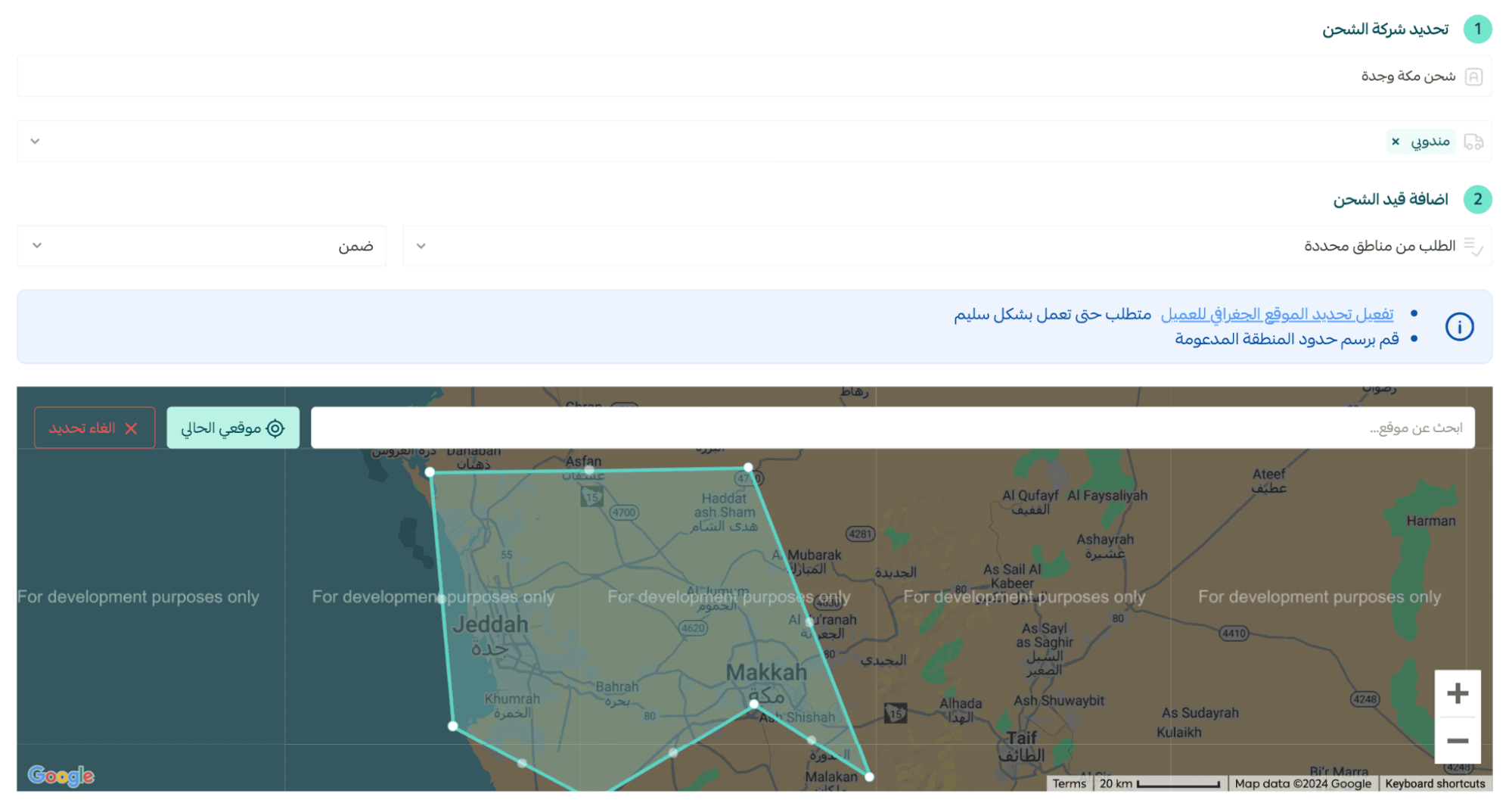
Result: When the customer’s address is in Makkah or Jeddah, only the selected shipping method will appear at checkout.
This is useful when:
- You have a preferred local courier
- You want faster delivery in specific cities
- You offer special pricing for certain regions
Example 2: Showing refrigerated shipping companies for products that require cold delivery
Scenario: Some products in your store require refrigerated shipping, such as items under specific categories (for example: pastries, chilled desserts, or baked goods).
How it works:
- Set the restriction type to Product Category.
- Select the relevant categories (for example: pastries, cookies, cakes).
- Apply the condition included.
- Select the refrigerated shipping company.
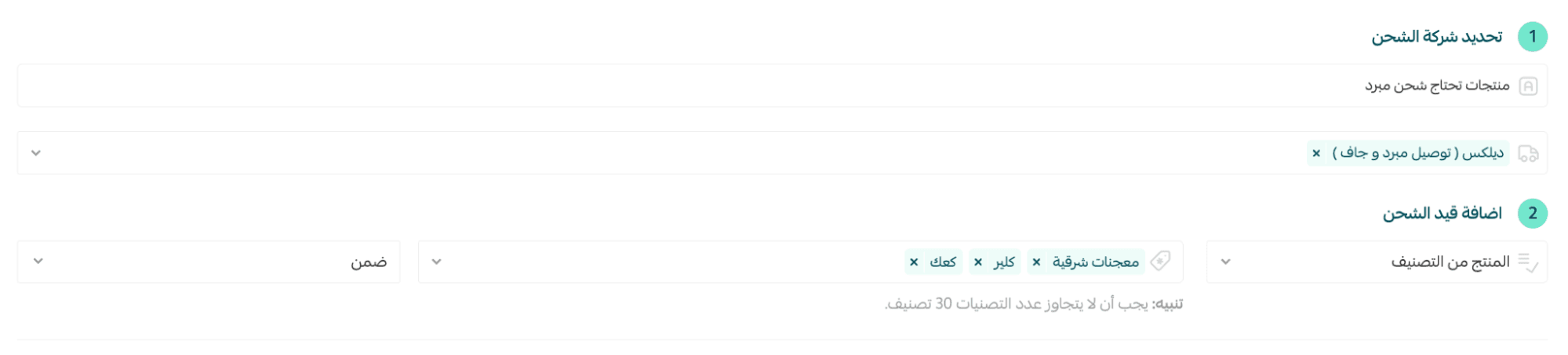
Result: When a customer orders a product from these categories, only the refrigerated shipping company you specified will appear as a shipping option.
This ensures:
- Product safety during delivery
- Compliance with shipping requirements
- Fewer delivery issues and customer complaints
Example 3: Showing specific shipping companies when shipment weight exceeds 50 kg
Scenario: Heavy shipments require specialized carriers. You want only certain shipping companies to appear when the total shipment weight exceeds 50 kg.
How it works:
- Set the restriction type to Cart Weight.
- Define the condition as greater than 50 kg.
- Apply the condition included.
- Select shipping companies such as Aramex and DHL Express.
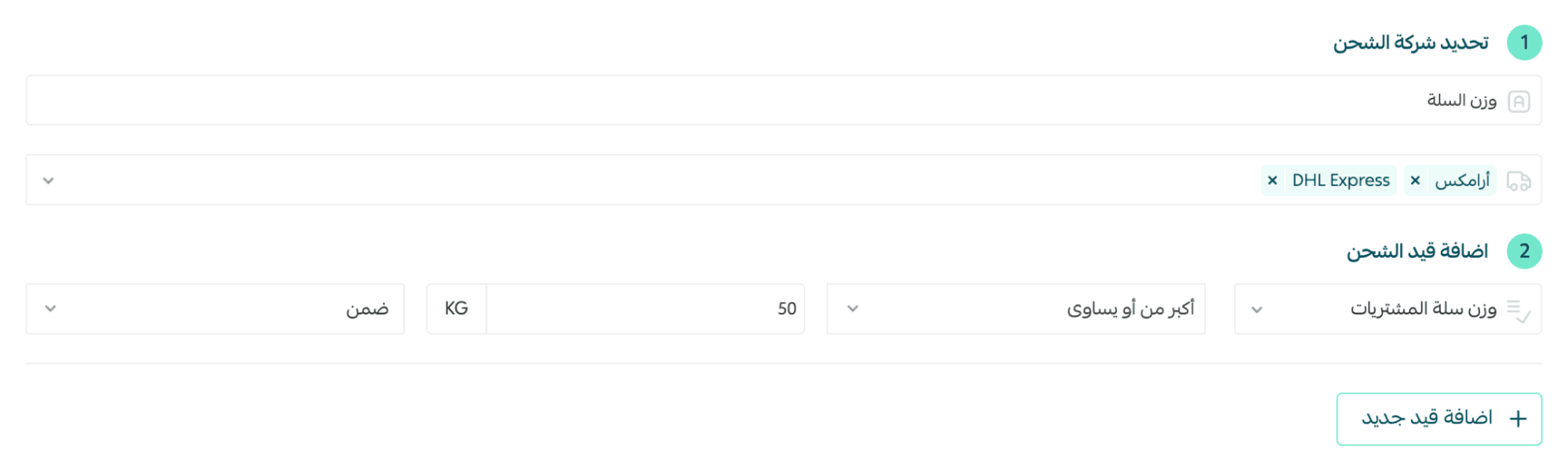
Result: When the shipment weight is more than 50 kg, only Aramex and DHL Express will appear as available shipping options.
This helps you:
- Avoid carriers that cannot handle heavy shipments
- Reduce failed deliveries
- Control shipping costs more accurately
Best practices for using shipping restrictions
- Use included conditions when only specific shipping companies are suitable.
- Use not included conditions to hide unsuitable carriers while keeping others available.
- Combine multiple conditions to create advanced shipping rules.
- Test restrictions after setup to ensure they behave as expected at checkout.