The Product Preview feature gives you a clear and instant view of how your product will appear while creating or editing it. This allows you to review every detail before publishing and ensures the final display matches your vision with precision and professionalism.
By previewing the product layout, images, pricing, and overall presentation in advance, you can confidently deliver a polished shopping experience that builds trust and increases purchase intent. A well presented product is one of the strongest drivers of higher sales.
📌 Article overview
- Preview while creating a product
- Preview while editing a product
Preview while creating a product
From the main menu, go to Products.
- Click Create new product, then select the product type you want to add.


- The product creation page will open. As soon as you enter any information such as:
- Product name
- Product image
- Promotional title
- Subtitle
- Price or discounted price

These details will instantly appear in the Product Preview section.
This live preview allows you to confirm that the product appearance looks exactly as you want before saving or publishing.
Example
When adding a new product called “Face Serum” and uploading its image and price, the preview on the side of the screen updates immediately. You will see the product name, image, and price exactly as customers will see them in the store, making it easy to adjust anything before publishing.
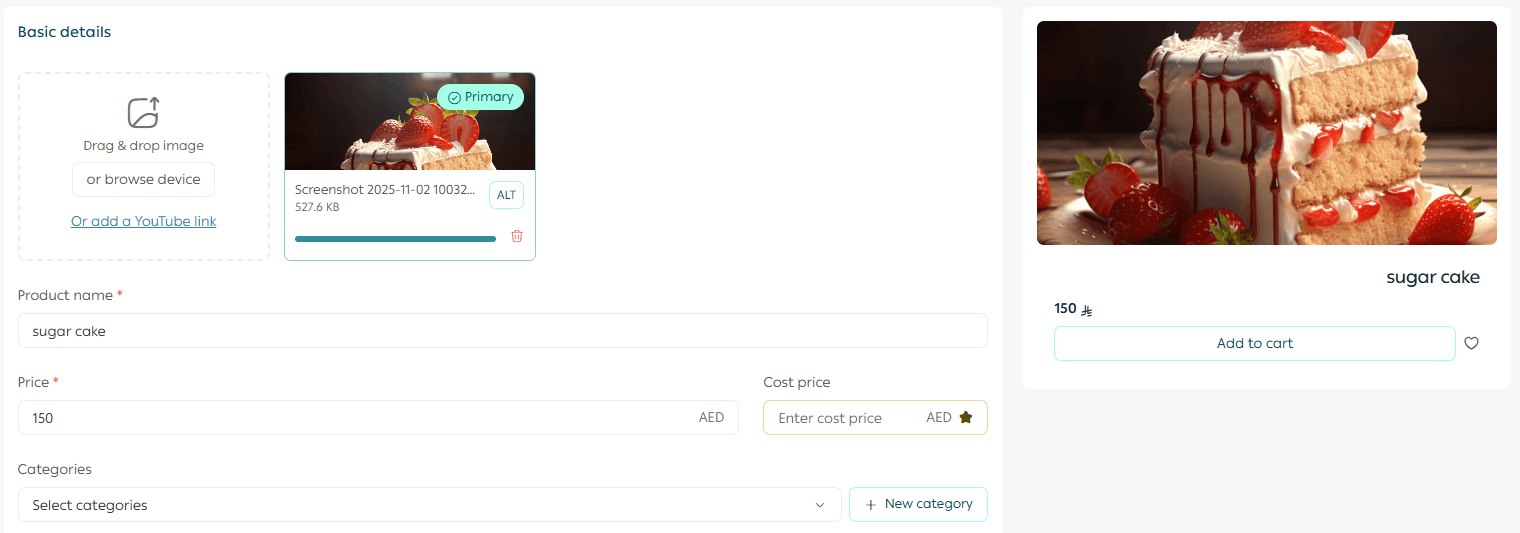
For more details, refer to the guide on adding a new product.
Preview while editing a product
You can also preview any changes made to an existing product.
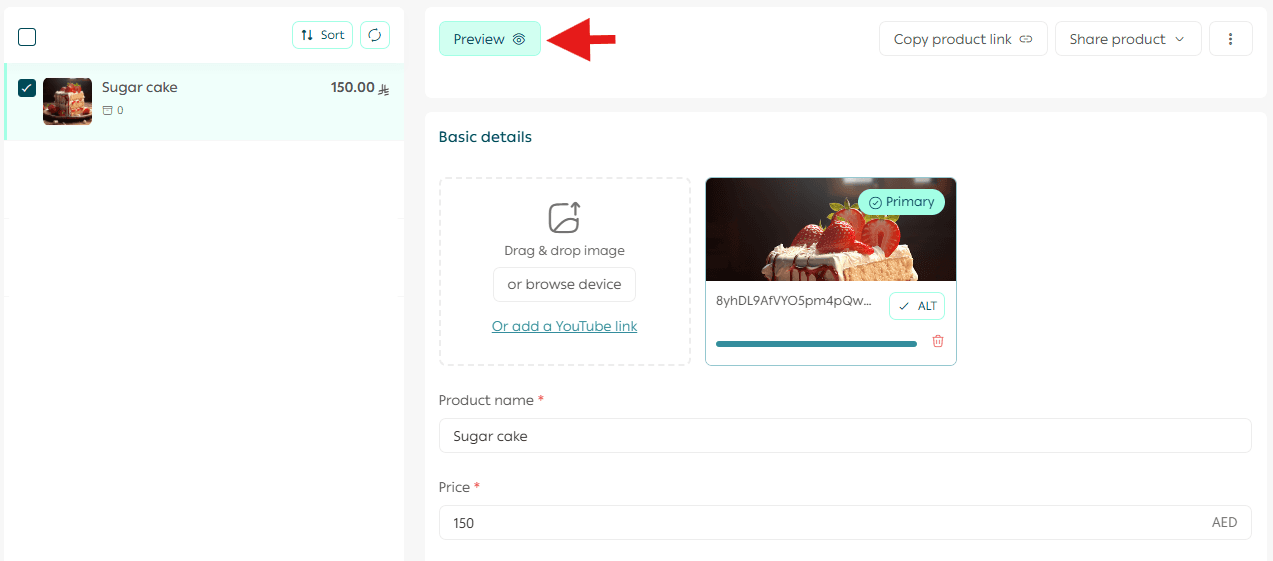
Simply select the product from the product list, then click Preview Product. Any edits or additions will appear instantly in the preview, allowing you to review the final look before saving or publishing.
Note
The preview uses the active theme applied to your store. This means you are seeing the product in its real context, exactly as customers will experience it.
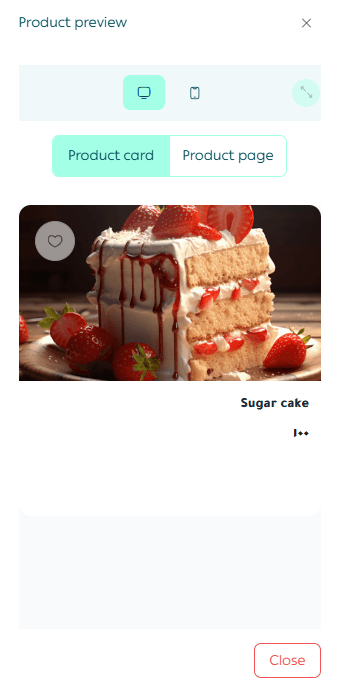
A preview window will open, showing the product display in detail.
Available preview modes
The product preview offers two viewing options to give you full clarity:
Product card view
Shows how the product card appears in the store listing.
Product page view
Displays the full product page as customers see it, including banners, related products, and all theme elements. This helps you evaluate the complete customer journey.
You can also switch between desktop view and mobile view to ensure the product looks perfect on all devices.
Frequently asked questions
Does the preview appear while entering product data?
Yes. The preview updates instantly and automatically with every change to the product name, image, or price, without the need to save.
Is product preview available for all product types?
Yes. The preview feature is available for all product types.
Does the preview affect the live product in the store?
No. The preview only shows how the product will look. Changes are not applied to the live store until you click Save.
Can I preview the product as it appears on mobile?
Yes. Inside the preview, you can switch between mobile and desktop views using the display icon at the top of the preview window.
Why does the preview not appear when editing an existing product?
The preview feature only works for products that are visible and published in the store. If the product is hidden or unpublished, the preview will not appear. Make sure the product is active and visible to enable preview.
Why product preview matters
Using the product preview feature helps you:
- Catch layout or content issues before publishing
- Ensure consistency with your store theme
- Optimize product presentation for higher conversions
- Deliver a professional and trustworthy shopping experience
Previewing before publishing saves time, reduces errors, and helps you launch products with confidence.