Store and Product Reviews
Shoppers trust other shoppers more than they trust your product page. The Store and Product Reviews app puts genuine reviews of your products and your store in front of customers, presented attractively and styled to match your storefront — which builds confidence and lifts sales. In this guide, you'll learn how to install the Store and Product Reviews app and how to manage it afterward.
To install Store and Product Reviews on Salla, click All in the main menu, open the App Store from the helper tools section, and search for the app. Click Install, choose your plan, complete the payment, then click Activate app and adjust the settings before clicking Save.
📌 Article overview
- How to install the Store and Product Reviews app
- How to manage the app
- Frequently asked questions
🚀 How to install the Store and Product Reviews app
1. From the main menu, click (All), then from the helper tools section click (App Store).

2. Search for the app using the search field.

3. From the Store and Product Reviews app page, click (Install).

4. Choose the plan that fits your business to continue with the installation.
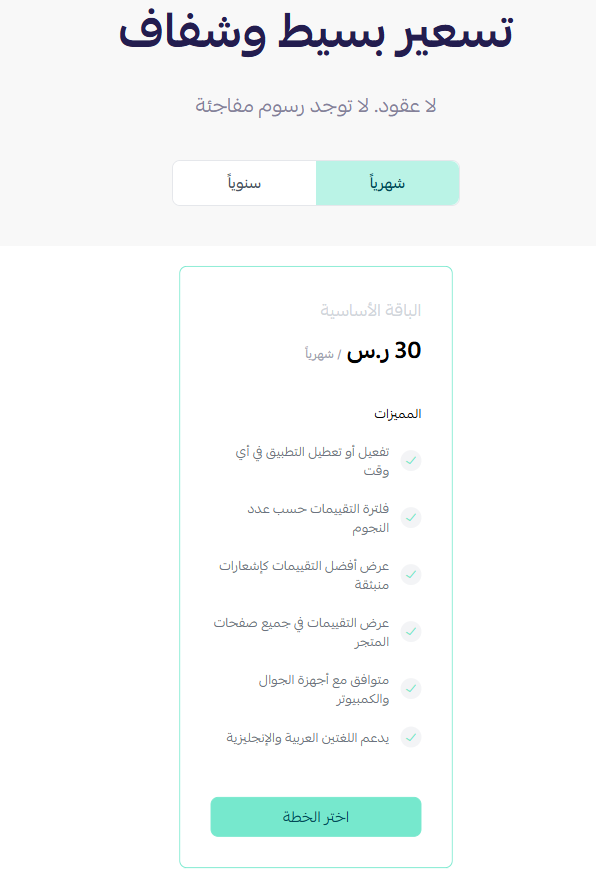
5. Once payment is complete and the app is installed, click (Activate app) to start using its features.
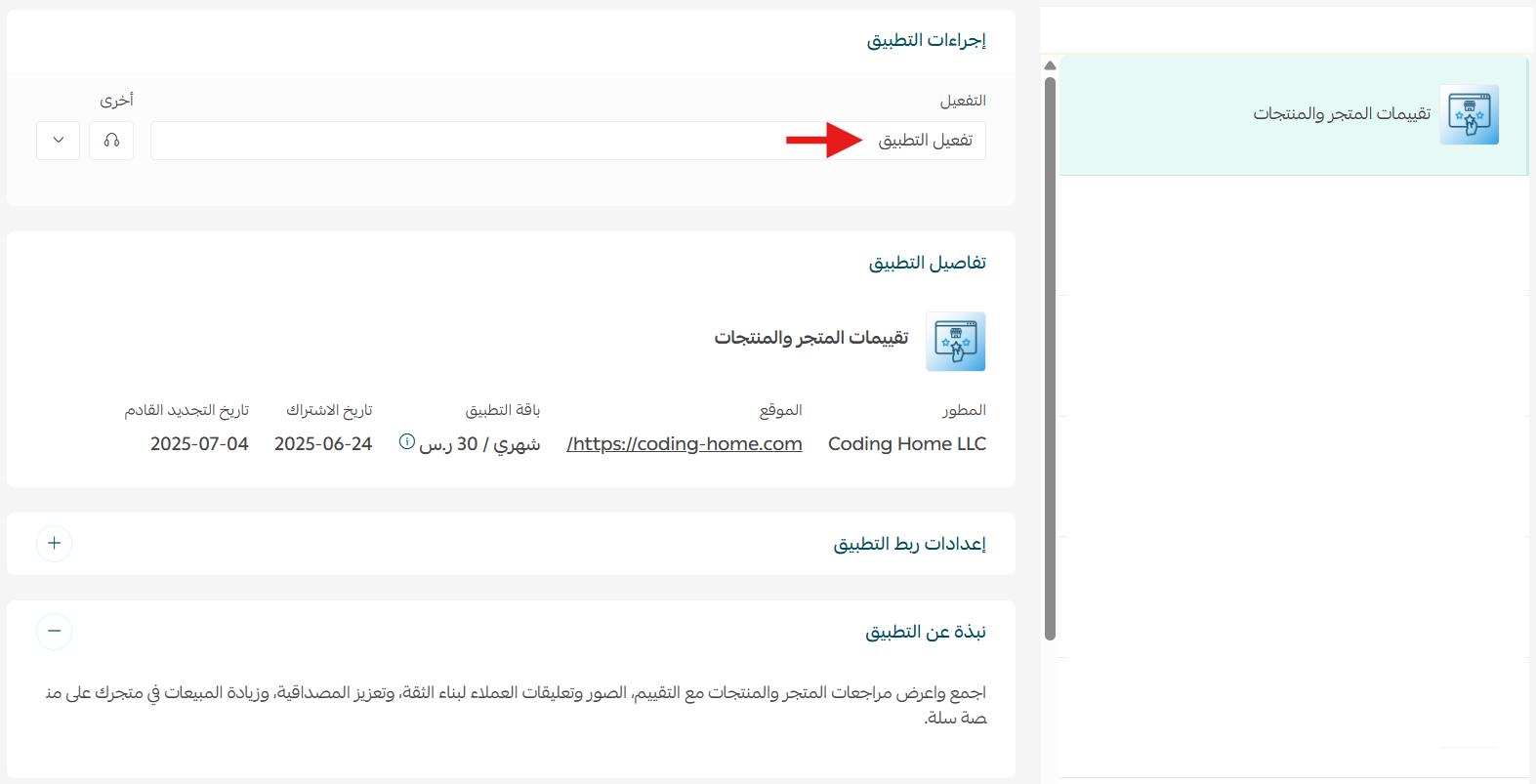
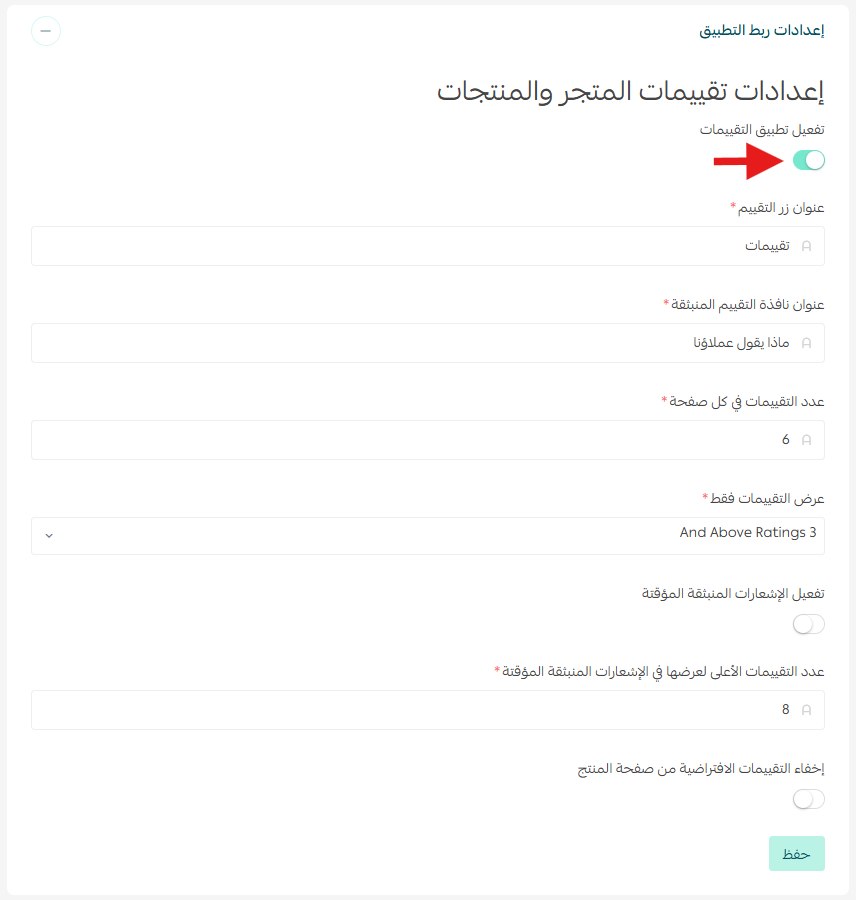
Activate the app, adjust the settings to suit your store, then click (Save).
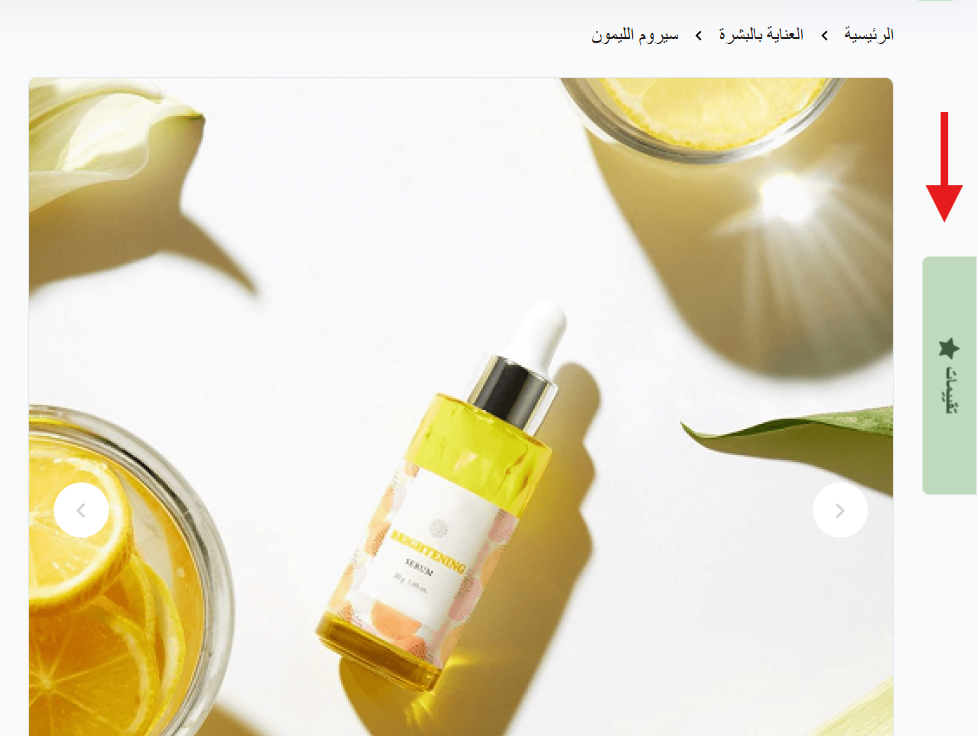
Store and product reviews then appear in your store like this:
🚀 How to manage the app
Removing the app
From the Store and Product Reviews app, click ( ) then click (Unsubscribe).

Frequently asked questions
❓ Where do the reviews appear?
They display in your storefront, styled to match your store design, once you activate the app and save your settings.
❓ Do I need to activate the app after installing it?
Yes. Installation and payment aren't enough on their own — click Activate app, then configure the settings and save.
❓ How do I remove the app?
Open the app, click the options icon, then click Unsubscribe.
For more detail, see the Store and Product Reviews documentation.
Reviews do the persuading you can't do yourself. Once they're live, the useful habit is reading them rather than only counting them — repeated complaints in review text are the cheapest product feedback you'll ever get.