Online stores often face major challenges in securing electronic payments and protecting customer card information.
KNET via Tap provides an advanced solution by using OTP (One-Time Password) authentication, adding an extra layer of security during payment transactions.
In this article, you’ll learn the requirements and step-by-step instructions to activate KNET Tap, ensuring a safer and more reliable checkout experience for your customers.
📌 Article overview
- What is KNET Tap?
- Requirements to connect KNET Tap
- Steps to enable KNET Tap
- Frequently asked questions
Note: This feature is currently available only for stores in Saudi Arabia.
What is KNET Tap?
KNET Tap enables customers to complete online payments using KNET, while enhancing transaction security through OTP verification.
By using One-Time Password authentication, KNET Tap provides stronger protection for credit card users and helps reduce fraud risks during checkout.
Requirements to connect KNET Tap
To activate KNET Tap, the following conditions must be met:
- Add Kuwaiti Dinar (KWD) as a supported currency in your store.
- Enable Tap Payments first before activating KNET.
⚠️ Warning: If Tap Payments are disabled, the connection with KNET Tap will be cancelled automatically.
Steps to enable KNET Tap
- From the main menu, open the All tab.
Under Settings & Tools, click Payment Methods.
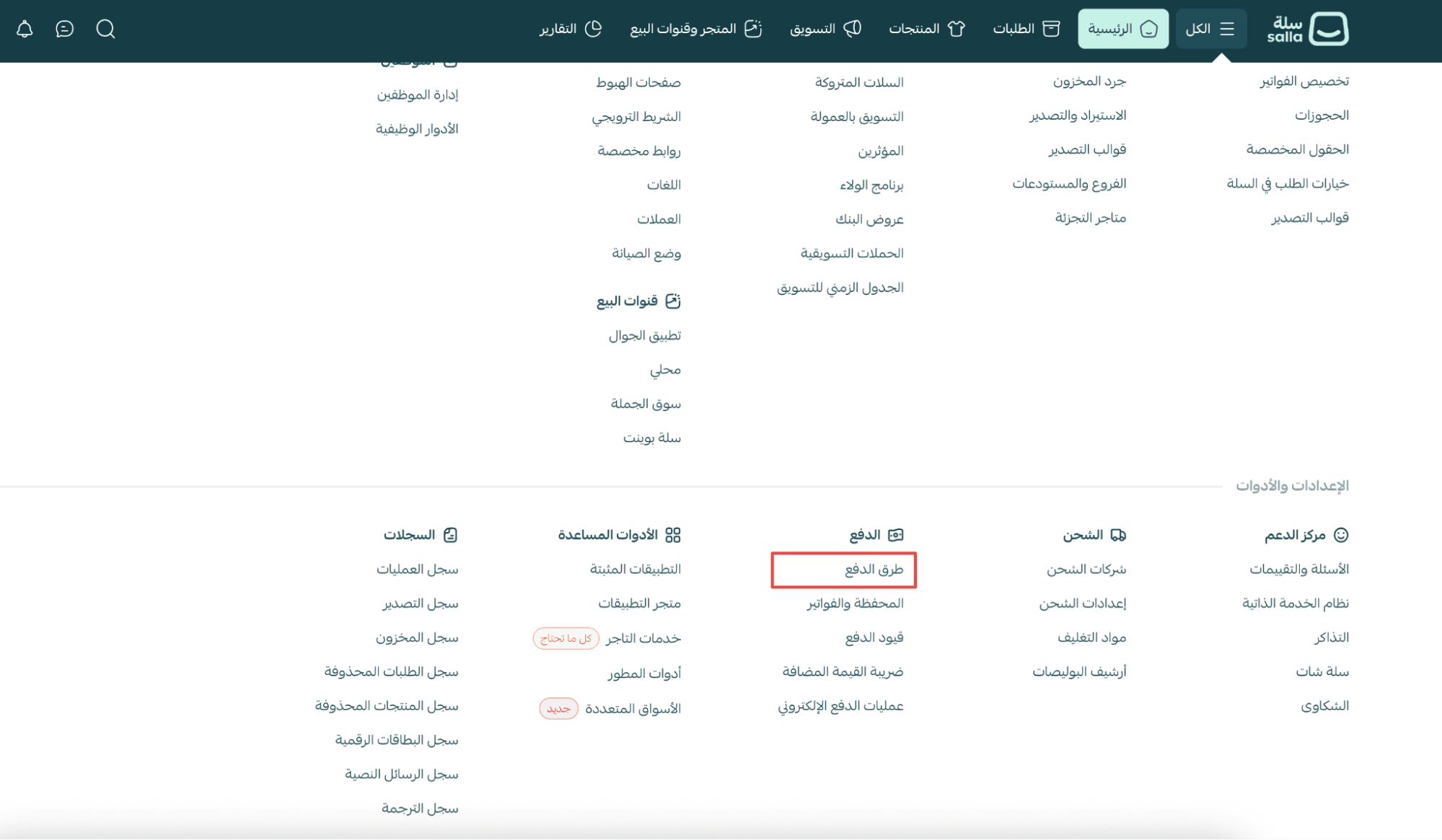
2. On the Payments page, locate the Tap Payment Gateway and click Activate.

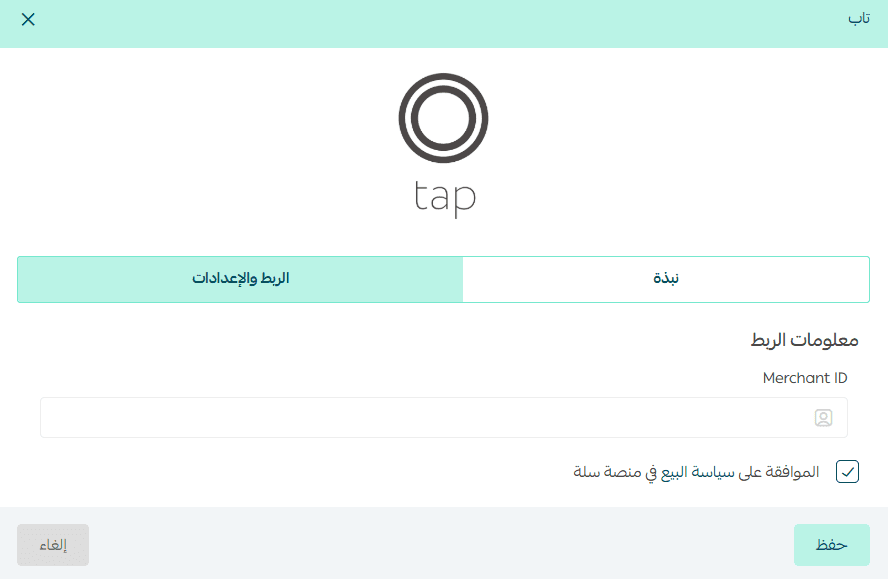
3. Under the Integration Settings tab, enter your Merchant ID from your Tap account.
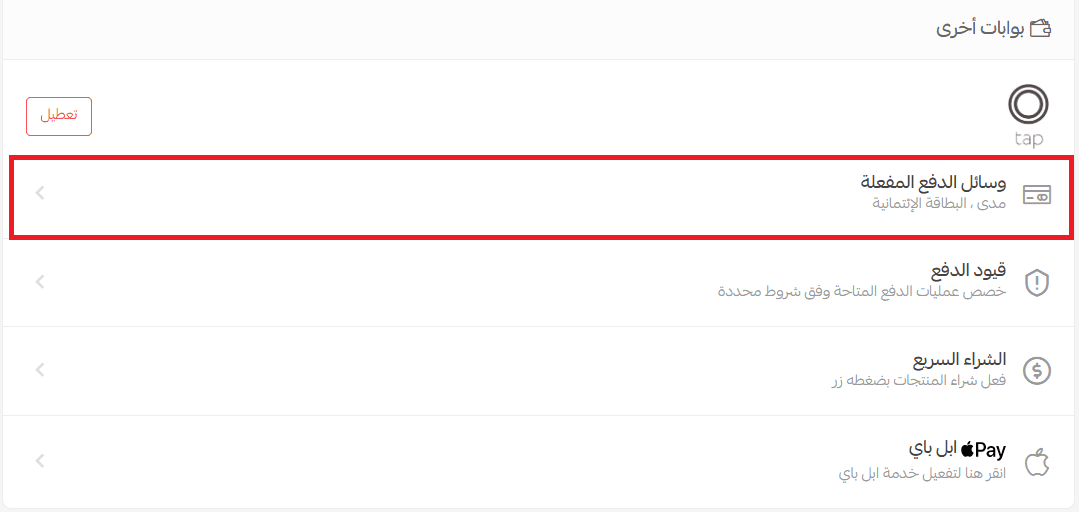
4. Return to the Payments page and click Enabled Payment Methods.
5. From the available payment options, enable KNET, then click Save.
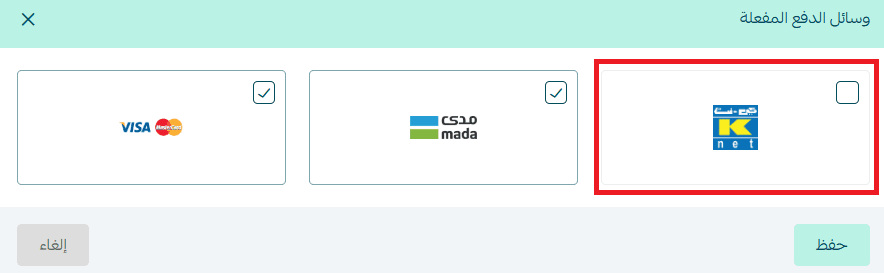
Once activated, KNET will appear in your store checkout as a payment option.

Frequently asked questions
What is an OTP code?
OTP (One-Time Password) is a security technology that generates a unique code for each payment attempt.
- The code can only be used once
- It is valid for a short time only
- It is sent to the customer via SMS
- It provides stronger protection than a fixed password
This makes OTP one of the most effective tools for preventing unauthorized card transactions.
How does the customer use the OTP code?
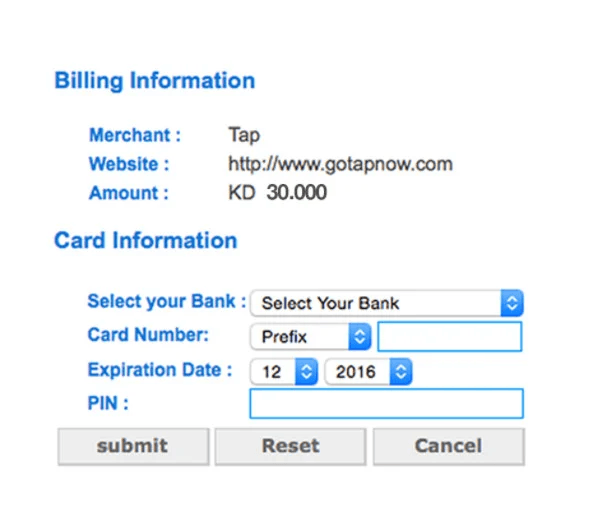
Customers can complete payment through the following steps:
- Enter card information, including:
- Select the bank (Select your Bank)
- Enter the card number (Card Number)
- Enter the expiry date (Expiration Date)
- Enter the card PIN (PIN)
- Click Submit to proceed
2. The customer will receive an SMS containing a 6-digit OTP code.
3. Enter the OTP code in the designated field, then click Confirm to complete the payment.