A D-U-N-S Number is a unique nine-digit global business identifier issued by Dun & Bradstreet (D&B). It serves as an international standard for verifying a company’s legal identity and operational status.
This number is a mandatory requirement in many official processes, including registering and activating Apple Developer accounts and other global app store services.
How to obtain a D-U-N-S Number
1️⃣ Access the D-U-N-S support page
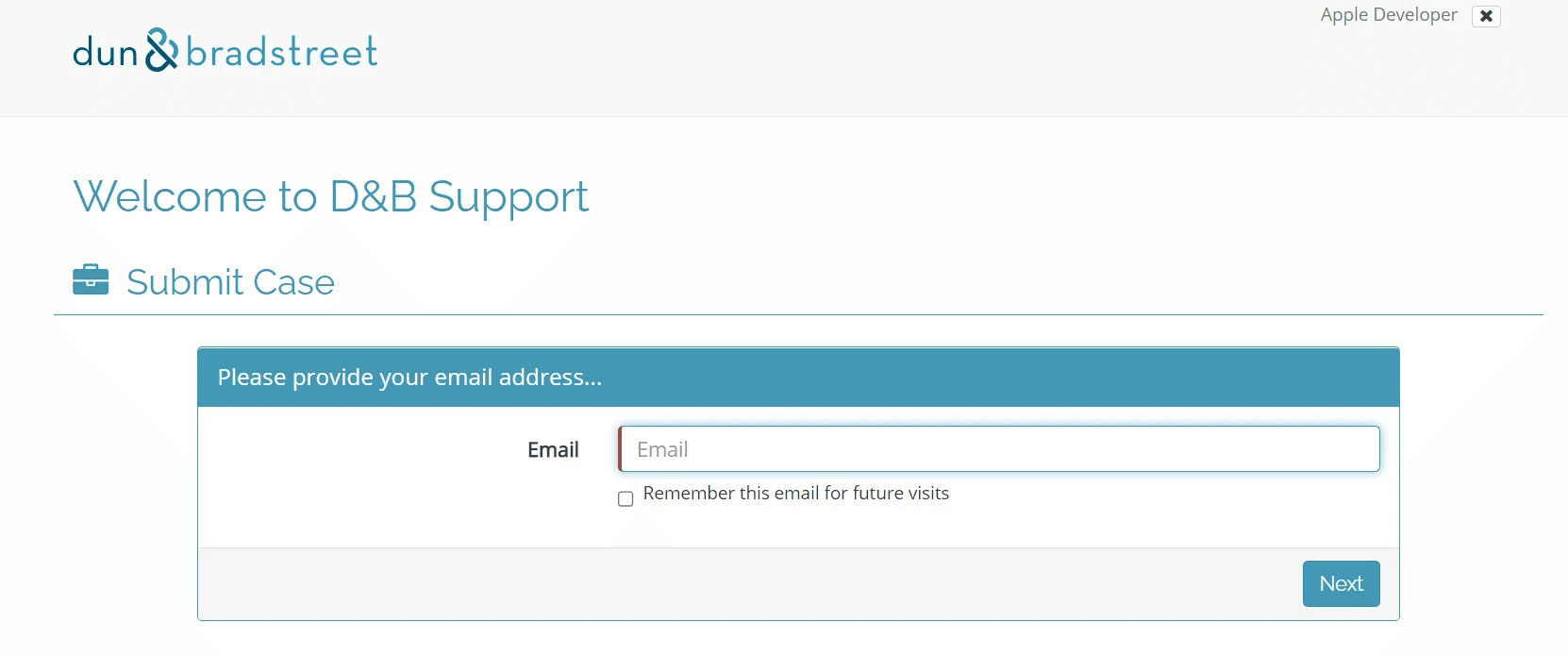
Go to the official D-U-N-S request support page, then enter a valid contact email address (such as Gmail).
2️⃣ Enter company details
Fill in all required information exactly as listed on the commercial registration of the business, then click Submit.
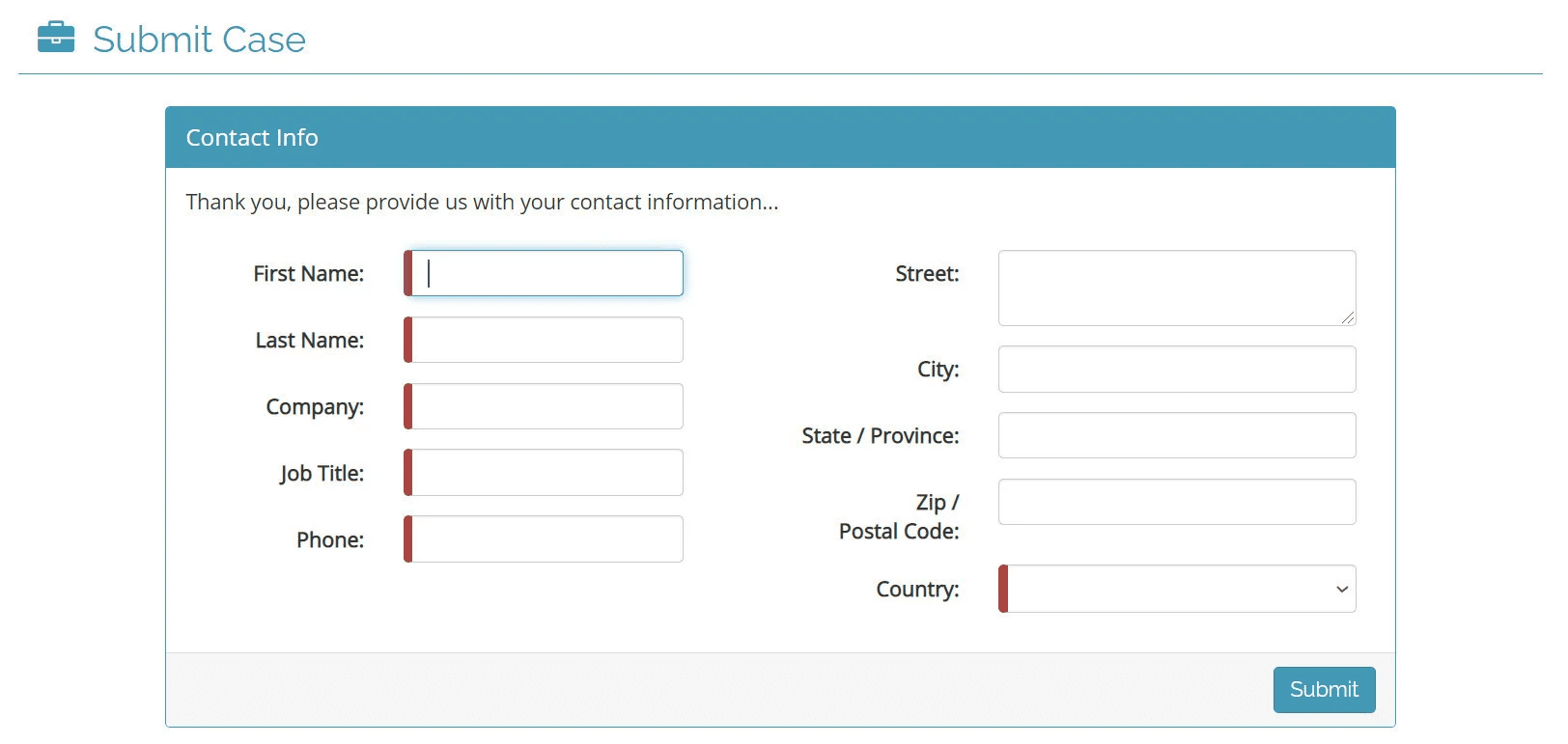
💡 Important: Make sure the address details are entered correctly and completely, including:
- Street name
- District or neighborhood
Matching details from the commercial registration
3️⃣ Select user group
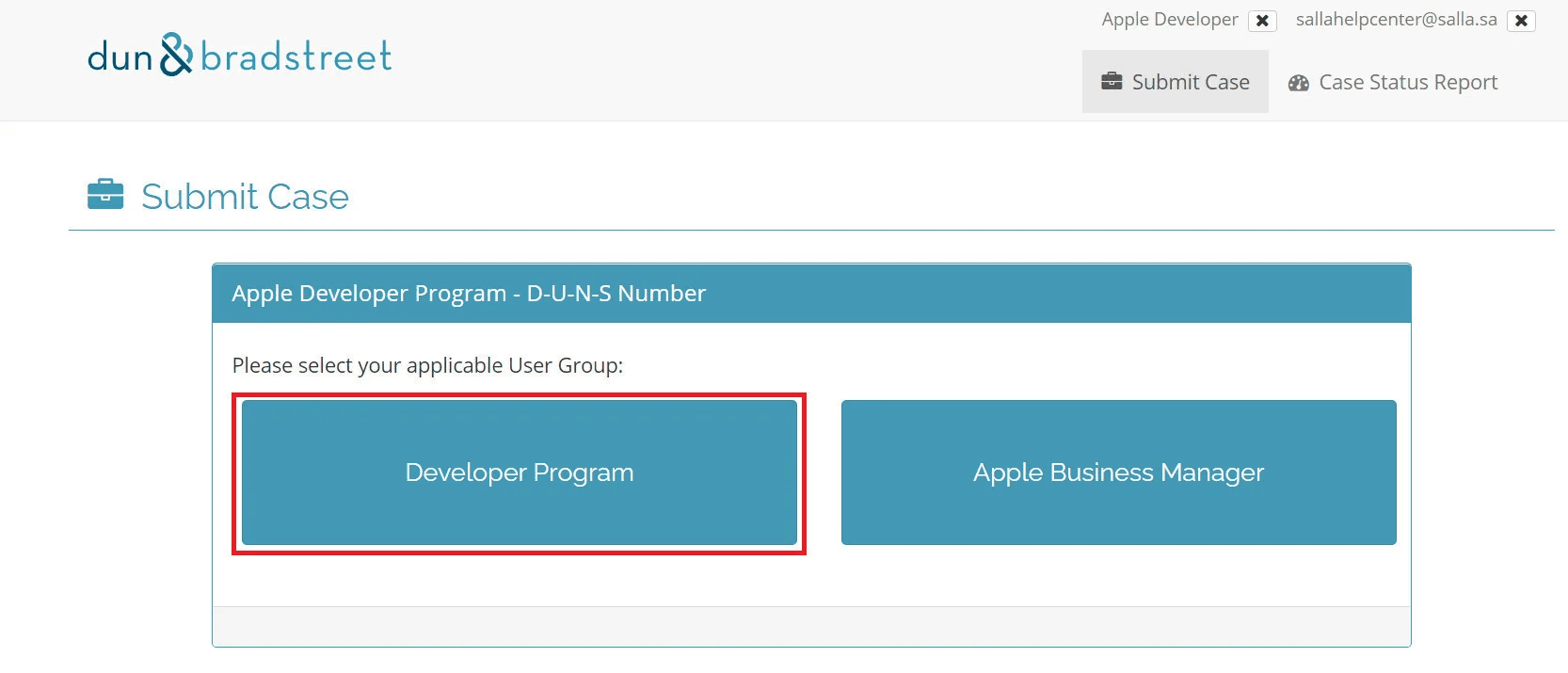
Choose Developer Program as the user group.
4️⃣ Choose request type
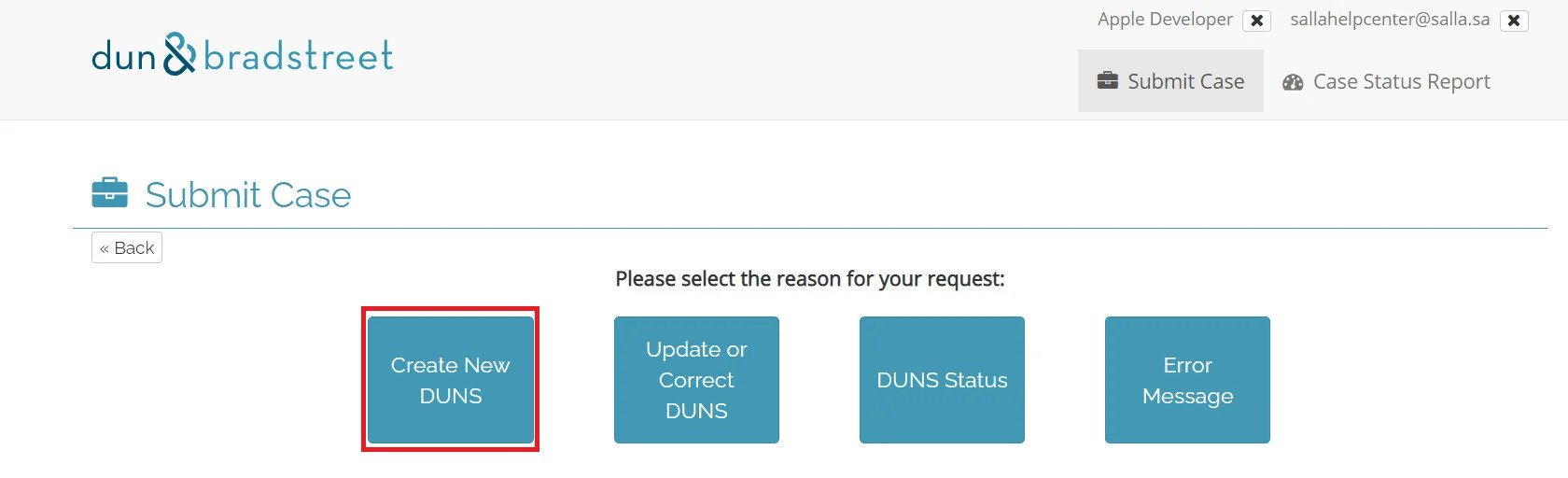
Select Create New D-U-N-S to request a new number.
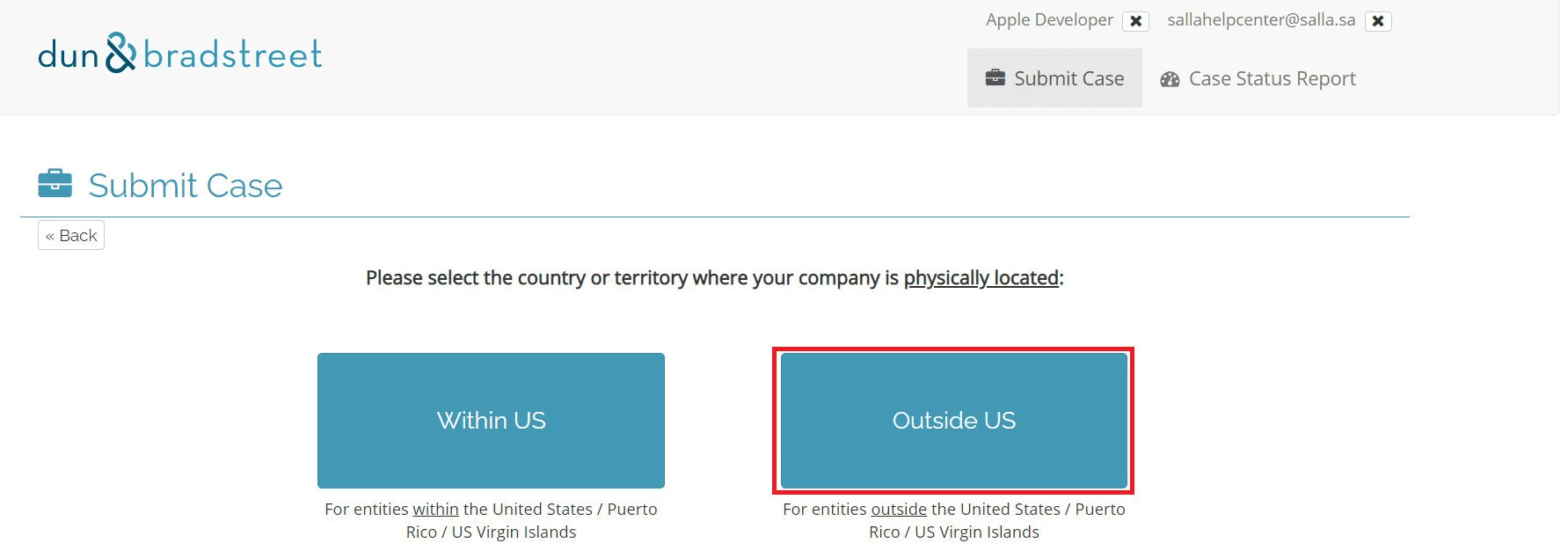
5️⃣ Confirm business location
Indicate that your business operates outside the United States.
6️⃣ Enter company information
Provide all requested details exactly as shown on the commercial registration.
It is strongly recommended to:
- Match the information with the official English translation/version issued by the Ministry of Commerce
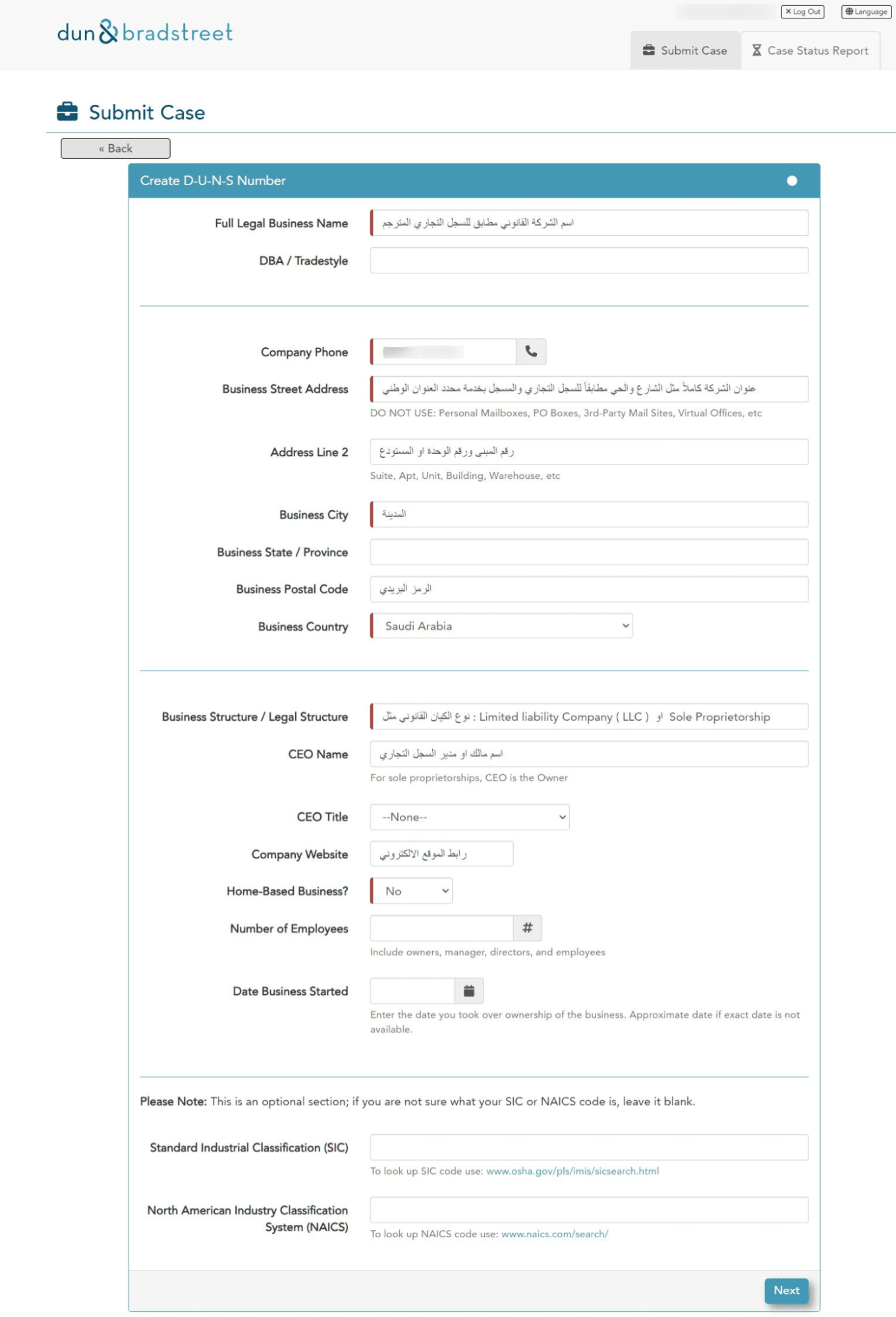
Click Next to proceed.
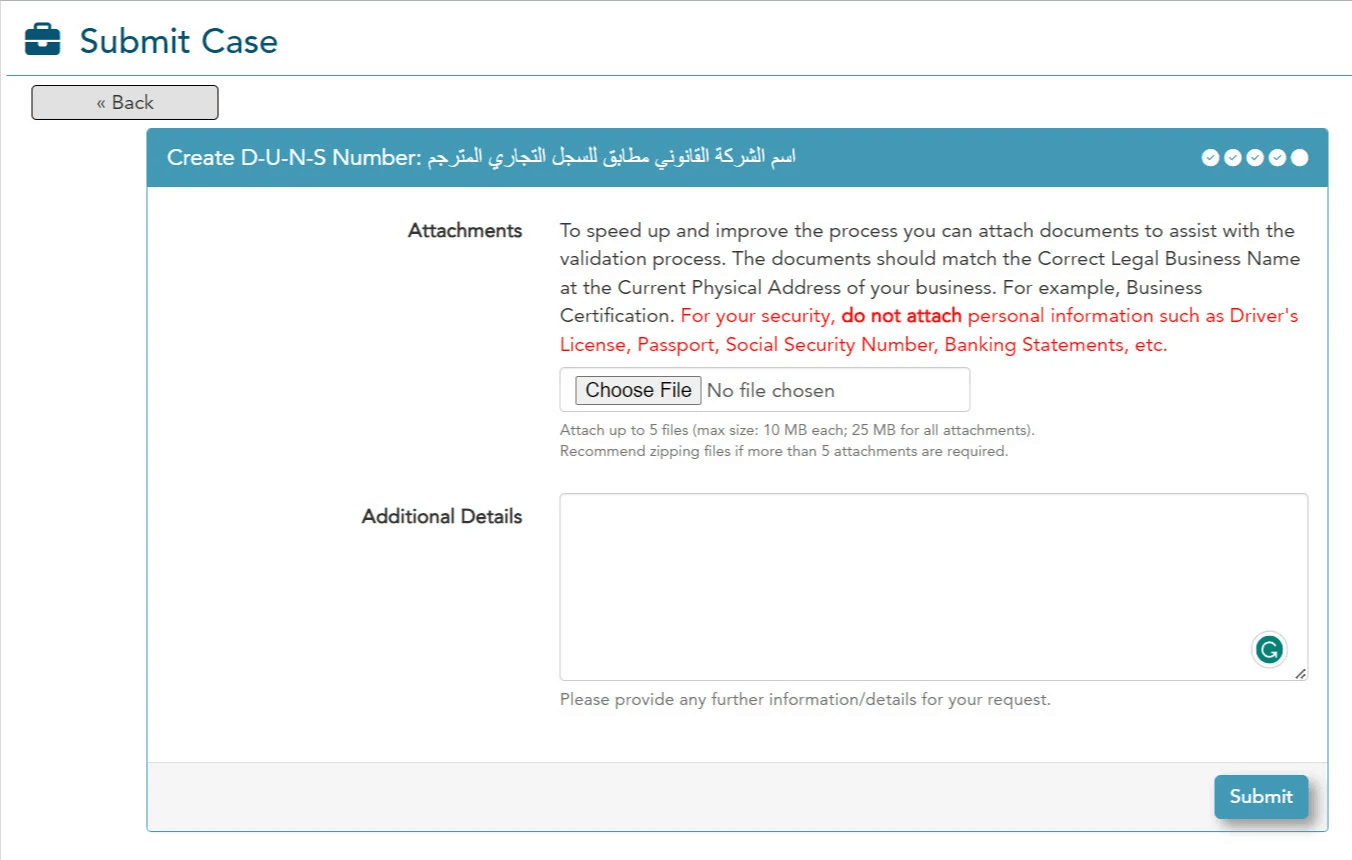
7️⃣ Upload verification documents
On the next page, you’ll be asked to provide proof of:
- Company ownership
- Company address
Upload:
- The original commercial registration
- The English translated version
- Address documentation
- Then click Continue.
8️⃣ Submit the request
After submission, a confirmation page will appear displaying your request reference number.
⏱️ Processing time typically takes 7 to 14 days.
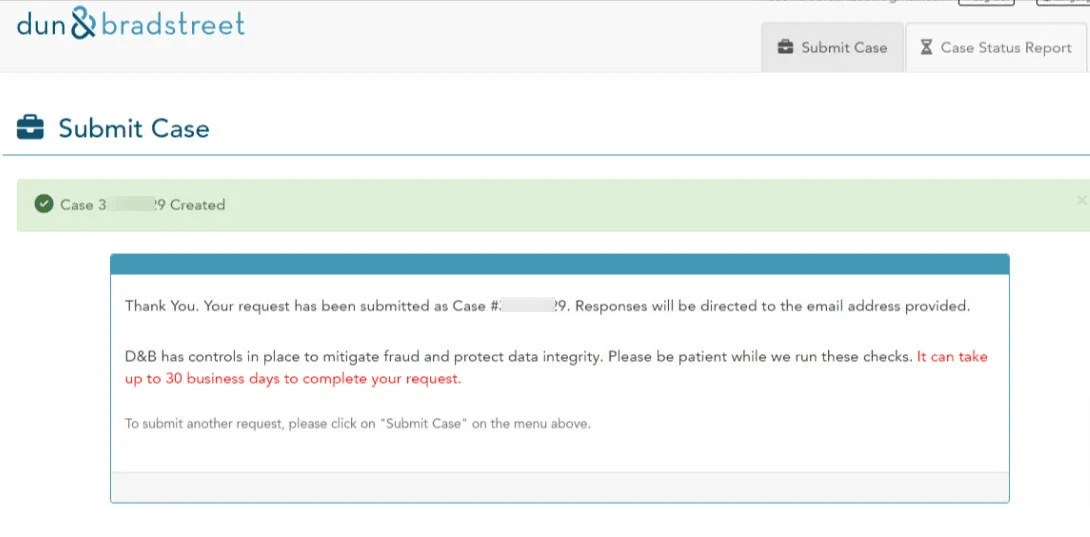
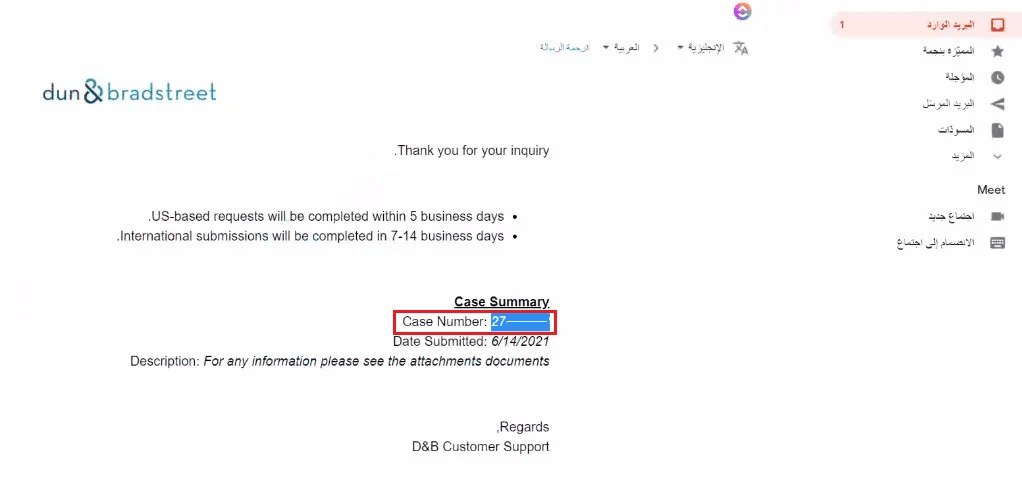
Once processing begins, you’ll receive an email containing your case reference number.
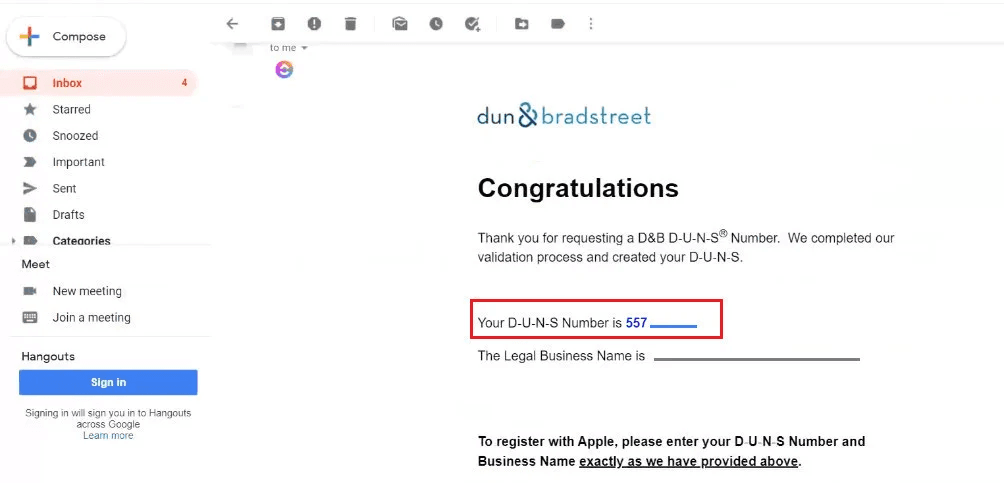
✅ D-U-N-S number issued
When the request is approved, you’ll receive an email confirming your new D-U-N-S Number, similar to the example shown.
Frequently asked questions
How long does it usually take to receive a D-U-N-S Number?
For companies outside the United States, processing typically takes 7 to 14 days.
The timeline may vary depending on verification speed and data accuracy.
How can I speed up the D-U-N-S approval process?
You can help accelerate approval by:
- Ensuring all information matches the commercial registration exactly
- Providing a complete and accurate national address
- Avoiding spelling or formatting discrepancies
How will D&B contact me regarding my request?
You may be contacted via phone using numbers with:
- India country code
- Ireland country code
- Saudi Arabia country code
- United Arab Emirates country code
This is usually for:
- Verifying company details
- Requesting additional information
You may also receive emails requesting missing documents.
📧 These emails typically come from addresses ending in @dnb.com.
Can a D-U-N-S request be rejected?
Yes. Requests may be rejected if:
- Submitted data is incorrect or inconsistent
- Phone calls are unanswered
- Email requests are ignored or not completed
Can I update company information after receiving a D-U-N-S Number?
Yes. You can update or correct company details by following these steps:
Steps to update or correct D-U-N-S information:
1️⃣ Visit the D-U-N-S support page and enter the same email address used in your original request.
2️⃣ Select Developer Program as the user group.
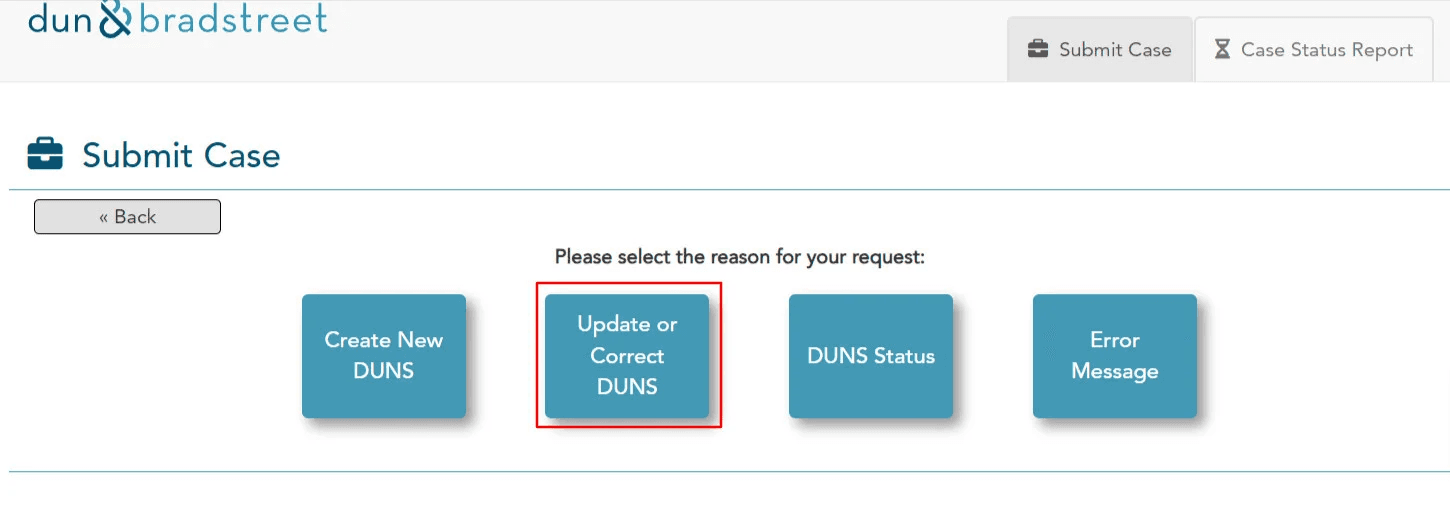
3️⃣ Choose Update or Correct D-U-N-S.
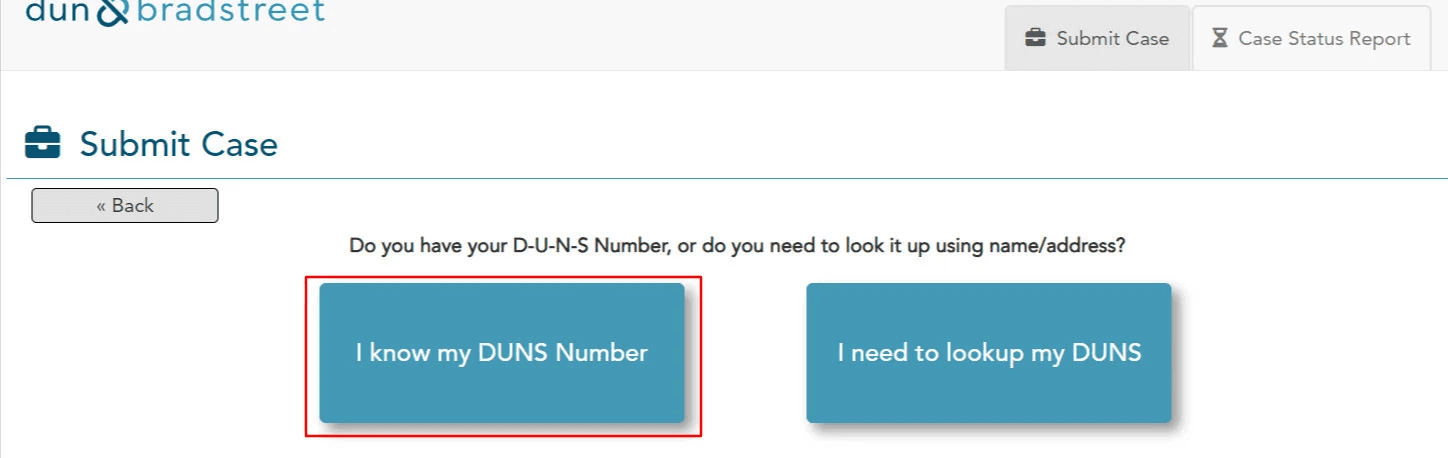
4️⃣ Select I know my D-U-N-S.
5️⃣ Enter your D-U-N-S Number and click Lookup.
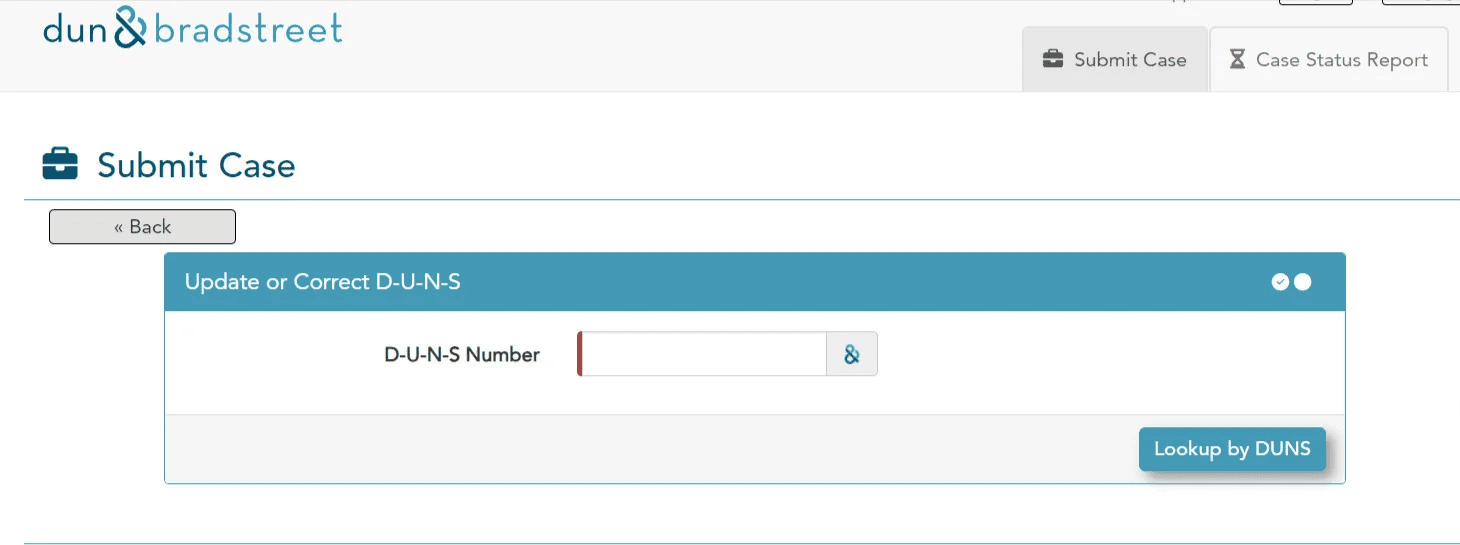
6️⃣ Your company profile will appear.
Select the fields you want to update and enter the corrected information.
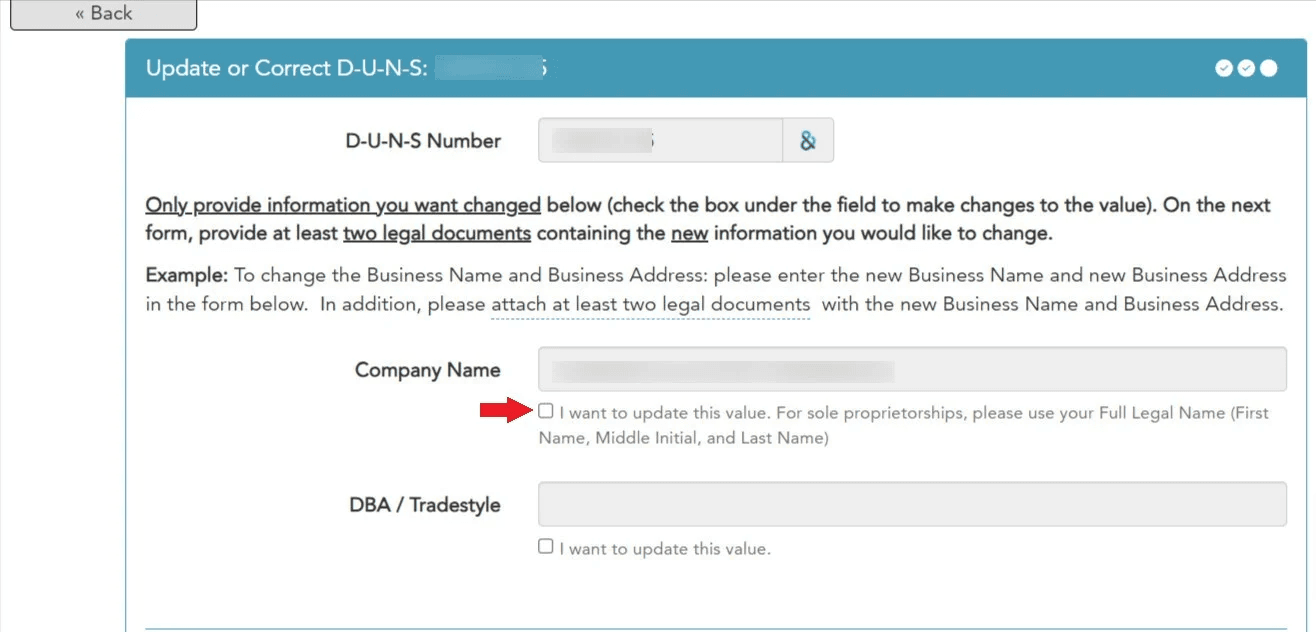
7️⃣ Submit the update request.
If applicable, upload supporting documents or explain the reason for the change.
D&B will review the update and contact you via email or phone once processing is complete.