International shipping often comes with challenges such as variable pricing, volumetric weight calculations, and shipment tracking complexity. These factors can slow down delivery and negatively impact customer satisfaction.
Through Salla discounted shipping labels, Aramex provides a streamlined international shipping solution with flexible pricing and reliable tracking, helping merchants simplify logistics and deliver a better experience with confidence.
📌 Article overview
- About Aramex international shipping
- Available Aramex shipping options
- How to connect Aramex for international shipping
Aramex International Shipping
Aramex is one of the international shipping partners available through Salla shipping labels and a leading logistics provider in Saudi Arabia and the United Arab Emirates. The company offers end-to-end shipping services for e-commerce stores, including international delivery and order fulfillment.
🔔 Important notice: Salla shipping labels are currently only available for stores in KSA.
Available Aramex shipping options
Aramex offers two shipping services that can be activated independently or together:
- Domestic Shipping
For details, see the guide on connecting Aramex for domestic shipping.
- International Shipping
This article focuses on international shipping integration.
How to connect Aramex for international shipping
Step 1: Install the Aramex App
- From the main menu, click All, then under Support Tools, select App Store.
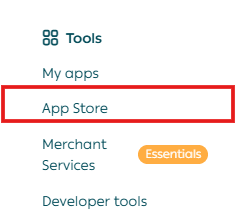
2. Search for the Aramex app using the search field.

3. Open the Aramex app page and click Install.

The app will appear under Installed Apps.
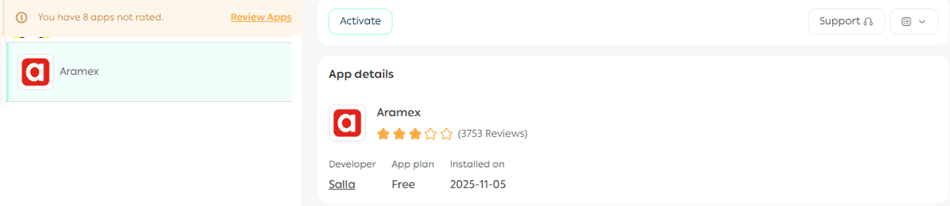
Aramex app configuration
App connection settings
- Enter your Aramex account credentials, then click Save.
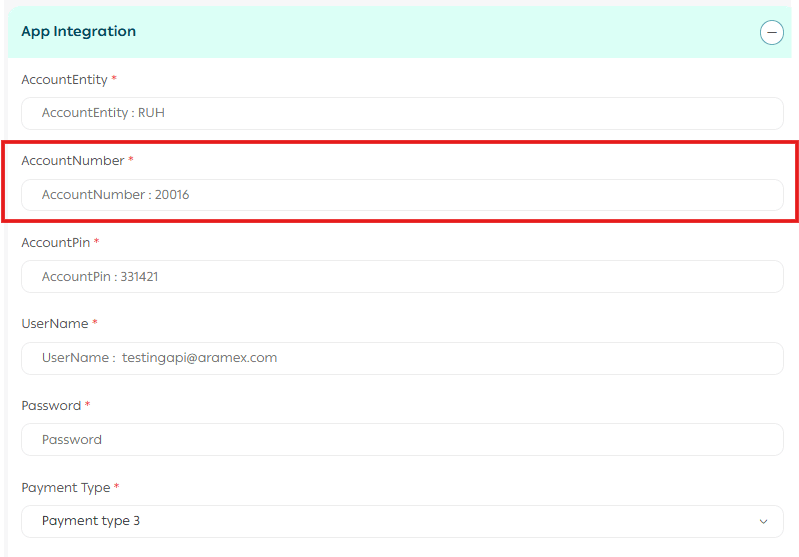
Note: You can obtain these credentials directly from your Aramex account and enter them into the matching fields.
Add a new shipping rate
From the Aramex app page, you can add custom shipping rates.
- Under Shipping Rates, click Add New Rate.
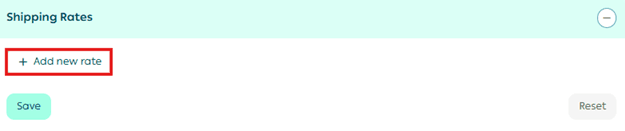
2. Enter shipping prices for the required cities and regions.
3. Enter the merchant shipping cost to help calculate and display your shipping profit margin.
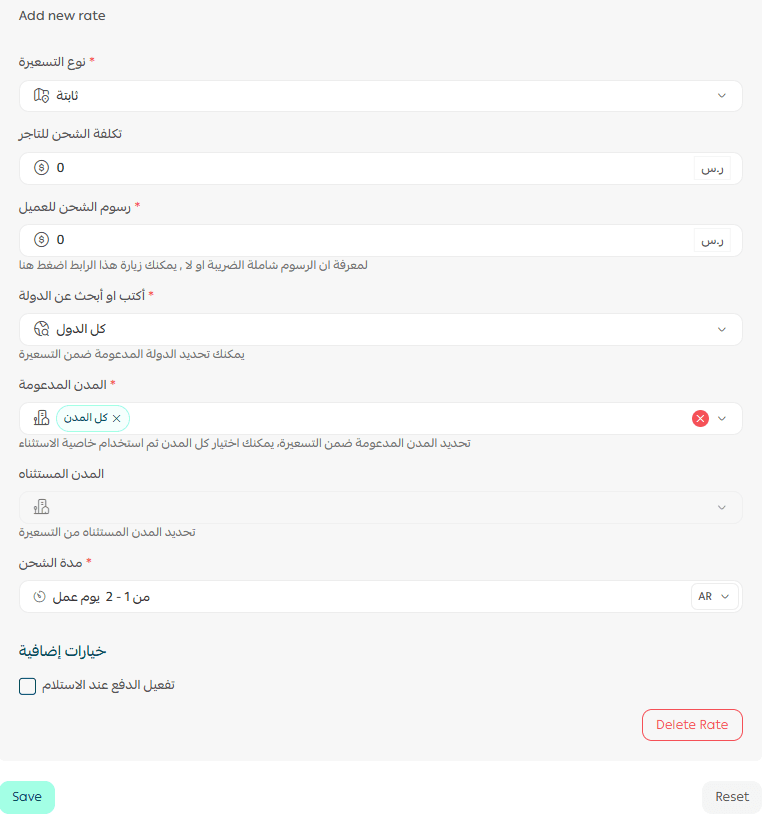
For more details, see the guide on configuring shipping costs for direct integrations.
Delete the app
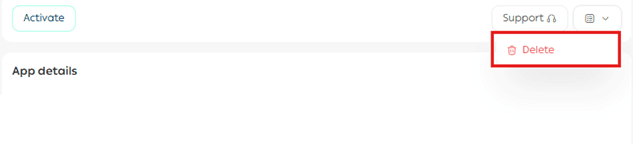
To remove the Aramex app:
- From App Actions, click on the drop down.
- Select Delete App.
Note: Shipping costs are calculated based on actual weight only. However, some shipping companies calculate costs using volumetric weight.
For more details, see the guide on volumetric weight and how it is calculated.
Frequently asked questions
How is the shipping cost calculated?
Shipping cost is calculated based on the greater of actual weight or volumetric weight.
Volumetric weight is calculated using the following formula: Volumetric Weight = Length × Width × Height ÷ 4000
How does the shipping label process work?
Shipping labels are generated directly through the Salla platform connected to Aramex.
For international shipments, the following are required:
- A valid shipping label number
- An invoice in English
For more details, see Store Invoice Settings – Invoice Editor.
What services does Aramex provide?
- International shipping
- Door-to-door pickup and delivery
How are orders sent to Aramex?
Orders are transmitted directly through the Salla dashboard.
How can I submit a complaint for an Aramex shipment?
If you face any issues with Aramex shipping labels, you can submit a complaint through the Quality Portal on the Shipping & Delivery Options page.
For more details, see the Shipping Complaints Quality Portal guide.
Is shipment tracking available?
Yes, shipment tracking is supported.
Is there a maximum number of cartons per shipment?
No, there is no maximum limit on the number of cartons.
What are the minimum and maximum shipment weights?
The maximum allowed weight is 15 kg per shipping label.
For more details on supported services, pricing, and delivery coverage, see the Aramex International Shipping App Guide.