The Raed Theme is the second theme that fully supports multiple languages, with the ability to customize the footer menu. It comes equipped with advanced tools and features that provide a more flexible and distinctive design experience.
📌 Article overview
- Steps to install the Raed Theme on your store
- New elements added to the Raed Theme
- Header features in the Raed Theme
- Design customization options
- Key features of the Raed Theme
Steps to install the Raed Theme on your store
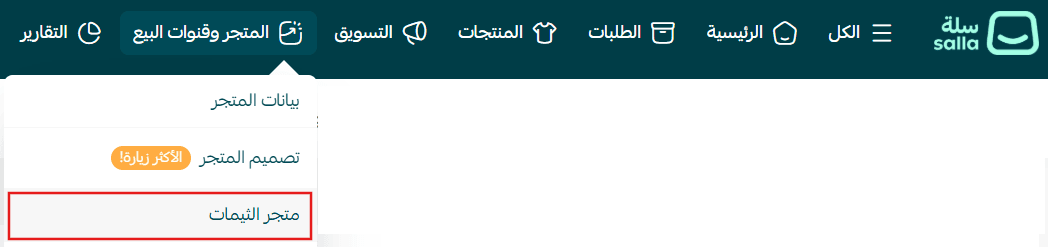
- From the main menu, click (Store & Channels), then select (Theme Store)
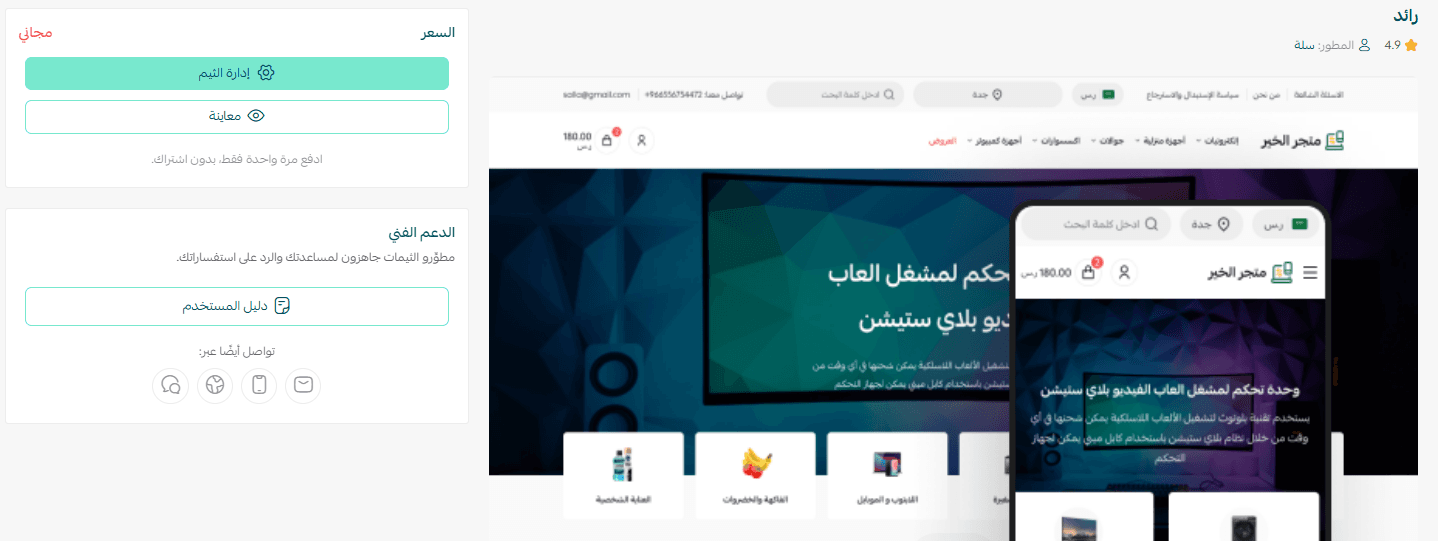
2. From the Store Design page, search for Raed Theme, then click on it from the results

3. On the theme details page, click (Purchase) and complete the payment process
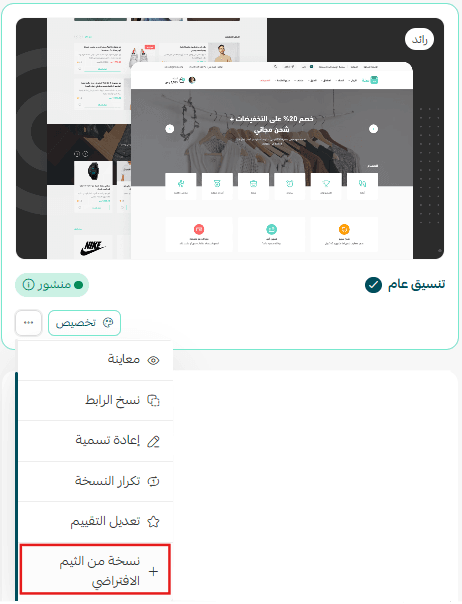
4. After installing the theme, go to the Store Design page, click on Raed Theme, then select (+ New Theme Copy from Default)
You can then customize the theme copy according to your preferences.
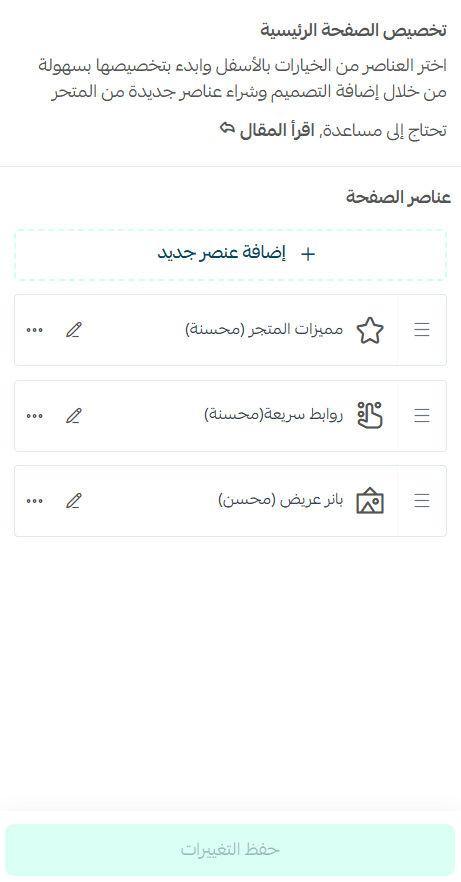
You can also preview how your store will look after applying the theme from the customization page.
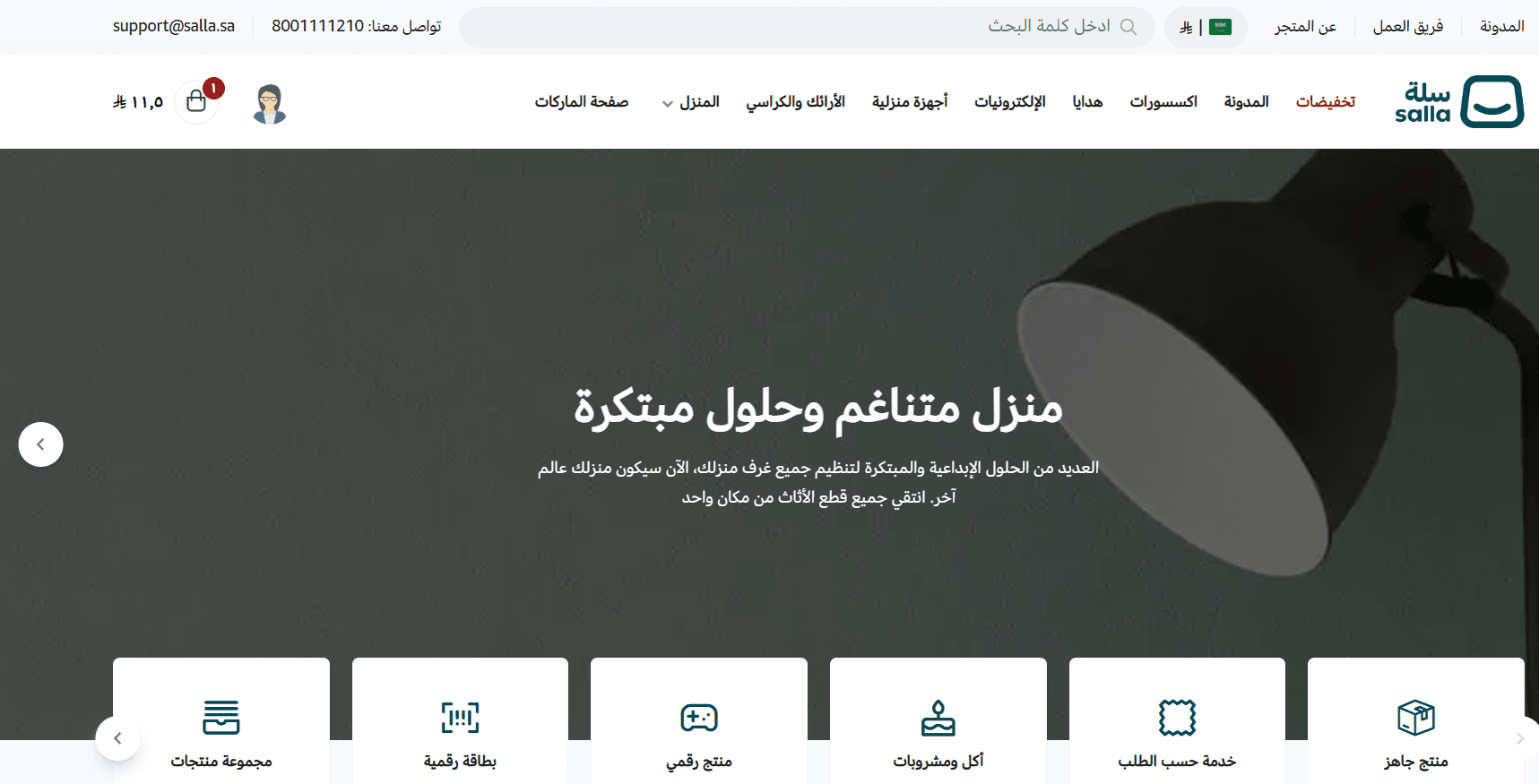
Preview a demo store using the Raed Theme
Make your store more attractive and professional, and provide a seamless shopping experience that increases customer loyalty and sales. Learn how to:
- Manage theme versions and schedule activation
- Customize and manage theme design
New elements added to the Raed Theme
The theme includes a set of new elements designed to enhance performance and speed.
To add these elements to your store, go to the Raed Theme customization page and click (Page Elements).
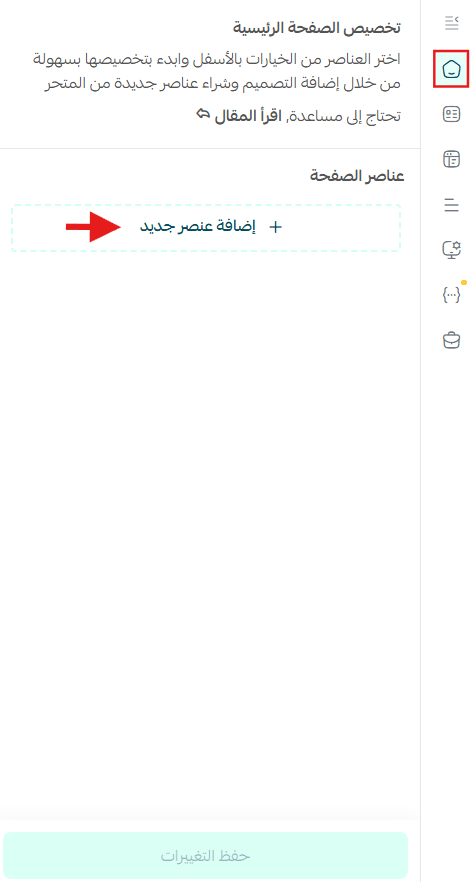
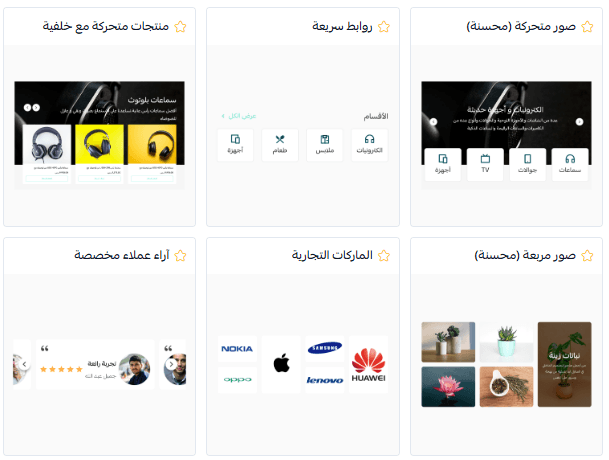
A list of elements you can add to your store will appear.
Note: New theme-specific elements are marked with a ⭐ symbol.
Make your store’s homepage more engaging and professional, and deliver a smoother shopping experience that increases successful order completion. Discover how to customize each element easily.
Header features in the Raed Theme
Header settings
From the (Header & Footer) section, click (Header Menu).
When selecting (Categories) from the menu, you can customize how header elements appear to match your needs.
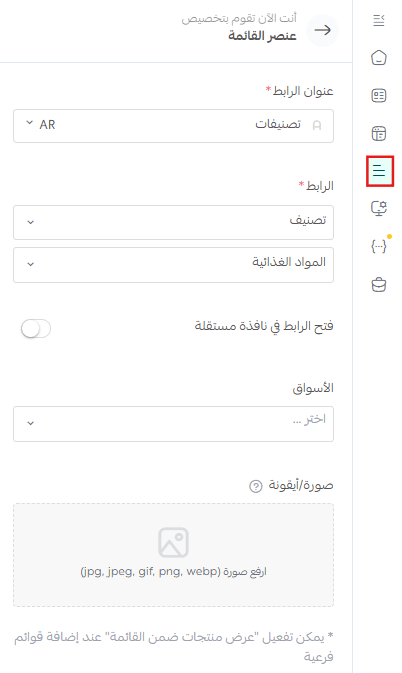
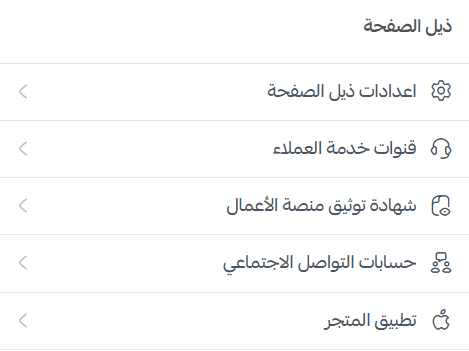
Footer settings
- Customer support channels: Displayed at the bottom of the site to provide easy access to support (such as phone number, email, and other contact methods)
- Business platform certification badge: Displays a trusted badge to enhance credibility
- Social media accounts: Links to your store’s accounts on platforms like Facebook, Instagram, X, and others, allowing visitors to follow you easily
- Store application: Display a link or icon for downloading your store app on Android or iOS
Design customization options
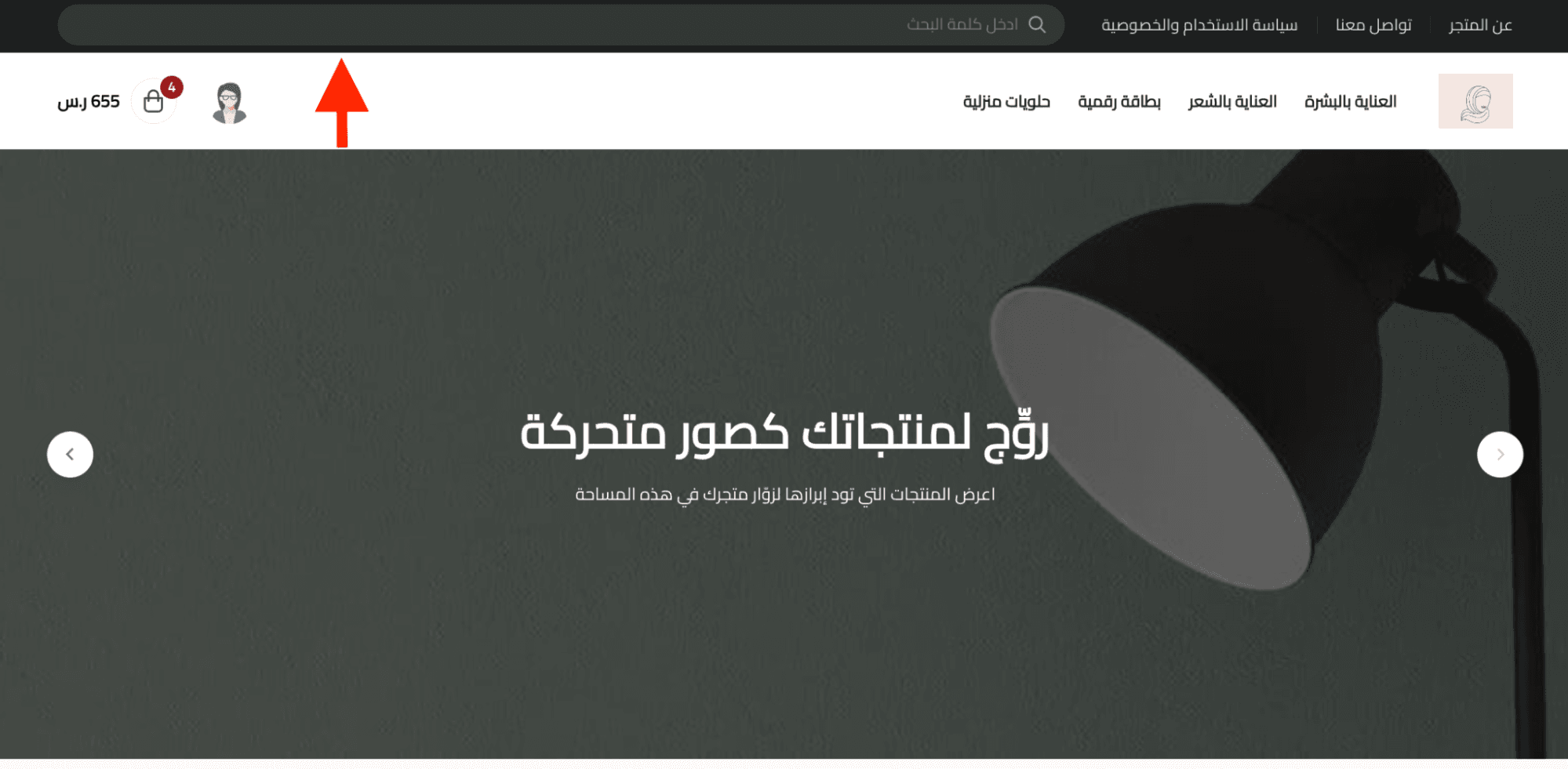
Theme design settings
You can customize the dark mode for the top section of the theme.
This allows you to adjust the appearance based on your store’s color scheme—whether your store uses lighter or darker tones.
Key features of the Raed Theme
In addition to its professional and flexible design, your store will benefit from:
- High performance on both desktop and mobile devices
- Improved mobile browsing experience
- Implementation of the latest SEO standards for better search engine visibility
- Support for multiple languages and branches
✨ Try the Raed Theme today and give your store a modern interface inspired by Instagram
Combining simplicity, flexibility, and high performance—so your store looks professional from the first impression and attracts customers effortlessly.