Have you ever lost an afternoon wiring up a pixel, a catalog, and Conversions API by hand, only to find the numbers still don't add up?
That whole setup is now one step. Snap Business Extension connects your Snap Business account to Salla and links or creates your Snap Pixel and catalog at the same time, so every advertising asset ends up connected automatically inside Salla, with no manual configuration and no separate app to install for each tool. In this guide, you'll learn what the extension does and how to switch it on.
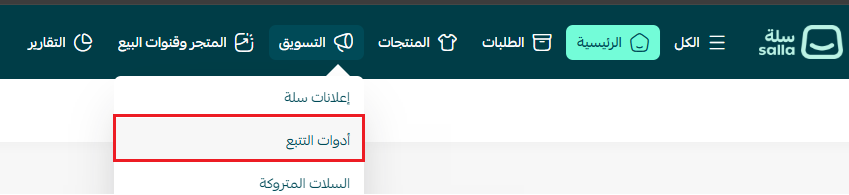
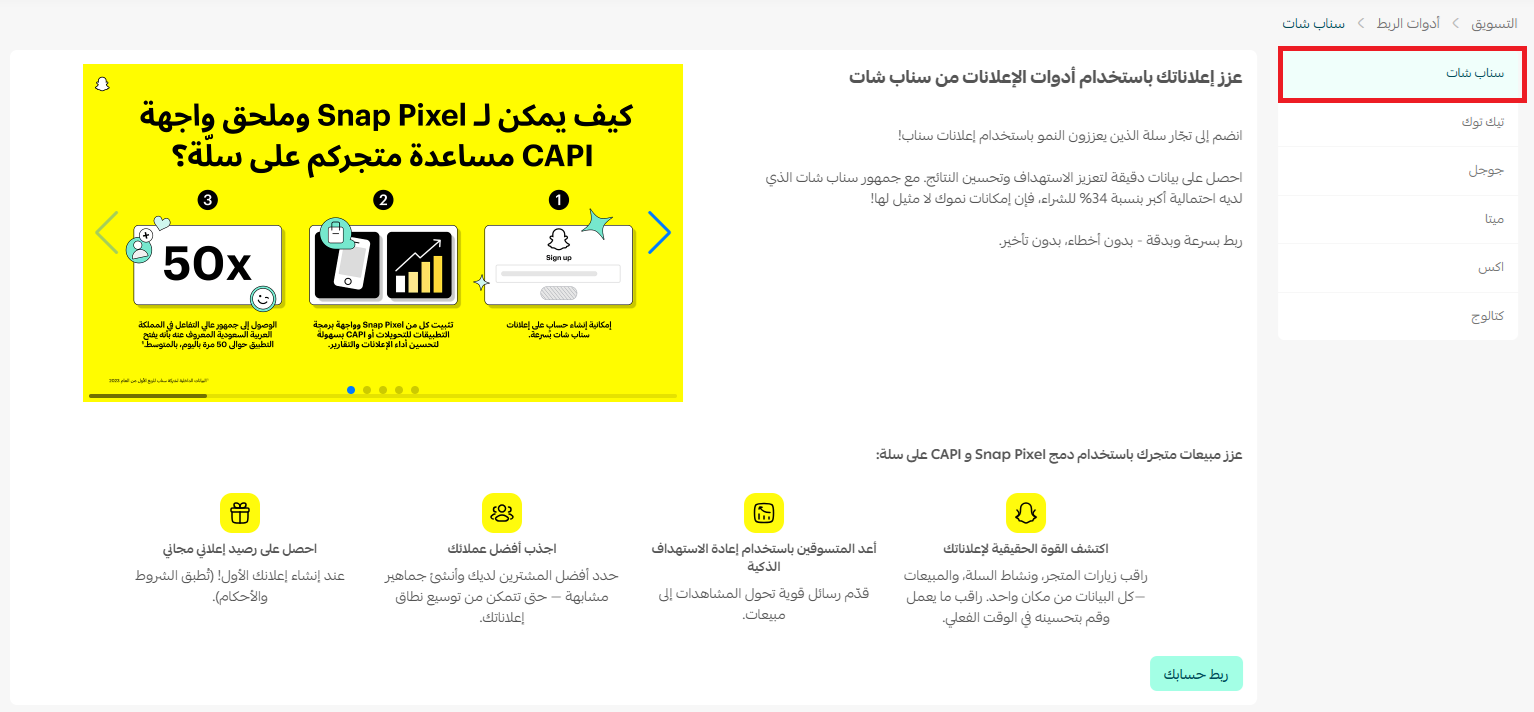
In your Salla dashboard, open Marketing, then Tracking tools. On the Snapchat tab click Connect your account, link or create your Snapchat ad account, choose or create a pixel, then approve the permissions. Snap Business Extension then syncs your ad account, Snap Pixel, catalog, and Conversions API automatically.
📌 Article overview
- About Snap Business Extension
- How to activate Snap Business Extension
- Frequently asked questions
🔍 About Snap Business Extension
Snap Business Extension is a tool that connects your Snap Business account directly to Salla and syncs all of your advertising assets, the Snap Pixel, Conversions API, catalog, and ad account, smoothly and securely, without any complicated steps.
🚀 What you gain by connecting through Snap Business Extension
✅ A fast, simple connection
Connect your Snapchat account, link an existing pixel and catalog or create new ones, and connect Conversions API, all in a single step, instead of a long and fiddly manual process.
✅ Every asset connected automatically
Once you are connected, all of your assets sync straight into Salla. There is no app to install and no separate setup for each tool, which cuts down technical mistakes and saves you time.
✅ More accurate tracking
Conversions API keeps following every interaction accurately, even when browser restrictions get in the way.
✅ Data that stays current
The tool runs continuously. Visitor activity such as browsing products, adding to cart, and completing a purchase is updated in Snapchat automatically, so the data behind your campaigns is always accurate and ready to use.
✅ Easy for beginners, and quicker for everyone
All the old steps collapse into one, with no technical experience needed. You manage every asset in one place and spend your time improving your store instead of wrestling with settings.
👣 How to activate Snap Business Extension
You connect everything from inside your Salla dashboard, with no code and no external tools:
1. From the main menu, click (Marketing), then click (Tracking tools).
2. On the (Snapchat) tab, click (Connect your account).
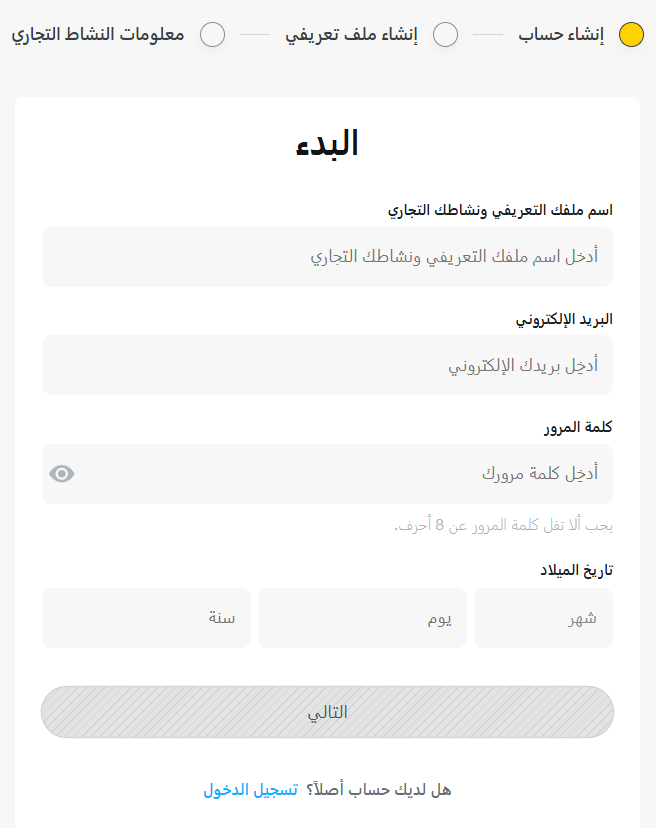
3. Link your existing ad account, or create a new one.
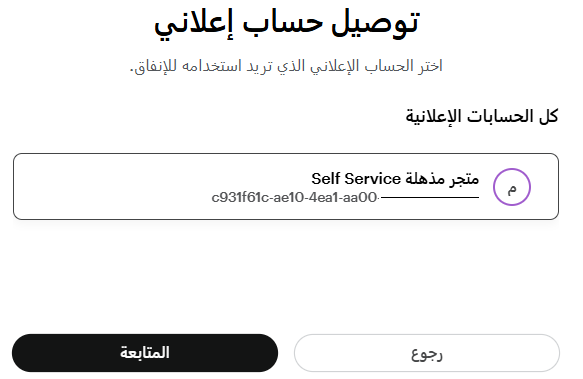
4. Select the ad account you want to connect, then click (Continue).
5. Select the pixel you want to connect, or create a new one, then click (Continue).
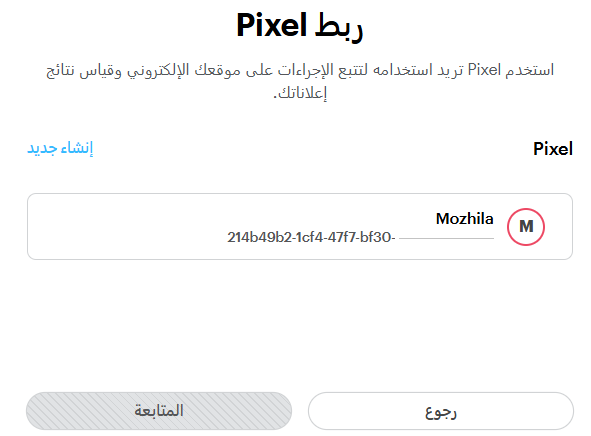
6. Click (Continue).
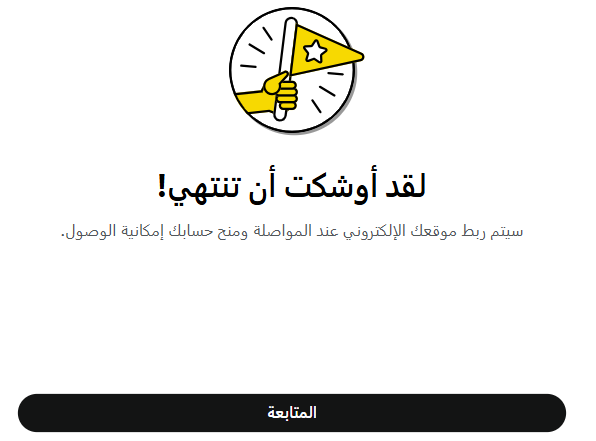
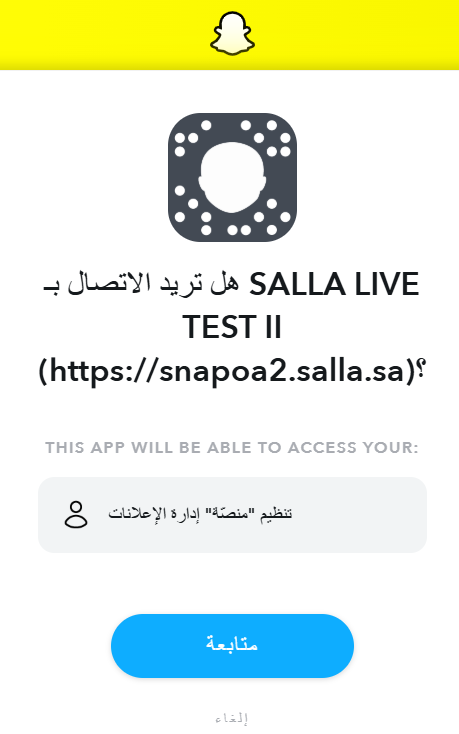
7. On the permissions approval page, click (Continue).
🎉 The connection is complete.
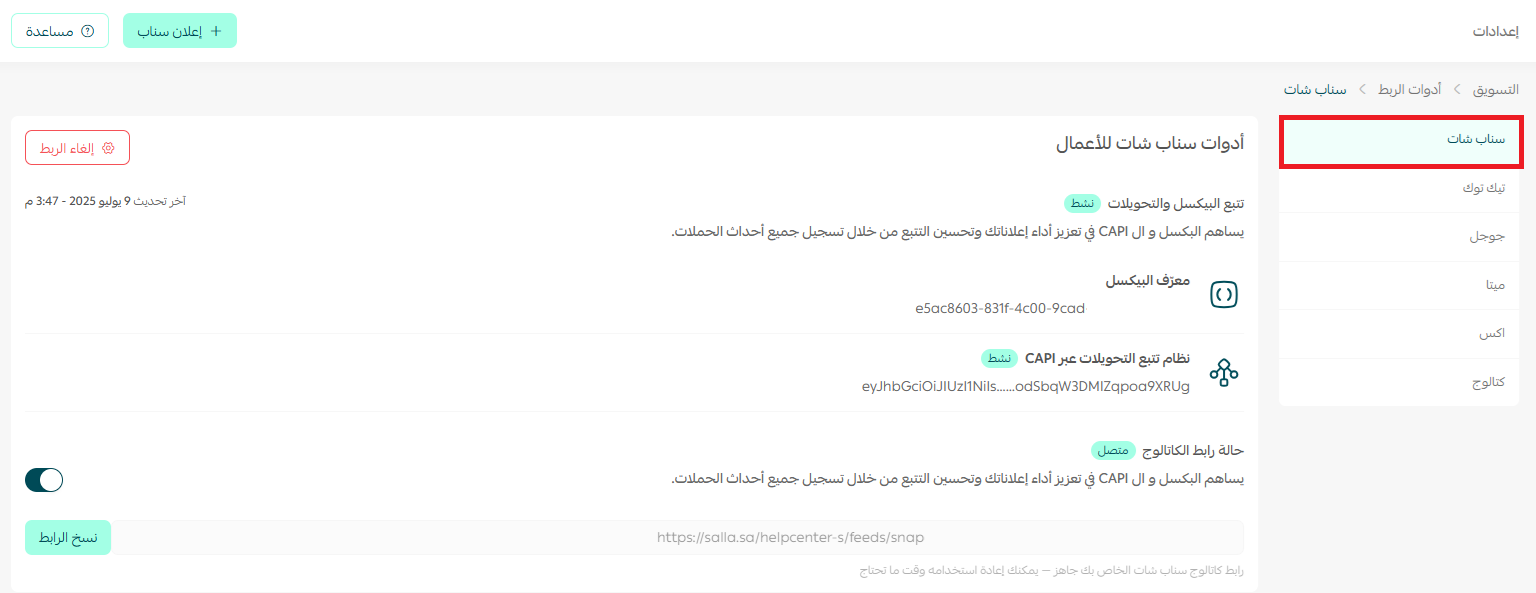
📝 Important notes
The date shown here is the date you connected to the service. The dates of the events themselves all appear in your ad account.

✨ Learn how to connect your store to Snapchat smoothly and build smart campaigns that put your products in front of far more people and lift your sales, in a few clear steps.
Frequently asked questions
❓ Do I need technical experience to set up the connection?
No. The tool was designed to work in short, clear steps with no technical background required, and every asset syncs automatically.
❓ What if I don't have a pixel or a catalog yet?
You will be guided to create the assets you need during the connection process, or to pick the ones that already exist in your account.
❓ Is the feature available to every merchant?
It is available to Salla merchants on the Plus, Pro, and Special plans.
❓ Do I need to install a separate app for each tool?
No. Once your Snap Business account is connected, the ad account, Snap Pixel, catalog, and Conversions API all sync inside Salla without installing anything.
❓ Which store events are sent to Snapchat?
Visitor activity such as browsing products, adding to cart, and completing a purchase is sent to Snapchat automatically and kept up to date.
✨ With Snap Business Extension, you can connect your account and manage your assets from inside Salla, saving time and taking the complexity out of setup.
Start now, and connect your account in a matter of minutes 🚀