Stuck on a developer account problem that no help article solves? Sometimes you need a person on the phone.
Apple Support is Apple's technical support and customer service for people using its products and services. For merchants publishing a store app, the fastest route to a human is often a call from Apple Support about your developer account. In this guide, you'll learn how to reach Apple Support, how to request a callback step by step, what Apple asks to verify your enrollment, and what to do when a call attempt fails.
To reach Apple Support by phone, sign in to your Apple Developer account, click Contact Us, choose Membership and Account, pick your issue category, then select Phone. Enter your number and click Call Me. Apple calls you back within about a minute, and you press 1 to reach an agent.
📌 Article overview
- Ways to contact Apple Support
- How to request a call from Apple Support
- What Apple asks during enrollment verification
- Frequently asked questions
Ways to contact Apple Support
You can reach the Apple Support team in whichever way suits you:
1. Phone — a direct call for immediate help. Local numbers are available for different regions.
2. Email — send your question by email and get a written reply from the support team.
3. Online chat — talk to an Apple Support technician in real time for quick help.
👣 How to request a call from Apple Support
1. Go to Apple's official site, Apple Developer Program, then click (Account).

2. Sign in with an active Apple ID.
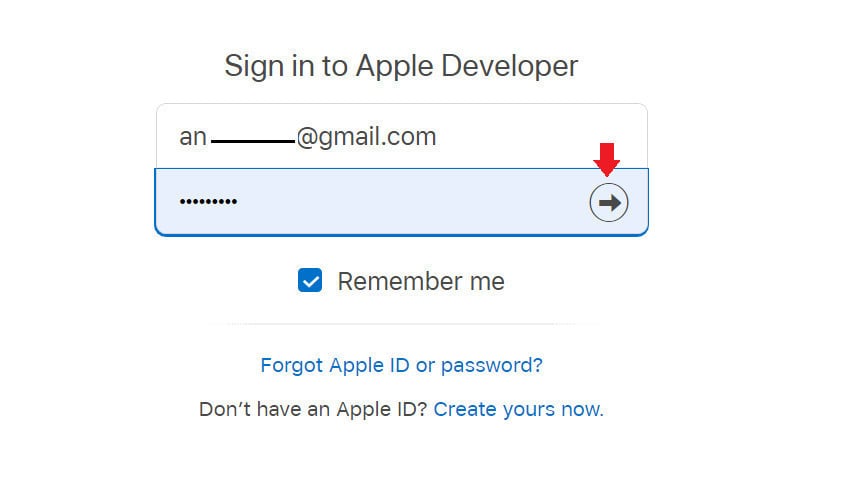
3. Enter the verification code sent to the phone linked to your Apple ID.
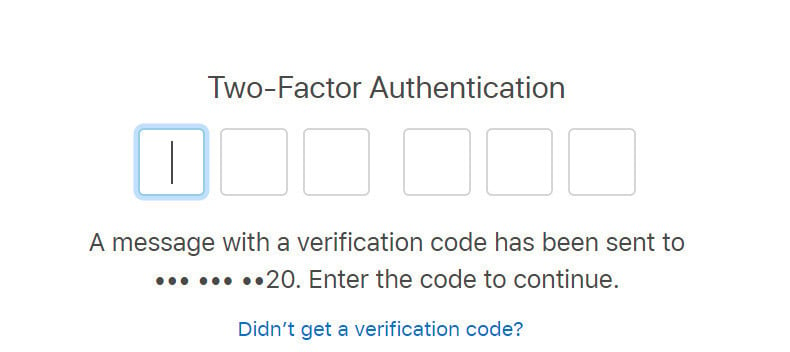
4. Choose (Trust) for the browser to continue.
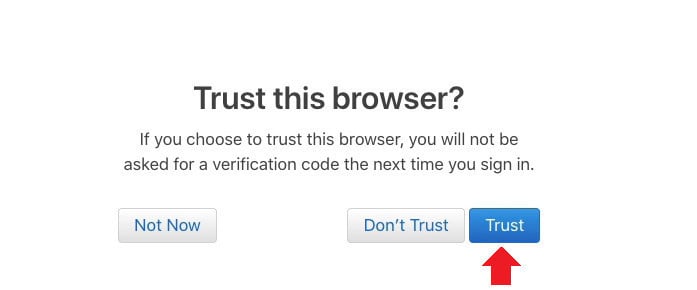
5. Your developer account page opens, with the menus that support developers. Click (Contact Us) at the bottom of the page to contact Apple Support.
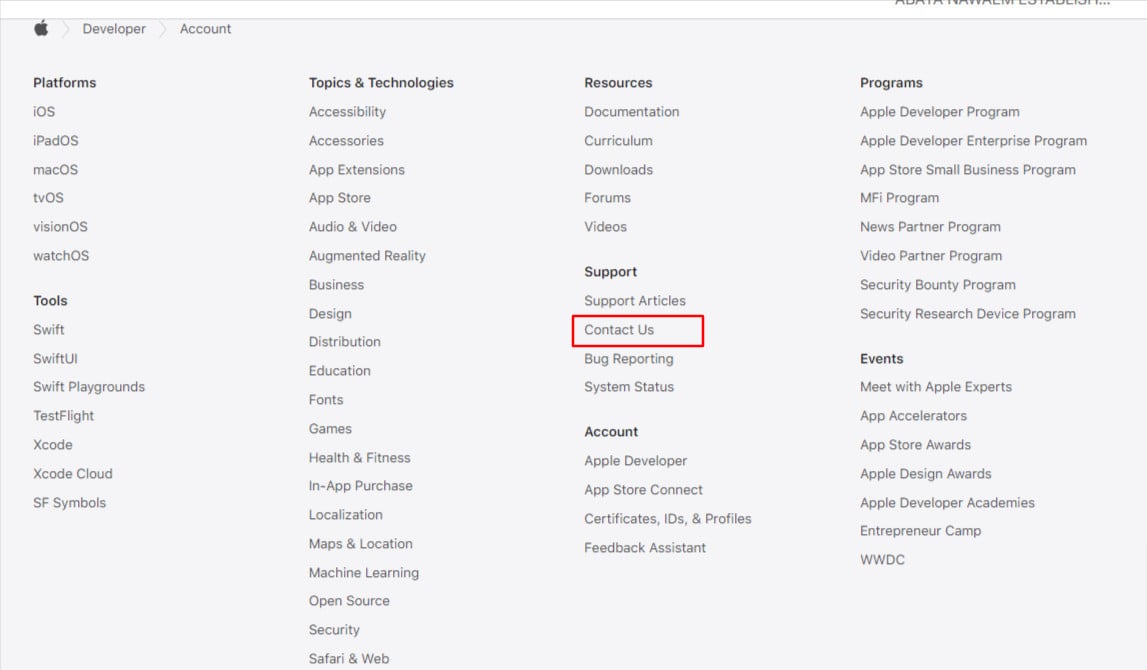
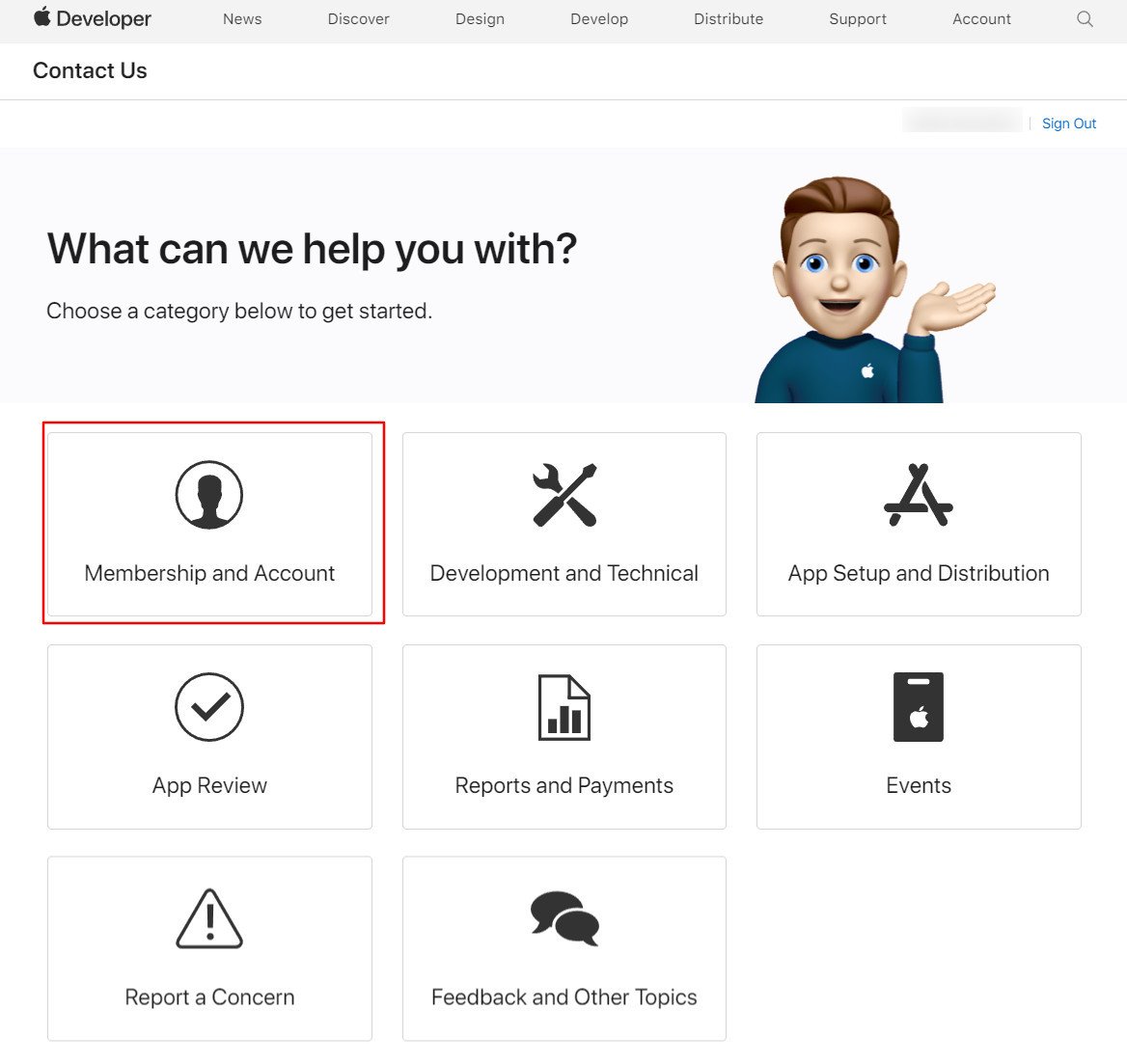
6. The help request categories for developer account issues appear. Click (Membership and Account) to request a support call about membership and account problems.
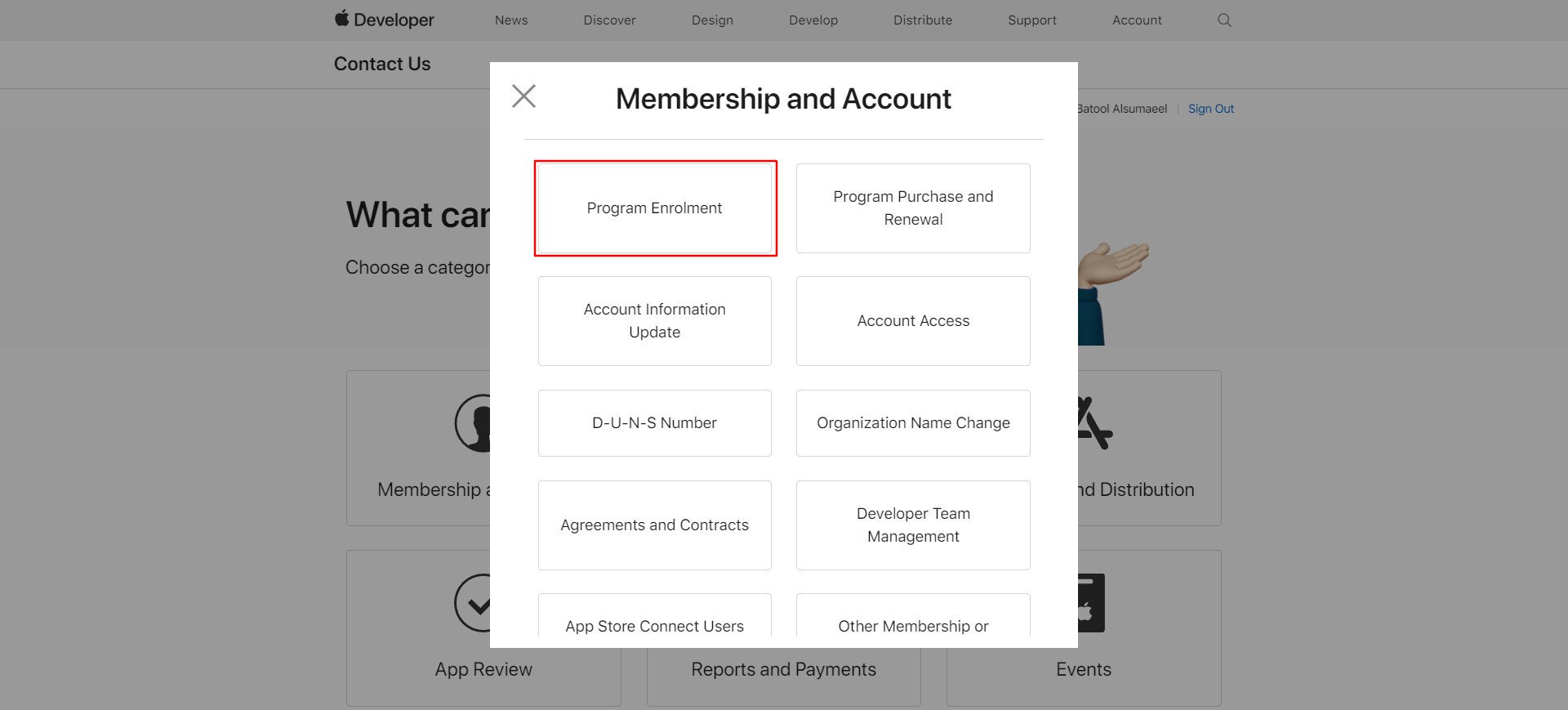
7. A list of issue categories appears, such as:
- DUNS Number: for a problem entering your DUNS number.
- Program Enrollment: to ask about the status of your enrollment in the developer program as an individual or a company.
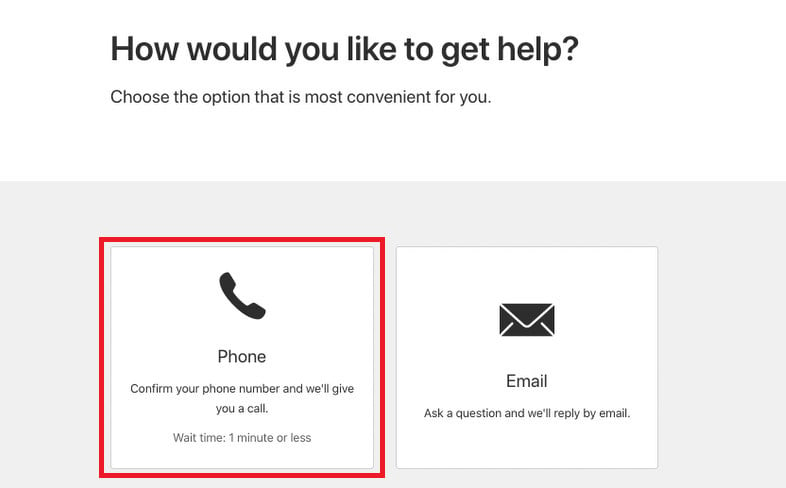
8. On the page where you choose how to get help, click (Phone), if phone support is available. Apple Support is usually available during the hours shown here, which in Saudi time normally run Monday to Friday, 10 AM to 6 PM.
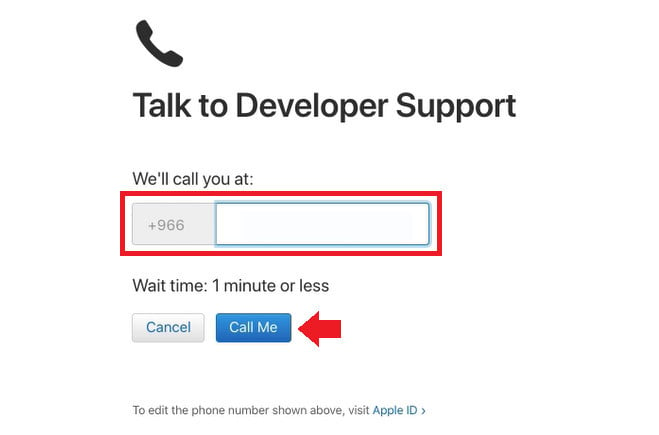
9. Enter your phone number, then click (Call Me).
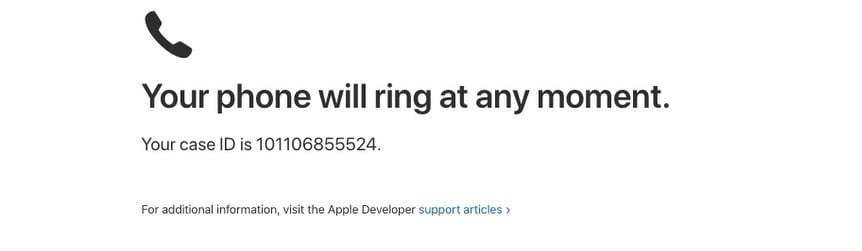
10. A confirmation message appears telling you your phone will ring within a minute or less (Your phone will ring at any moment), along with your Case ID.
11. Answer the call. An automated system reads out instructions. Press 1 to speak to an agent right away, and you will be transferred to support.
What Apple asks during enrollment verification
If your call is about verifying your Apple Developer Program enrollment, expect questions along these lines:
- What is your first and last name? Give the account holder's name exactly as registered in the personal details.
- What is your Enrollment ID? Give the ID shown in your membership details.
- What is your work email? Give the email address shown in your membership details.
- What is your phone number? Give the company phone number shown in your membership details.
- What is your position in the company? State your role. If you are the owner, say so.
- Do you have legal binding authority to sign agreements on behalf of the company? Answer yes.
- Do you plan to distribute apps on the App Store or outside it? Answer that you plan to publish on the App Store.
You may also be asked other routine questions. There is nothing to worry about. If you have trouble following the agent, ask them to repeat: "Sorry, could you repeat the question?" or "Sorry, I couldn't hear you well."
📝 Important notes
The account owner must be on the call. If the person speaking is not the account holder, Apple will not continue, and that applies even when an interpreter is on the line.
Have your Case ID or Enrollment ID ready before you request the call. It saves time on both sides.
Phone support hours vary by region. Check the worldwide telephone hours page before you request a call.
Frequently asked questions
❓ Can I try again if the first call attempt fails?
Yes. It is better to wait for the automated system to call you back on the schedule set by the first call, usually 10 to 15 minutes after the failed attempt. You normally get 3 call attempts per day. If the site tells you that you cannot try again, check back after a few hours or the next day.
❓ What should I do if several attempts fail?
The number of support requests is limited, so you will not be allowed to request a call more than three or four times. The automated system will say that Apple is trying to reach you after the earlier failed calls. You can try again on a later day.
❓ Can I call from a number other than the one registered to my Apple ID?
Yes, but expect identity questions confirming that you own the account. Apple is strict about account privacy and security, and support will not continue if it turns out the person speaking is not the owner of the account with the issue.
❓ I pressed 1 but the automated system said it did not hear my answer. What now?
Restart your phone. The tone from the keypad can hang or stop registering, and restarting the phone usually fixes it. Then request the call again.
❓ Which languages does Apple developer support use?
Arabic is not currently supported in the Apple Developer Program, so the call is in English only. If the language is a barrier, bring your own interpreter, and make sure the account owner stays on the call.
❓ How should I explain my issue on the call?
Describe the situation in full and include your company name along with your Case ID or Enrollment ID if you have them.