Getting a customer to place their first order is important. Getting them to come back is where long-term growth happens.
Customers already showed interest in your products once. Repurchase reminders help you reconnect with them at the right time and make reordering feel effortless.
Instead of building manual campaigns every time, you can automatically remind customers to reorder products they already purchased, send targeted offers, and create a smoother buying experience from start to finish.
In this guide, you’ll learn how repurchase reminders work, how to create them, and how to customize the experience for different customers and products.
📌Article overview
Why use repurchase reminders?
Create a new repurchase reminder
Repurchase reminders for donation products
The customer experience
Why use repurchase reminders?
Customers don’t always think about when it’s time to buy again. That’s especially true for products people regularly restock, replace, or reorder over time.
Repurchase reminders help bring customers back automatically with timely notifications, personalized offers, and direct reorder links that reduce friction and speed up checkout.
With repurchase reminders, you can:
✔️ Encourage repeat purchases automatically
✔️ Reach customers based on their actual buying behavior
✔️ Send offers without manual follow-up
✔️ Increase customer lifetime value
✔️ Make reordering faster and easier
Done well, reminders feel less like marketing and more like good timing.
Create a new repurchase reminder
1. From the Repurchase reminders page, click New reminder.
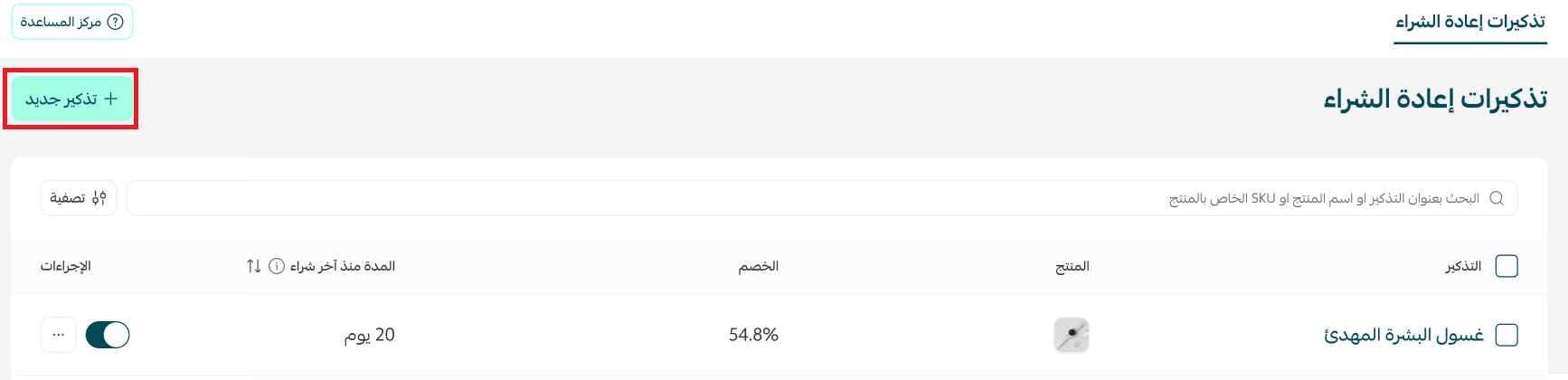
2. Enter the reminder details, then click Publish reminder.
The setup process includes:
Reminder details
Reminder conditions
Reminder settings
1.Reminder details
Reminder title
Add a title to help you identify the reminder later.

Product selection
Choose the product that customers should be reminded to reorder.

Reminder timing
Set the number of days since the customer’s last purchase before the reminder is sent.

For example, if customers usually reorder a product every 30 days, you can schedule the reminder around that timeframe.
Discount type
Choose the type of offer included in the reminder:
No discount

2. Percentage discount

3. Fixed amount discount

4. Free shipping

Reminder channels
Choose how customers receive the reminder.

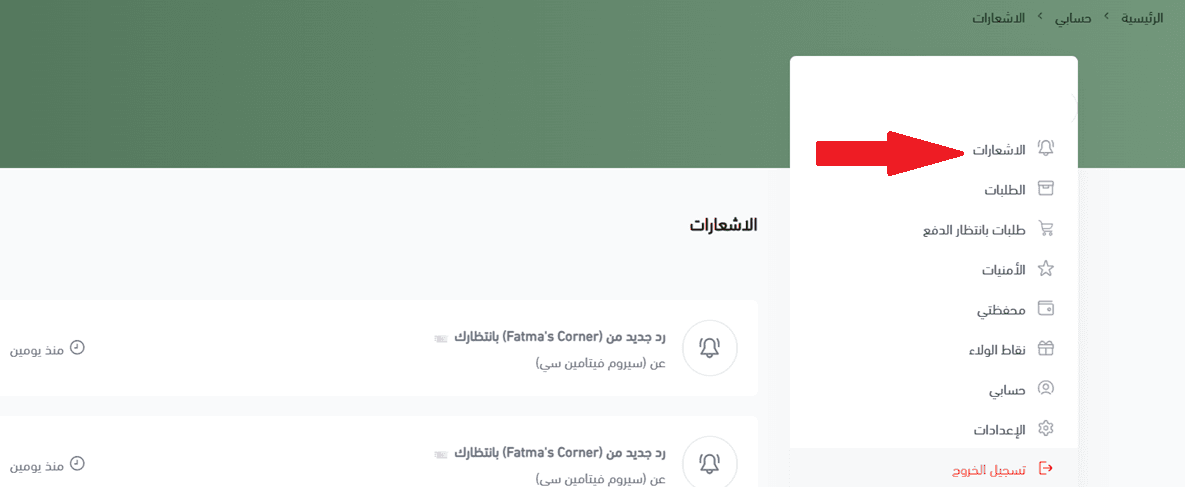
Store notifications
The reminder appears inside the customer’s account under Notifications.
If your store has a mobile app, customers can also receive the reminder as a push notification.
Mahally
Mahally reminders allow customers to receive a WhatsApp message with a direct reorder link that takes them straight to checkout.
Note: To use the Mahally channel:
Your products must be listed on Mahally
The selected product must also be available there
For more details, check out the articles below:
2. Reminder conditions
Reminder conditions give you more control over who receives reminders and when they’re sent.
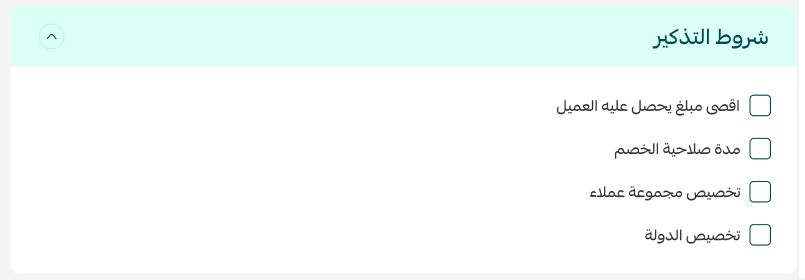
Depending on the discount type, you can:
Set a maximum discount limit

Add free shipping alongside percentage or fixed discounts

Set an expiration date for the discount

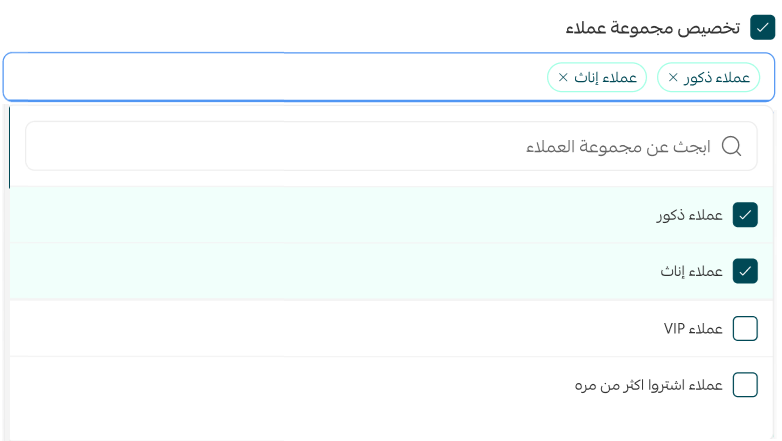
Target specific customer groups
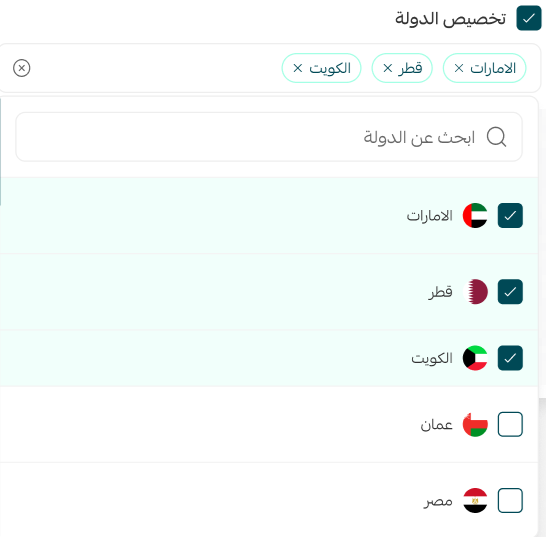
Limit reminders to certain countries
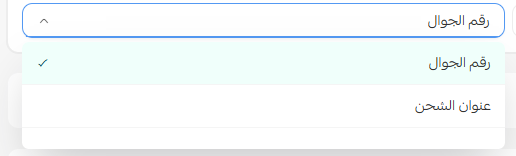
Choose how the customer's location is determined
These settings help you create more targeted reminder campaigns and improve repeat purchase performance.
For more details, check out the articles below:
3. Reminder settings
Customize the reminder experience based on your products and customer preferences.
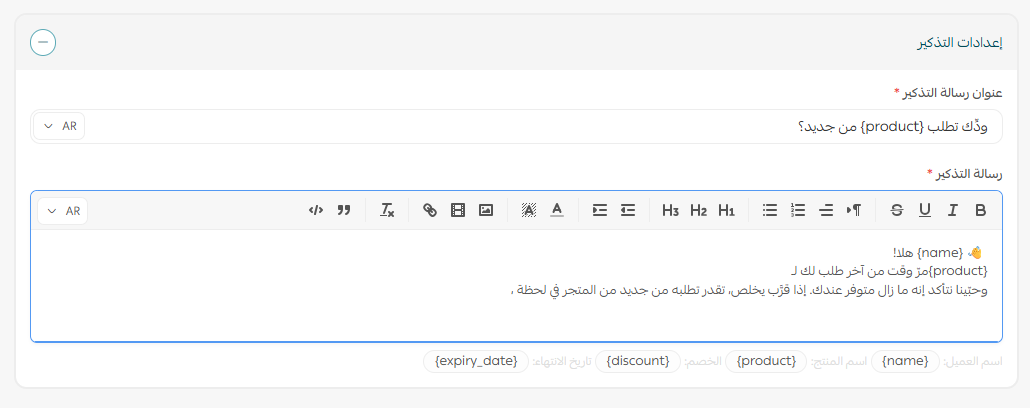
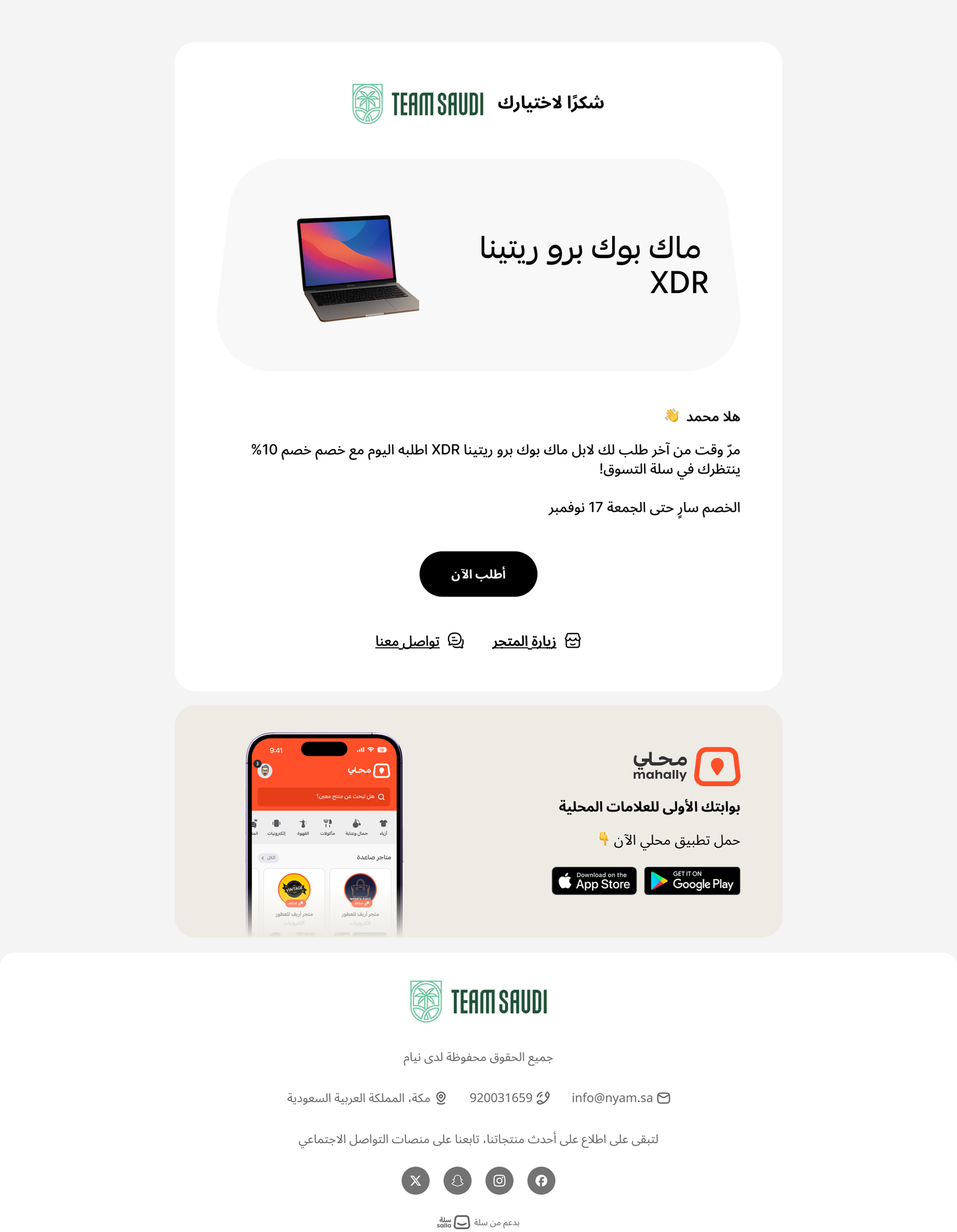
The reminder email can appear to customers like this:
Repurchase reminders for donation products
For charitable organizations, the system automatically creates repurchase reminders for donation products. Donation reminders are sent automatically every 30 days.
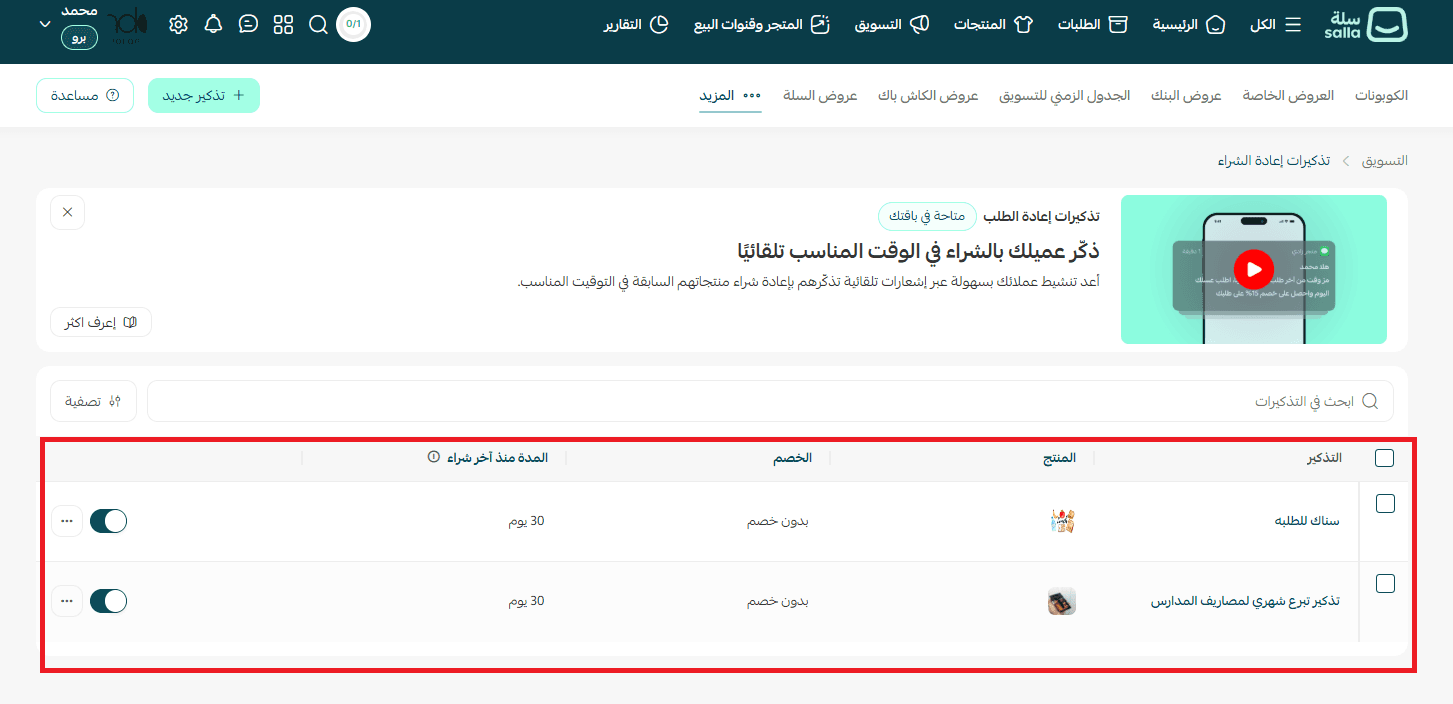
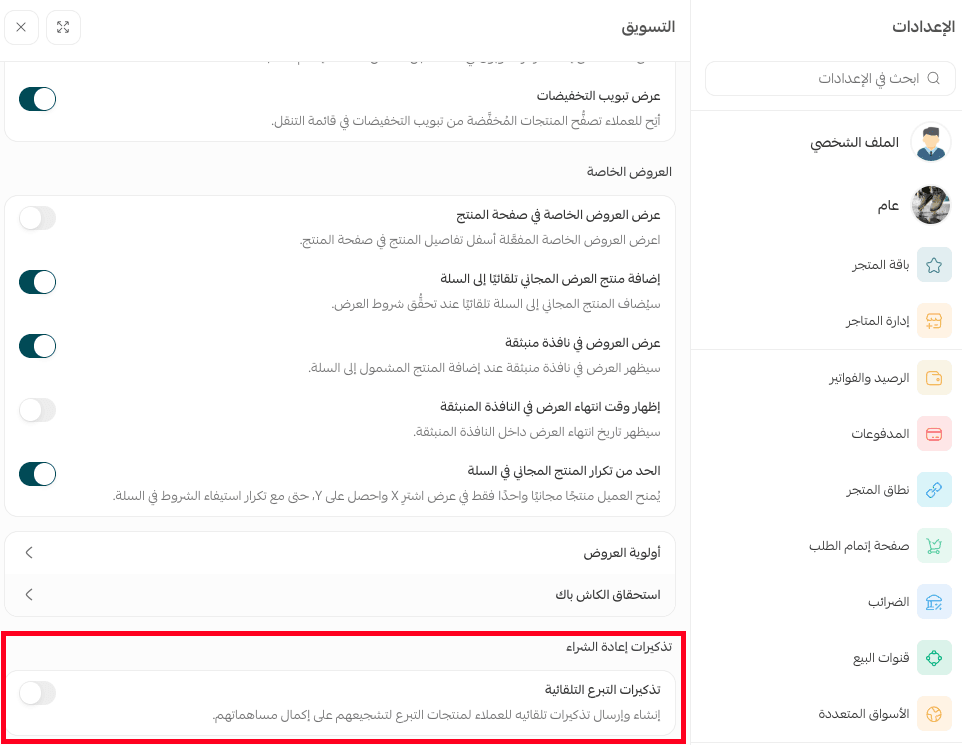
You can disable automatic donation reminders at any time from the Marketing settings page.
The customer experience
Once a reminder is active, the system automatically sends the customer a notification or email containing a Reorder link.
Customers receive a message with the product name and a Reorder button.
Clicking the button takes them directly to checkout with the product already added to the cart.
No searching. No extra steps. Just a faster way to buy again.
📝 Important notes
Reminders are only sent to customers who match the configured conditions
This feature does not support subscription products
Reminders rely on actual purchase history and reorder timing
You can edit or disable reminders at any time
Repurchase reminders help turn previous orders into future sales.
With the right timing and targeting, you can create a smoother experience for customers while building more consistent repeat revenue for your store.