For more details about Managing store verification request records
Can I use a personal or business bank account?
Yes, but it depends on the entity type:
If the entity type is individual, you can use a personal or business account.
If the entity type is an institution, the account must be a business account in the institution's name.
What is the difference between business platform verification and Salla store verification?
Salla store verification: Verifying store data within Salla and completing store requirements
Business platform verification: Verifying activity within the government business platform
Is business platform verification the same as Salla store verification?
No, they are different and each has independent procedures.
What is the mechanism for transferring withdrawal amounts and when are they transferred to the merchant's account?
Amounts are transferred from the store balance to the bank account after the merchant requests a withdrawal, provided that the store verification is complete and the bank account details are correct.
Transfers are processed periodically according to the approved transfer cycle.
Can I add the national ID without the personal photo?
Yes, you can attach the national ID with the personal photo covered before uploading it, and this will not affect the data verification process.
What are the verification requirements for personal or business accounts?
1- Personal account: Must be in the name of the store owner.
2- Business account: Must be in the name of the store owner and the freelance work document holder (for individual entities).
3- For institutions: Account details must match the commercial registration and national ID.
What happens if the bank does not support automatic verification?
In this case, you can manually enter the bank account details, and they will be verified by the Salla support team.
Does the account holder's name appear after verification?
Yes, if the verification is successful, the account holder's full name will appear directly.
What are the potential consequences of not verifying my store's data?
Payment and settlement operations will be suspended after the deadline until the store verification procedures are completed.
Will anyone have access to my store information, or is data verification only for store verification?
Verification is for verifying the accuracy of store data and customers cannot access your store data
Is the PDF file supported in data verification?
It can be uploaded but it takes longer, it is preferable to upload an image.
How long does store verification take on Salla?
The store verification process takes 24 to 48 hours, if it takes longer, contact Salla technical support from your store dashboard
What are the channels for notifying the merchant about verification statuses?
In addition to dashboard notifications, the merchant will receive notifications via email and WhatsApp, with the reason for rejection explained if the verification request is rejected
How can I update my bank account details on the store verification page?
You can do so by submitting a new verification request with the new bank account, noting that your store will continue to receive orders and payments.
How is a verification request for a store that has been successfully verified before handled?
When updating verification data for a store that has been successfully verified before, the following will occur:
- Continue store operation without disruption to receive orders or electronic payments.
- The old request will not be updated, but a completely new verification request will be sent to the verification team.
- Acceptance or rejection of the verification request:
- Acceptance of the new verification request and informing the merchant that the new verification request is complete
- Rejection of the new verification request and informing the merchant of the reasons, while retaining the completed verification status from the previous request.
What are the possible reasons for my store verification failure?
- Expired ID card, you must verify the store with a valid ID for the store owner
- Unclear ID card, you must verify the store with a fully clear ID image.
- The attached image does not represent the store owner's identity, you must verify with a valid ID for the store owner with fully clear data.
- Expired commercial registration, verify the store with a valid copy of the commercial registration with fully clear data.
- The commercial registration does not belong to the store owner, you must add the institution's owner as the store owner or provide Salla with a letter on company letterhead certified by the Chamber of Commerce requesting the establishment of a store on Salla and appointing the company's record manager as the store owner.
- The attached image does not represent the commercial registration, you must verify the store with a valid certificate of the institution/company's record and be fully clear.
- The institution/company record is unclear, you must verify a clear and complete image of the institution/company record because the attached image is not.
- The IBAN certificate is not in the name of the store owner, you must add the bank account and IBAN certificate matching the store owner.
- The bank account is for an institution and the entity is individual, you must add a personal bank account and attach the IBAN certificate.
- The bank account is personal and the entity is an institution/company, you must add a bank account for the institution/company and attach the IBAN certificate.
- The bank account holder's name does not match the institution's name, you must modify the bank account holder's name to match the institution's bank account associated with the store
- The IBAN certificate does not match the registered bank account, you must attach the IBAN certificate matching the bank account associated with the store and be fully clear.
- The attachment is not an IBAN certificate, you must attach the IBAN certificate matching the bank account associated with the store and be fully clear.
- The bank account holder's name does not match the store owner's name, you must modify the bank account holder's name to match the store owner's IBAN certificate.
- The registered bank account holder's name does not match the IBAN certificate, you must modify the bank account holder's name as in the IBAN certificate.
- The association certificate is expired, you must upload a valid copy of the association certificate and be fully clear.
- You must attach the association certificate, you must verify the store with a valid association certificate and be fully clear.
- The freelance work document is not for the store owner, you must attach an image of the freelance work document in the name of the store owner.
- The freelance work document is expired/rejected/canceled/awaiting review, you must attach a valid freelance work document.
- The freelance work document is unclear. You must attach a clear and complete freelance work document.
- The registered document number does not match the attached freelance work certificate, you must attach a clear and complete freelance work document.
- The business platform certificate is unclear. You must attach a clear and complete business platform certificate.
- The attached image is not of the business platform certificate, you must attach an image of the business platform certificate and be fully clear.
- The business platform certificate does not belong to the store owner, you must attach the business platform certificate that belongs to the store owner's name.
- The bank account on the business platform does not match the bank account provided by the merchant, you must modify the bank account number to match the account attached on the business platform.
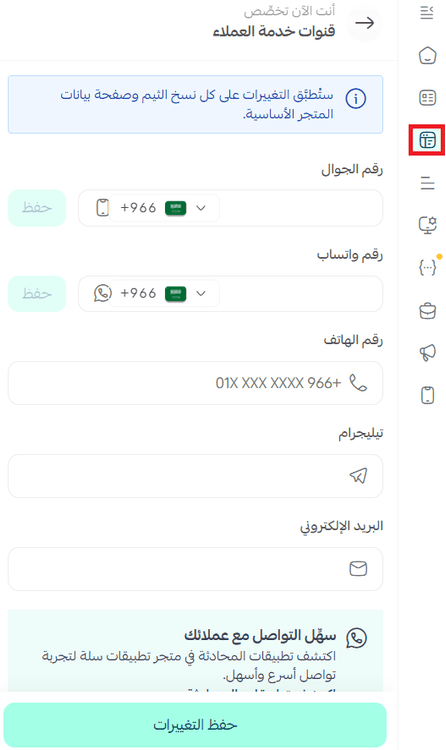
How can I add contact information to my store?
From the (Theme Customization) page, in the Header and Footer section.
If my store verification fails on Absher, how many times can I try?
Verification through the Absher platform allows you to try three times a day, other data has no limited attempts.
If a merchant has more than one store, can they verify the data of all their stores on Salla using the same data? Is there a maximum number of stores whose data can be verified?
Yes, the same data can be entered if the store owner is the same person, and there is no upper limit to the number of stores owned by one owner.
If the entity type is individual, and the merchant has two stores, and their combined sales exceed 375,000 SAR annually, will the tax be applied separately to each store or will they be treated as one store?
Refer to the Zakat and Income Authority for any inquiries related to VAT eligibility.
How will customers know that the store's data has been verified?
Data verification is specific to the Salla platform.
Charitable institutions do not have an owner but are overseen by a trustee or board of directors, how will the store owner's data be verified in this case?
The charitable institution has the right to appoint a legal representative as a store user.
When verifying data for a charitable store, who is considered the store owner? And why is the title not changed from store owner to the required title (chairman, executive director, etc.)?
The store owner's name is one of the data preserved within the store information on the Salla platform to ensure store reliability.
If the merchant is foreign, how is their store data verified?
A foreign merchant can create their store on Salla, whether as a company or institution, but to complete the verification process, a commercial registration must be issued.
📝 Note: The commercial registration used for verification must be a Saudi commercial registration for the store to be approved and all services activated.
How does the merchant know that the store's data has been verified?
A completed mark is displayed next to the store verification in the payment settings page.

When verifying data for an institution with sales less than SAR 375,000, how is the tax number verified?
Refer to the Zakat and Income Authority for any inquiries related to VAT eligibility.
Is the data verification decision governmental or from Salla?
It is an initiative from Salla to organize the e-commerce market in Saudi Arabia, aiming to increase consumer trust in stores registered through the Salla platform and to provide a safe environment for e-commerce, and it does not replace the verification of any merchants' store data with government entities.
What is the procedure for stores on the Basic package that have not verified their data?
Verification is a prerequisite to start the sales process
Is there synchronization between payment activation and data verification, and also the entity type?
Yes, there is, and the entered data must be consistent and correct, and all requests are audited, and if incorrect data is entered, the request is rejected.
Can a digital ID image be uploaded?
Yes, a digital ID image is accepted.
If I do not verify my store, will payment methods be canceled from my store, or will orders continue but amounts are held?
Payment and settlement operations are suspended until the store verification steps are completed.
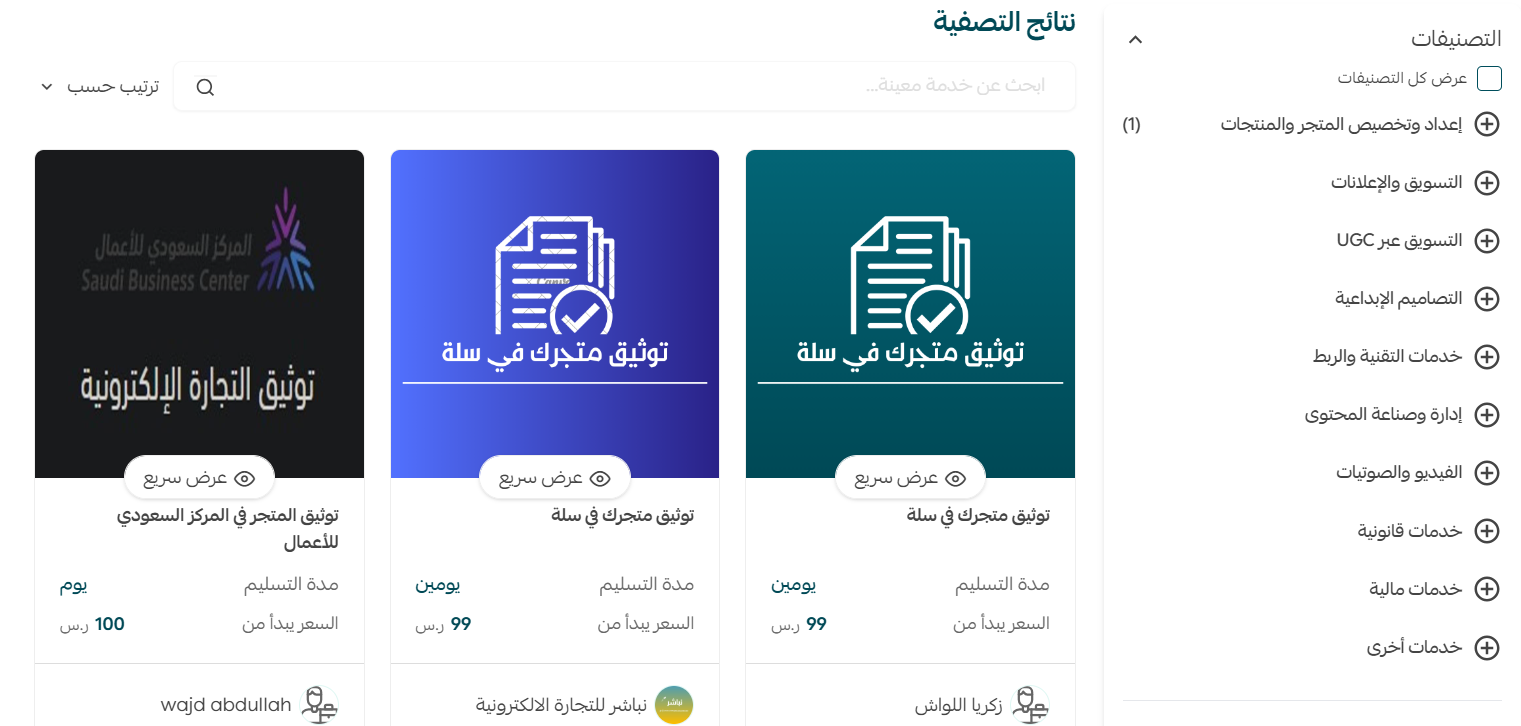
If you need help verifying your store, you can benefit from the merchant services feature where the store verification or freelance work document issuance service is provided, ensuring you complete your business professionally.