Not all shipping solutions fit every store, or every customer.
When standard shipping options don’t fully match your delivery needs, adding a private courier or external shipping company gives you greater control. You can tailor delivery services by location, pricing model, and delivery speed, helping you offer a more flexible customer experience while improving operational efficiency.
In this article, you’ll learn how to add, manage, and optimize custom shipping options for your store.
📌 Article overview
- Private couriers & shipping companies page
- Adding a private courier or shipping company
- Viewing and editing courier details
- Hiding a courier from checkout options
Private couriers & shipping companies page
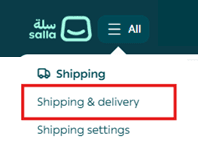
- From the main menu, click all, then select Shipping & delivery.
- Scroll to the bottom of the Shipping & Delivery page and click View Couriers.

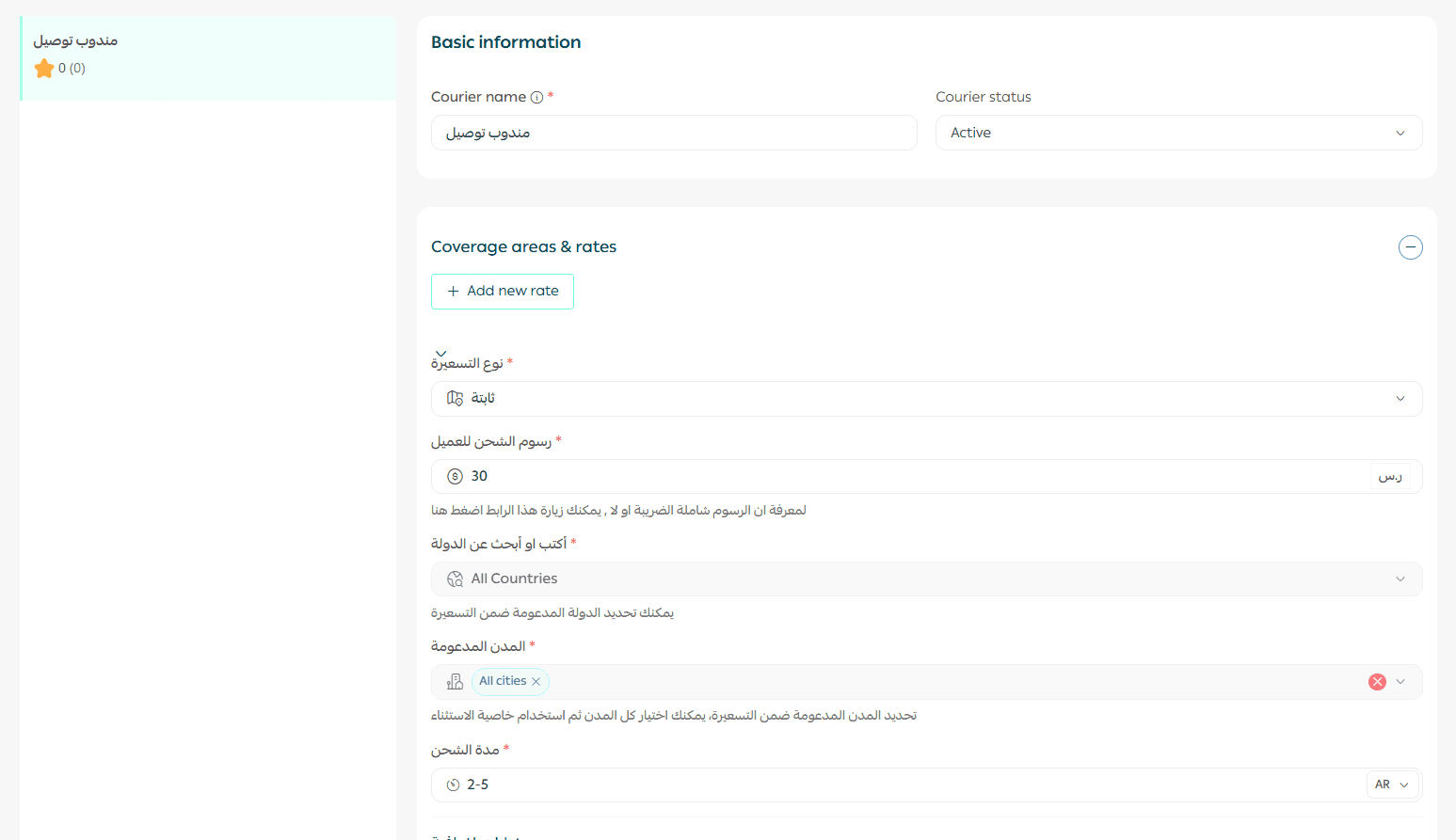
The couriers page displays:
- A list of private couriers and shipping companies
- Options to add new couriers
- Full control over each courier’s settings and availability
Adding a private courier or shipping company
- From the private couriers & shipping companies page, click + New courier.

- Enter the required details, then click Save.
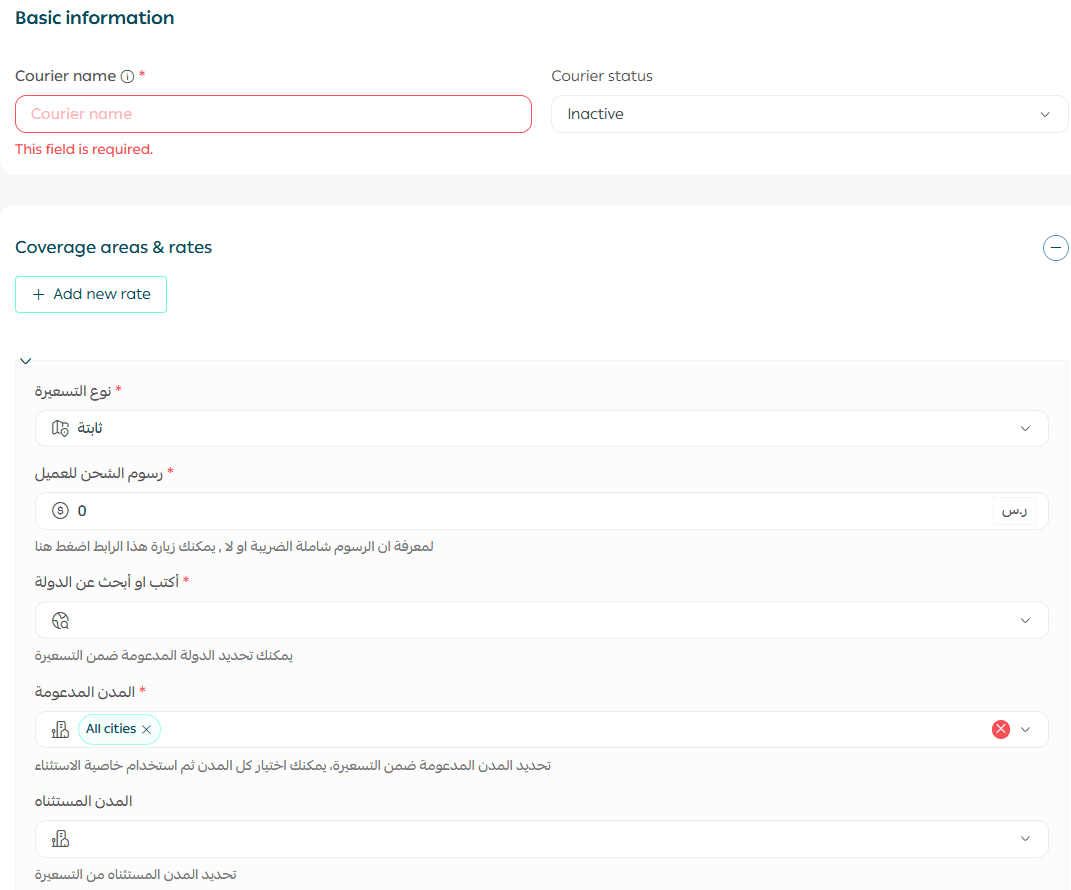
What each field means:
- Pricing type
Defines how shipping fees are calculated:
- Flat rate
- Weight-based
- Distance-based
- Shipping fee for customers
The delivery cost displayed to customers at checkout.
- Country
The country covered by this courier.
- Supported cities
Cities serviced by the courier. You can select multiple cities.
- Delivery time
The estimated time required for the order to reach the customer.
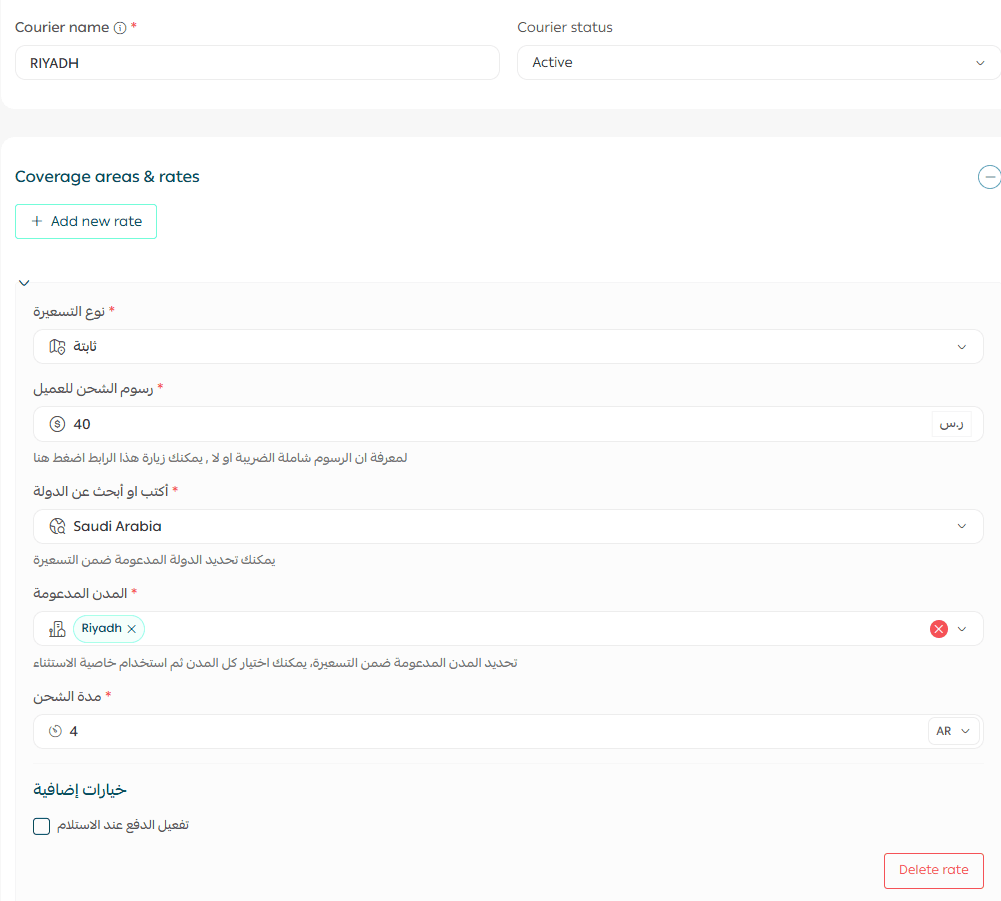
Example: A private courier operating exclusively within Riyadh.
Hiding a courier from checkout options
From the In-house Couriers page, toggle the courier status to:
- Active – Courier appears as a checkout option
- Disabled – Courier is hidden from the checkout page

This allows you to temporarily pause a courier without deleting its setup.
Deleting a courier
Scroll to the bottom of the courier’s page and click Delete courier.
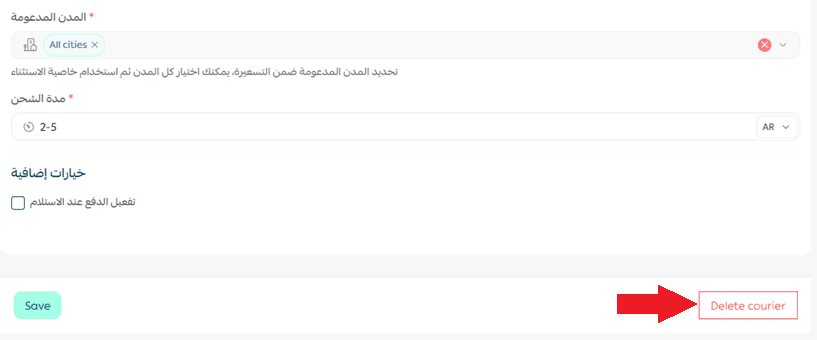
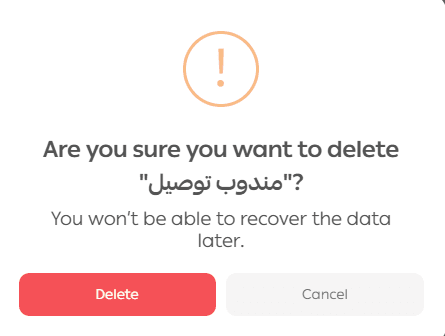
A confirmation message will appear. Click Yes, Delete to proceed.
Frequently asked questions
What is the difference between flat rate, weight-based, and distance-based pricing?
You can choose one of the following pricing models:
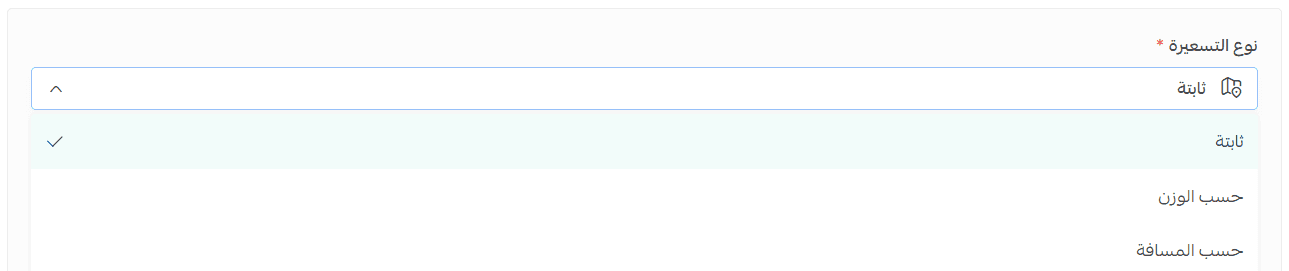
- Flat rate pricing
A fixed shipping cost is applied to every order, regardless of weight or distance.

Example: Shipping cost: SAR/AED 20 per order
- Weight-based pricing
Shipping cost is calculated based on the order’s total weight.
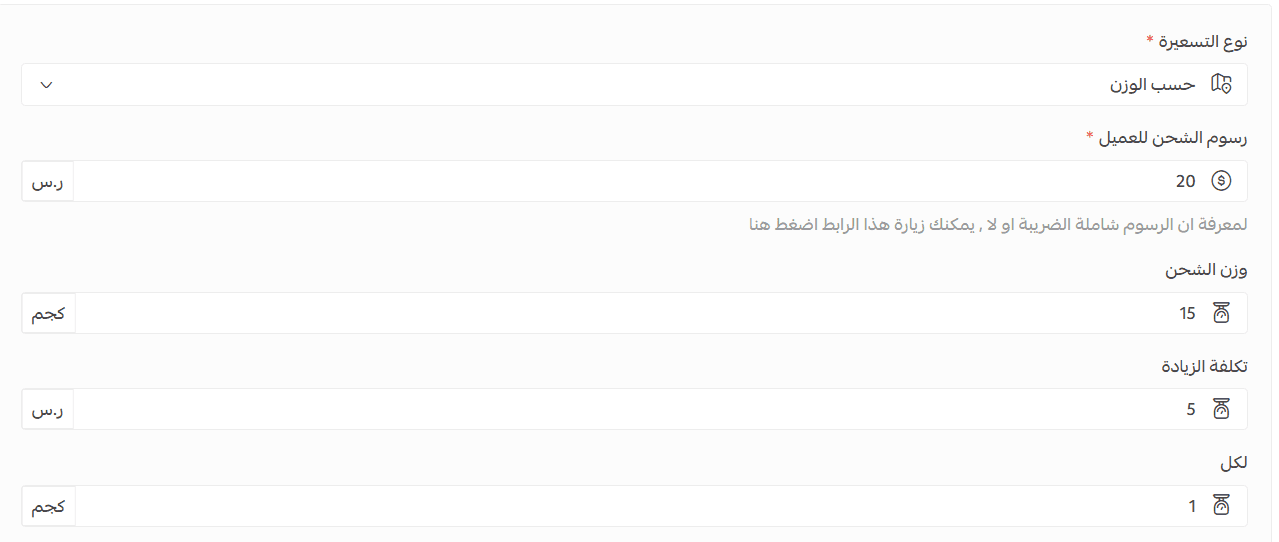
Example:
- SAR/AED 20 for the first 15 kg
- SAR/AED 5 for each additional 1 kg
- Distance-based pricing
Shipping cost is calculated based on delivery distance.
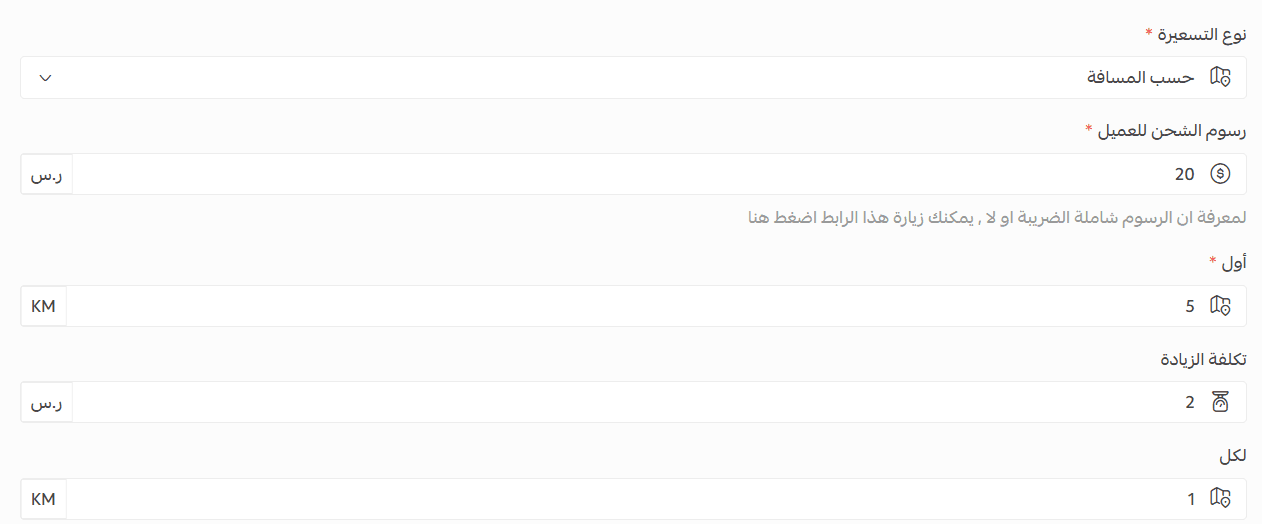
Example:
- SAR/AED 20 for the first 5 km
- SAR/AED 2 for each additional 1 km
Coverage area: Defines the geographic radius serviced by the courier.