What is Google site verification?
Google site verification is the process of proving ownership of the site you are trying to add, as some Google services can only be used by site owners.
Once your site ownership is verified, you can manage it by viewing site analytics, submitting your sitemap, and accessing your Google search data. Verification can affect how Google Search crawls your site.
The Google Site Verification API allows you to develop applications or services that automatically verify ownership. Verified owners can grant full access or view permissions to other users.
"Your site ownership"means"ownership of your store domain"
Steps to verify site ownership via Google site verification:
1. From the side menu of the control panel, click on (installed apps).

2. From the Salla App Store banner, click on(browse Salla App Store).

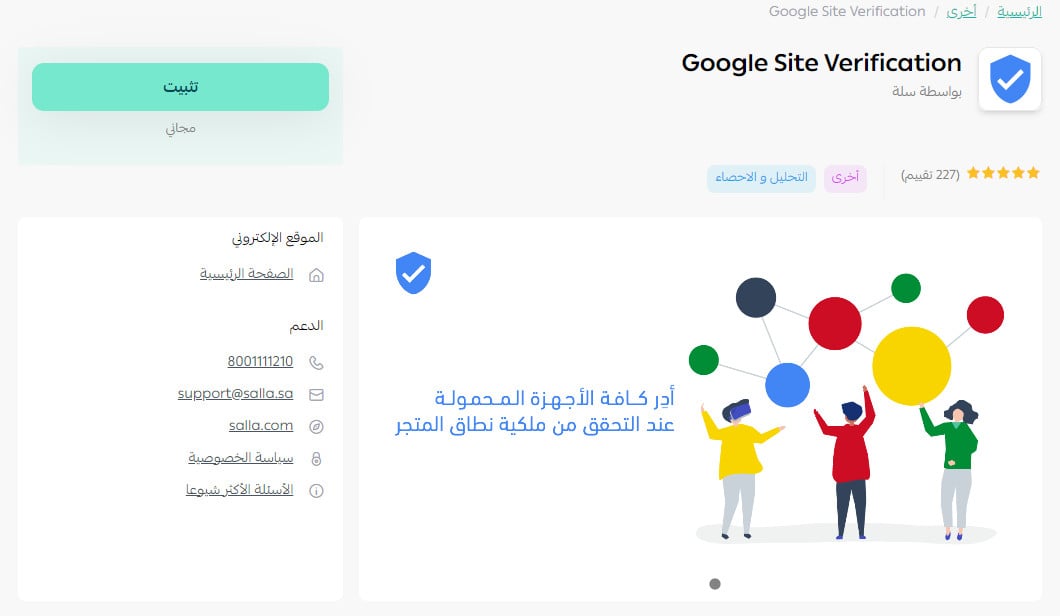
3. From theGoogle Site Verificationapp page, click on (install)
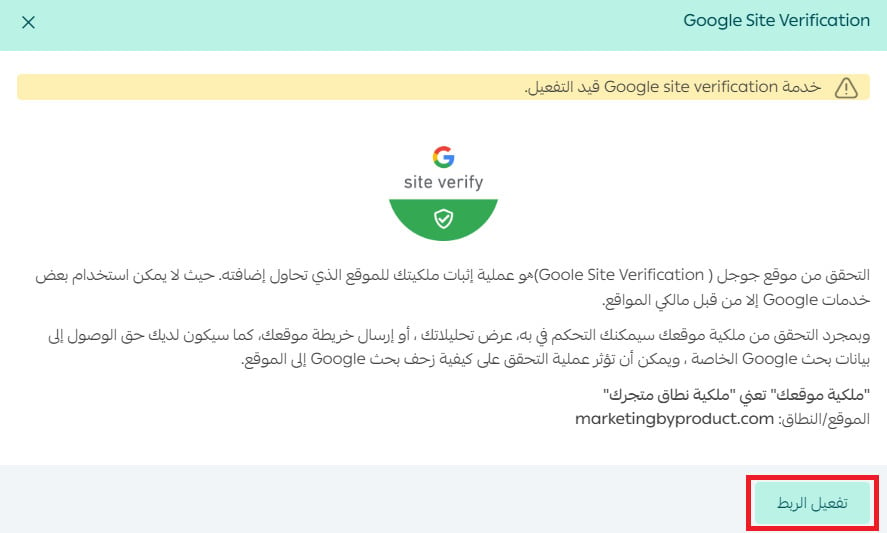
4. From the activation page, click (activate link).
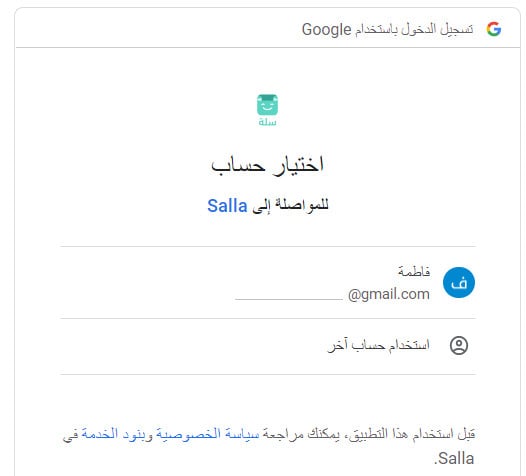
5. Log in to one of your Google accounts.
6. To approve access permission, click (approve).
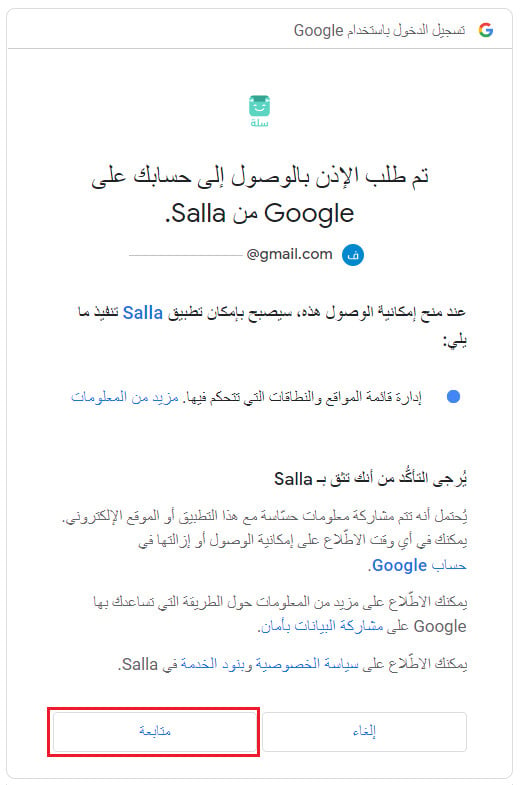
You have now completed the verification process.
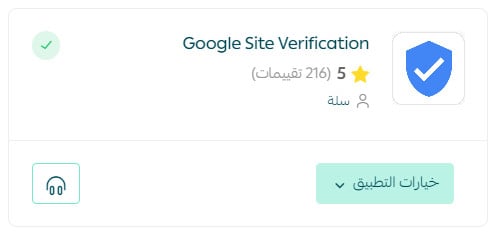
For more details onmanaging my store apps
Frequently asked questions
How can I change the account linked to Google services?
Unlink the current account and then link a new one.
1. From the side menu of the control panel, click on (installed apps).

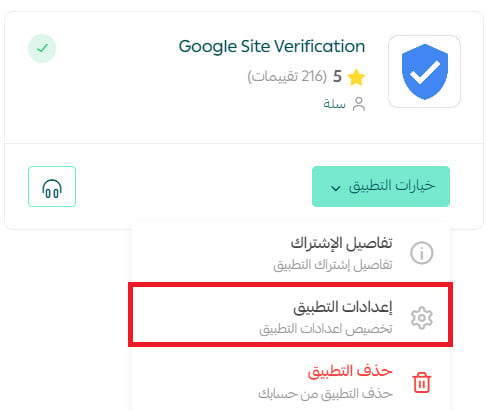
2. From the all apps page, in the Google Site Verification app, from the (app options) menu, click (app settings).
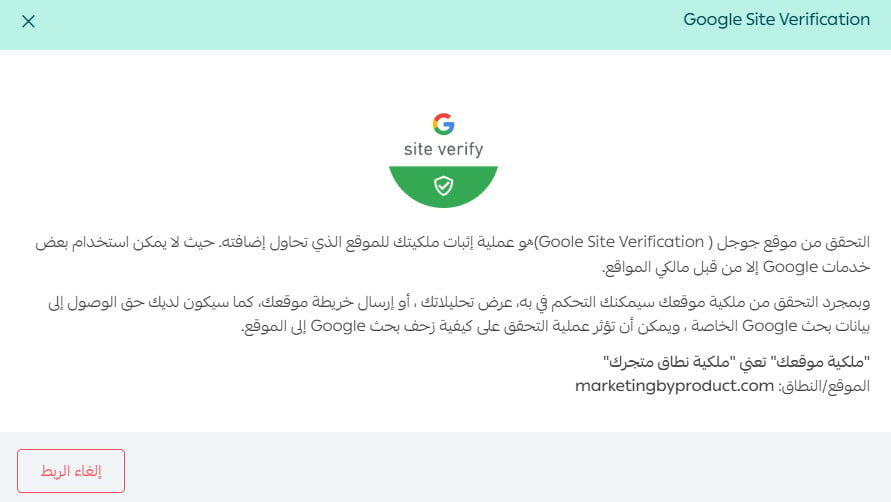
3. From the Google site verification page, click (unlink).
How can I delete the Google Site Verification app from my store?
1. From the side menu of the control panel, click on (installed apps).

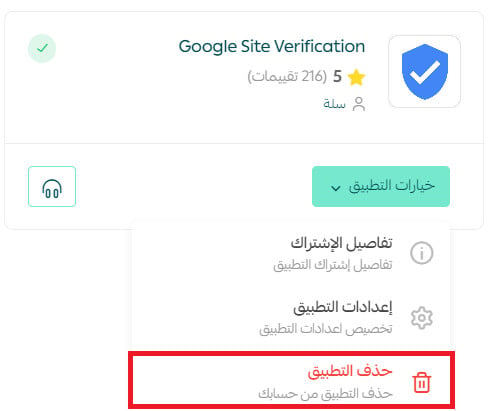
2. From the all apps page, in the Google Site Verification app, from the (app options) menu, click (delete app).