Many merchants struggle with international shipping due to high costs, complex procedures, and operational challenges, making it difficult to expand globally.
With DHL International Shipping, you can deliver your products to more than 220 countries worldwide, using fast and reliable door-to-door logistics services.
In this guide, you’ll learn step by step how to activate DHL International Shipping inside your Salla store and start shipping globally with ease.
📌 Article overview
- What is DHL International Shipping?
- How to integrate DHL International Shipping
- Frequently asked questions
Note: DHL International Shipping integration is currently available only for stores in Saudi Arabia.
What is DHL International Shipping?
DHL International Shipping is one of the shipping carriers available through Salla Shipping Labels, and it is also one of the leading logistics providers in Saudi Arabia.
DHL supports e-commerce merchants by offering international delivery services with fast and secure shipping operations.
DHL Shipping Options
DHL provides two main shipping services:
- International Shipping (covered in this article)
- Local Shipping
How to integrate DHL International Shipping
To activate DHL International Shipping in your store:
- From the main menu, click All
- Select Shipping
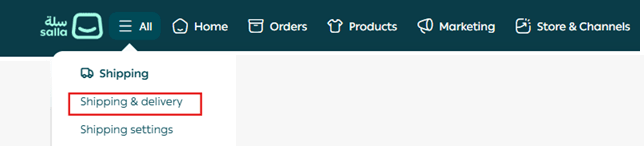
3. Open the Shipping tab

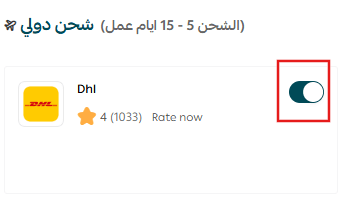
4. Under the International Shipping section, enable: DHL International Shipping
5. Go to the Display Information tab
6. Enter:
- Display Name
- Store Name
7. Then click Save
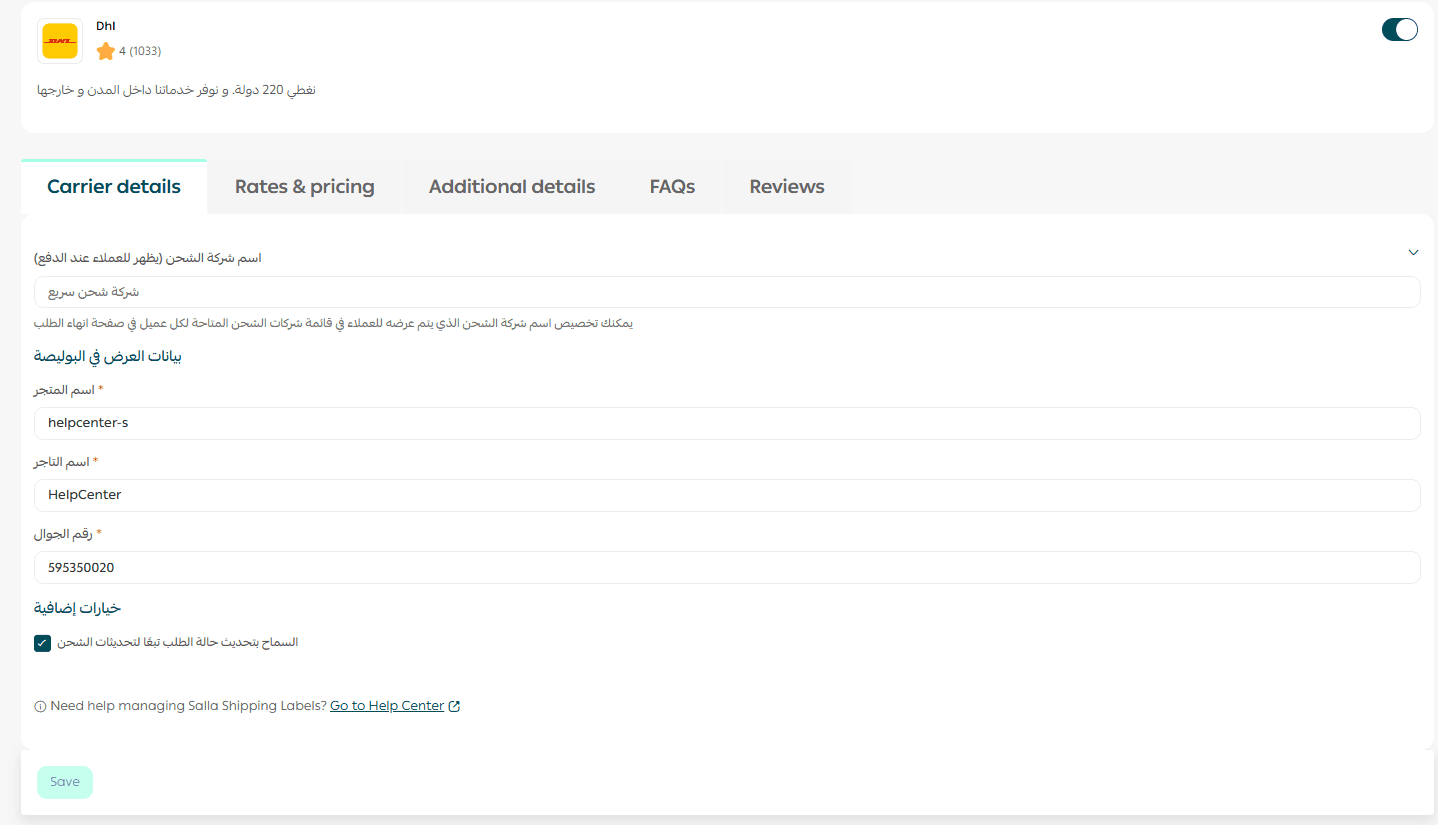
Your DHL shipping method will now be ready to use in checkout.
Frequently asked questions
Does DHL provide local shipping?
DHL in this integration, supports international shipping only.
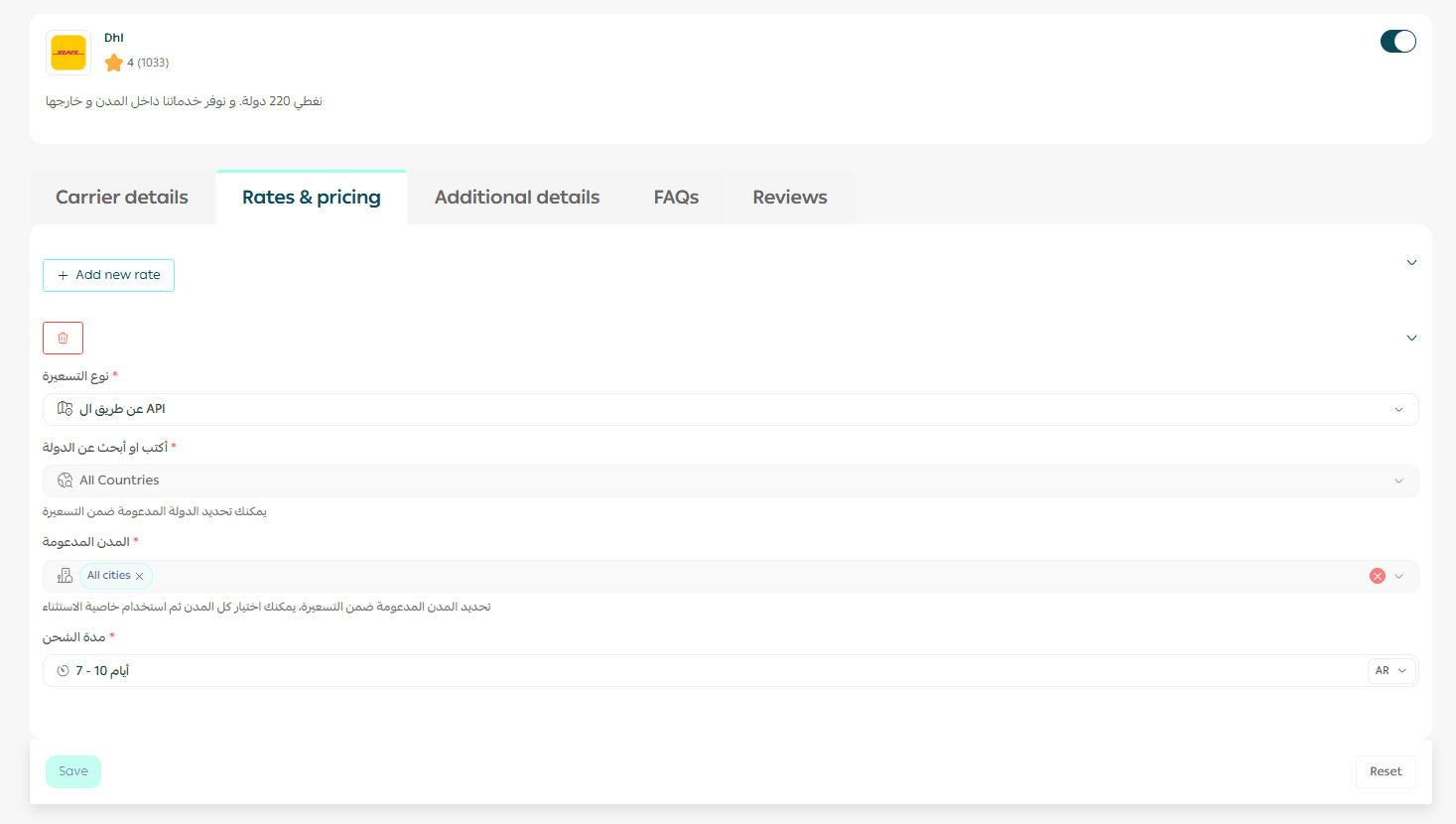
How can I configure DHL shipping pricing?
From the Shipping Pricing tab, you can enter shipping rates:
- For all countries and cities
- Or customize pricing through the DHL API
Can I estimate the shipping cost before issuing a label?
Yes. You can calculate an approximate shipping cost using:
- DHL’s official shipping cost calculator
- Or from inside Salla:
- Go to Shipping → Click Shipping Price Calculator

- Enter shipment details such as:
- Destination address
- Carrier
- Weight
The system will then display the estimated cost.
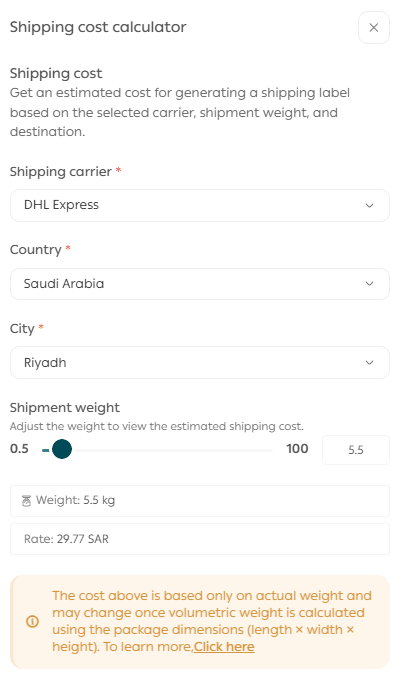
📌 Note: The calculated cost is based on actual weight, but some carriers may use volumetric weight instead.
For more details, see: Volumetric weight and how it’s calculated
Can I ship medicine, food, or cosmetics to Thailand through DHL?
No. According to DHL regulations, shipping the following items to Thailand under a personal shipment is strictly prohibited:
- Medicines
- Food products
- Cosmetics
Thai customs and the FDA will not accept exceptions.
Always confirm product eligibility before shipping to Thailand to avoid rejection or delays.
How is the shipping cost calculated?
Shipping fees are calculated based on whichever is greater:
- Actual Weight
- Volumetric Weight
Volumetric Weight Formula:
Volumetric Weight = (Length × Width × Height) ÷ 5000
Why is DHL not appearing in my store checkout?
To fix this:
- Go to Products
- Click More
- Select Branches & Warehouses
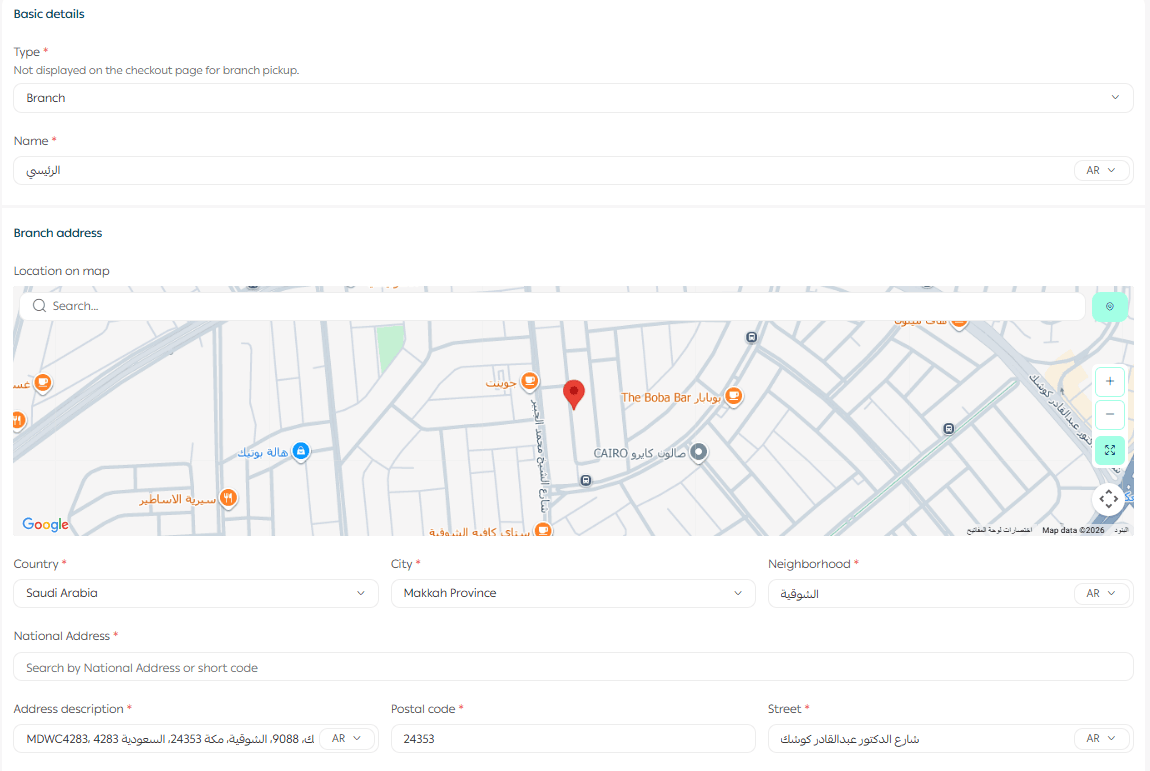
Make sure your branch address includes:
- Letters only
- Sub-number
- Postal code
- Mobile number without adding country code (966)
Once corrected, DHL will appear immediately for international shipping.
For more help, refer to: Managing branches and warehouses
How does the shipping label process work?
Labels are issued directly through Salla’s integration with DHL.
Required documents:
- Local shipments: Shipping label number + invoice
- International shipments: Shipping label number + invoice in English
What services does DHL provide?
DHL offers:
- International delivery to over 220 countries
- Door-to-door pickup and delivery (Door To Door)
How are orders sent to DHL?
Orders are submitted automatically through the Salla platform.
Is shipment tracking available?
Yes. DHL provides a full shipment tracking system.
What if the postal code is not accepted?
The shipment request may fail if the postal code contains fewer than 6 digits.
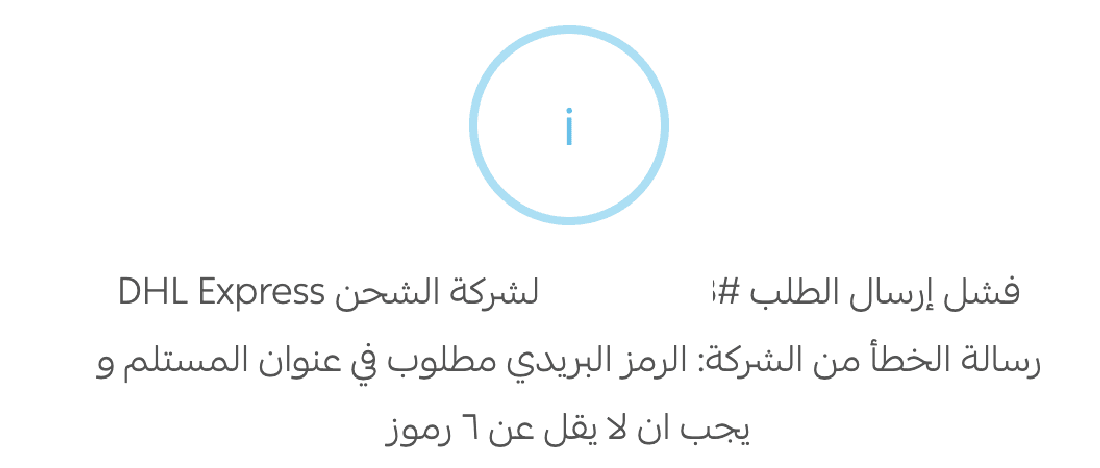
Solution: Add zeros to the left side of the postal code until it becomes 6 digits.
Example: 12345 → 012345
The system will still display it normally without the zeros.
Is there a maximum number of cartons per shipment?
No. There is no maximum limit for the number of cartons.
What is the minimum or maximum shipment weight?
- No minimum weight
- Maximum weight: 300 kg per shipping label
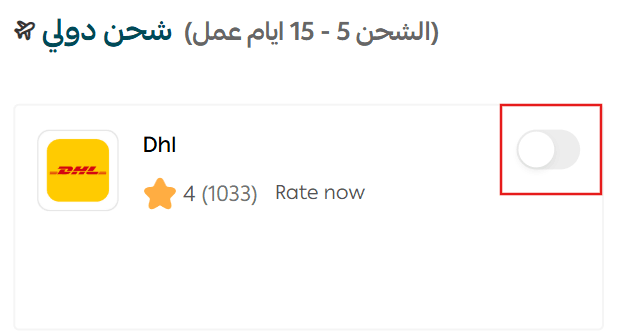
How can I temporarily disable DHL in my store?
From the shipping carrier settings page:
Go to Shipping Options
Enable or disable: Hide shipping company from checkout page
What should I do if a shipment is lost, damaged, or I want to file a complaint?
If you experience any issues with DHL shipments, you can submit a complaint through:
📌 Quality gateway inside the Shipping & Delivery settings.
For full guidance, refer to: Quality Portal for Shipping Complaints
Start shipping globally with DHL
By integrating DHL International Shipping, your store can:
- Reach customers worldwide
- Offer professional door-to-door delivery
- Provide fast shipping with tracking
- Expand beyond local markets confidently