Are your customers running into trouble creating an account or signing in to your store?
Plenty of shoppers, international ones especially, stall at the registration step: a forgotten email address, a verification message that never arrives, a mobile number that clashes with an existing account. Small obstacles, but they lose orders that were ready to be placed. That is why Salla offers social login, letting customers sign in or register with Google, Facebook or Apple ID. In this guide, you'll learn what the feature does, what your customers see, and how linked accounts are managed.
Social login lets your customers create an account or sign in with Google, Facebook or Apple ID in a single step. If their email already exists in your store, the social account links to it automatically. A mobile number is still required to complete registration.
📌 Article overview
- What is social login?
- How the customer uses it
- Important points to know
- Frequently asked questions
📖 Your customers' trust starts here. Read how customer consent to your store privacy policy works.
🎯 What is social login?
Social login lets your store's customers create a new account or sign in using their accounts on platforms such as Google, Facebook and Apple ID, in a single step.
It cuts out repeated data entry and the reliance on verification messages, which matters most for new and international customers. It also removes the registration errors that come from a forgotten email address or a duplicate mobile number. The experience is faster and smoother, and the customer's data stays secure: their social account password is never shared with your store.
👣 How the customer uses it
Here is what happens when a customer opens the registration page in your store.
For new customers: creating an account
1. Registration buttons appear for:
- Apple ID
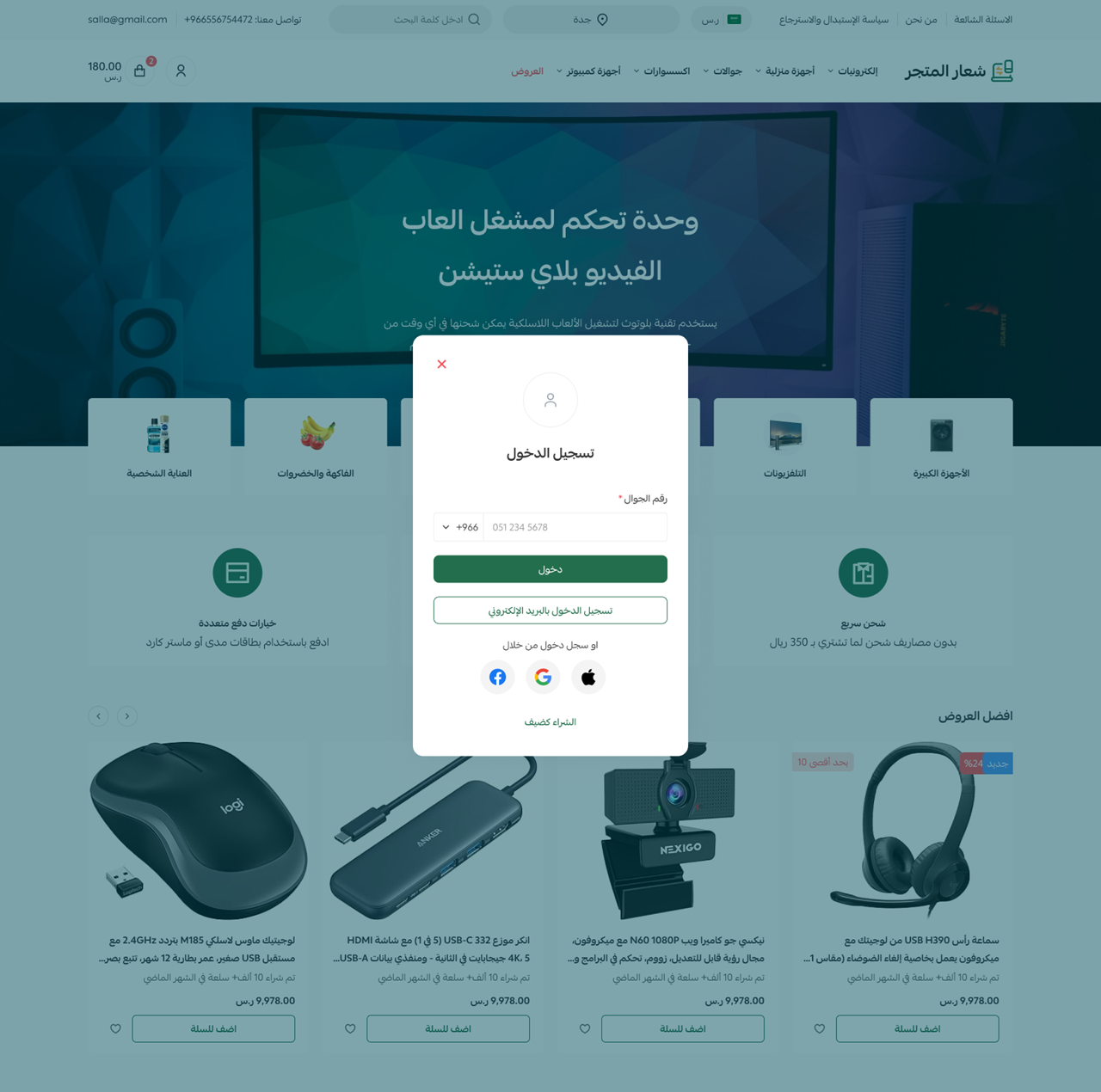
2. The buttons sit alongside your existing registration methods, and the customer clicks the one they prefer.

They are taken to the authorization page for the platform they chose.
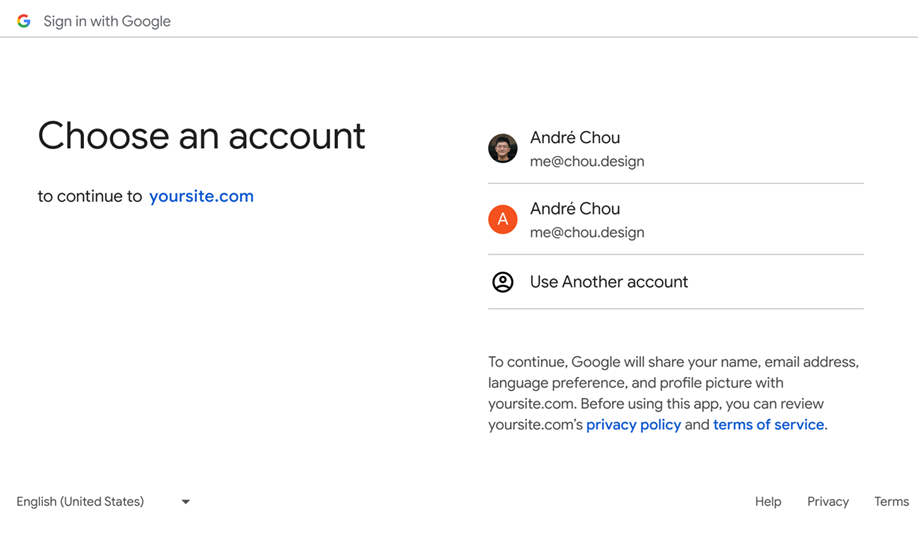
Once they approve sharing their data and return to the store:
- If the details are complete, the account is created and they are signed in straight away.
- If there is no mobile number, they are asked to enter one to complete registration.
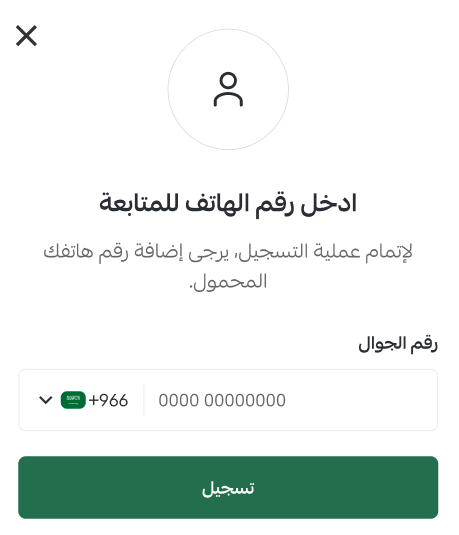
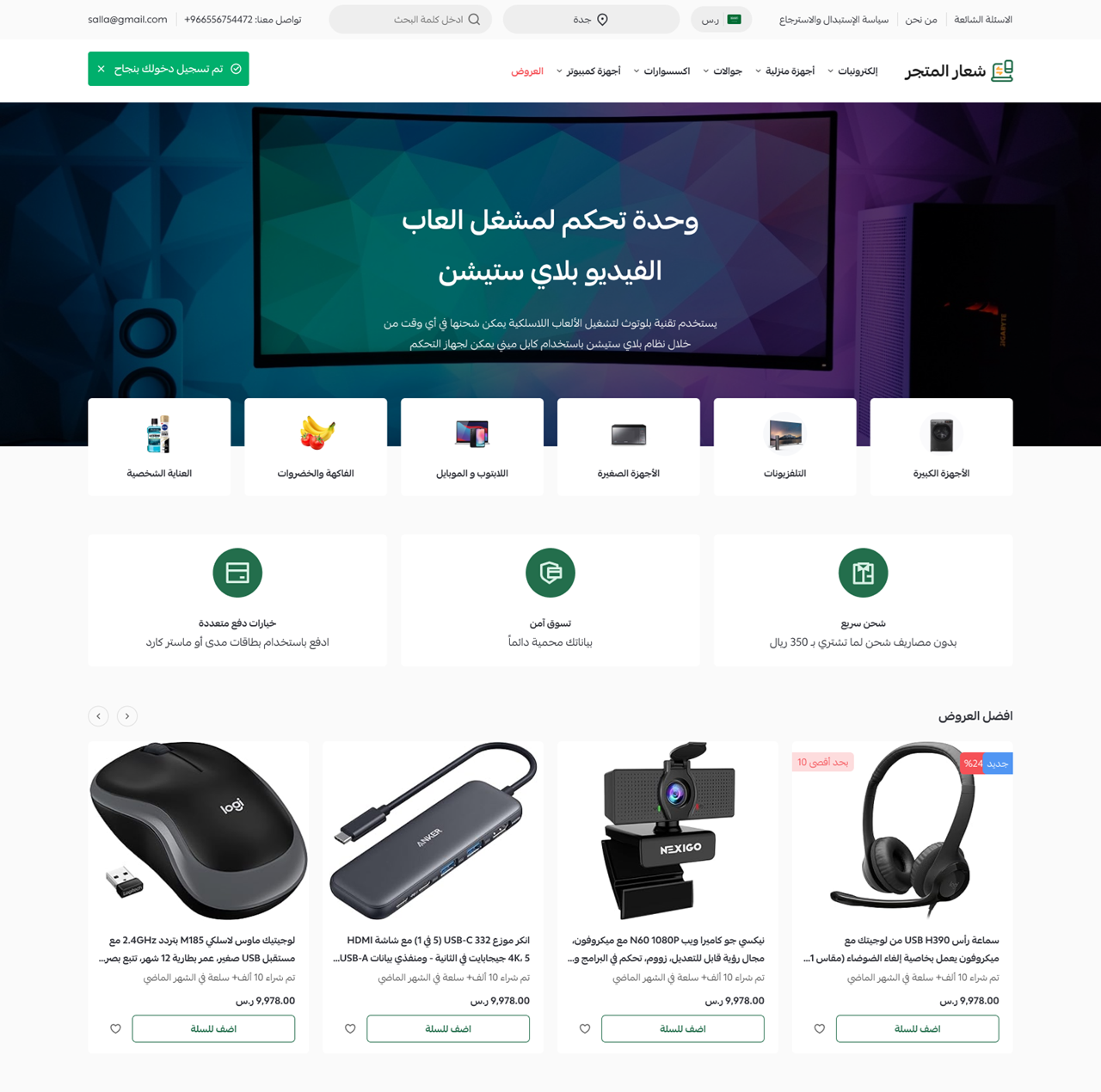
Once the mobile number goes through, the customer is signed in and sent to the page they were headed for: a product, the checkout page, or the homepage.
⚠️ If the mobile number is already in use, an error message explains that.
For existing customers: linking an account
The customer chooses to sign in with one of the social platforms and is taken to the authorization and consent page.
If the same email address already exists in the system, the social account is linked to the existing account automatically.
The customer is then signed in and sent to the page they were headed for.
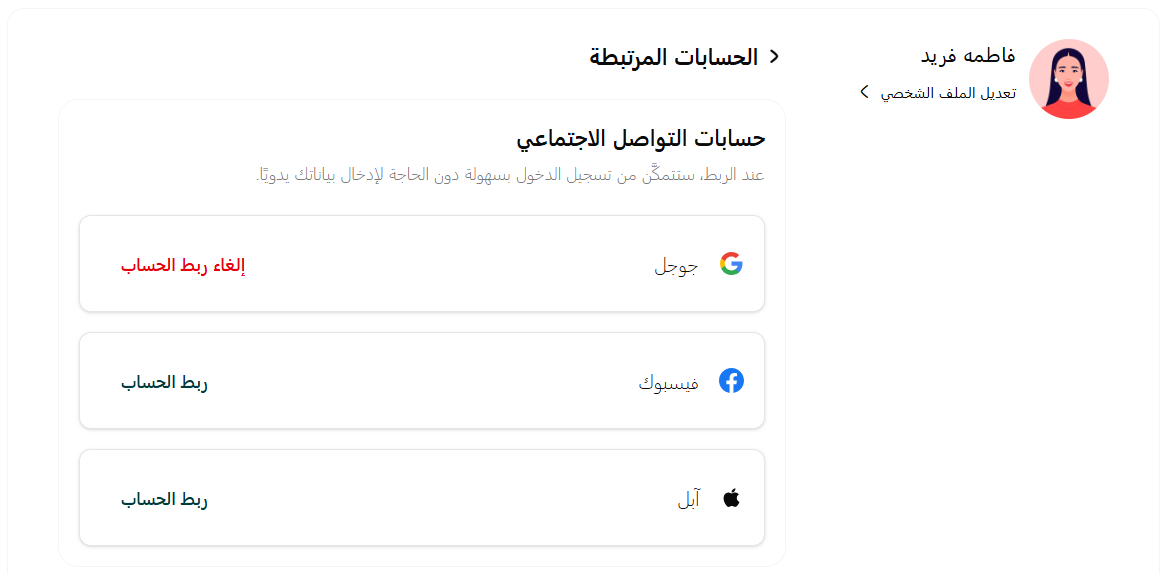
They can see which social accounts are linked from their profile.
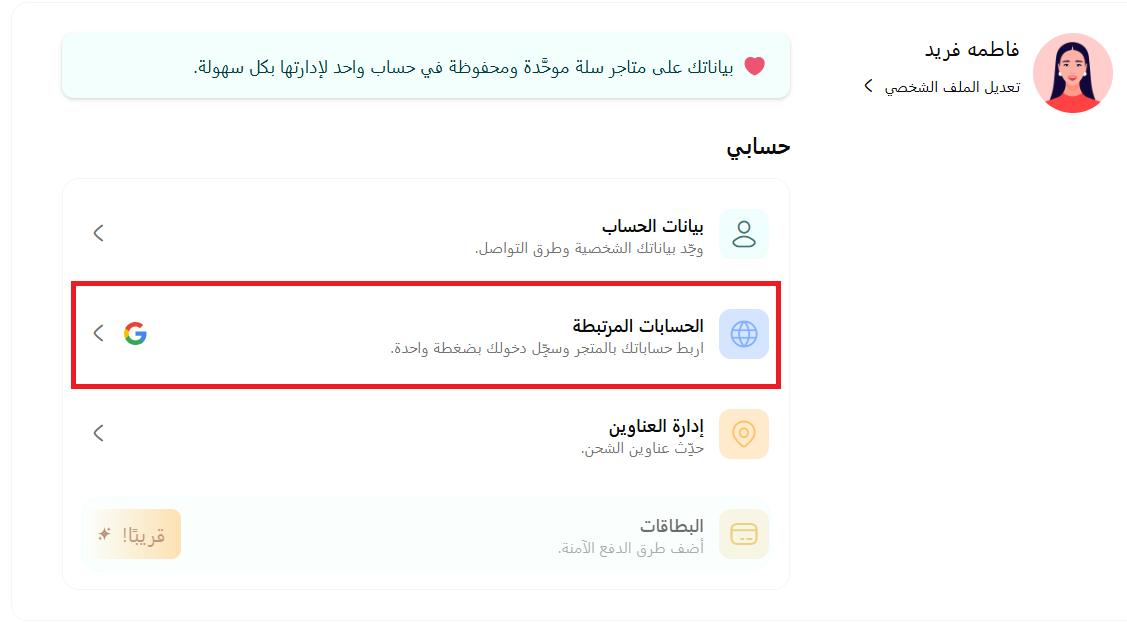
From there they can unlink any account, or link another one.
📝 Important points to know
📱 Entering a mobile number is mandatory to complete the registration details.
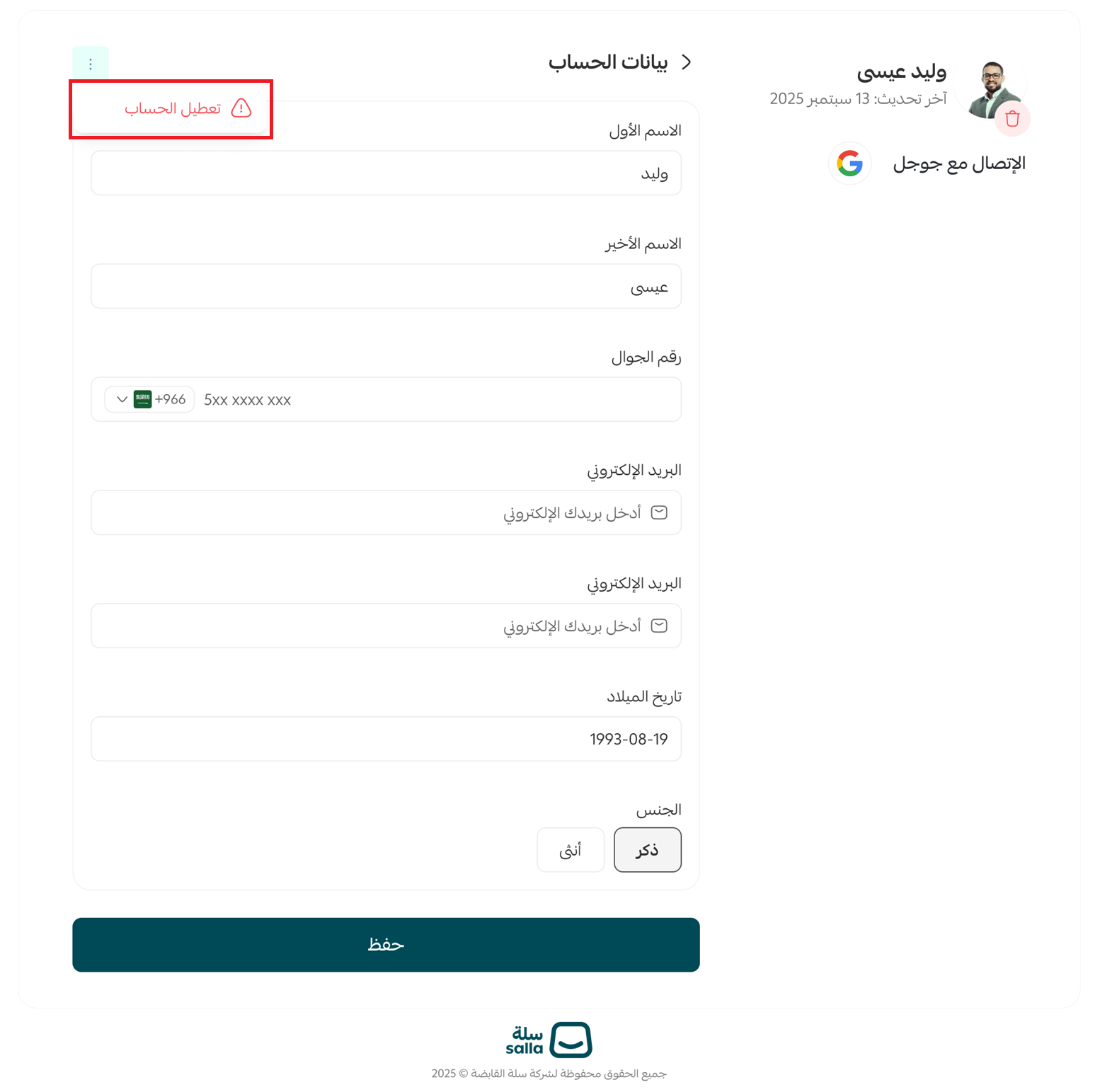
✏️ The customer can edit their first name and last name, even when those came from the social platform.
❌ A message saying the mobile number is already in use means it is linked to another account in the system.
🔗 A customer can link more than one social account to their Salla account.
📧 Linking more than one method requires the same email address across them.
🔓 A customer can unlink any social account from their profile page at any time.
🔐 The process is fully secure. The social account password is never accessed or stored.
❓ Frequently asked questions
What should I do if I get an error message?
Check that the mobile number is not already used on another account. If the problem continues, contact the store's support.
Can I link more than one social account?
Yes. You can link more than one account, such as Google and Facebook, as long as they use the same email address.
How do I change the linked social account?
Unlink it from your profile, then sign in with another method to link that one instead.
Is this method secure?
Yes. Registration is fully secure, and your password for the social platform is never shared or stored.
What if I have two accounts with the same email address?
The system recognizes the email address and links the social account to the correct account automatically.
✨ Social login gives your customers a faster, smoother way in, and helps you widen your customer base, international shoppers especially, with fewer costs and fewer technical problems.