With so many services available on the platform, finding the right one can take time. Merchants often need a faster way to access to the right service without browsing through multiple categories.
The Smart Search feature in Merchant Services helps you find exactly what you need, simply by typing a keyword that describes your requirement. It saves time and brings all relevant services together in one place.
📌 Article overview
- How to use Smart Search
- Practical example
- Suggested search keywords
How to use Smart Search
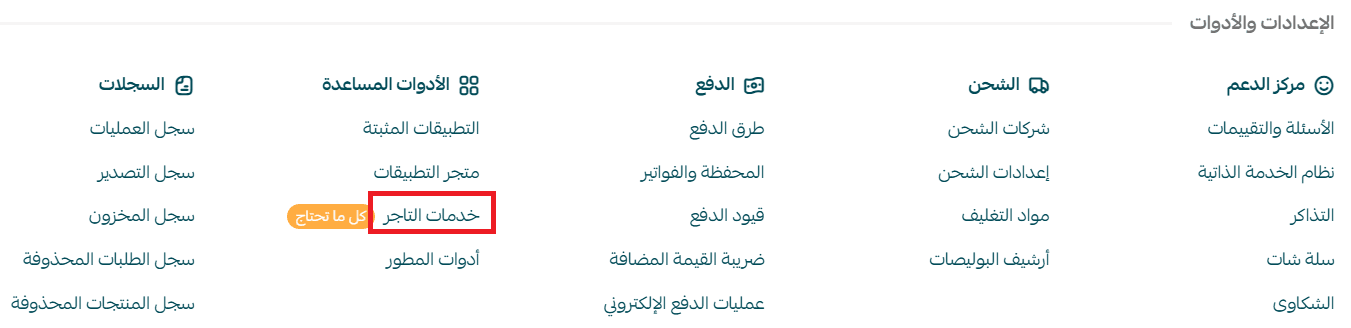
- From the main dashboard menu, click All

2. Under Support Tools, select Merchant Services
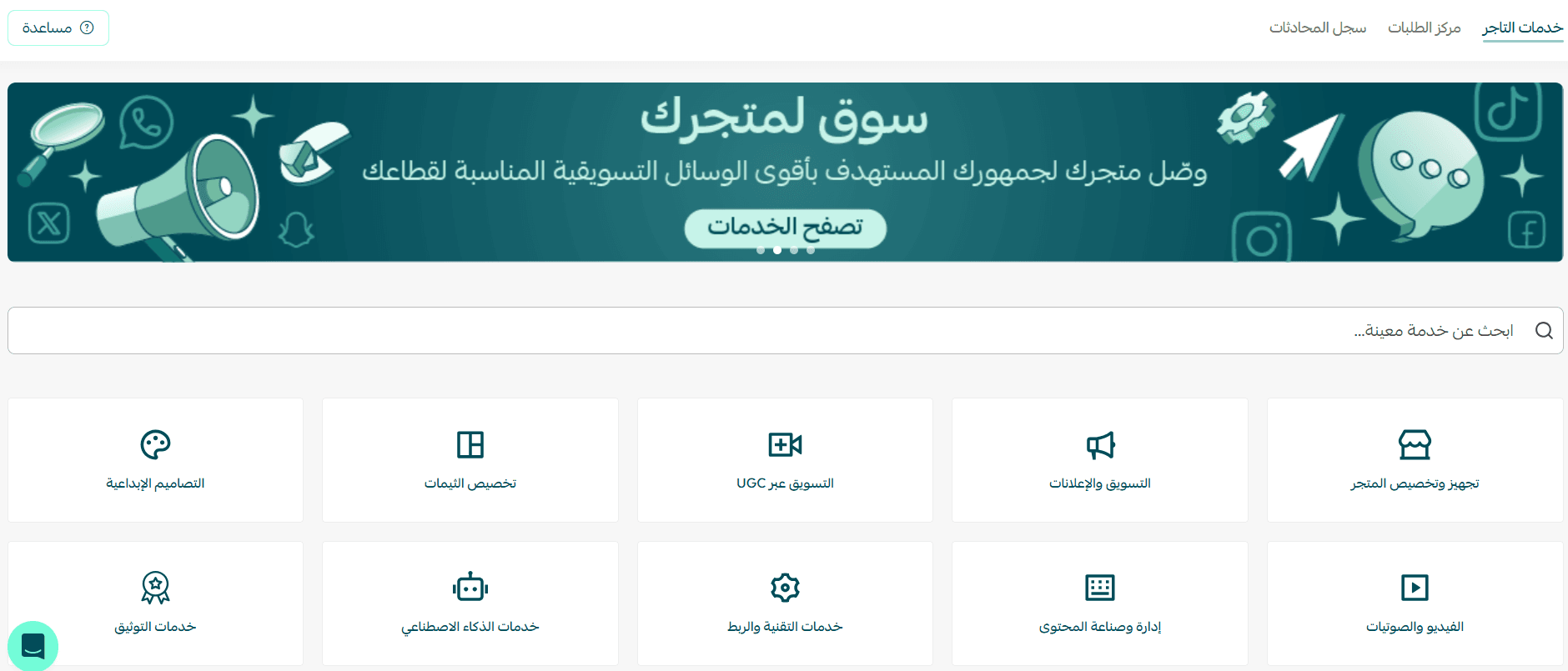
3. In the search bar, type a keyword that describes the service you’re looking for (e.g., design, sales optimization, marketing, store management)
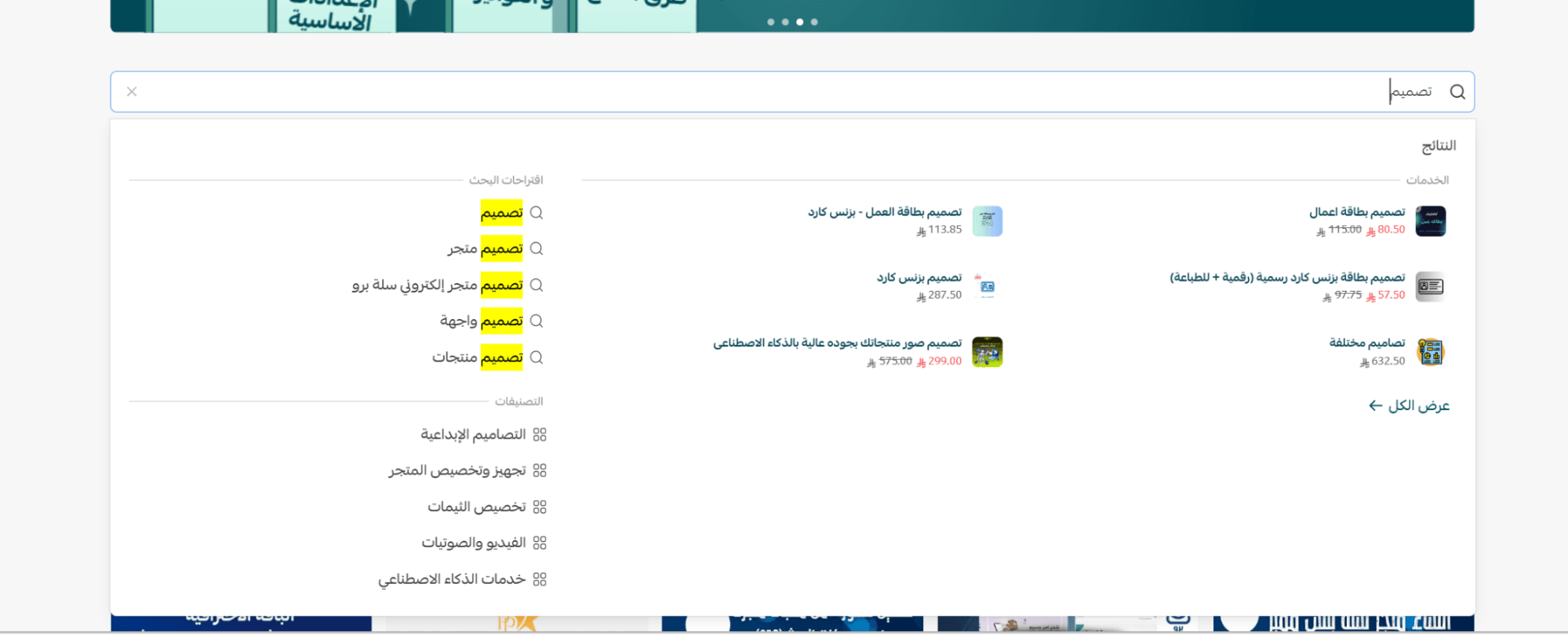
4. A list of matching services will appear, clearly showing:
- Price
- Delivery time
- Provider rating
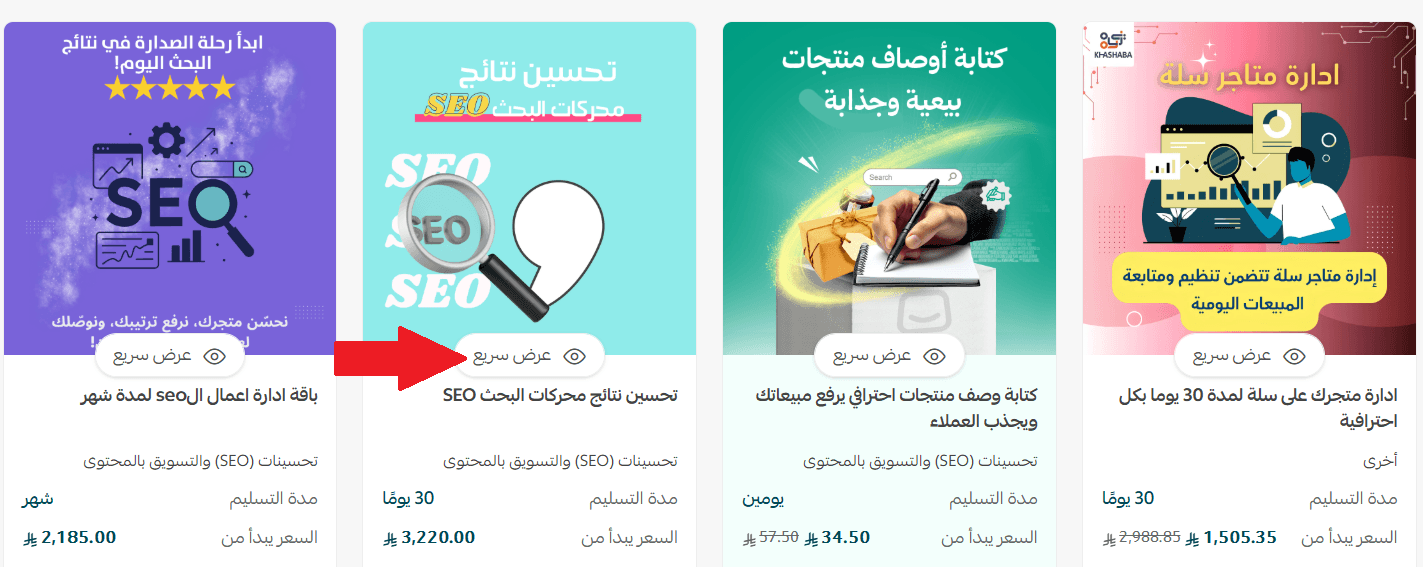
You can:
- Click Quick View to preview service details
- Or select a service to proceed with ordering directly
Practical example
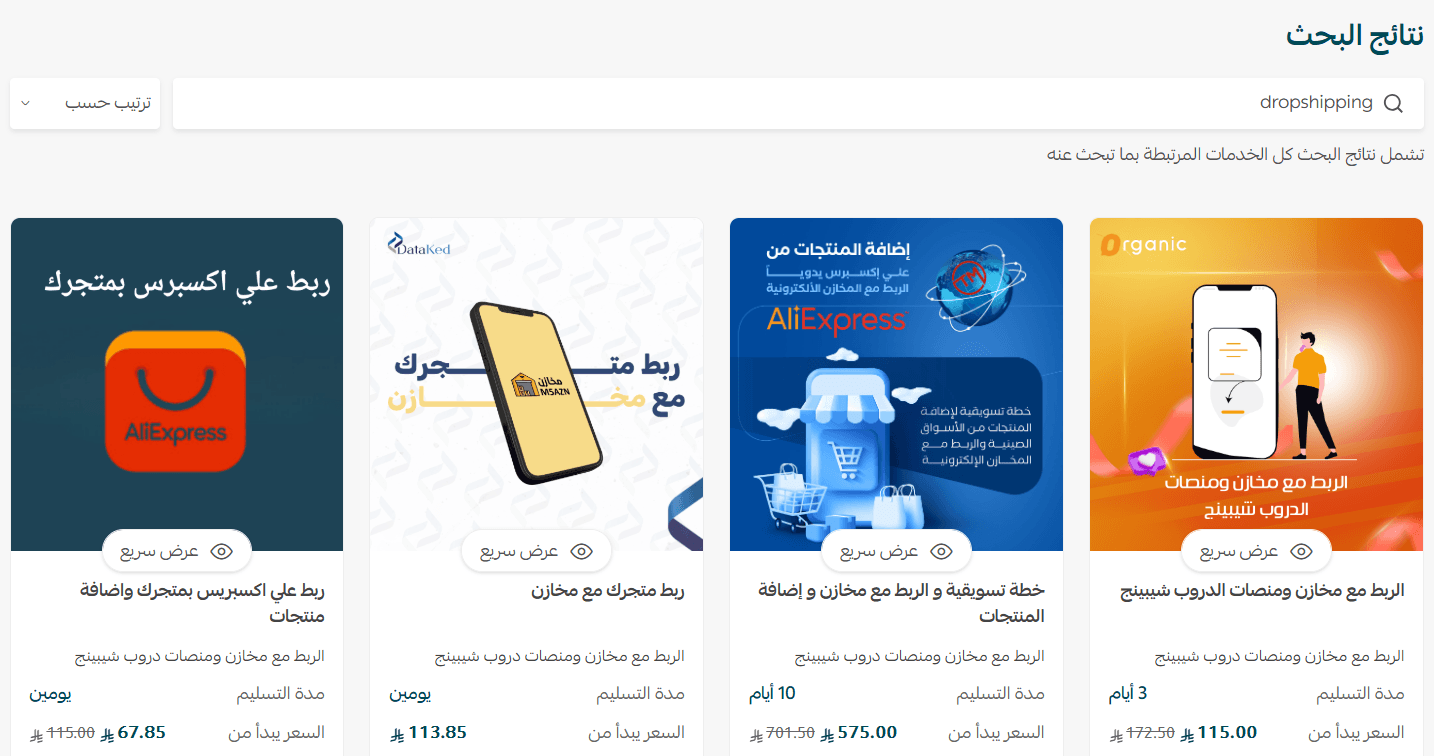
Dropshipping
If you want to connect your store with suppliers or external warehouses, without managing inventory yourself, you can search using: Dropshipping
The system will display all related services, such as:
- Connecting your store with platforms like AliExpress
- Integrating with local apps (e.g., inventory and supplier tools)
- Importing products and syncing prices and stock automatically
- Marketing services and sales strategies tailored for dropshipping
As shown in results, a single keyword brings up multiple relevant services, saving you from searching across different categories.
Suggested keywords
To get started, try searching with keywords like:
- Store design
- Sales optimization
- Order management
- Digital marketing
- Content writing
- International shipping
- Product photography
- Image optimization
- Payment gateway integration
- Customer experience improvement
Each keyword will show services tailored to that specific area of your store.
Summary
The Smart Search feature is designed to help you quickly find the right services to grow your store, without unnecessary steps. Start with a single keyword, and discover how one service can make a real impact on your store’s performance.