What are Salla shipping labels?
Salla shipping labels are shipping services offered to merchants through selected shipping partners in Saudi Arabia at exclusive rates negotiated by Salla.
What is the recommended shipping label print size?
There is no required print size for shipping labels.
Labels can be printed on either A4 or A5 paper.
For most merchants, A5 (148 × 210 mm) is the preferred size, as it provides a clear and practical format for shipping labels.
How can I edit a shipping label?
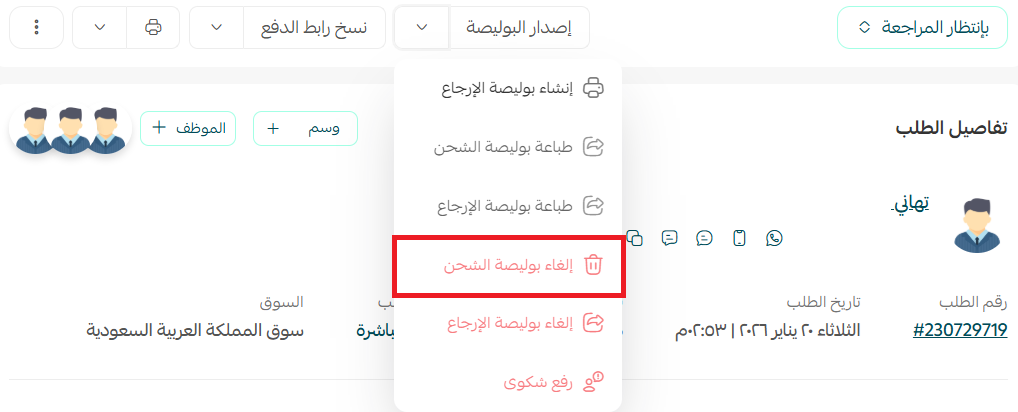
1. From the order page, cancel the shipping label.
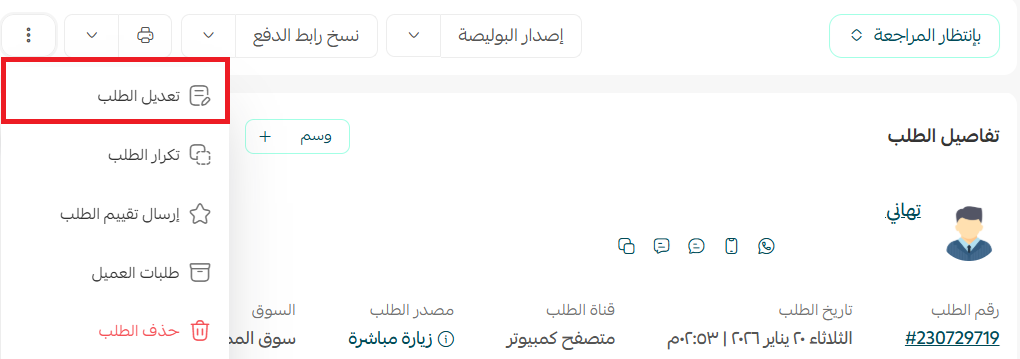
2. Click Edit order.
3. Update the shipping details and save your changes.
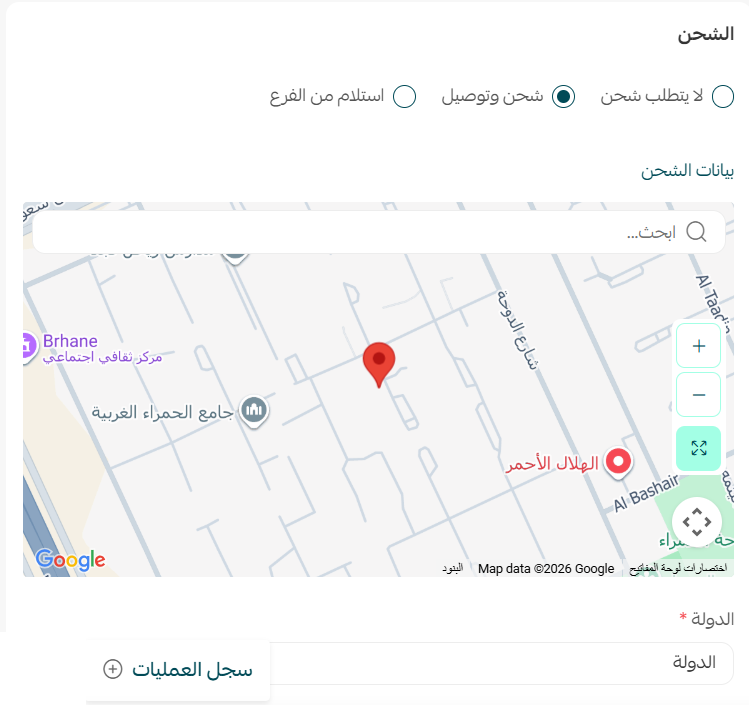
4. Generate a new shipping label.
Are shipping label prices fixed?
Salla continuously works with shipping partners to provide competitive rates and minimize price changes whenever possible.
However, because shipping labels are provided through third-party carriers, pricing may occasionally change based on factors that affect shipping costs.
How can I check the current shipping label rates?
If shipping label pricing changes, Salla will notify merchants to ensure they have the latest pricing information.
What happens if a shipment is lost or damaged?
Salla's role is to connect merchants with shipping providers and negotiate competitive shipping rates on their behalf.
Salla is not responsible for lost, damaged, or delayed shipments, and is not liable, directly or indirectly, for the actions of third-party service providers.
If a shipment is lost, damaged, or delayed, you should contact the shipping company directly to review the available procedures and compensation policies.
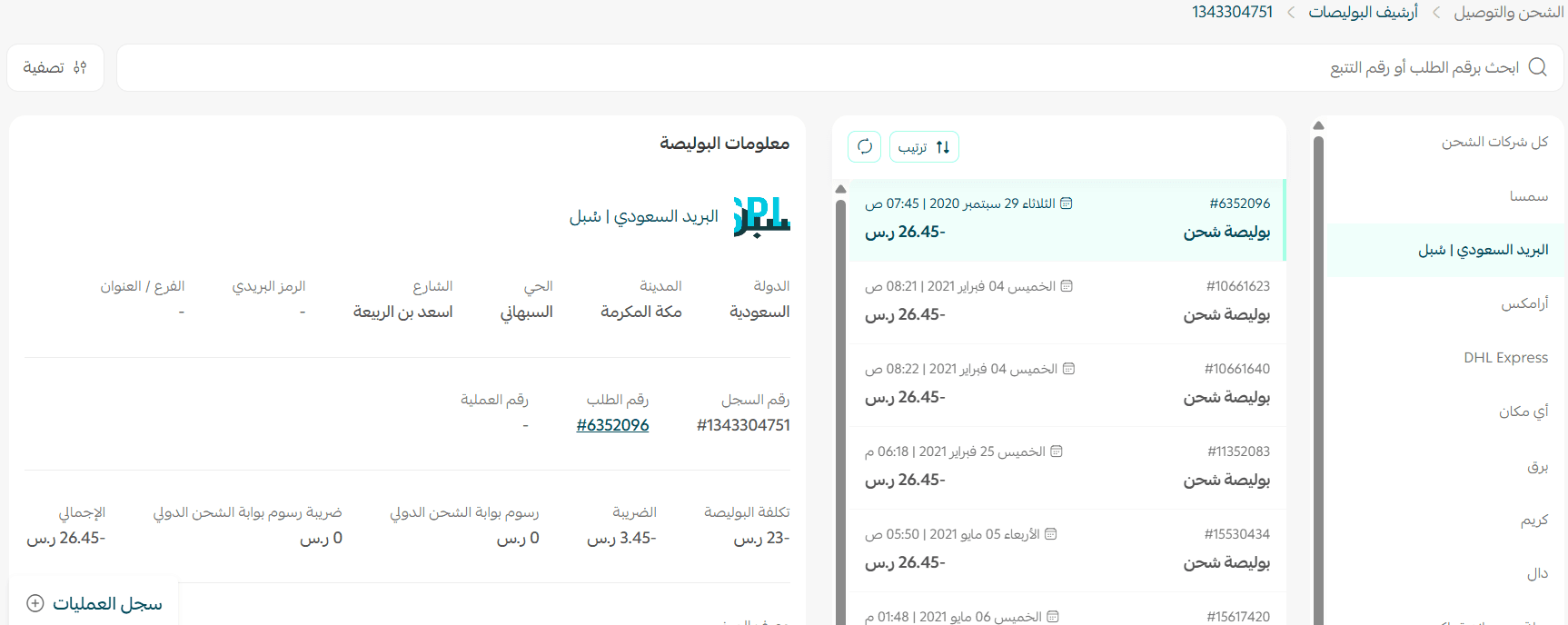
Can I view archived shipping labels?
Yes.
Option 1
From the Shipping and delivery options page, click Shipping label archive.

Option 2
From the main menu, click All, then select Shipping label archive.
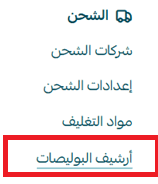
A complete list of all shipping labels issued across shipping providers will be displayed.
How do I resolve postal code validation issues?
A shipment request may fail if the postal code contains fewer than six digits.
In this case, add leading zeros to the beginning of the postal code until it reaches the required length.
The postal code will continue to display normally in the system without the leading zeros, while remaining valid for the shipping provider.