Are abandoned carts increasing in your store every day? Customers browse your products, add items to their cart… then leave without completing checkout.
Abandoned carts are a common challenge for every e-commerce store, and they often represent lost revenue and missed opportunities.
The good news is that Salla provides powerful abandoned cart reminder tools, allowing you to bring customers back and encourage them to complete their purchase easily.
In this article, you will learn step by step how to set up abandoned cart reminders with a discount, helping you increase conversions, recover incomplete orders, and boost your sales significantly.
Steps to set up an abandoned cart reminder with a discount
- From the main menu, click Marketing.

2. From the Marketing section, select Abandoned Carts, then open the Reminder Settings tab.

3. On the Reminder Settings page, click + Create New Reminder.
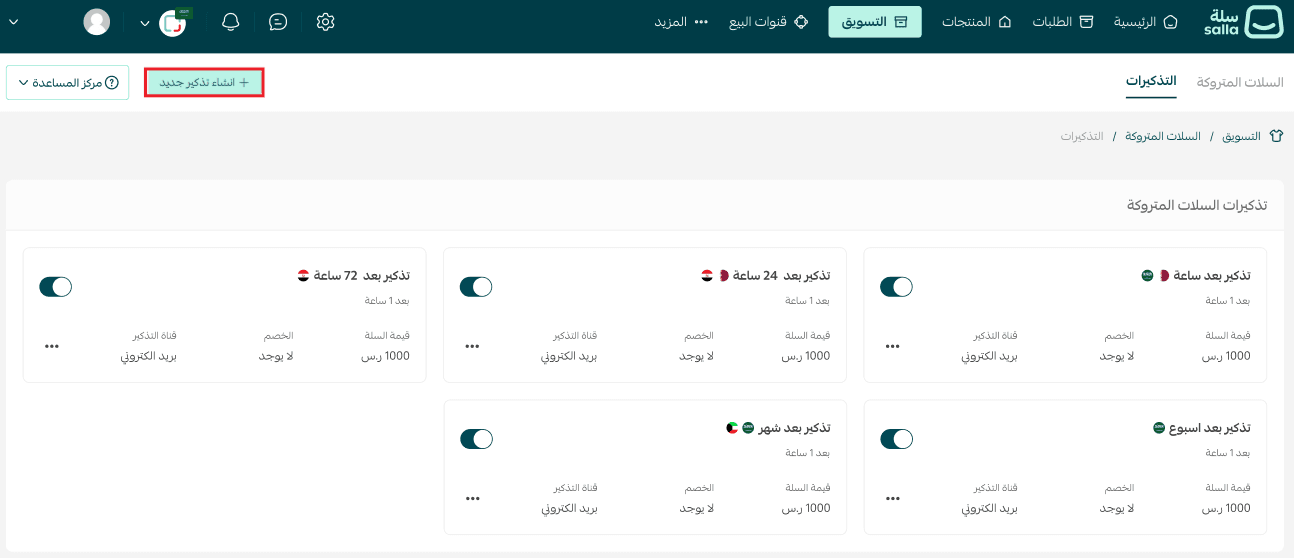
4. Enter the reminder details, then click Save.
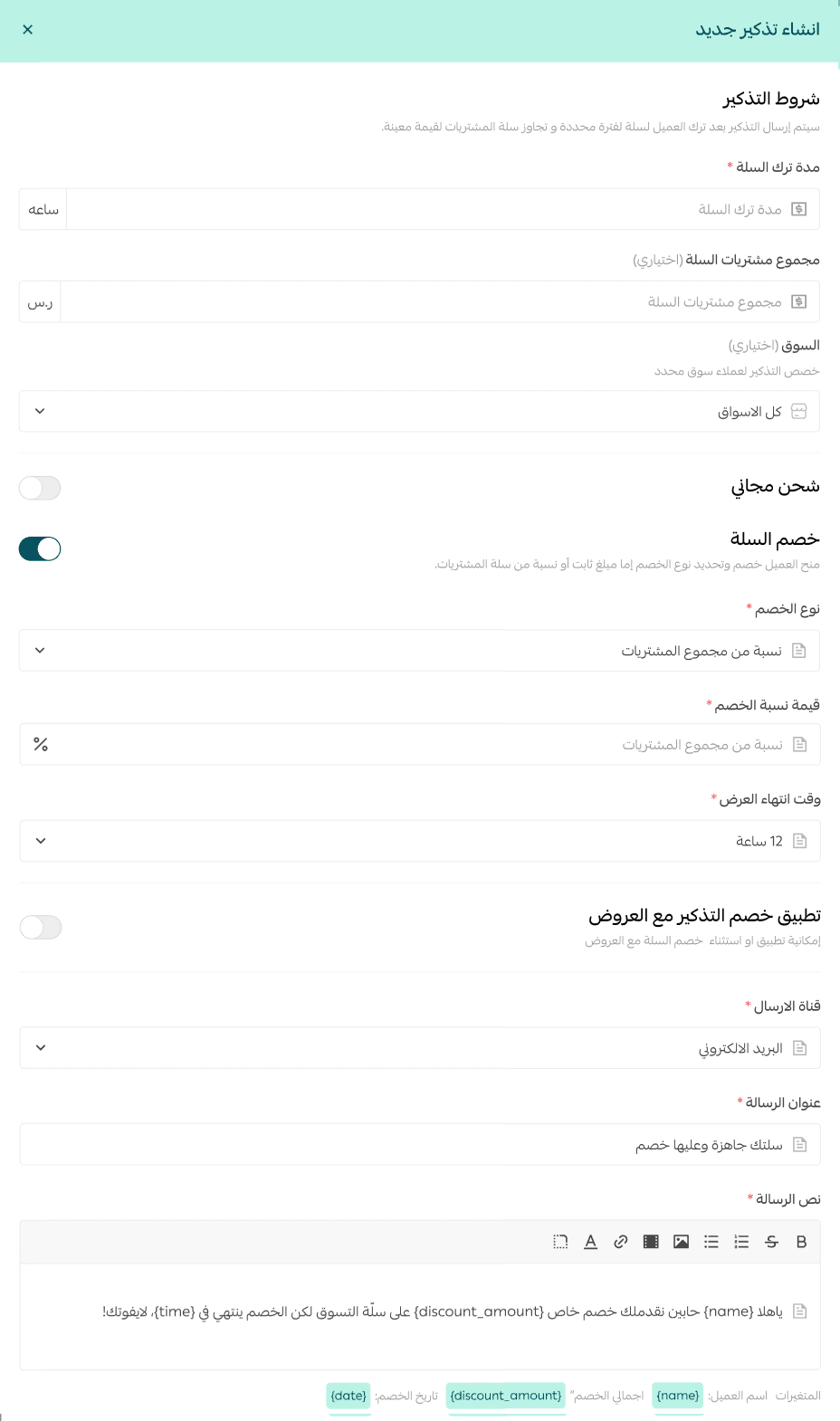
Reminder setup details
When creating a new reminder with a discount, you can configure the following:
1. Cart abandonment duration
This is the time period after a customer leaves their cart, measured in hours.
You can also define a minimum cart total, so reminders are only sent to customers whose abandoned cart value exceeds a certain amount.
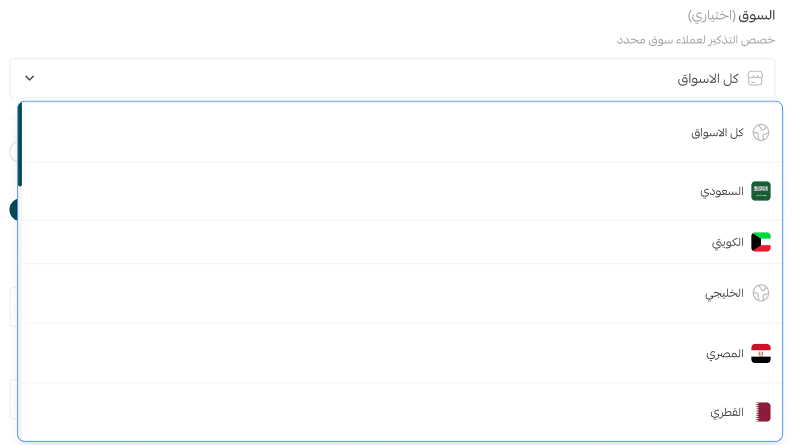
2. Market selection
This option allows you to choose which market the reminder applies to, especially if your store operates in multiple markets.
You can:
- Apply the reminder to one specific market
- Apply it across all markets in your store
3. Discount type
Choose the discount format:
- Percentage discount
- Fixed amount discount
For example:
- Enter 10 if the discount is 10%
- Enter 120 if the discount is a fixed amount

4. Discount value
Enter the discount amount or percentage that will be applied to the abandoned cart total.
5. Discount validity period
Set how long the discount remains active after the customer clicks the discount link.
This creates urgency and motivates faster checkout completion.
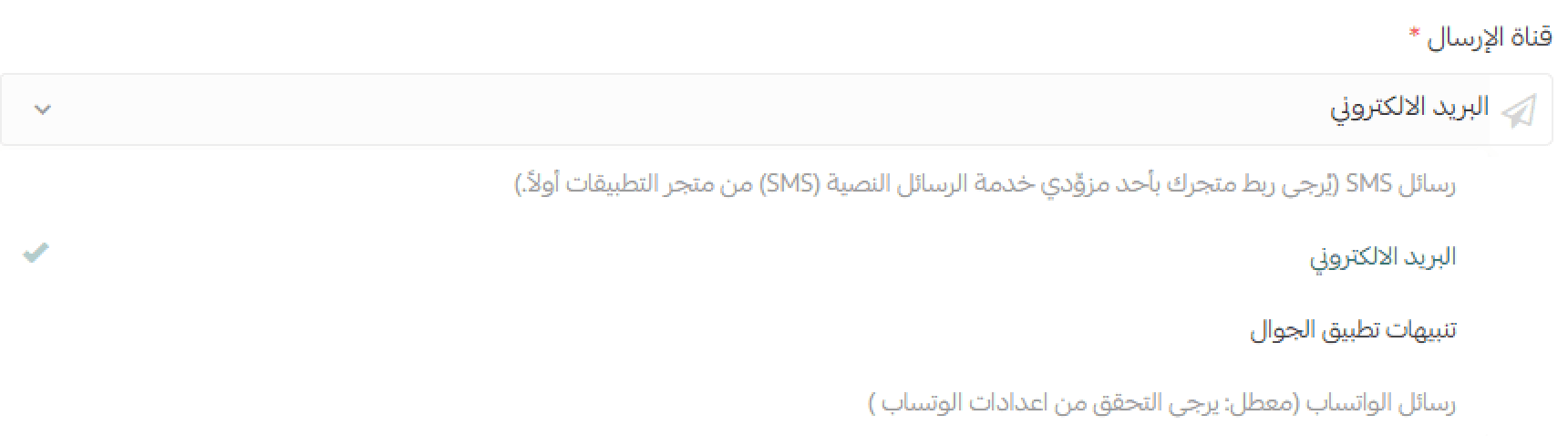
6. Delivery channel
Choose how the reminder will be sent:
- SMS
- Mobile push notifications (for App Maker subscribers)
- WhatsApp notifications (for WhatsApp by Salla subscribers)
7. Promotional message title
Add a short, engaging headline that encourages the customer to return.
8. Reminder message content
Write the reminder text, and personalize it by inserting dynamic fields such as:
- Customer name
- Discount amount
- Discount duration
This makes your reminder clearer, more personal, and more effective.
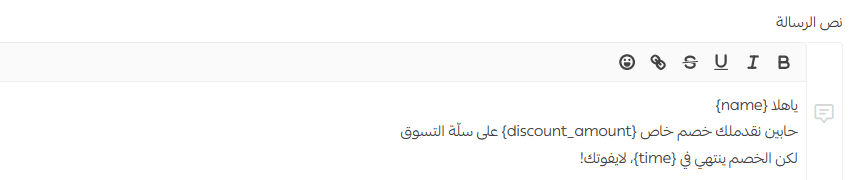
Don’t forget to preview the reminder message before saving, to ensure it matches your goal.
Frequently asked questions
Can I create more than one reminder?
Yes. Merchants can create up to 5 reminders per market.
Can I send a reminder without applying a discount?
Yes. You can send abandoned cart reminders without offering a discount.
For more details, refer to: Abandoned cart reminder without a discount