Are you running ad campaigns without seeing clear results? Many Salla merchants struggle to track campaign performance or manage advertising budgets effectively, which often leads to wasted spend without achieving the desired return.
In this guide, we provide a practical and comprehensive walkthrough of Salla Ads, designed to give you full control over your advertising from one centralized dashboard.
You will learn how to create ads easily, analyze performance accurately, connect tracking tools, and build targeted audiences that deliver stronger results with less effort.
📌 Article overview
- Salla Ads homepage
- Creating a new ad
Salla Ads homepage
From the main menu, click Marketing, then select Salla Ads.

The Salla Ads home page includes several tabs that help you manage every aspect of your advertising activity:
1. Dashboard
The dashboard provides an overview of your campaign performance, including:
- Recent campaigns
- Store balance
- Total advertising campaigns
- Total ad spend over the last 30 days
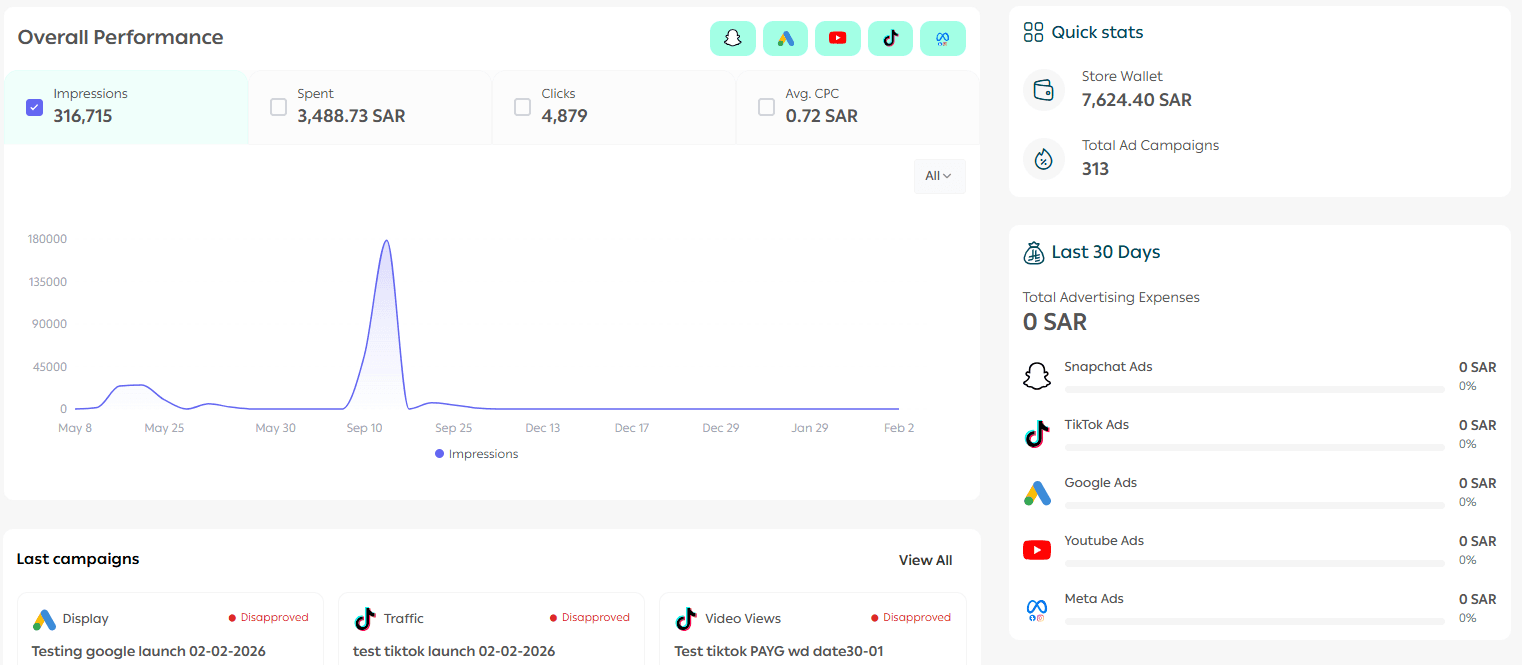
It also shows key performance metrics such as impressions, spend, clicks, and average cost per click across all advertising platforms connected through Salla Ads.
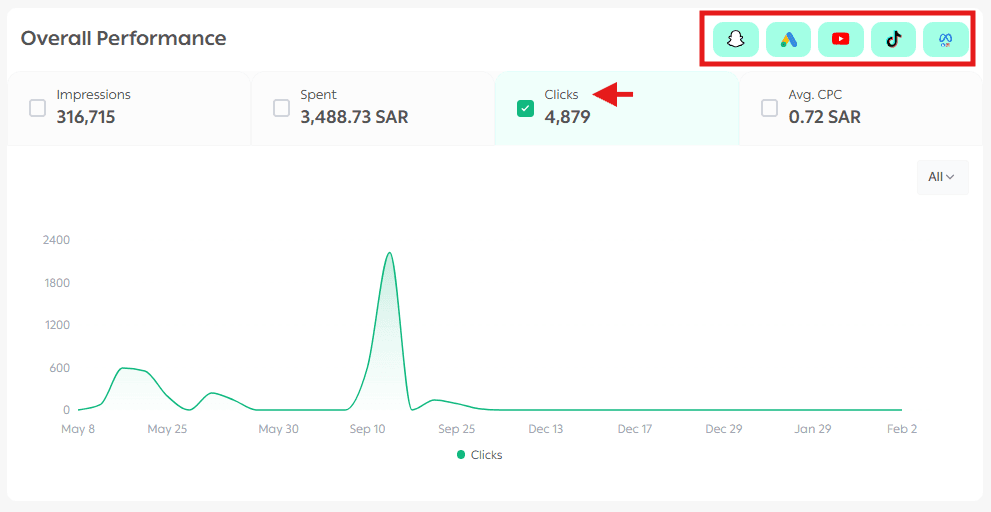
This gives you a clear snapshot of how your ads are performing at a glance.
2. Ads Management
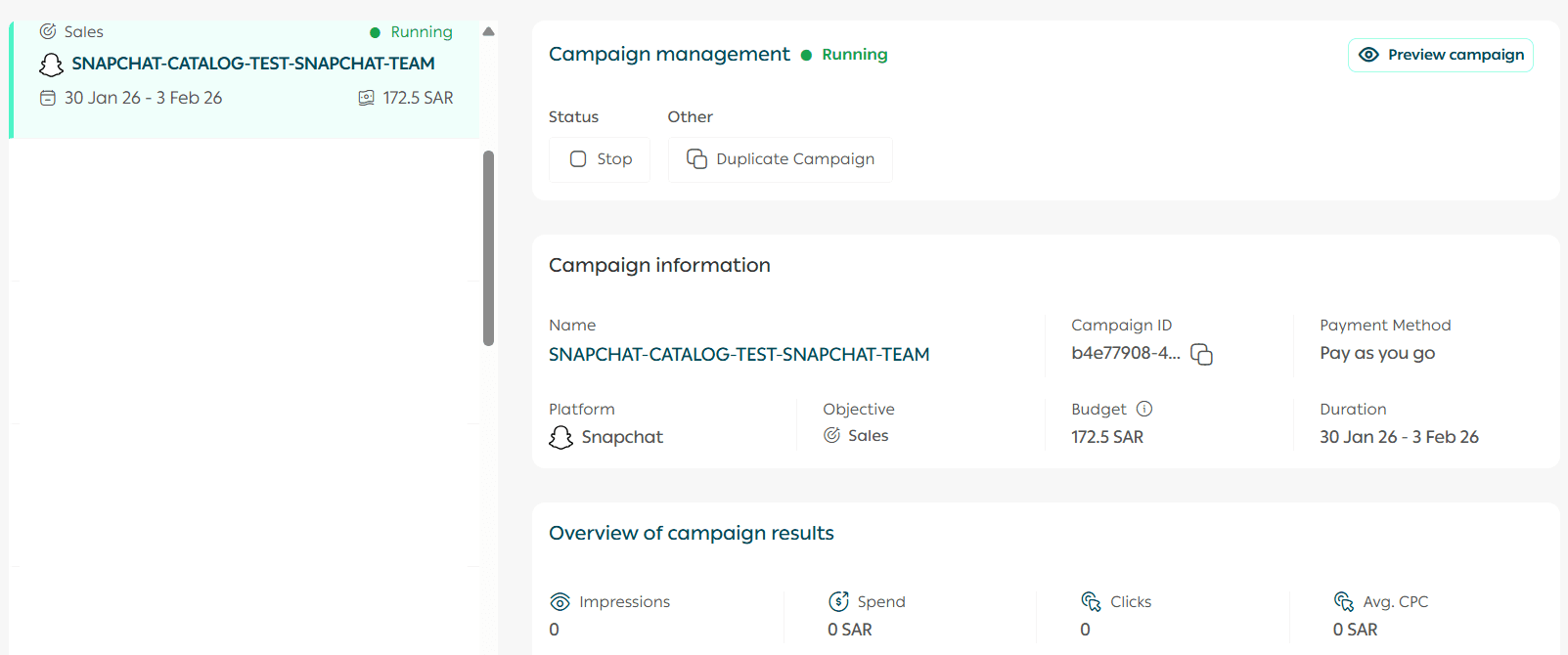
From this section, you can view detailed campaign information, preview ads, pause campaigns, or duplicate existing ones.
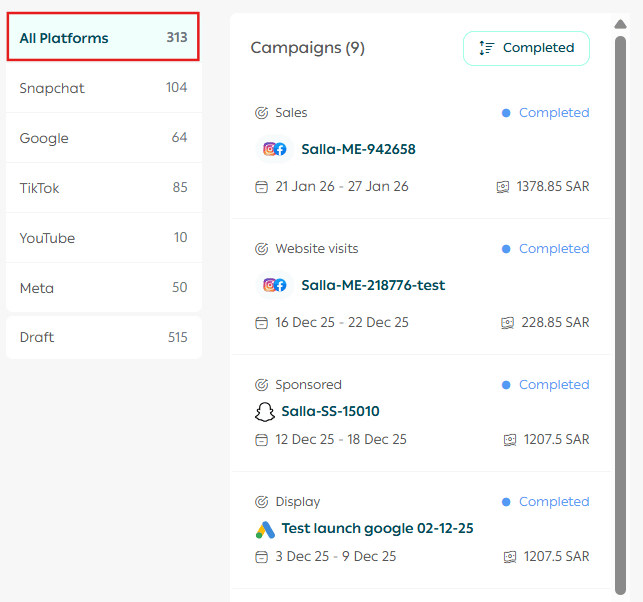
To learn how to manage your campaigns more efficiently, explore the Salla Ads Management guide. It provides a complete walkthrough for reviewing campaign details, previewing ads, stopping campaigns, and performing essential actions that help you achieve better results.
3. Integrations
Integrations help you collect more accurate data about your audience and improve ad performance using tools such as the Conversion API and tracking pixels.
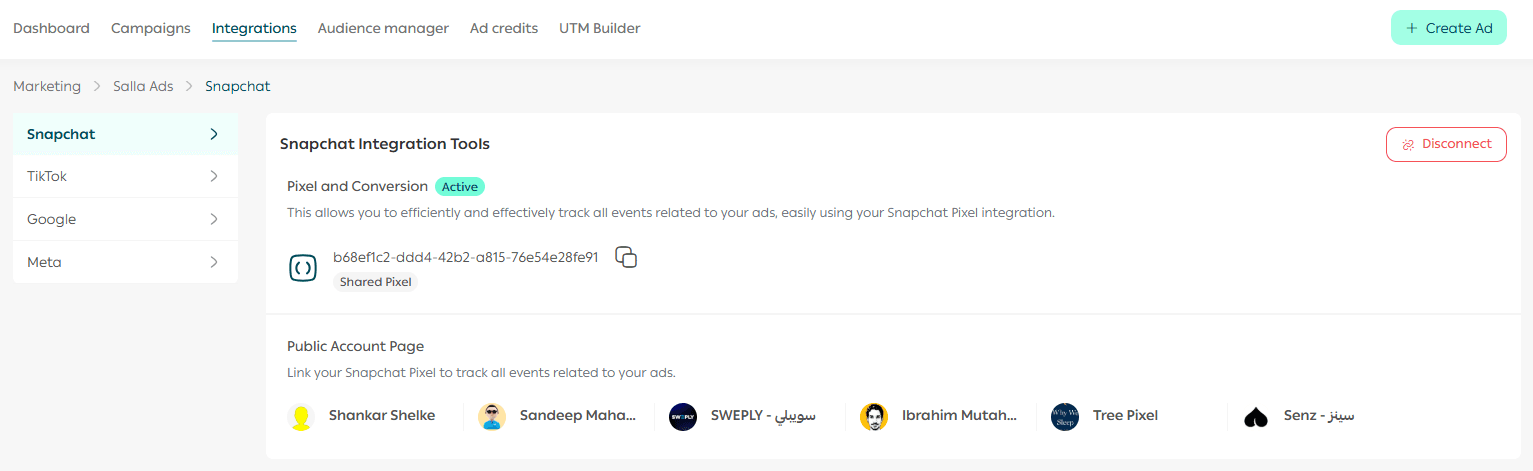
With these tools, you can track the customer journey from the first interaction all the way to purchase, all from one place.
Connect your advertising accounts easily and benefit from smarter targeting that delivers better results with less effort.
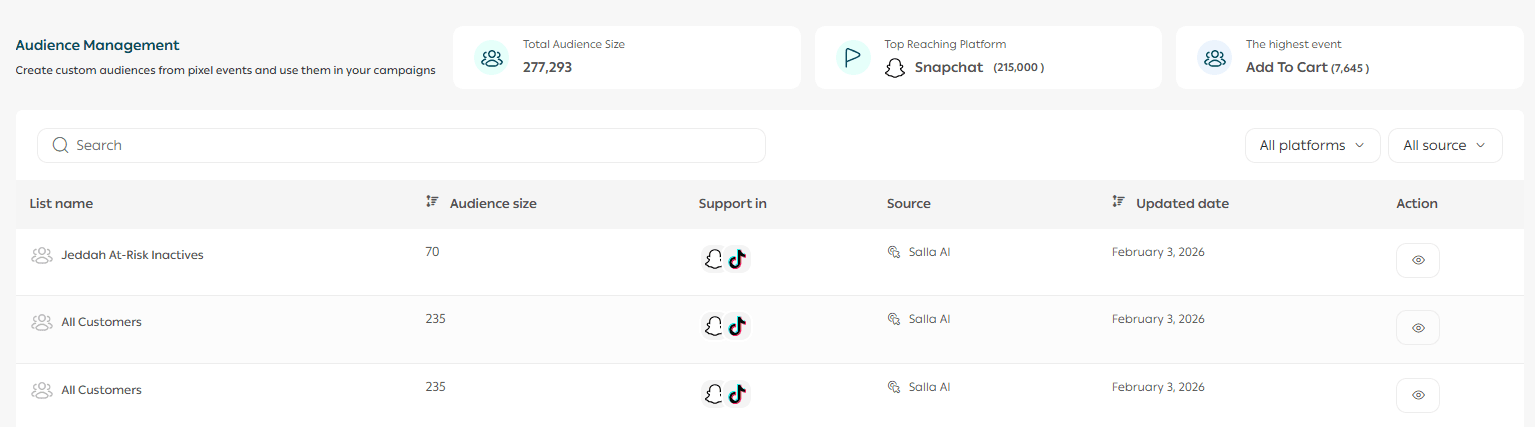
4. Audience Manager
Audience Manager is a feature used across major advertising platforms, including:
- Meta Audience Manager for Facebook and Instagram
- Google Ads Audience Manager
- TikTok Ads Audience Manager
It allows you to create, manage, and optimize audiences for your advertising campaigns.
Through the Audience Manager tab in Salla Ads, you can upload new audience files using email addresses or review existing audiences.
Are you targeting the right audience?
In our dedicated guide, we provide a detailed and practical explanation of how to use audience tools on the most popular advertising platforms:
- How to build precise audiences on Meta
- How to retarget website visitors using Google Ads
- How to expand reach with lookalike audiences on TikTok
All explained step by step to help you improve targeting accuracy and campaign results.
Creating a new ad
- From the Salla Ads page, click Create Ad.

2. Choose the advertising platform that fits your campaign goals.
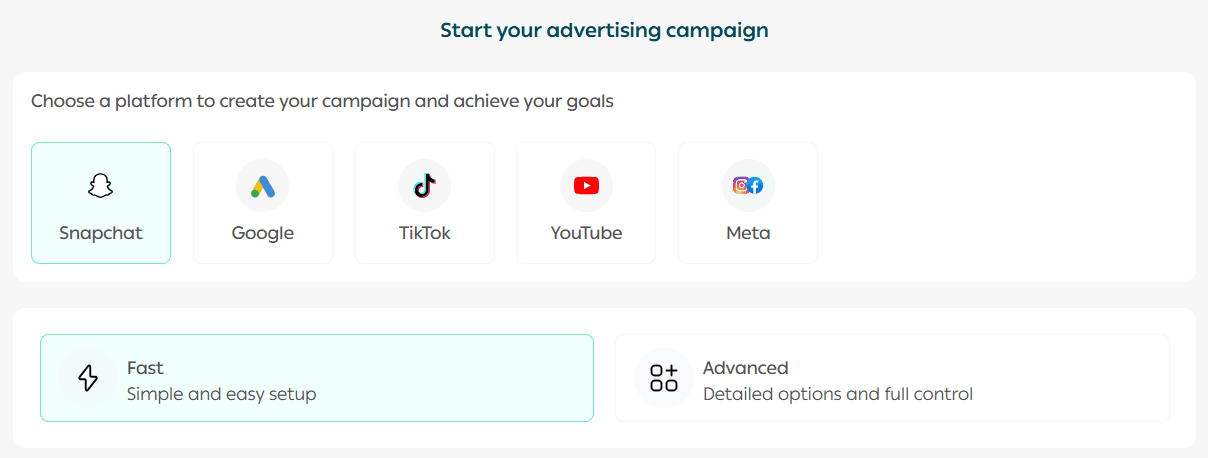
Complete the ad creation steps based on the selected platform, and your campaign will appear in the Ads Management page once created.
Grow your store with paid advertising
Expand your digital store and achieve measurable results through paid ads.
Explore our step-by-step guides on creating effective advertising campaigns across:
- Snapchat
- TikTok
- YouTube
- Google Ads Network
Each guide includes clear steps, proven strategies, and practical tips to help you reach your target audience more effectively.
Related articles
- Salla Ads Management
- Connecting your advertising accounts with Salla Ads
- Audience management in Salla Ads
- Creating a Snapchat advertising campaign
- Creating a TikTok advertising campaign
- Creating a YouTube advertising campaign
- Creating a Google advertising campaign
Start using Salla Ads today and turn your advertising efforts into measurable growth with full visibility and control.