As a shopper in this store, you now have a personal digital wallet that helps you manage the cashback balance earned from your purchases. Through this wallet, you can:
- Track your balance in real time.
- Use it as a partial or full payment method when placing new orders.
- Save it for later use, according to the store’s cashback offer conditions.
This way, every purchase becomes an opportunity to save, making your shopping experience more flexible and convenient.
📌 Article overview
- Earning cashback and adding it to the wallet
- Using the wallet balance during checkout
- Tracking wallet balance and transaction history
- Frequently asked questions
Earning cashback and adding it to the wallet
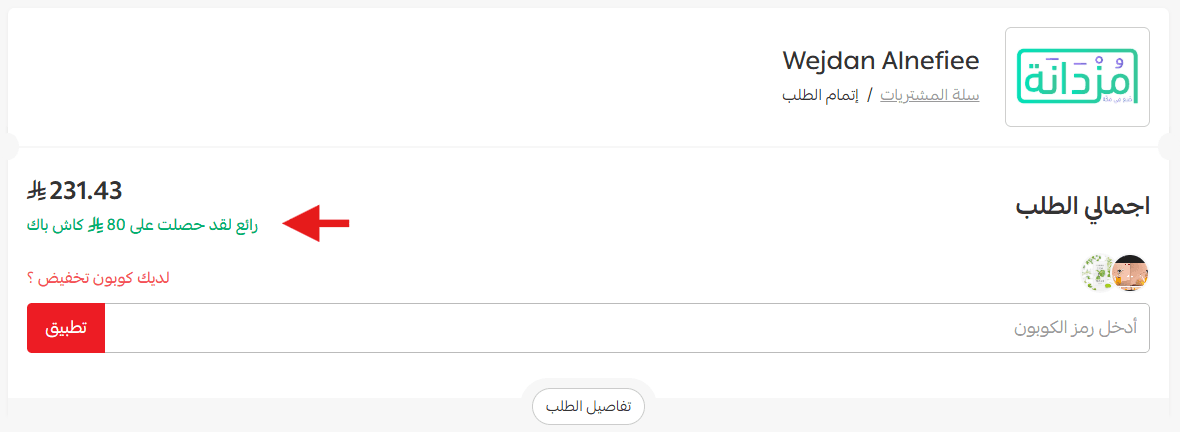
Once the customer meets the conditions of a cashback offer, a notification will appear during checkout indicating that cashback has been earned.
📝 Important note:
Cashback will appear in the wallet after the order status is updated to one of the following:
- Completed
- Delivered
- Shipped
This ensures that cashback is only granted once the order reaches a confirmed fulfillment stage.
Using wallet balance during checkout
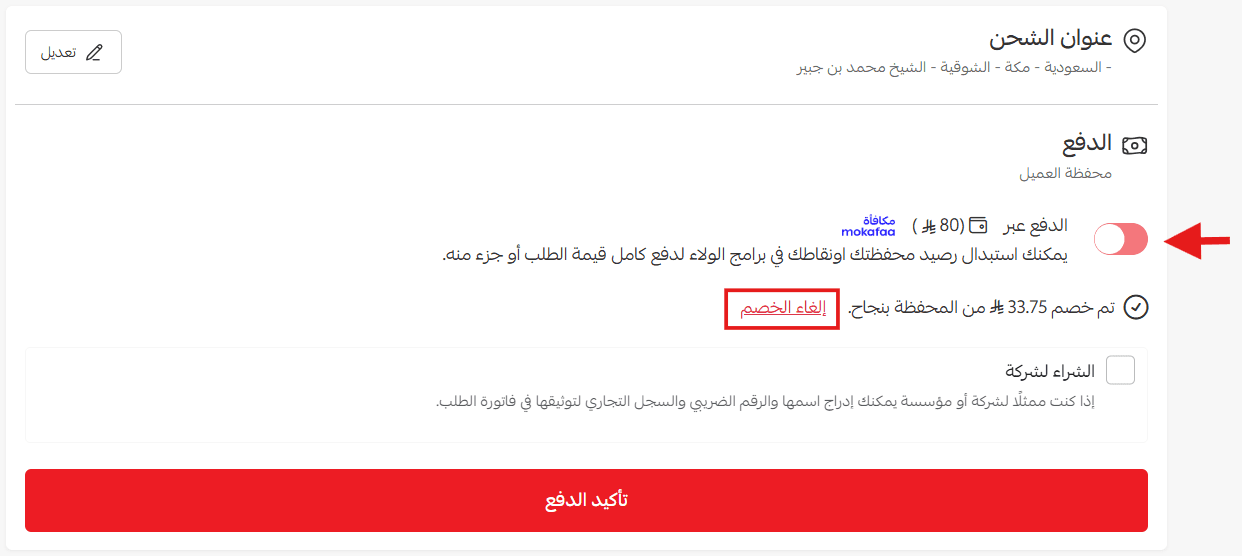
After earning cashback, customers can use their wallet balance as a payment method by selecting Pay via wallet on the checkout page.
Note:
- If the wallet balance covers the full order value, the customer can complete the purchase using the wallet only, without any additional payment method.
- If the wallet balance covers only part of the order, the available balance will be deducted automatically, and the remaining amount can be paid using regular payment methods.
Tracking wallet balance and transactions
Customers can monitor all wallet activities from My Wallet within their account.
The wallet page displays:
- Cashback earned from promotional offers
- Balance used for purchases
- Refunded balances when orders are returned
- Expired balances
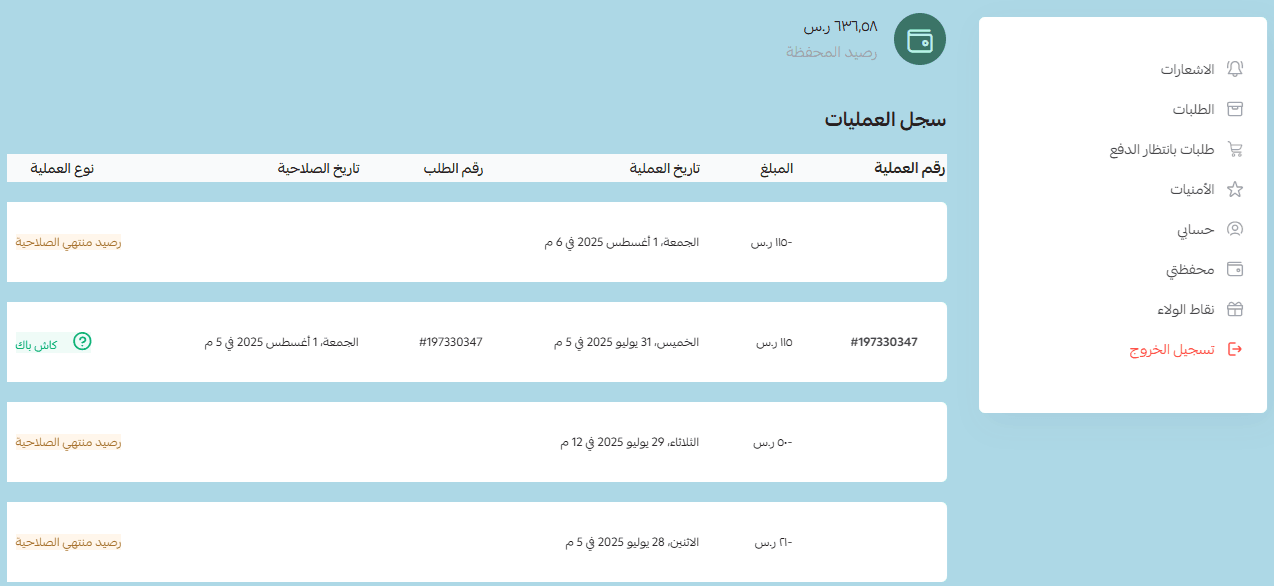
This helps customers stay informed about their wallet activity and available balance.
Frequently asked questions
Does the customer wallet balance affect the merchant’s store wallet balance?
No. The amounts stored in customer wallets do not affect the merchant’s store wallet balance. Customers can simply use the balance to reduce the value of future orders. Merchants can review wallet balances from customer profiles or reports.
When is cashback added to the wallet?
Cashback is added after the order status is updated to one of the following:
- Completed
- Shipped
- Delivered
What happens if the customer doesn’t use cashback during checkout?
The balance remains in the wallet and can be used for future purchases.
Can a purchase be completed entirely using wallet balance?
Yes, if the wallet balance covers the full order amount, the purchase can be completed using the wallet alone.
What happens if the merchant closes the cashback offer before the order status is updated?
Cashback will not be added to the customer wallet unless the order status is updated before the offer is closed.
With the Customer Wallet, every purchase becomes an opportunity to save money and reuse cashback for future orders. Start managing your wallet today, track your balance, and use it smartly to make your shopping experience more rewarding and enjoyable.