Do you know whether your discounts are winning customers or just giving away margin?
Every coupon and every promotion costs you something. The question is what it bought: new customers, larger orders, or a discount handed to people who would have bought anyway. The marketing reports in your Salla dashboard answer that. They measure coupon and promotion performance, and they list the customers who filled a cart and walked away. In this guide, you'll learn how to open the marketing reports, what each report shows, and how to act on the numbers.
The marketing reports cover three areas: the coupons report, which shows who used your discount codes and what they spent; the promotions report, which shows how your active offers performed; and the abandoned cart customers report, which lists the shoppers who left before completing an order.
📌 Article overview
- How to open the marketing reports
- The coupons report
- The promotions report
- The abandoned cart customers report
- Practical examples for reading your marketing reports
- Frequently asked questions
👣 How to open the marketing reports
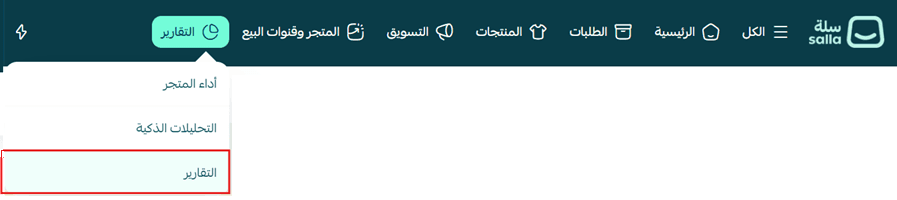
1. From the (Reports) tab in the main menu, click (Reports).
2. Choose the (Marketing) report.
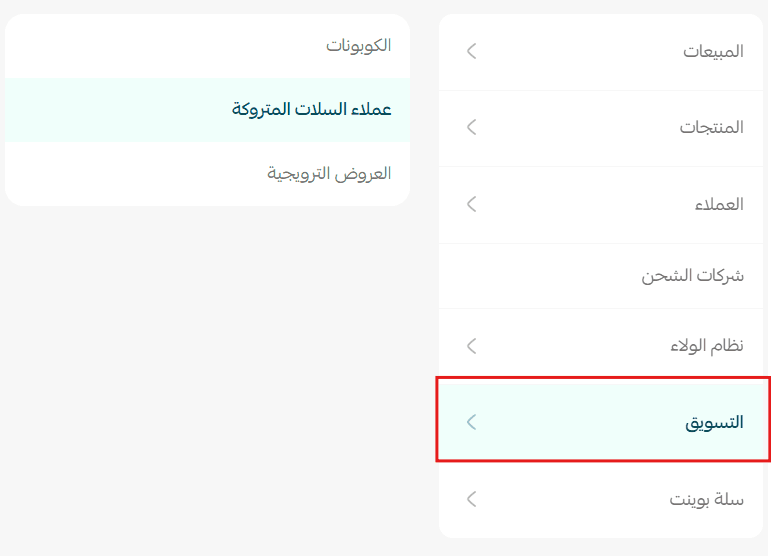
🎯 The marketing dashboard shows how your marketing campaigns are performing: coupon usage, promotion performance, and the customers who left their carts without completing a purchase. Together they let you judge whether your offers are working and make marketing decisions on evidence rather than instinct.
🎫 The coupons report
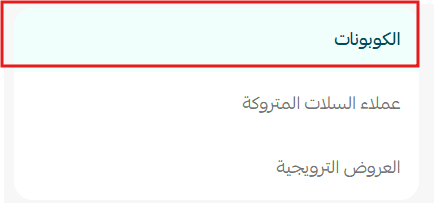
🎯 The coupons report shows how every discount coupon used in your store performed: how many customers benefited, the total sales they produced, and how many times each coupon was used. It is what tells you whether a discount campaign is working and where to tighten it.

Number of customers
The number of unique customers who used a discount coupon during the selected date range.
Why it matters
It shows how far your coupons reached, and how many customers actually benefited from them.
Sales
The total value of the orders in which a discount coupon was used.
Why it matters
It measures the sales your coupons produced and what they contributed to your store's revenue.
Number of uses
The total number of times coupons were used during the selected date range.
Why it matters
It shows how much customers engage with your coupons and how heavily they are being redeemed.
Uses per customer
The average number of times each customer used a coupon.
Why it matters
It tells you how much customers rely on coupons, and whether they are being redeemed by repeat customers or used once and forgotten.
Coupon order log
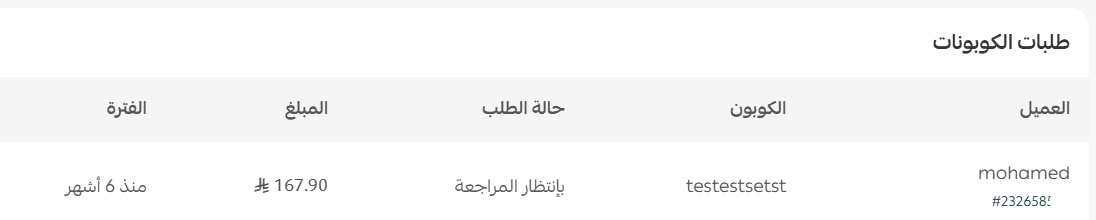
Lists the details of every order in which a coupon was used: the customer, the coupon name or code, the order status, the order amount, and the order date.
Why it matters
It lets you review the orders that used coupons and analyze each coupon's performance in detail.
💡 Practical examples for the coupons report
Example 1: coupon uses went up
Example:
Last month: 80 uses.
This month: 220 uses.
What does it mean?
Your coupon campaign reached more customers.
What can you do?
- Watch what the discounts are doing to your profit.
- Keep running the coupons that perform best.
Example 2: the number of customers dropped
Example:
Customers fell from 300 to 120.
What does it mean?
Fewer customers are benefiting from your coupons.
What can you do?
- Promote the coupons through your marketing channels.
- Review the conditions attached to the coupon.
🎁 The promotions report
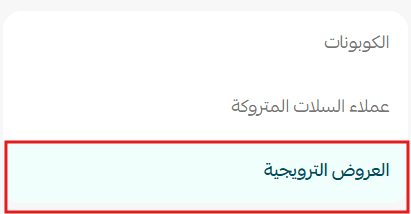
🎯 The promotions report shows how every offer active in your store performed, how often it was used, and the sales value it produced, so you can judge which offers succeed and adjust your strategy.
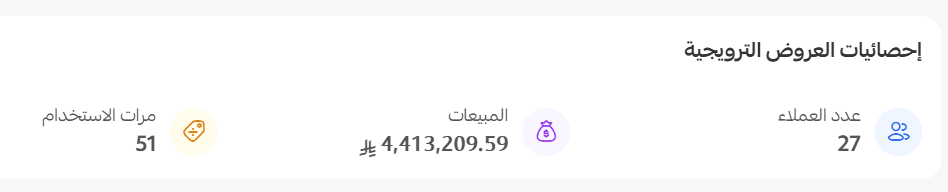
Number of customers
The number of customers who benefited from your promotions.
Why it matters
It measures how far your offers reached your customers.
Sales
The total value of the orders that benefited from an offer.
Why it matters
It shows what your offers did to sales.
Number of uses
The number of times your promotions were applied.
Why it matters
It measures how much customers engage with your offers.
Promotion order log
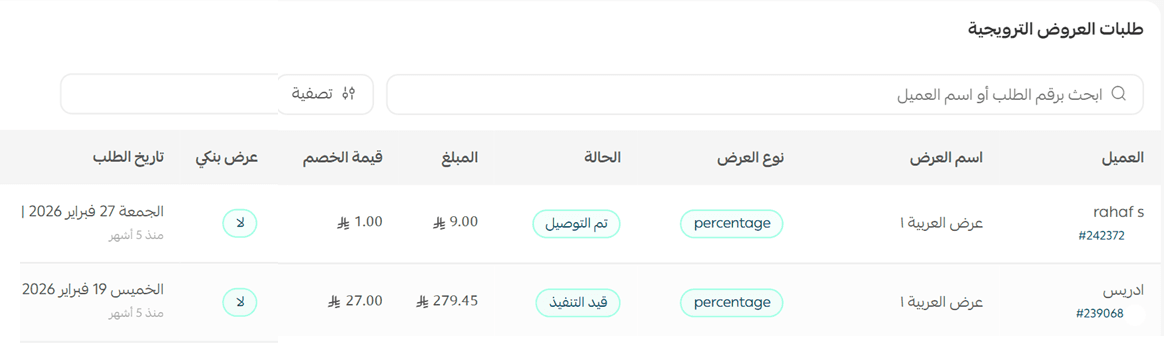
Lists the details of the orders that benefited from an offer: the customer name, the offer name, the offer type, the order status, the order amount, the discount value, whether it was a bank offer, and the order date.
Why it matters
It lets you analyze the performance of each promotion individually.
💡 Practical examples for the promotions report
Example 1: sales from offers went up
Example:
Sales rose from SAR 20,000 to SAR 60,000.
What does it mean?
Your offers contributed to more purchases.
What can you do?
- Repeat the offers that worked.
- Keep an eye on your profit margin while they run.
Example 2: offer usage dropped
Example:
Usage fell from 500 times to 180 times.
What does it mean?
Your current offers are no longer getting the same response.
What can you do?
- Improve the terms of the offer.
- Try different types of offers.
🛒 The abandoned cart customers report
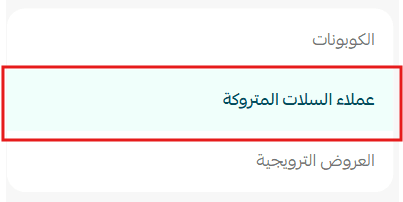
🎯 The abandoned cart customers report lists the customers who added products to their shopping cart without completing the order, so you can target them with cart recovery campaigns and lift your conversion rate.
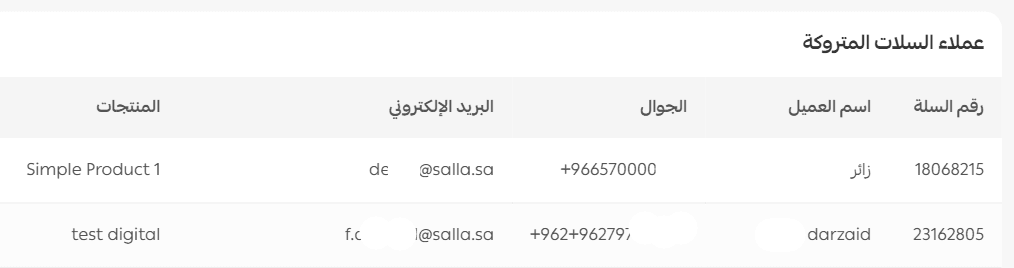
The report includes the customer name, the cart number, the email address, the mobile number, and the products sitting in the cart.
Why it matters
It gives you a direct line to the customers who did not finish their purchase, so you can win them back with the right message or offer.
💡 Practical examples for the abandoned cart customers report
Example 1: abandoned carts went up
Example:
Last month: 70 carts.
This month: 180 carts.
What does it mean?
More customers are leaving before completing the order.
What can you do?
- Send reminder messages.
- Review the checkout steps.
- Test your site speed and your shipping costs.
Example 2: the same customer keeps abandoning carts
Example:
You notice some customers appearing in the report more than once.
What does it mean?
The customer is hesitating over the purchase.
What can you do?
- Offer a special deal or a coupon with a short expiry.
- Reach out by email or message to encourage them to complete the order.
❓ Frequently asked questions
Where do I find the marketing reports?
From the (Reports) tab in your store's main menu, click (Reports), then choose the (Marketing) report.
What is the difference between the coupons report and the promotions report?
The coupons report covers discount codes customers enter at checkout. The promotions report covers the offers you activate in the store, which apply automatically when their conditions are met.
Does the "number of customers" count someone who used two coupons twice?
No. It counts unique customers, so one customer is counted once no matter how many coupons they redeemed. The uses per customer metric is what tells you how often each one redeemed.
What details does the abandoned cart customers report give me?
The customer name, cart number, email address, mobile number, and the products left in the cart, which is everything you need to follow up.
My coupon sales are high but profit is flat. What should I check?
Check the discount value against your margin in the coupon order log. High coupon sales with thin profit usually means the discount is being redeemed by customers who would have bought anyway.
🔥 Read your marketing reports together, coupons, promotions, and abandoned carts. Connecting the three is what shows you how customers behave, where your campaigns need work, and how to lift your conversion rate.