


Have questions about joining or using Souq Eljomla? This FAQ covers the most common inquiries for both wholesalers and retailers, so you can confidently start buying or selling through Souq Eljomla.
General questions
Do I need to have my store on Salla to join Souq Eljomla?
Yes. Souq Eljomla is available exclusively to merchants on the Salla platform.
Are there any fees or monthly charges to join Souq Eljomla? Does Salla charge a commission on sales?
There are no fees to join Souq Eljomla.
However, your store must be subscribed to either:
- Salla Plus, or
- Salla Pro
Salla does not charge a separate joining fee for Souq Eljomla.
For retailers
How can I browse products in Souq Eljomla as a retailer?
From your Salla dashboard:
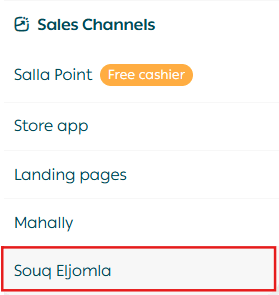
- Go to Sales Channels.
- Click Souq Eljomla.
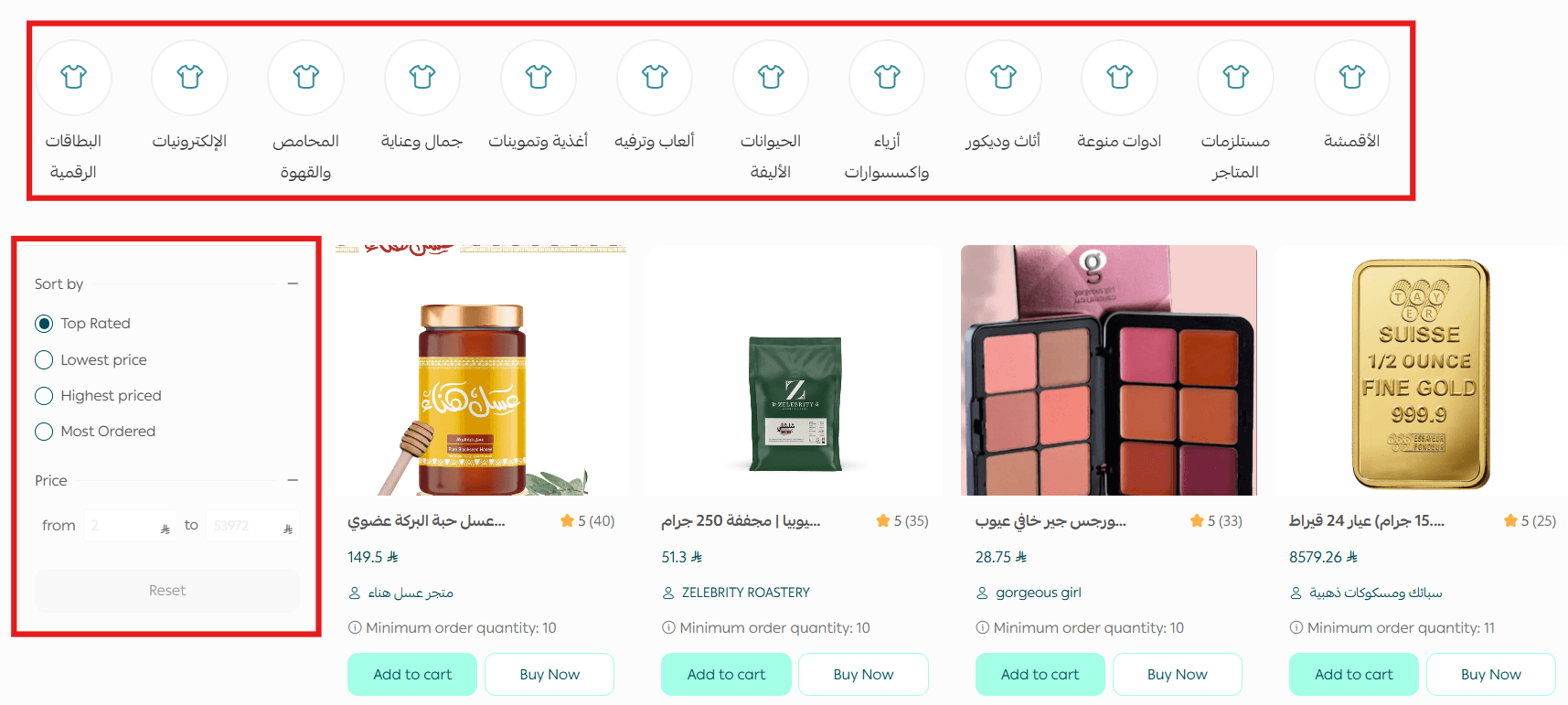
You’ll be redirected to the Souq Eljomla marketplace, where you can:
- Browse products across multiple categories
- Search for specific products
- Filter products by:
- Price
- Minimum order quantity
- Categories
- Other available filters
How can I disconnect from Souq Eljomla as a retailer?
To stop using Souq Eljomla as a retailer:
- From the main menu, click Sales Channels, then select Souq Eljomla.
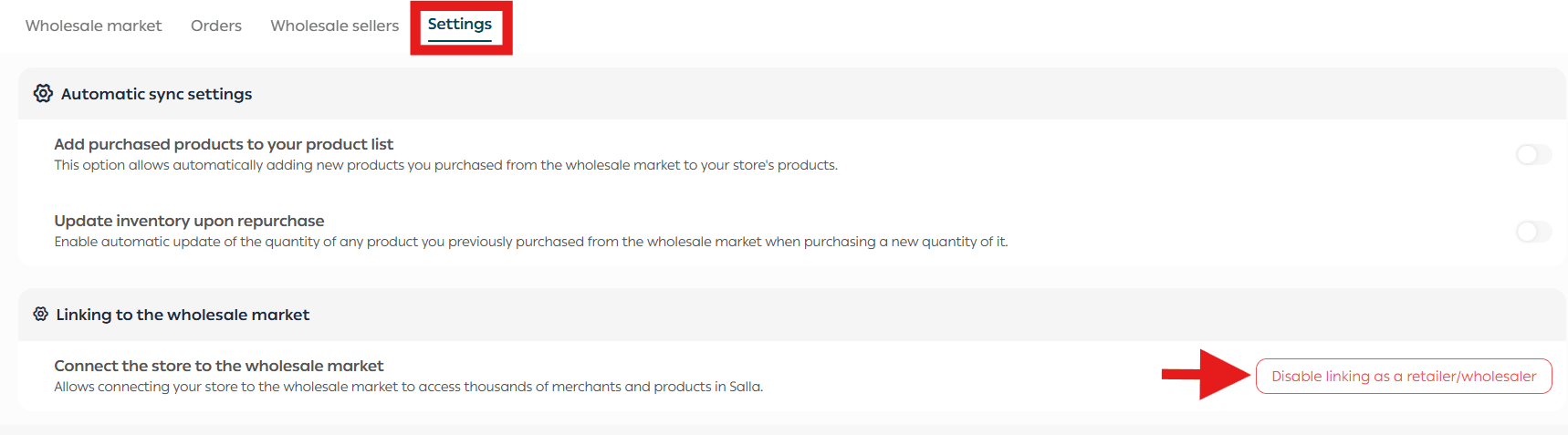
2. Open the Settings tab.
3. Click Disconnect as Retailer.
A confirmation message will appear.
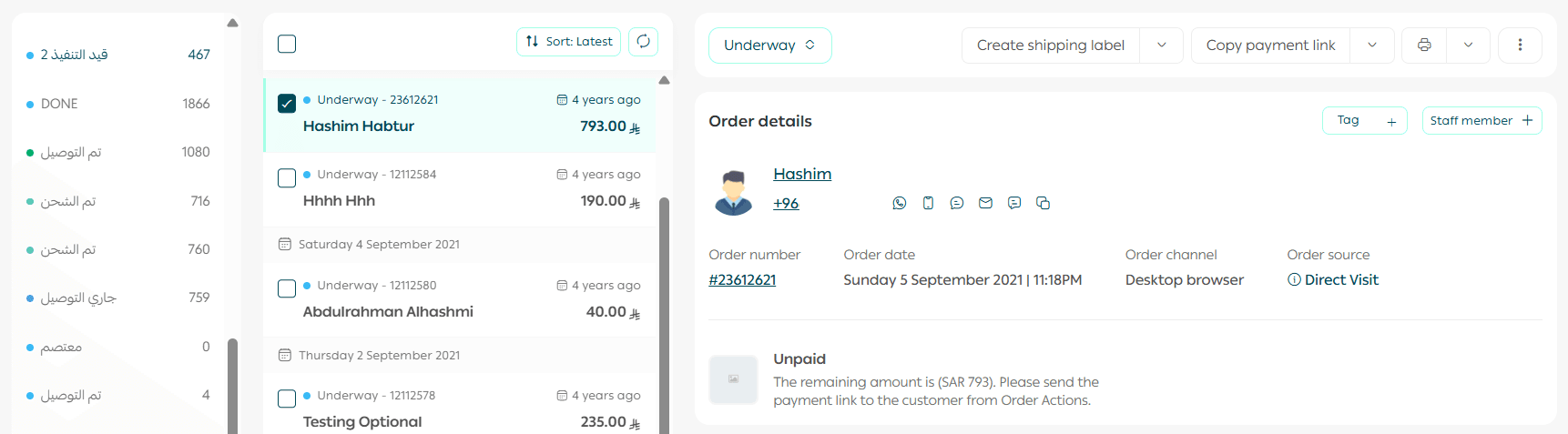
If you have active (in-progress) orders:
You will not be able to disconnect.
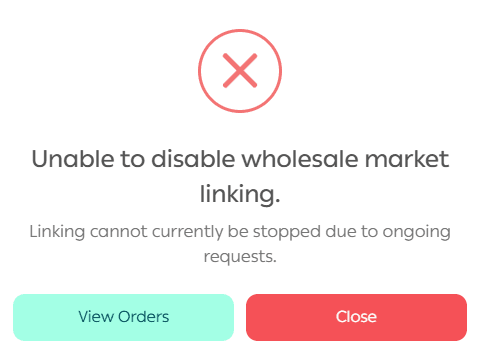
Click View Orders and ensure that no orders are still in progress.
If there are no active orders:
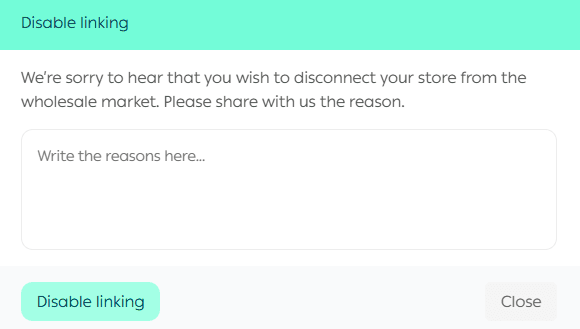
- Enter the reason for disconnecting (to help improve Souq Eljomla).
- Click Disconnect.
After approval:
- A CSV file containing all your Souq Eljomla orders will be downloaded.

- You will receive an email containing the same file.
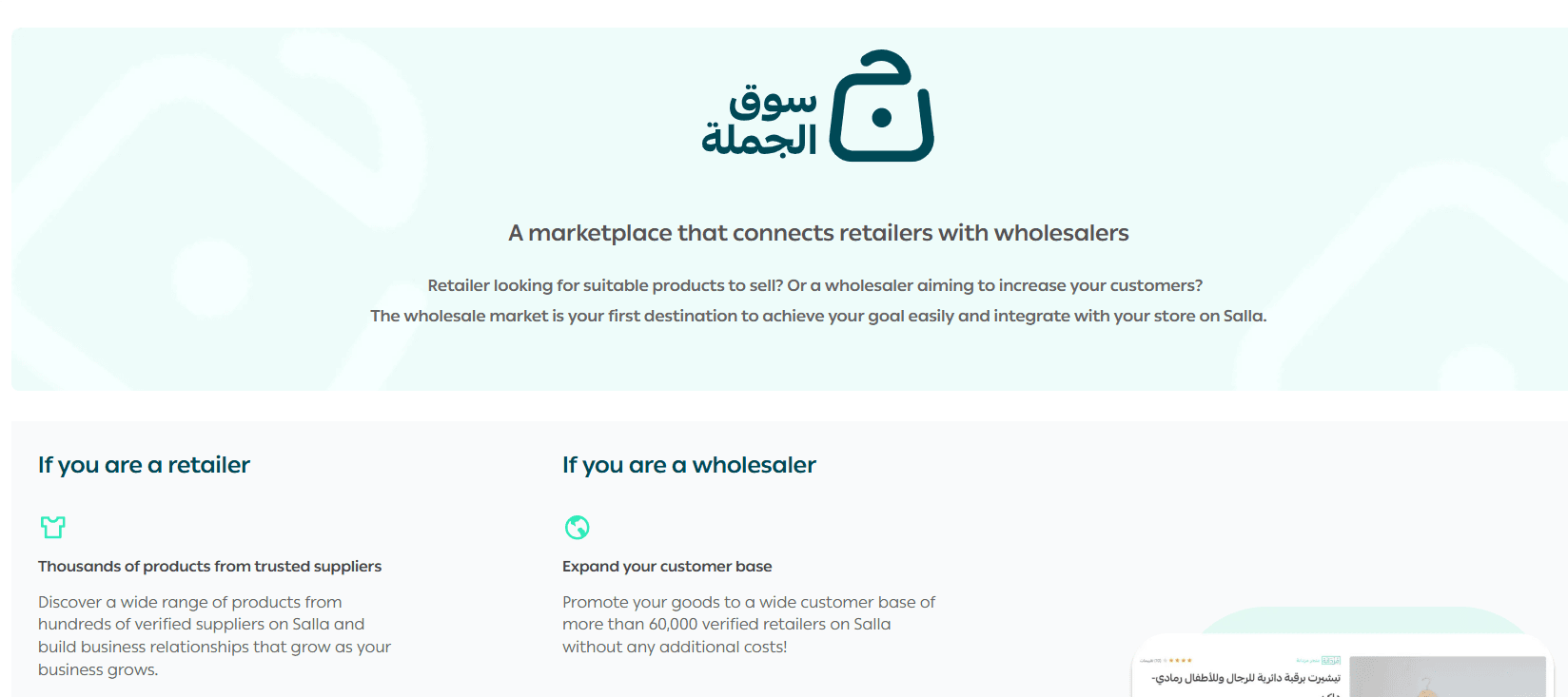
- You will be redirected to the Souq Eljomla start page.
For wholesalers (Suppliers)
How can I join Souq Eljomla as a wholesaler?
You can join as a supplier once you meet the following requirements:
- Your store is on Salla Plus or Salla Pro.
- Your store is fully verified.
- Your business entity is a registered company or establishment.
- Your store has 10 or more completed orders.
- Your store contains at least one product of type:
- Ready product
- Food
- Digital card
- Your products have at least 10 customer reviews.
Once these conditions are met, you can apply to join Souq Eljomla as a wholesaler.
Are there restrictions on the types of products I can sell in Souq Eljomla?
Yes. You can only sell products of type:
- Ready product
- Food
- Digital card
Can anyone view and purchase my products in Souq Eljomla?
No. Souq Eljomla is available only to merchants on the Salla platform.
Can I create multiple pricing tiers for a single product based on order quantity?
Yes. You can create:
- A single pricing rule
- Or multiple quantity-based pricing tiers
This allows you to offer increasing discounts based on higher order quantities.
How can I disconnect from Souq Eljomla as a wholesaler?
To disconnect as a wholesaler:
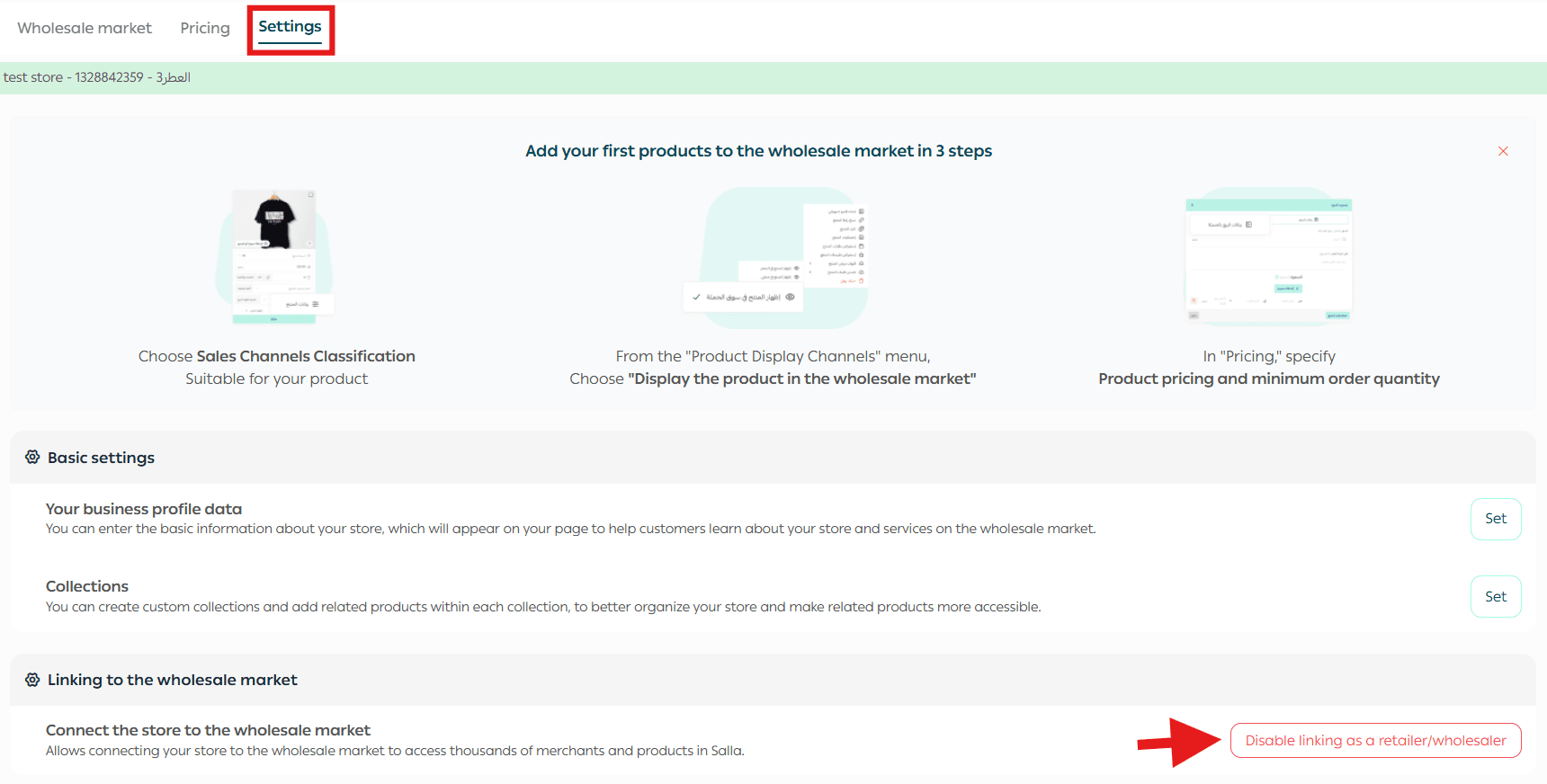
- From the main menu, click Sales Channels, then select Souq Eljomla.
2. Open the Settings tab.
3. Click Disconnect as Wholesaler.
A confirmation message will appear.
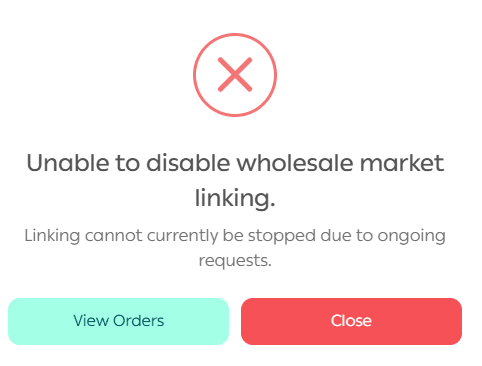
If you have active (in-progress) orders:
You will not be able to disconnect.
Click View Orders and make sure all orders are completed.
If there are no active orders:
- Enter your reason for disconnecting (to help improve Souq Eljomla).
- Click Disconnect.
After approval:
- You will be redirected to the Souq Eljomla start page.
- You will receive an email confirming that the disconnection has been completed.
If you have additional questions, visit the relevant Souq Eljomla help articles or contact Salla Support for further assistance.
Souq Eljomla helps connect retailers and wholesalers efficiently, making wholesale buying and selling simpler, smarter, and fully integrated within your Salla store.