As a retailer, Souq Eljomla gives you a powerful opportunity to access thousands of wholesale products and add them directly to your store. By connecting you with a wide network of trusted suppliers, you can expand your product range and grow your sales with lower operational costs.
This guide explains how to join Souq Eljomla as a retailer, browse products, configure automatic sync settings, place wholesale orders, and manage them efficiently.
📌Article overview
- Requirements to register as a retailer in Souq Eljomla
- Joining Souq Eljomla as a retailer
- Browsing and filtering products
- Automatic sync settings
- Purchasing products from Souq Eljomla
- Viewing and managing orders
Requirements to register as a retailer
To join Souq Eljomla as a retailer, your store must meet the following requirements:
- Your store must be on the Salla Plus or Salla Pro plan.
- Your store must be fully verified.
- You must have a dedicated Support Email configured and activated in your store settings.
Note: If you do not meet these requirements, you can upgrade your plan or complete store verification directly from the pop-up window that appears when hovering over the Join as Retailer button.
Joining Souq Eljomla as a retailer
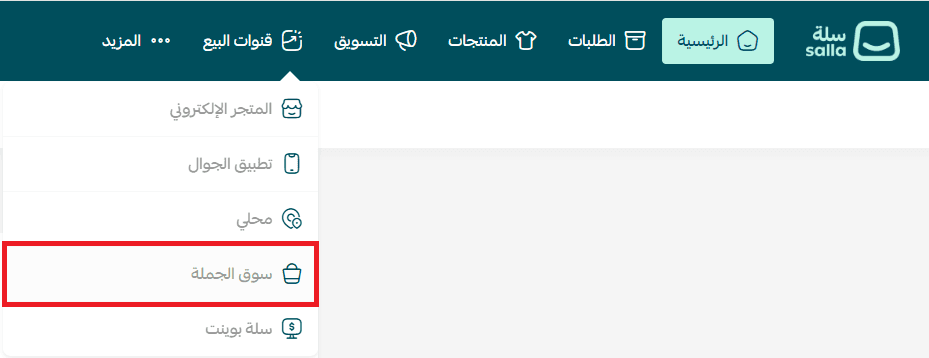
- From the main menu, click Sales Channels, then select Souq Eljomla.
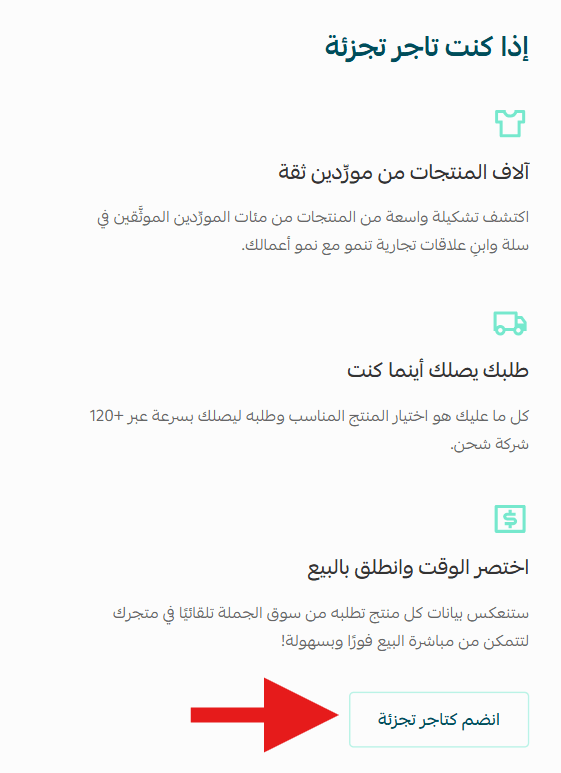
2. On the Souq Eljomla welcome page, click Join as Retailer.
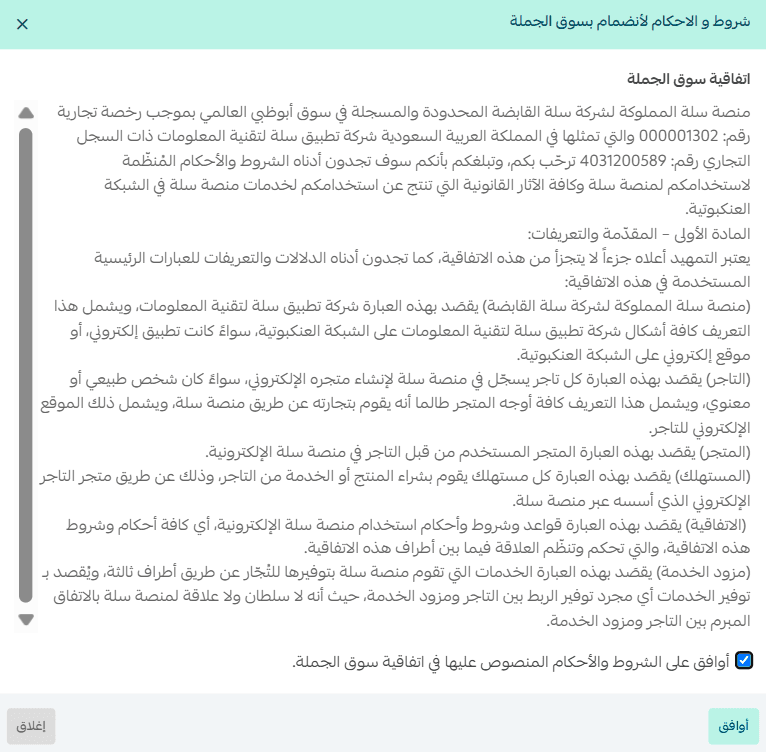
3. Read the Souq Eljomla agreement, accept the terms and conditions, then click Agree.
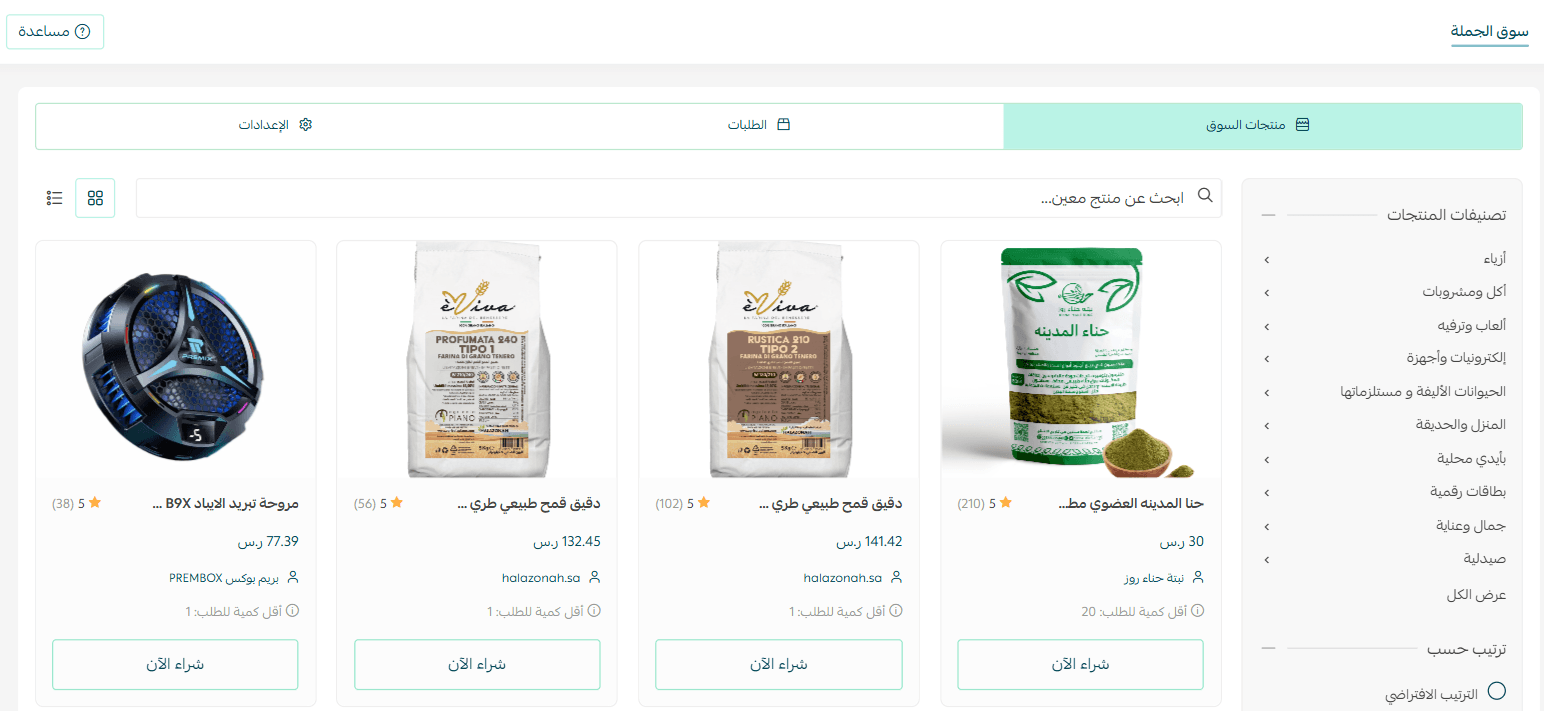
You will be redirected to the Souq Eljomla homepage as a retailer.
You will also receive a welcome email with a link to start purchasing from Souq Eljomla.
Browsing and filtering Souq Eljomla products
- From the main menu, click Sales Channels, then select Souq Eljomla.
2. Browse available wholesale products.
You can filter and sort products using the sidebar filters, including:
- Product category
- Price range
- Sorting (lowest price, highest price, top-rated, most ordered)
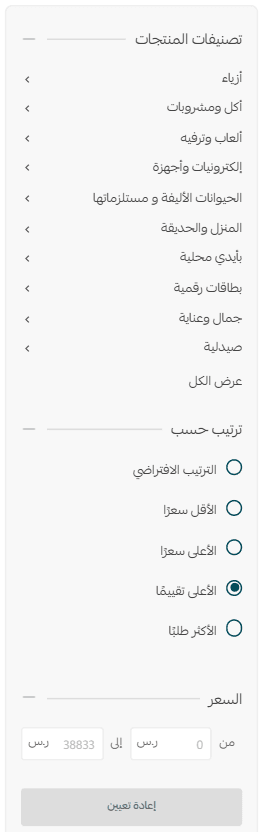
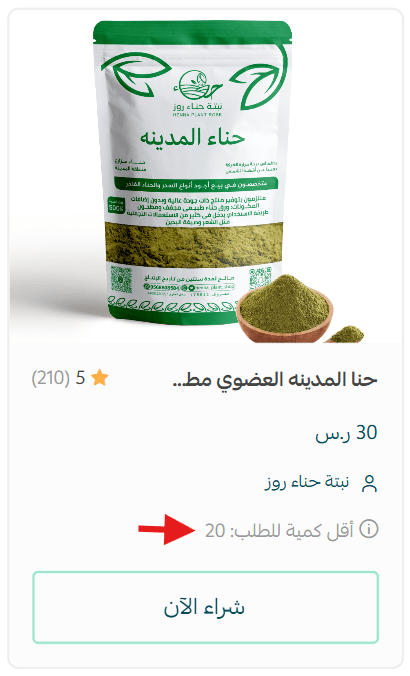
Each product card displays:
- The wholesale price
- The minimum order quantity
Automatic sync settings
To manage how purchased products are reflected in your store:
- From the Souq Eljomla page, open the Settings tab.
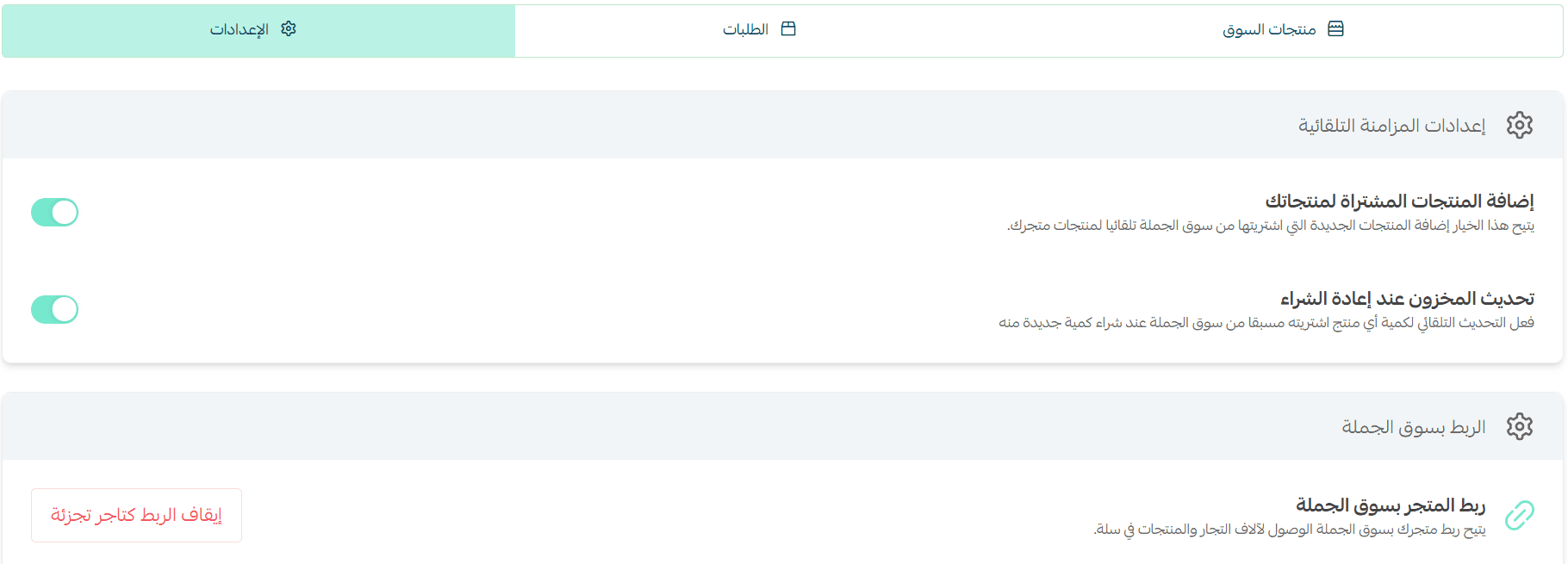
You will find two main options:
Option 1: Automatically add newly purchased products

This option automatically adds products you purchase from Souq Eljomla to your store’s product list.
Example: When you purchase a product from Souq Eljomla, and the order status becomes Completed, a new product card will automatically be created in your store’s Products page with the same purchased quantity.
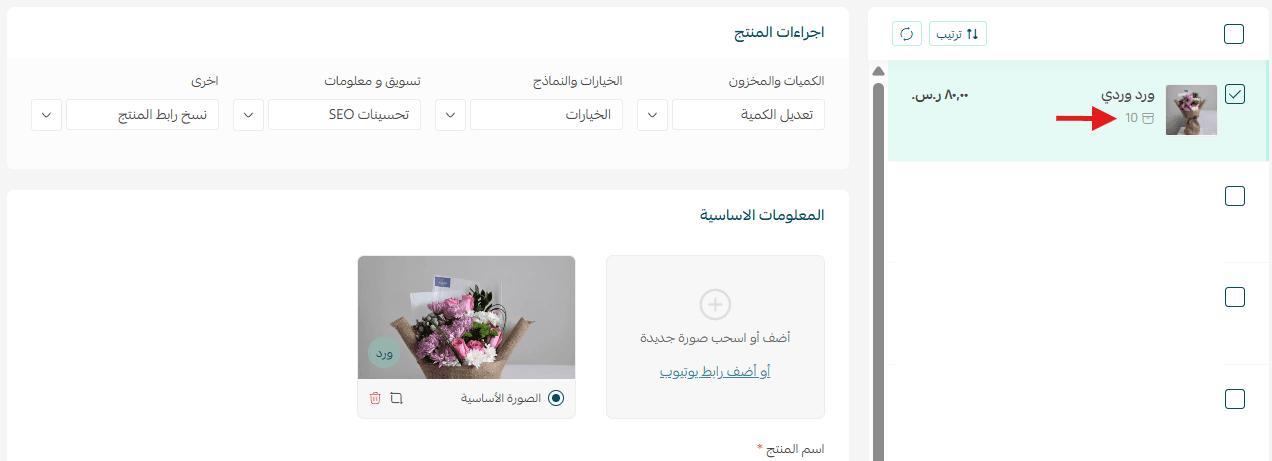
Option 2: Automatically update quantities for previously purchased products

Enable this option to automatically update stock quantities when you purchase additional units of a product you previously bought from Souq Eljomla.
Example: If you buy more units of a product you already sell, the existing product’s stock in your store will automatically increase based on the newly purchased quantity.

Note: If you place orders without enabling the sync settings, purchased products will not automatically appear in your store, and inventory will not update automatically.
Purchasing products from Souq Eljomla
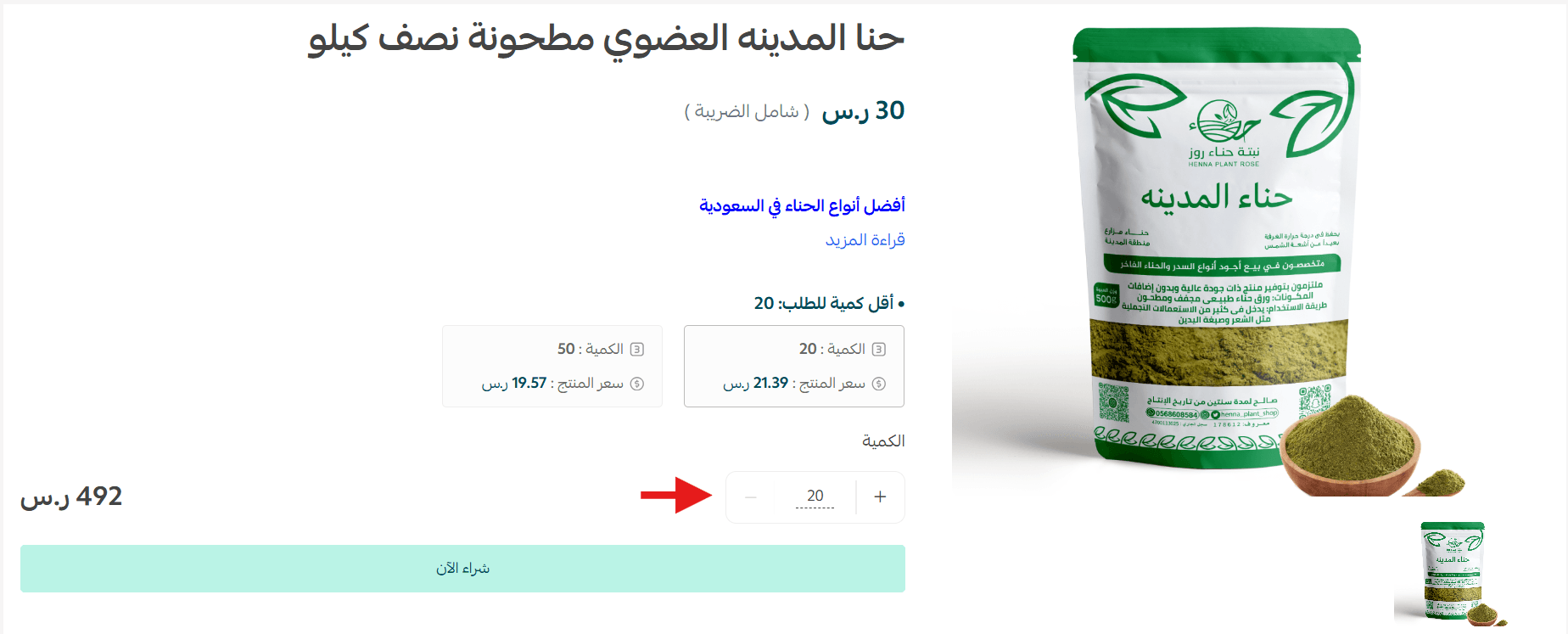
- After selecting a product, choose the desired quantity, then click Quick purchase.
2. Complete the payment process to finalize the purchase.
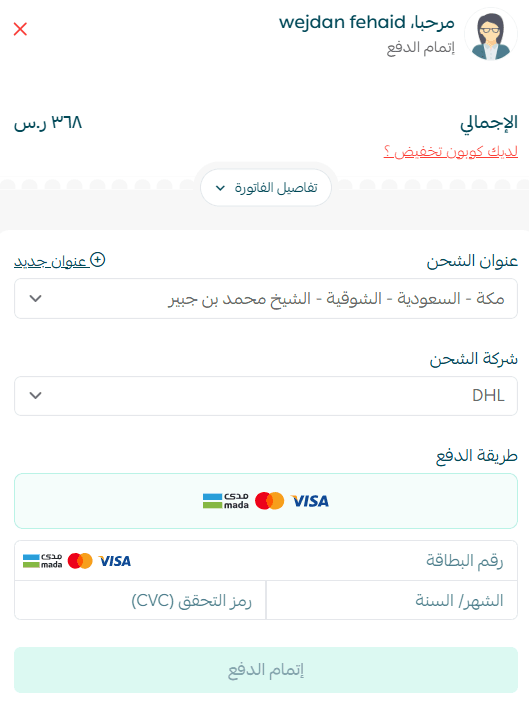
Your order will be successfully received and reviewed.

Displaying the product in your store
After completing the purchase:
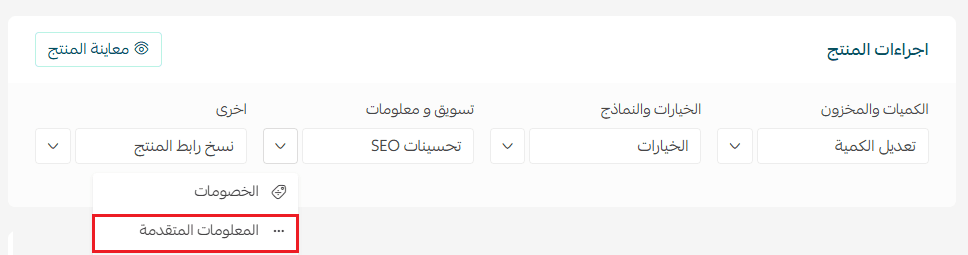
- Open the product card.
- Under Product Actions, click More, then select Advanced Information.
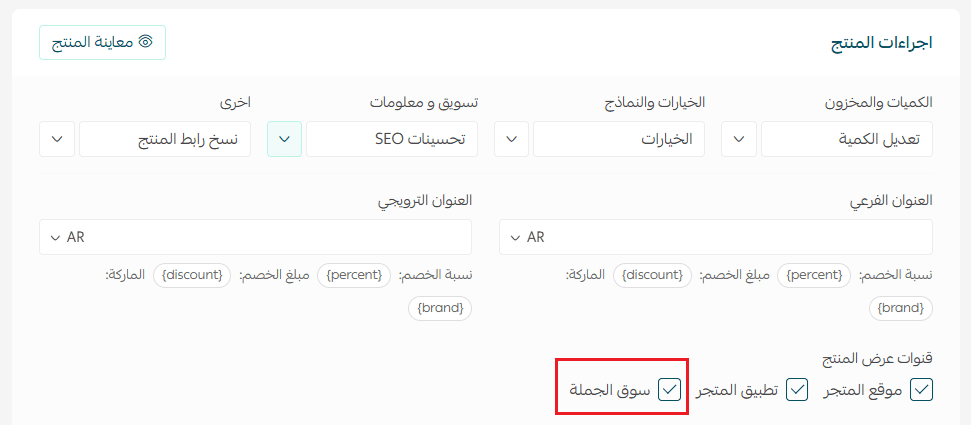
3. Choose the appropriate Sales Channels to display the product in your store.
Important purchasing notes
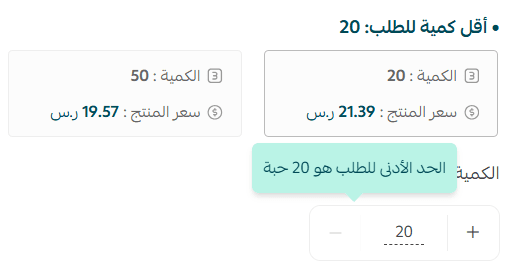
- You cannot purchase less than the specified minimum order quantity.
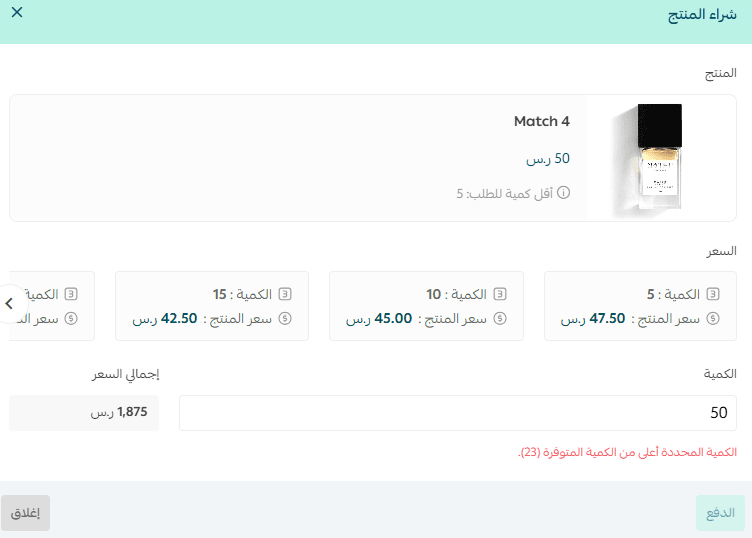
- You cannot purchase more than the available quantity shown.
Viewing and managing Souq Eljomla orders
- From the Souq Eljomla page, open the Orders tab.
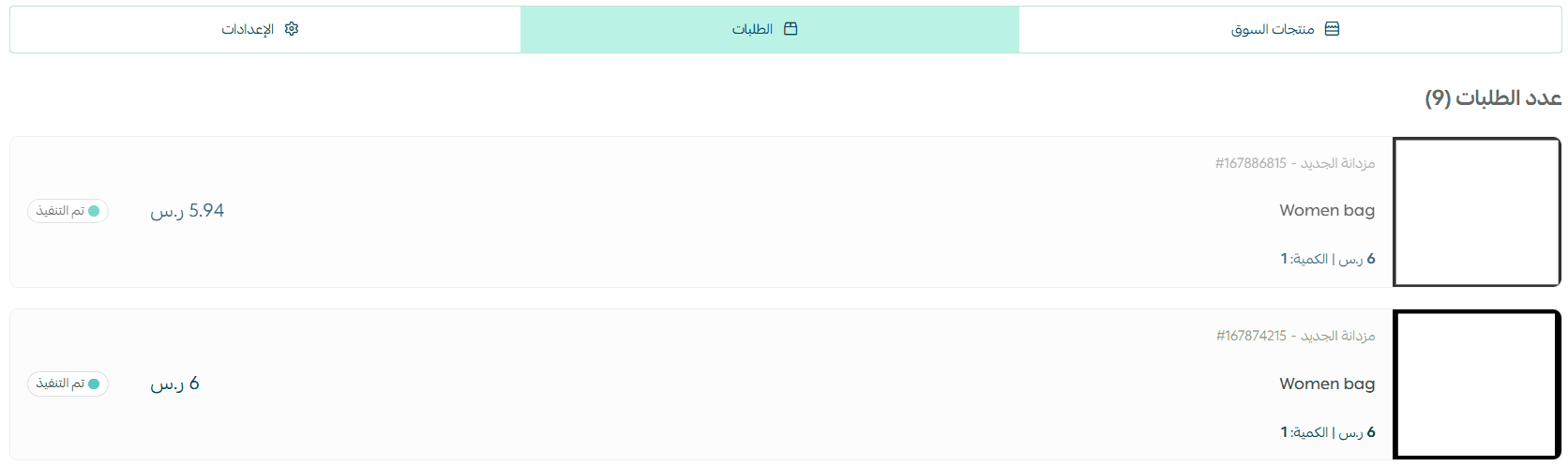
Only orders placed through Souq Eljomla will appear here. Orders from other sales channels will not be displayed in this section.
By leveraging Souq Eljomla as a retailer, you can expand your catalog quickly, automate inventory updates, and build strong supplier relationships, while keeping full control over your store operations.