Have your customers ever found their favorite product out of stock in your store? The Notify Me When Available feature solves this problem effortlessly. It allows customers to request an instant alert as soon as a product is back in stock, increasing conversion opportunities and making customers feel valued and remembered.
📌 Article overview
- How the feature works
- How to enable the feature in your store
- Creative ways to use Notify Me When Available
- Frequently asked questions
How the feature works
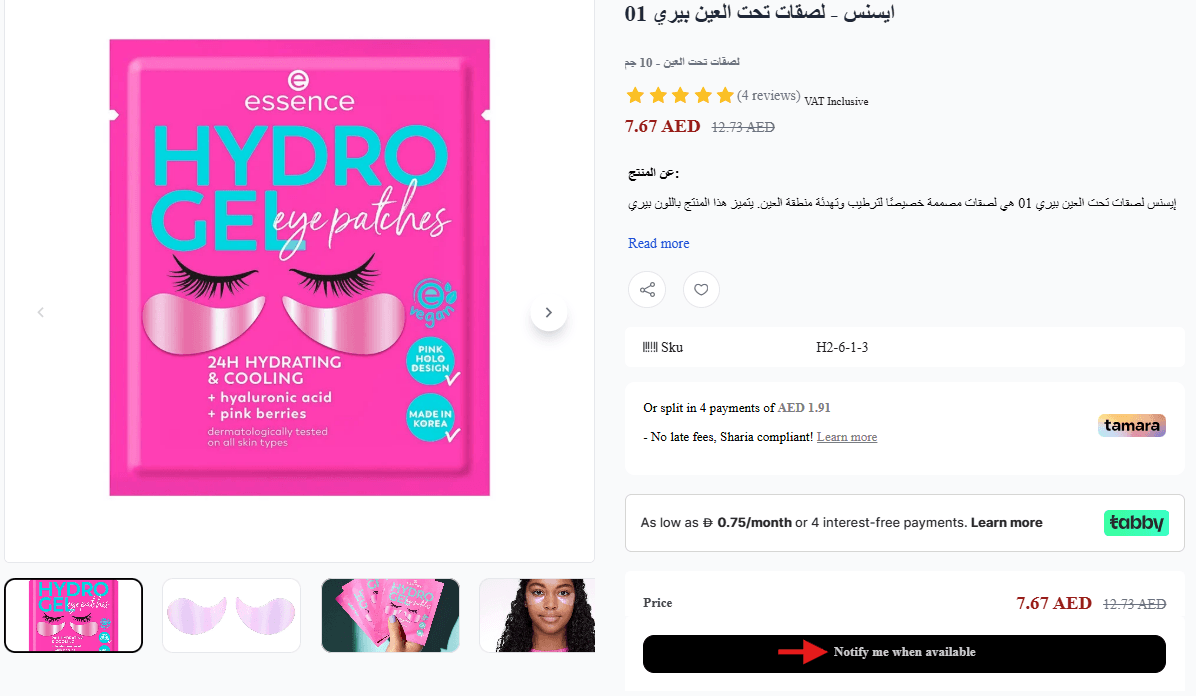
When a product runs out of stock, a notification bell appears on the product page.
Once the product becomes available again, the customer receives an alert through the channel you choose, whether email, SMS, or WhatsApp.
This keeps you directly connected with your customers and encourages them to return to your store immediately.
How to enable the feature in your store
- From the main menu, click Products.

2. From the top menu, select Product Settings.

3. Click Customize next to Notify Me When Available.

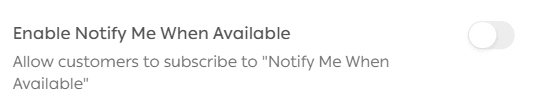
4. Enable the feature.
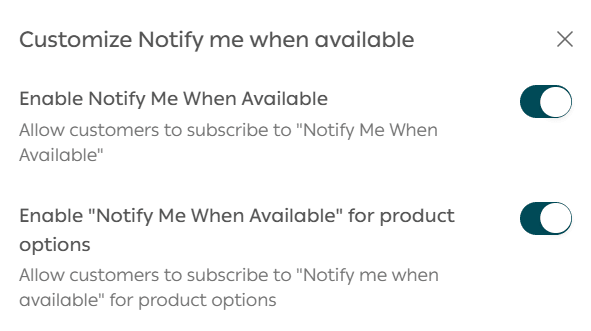
Feature activation options
Enable Notify Me When Available for products
This activates the feature at the product level.
Example: If the product “Backpack Model X” is out of stock, the Notify Me When Available button appears on the product page for the entire product.
The alert is linked to the product as a whole, not to a specific option.
Enable Notify Me When Available for product options
This activates the feature at the option level, such as color, size, or flavor.
Example: A T shirt has options Red, Blue, and Black.
If size M in Red is out of stock, the Notify Me When Available button appears only for that specific option, not for the entire product.
5. Configure the feature settings, then click Save.
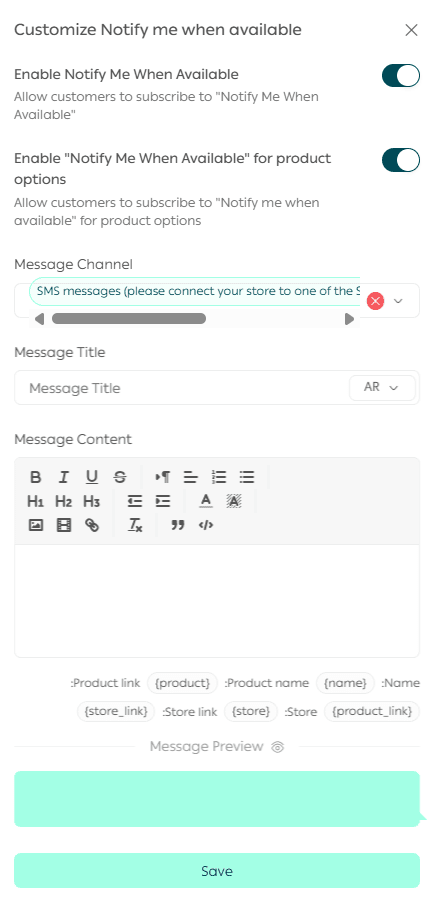
Notification settings
- Choose how customers receive alerts: email, SMS, or WhatsApp.
- Set the notification subject line if email is enabled. You can include the product name.
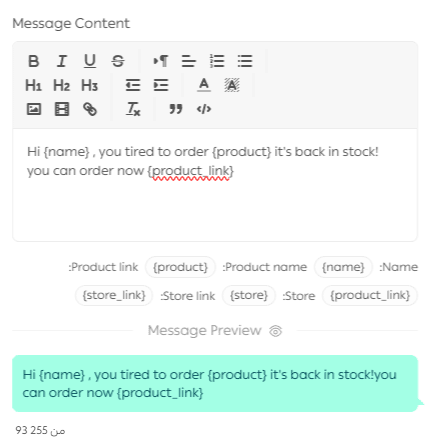
- Write the notification message.
Clicking on any dynamic field automatically inserts it into the message or subject line.
You can preview the notification message before saving.
Creative ways to use Notify Me When Available
Test demand for new products before stocking
Before investing in large quantities of a new product, add it to your store with zero stock and enable the feature.
The number of notification subscriptions gives you a clear indicator of customer interest before purchasing inventory.
Revive seasonal products
Some products sell out quickly during specific seasons, such as abayas during Ramadan or stationery at the start of the school year.
Using this feature helps you identify which seasonal products are still in demand even after the season ends, making it easier to plan restocks or discounts.
Measure demand for specific options
For products with multiple options such as colors, sizes, or flavors, notification data reveals which options customers want most even when unavailable.
This allows you to plan inventory more accurately instead of overstocking low demand options.
Build targeted marketing campaigns
Customers who subscribe to notifications are a highly valuable audience.
You can export this list and use it for focused campaigns such as “Buy now before it sells out again”.
Strengthen loyalty and exclusivity
You can personalize notification messages to feel more exclusive, for example:
“We brought this product back just for you” or “You are among the first to know”.
This creates a strong sense of appreciation and customer loyalty.
Frequently asked questions
Why do you need this feature
- It delivers a smooth and caring shopping experience for customers
- It helps merchants identify which products truly deserve restocking
- It increases sales immediately when products return to stock
How can customers benefit from this feature
When a customer browses your store, they see an indicator that a product is out of stock.
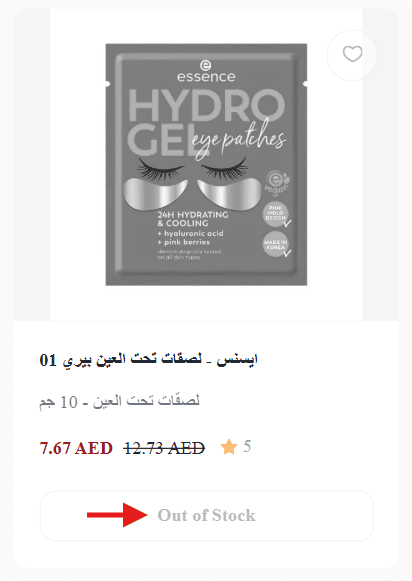
After opening the product page, they can activate the Notify Me When Available button with one click.
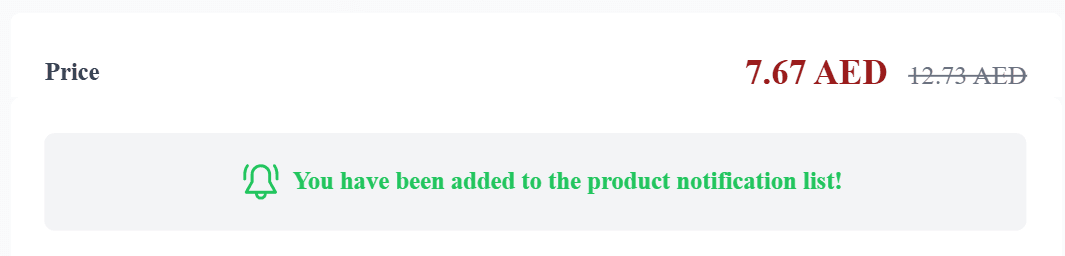
A confirmation message appears to let them know they have been added to the notification list.
Once the product is restocked, the customer automatically receives an alert based on your configured settings.
How can merchants benefit from this feature
The feature helps you focus on products that customers truly want after they sell out. Not every out of stock product indicates real demand.
To access reports:
- From the main menu, click Reports.

2. Select Products, then choose Back in stock alerts.
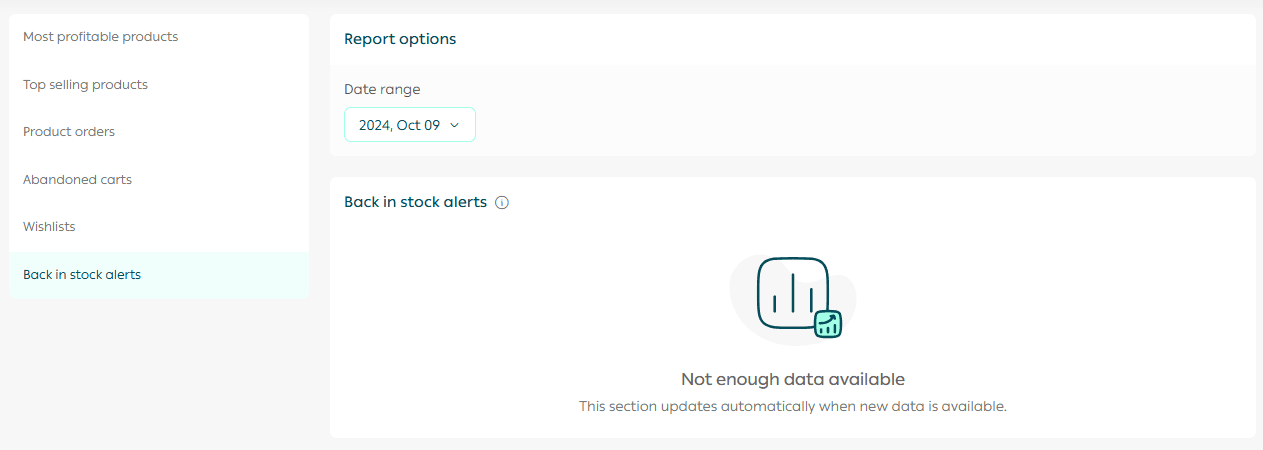
You can analyze which products need restocking, how many customers are waiting, and which customers have already been notified.
Can I control how many customers receive the notification
Yes. From the product details page, scroll to the Notifications section.
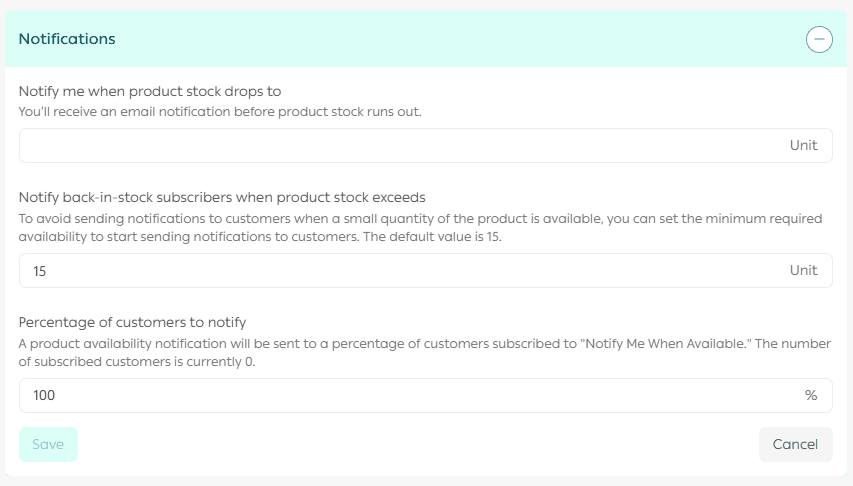
Notify customers only when stock exceeds a certain quantity
- You can set a minimum stock level before notifications are sent to customers.
- Default value is 15 units
- Example: If you set the minimum to 10 units, notifications will only be sent when at least 10 units are available. This prevents customer frustration caused by instant sell outs.
Choose the percentage of customers to notify
You can send notifications to all subscribers or only a percentage of them.
Example: If 100 customers are subscribed and you select 50 percent, notifications will be sent to only half of them. This helps manage demand gradually and avoid rapid stock depletion.
Practical use cases
Limited stock products
If you sell handmade or limited items, set a higher minimum quantity and notify only a portion of customers.
Seasonal products
Send notifications gradually during peak seasons to avoid overwhelming inventory or site traffic.
Testing new products
Notify a small percentage of customers first, then increase gradually as demand grows.
Does SMS notification require balance
Yes. SMS notifications require available SMS credit.
Can I disable the feature at any time
Yes. You can disable it at any time from Product Settings.
Which plans support this feature
The feature is available on Plus and Pro plans.
Your next step
Enable Notify Me When Available today and give your customers a smarter shopping experience while staying one step closer to them whenever they are waiting for your products.