You can now pay in installments for Salla's annual packages (Salla Pro for one and two years - Salla Plus for one and two years) over three consecutive months, with no additional fees.
Manage annual subscription installments for Salla
The management of subscription installments includes the following processes:
- Activate subscription installments
- View subscription installments
- Pay dues early
- Stop/activate automatic withdrawal
- Unable to complete payment
1- Activate subscription installments
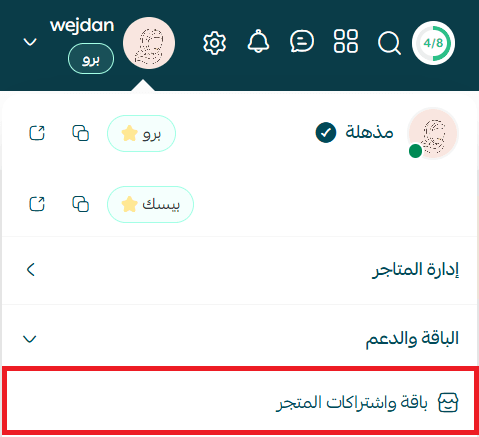
1. From the side menu of the control panel, click (Package and store subscriptions).
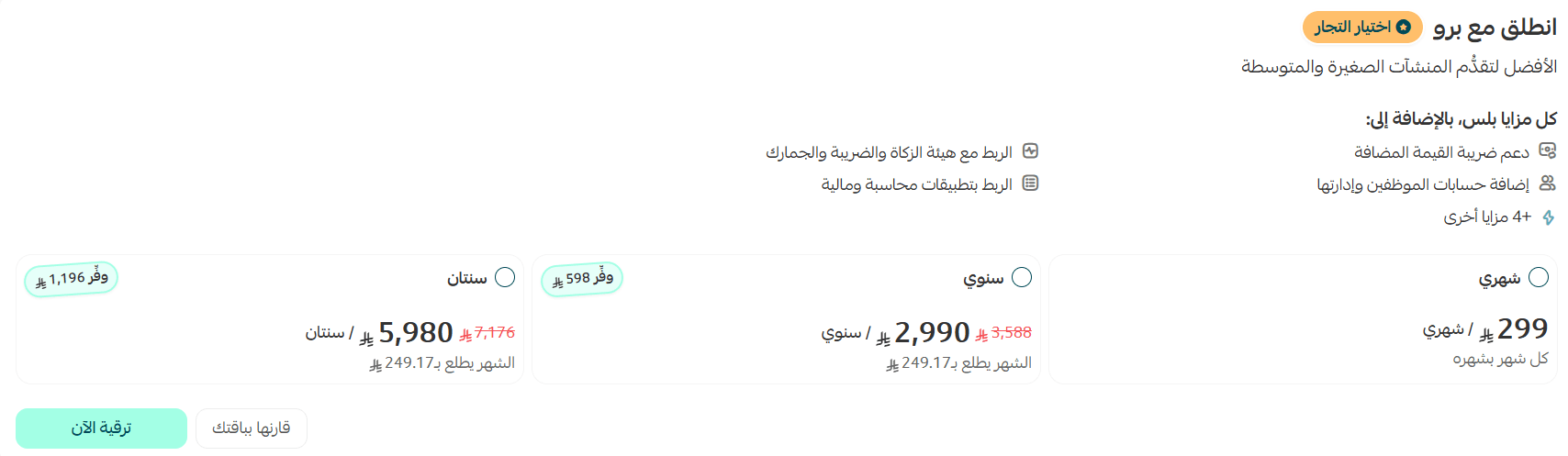
2. Select the desired subscription period and click (Renew subscription).
3. Select the option (Divide the package value into 3 installments without fees).

A schedule will appear with installments divided over three consecutive months, including information about: installment number - installment value - due date and payment completion percentage.
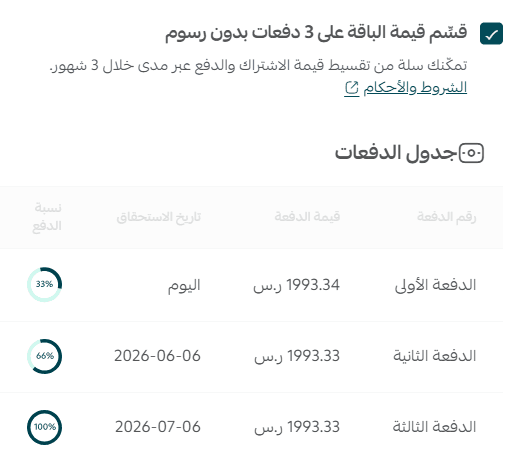
After reviewing the installment schedule, click (Confirm payment).
2- View subscription installments
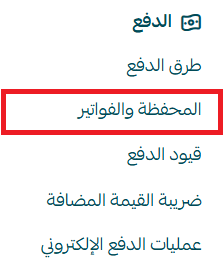
From the side menu of the control panel, click (Wallet and invoices).
At the bottom of the Wallet and Invoices page, in the (Activated subscriptions) section, a (Installment) mark will appear next to the subscription.

From the More menu, you can view the installment schedule.

3- Pay dues early
From the side menu of the control panel, click (Wallet and invoices).
From the payment schedule, select the installments you wish to pay, then click (Pay).
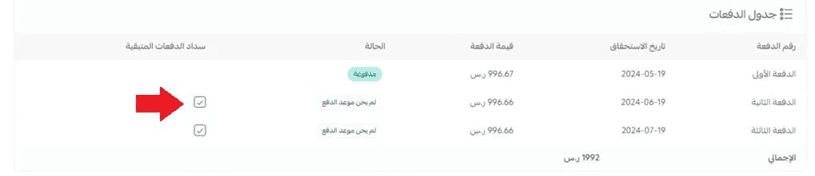
4- Stop/activate automatic withdrawal
From the side menu of the control panel, click (Wallet and invoices).
From the payment schedule, in the (Services) menu, click (Cancel automatic withdrawal).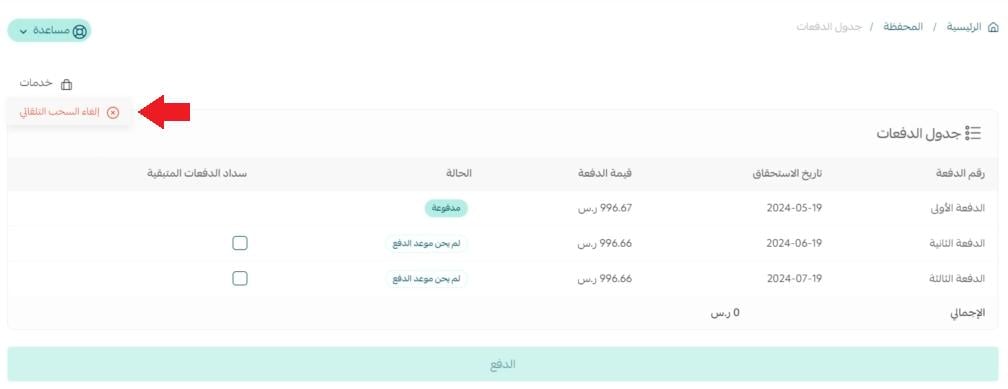
5- Unable to complete payment
If you miss the due date, a message will alert you to the necessity of paying the installment to continue benefiting from all package features.
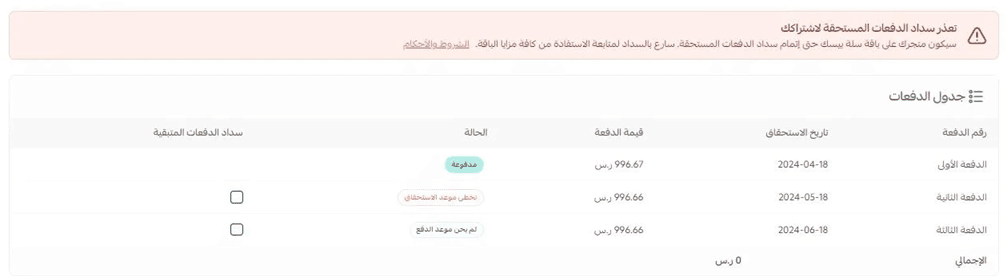
Also, when viewing the store package page, a message will indicate the number of days since the due payments were missed.
To pay the due installments, click (Pay installments).
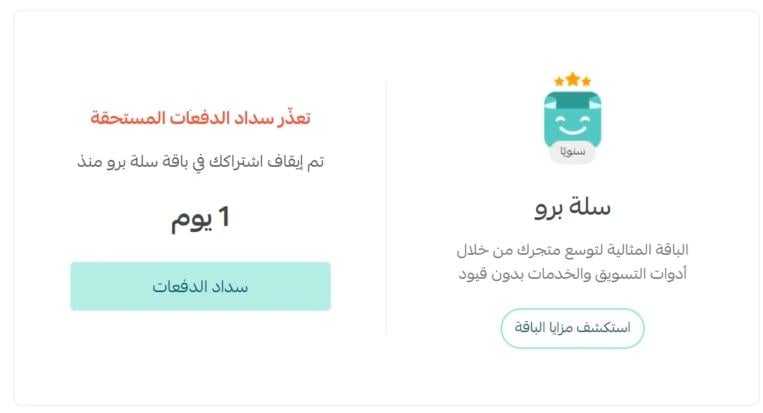
A bar will also appear at the bottom of your store's control panel urging you to quickly pay the due installments to resume your package subscription.

Frequently asked questions
Who can use the installment payment feature?
The feature is available to all merchants on the Basic package.
Can I use installments when renewing my subscription?
Yes, you can.
Can I renew my subscription in installments if my previous package was fully paid?
Yes, you can if the renewal is done manually from the Salla store and the installment payment option is selected.
Is the feature available for new merchants?
Yes, new merchants can also subscribe to packages and pay in installments.
What are the conditions for subscribing to the service?
- Complete documentation of your store.
- You must not have another store linked to the same ID number with incomplete payments.
- You must have a previous completed subscription.
What actions are taken if I stop completing the payments?
If the due date arrives and you haven't completed the payments:
- Your package will be temporarily suspended for no more than 90 days from the date of your first payment.
- Your store will revert to the Basic package until payments are completed.
- The days that pass until you complete the payments will be counted as part of the subscription days.
If more than 90 days have passed:
- Your store will revert to the Basic package.
- The amount for unused days will be refunded to your wallet balance.
Can the subscription be stopped or paused if the subscription is in installments?
No, the subscription cannot be stopped or paused if subscribed to the installment plan.
Can I use a discount coupon or loyalty points when paying in installments?
Discount coupons or loyalty points cannot be used when paying in installments. Only the wallet balance can be used for the second and third installments.
Can dues be paid early?
Yes.