Your products are on Mahally. What makes a shopper tap yours instead of the store next to it?
A well-timed discount is often the nudge that turns browsing into buying. Mahally coupons are discount codes you create in your Salla dashboard specifically for shoppers browsing the Mahally app, so you can run a promotion there without touching the pricing in the rest of your store. In this guide, you'll learn how to create a Mahally coupon, set its conditions, find it later, and measure what it earned you.
To create a Mahally coupon, open Marketing in your Salla dashboard, click Coupons, then choose New coupon followed by Mahally coupon. Add the coupon name, code, discount type, and value, set the usage conditions, adjust the settings, and save. Your store needs an active Plus or Pro plan.
📌 Article overview
- How to create a Mahally coupon
- How to filter and sort Mahally coupons
- How to track Mahally coupon performance
- Frequently asked questions
🎯 How to create and manage Mahally coupons
Create a discount coupon
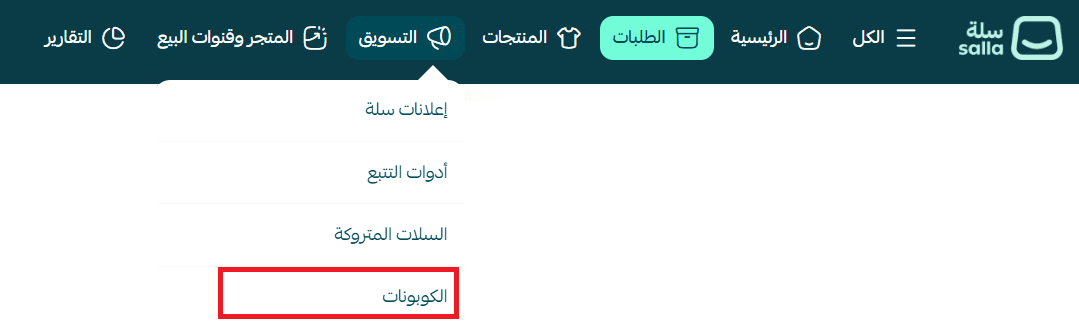
1. From the main menu, choose (Marketing), then click (Coupons).
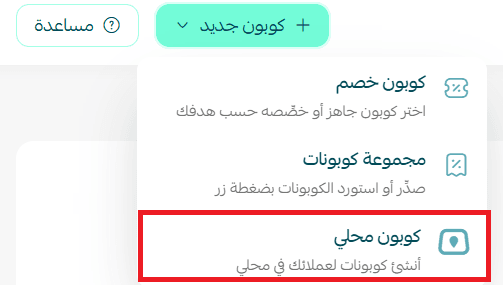
2. On the marketing tools page, click (+ New coupon), then choose (Mahally coupon).
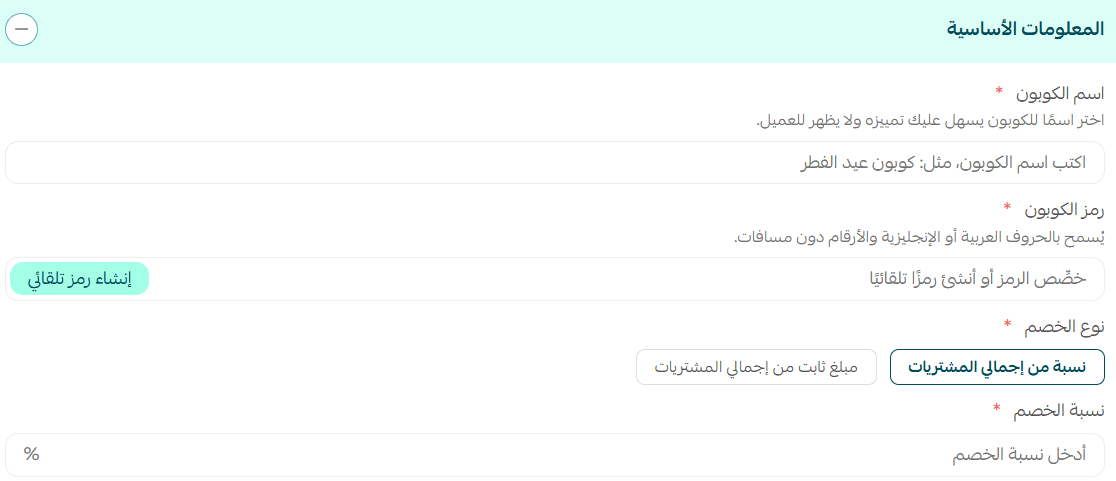
3. Add the basic coupon details: the coupon name, the coupon code (type it yourself or generate it automatically), the discount type (percentage or fixed amount), and the discount value.
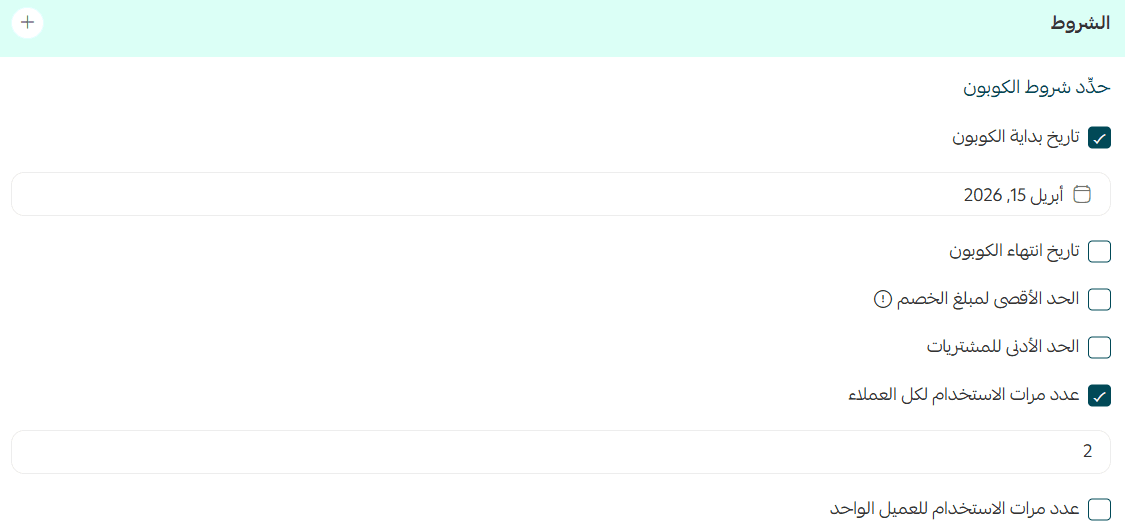
4. Set the coupon conditions: the start and end dates, the maximum discount amount, the minimum order value, and how many times the coupon can be used.
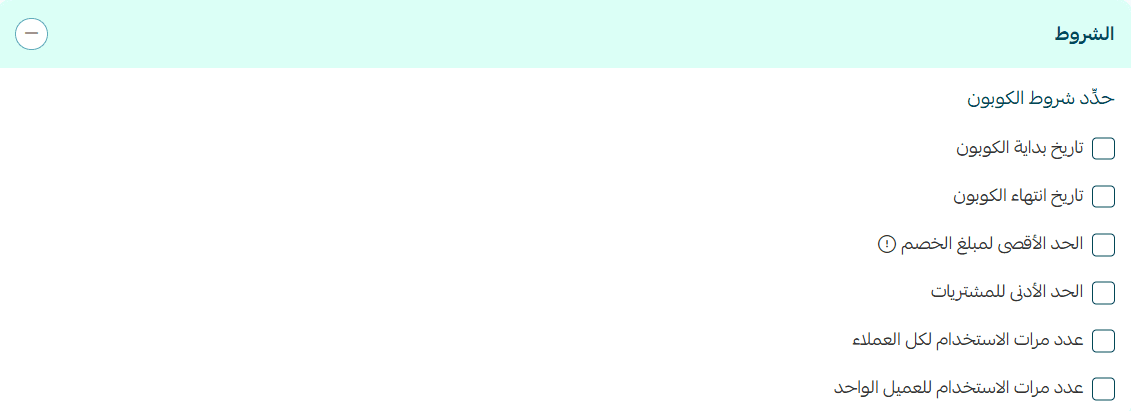
💡 Example: Start the coupon on 15 April 2026 and limit it to 2 uses in total.
📝 Important notes
You can also turn on the per-customer usage limit to control how many times each individual customer may use the coupon.
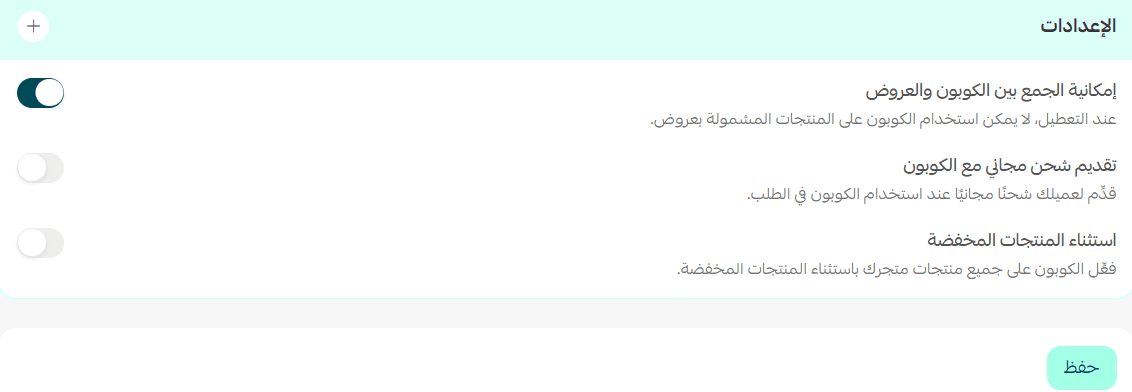
5. Choose the coupon settings, such as whether it can be combined with offers, whether it includes free shipping, and whether discounted products are excluded. Then click (Save).
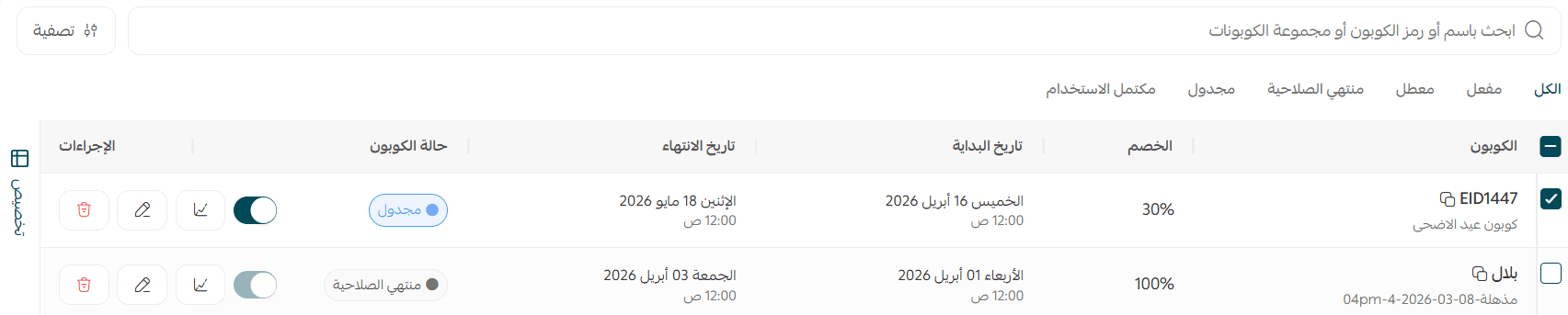
Your Mahally coupons will look like this:
Filter and sort Mahally coupons
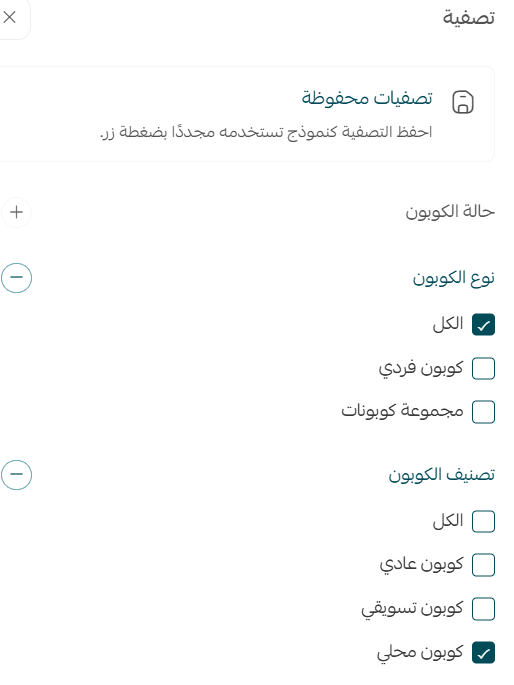
Once you are running several promotions at once, the (Filter) button is the fastest way to pull up only the Mahally coupons.

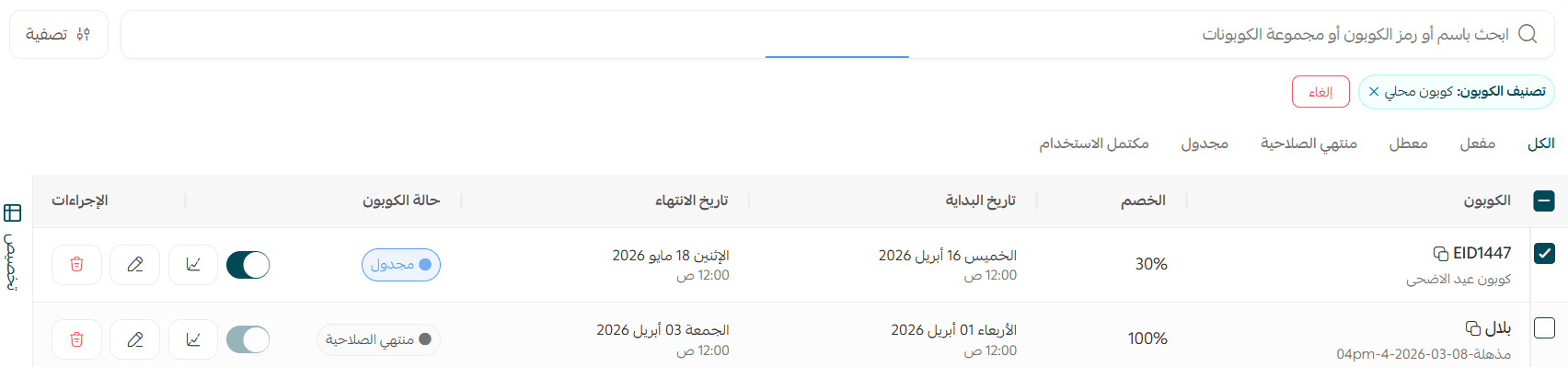
Choose the sorting options you need, set the coupon type to (Mahally coupon), then click (Show results).
All of your Mahally coupons will be listed like this:
Track Mahally coupon performance
Salla gives you analytics for every coupon, so you can follow how often it was used, the sales it generated, and the other key numbers that tell you whether a promotion is working.
To open a coupon's statistics:
1. On the (Discount coupons) page, find the row of the coupon you want to review and click the (statistics icon).

The coupon statistics appear like this, and you can open the related orders from the same screen.

Frequently asked questions
❓ What do I need before I can activate coupons on my store?
Your store must be subscribed to Salla Plus or Salla Pro, and Mahally must be activated on the store.
❓ What are Mahally coupons, and how do they help my business?
They are one of the main promotional tools for marketing your products inside the Mahally app. They give you an extra way to attract customers and make the decision to buy easier.
❓ Can I track how my Mahally coupons perform?
Yes. Salla provides analytics that let you follow coupon usage, the sales it produced, and other key metrics, so you can judge how effective each promotion is.
❓ How do I promote Mahally coupons to customers?
Use the marketing tools already built into your store dashboard, such as push notifications and email newsletters, and share the coupon on social media so it reaches a wider audience.
❓ Do Mahally coupons help me clear excess stock?
Yes. Discount coupons are an effective way to move surplus or seasonal inventory quickly, making room for new products without a heavy hit to your margins.
❓ What types of discount can I offer with a Mahally coupon?
You can offer a percentage discount, a fixed SAR amount off, or free shipping on selected products.
❓ How do Mahally coupons build customer loyalty?
Offering a discount shows customers and followers of your brand that you value them, encourages them to come back, and builds trust over the long term.
❓ Can I set my own terms and conditions for a Mahally coupon?
Yes. You can tailor the terms to your store: add free shipping, exclude already discounted products, limit the total number of uses or the uses per customer, and set a minimum order value. That way each coupon matches your marketing strategy and business goals.
❓ How do I get started with Mahally coupons?
In your Salla store dashboard, go to the discount coupons section and start creating your Mahally coupons.
A coupon is only as good as the thinking behind it. Set a clear window, a sensible minimum order value, and a usage limit you are comfortable with, then watch the statistics screen to see which offer actually brought Mahally shoppers to your store.