Finding the perfect theme for your online store can be challenging, especially when you need custom adjustments that reflect your brand identity.
Theme Development Requests make this process easier by allowing you to request theme enhancements, whether they are general improvements or custom changes built specifically for your store.
In this guide, you will learn how to submit a theme development request clearly and confidently, so your store stands out with a design that truly fits your vision.
📌Article overview
- Accessing theme development requests
- How to submit a theme development request through the Theme Store
- How developers submit theme requests
Access Theme Development Requests
From the main navigation bar, click Store and Channels.
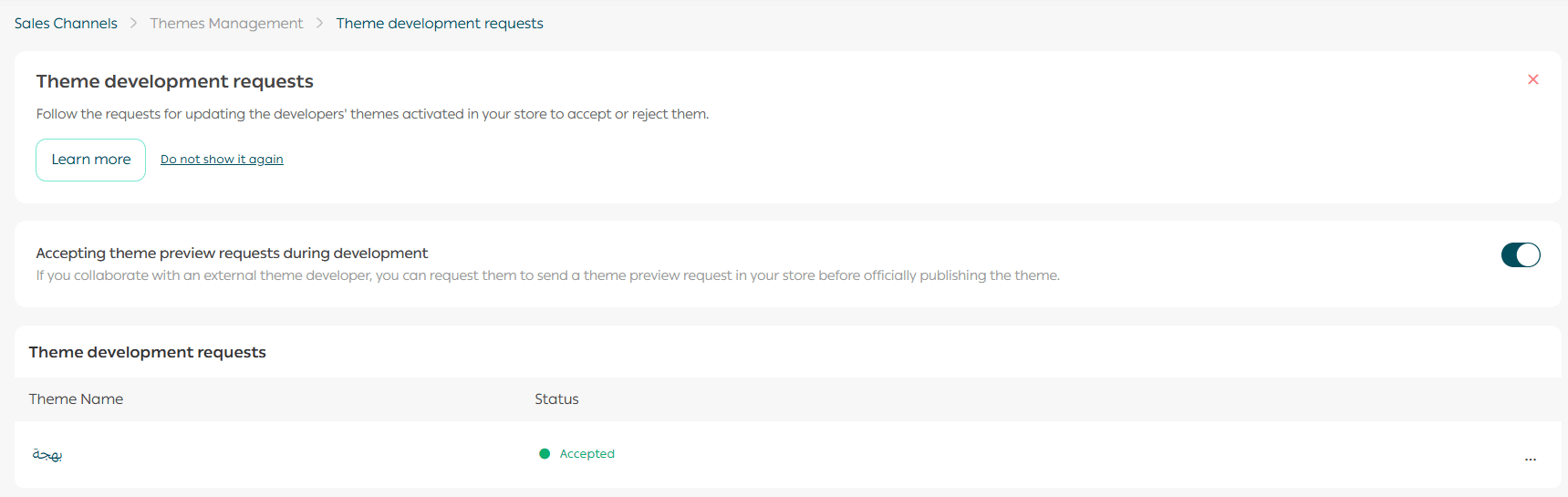
Then from the Store Design tab, click Theme Development Requests.

The page will display all theme development requests along with their current status.
How to Submit a Theme Development Request Through the Theme Store
1. Request a development version from the developer
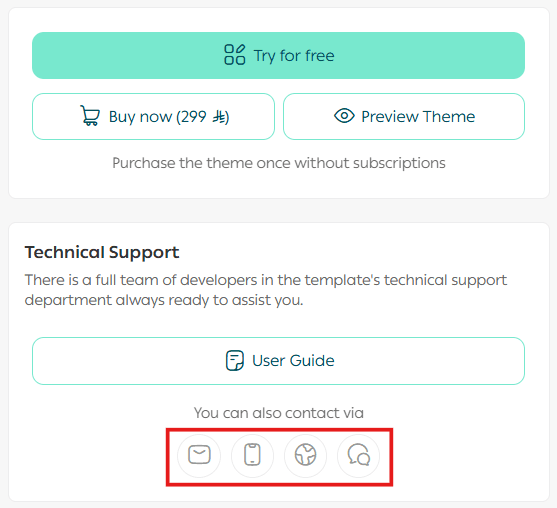
After selecting the theme you want to fully test, contact the theme developer through the available communication channels and ask them to send you a development version of the theme.
2. Accept the development request
Once the development request arrives, accept the request to enable the theme trial.

You can now customize the theme and test it within your store.

How Developers Submit a Theme Development Request
1. Submit the request as a developer
Go to the Salla Partners Platform.
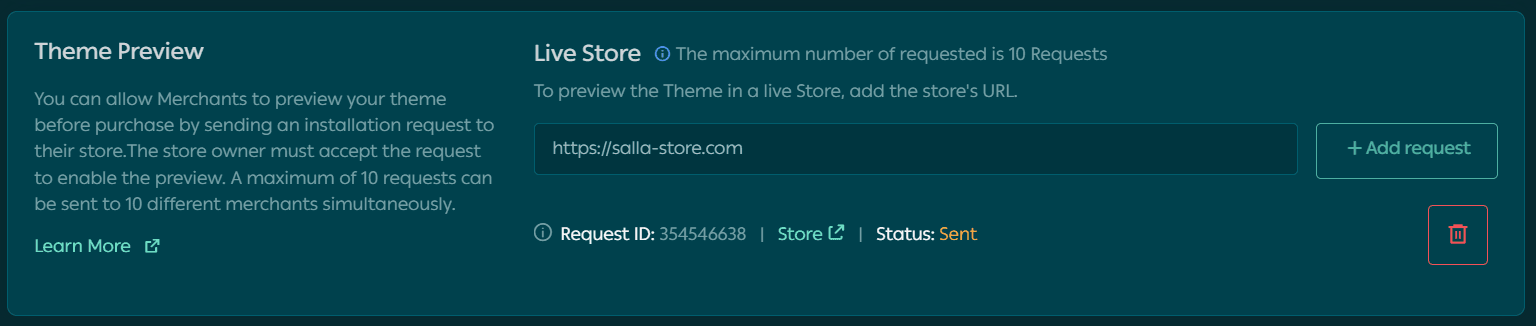
From the My Themes section, open the theme preview in a live store and click Send Installation Request.

You will see a confirmation that the installation request has been sent successfully.
2. Merchant experience after submission
As a merchant, once the development request arrives, you can accept the theme trial request.
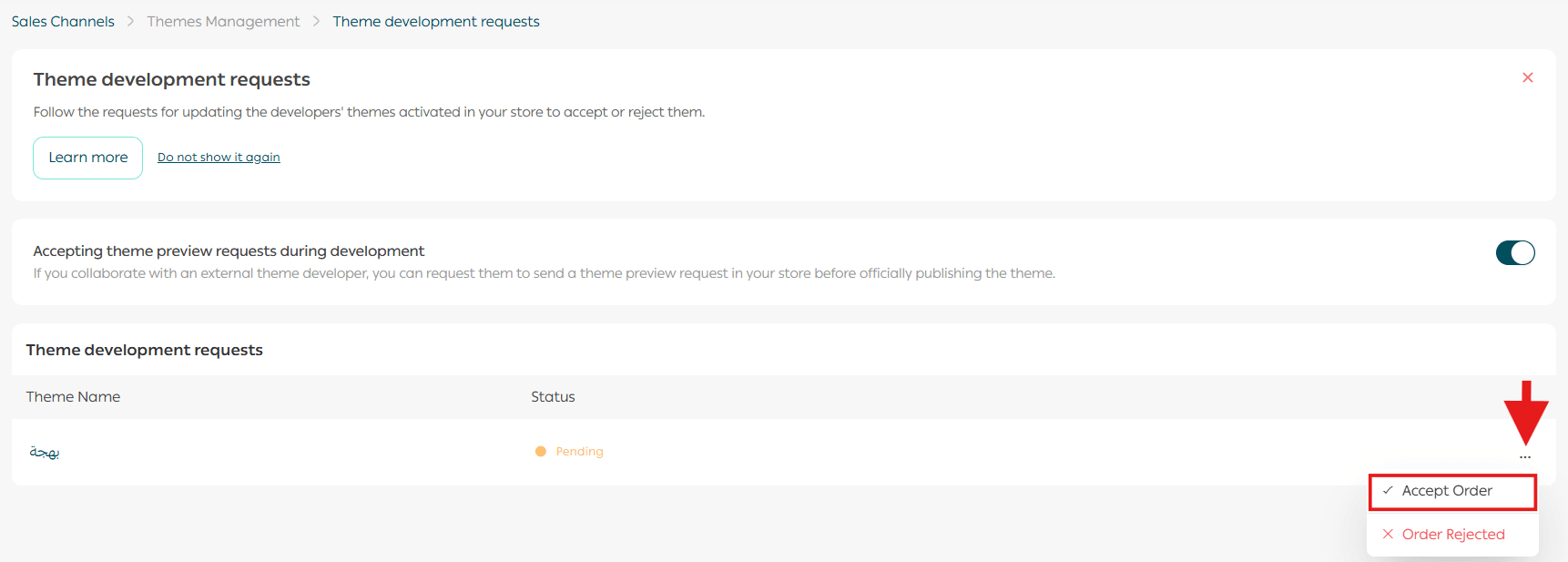
After accepting it, you can customize and test the theme in your store.
Frequently Asked Questions
How long does it take for the development request to appear in my store after the developer sends it?
The request appears instantly in your store.
How can I clearly communicate the required changes to the developer?
You need to send a theme update request to the developer. Once the update is accepted, a theme update request will appear in your store.
I accidentally rejected a theme development request. What should I do?
You need to contact the developer and ask them to resend the request.
Final Takeaway
Theme Development Requests give you flexibility without commitment.
You can explore, customize, and refine your store’s design with confidence, knowing you have a clear process to collaborate with developers and shape a theme that truly represents your brand.