As demand for your products grows, controlling how customers purchase becomes essential to protect stock availability and operational stability.
The Product Restrictions feature gives you full flexibility to define purchase limits, control repeat purchases, and set time based restrictions per product. This helps you create a balanced selling experience that protects inventory, prevents misuse, and keeps customers satisfied.
📌Article overview
- Create a new restriction
- View the restrictions page
- Search restrictions by name
- Manage restrictions after creation
🔔 Note: This feature is available for stores on the Special and Salla Pro plans.
Access the Product Restrictions Page
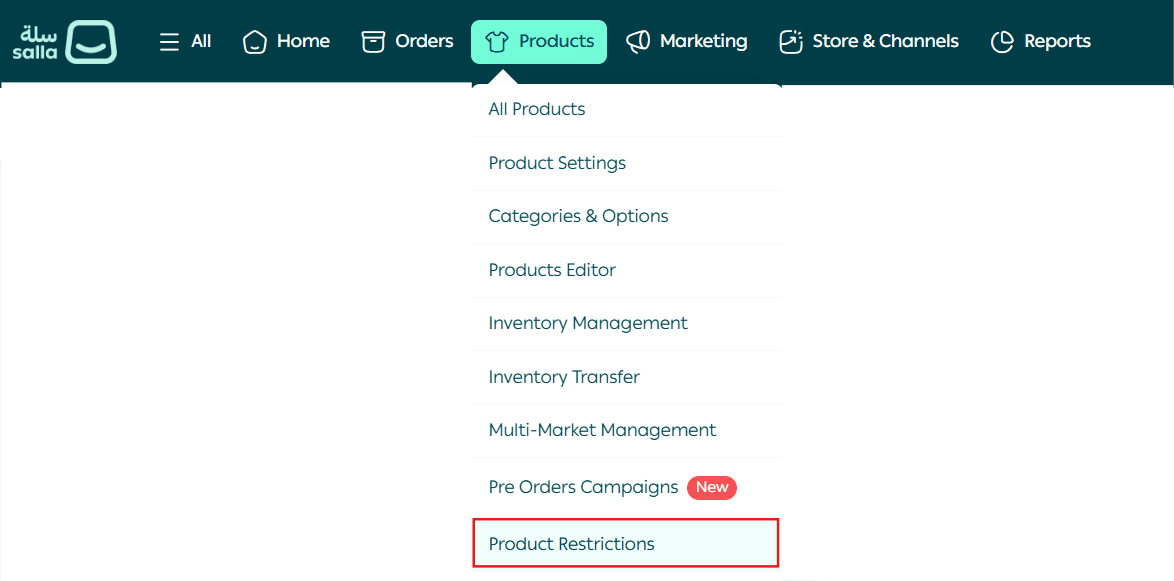
- From the main menu, go to Products.
- Click Product Restrictions.
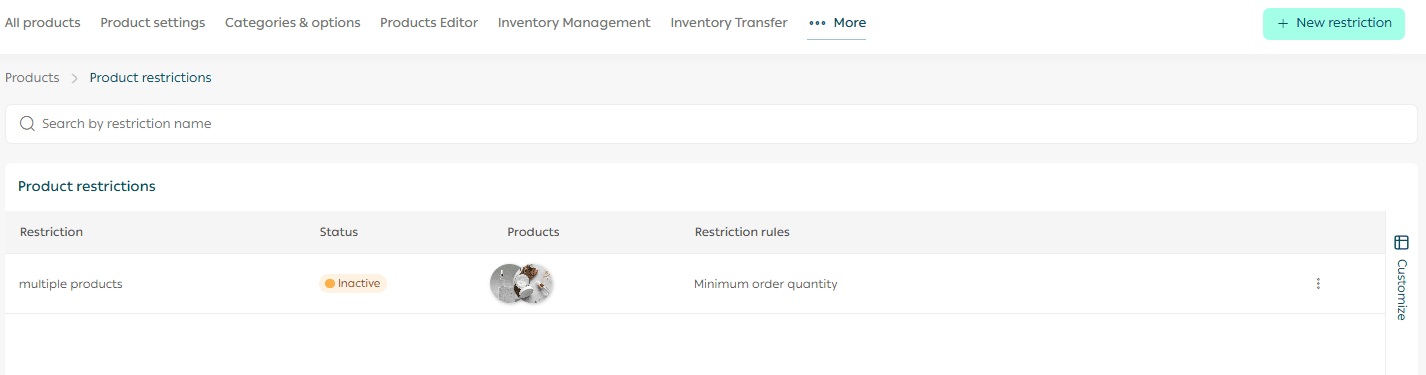
You will be redirected to the Product Restrictions page, where you can view:
- All created restrictions
- Their current status
- The conditions applied to each restriction
Create a New Product Restriction
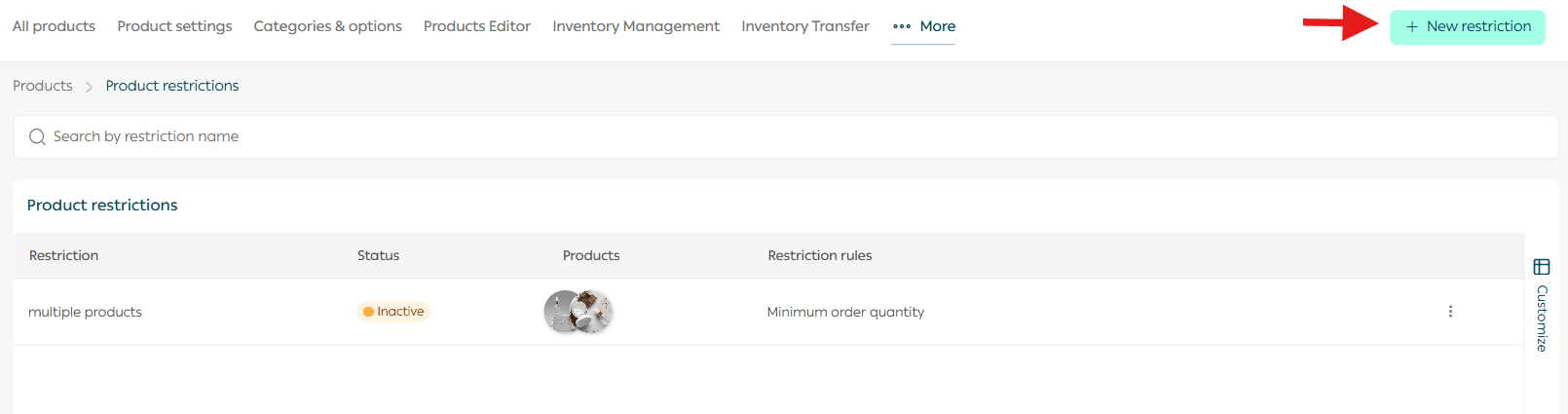
- From the Product Restrictions page, click Add New Restriction.
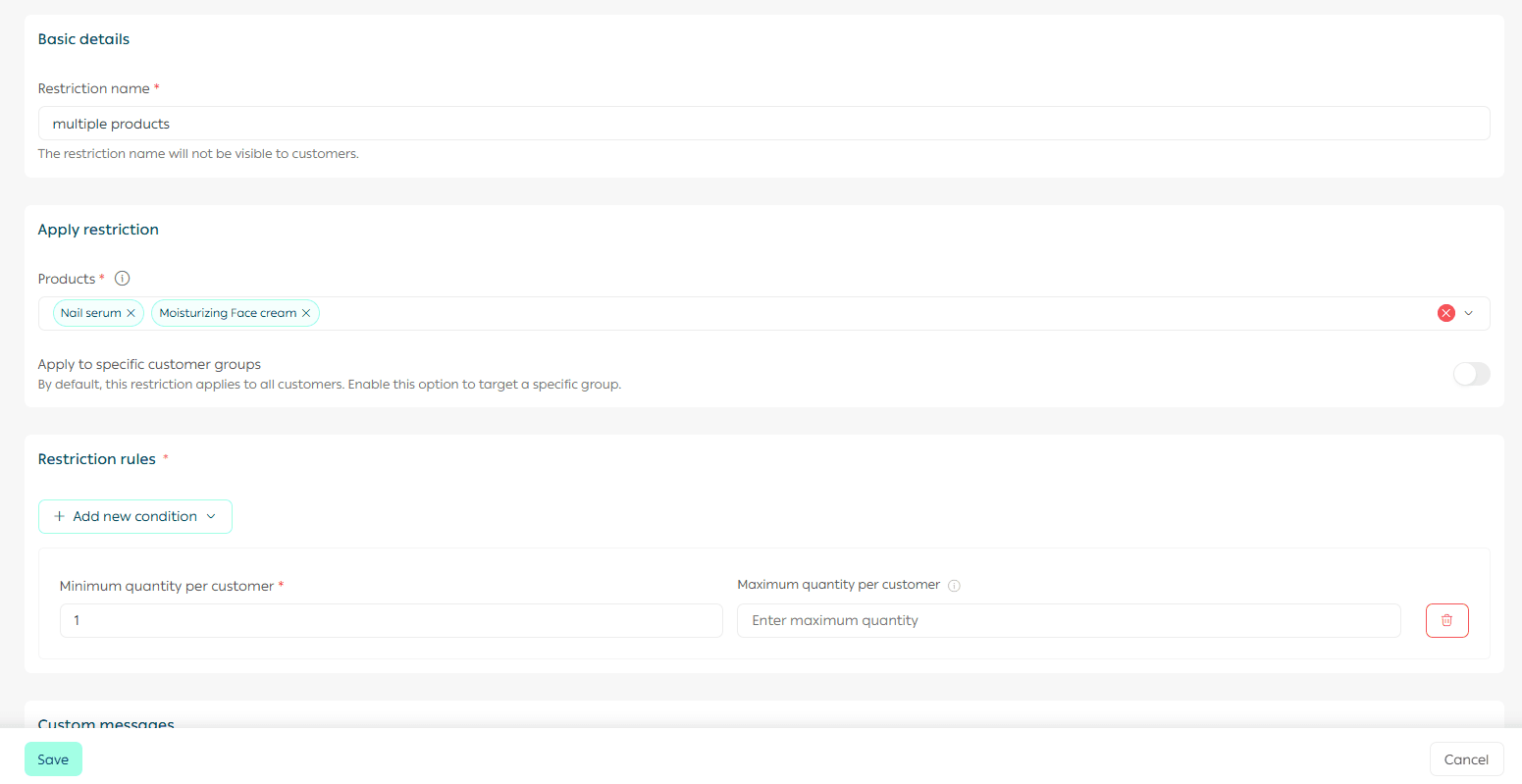
The restriction creation page will open and includes the following fields:
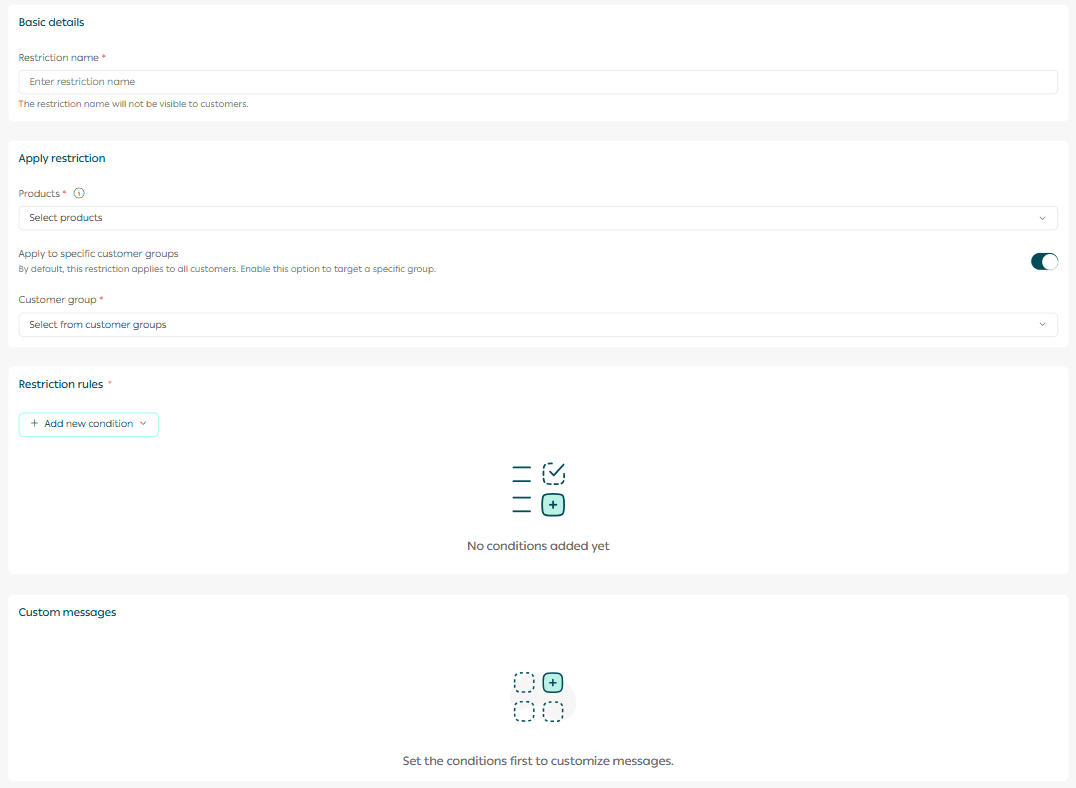
1. Restriction Name
Enter a clear name for the restriction to help you identify and manage it easily later.

2. Select Products
Choose the products that this restriction will apply to.
- You can select multiple products
- Only one restriction can be applied to each product
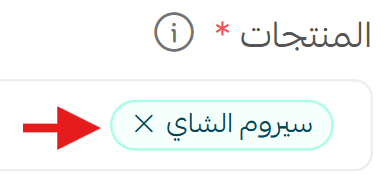
To remove a product, click the X icon next to it.
3. Customer Targeting
By default, the restriction applies to all customers automatically.
To apply the restriction to specific customer groups:
- Enable customer group targeting
- Select the groups you want the restriction to apply to
4. Select Markets
Choose the multiple markets that the restriction applies to.
Important notice: This feature is currently available only for stores operating in Saudi Arabia.
Note: This option appears only for Special plan merchants after enabling the multiple markets feature.
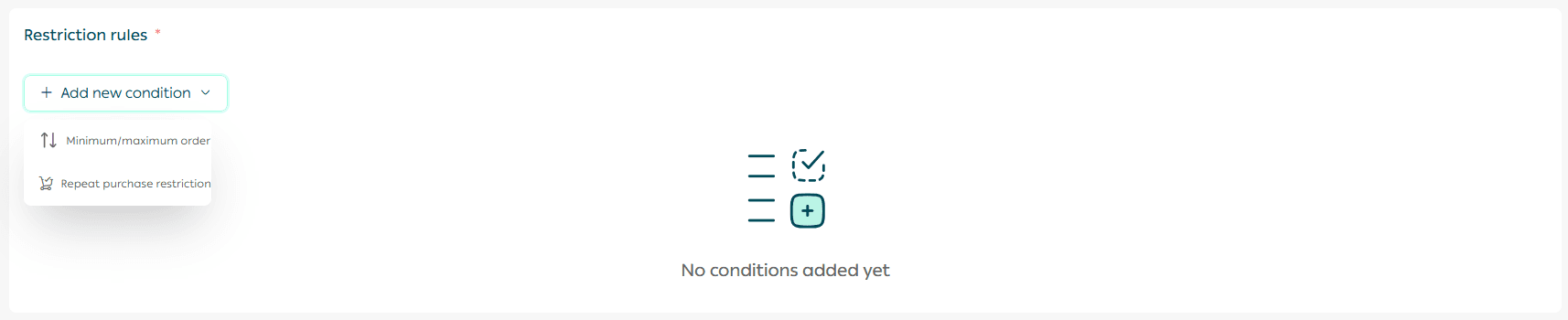
5. Define Restriction Conditions
You can apply one or both of the following conditions:
Quantity limits per customer
- Set a minimum quantity per order, default value is 1
- Set a maximum quantity that the customer cannot exceed
Restrict repeat purchases
Prevent customers from repurchasing the same product within a defined time period:
- 7 days
- 30 days
- Up to a maximum of 365 days
If you set a 30 day limit, the customer will not be able to buy the restricted product again until 30 days have passed since their last purchase.
Important note: If a maximum quantity is defined both on the product page and in the restriction settings, the restriction settings take priority.
6. Customize Restriction Messages
Each restriction includes default customer facing messages.
You can edit these messages to match your store tone or the nature of the product, ensuring clear and friendly communication with customers.

Create the Restriction
After completing all fields, scroll to the bottom of the page and click Create Restriction.

Manage Product Restrictions
Search by Restriction Name
Use the search bar to quickly find a specific restriction using keywords.

Manage an Existing Restriction
You can edit, disable, or delete a restriction at any time.
Only one restriction can be applied per product, but all available conditions within that restriction can be enabled together.
To manage a restriction, click the options icon next to it.
Edit Restriction
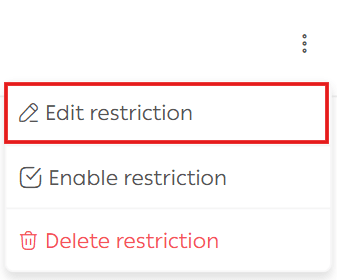
Update the restriction details as needed, then click Save.
Important notice: The multiple markets feature is currently available only in Saudi Arabia.
Disable Restriction
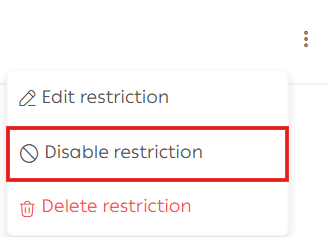
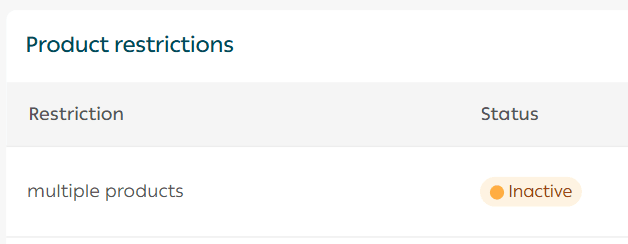
Disabling a restriction immediately changes its status to Inactive.
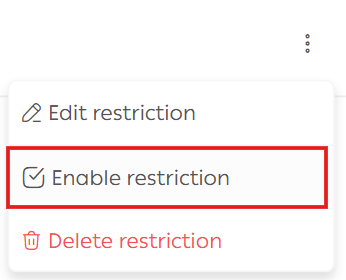
You can re-enable it at any time by clicking Activate Restriction.
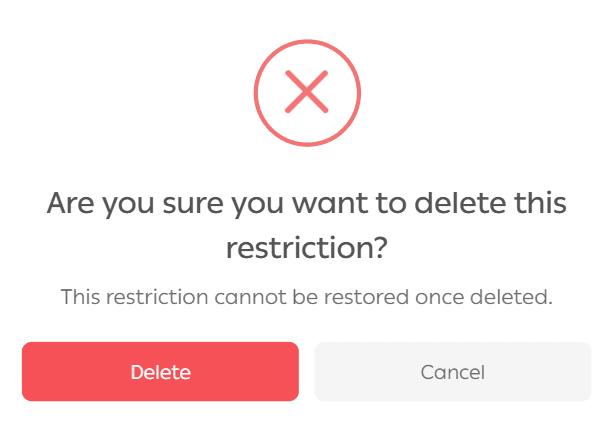
Delete Restriction
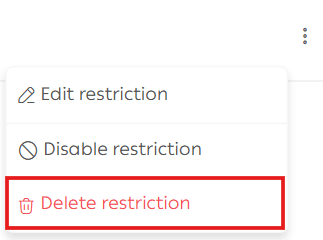
When the delete confirmation appears, choose:
- Yes, delete to confirm
- Cancel to keep the restriction
Frequently Asked Questions
Which plans support product restrictions?
The feature is available on Salla Pro and Special plans.
How do I apply the restriction to all customers?
Restrictions are applied to all customers by default without additional configuration.

Why Product Restrictions Matter
Using product restrictions helps you:
- Prevent stock hoarding and abuse
- Control high demand products fairly
- Reduce operational issues
- Improve customer trust and transparency
Smart restrictions protect your store while maintaining a smooth and fair buying experience for everyone.