How many of last month's customers came back and bought again?
Winning a first order is expensive. Getting that same customer to return is where the profit is. Pointat is a loyalty system for your Salla store: customers earn points for buying and for smaller actions like rating your store, completing their profile, or sharing your store link, then spend those points on rewards and discount coupons you design. It runs automatically once it is set up. In this guide, you'll learn what Pointat offers, how to install and activate it, and how to manage or remove it later.
Pointat is a loyalty app for Salla. Customers collect points when they buy, rate your store, complete their profile, or share your link, then redeem those points for rewards and discount coupons you design. Install it from the Salla App Store and manage everything from the Pointat dashboard.
📌 Article overview
- What Pointat offers your store
- How to install and activate Pointat
- How to manage Pointat
- Frequently asked questions
🎯 What Pointat offers your store
- A points system with a range of rewards that encourages customers to buy more than once.
- Detailed reports and analytics that sharpen your targeting and campaigns.
- Automatic operation and marketing intelligence that lift engagement without heavy manual work.
- Full integration with your sales channels, so the customer experience stays smooth.
🚀 How to install and activate Pointat
1. From the main menu, click (All), then under helper tools, click (App Store).

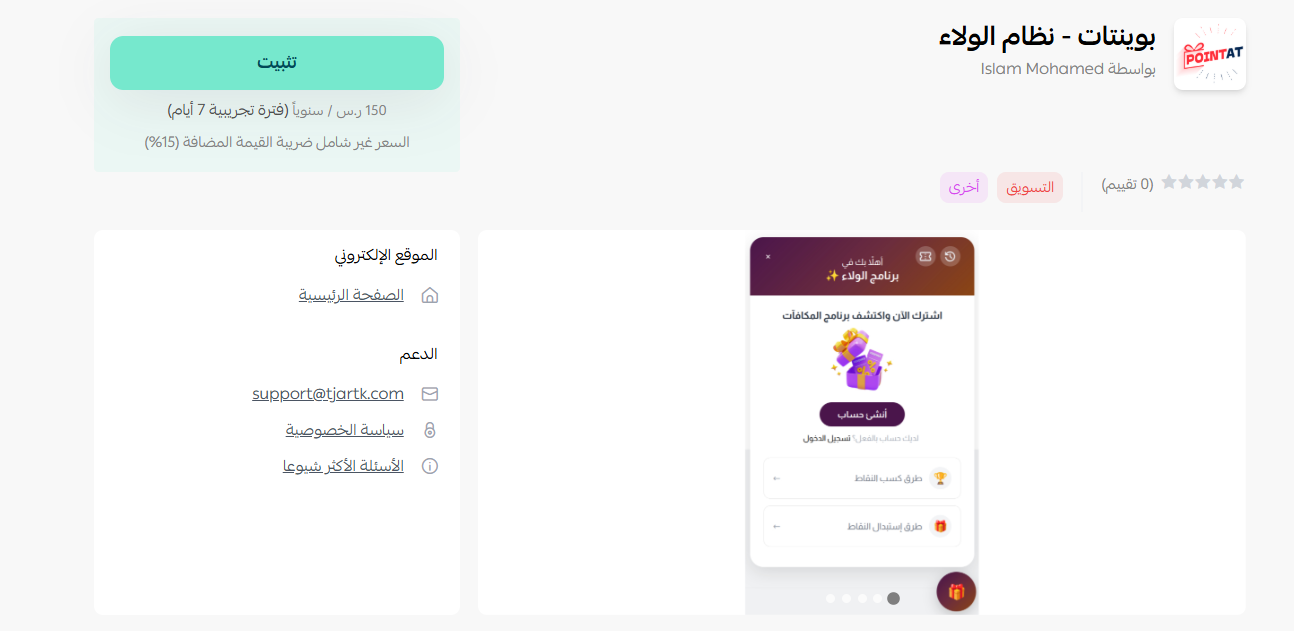
2. On the Pointat - loyalty system app page, click (Install).
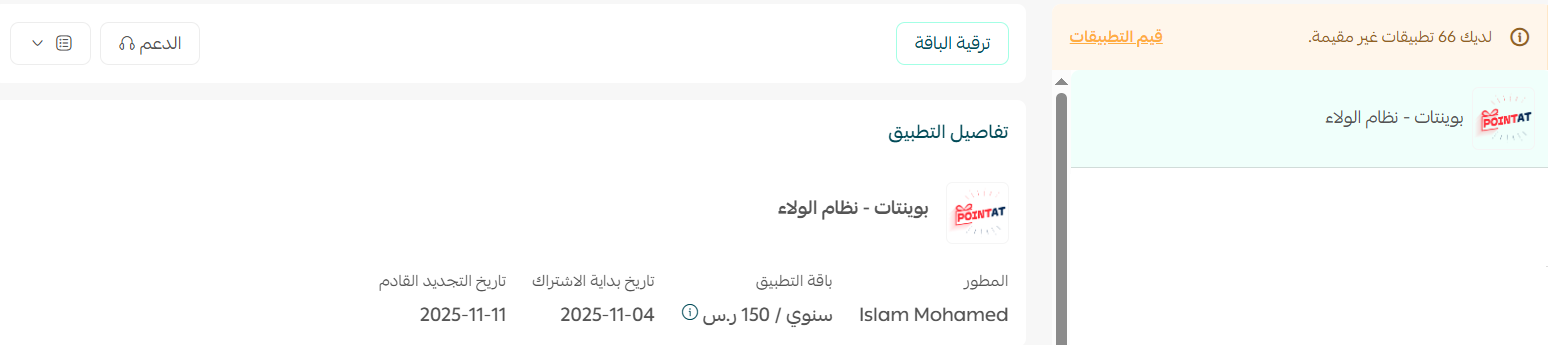
3. The app is now installed on your store.
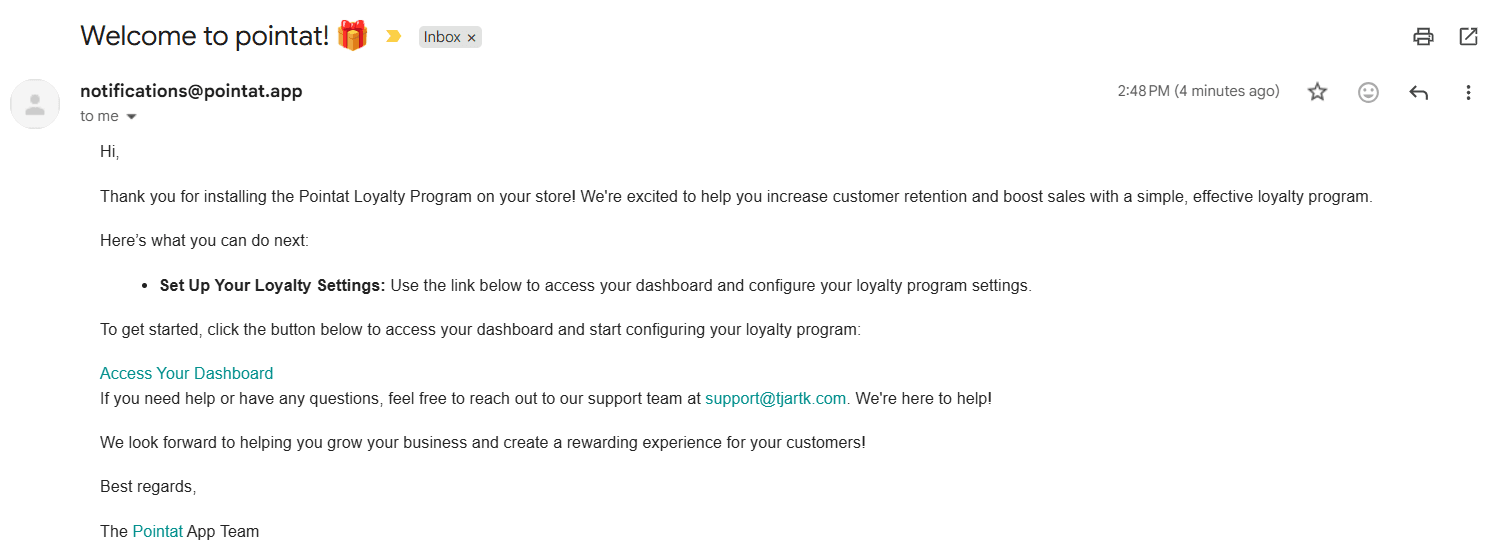
4. Check your inbox. Once installation is complete, you receive an email pointing you to your dashboard on the Pointat site.
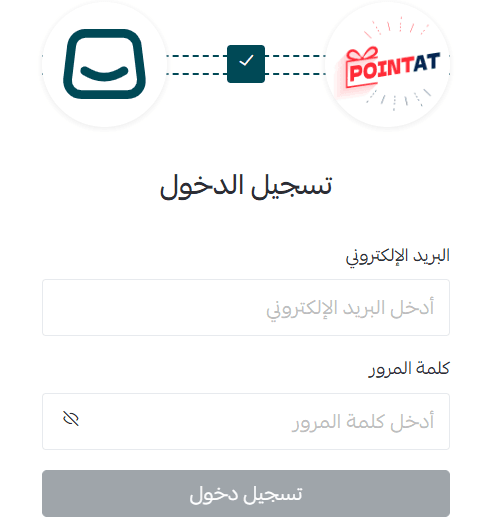
5. Sign in with your account details.
6. You land on the dashboard home page, where you set up your points rules and rewards.
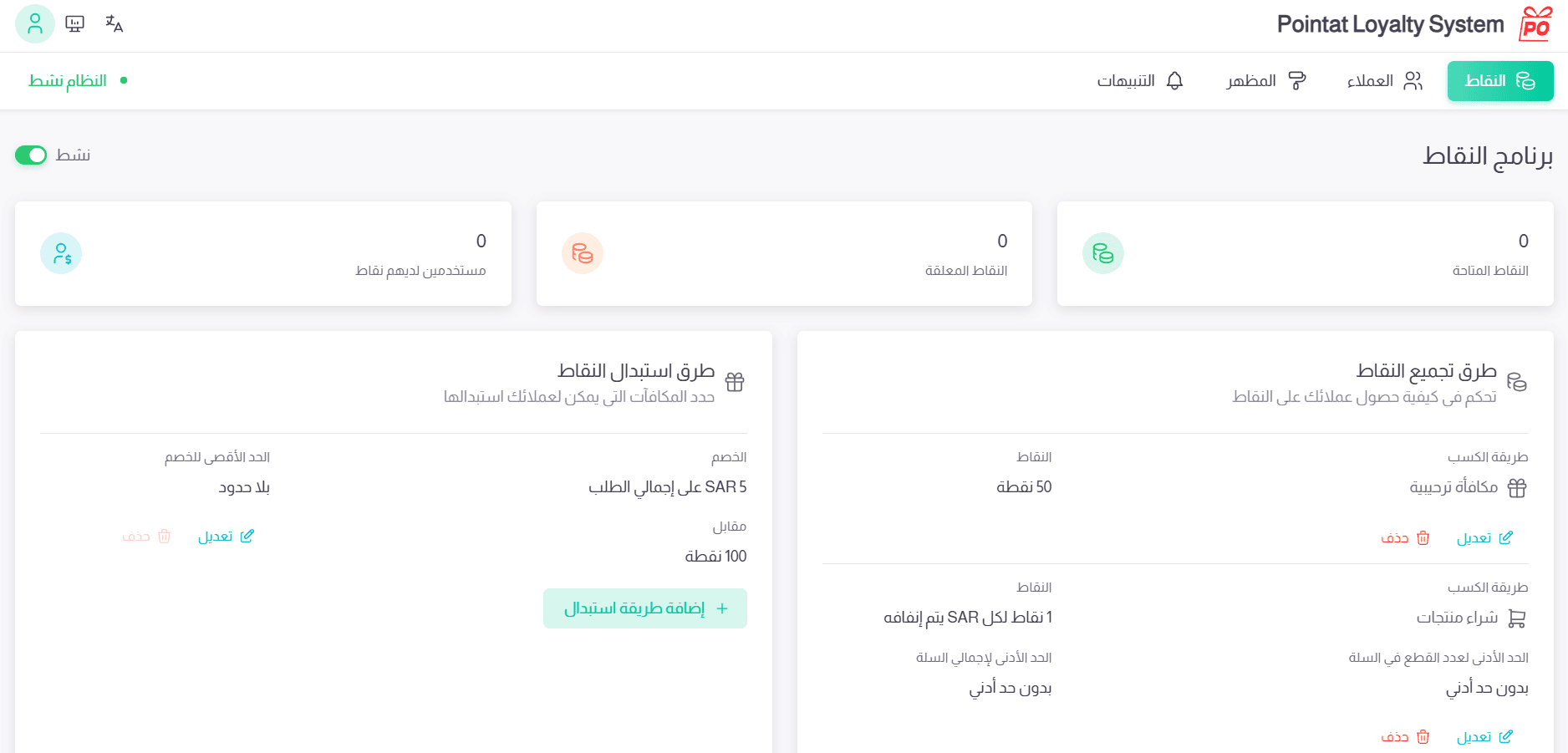
👣 How to manage Pointat
Upgrade your plan
1. From the app actions menu, click (Upgrade plan).

2. Choose the plan that fits your business, then click (Continue to payment).
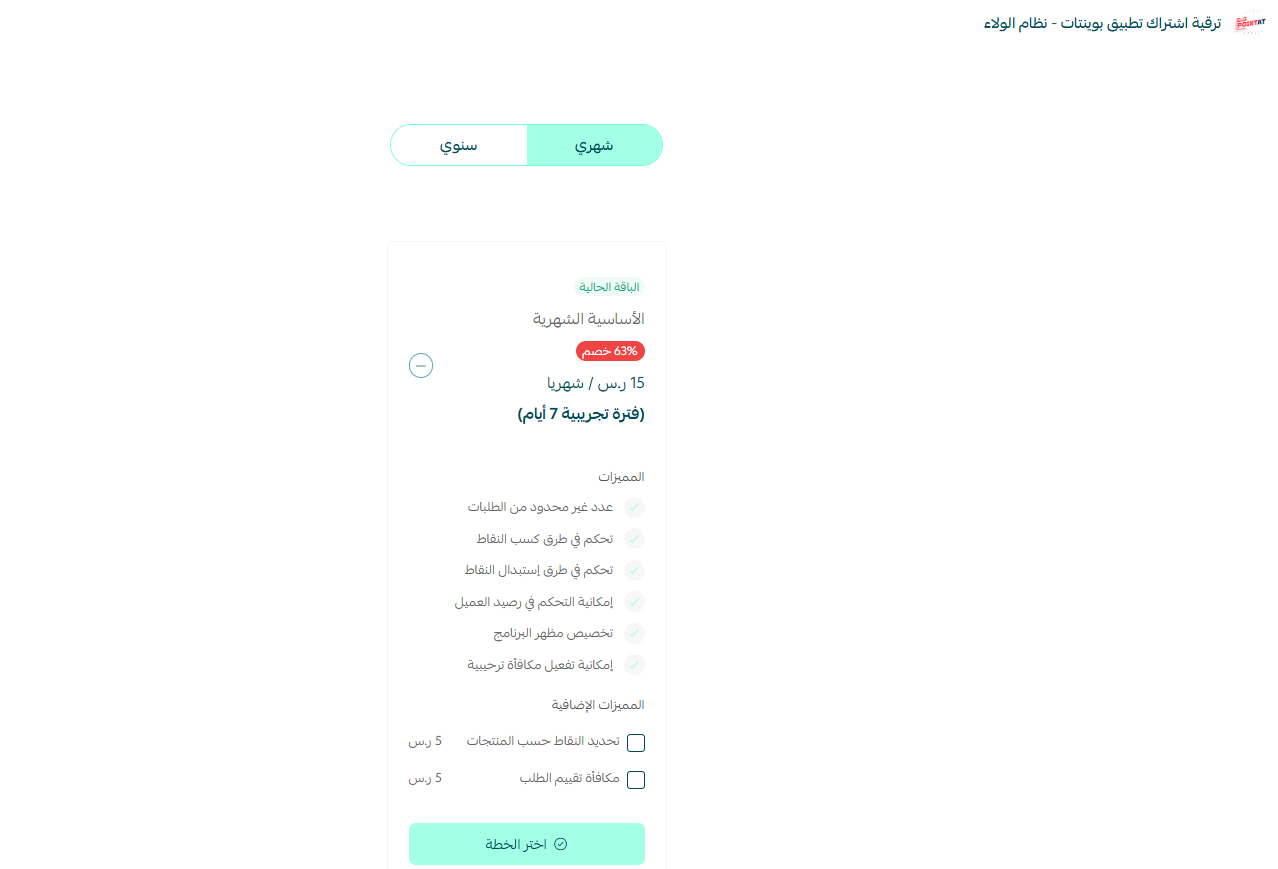
3. Complete the payment to finish the upgrade.
Remove the app
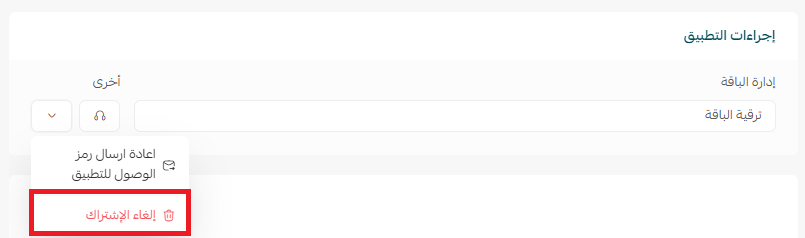
1. From the app's options menu, click ( ), then click (Cancel subscription).
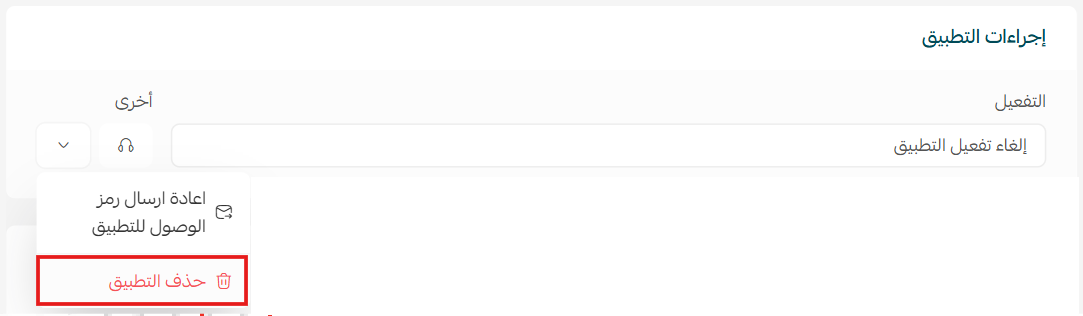
2. From the same menu, click (Delete app).
📝 Important notes
- Points are earned for more than purchases, so you can reward customers for rating your store, completing their details, or sharing your store link.
- Rewards and coupons are yours to design, which means you control how much each point is worth.
❓ Frequently asked questions
How do customers earn points?
Customers collect points on every purchase and on interactions such as rating your store, completing their account details, or sharing your store link with someone else.
What can customers do with their points?
They redeem them for rewards and discount coupons that you set up yourself, so the value and the conditions are entirely under your control.
Do I run the loyalty program from my Salla dashboard?
You install the app from the Salla App Store, but you configure points, rewards, and reports in the Pointat dashboard, which you reach through the email sent after installation.
Can I see how the program is performing?
Yes. Pointat includes detailed reports and analytics so you can see what is working and target your campaigns better.
For more details, see Pointat - loyalty system.
A loyalty program only works if customers can see the reward getting closer. Points on every interaction, not just purchases, is what keeps them looking.