Once the money is in your account, do you know exactly how much of it you have paid back?
Financing only stays useful when you can see where it stands. After your request is approved and the amount is transferred, the Salla Capital page in your Salla dashboard becomes the single place to follow your financing: the summary, every repayment, and the full account statement, which you can export whenever you need a copy. In this guide, you'll learn how to track your Salla Capital financing and repayments.
From your dashboard, go to Salla Capital and open the active financing page. It brings together your financing summary, your repayment history, and your account statement. The data updates automatically with every repayment, and you can export the account statement at any time to keep or share a copy.
📌 Article overview
- How to open the active financing page
- Viewing your financing summary
- Viewing and exporting your account statement
- Tracking your repayments
- Frequently asked questions
👣 View and track your financing and repayments
From your store dashboard, go to Salla Capital, then open the (active financing page).
The active financing page brings everything about your financing into one place, so you can follow the financing status, review your repayments, look through the account statement, and export its data when you need it.
View your financing summary
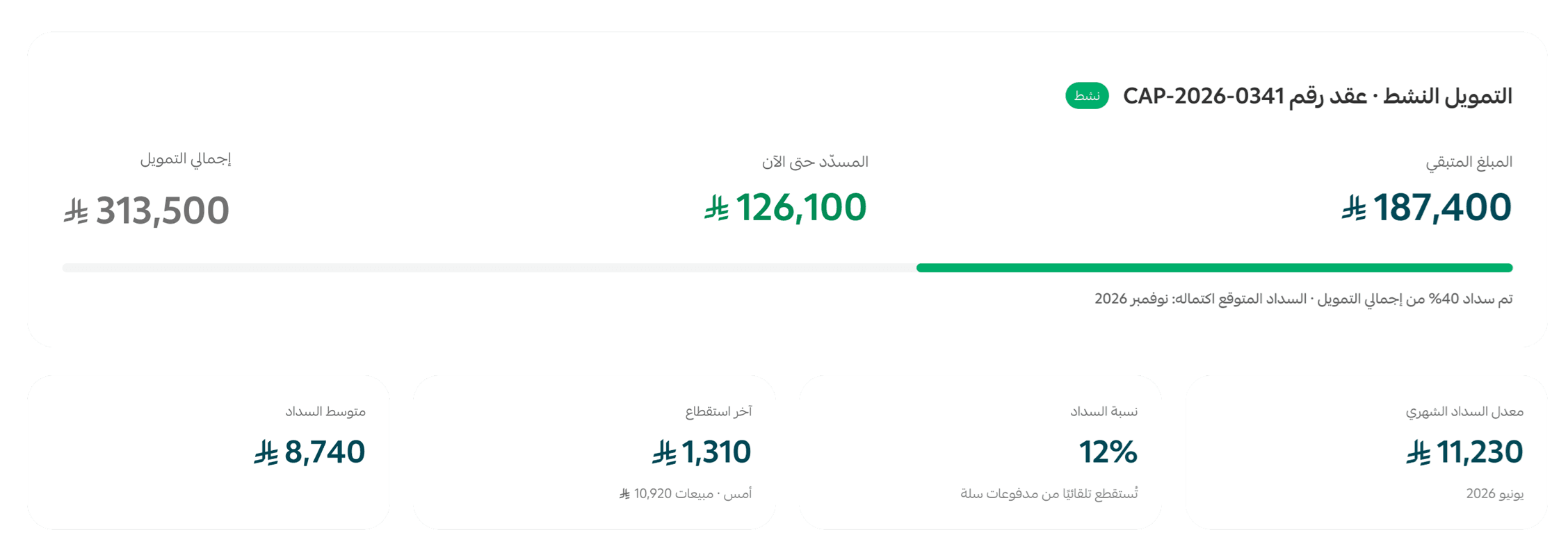
The active financing page shows a summary that helps you follow the status of your financing. It includes:
- Contract information
- Account statement
- Repayment details
📝 Important notes
This data updates automatically with every repayment.
View your account statement
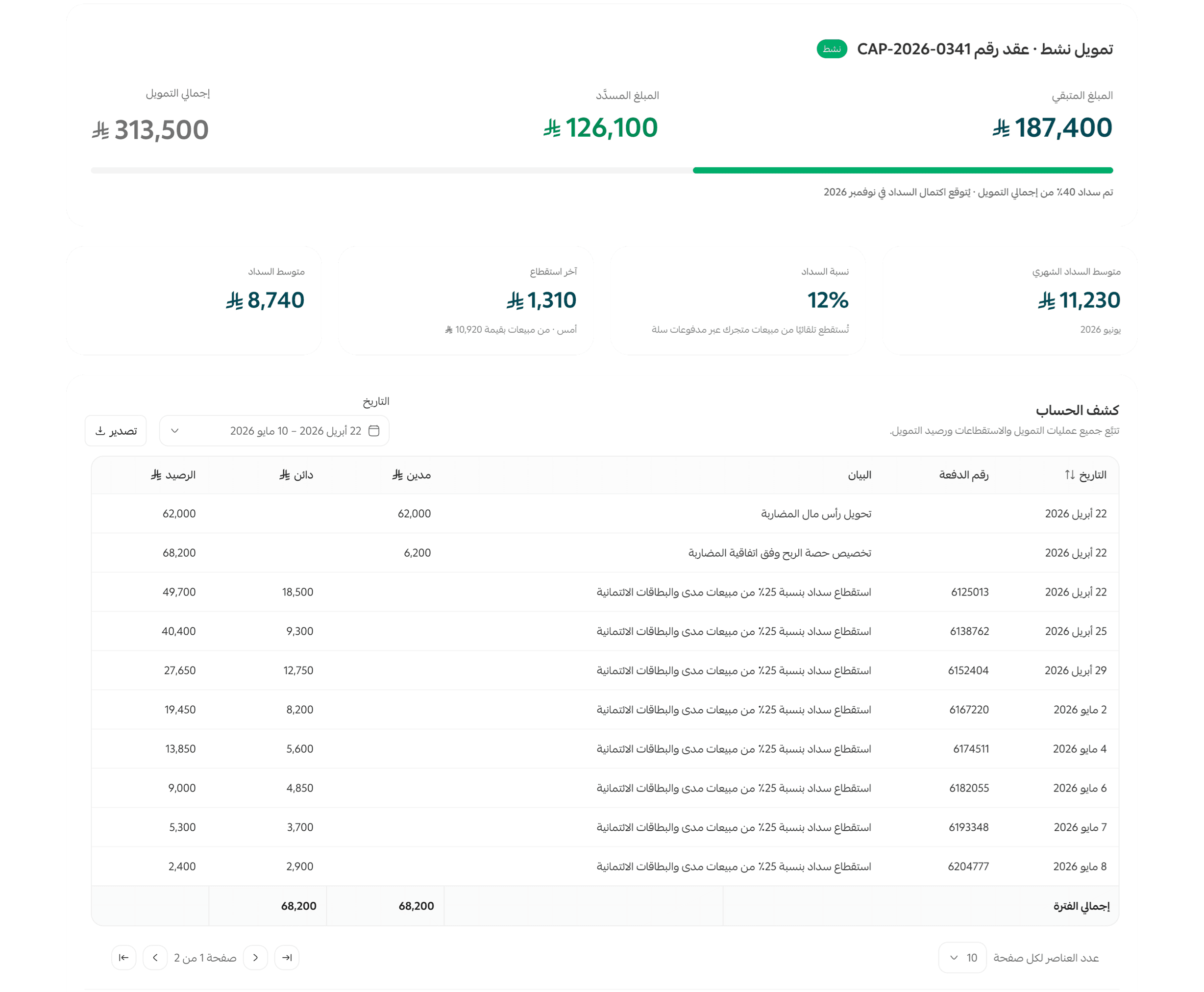
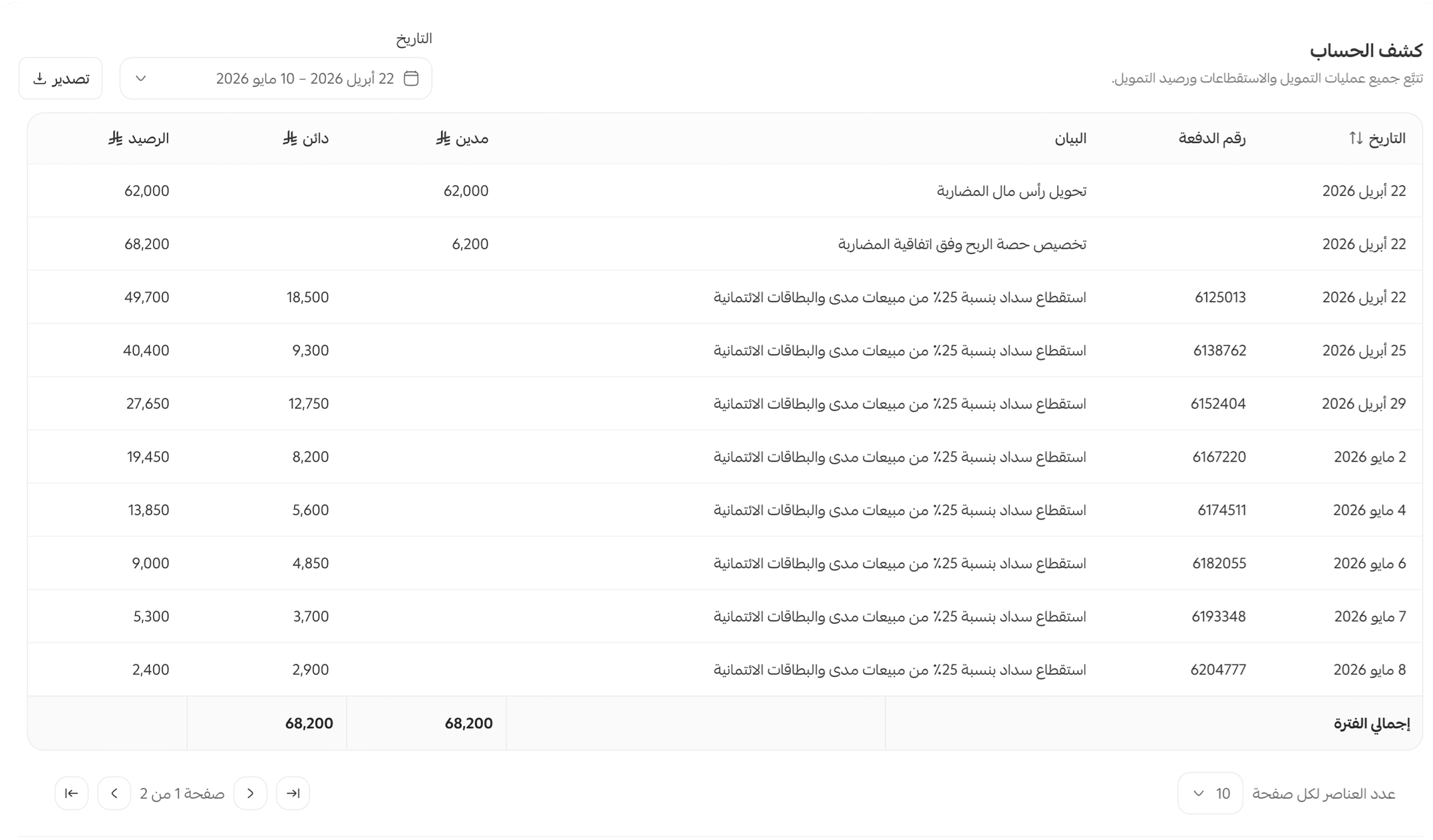
The account statement gives you a record of every transaction linked to your financing, so you can review the financial movements at any time.
Export your account statement
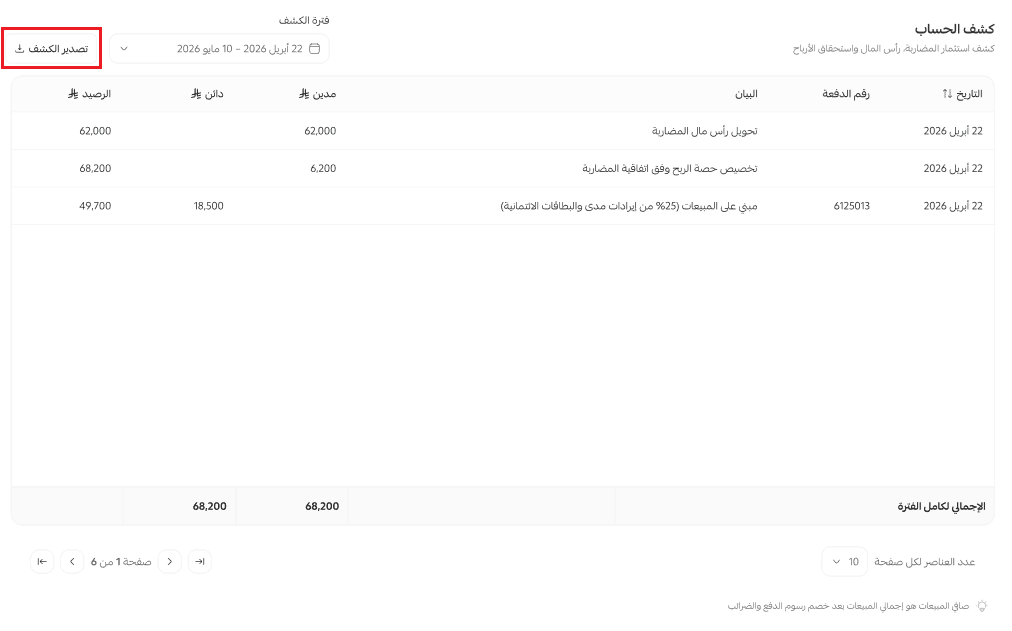
If you need to keep a copy of your account statement or share it, you can export it directly from the Salla Capital page.
Track your repayments
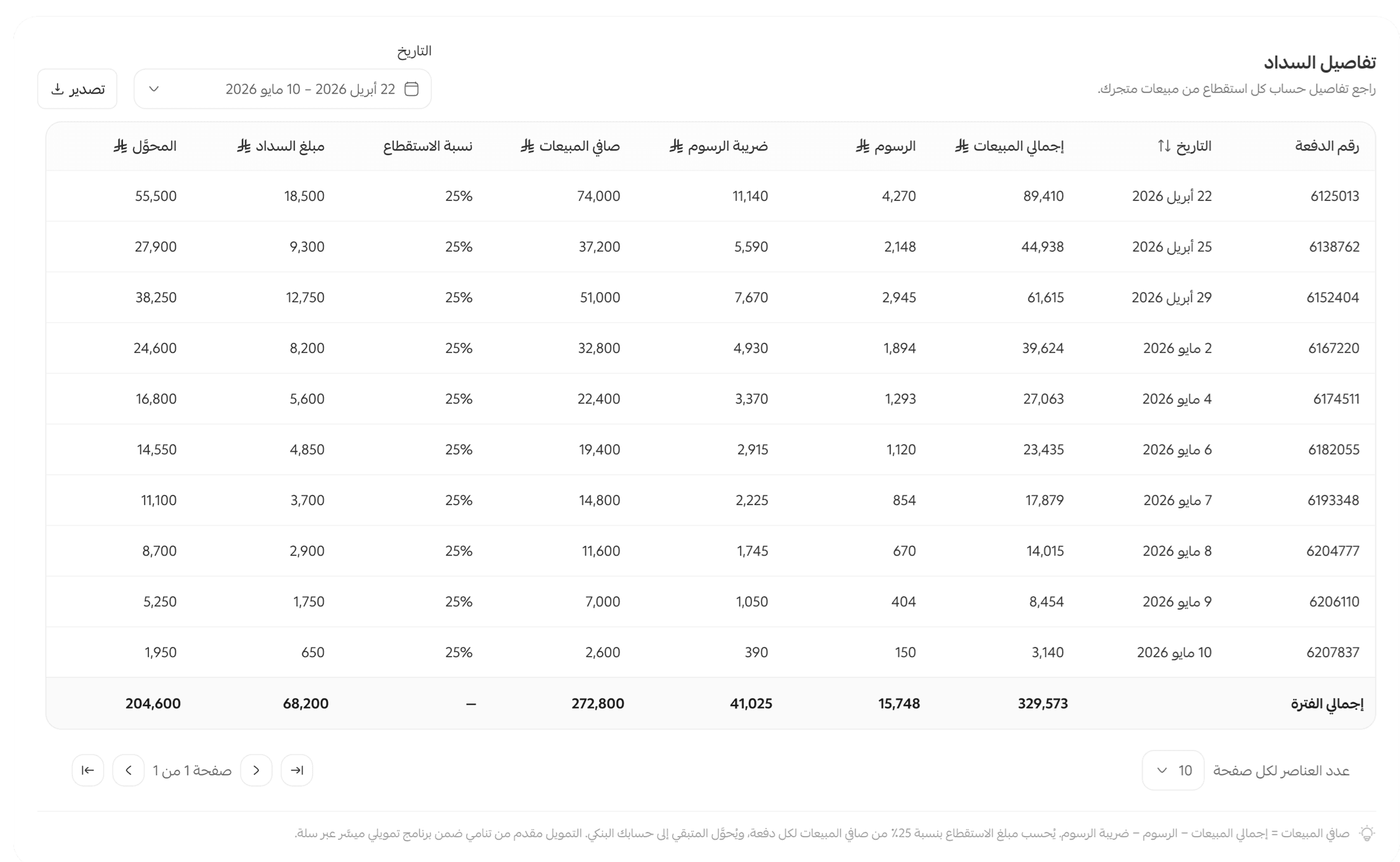
You can open your repayment history to follow how far along you are with repaying the financing. It shows the details of each payment, such as:
- The repayment date.
- The payment amount.
- The remaining balance after the payment.
That gives you a continuous view of your repayment status and how the financing is progressing.
❓ Frequently asked questions
Where do I track my financing status?
You can track your financing status on the financing page in Salla Capital, which shows all your financing and repayment details.
When might I need the account statement?
You may need your account statement in these cases:
- Reviewing previous repayments.
- Reconciling the financial movements linked to your financing.
- Keeping a record of the transactions.
- Sharing the account statement with the relevant parties when needed.
How do I know how much of the financing is left?
The financing summary shows the total financing amount, the total amount repaid, and the remaining amount. This data updates automatically.
Where do I find the account statement?
You can reach the account statement from the financing page in Salla Capital, where you can review every transaction linked to your financing.
Are the financing data and account statement updated automatically?
Yes. Your financing data and account statement update automatically whenever any transaction linked to the financing or a repayment is recorded.
Can I export the account statement?
Yes. You can export the account statement directly from the active financing page, so you can keep a copy or share it when you need to.