When running an online store, revenue does not come only from product sales. Shipping can also become a measurable source of profit when managed correctly.
With direct integrations to external shipping companies, you can define the shipping cost you pay as a merchant. This allows you to calculate the difference between what the customer pays and what the store pays to the shipping provider, giving you full visibility into your shipping profit.
In this guide, you will learn how to set up shipping costs and track your shipping profit reports accurately.
Shipping profit formula
Shipping Profit = Customer Shipping Fee − Shipping Cost Paid by the Store
📌 Article overview
- Steps to set up shipping cost
- Viewing shipping profit reports
- Frequently asked questions
Steps to set up shipping cost
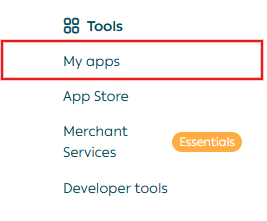
- From your store dashboard, click All, then go to App Store under the Tools section.
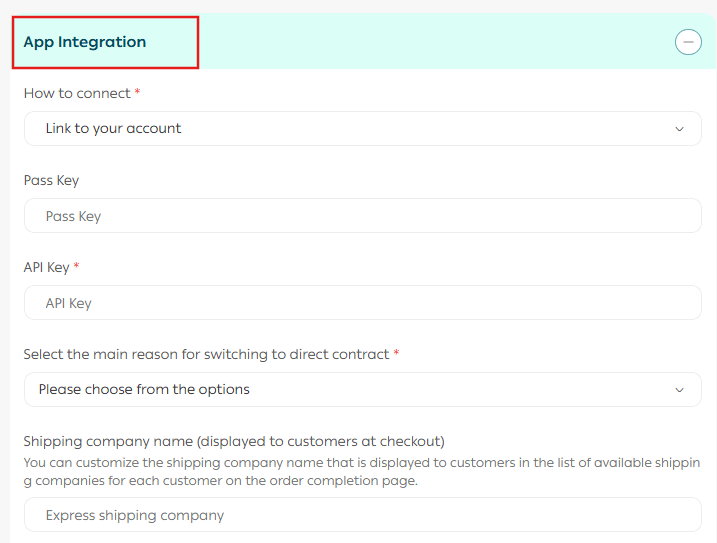
2. From your preferred app, open the App Integration.
3. Under the Shipping rate tab, enter shipping prices for the required cities and regions.
Enter the merchant shipping cost, which will be used to calculate your store’s shipping profit.
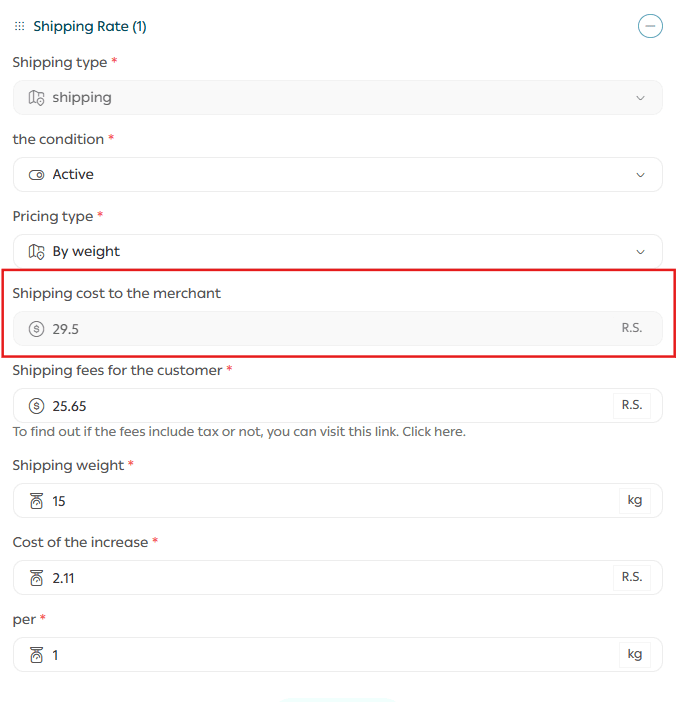
Where:
- Merchant shipping cost
The amount the store pays to the shipping company.
- Customer shipping cost
The amount the customer pays when placing an order.
Viewing your shipping profit reports
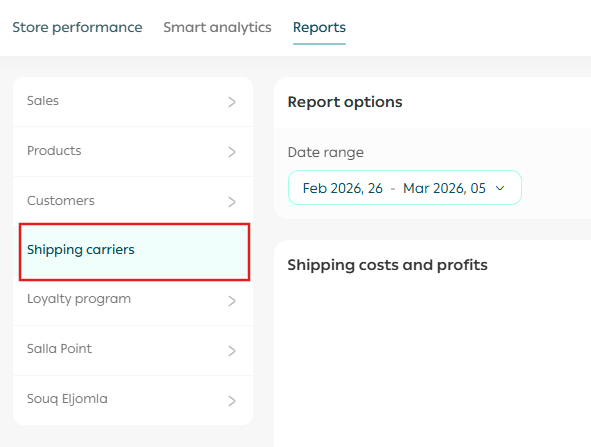
From the main dashboard, open the Reports tab, then select Shipping carriers.
Choose the report date from the date selector to view your shipping profit data.
Frequently asked questions
Will the merchant shipping cost be visible to customers?
No. This information is private and visible only to the store owner. It will not appear to customers during checkout or in invoices.
How is free shipping calculated and how does it affect shipping profit?
Free shipping is still counted as a shipping cost for the store.
💡 Example: If your store offers free shipping but the shipment costs the store SAR/AED 16, this amount is recorded as a loss.
At the end of the month, your shipping profit report will display −SAR/AED 16 under shipping profit.
How is shipping profit calculated for Salla Shipping Labels?
For Salla Shipping Labels, profit calculations are based on the Salla Shipping Label price, not an external merchant cost.
Is shipping profit calculated for all orders?
No. Shipping profit is calculated only from the moment the shipping cost is entered, with no retroactive effect on past orders.
💡 Example 1: If you enter the shipping cost on the 10th of the month, shipping profit will be calculated starting from the 10th onward. Orders placed before that date will not be included.
💡 Example 2: If your store uses two shipping companies and you set a shipping cost for only one of them, shipping profit will be calculated only for the company with a defined cost. The other company will not appear in shipping profit reports.