Have you experienced lost shipments or unexplained delivery delays with no clear way to resolve them? The shipping quality gateway gives you full control over submitting and tracking shipping company complaints in a transparent and organized way.
In this article, you’ll learn how to use the shipping quality gateway to protect your rights as a merchant and ensure a more reliable shipping experience for your customers.
Note: This feature is currently available only for stores operating within the Kingdom of Saudi Arabia.
📌Article overview
- About the shipping quality gateway
- Shipping quality gateway page
- Steps to submit a new complaint
- Managing and tracking complaints
About the shipping quality gateway
What is the shipping quality gateway?
The shipping quality gateway is a system designed to manage and track complaints related to Salla shipping labels. Merchants can submit shipping complaints with full details and attachments, and the relevant shipping company will follow up directly through the portal.
This ensures:
- Clear communication
- Faster issue resolution
- Transparent complaint tracking
Shipping companies available in the quality gateway
Currently, the shipping quality gateway supports complaints for the following carriers:
- SMSA
- Aramex
- J&T
- AyMakan
- Mandoubi
- RedBox
- Adwar
- DHL
Types of complaints
You can submit complaints for the following issues:
- Lost shipment
- Damaged shipment
- Additional charges applied
- Pickup or delivery-related issues
Shipping quality gateway page
To access the shipping quality gateway:
- From the main menu, click All, then under Settings & Tools, select Shipping Companies.
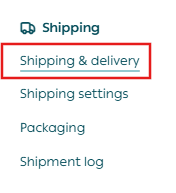
2. Click Shipping quality gateway.

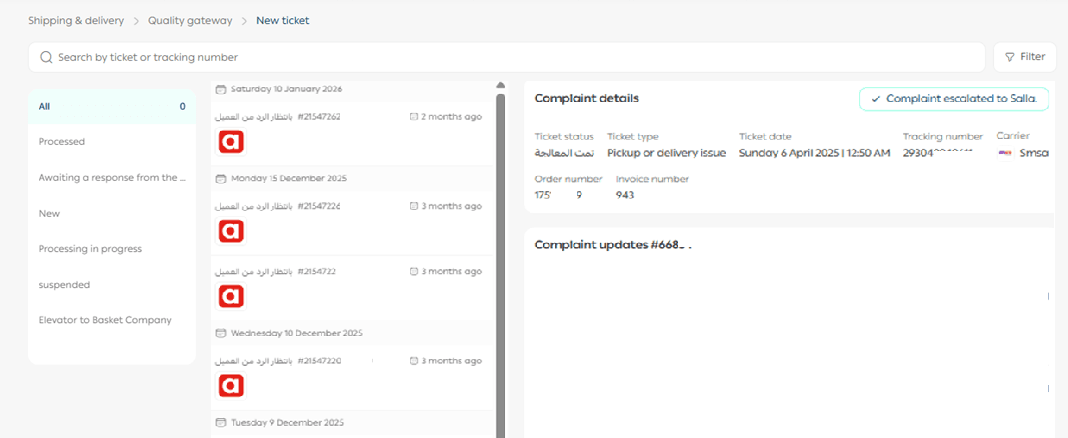
The portal page will display:
- A list of submitted complaints and their details
- Complaint statuses
- Search tools to find a specific complaint
- An option to submit a new complaint
Steps to submit a new complaint
- From the shipping quality gateway page, click New Complaint.
2. Enter the shipping label number in the search field, then click Search.
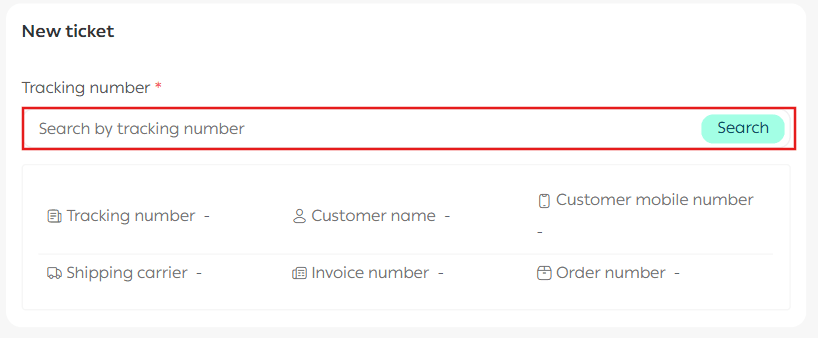
3. Once the label is selected, its details will appear automatically.
- Select the complaint type
- Enter the complaint details
- Click Submit
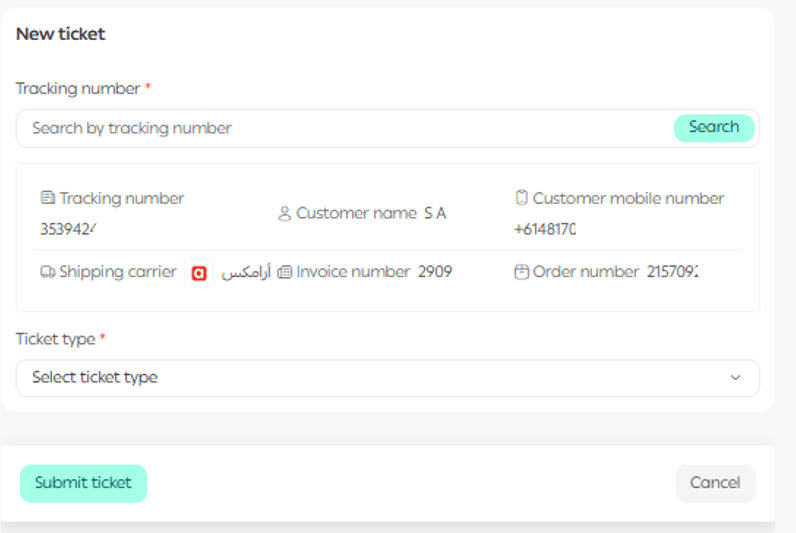
Complaint requirements and timelines
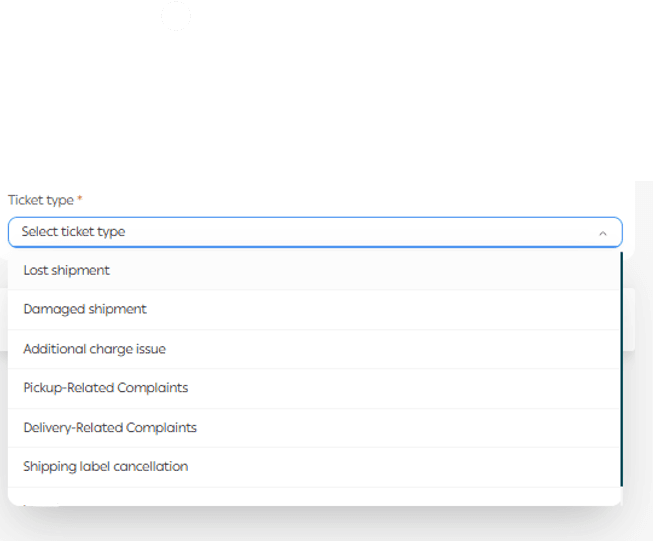
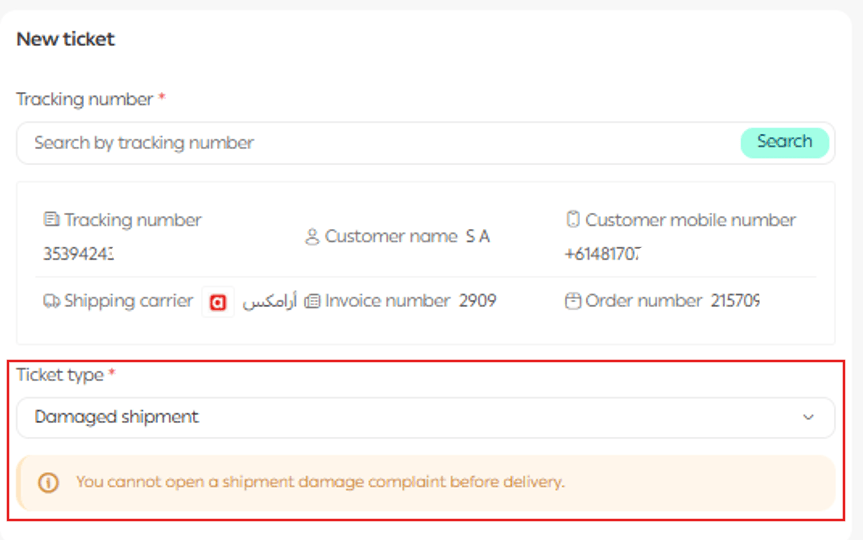
When selecting a complaint type, the system will display:
- Required attachments
- Information that must be provided
- The expected processing timeframe for that complaint type
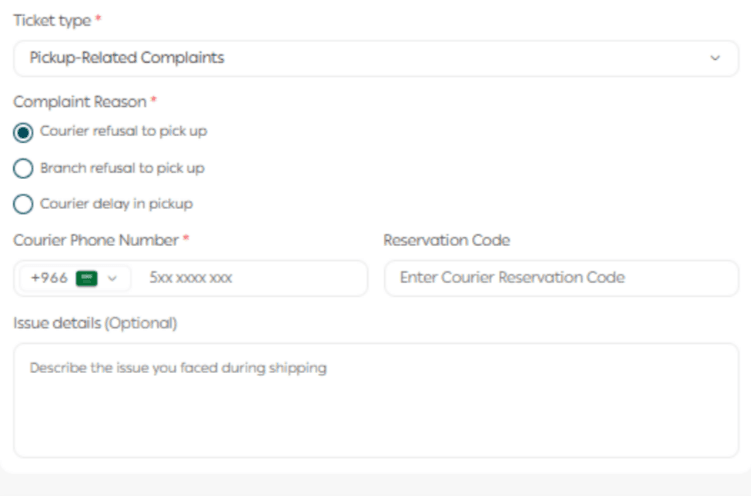
Example:
For a Pickup-Related complaint, you must attach:
- The reason
- Courier number
Once submitted, the complaint status will appear on the shipping quality gateway page.
Managing and tracking complaints
Track a complaint
You can follow the full conversation history between your store and the shipping company directly within the complaint record.
You can also:
- Add replies
- Attach images or documents
Escalating a complaint to Salla
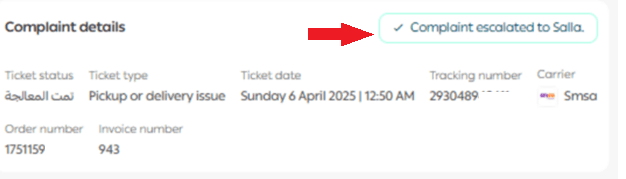
A complaint can be escalated to Salla under the following scenarios:
Scenario 1: The shipping company does not respond within 5 days
- The complaint is automatically escalated to Salla after 5 days without a response.
Scenario 2: The shipping company responds, but the merchant does not reply within 3 days
- The ticket is automatically closed after 3 days of no merchant response.
Scenario 3: The shipping company responds and closes the ticket immediately
- The merchant can manually escalate the complaint within 5 days after closure.
- After the fifth day, escalation is no longer possible.
To manually escalate a complaint based on the scenarios above, click Escalate Complaint to Salla.
Rate your experience
After a complaint is closed, don’t forget to rate your experience. Your feedback helps improve the overall quality of shipping services on Salla.