Are you struggling to convince hesitant customers to pay the full amount upfront? This can reduce your sales volume and impact your store’s cash flow.
With Tamara, you can offer a flexible Buy Now, Pay Later solution with no hidden fees and completely Sharia compliant. Customers can split their purchases into installments or choose to pay in full, making checkout easier and increasing completed orders.
In this guide, you’ll learn how to activate Tamara in your Salla store and benefit from this payment option to improve the shopping experience and boost conversions.
📌Article overview
- What is Tamara?
- Creating and activating a new Tamara Business account
- Activating an existing Tamara account in your store
- Frequently asked questions
What is Tamara?
Tamara is a Buy Now, Pay Later service that allows customers to purchase from your store and pay the total amount in installments.
Note: Additional installment plans (such as split in 6 or 12 payments) may be available depending on your agreement with Tamara and the customer’s eligibility. These options appear directly on Tamara’s checkout page.
Creating and activating a new Tamara business account
To request a new Tamara Business account through Salla:
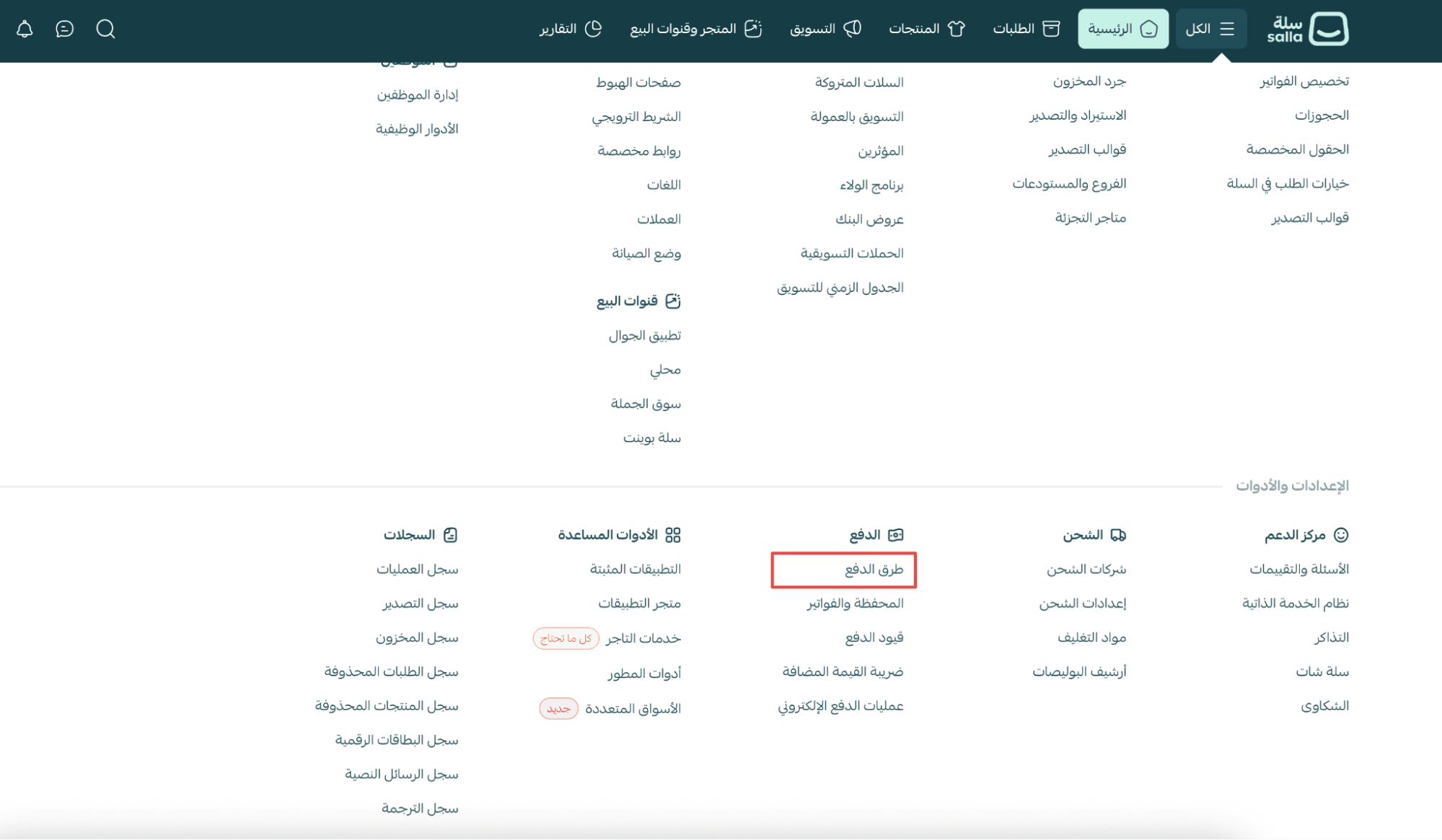
- From the main menu, open the All tab.
Under Settings & Tools, click Payment Methods.
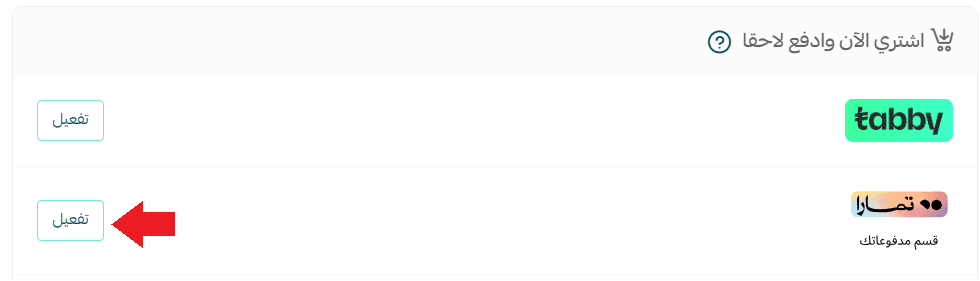
2. In the Buy Now, Pay Later section, locate Tamara, then click Activate.
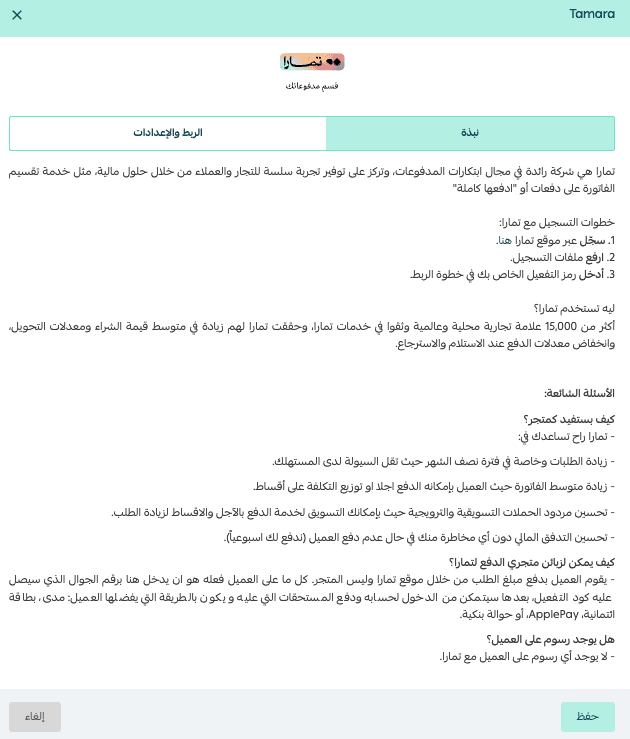
The Tamara integration page will appear.
From the integration & settings tab:
- Select Submit a request to open a Business account
Note: This option is currently available only for stores in Saudi Arabia.
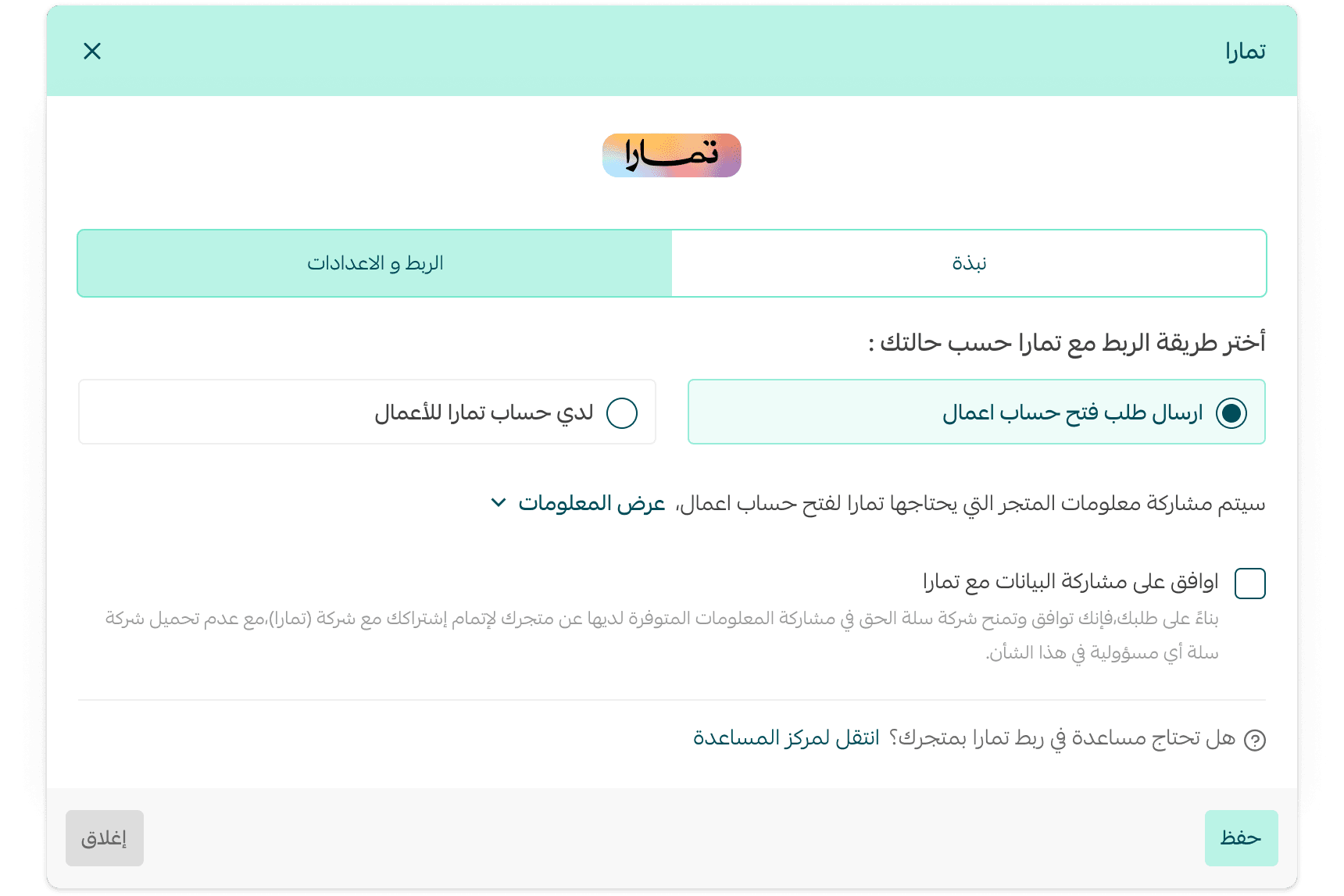
- Review the information your store will share with Tamara by clicking View Information
- Enable I agree to share my data with Tamara, then click Save
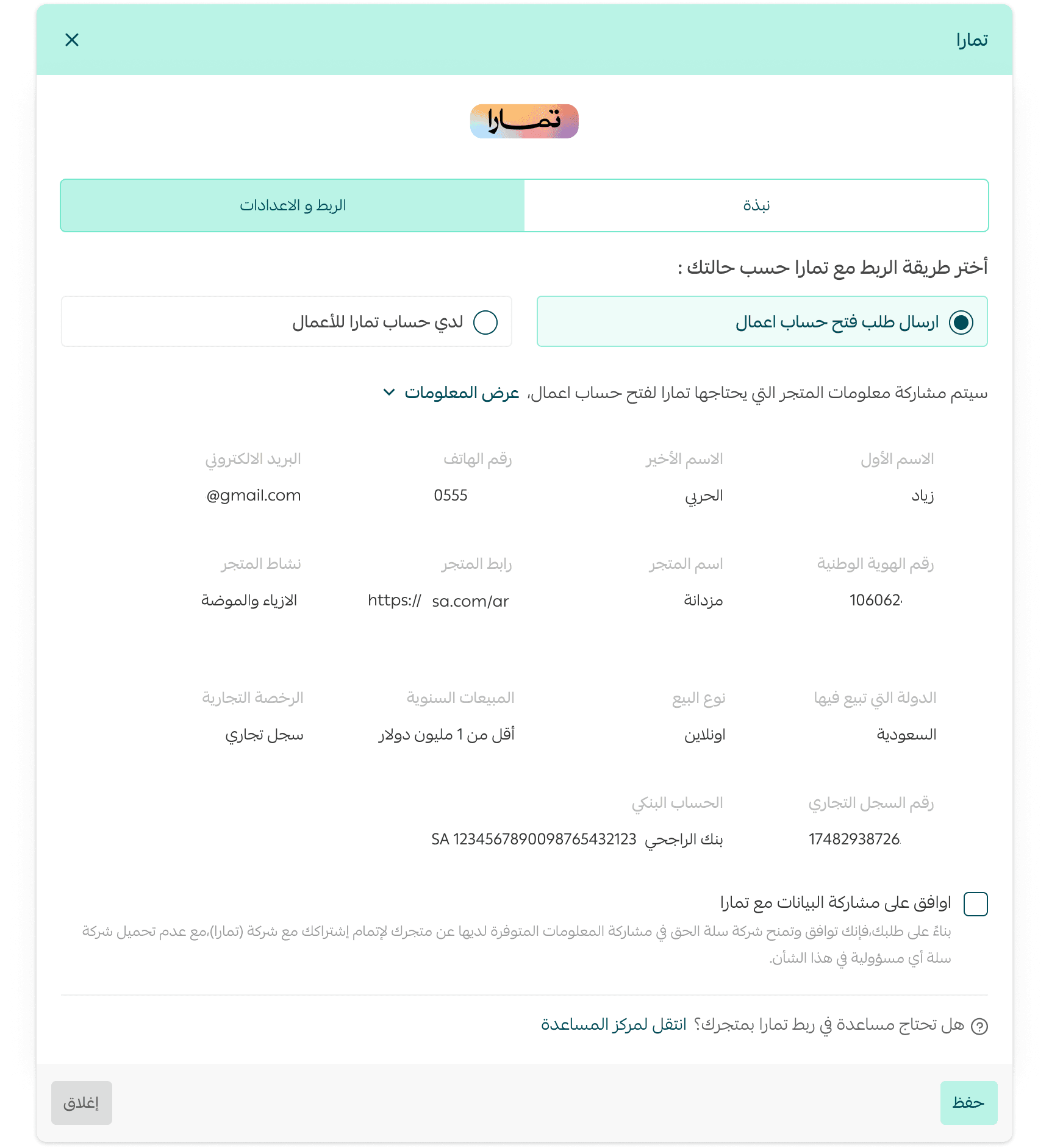
Your request will be successfully submitted to Tamara’s team.
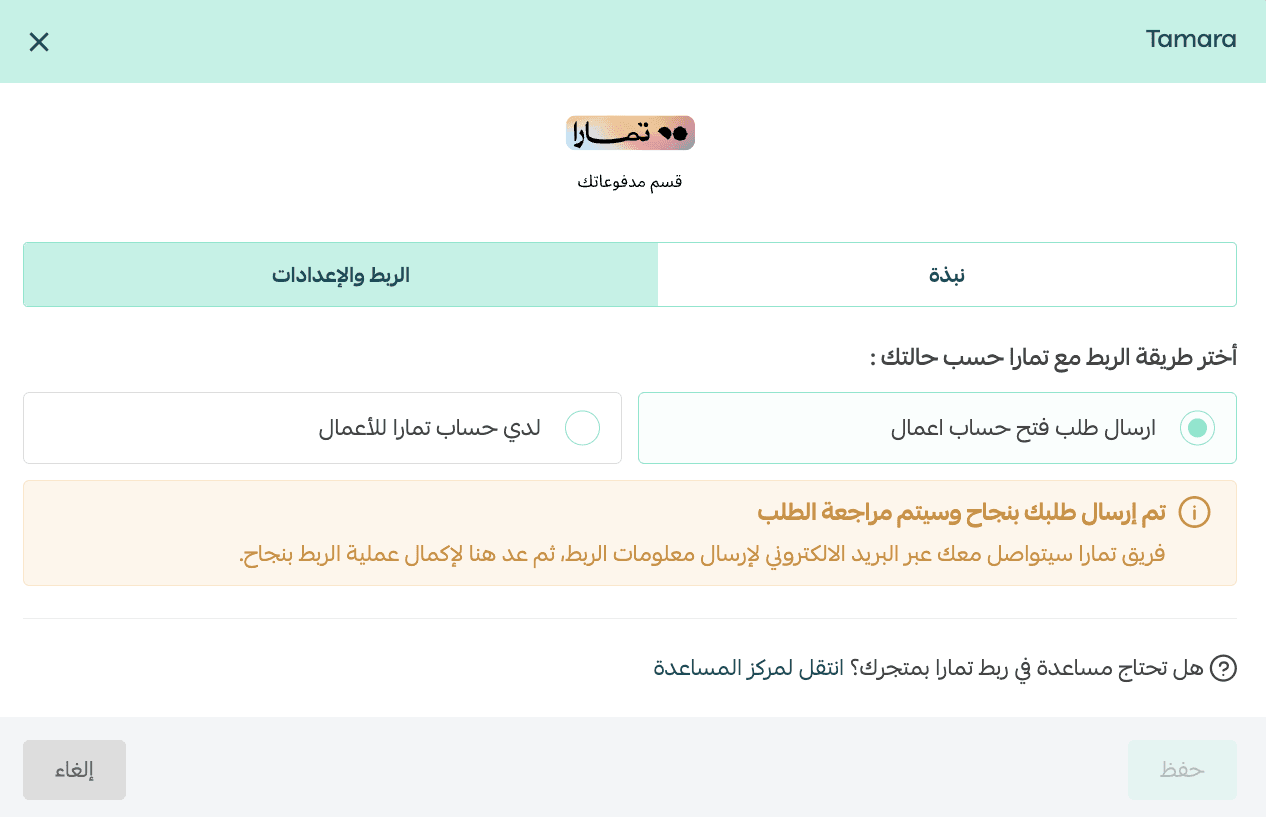
After approval
Once your request is accepted, Tamara will send you an email containing your account details. You will also see a confirmation message on the Tamara settings page.
To complete activation:
- Enter your Tamara Merchant Key
- Agree to Salla’s sales policy
- Click Save
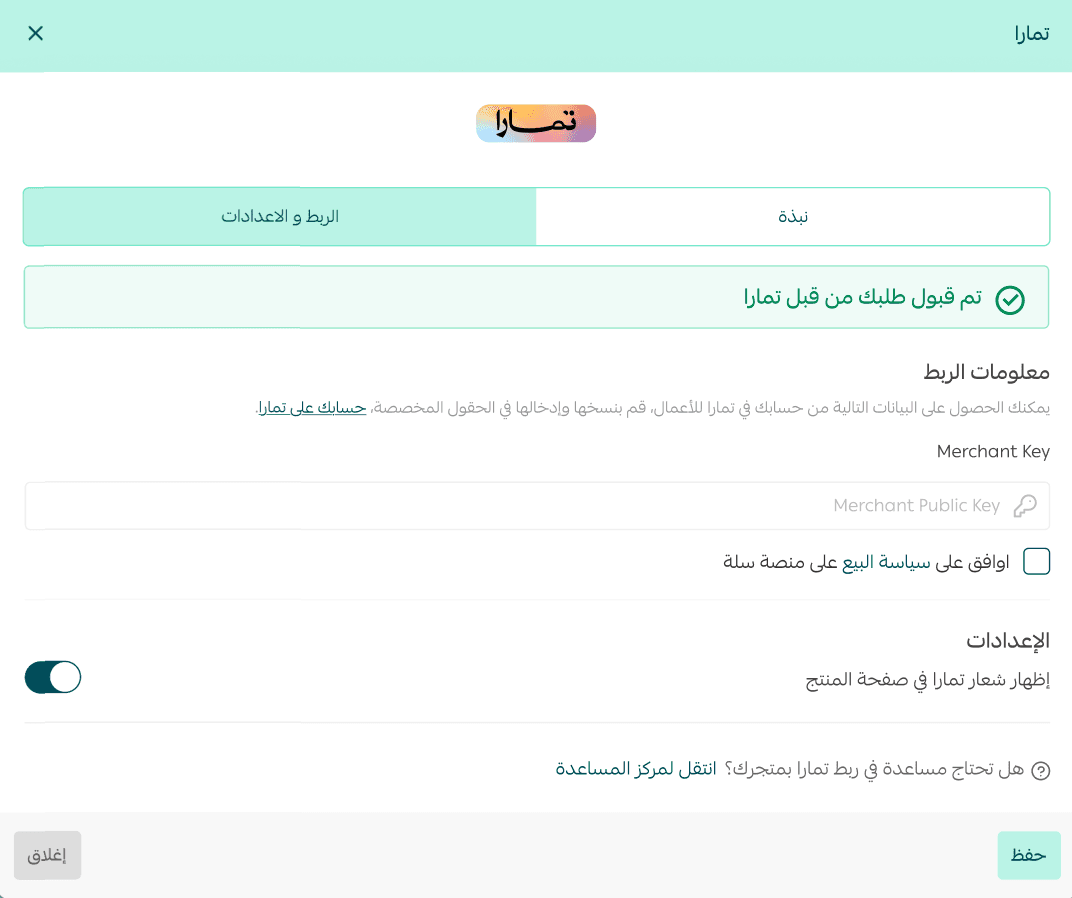
Activating an existing Tamara account
Note: Merchants outside Saudi Arabia must contact Tamara directly to complete account setup.
If you already have a Tamara account and want to connect it to your store:
- Go to the Integration & Settings tab
- Enter your Merchant Key
- Agree to Salla’s sales policy
- Click Save
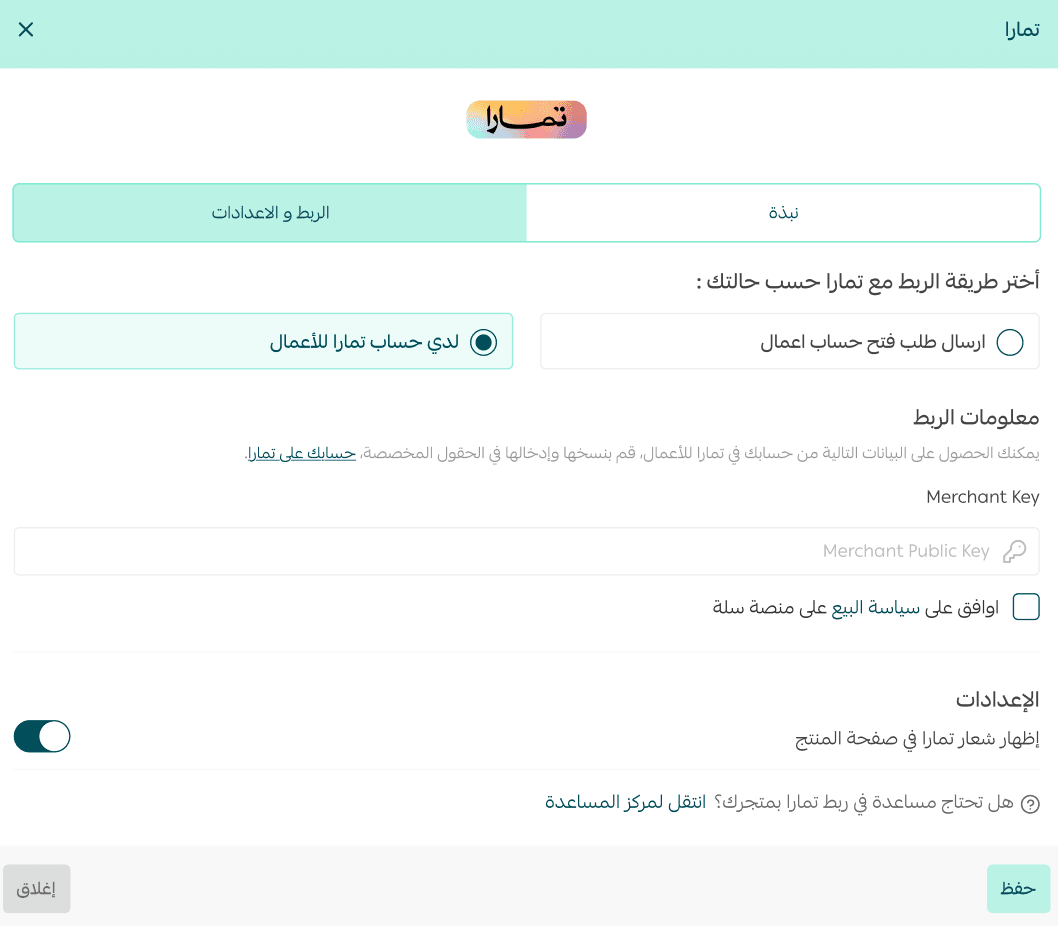
Tamara will then appear as a payment option in your checkout page.

Frequently asked questions
Why does checkout show only 4 installments even though my contract supports more?
Salla currently displays 4 installments by default in the checkout interface for consistency.
However, this does not limit the actual installment options available.
When the customer is redirected to Tamara’s payment page, Tamara will display all eligible plans (such as 6 or 12 installments) based on your agreement and the customer’s eligibility.
How does my store benefit from Tamara?
Tamara helps you:
- Increase customers’ purchasing power by offering deferred payments
- Provide an alternative to Cash on Delivery
- Reduce risk if the customer fails to pay
- Improve checkout completion rates
- Receive payouts weekly, improving cash flow
- Unlock marketing collaboration opportunities with Tamara
Are there any hidden fees or interest for customers?
Tamara’s revenue comes from merchant agreements.
Does Tamara support currencies other than SAR?
Yes. Tamara supports payments in:
- Saudi Riyal (SAR)
- UAE Dirham (AED)
To enable additional currencies, visit your Tamara dashboard. For currency-related inquiries, contact Tamara directly.
What are the merchant subscription fees?
Fees vary depending on your agreement with Tamara and are determined based on product type, pricing, and other factors.
What if the customer has an issue with the order or delivery?
The store remains responsible for order quality and timely delivery. Customers should contact the store first.
Tamara will continue settlement unless a refund request is issued and approved by the merchant.
What payment cards does Tamara accept?
Tamara supports most payment methods, including:
- Visa
- Mastercard
- Mada
- Apple Pay
- Bank transfer
How does the customer pay their installments?
After receiving the order, the customer can log into their Tamara account and pay installments by adding a payment method.
Tamara sends reminders via SMS and email before each due date.
When are merchant amounts settled?
Amounts become eligible after the order is shipped, and settlements are processed according to the timeline agreed upon with Tamara.
Who transfers Tamara payments to the merchant?
Tamara is responsible for transferring all payments collected through Tamara to the merchant.
What is the refund policy for Tamara orders?
Tamara follows your store’s refund policy. Refunds through Tamara are often smoother because they avoid certain transfer fees.
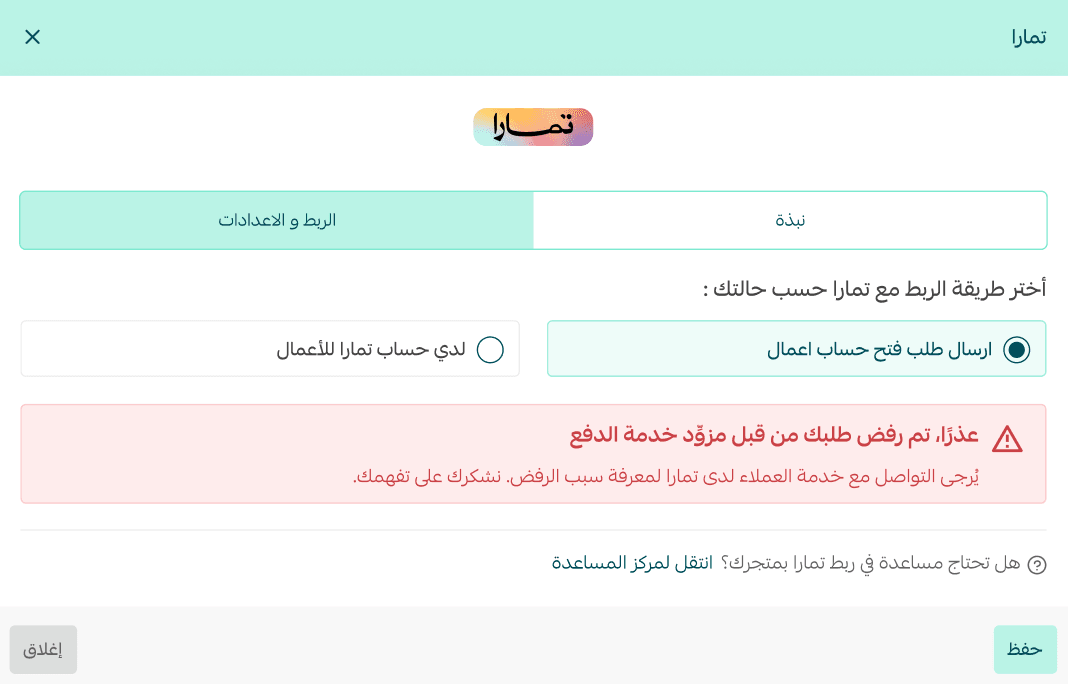
Can my application to Tamara be rejected?
Yes. Tamara may reject requests based on their internal criteria. Contact Tamara support to learn the reason.
Does store verification affect Tamara activation?
Yes. Your store must be verified in order to activate Tamara.

Which subscription plans support Tamara?
Tamara is available on:
- Plus Plan
- Pro Plan