How many visitors like something in your store but are not ready to buy it today?
They browse, they find two or three things they want, and then they leave — and by the time they come back, they cannot remember which products caught their eye. The visitor wishlist app gives shoppers a simple way to save products and return to them later, which keeps browsing sessions from going to waste. In this guide, you'll learn what the visitor wishlist app does, why it helps both you and your visitors, how to install it, and what the experience looks like from the shopper's side.
The visitor wishlist app lets anyone browsing your store save products they like to a personal list and come back to them later. Visitors do not need to sign in to use it. Saved products stay in the list for 7 days, and signing in extends that period. The app is free and works on all Salla plans.
📌 Article overview
- What the visitor wishlist app is
- Why the visitor wishlist matters for you and your visitors
- How to install and manage the visitor wishlist app
- The visitor experience
- Frequently asked questions
🎯 What the visitor wishlist app is
The visitor wishlist app lets people browsing your store save the products they like to their own list and come back to them easily. It improves the shopping experience inside the store and raises the chance of a sale by keeping a visitor's favorite products available to them for a set period, until they are ready to buy.
✅ Why the visitor wishlist matters for you and your visitors
What you get as a merchant
- More chances to turn browsers into buyers.
- Fewer visitors lost mid-browse.
- A better user experience inside the store.
- A higher rate of return visits to finish a purchase.
- Purchase decisions supported by saved favorites.
What your visitors get
- They can save products to the wishlist without going through a sign-in step.
- They can take their time deciding rather than buying in a rush.
- They browse with less distraction, with everything they liked in one place.
- They save time on the next visit instead of searching all over again.
👣 How to install and manage the visitor wishlist app
1. From the main menu, click (All), then under helper tools click (App Store).
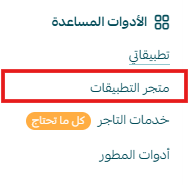
2. Search for the app using the search field.

3. On the visitor wishlist app page, click (Install).
4. The app then appears on your my apps page.
🛍️ The visitor experience
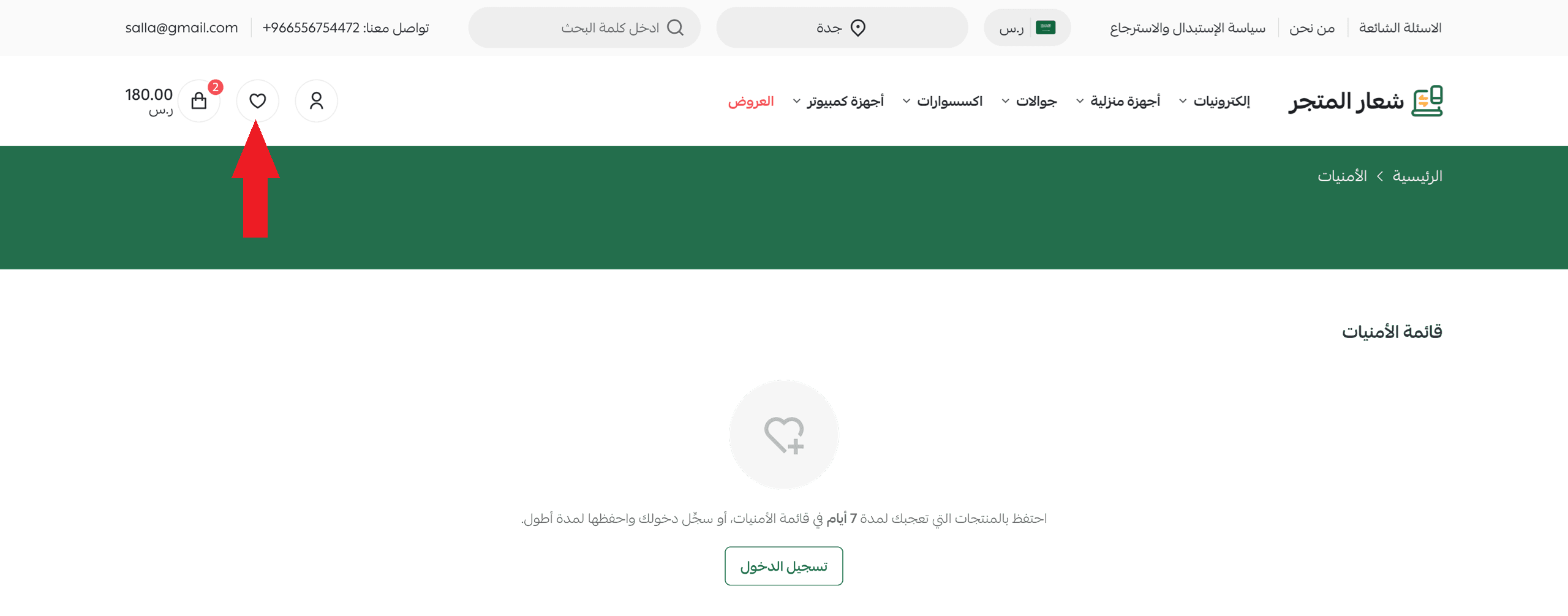
1. While browsing your store, the wishlist appears at the top of the page, and visitors can open it at any time to review what they have saved.
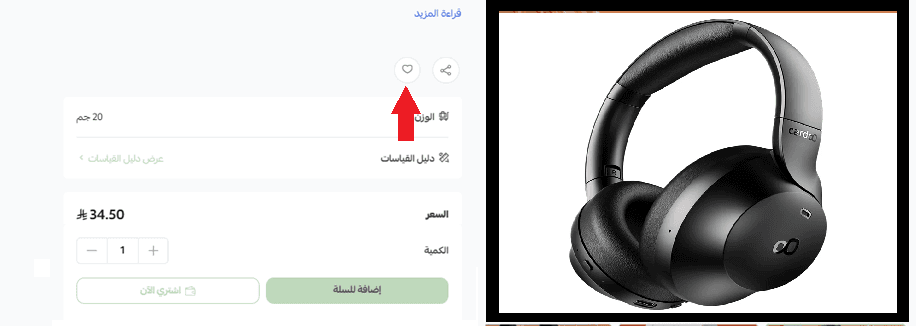
2. A visitor adds any product to the wishlist by clicking the favorite icon (♡).
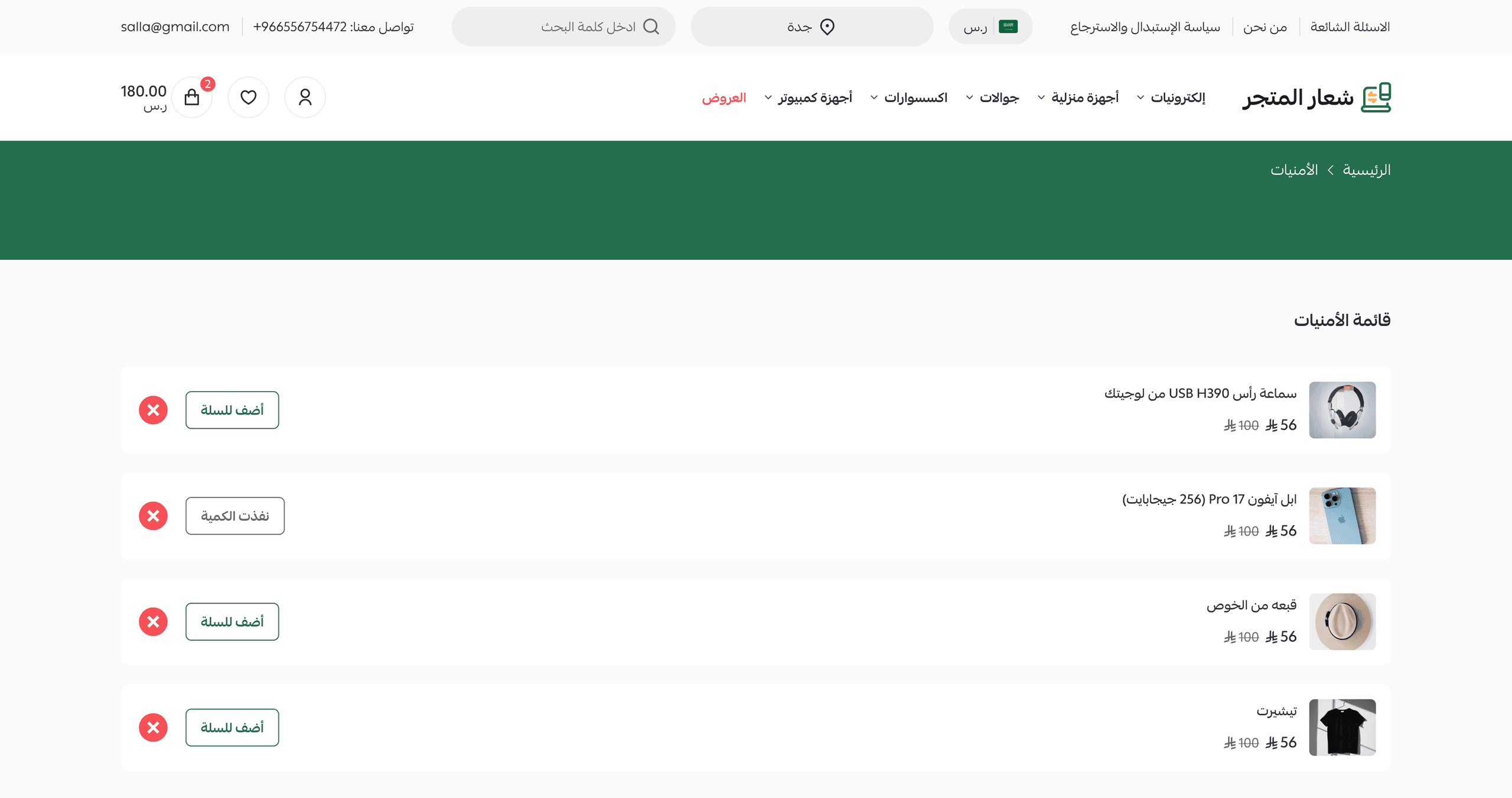
3. Added products are saved to that visitor's wishlist automatically.

4. The customer can browse the wishlist and keep those products for a set period.
❓ Frequently asked questions
Is the app free?
Yes. The app is free and there are no fees for the merchant.
How long does the system keep a visitor's saved products?
Products added to the wishlist are kept for 7 days. A visitor can extend that period by signing in to the store.
Is the app available on all plans?
Yes. The app is available on all Salla plans.
Does a visitor need an account to save products?
No. Saving a product to the wishlist works without signing in. Signing in is only needed to keep the list longer than 7 days.
A wishlist is a low-effort way to hold on to interest you have already earned. Install it once, and the visitors who were not ready to buy today have a reason to come back tomorrow.