Transform your description into a real design in your store in seconds ✨
Do you have a clear vision of your store's look?
A section to display customer reviews, a banner for a seasonal campaign, or even a featured section for best-selling products?
Previously, implementing these ideas required technical expertise or hiring a designer or developer.
Today, with Salla's Store Design Assistant, you can turn any idea you describe in words into a real design element in your store in seconds, without any technical expertise.
Examples of using the assistant to create elements in store design 💪
These examples can represent the spark from which you will launch, the limits of the experience are the limits of your imagination
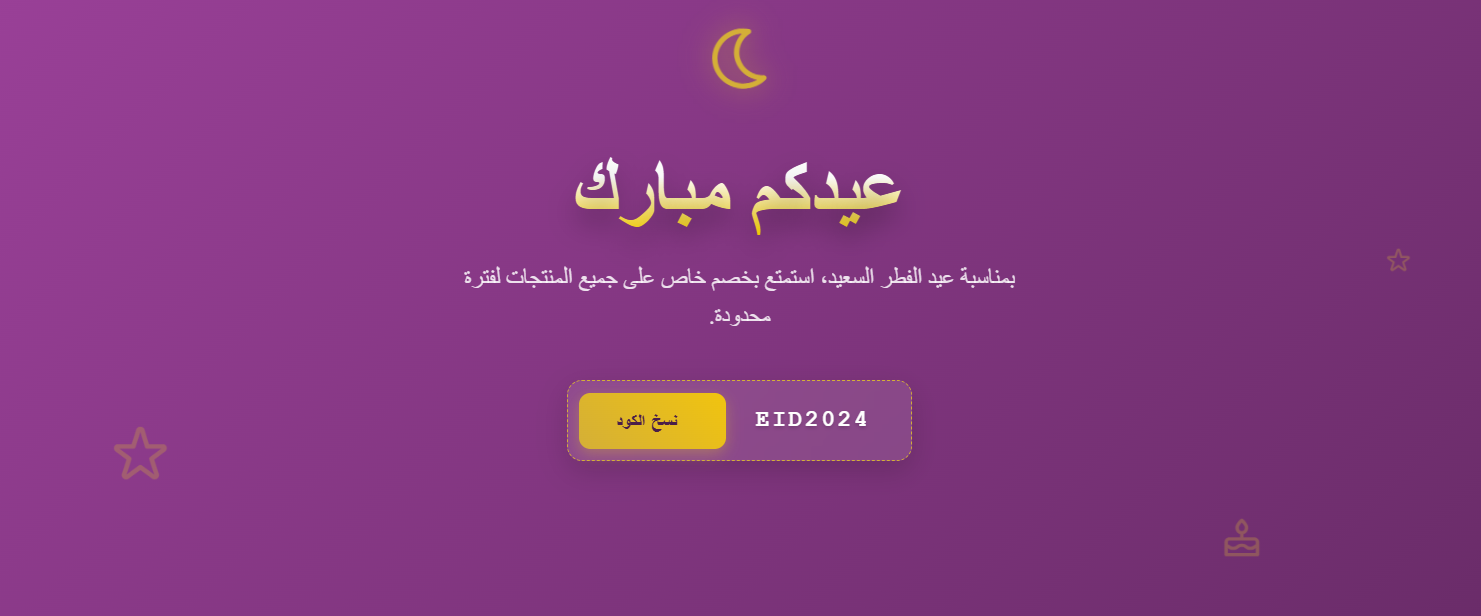
Banner for copying a discount code
Element description: Create a festive hero banner for Eid al-Fitr, with a dark purple background featuring stars and gifts, large text: "Eid Mubarak", offer description with a discount code, a golden button "Copy Code" that shows EID2024 when clicked, modern design, Arabic RTL, responsive.
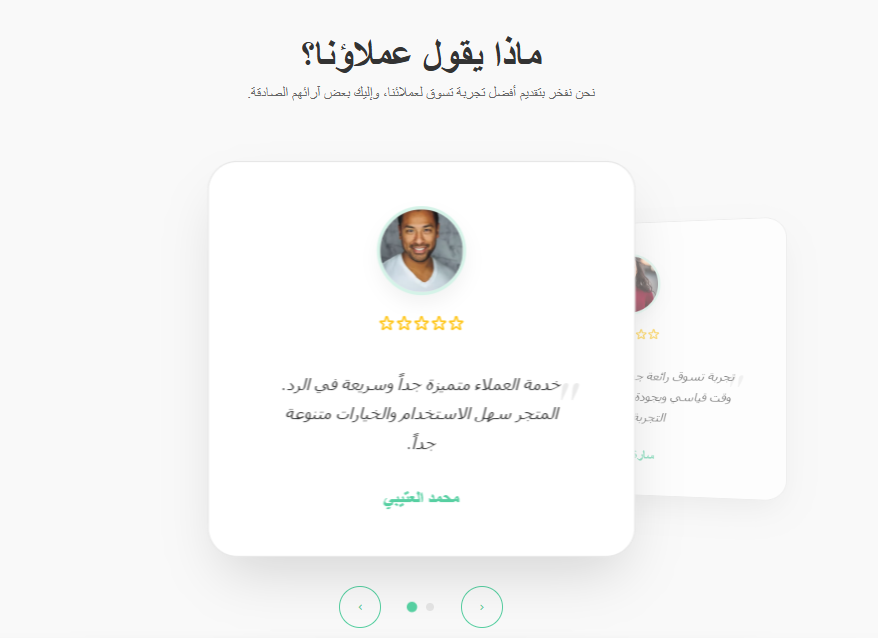
Customer testimonials section (Testimonials Carousel)
Element description: Section "What our customers say?", horizontal carousel, each card is circular/rounded corners: circular customer image, 5 golden stars, review text in Arabic, customer name below, light background, elegant and trustworthy design, supports RTL, multiple consecutive testimonials, display method should be artistic, with the main testimonial in the center larger and the previous and next smaller with a circular motion where the center is larger than the previous and next.
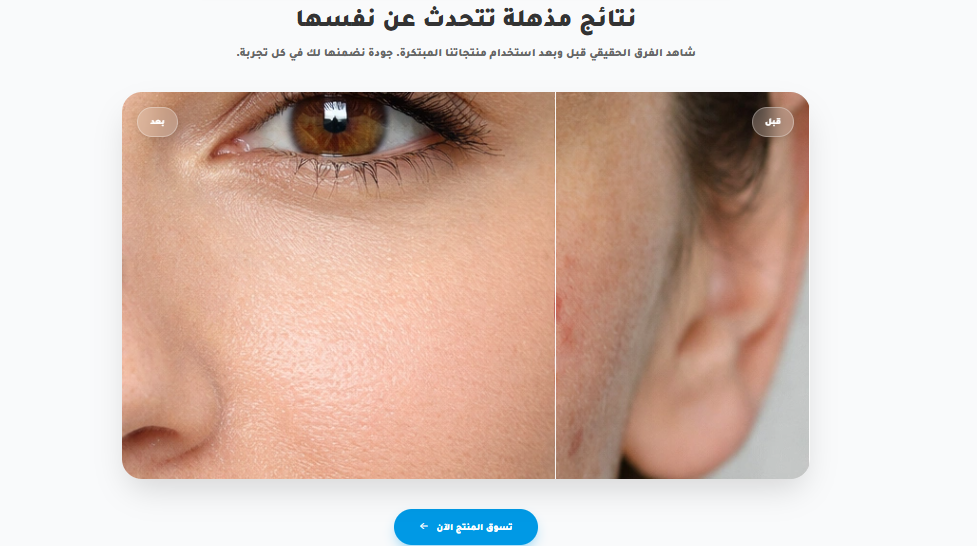
Before and after product use section
Element description: "Create a section displaying before and after product use images with a slider bar allowing the customer to compare the two images".
Application: Suitable for skincare, cleaning, or enhancement products and increases product trust.
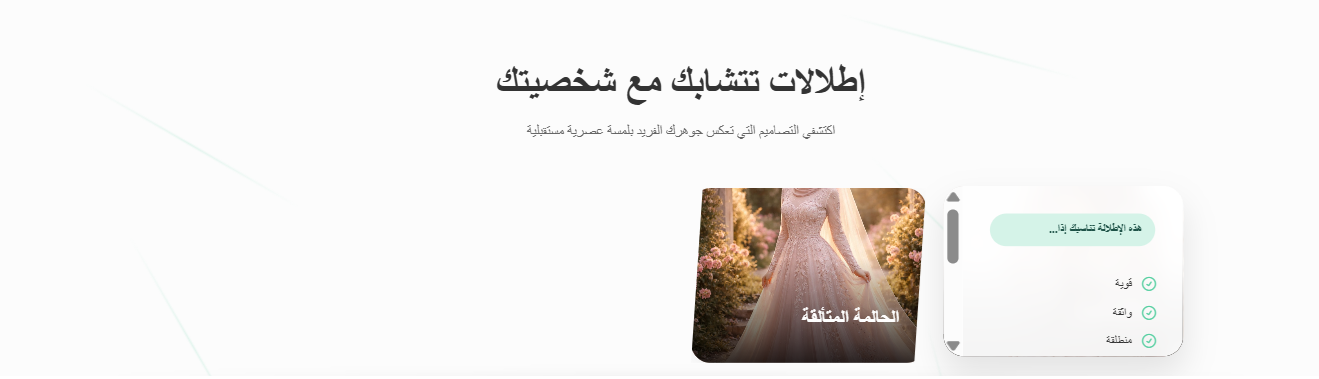
Fashion designs section that reflect your personality
Element description: Create a creative bento grid section titled "Looks that intertwine with your personality", irregular grid (like bento but with slanted corners and light overlap), 6-8 squares of different sizes, each square contains a model image with a look, on hover or tap the square expands revealing additional details (zoom on fabric + alternative colors + short 3-5 second video of the model spinning, + text "This look suits you if..." with 3 personality points), light background with thin neon lines dynamically connecting the squares on scroll, pastel futuristic colors with metallic touches, experimental and artistic style, supports Arabic RTL, fully responsive, add light parallax effect on the background. The section should be fully customizable and the images should be of girls in modest dresses or long gowns.
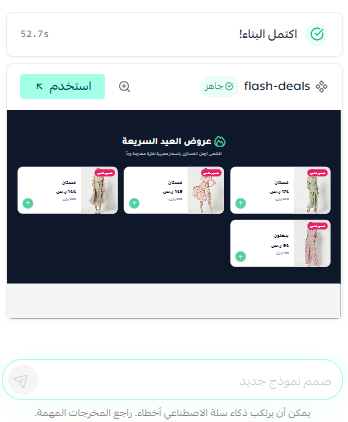
Flash deals section
Element description: Create a "Flash Deals" section in dark blue, 3-4 horizontal cards: model image in a dress, red/pink discount tag, "Dress" name, old price strikethrough gray, new prominent red/black price, circular "+" button, light background, simple RTL design, suitable for Eid al-Fitr.
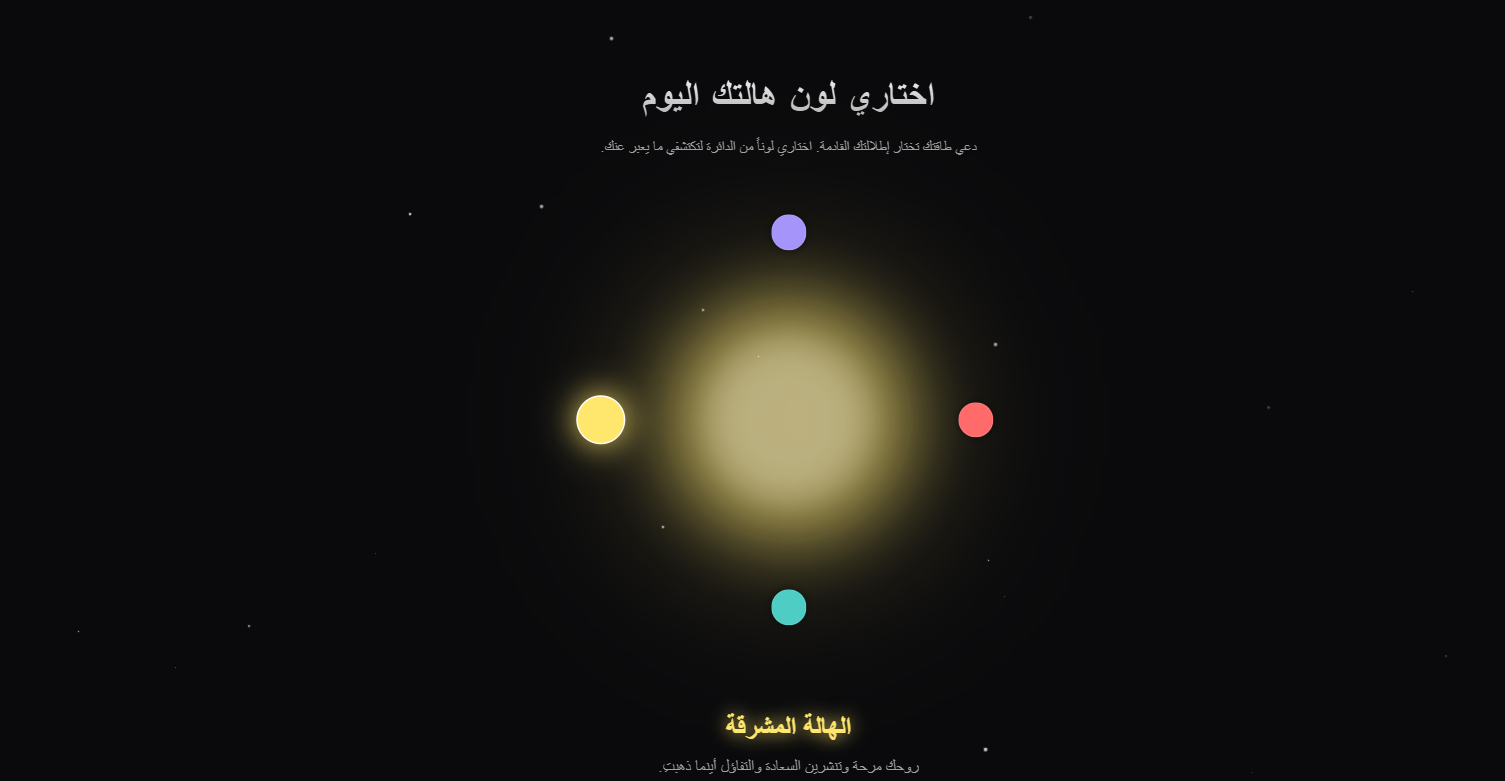
"Choose your magical color" element
Element description: Create an interactive element titled "Choose your aura color today", a large circle in the center with a gradient that changes based on the color you choose from a circular color palette around it (12-16 colors), when a color is chosen the circle glows and 4-6 products (dresses/accessories) matching or complementing this color appear (like complementary colors), with a light animation resembling an aura expanding from the circle to the products, below it text "This color expresses..." with a short fun description, mystical-futuristic style, dark background with light stars, supports RTL, add a "Shop with this color" button filtering the entire store.
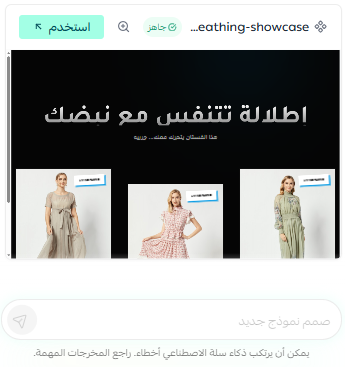
"The look that breathes with you" section
Element description: Create an avant-garde section titled "A look that breathes with your pulse", displaying 3-4 standout products in the center of the page, each product (dress or set) has a large image with a light "breathing" effect (scale up & down very slowly like a pulse), on hover or scroll an additional layer appears revealing macro fabric details + particle animation flying from the product as if it is breathing, with moving text "This dress moves with you... try it", black background with subtle gradient, minimal brutalist but lively style, add optional micro-interaction sound if possible (like a soft heartbeat), supports RTL, design looks alive and completely unconventional.
"Customer's daily tip" section
Element description: "Create a small section at the top of the homepage displaying daily tips on product use or care, with a small avatar image in a lively and unconventional style"

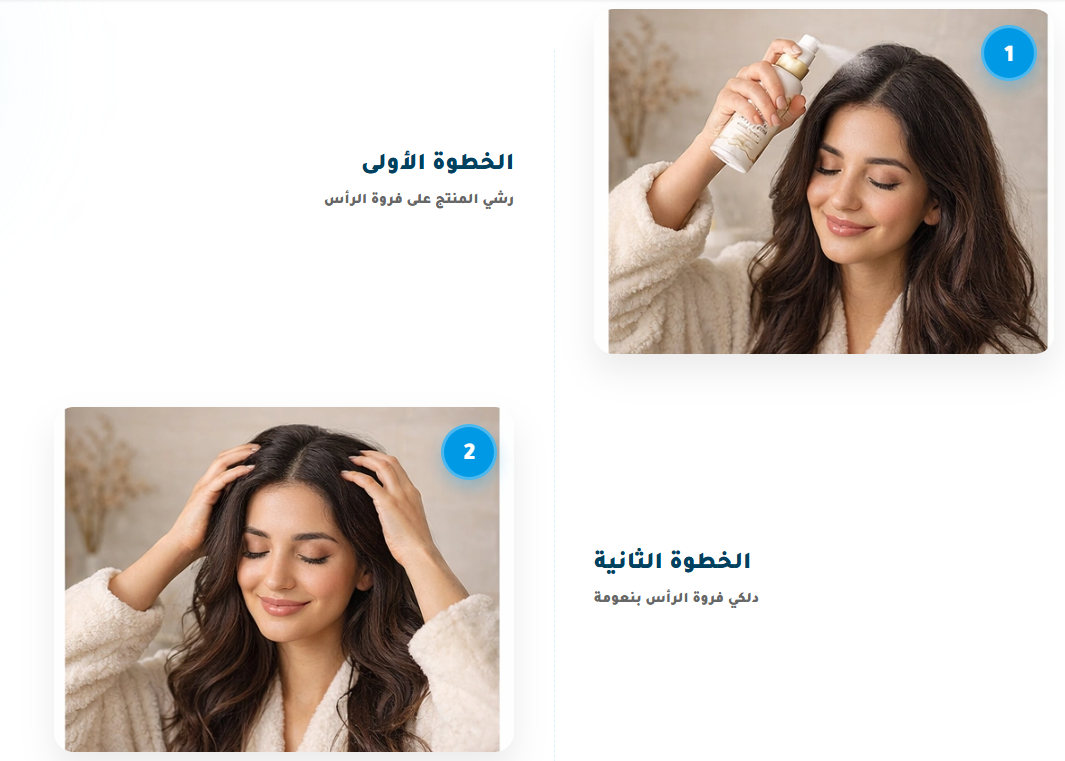
"Product usage stages" section
Element description: "Create a section illustrating the steps of using the product sequentially using customizable numbered images so that the design is lively and innovative".
Application: Useful for beauty or device stores.
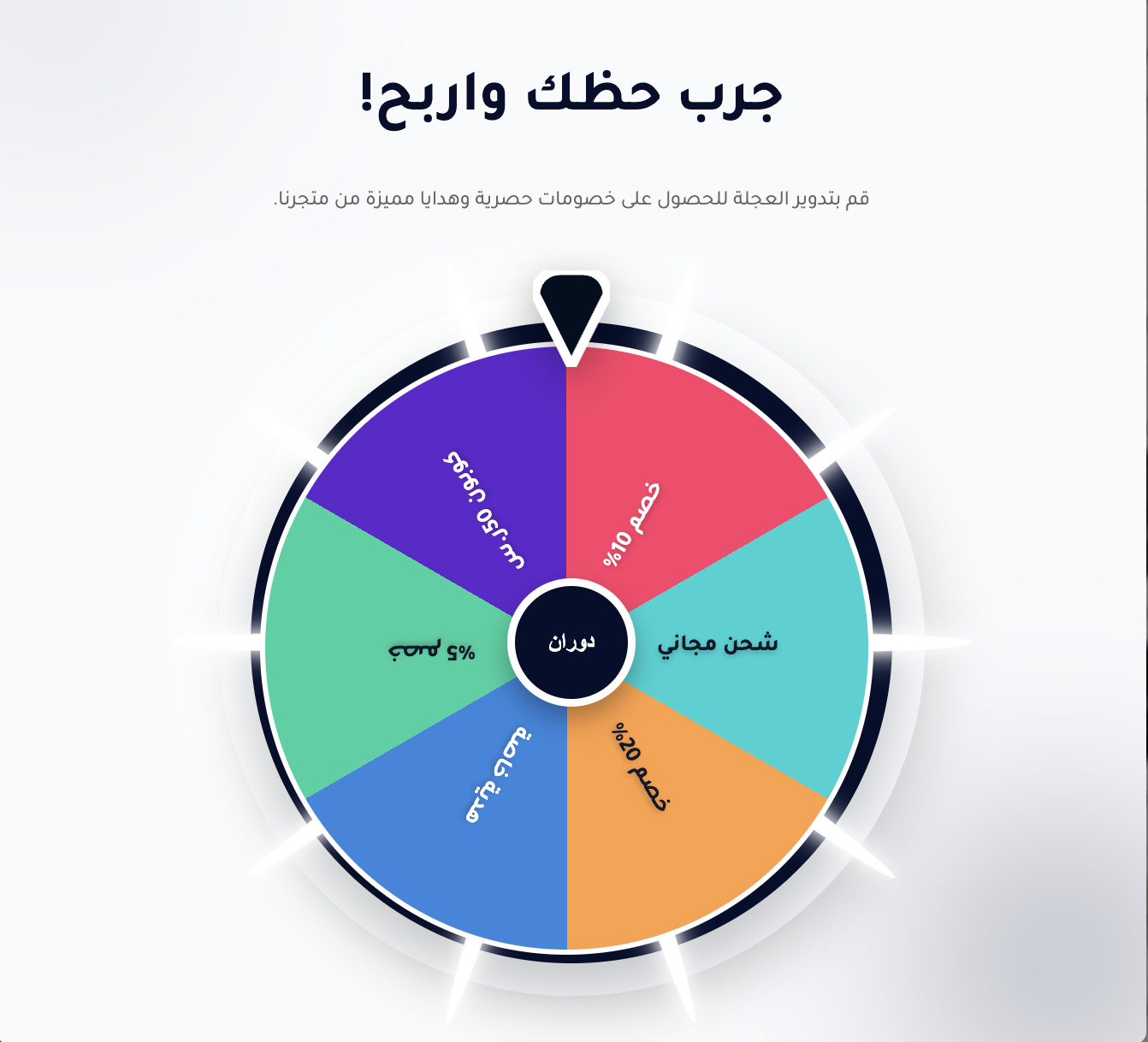
Spin to Win element
Element description: An interactive element in the form of a spinning wheel of fortune appearing in the store with a title like "Try your luck and win!", allowing the visitor to spin the wheel for instant discounts or gifts. The wheel consists of 6–8 customizable colored sections, each containing an offer like: discount, free shipping, gift, or another try.
In the center of the wheel is a "Spin Now" button, and when clicked, it starts spinning smoothly and stops at a specific result, then the prize appears directly via a message or pop-up. Each result can be linked to a discount coupon, offer, or product page.
The element is fully customizable in terms of text, colors, number of sections, and spinning behavior, with the ability to set usage limits and link it to login, making it ideal for increasing interaction and encouraging purchases within the store.
Fun and festive design, supports RTL.
💡 Practical tip:
Each of these sections can be described in words to Salla's Assistant, and it will create it directly within the theme editor with the ability for instant modification and reuse on other pages.
Some creative elements may need simplification during implementation to ensure the best performance and loading speed, especially on mobile.
✨ Now that you've read these examples, it's time to start... Start by describing your idea, and let Salla's Assistant turn it into a live design in your store.