Toolvers
Improving a store's performance usually means stitching together several tools that don't talk to each other. Toolvers is a complete marketing platform that helps you improve your online store's performance through customizable tools, smart reports, and ongoing technical support. It combines an easy interface with continuous updates to give you a smooth experience, strong security, and higher sales at a lower cost. In this guide, you'll learn how to connect the Toolvers app to your Salla store, subscribe to a plan, and remove the app.
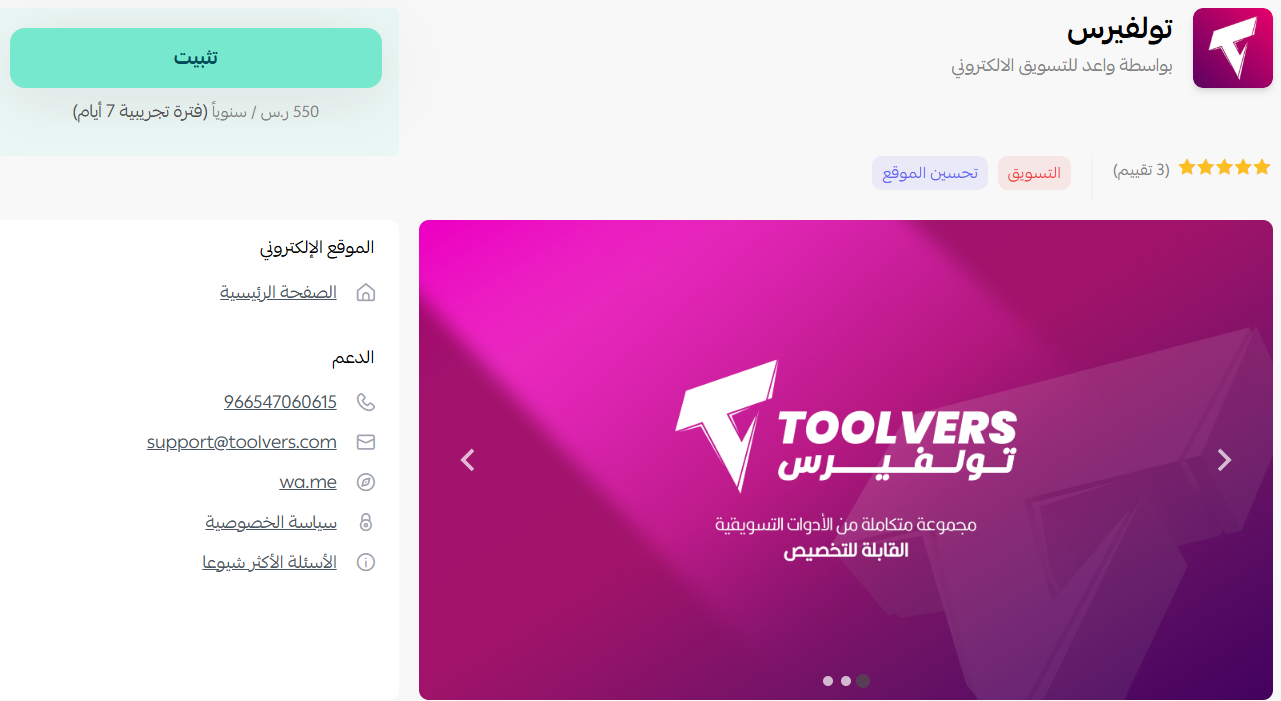
To connect Toolvers on Salla, click All in the main menu, then open the App Store from the helper tools section. Search for the app, open the Toolvers app page, click Install, review the requested permissions, and click I agree to the permissions.
📌 Article overview
- How to connect the Toolvers app
- Subscribing to Toolvers
- Removing the app
- Frequently asked questions
🚀 How to connect the Toolvers app on Salla
1. From the main menu, click (All), then from the helper tools section click (App Store).

2. Search for the app using the search field.

3. From the Toolvers app page, click (Install).
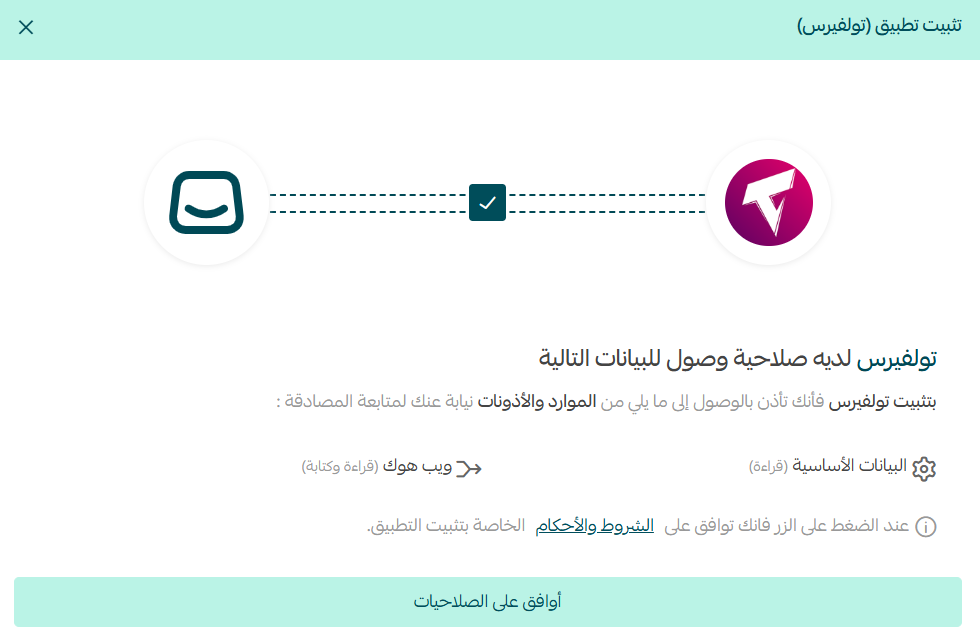
4. Review the requested permissions, then click (I agree to the permissions).
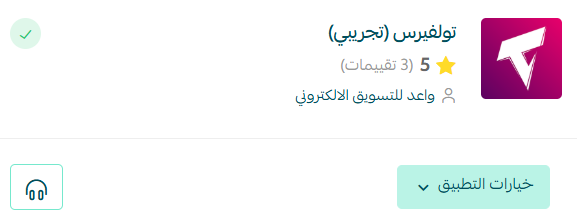
The Toolvers app is now installed on your store.
🚀 Managing the Toolvers app
Subscribing to Toolvers
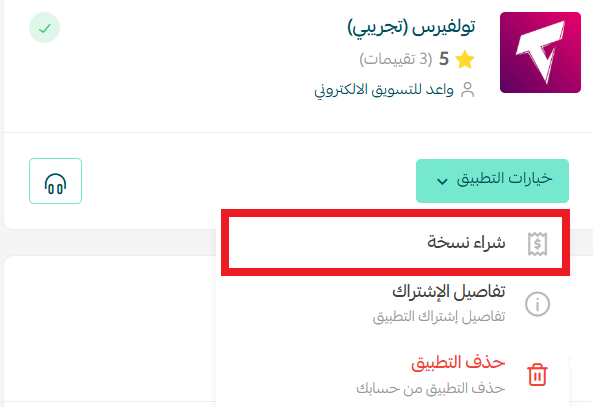
1. From the Toolvers app, click (App options), then click (Buy a copy).
2. Review the permissions, then click (Next).
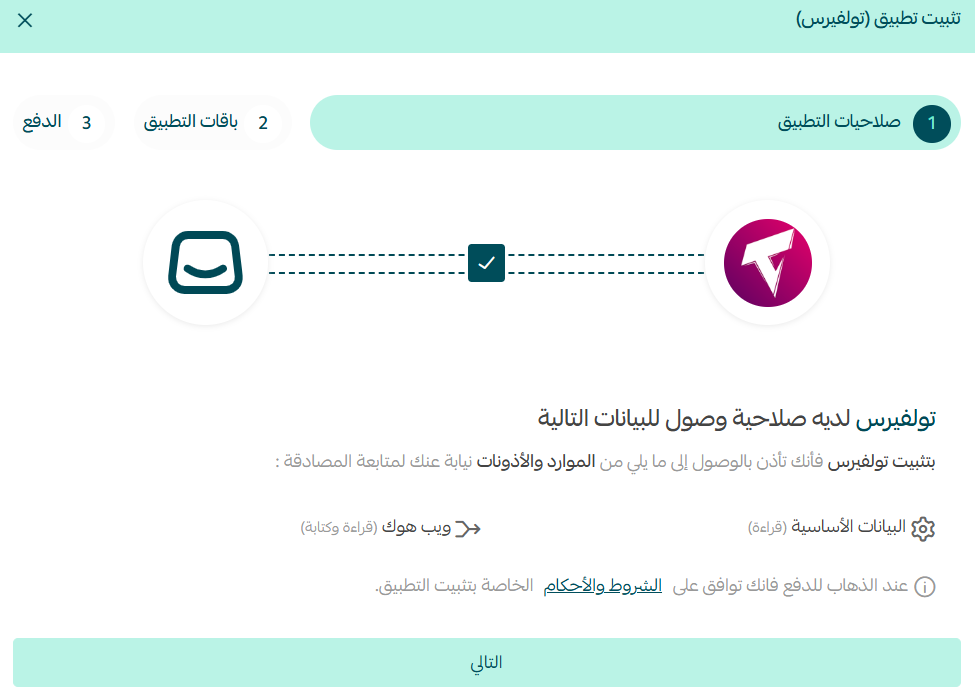
3. Choose the plan that fits your business.
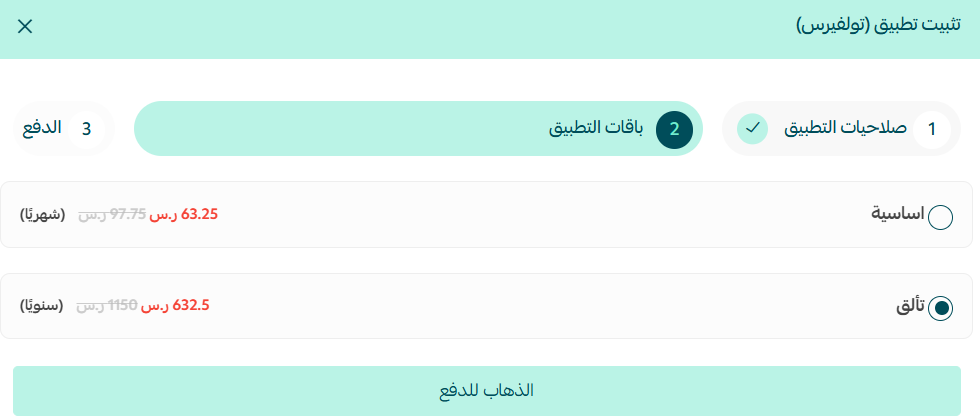
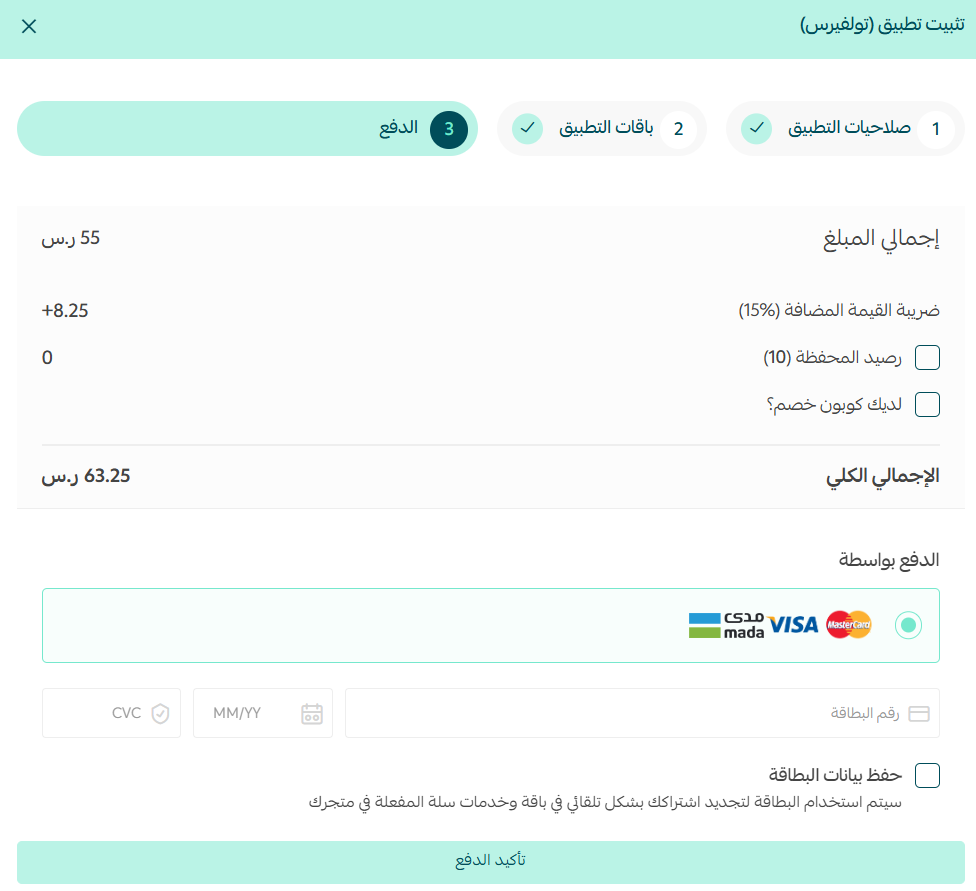
4. Complete your payment details, then click (Confirm payment).
Removing the app
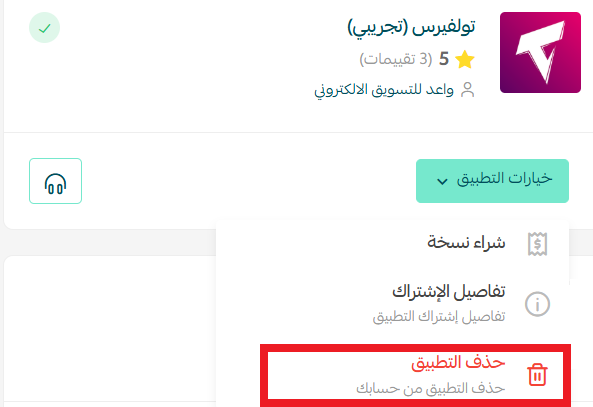
From the Toolvers app, click (App options), then click (Delete app).
Frequently asked questions
❓ What does the Toolvers app offer?
A complete marketing platform with customizable tools, smart reports, and ongoing technical support, built to improve your store's performance.
❓ Do I pay when I install the app?
No. Installation and permissions come first. You subscribe separately through App options > Buy a copy, where you choose a plan and complete payment.
❓ How do I remove the app?
From the Toolvers app, click App options, then click Delete app.
For more detail, see the Toolvers site.
Tools that report on performance only earn their cost if you act on what they show. Set aside a regular slot to read the reports, and the subscription starts paying for itself.