Influencer Marketing is a powerful tool that gives you the opportunity to discover well-known influencers who match your brand, build strong partnerships with them, and create campaigns that truly connect with your target audience.
It’s your gateway to a new world of creativity, authentic communication, and impactful marketing.
📌Article overview
- Browsing influencer pages effectively
- Steps to create an influencer marketing campaign
- Managing a successful campaign with the influencer
- Influencer evaluation
- Frequently asked questions
Browsing influencer pages effectively
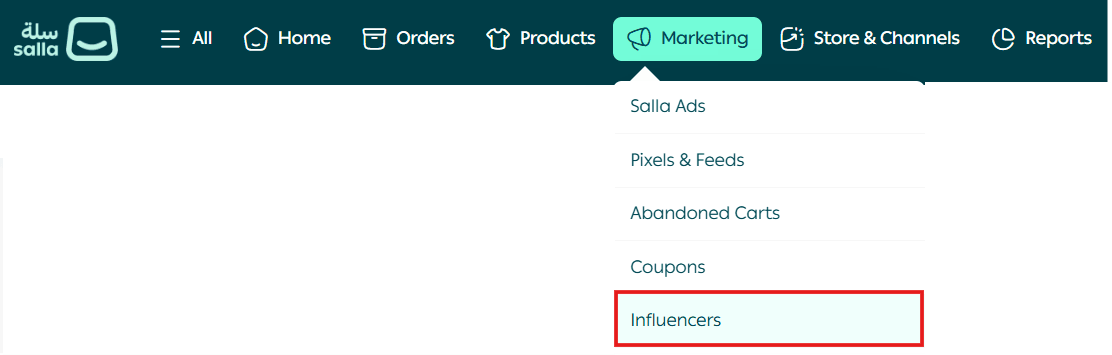
From the main menu, click Marketing, then select Influencers.
You will be directed to the Influencer Marketing page, where you can:
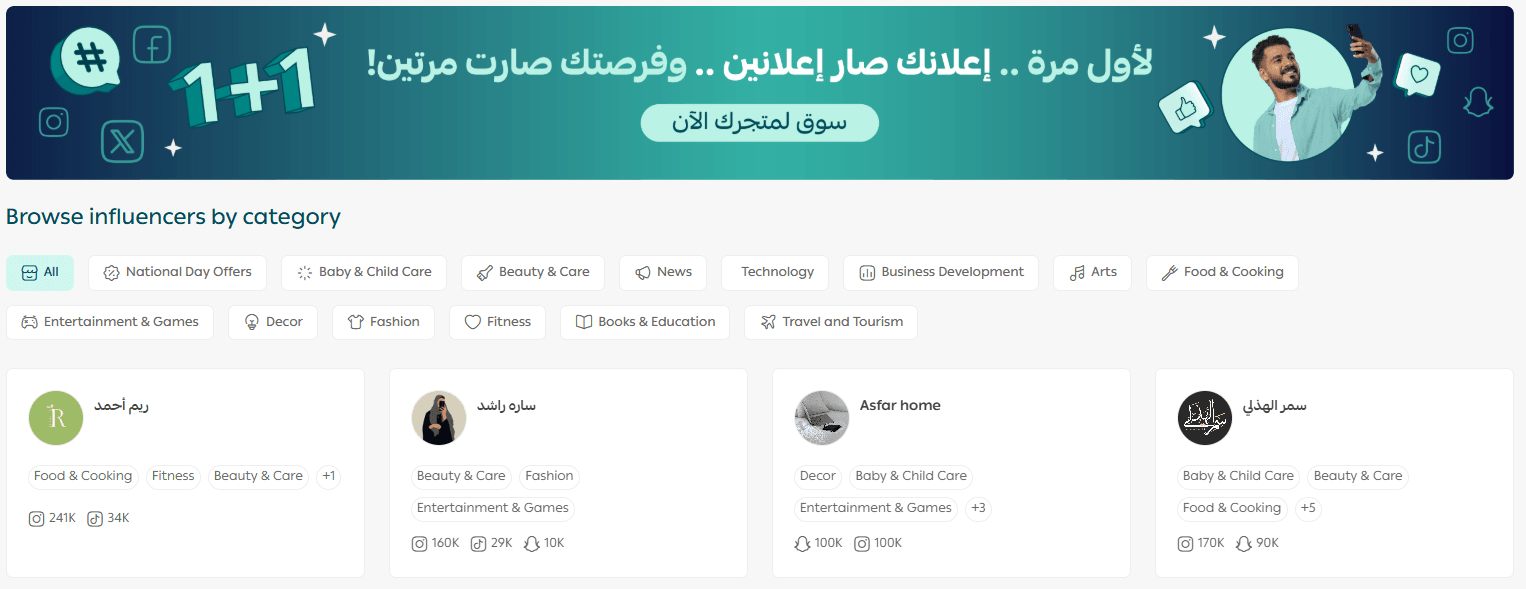
- Track all your influencer campaigns
- View campaign details
- Explore a curated list of creative influencers
Browse influencers in one of two ways
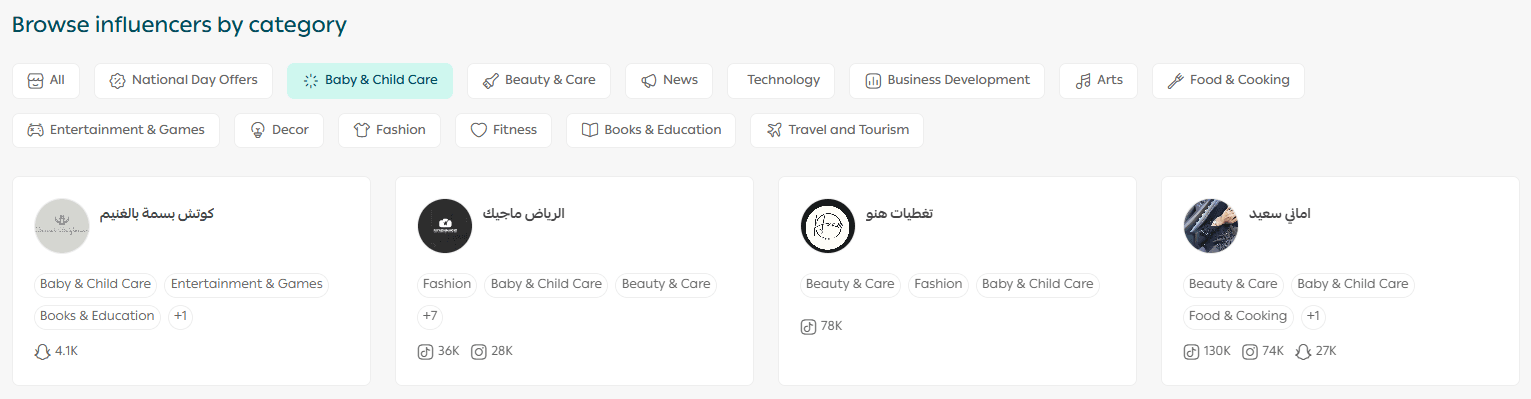
Method 1: Select a category to find the right influencers

By clicking on any available category, a list of influencers will appear based on the selected category.
💡 Example: Choosing the Baby & child care category.
Method 2: Search and filter influencers by specific criteria
You can search for a specific influencer using the search bar to find them quickly and accurately.

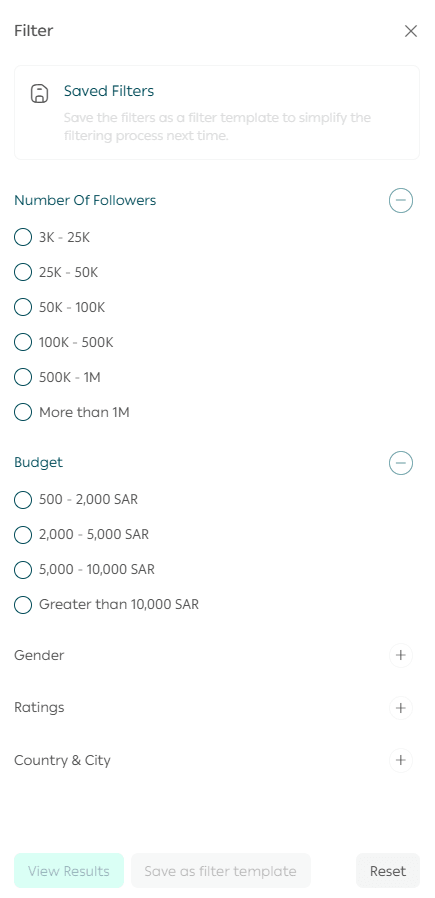
You can also use filtering options to explore influencers based on multiple criteria, such as:
- Industry or niche
- Number of followers
- Budget range
Once you open an influencer’s page, you can view:
- Influencer information
- Partnership details
- Influencer ratings
- Services offered and pricing
Steps to create an influencer marketing campaign
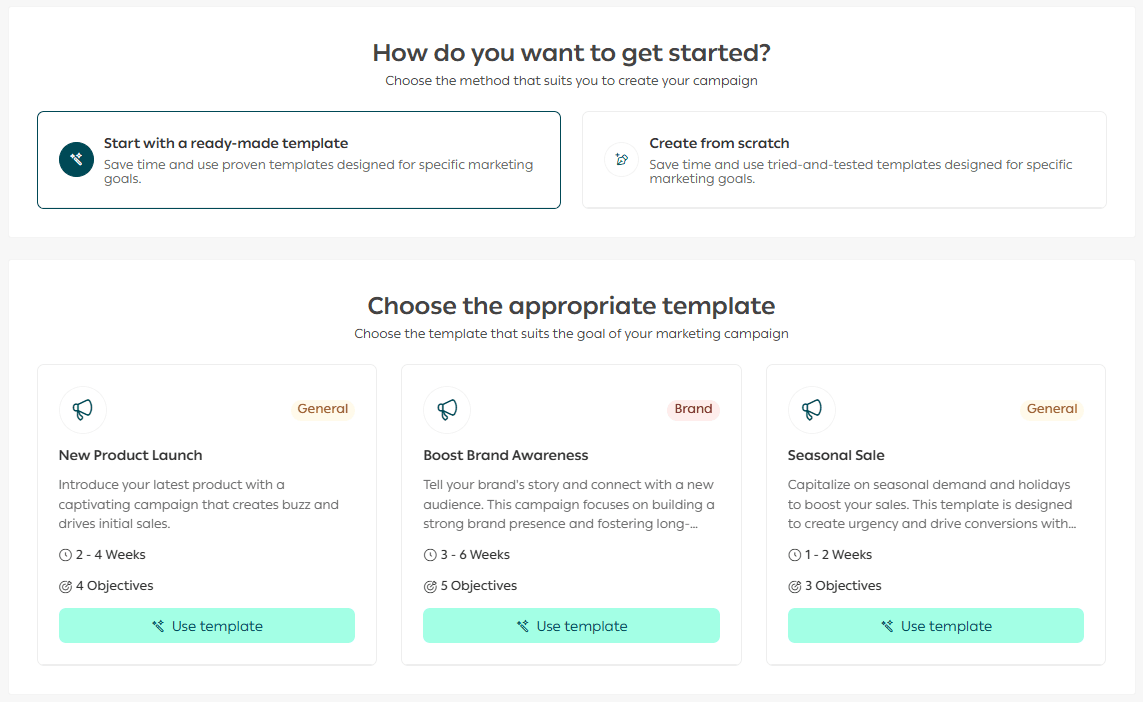
- Go to the influencer’s page you want to work with.
From the Influencer Services section, choose the service you need.
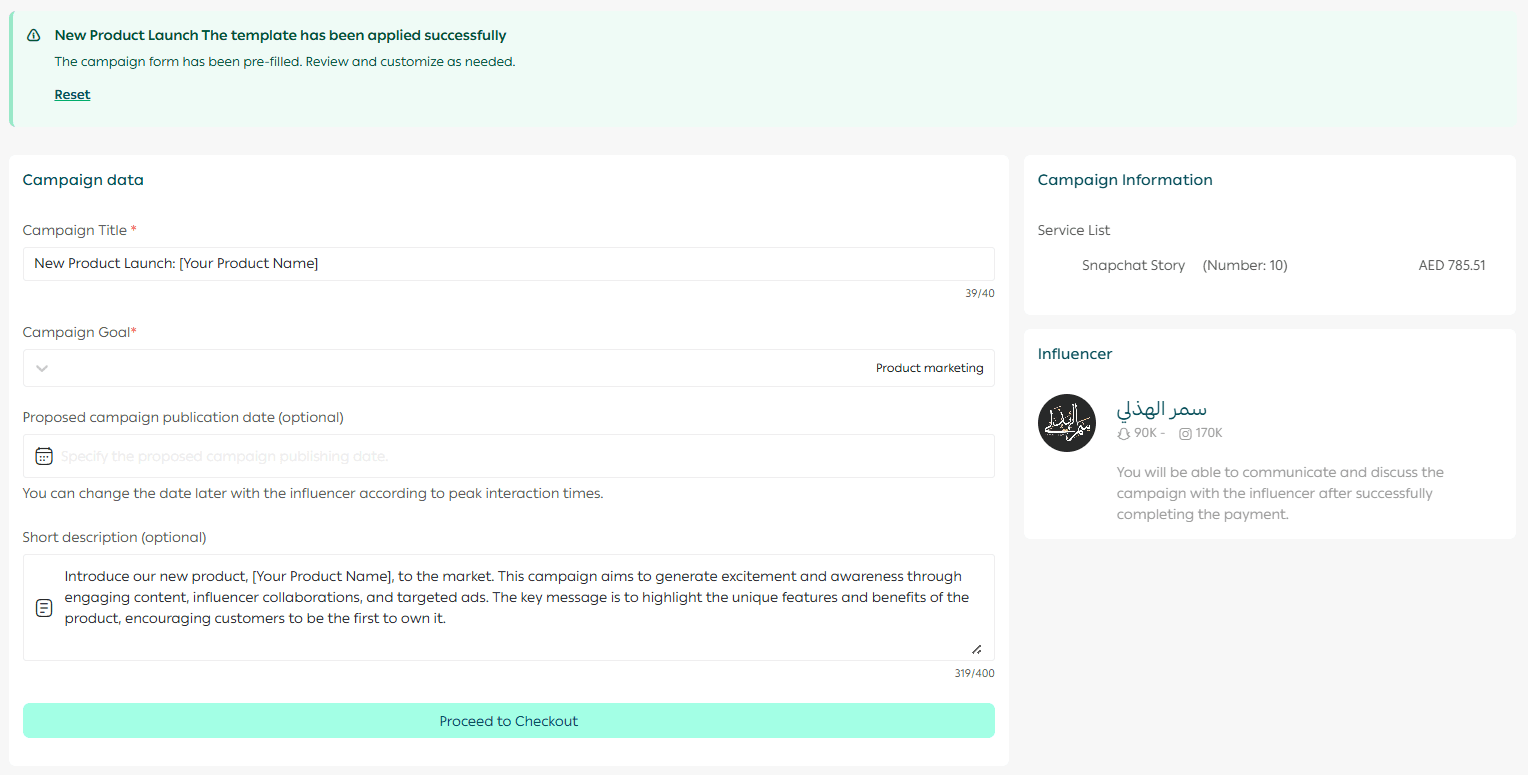
2. Enter the campaign details:
- Campaign title
- Campaign goal
- Proposed publishing date
- Short campaign description
Then click Proceed to checkout.
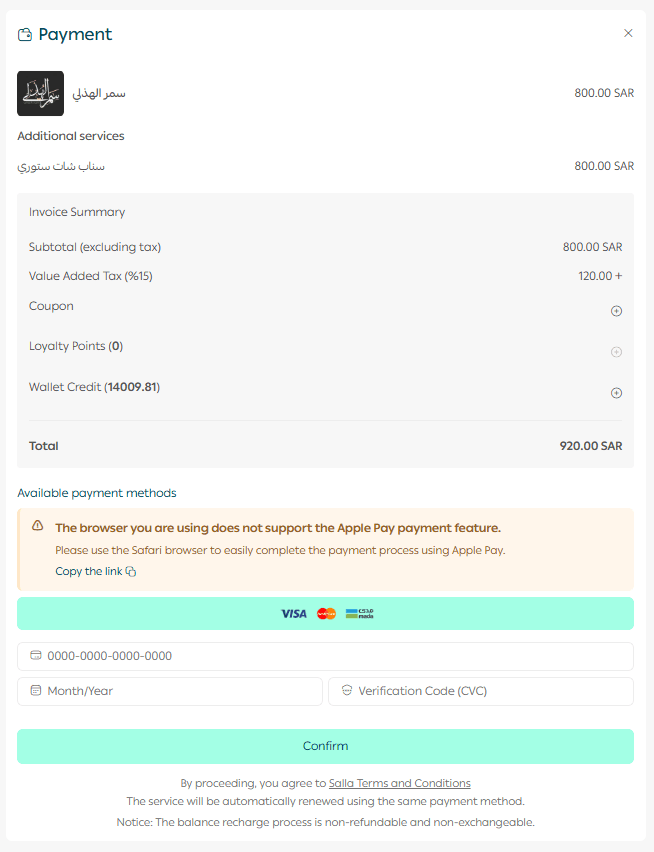
3. Select the campaign goal from the list.
4. Complete the payment information, then click Confirm.
Your request will be submitted successfully.
Within the request page, you will be notified of the campaign status, and all updates will be sent to your email.
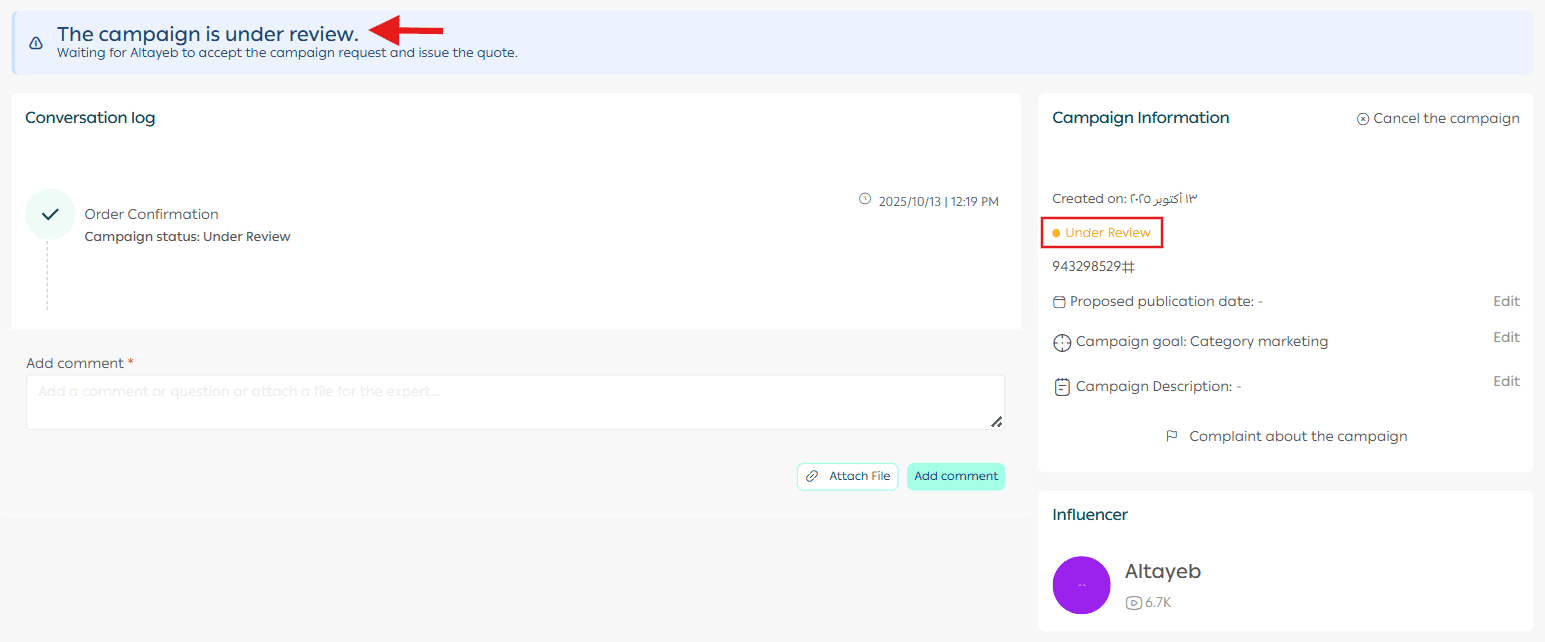
Once the influencer accepts the request, the campaign status will update to In Publishing inside the Influencer Marketing page.
Managing your campaign with the influencer
Communicating with the influencer before launch
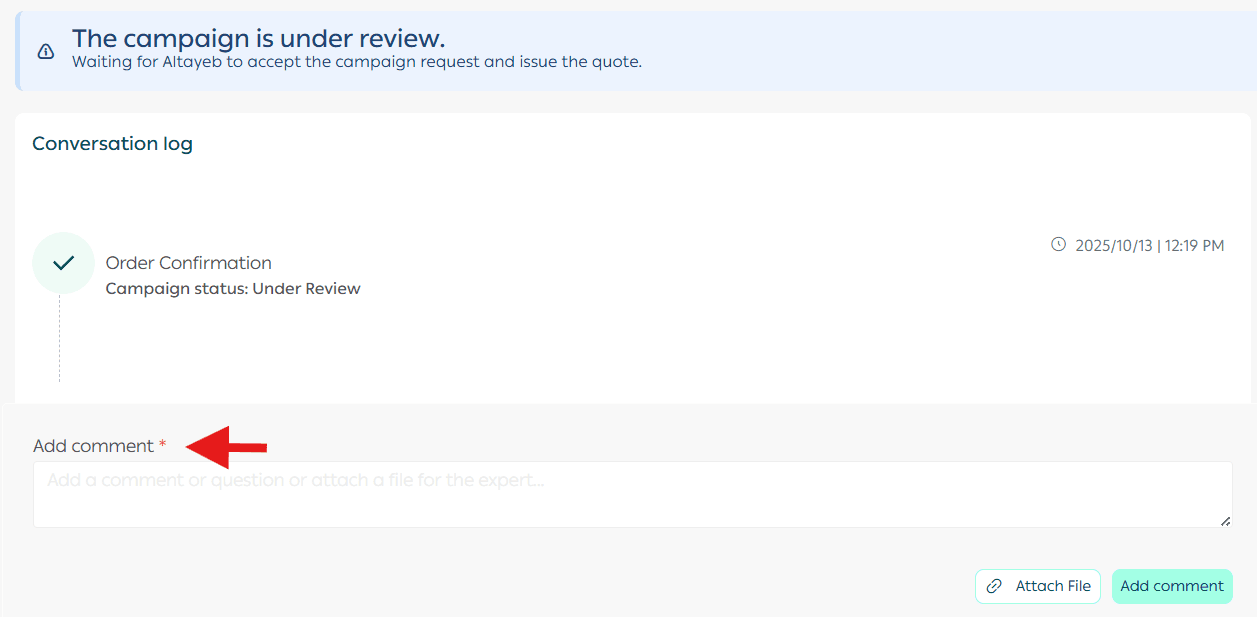
If you have questions or want to share files with the influencer, you can communicate through the conversation log by exchanging comments and attaching files.
Reviewing campaign publishing links
Once the influencer completes the campaign and delivers the campaign content, the campaign status will update to:
Delivered and awaiting confirmation
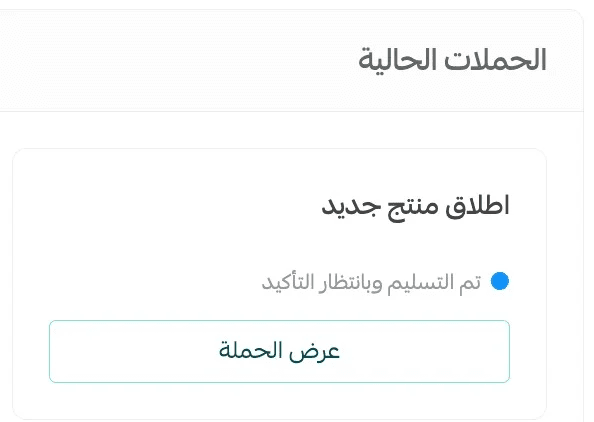
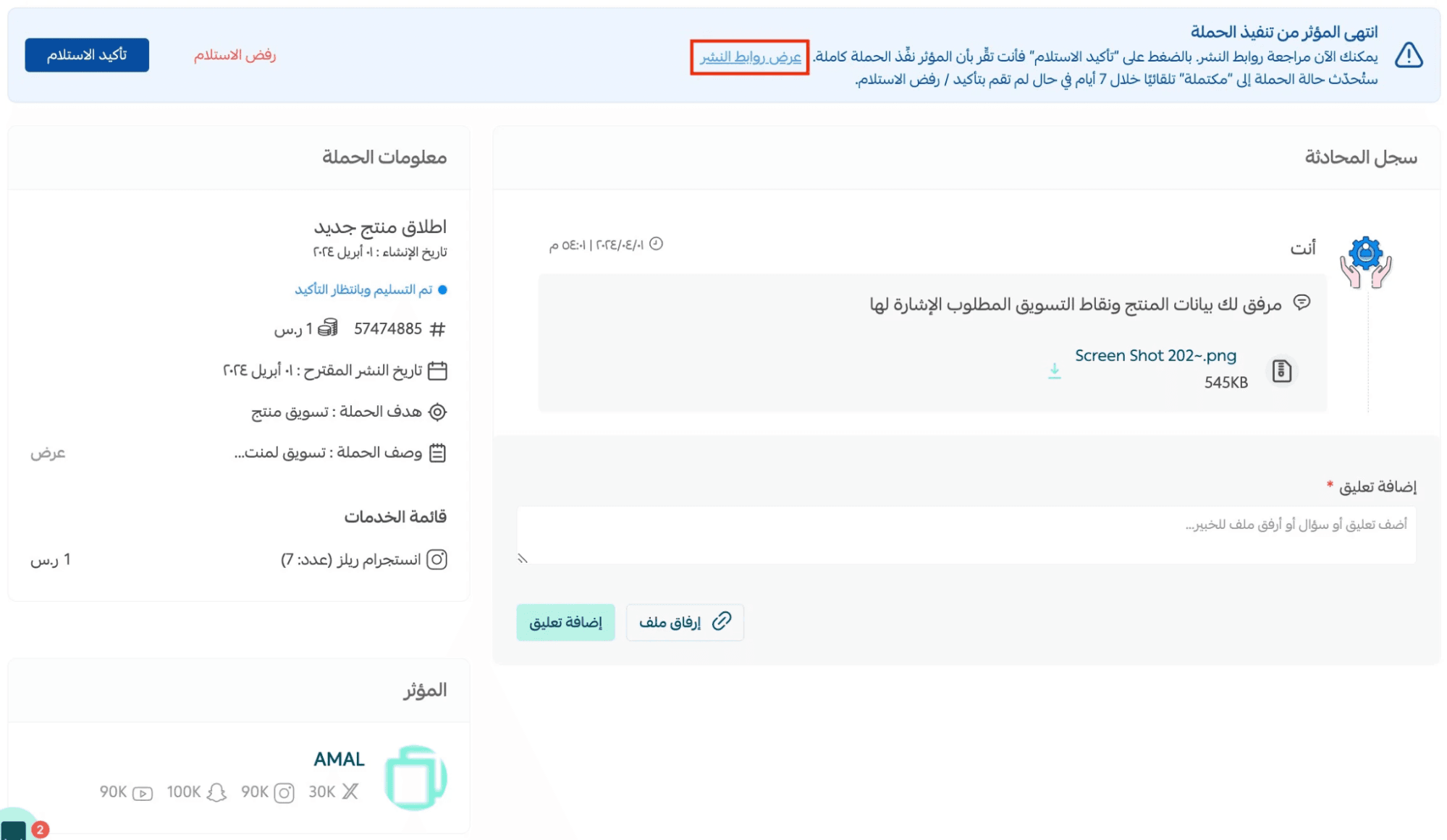
From the campaign page, click Review Publishing Links.
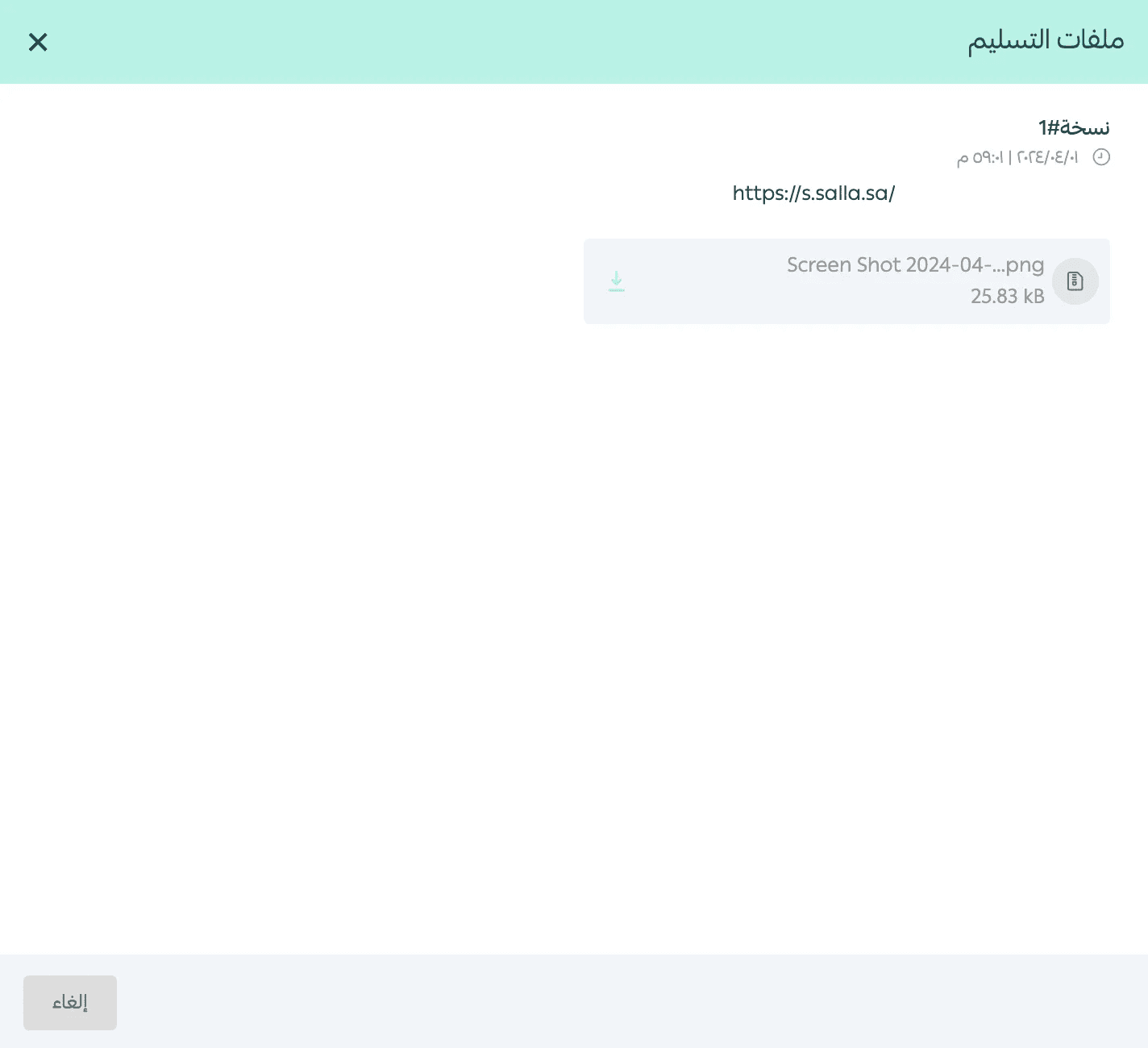
Then review the delivered files submitted by the influencer.
Confirming campaign delivery
After reviewing the campaign and ensuring everything was completed as expected, click Confirm Delivery.

Once confirmed, you will receive a notification that the campaign has been successfully published.

Rejecting campaign delivery
If you want to reject the delivered campaign while the status is Delivered and Awaiting Confirmation, click Reject Delivery.

Select the rejection reasons, add your notes, then click Reject Delivery.
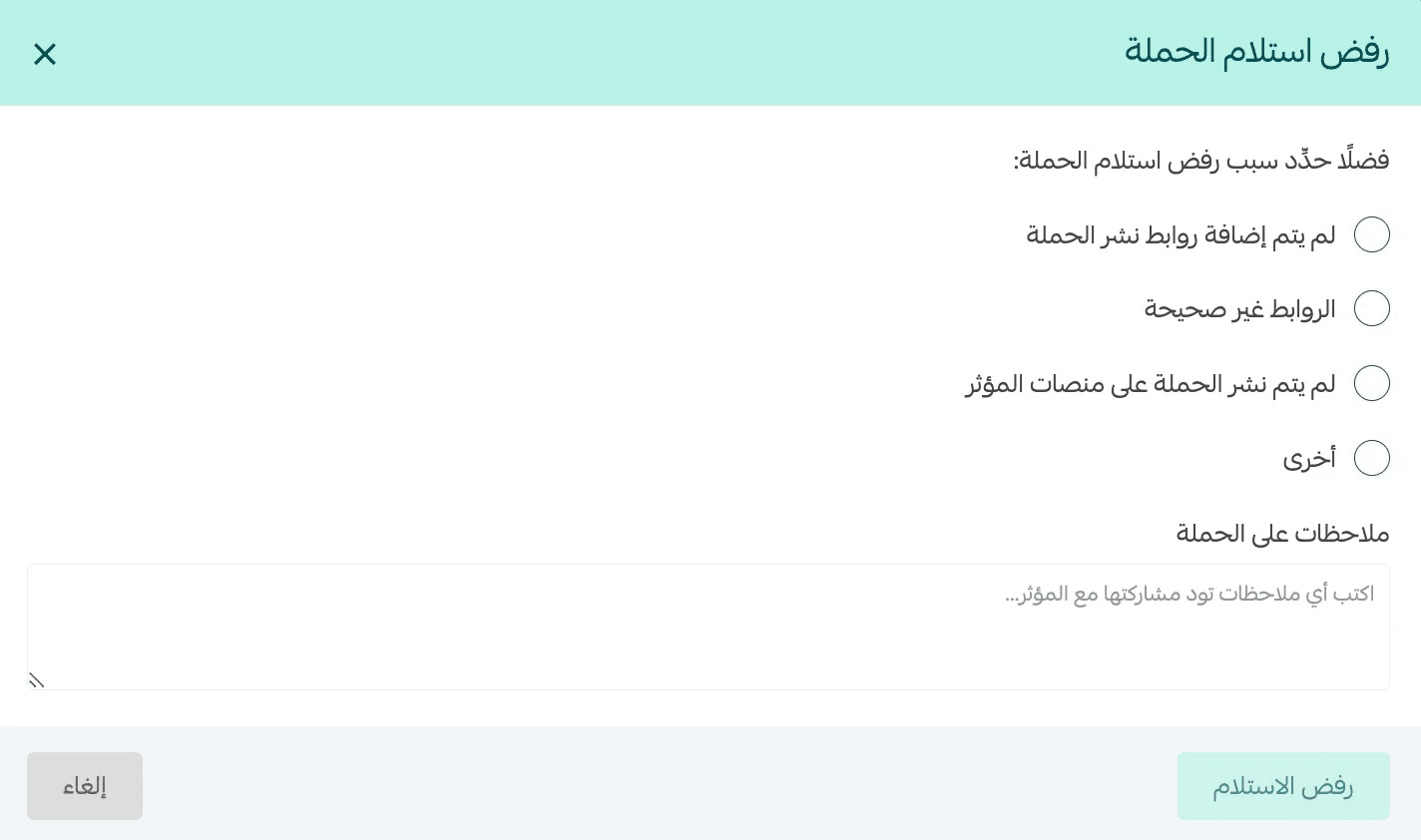
Your feedback will be sent to the influencer, and the campaign request status will return to In Publishing.
Influencer evaluation
This feature allows merchants to evaluate the influencer and the service provided.
It helps influencers understand merchant feedback, and it also allows other merchants to learn from real advertising experiences with influencers.
📝 Note:
- Merchants can evaluate an influencer only after the campaign is completed (status: Completed).
- A rating button will appear once the campaign is finished.
Influencers are rated based on 4 criteria (a special badge will appear on the influencer card accordingly):
- Overall influencer service rating
- Work quality
- Communication and responsiveness
- Commitment to delivery deadlines
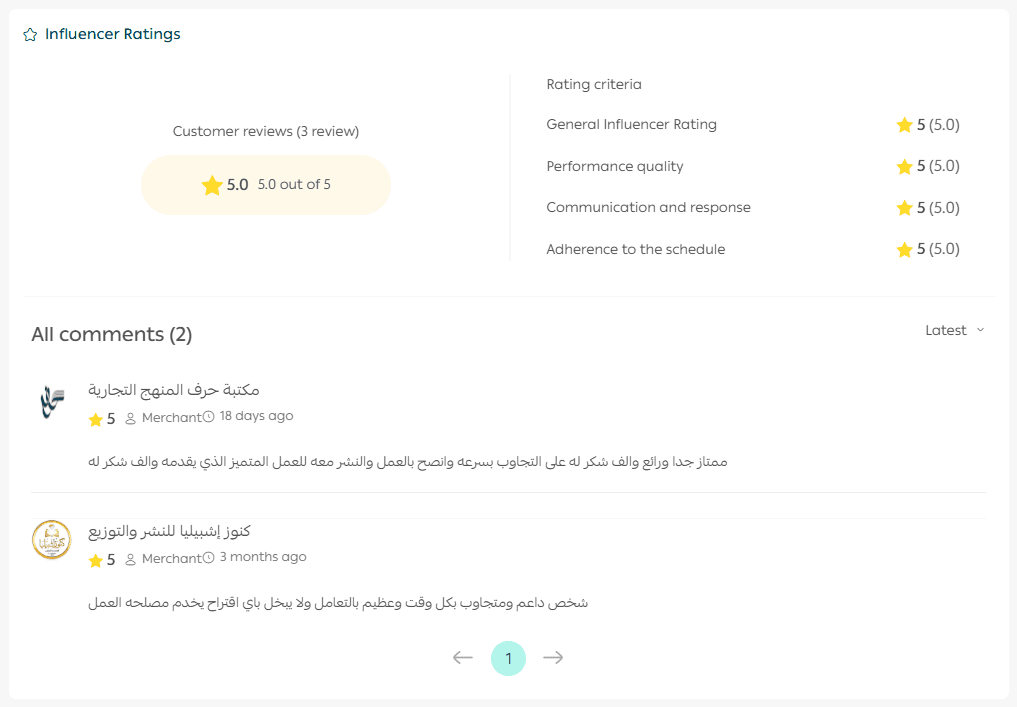
Steps to evaluate an influencer
- After the campaign is completed, go to the request page in your store dashboard and click Evaluate Influencer.

2. Rate each criterion from 1 to 5 stars, and optionally add:
- A public comment (visible to other merchants)
- A private comment (visible only to the influencer)
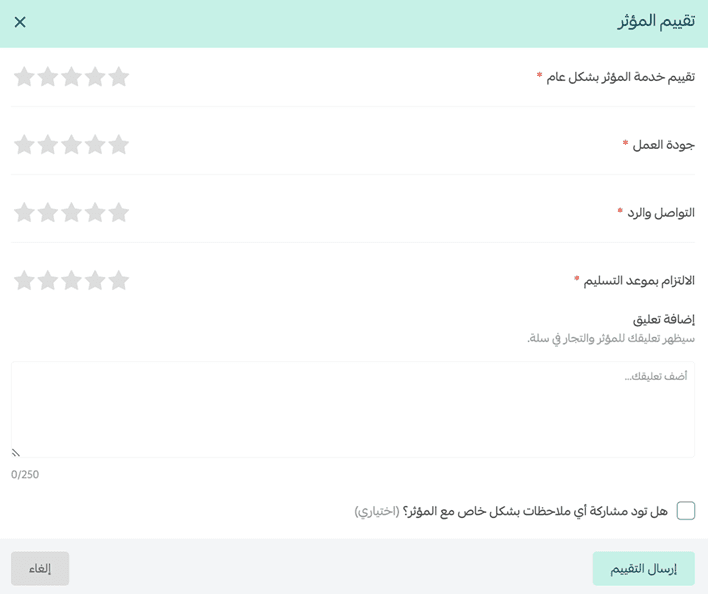
3. Click Submit Evaluation.
🔔 An email will be sent to the merchant 3 days after campaign completion, with a reminder email after 7 days.
Influencers can:
- View merchant ratings and comments
- See average ratings for each criterion
- View the number of ratings per criterion
- Reply to merchant comments
- Edit their replies
- Access private comments sent by merchants
Frequently asked questions
Can I dispute the campaign after confirming delivery?
Once you confirm delivery, you are confirming that you are satisfied with the campaign output and quality.
You will not be able to dispute the campaign after confirmation.
That’s why it is important to review the campaign carefully before confirming delivery.
What happens if there is a disagreement with the influencer about the deliverables?
Choosing the right influencer and clearly explaining requirements in detail is essential.
For support in resolving disputes, contact the Partnerships Team at: partners@salla.sa
If the campaign does not bring results, will I get a refund?
If the ad quality is below the agreed standard, you may reject delivery and the influencer will republish the ad.
However, if the quality meets the agreement but the campaign does not achieve results, no refund will be issued.
If the influencer withdraws from the campaign request, will I get my money back?
Yes. The amount will be refunded to your wallet within 24 hours.
Can I refund the campaign amount after confirming delivery?
No. Do not confirm delivery unless you have fully reviewed the deliverables and are satisfied.
Confirming delivery means the campaign has been completed as required.