Did you know that most customers stop purchasing after their first experience if they don’t find a good reason to return? Coupons and discounts alone are no longer enough to maintain customer loyalty, especially in a highly competitive market.
With the customer wallet, every purchase becomes the beginning of a new journey with your customer.
This feature allows you to reward customers instantly with cashback credit inside your store, encouraging them to return and use it again. It also gives you a new marketing channel based on loyalty and long-term engagement.
📌Article overview
- What is the customer wallet?
- How does the wallet appear to customers?
- Activating the customer wallet feature
- Managing the customer wallet feature
- Practical use cases
- Frequently asked questions
Customer wallet
The customer wallet is a feature that creates a wallet for each customer where they can keep:
- Cashback balances
- Refunded amounts
The wallet acts as an internal payment method, helping you:
- Increase repeat purchases
- Turn refunds into opportunities for new sales
- Provide customers with a more reliable and flexible shopping experience
⚠️ Important note
- To use the wallet feature, your store must be connected to a custom domain, as it is not available for stores using default domain links.
- The feature is available on all paid plans.
Activating the customer wallet feature
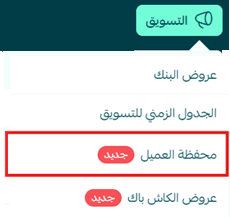
- From the main menu, go to Marketing and click Customer Wallet.
- Click Activate Wallet for Free to enable the feature.
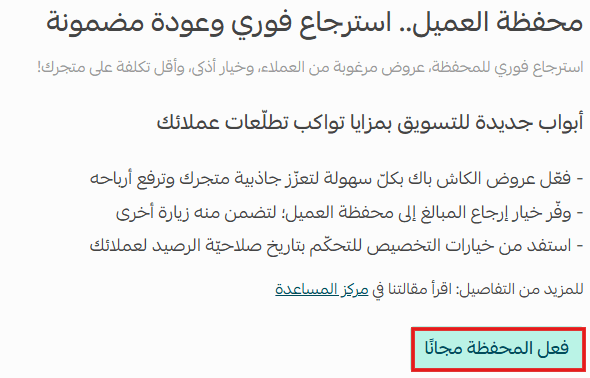
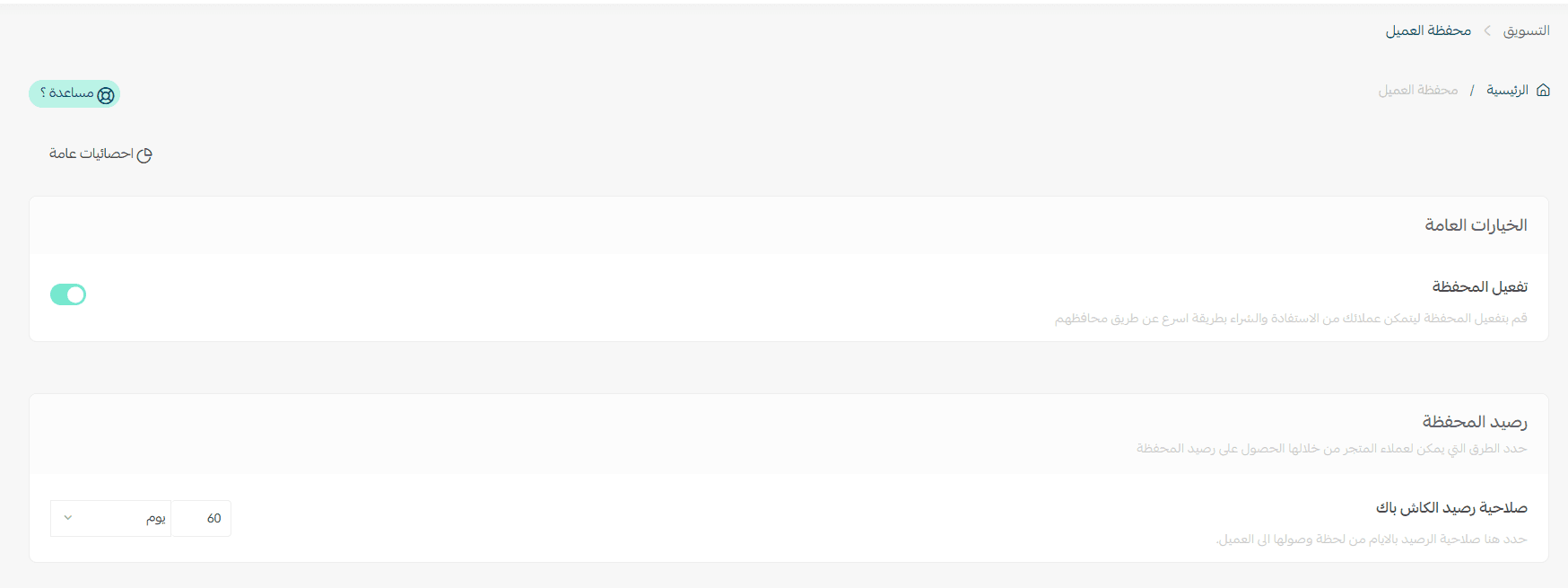
🎉 Once activated, the wallet settings will appear immediately.
Managing the customer wallet feature
Enable customer wallet
Simply activate the Customer Wallet option to start creating cashback offers.

Wallet balance settings
After enabling the feature, you can set the expiration period for cashback balances according to your store strategy.

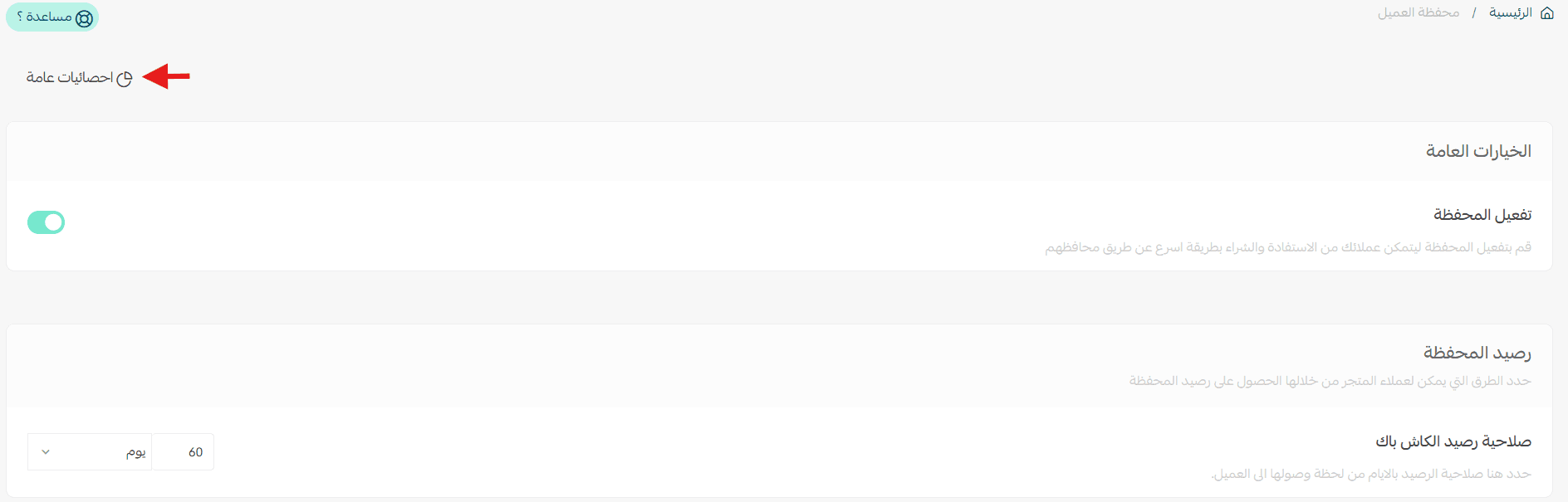
General statistics
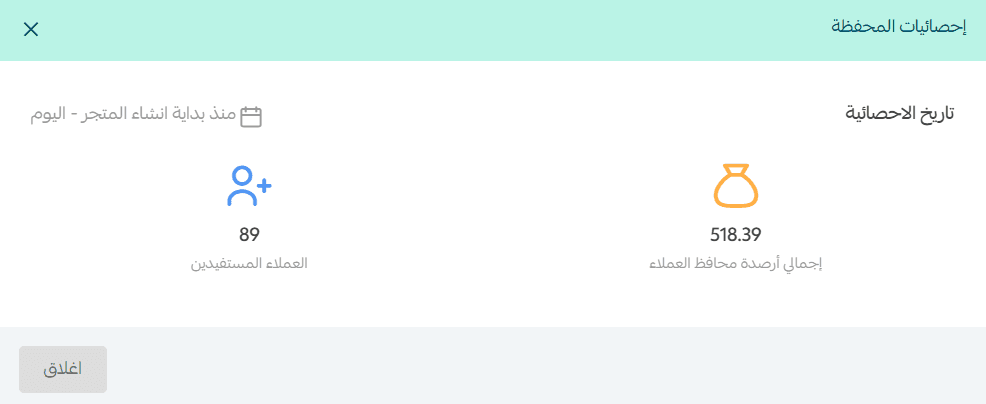
Go to View General Statistics to track the performance of your wallet offers.
You will see valuable insights such as:
- Total customer wallet balances
- Number of customers benefiting from the wallet
These statistics help you make data-driven decisions.
Practical use cases
1. Easy order refunds
- Challenge: A customer returns a product and expects a refund, which may take time through bank transfers.
- Solution: The amount is instantly returned to the customer’s wallet.
- Result: Higher customer satisfaction and faster repeat purchases.
2. Encouraging repeat purchases
- Challenge: Customers often purchase only once.
- Solution: Offer 15% cashback on the first purchase.
- Result: Customers return to your store instead of moving to competitors.
3. Creative seasonal promotions
- Challenge: Seasonal discounts attract customers only during the promotion period.
- Solution: Instead of a direct discount, offer high cashback (e.g., 25%) that can be used later.
- Result: Sales continue even after the promotional season ends.
4. Handling canceled orders
- Challenge: A customer cancels an order after payment and becomes frustrated waiting for a refund.
- Solution: The refund is added instantly to the customer’s wallet.
- Result: The customer maintains trust and may quickly place another order.
Frequently asked questions
Does my customer’s wallet balance affect my store wallet balance?
No. The balance stored in the customer’s wallet does not affect your store wallet balance. Customers can use it as a discount on future purchases, and you can view wallet balances from the customer profile page or reports.
Can customers combine wallet balance with other payment methods?
Yes. Customers can use their wallet balance fully or partially alongside other payment methods, such as cards or Apple Pay.
Can I set an expiration date for wallet balances?
Yes. You can set a validity period that fits your marketing strategy, such as 30 days or 90 days.
What happens when the wallet balance expires?
Expired balances are automatically removed and can no longer be used, encouraging customers to make purchases sooner.
Can merchants control the cashback percentage?
Yes. You can define fixed or variable cashback percentages depending on the product or marketing campaign.
Can customers withdraw wallet balance as cash?
No. Wallet balances can only be used inside the store for future purchases.
What happens if the merchant disables the wallet feature?
Customers can still use balances previously added to their wallets, but no new balances will be generated. All financial data remains in the system.
Can I track wallet performance reports?
Yes. The dashboard provides statistics including:
- Total customer wallet balances
- Number of customers benefiting from the wallet
- Wallet usage rates
💸 Increase your store’s sales and customer loyalty
Learn how Salla’s cashback system can transform every purchase into an opportunity for customers to return, strengthen loyalty, and increase the average cart value, supported by practical examples and smart marketing strategies.