E-commerce businesses often face fraud risks, repeated cancellations, and unstable sales caused by unverified or non-serious orders.
With payment restrictions, you can protect your store’s transactions, reduce financial risk, and apply stronger security measures by validating customer data and controlling which payment methods are available in specific situations.
In this guide, you’ll learn how to enable, manage, and apply payment restrictions effectively; with real examples to help you build safer and more stable checkout operations.
📌 Article overview
- What are payment restrictions?
- Why payment restrictions matter for sales security
- How to add payment restrictions
- Managing restrictions (add, customize, disable, delete)
- Practical use cases
- Frequently asked questions
What are payment restrictions?
Payment restrictions are specific conditions applied to payment methods in your store to reduce fraud and improve transaction security.
For example, you can restrict certain payment options for specific countries, customer groups, or product categories to ensure trustworthy purchases and protect your revenue.
1. Why payment restrictions improve sales security
1) Fraud prevention
Payment restrictions help verify customer information such as:
- IP address location
- Matching the card country with the shipping country
This allows suspicious transactions to be rejected or reviewed before losses occur.
2) Reducing non-serious orders
You can prevent unreliable customers from using Cash on Delivery, which reduces repeated cancellations and improves operational efficiency.
3) More stable revenue and fair purchasing
By limiting bulk purchasing per customer, you can avoid stock depletion and ensure fair product distribution, supporting healthier revenue flow.
4) Lower cancellation rates for high-value products
For sensitive products (such as electronics), restricting certain payment methods ensures buyers are serious, reducing unnecessary cancellations.
2. How to add payment restrictions
To create a new restriction:
- From the main menu, go to All
Under Settings & Tools, click Payment Restrictions
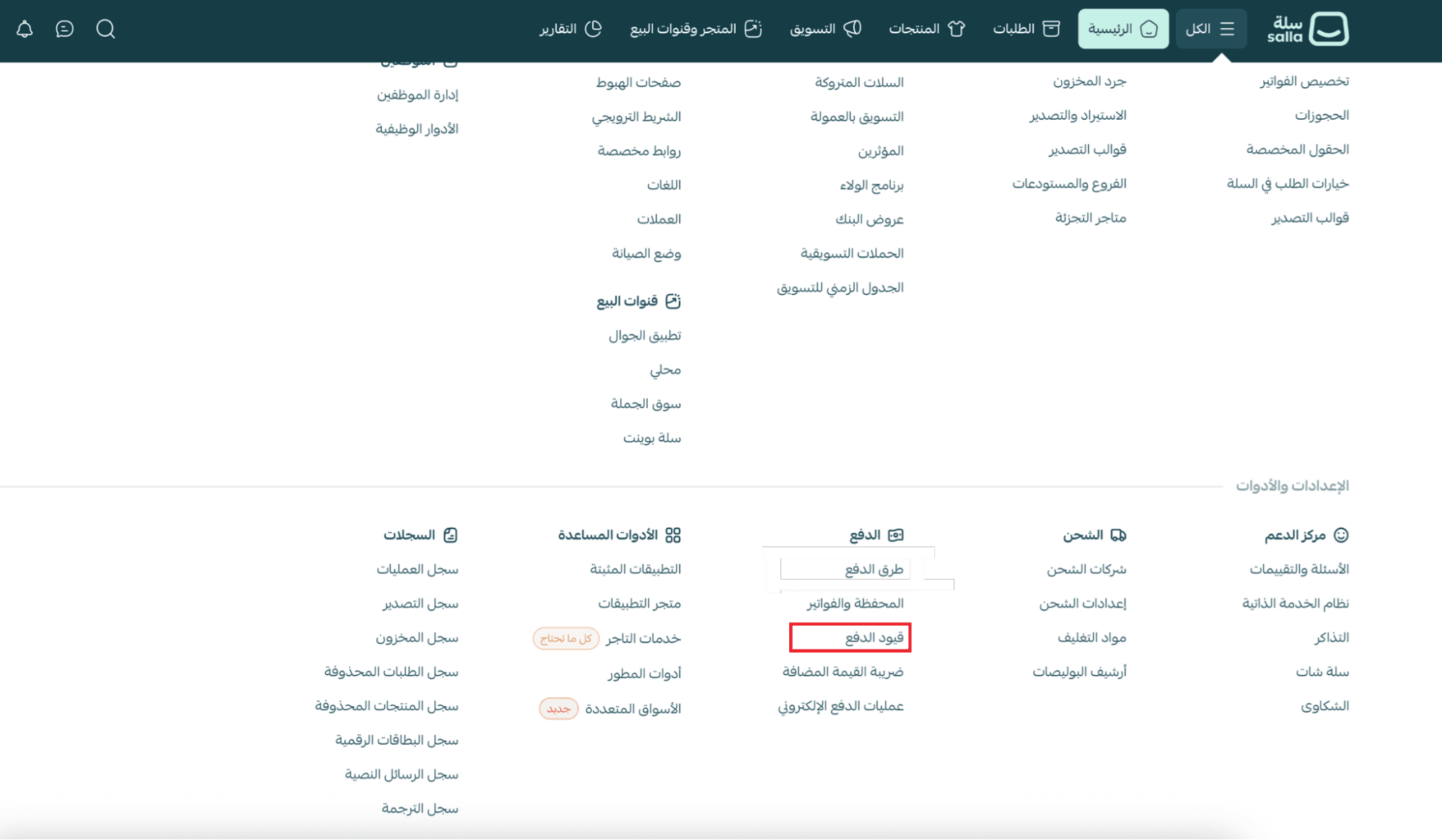
2. On the Payment Restrictions page, click Add New Restriction

3. Enter the restriction name and details, then click Save
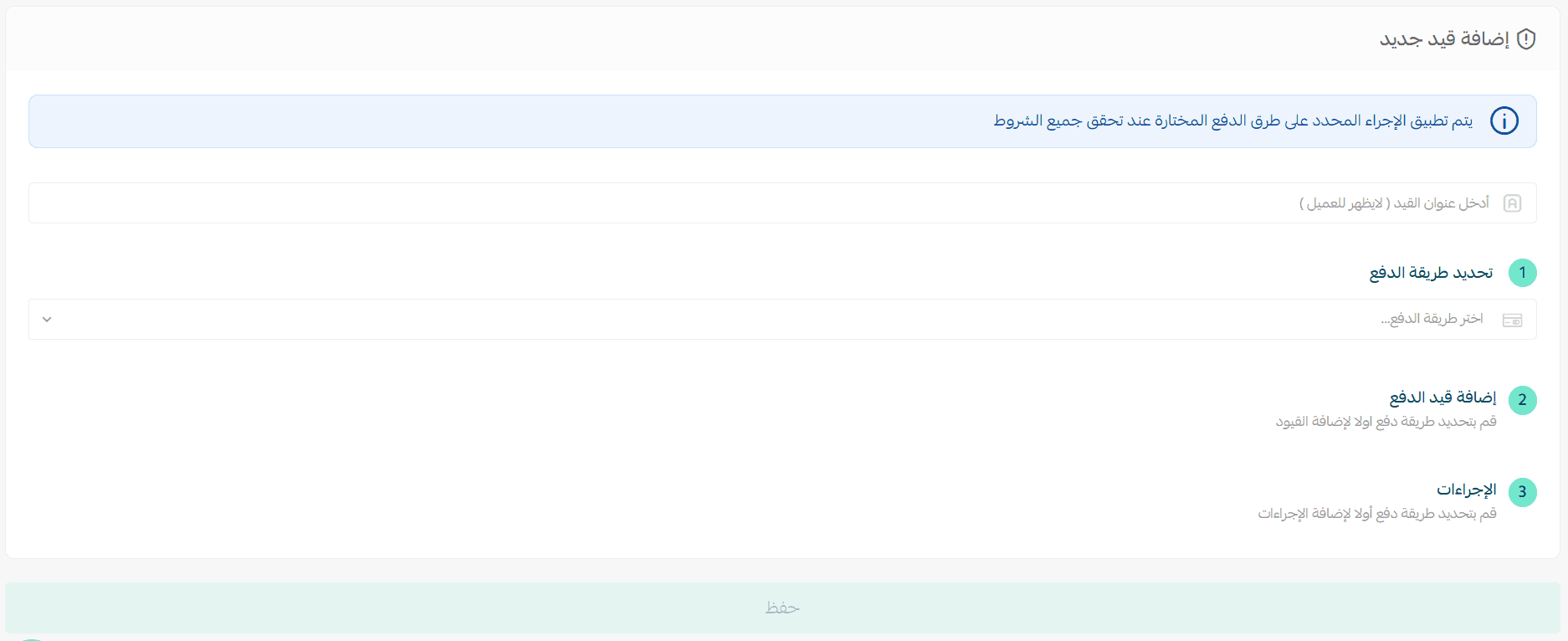
3. Configuring and customizing payment restrictions
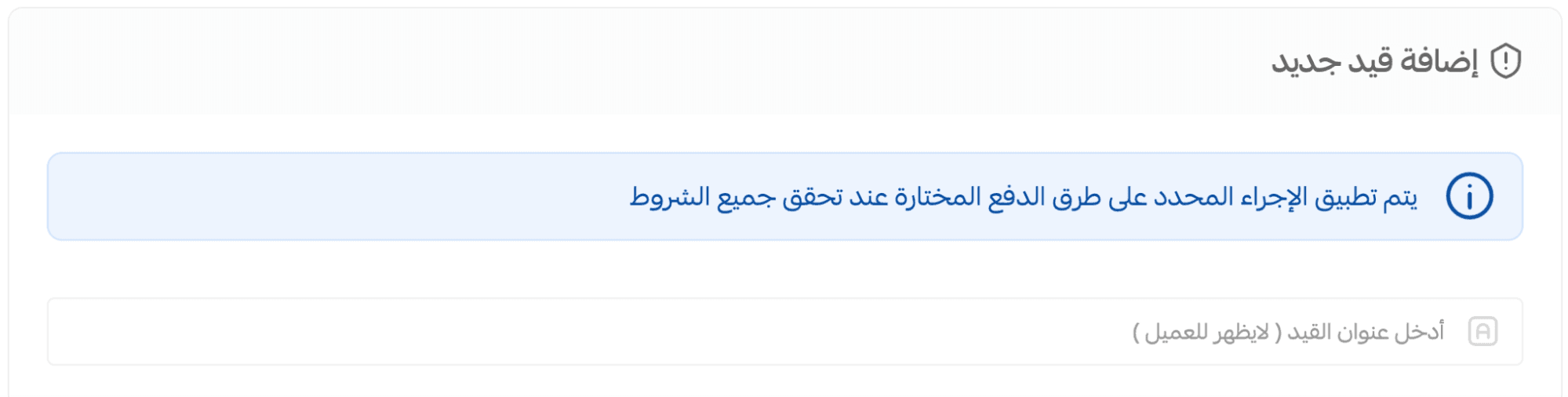
Start by naming your restriction
Choose a clear internal name that reflects its purpose (this name will not appear to customers).
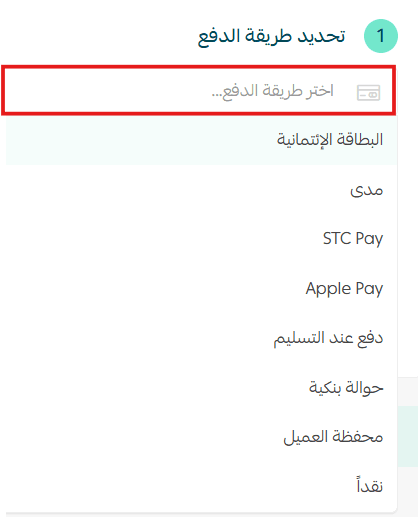
Step 1: Select the payment method
Choose one or more payment methods to restrict, such as:
- Credit/Debit Cards
- Cash on Delivery
- Digital Wallets
- Other supported methods
🔔 Important note: Some payment methods (such as STC Pay, Cash on Delivery, and Bank Transfer) are currently available only for stores in Saudi Arabia.
Step 2: Add restriction conditions
You can apply one or more conditions to the selected payment method.
1. Choose the restriction type
Example restriction type: Cart Purchase Value
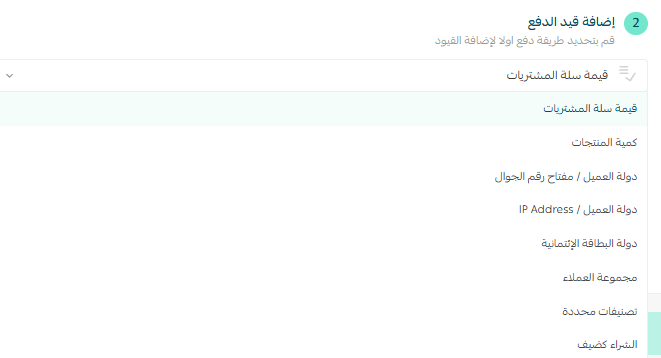
2. Define the restriction rule
For example, apply the restriction only to:
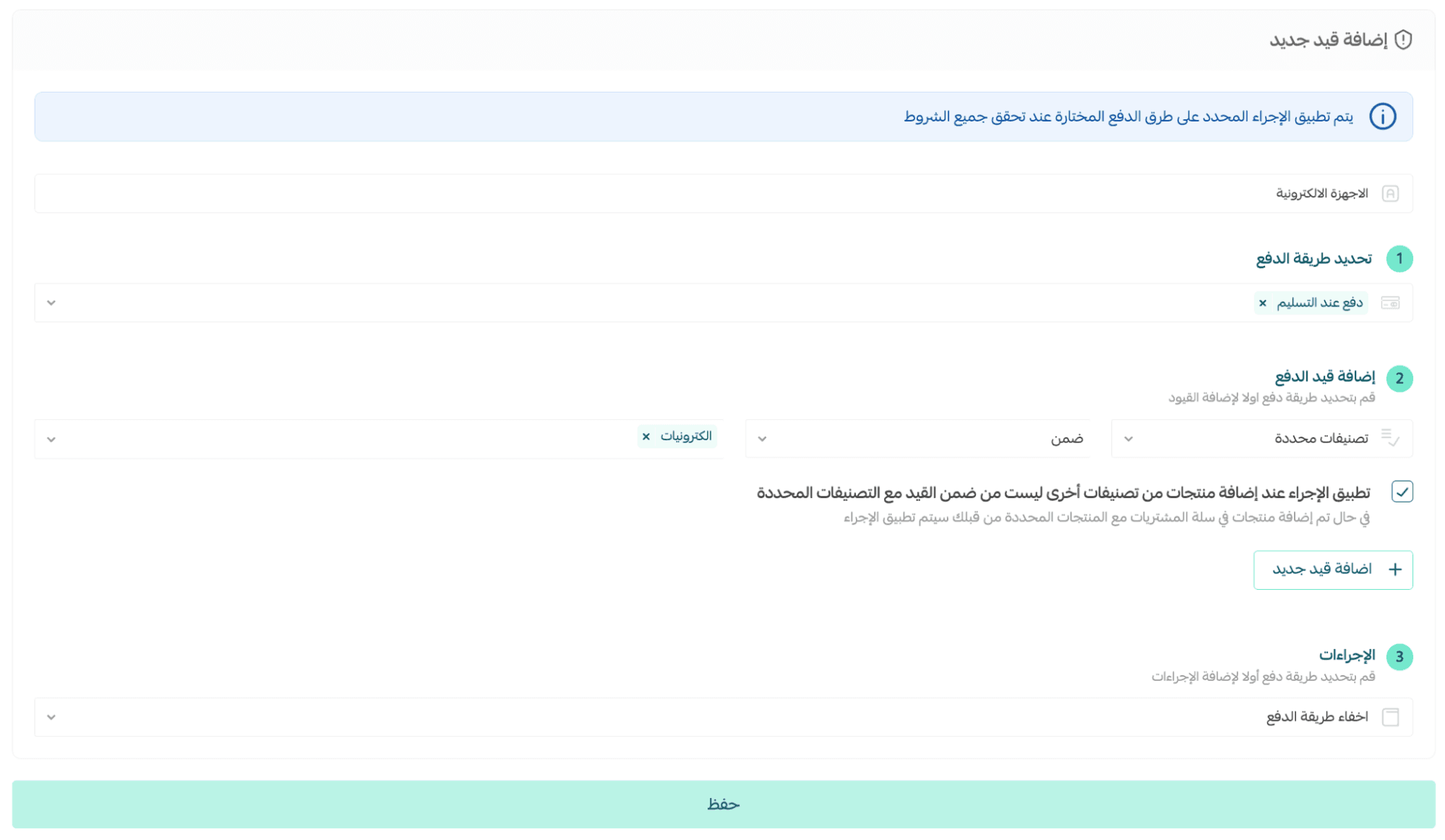
- Specific product categories
- Products inside or outside the restriction scope

📝 If the cart contains products from different categories, you can choose whether the restriction applies or not.
Customer-based restriction example
To apply restrictions to a group of customers:
- Select restriction type: Customer Group
- Choose the group from the list

Step 3: Choose the action
When the condition is met, select what happens:
- Reject the transaction
- Place the order under review
- Hide the payment method
You can also add a message explaining the reason to the customer.
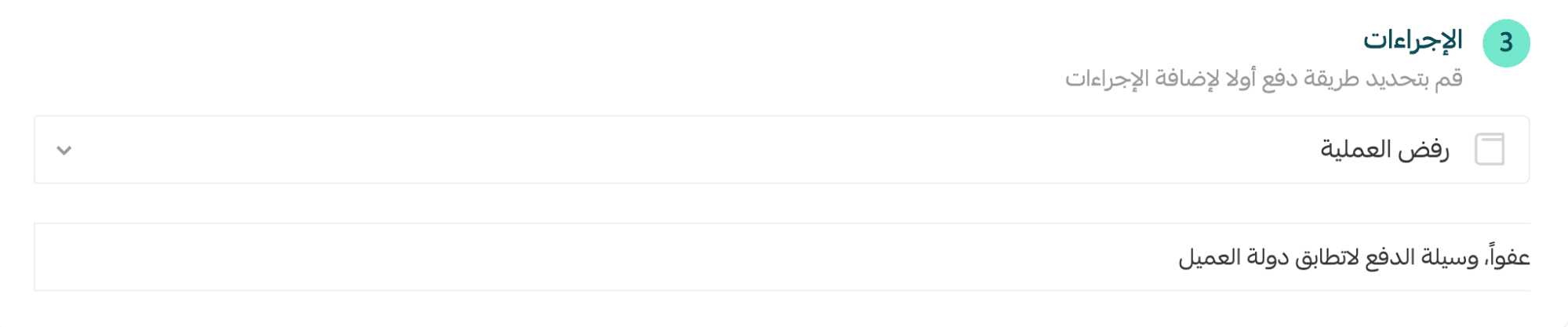
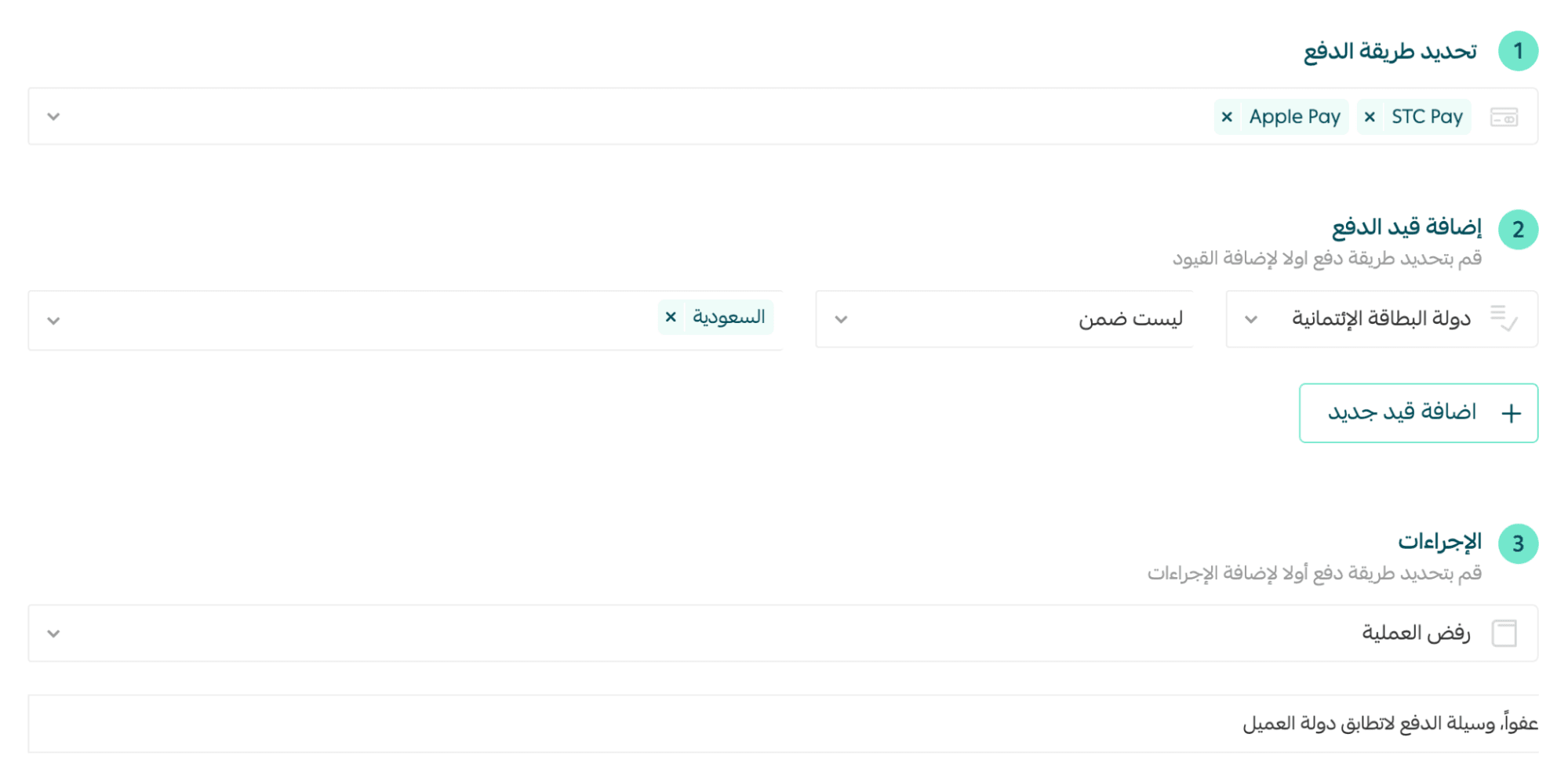
Example
If a customer uses Mada from outside Saudi Arabia, the payment can be rejected automatically.
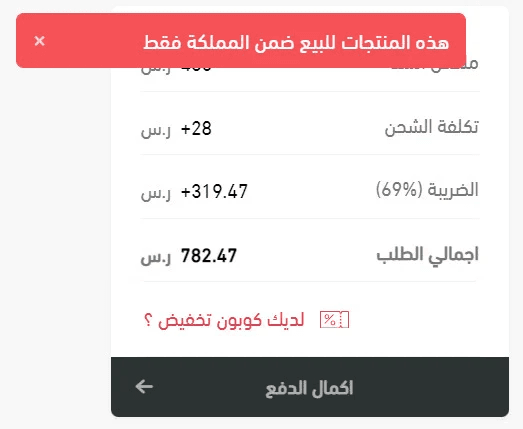
A clear rejection message will appear when the customer clicks Complete Payment.
Managing payment restrictions
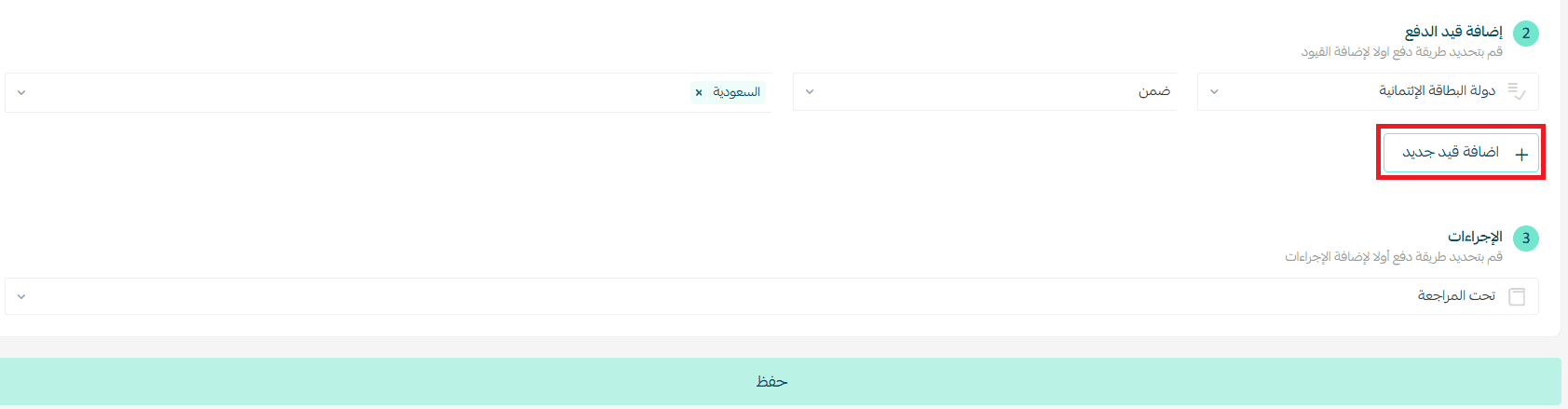
Add more than one restriction
To apply multiple conditions, click + Add New Restriction and enter additional rules.
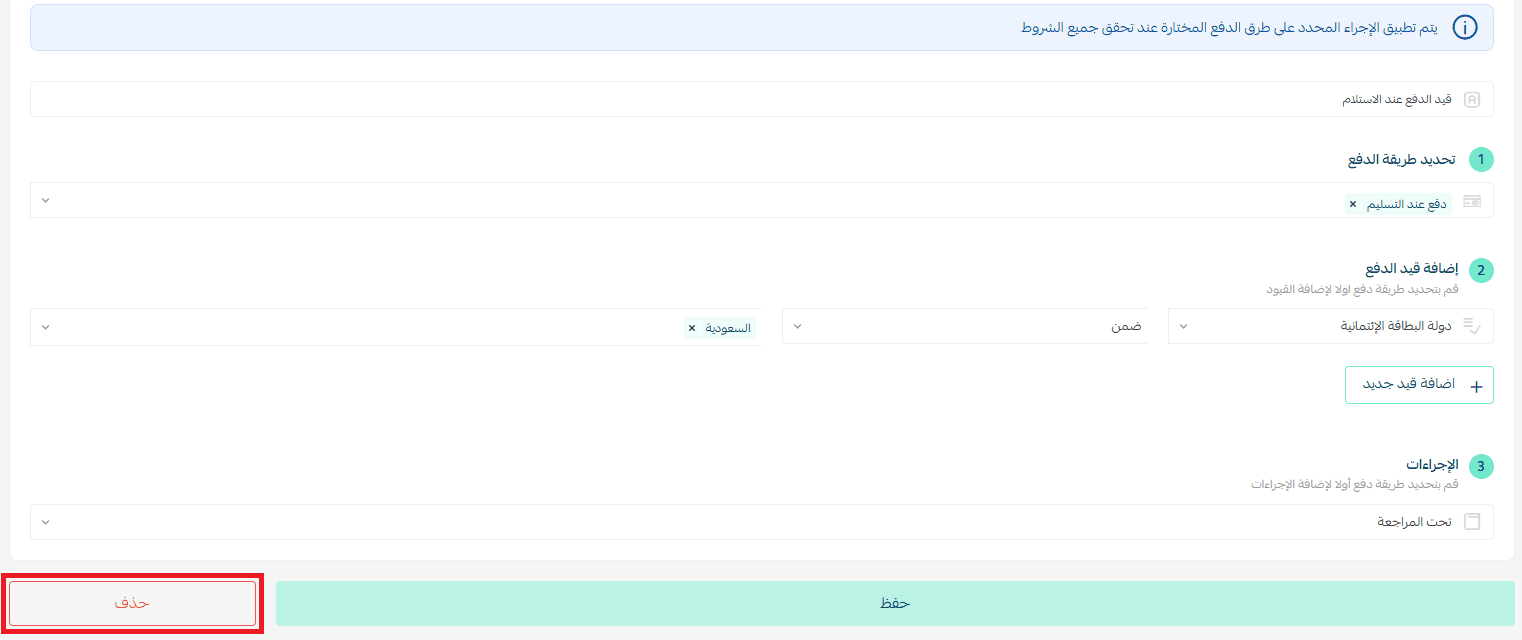
Delete a restriction completely
After saving, open the restriction page and click Delete at the bottom.
Disable a restriction without deleting
From the Payment Restrictions list, toggle the restriction off.

Note: You can re-enable it anytime.
Practical examples of payment restrictions
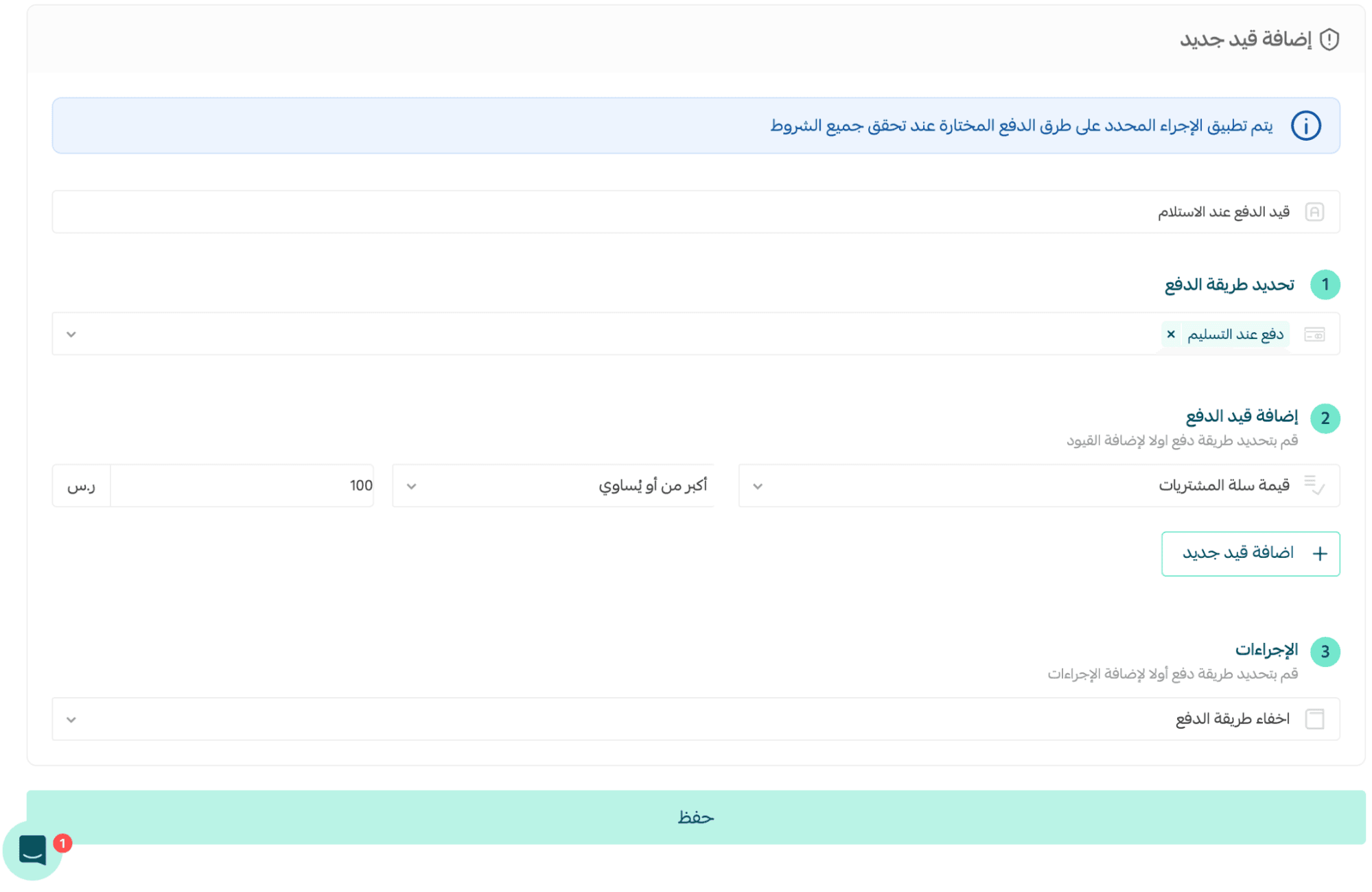
Example 1: Hide COD below a minimum order value
Note: Cash on Delivery is currently available only in Saudi Arabia.
If the cart value is below SAR/AED 100, Cash on Delivery will be hidden automatically.
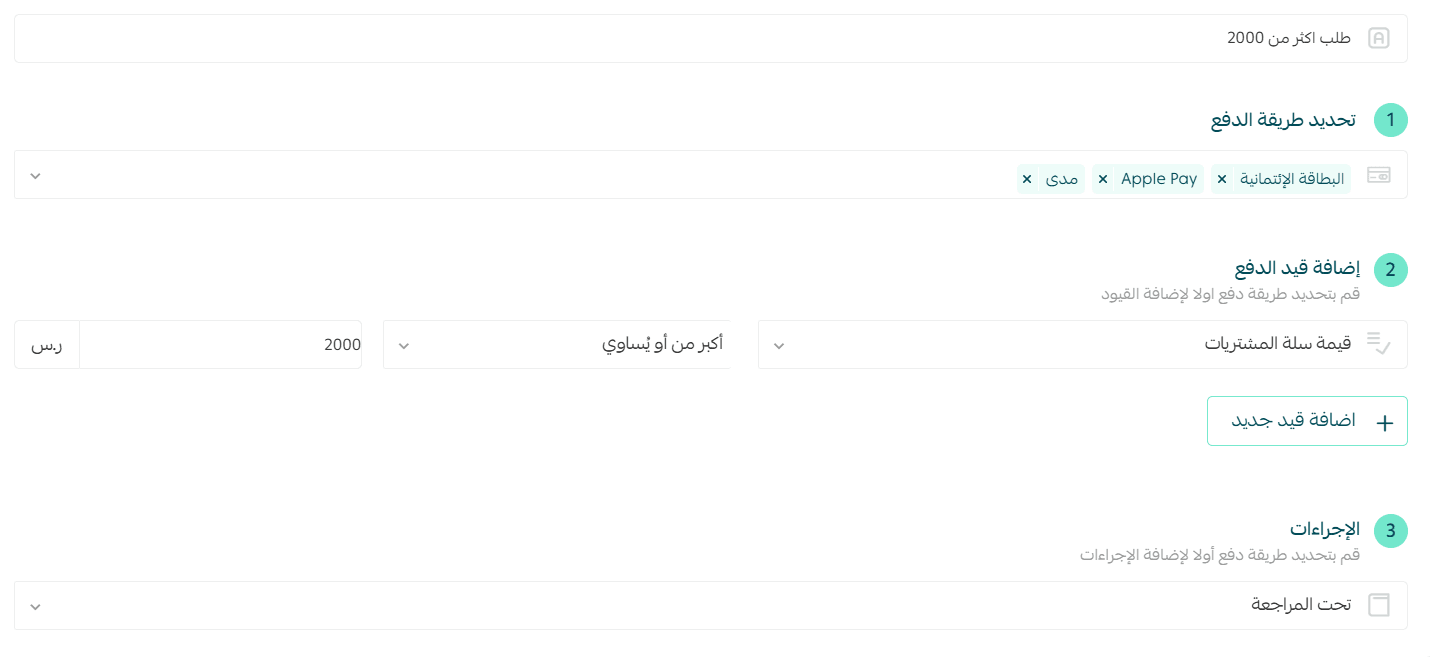
Example 2: Place high-value orders under review
If the cart total is above SAR/AED 2,000, the order can be flagged for review before processing.
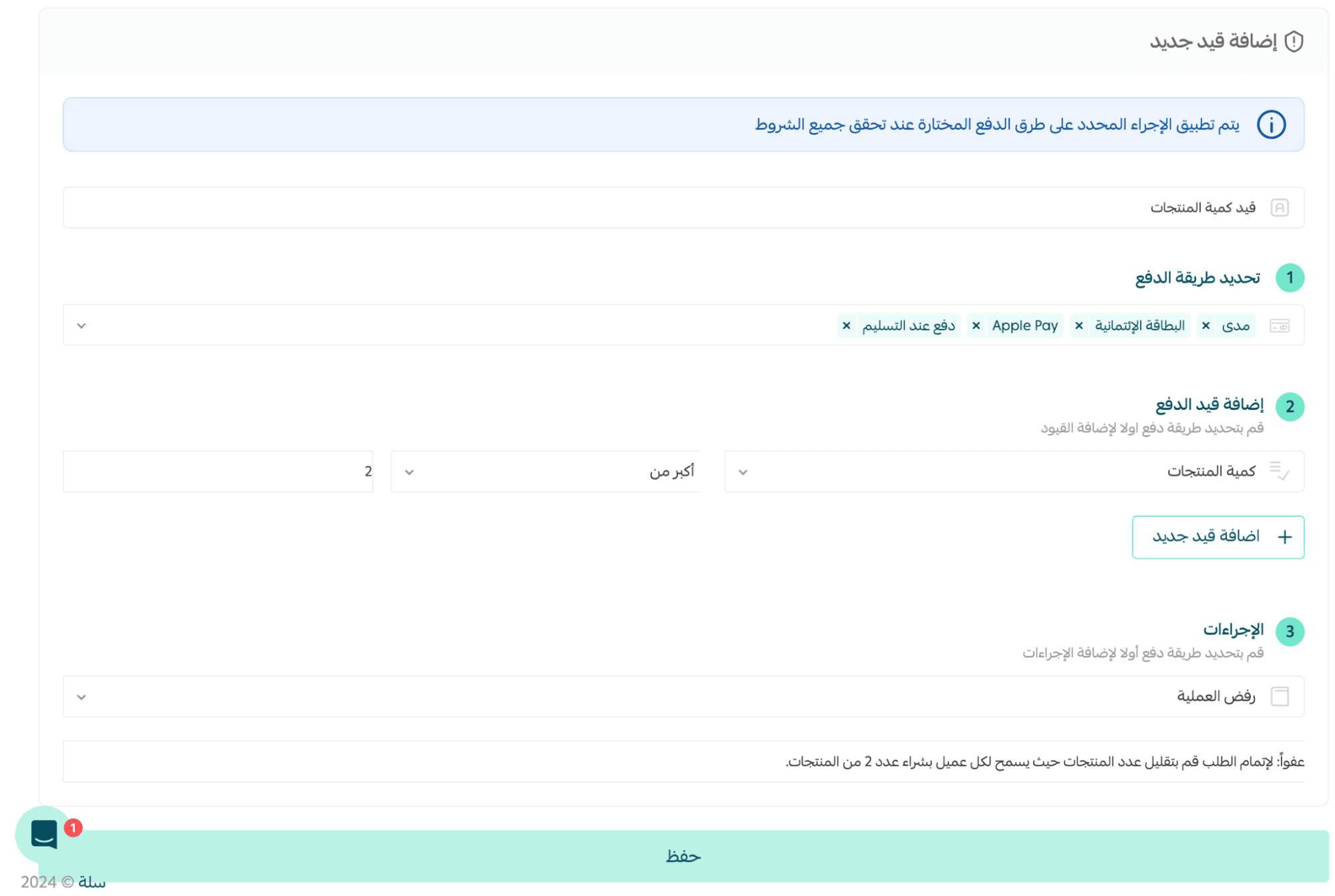
Example 3: Limit product quantity per customer
To prevent bulk buying of limited products:
Example: Reject purchases of more than 2 digital tickets per order.
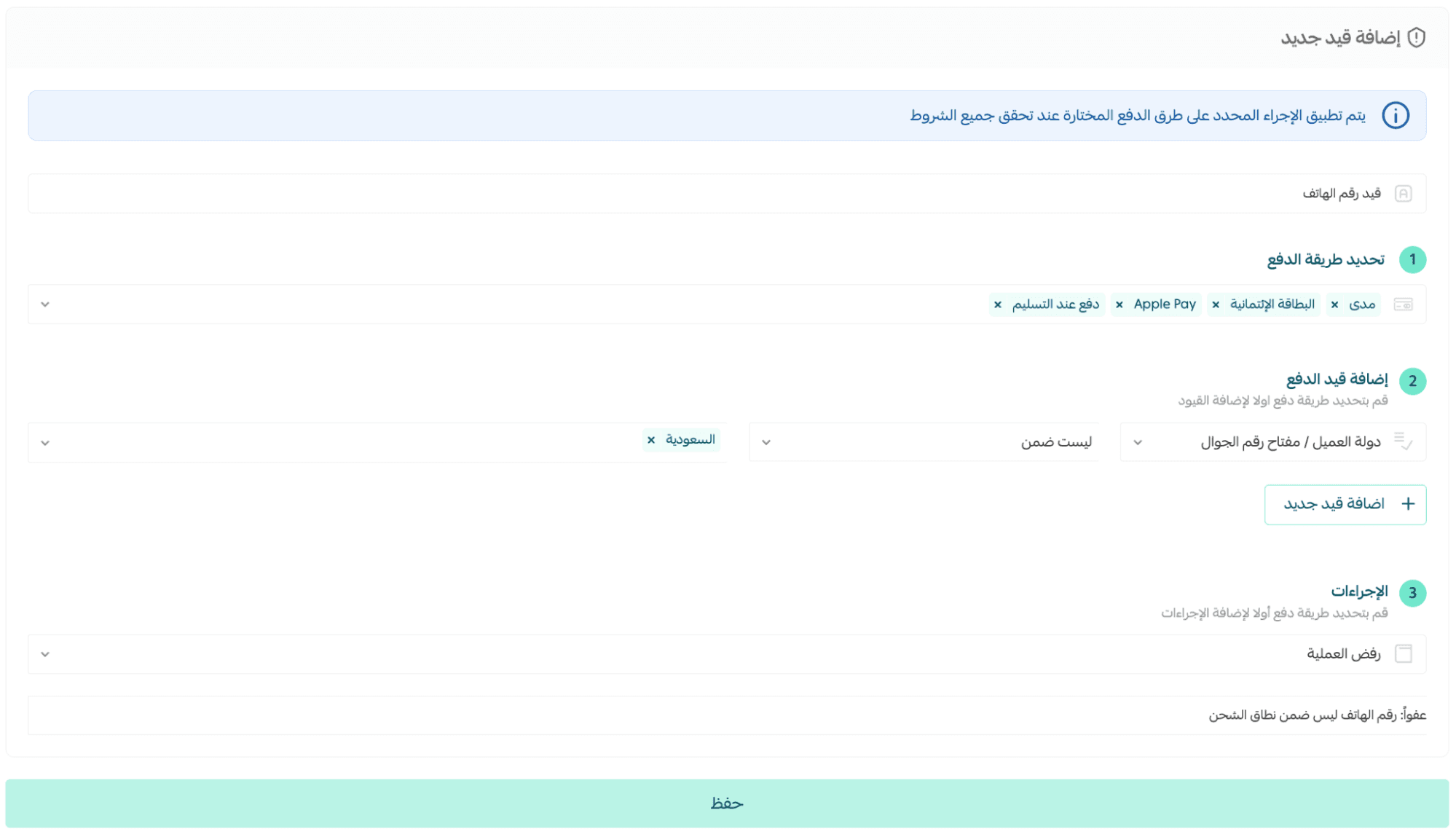
Example 4: Accept orders only from a specific country
If a phone number does not start with +966, the checkout can be rejected to stay within the shipping region.
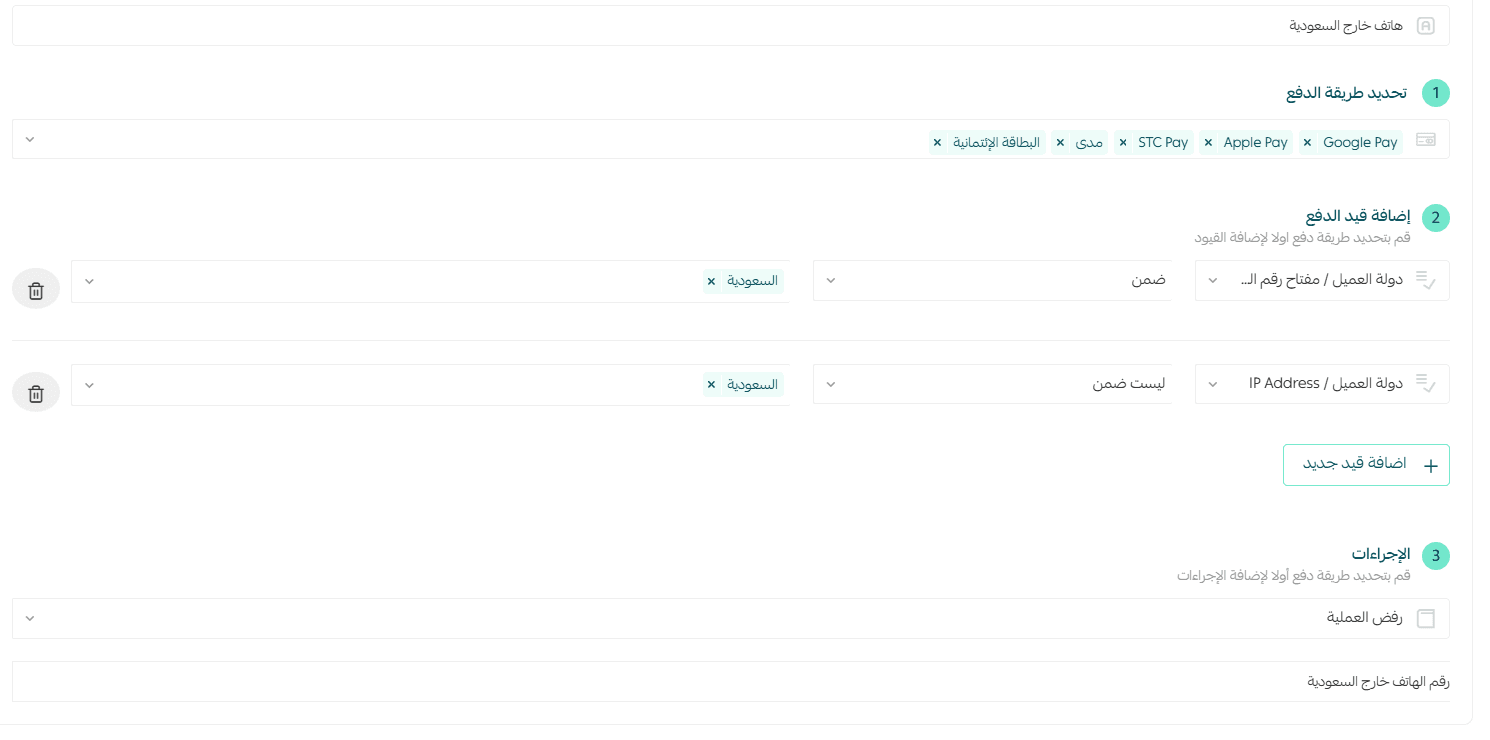
Example 5: Match IP location with shipping country
If the customer’s IP location does not match the shipping country, the transaction may be rejected as a fraud precaution.
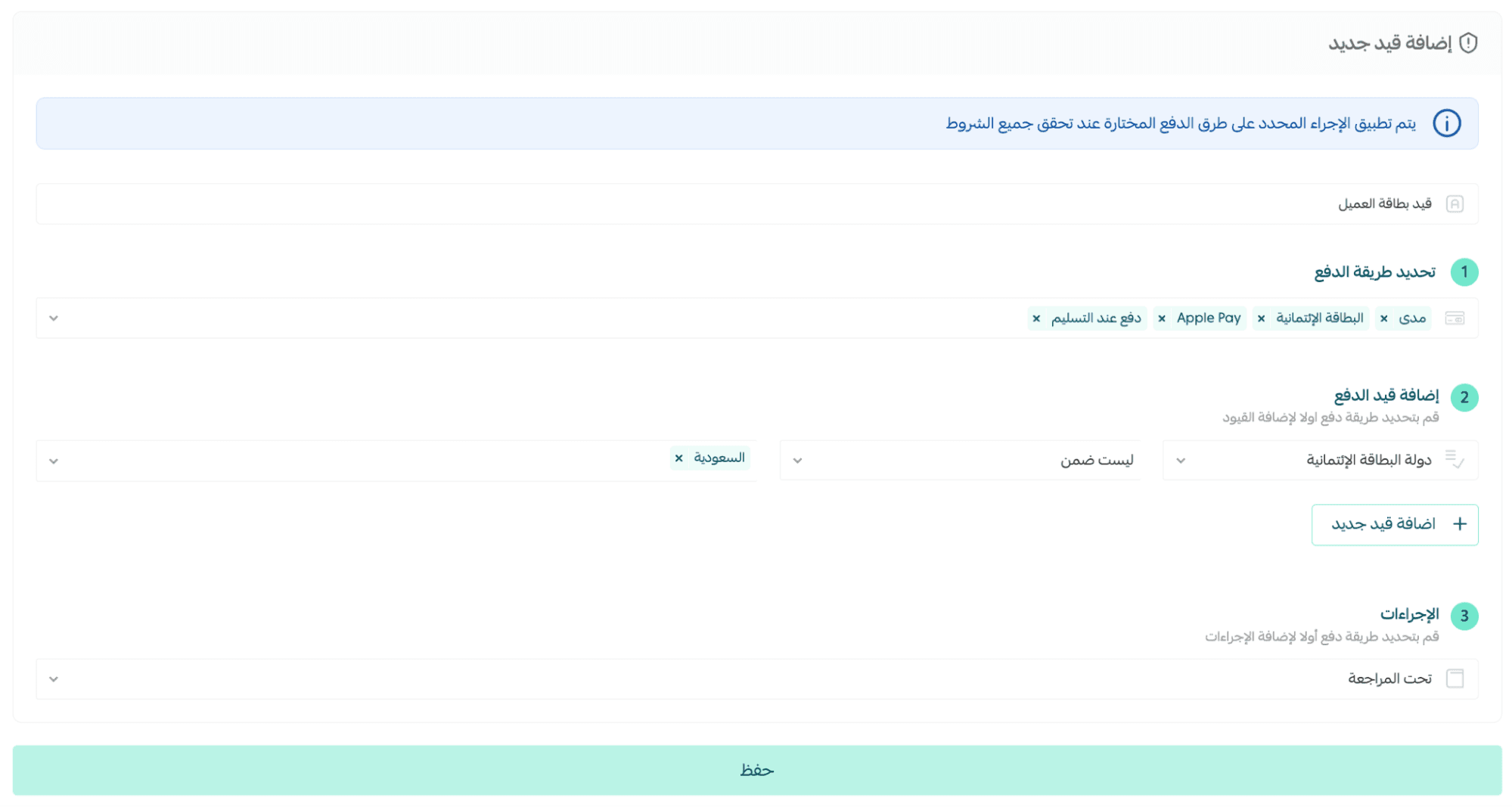
Example 6: Match card issuing country with shipping country
If a card issued in the UAE is used for shipping to Saudi Arabia, the order can be placed under review for security.
Example 7: Enable payment methods only for trusted customers
Trusted customers may use Cash on Delivery, while new or unreliable customers are required to pay electronically.
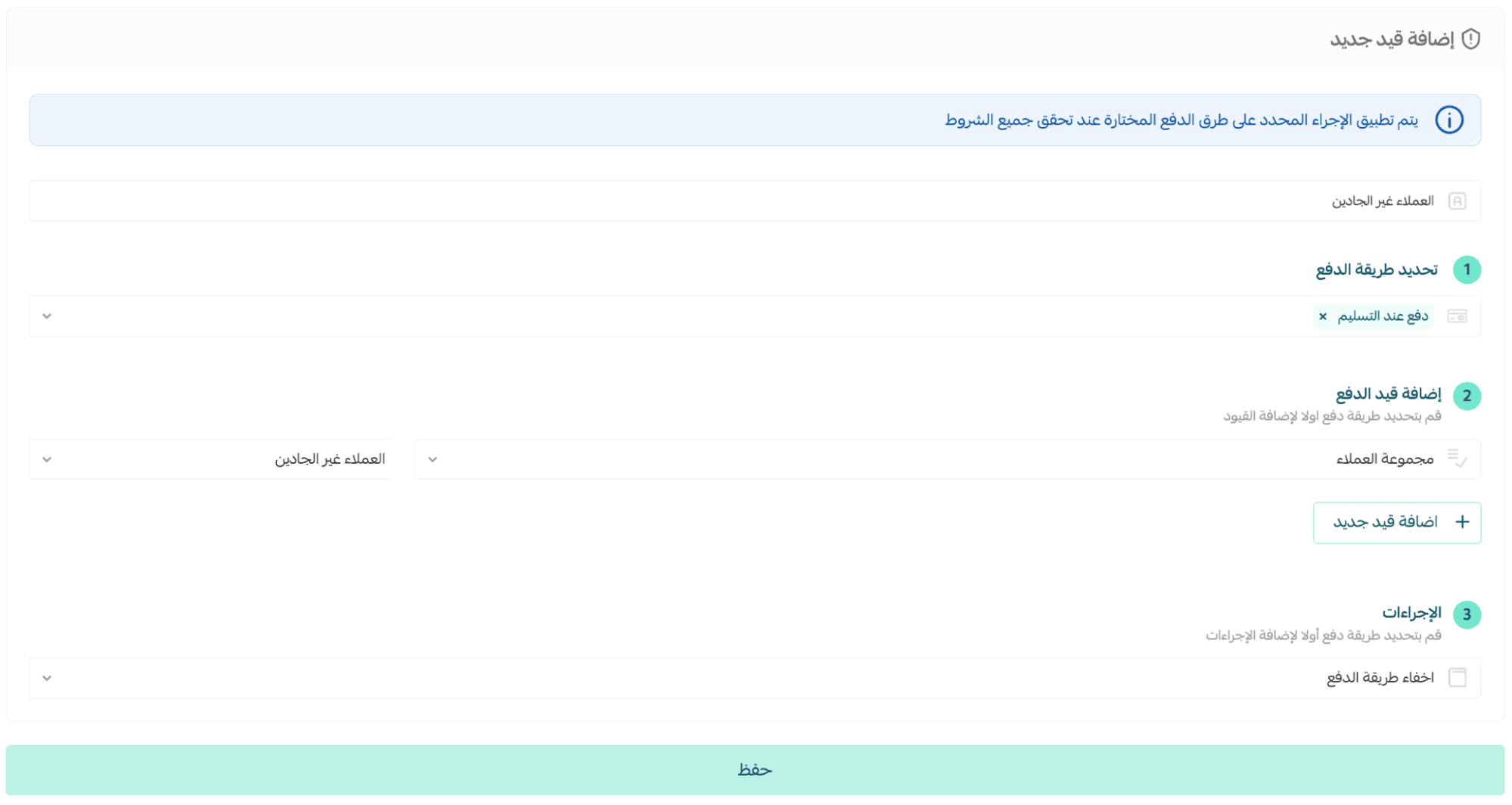
Example 8: Restrict payment methods by product category
Example: Hide Cash on Delivery for electronics while keeping it available for accessories.
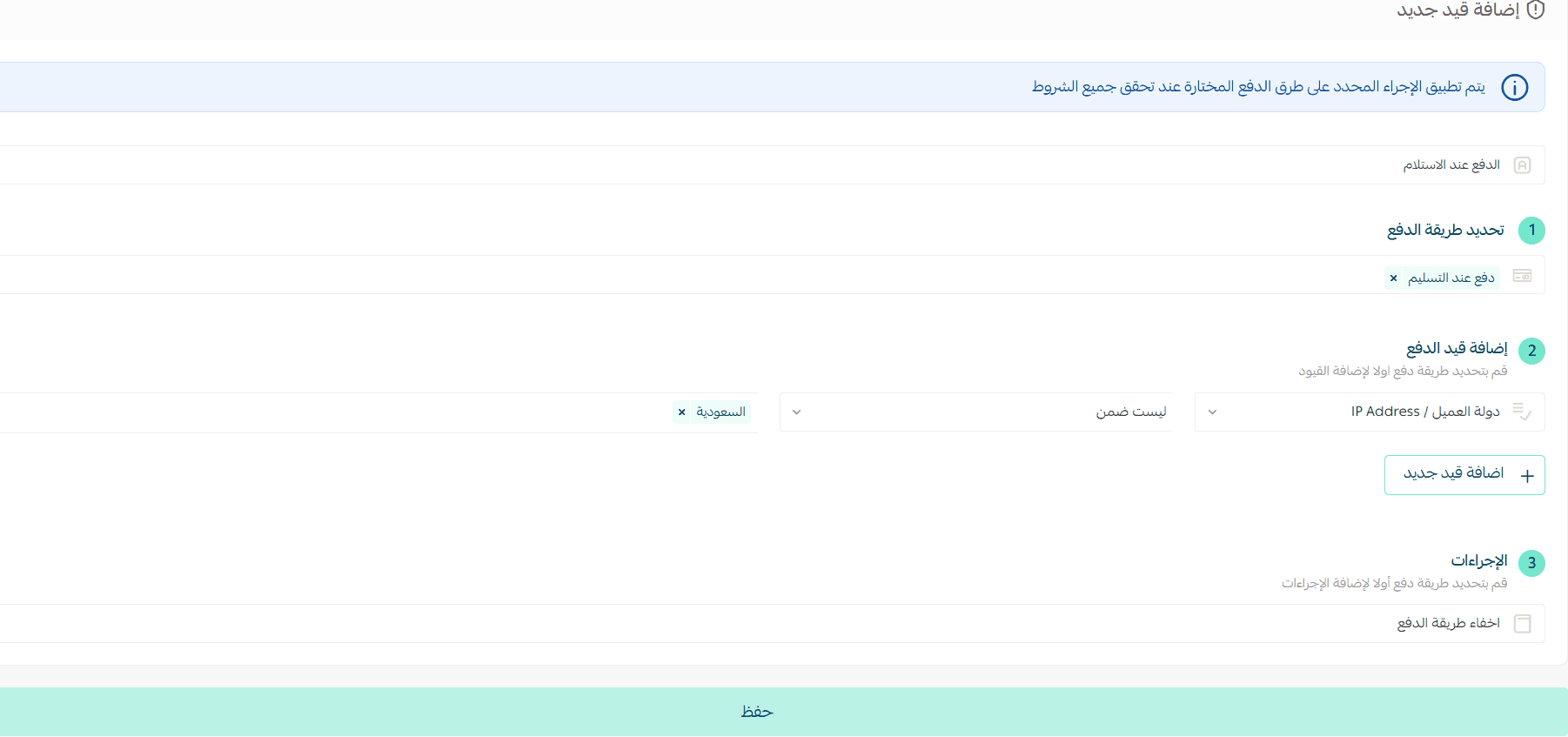
Example 9: Customize payment methods by market (Multi-Market Stores)
Please note for stores operating in Saudi Arabia and the UAE: Cash on Delivery can be shown only in Saudi Arabia and will be hidden in other markets automatically.
Frequently asked questions
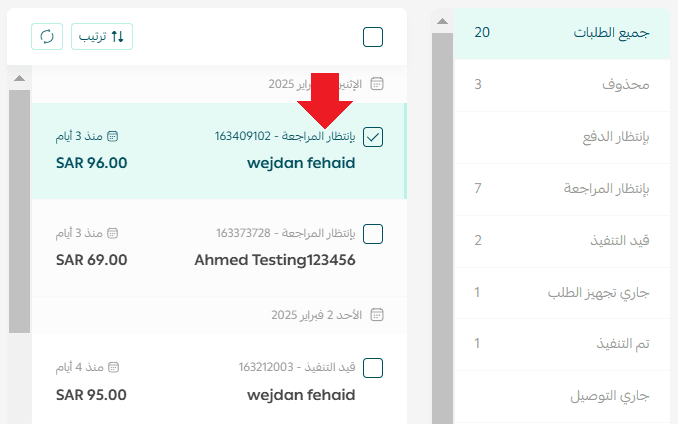
Where can I review rejected or under-review transactions?
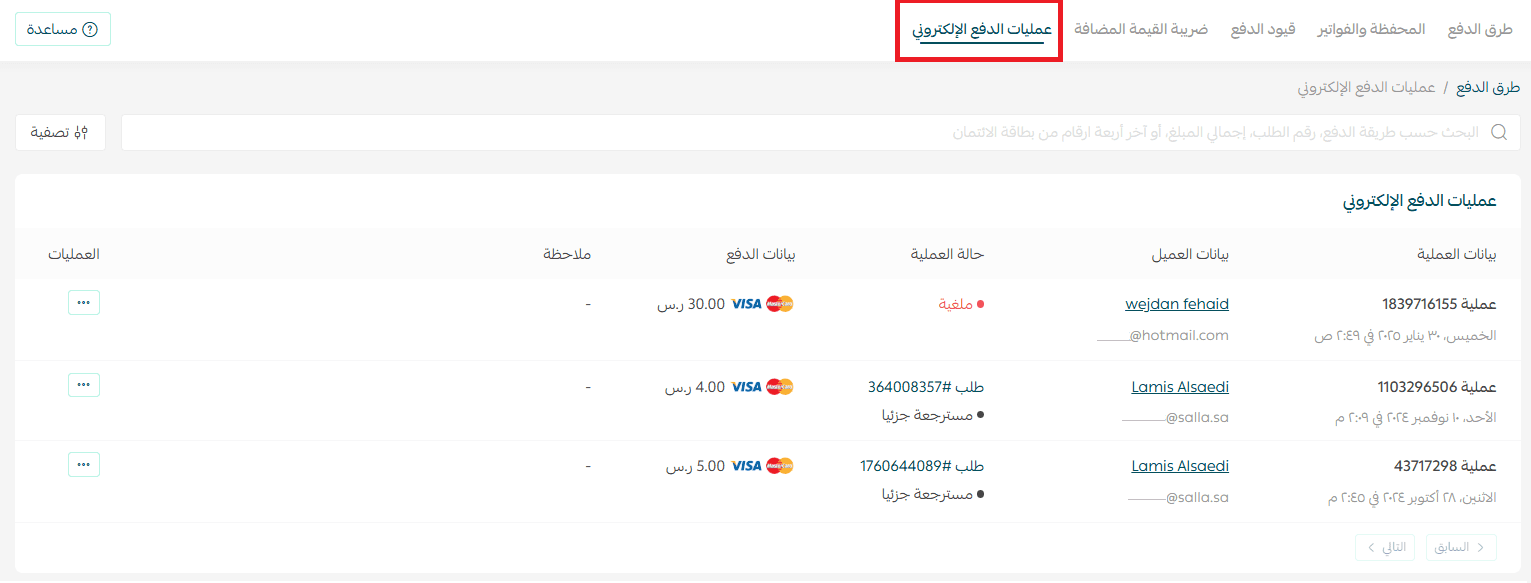
Rejected payments
Appear in the Electronic Payment Transactions log.
Orders under review
Appear normally in the Orders page, with a notice in the payment section explaining that a payment restriction triggered the review.
Which plans support Payment Restrictions?
Payment Restrictions are available on:
- Pro
- Special