Helping customers find the right products quickly is essential for a successful shopping experience. Product filters allow shoppers to narrow down results based on specific criteria such as categories, sizes, prices, or attributes, making product discovery faster and more accurate.
In this guide, you will learn how to add and manage product filters to improve navigation, usability, and conversions in your online store.
Steps to add filters to your store
1. Access the Products section
From the main menu, click Products.

2. Open Filter Options
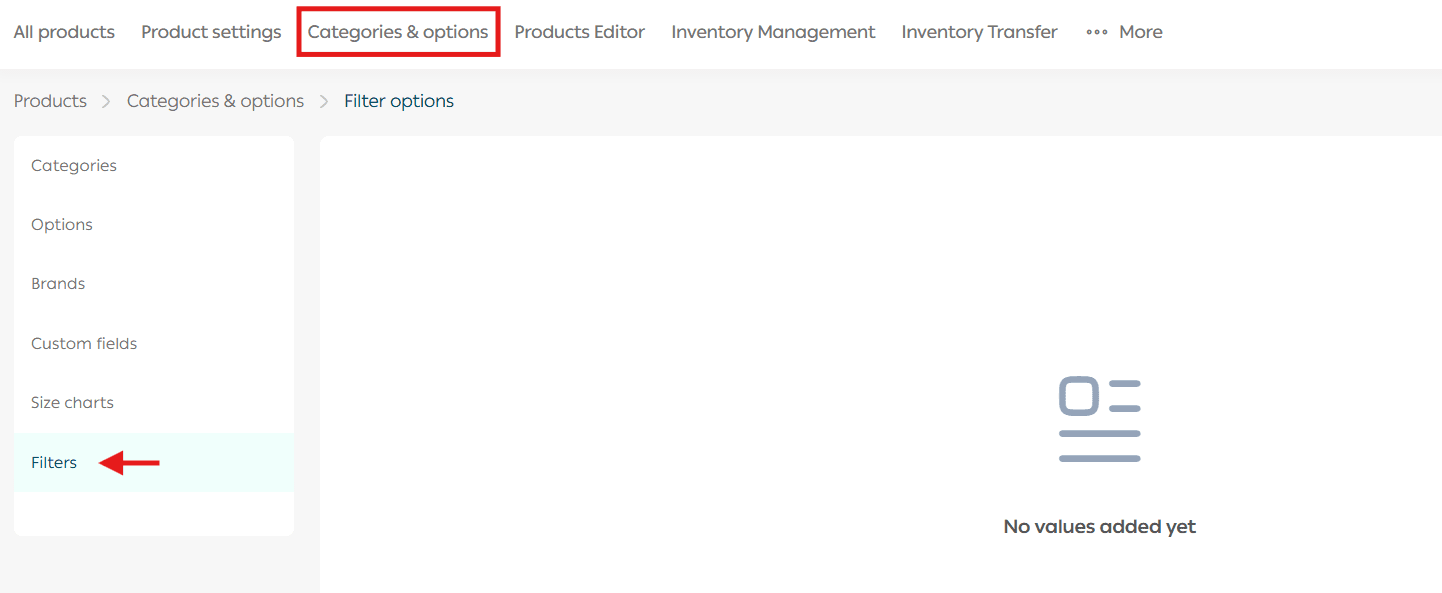
From the Products page, go to the Categories & Options tab, then click Filters.
3. Enable or disable filters
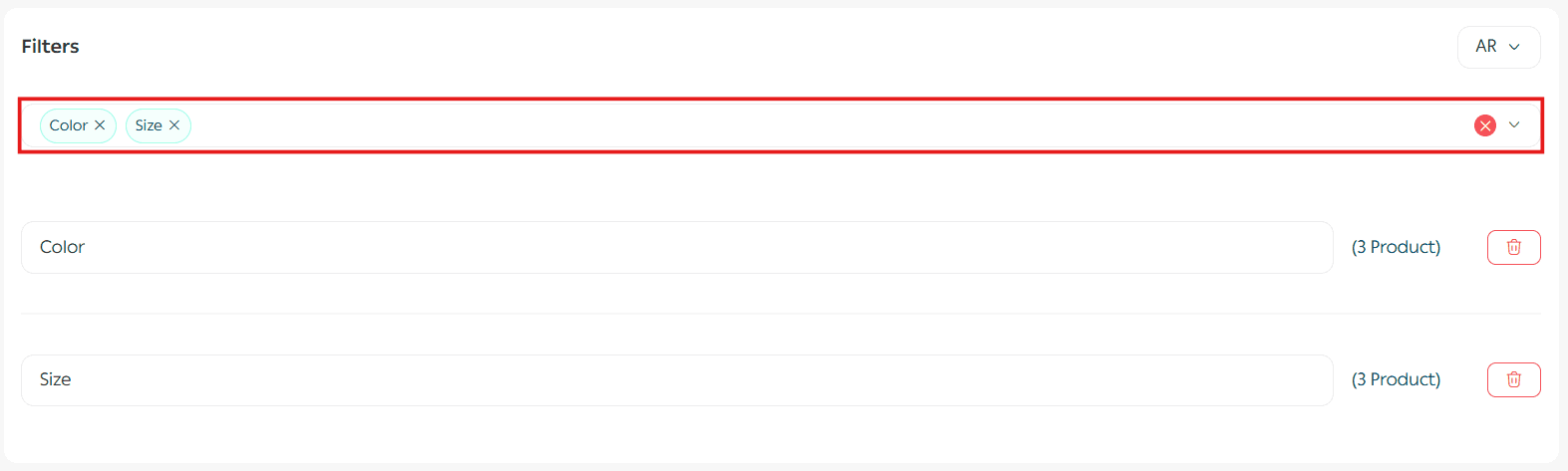
Based on the product options you have already added, you can enable or disable specific options to be used as filters.
This allows customers to filter products using attributes that are relevant to your catalog.
For more details, see Product Option Management.
4. Edit filter titles
You can customize the filter title by clicking directly on the text, entering your preferred label, then clicking Save.
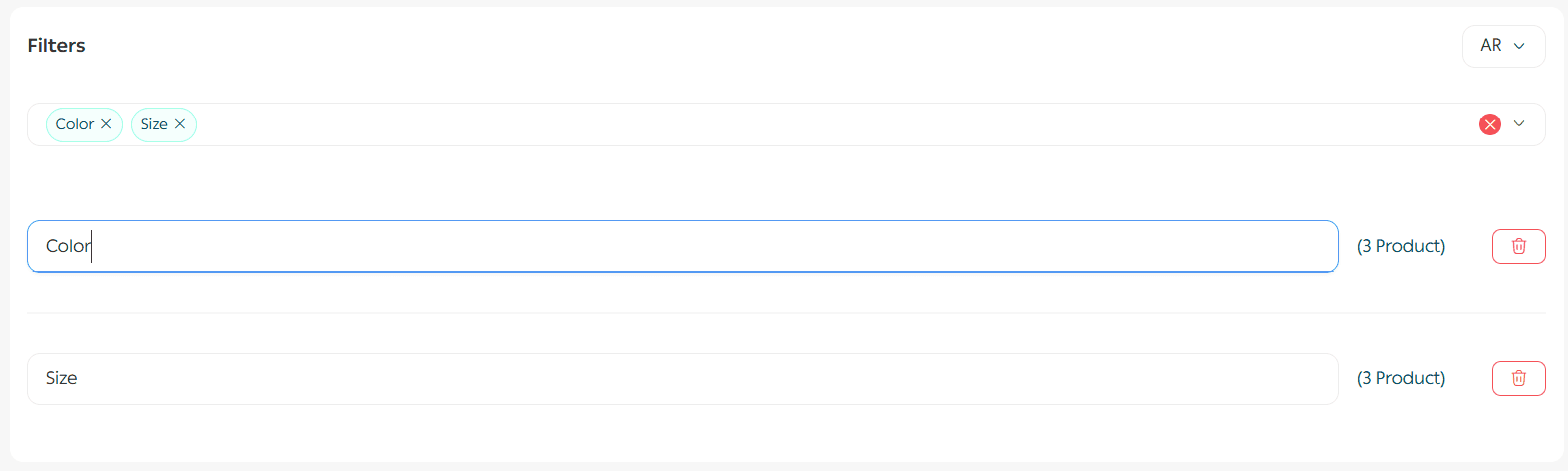
Clear and descriptive filter names help customers understand exactly what they are filtering by.
5. Remove a filter
To remove a filter, click the delete icon next to the option, then click Save.
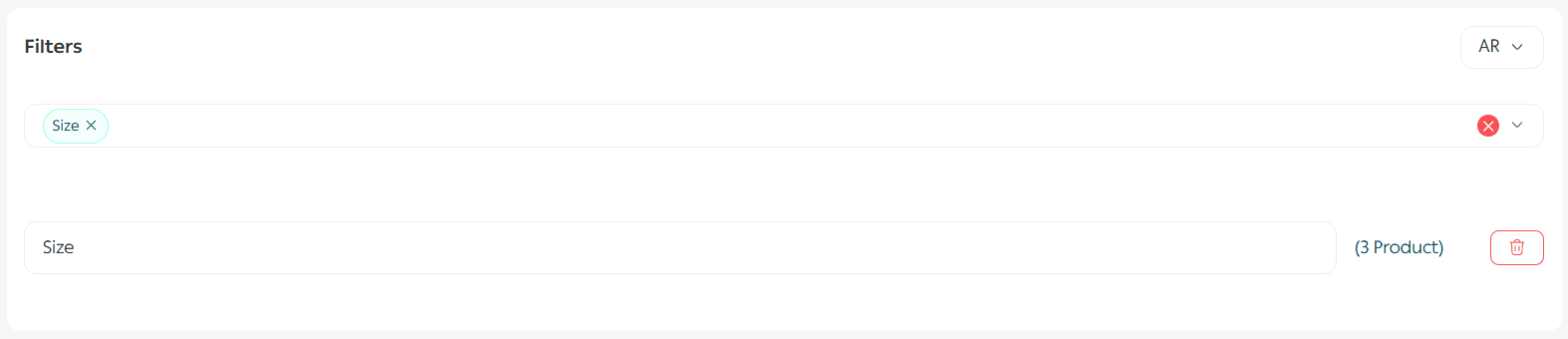
Only filters that add value to the browsing experience should be kept active.
Frequently asked questions
How do store visitors benefit from product filters?
Filters provide more accurate and efficient search results. They are enhanced with spelling correction and intelligent matching, allowing the system to return the closest results based on product names and descriptions, even if the visitor makes a typing mistake.
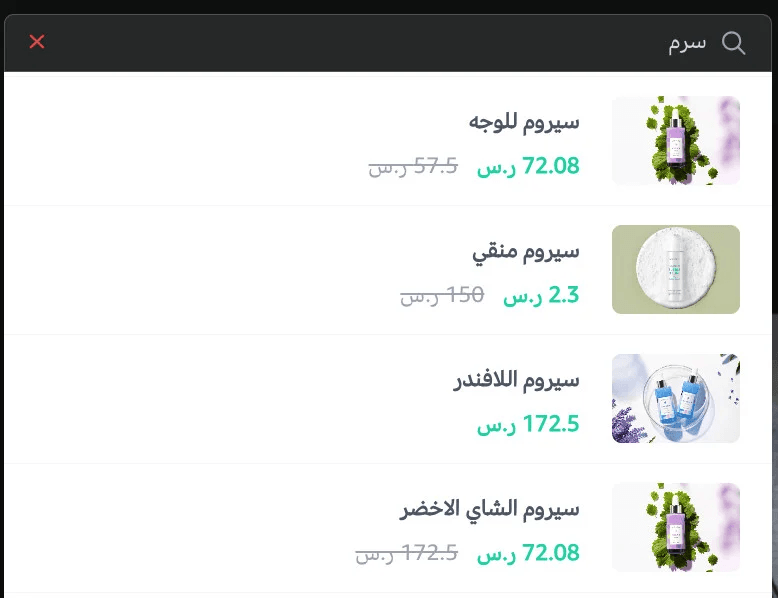
This improves discoverability and reduces friction during browsing.
Can customers sort filtered results?
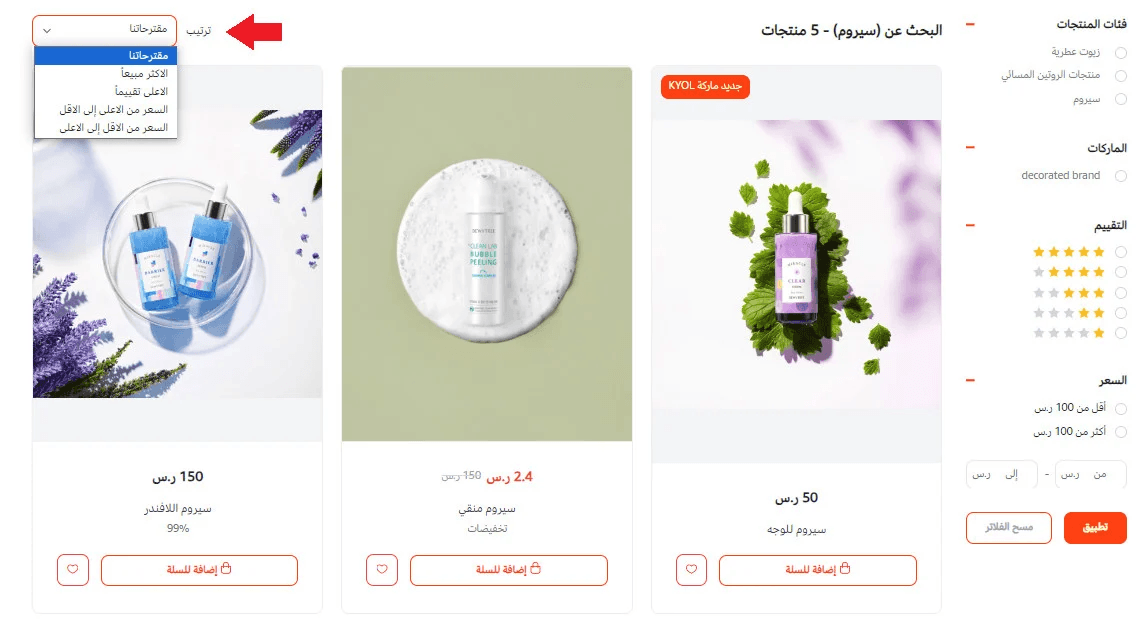
Yes. Customers can sort filtered results using multiple options, including:
- Recommendations
- Best selling
- Highest rated
- Price from high to low
- Price from low to high
Sorting gives customers full control over how products are displayed.
Which plans support this feature?
This feature is available on the Pro plan and the Special plan only.
Optimized product filtering not only improves user experience but also increases engagement, reduces bounce rates, and supports stronger SEO by helping customers reach relevant products faster.