Salla Chat is an innovative customer support application that allows merchants to communicate with their customers directly from their online store, without the need for external tools.
The app enables you to customize settings based on your needs and integrates seamlessly with your store, allowing customers to receive instant and direct support. With its tools, Salla Chat delivers a fast and efficient customer service experience, helping boost customer satisfaction and improve operational efficiency.
📌 Article overview
- Steps to connect with Salla Chat
- Main sections of Salla Chat
- FAQs about Salla Chat
Steps to activate Salla Chat
Note: To activate Salla Chat in your store, you must add at least one employee who can manage chats and respond to customer inquiries.
For more details, see the Managing store employees article.
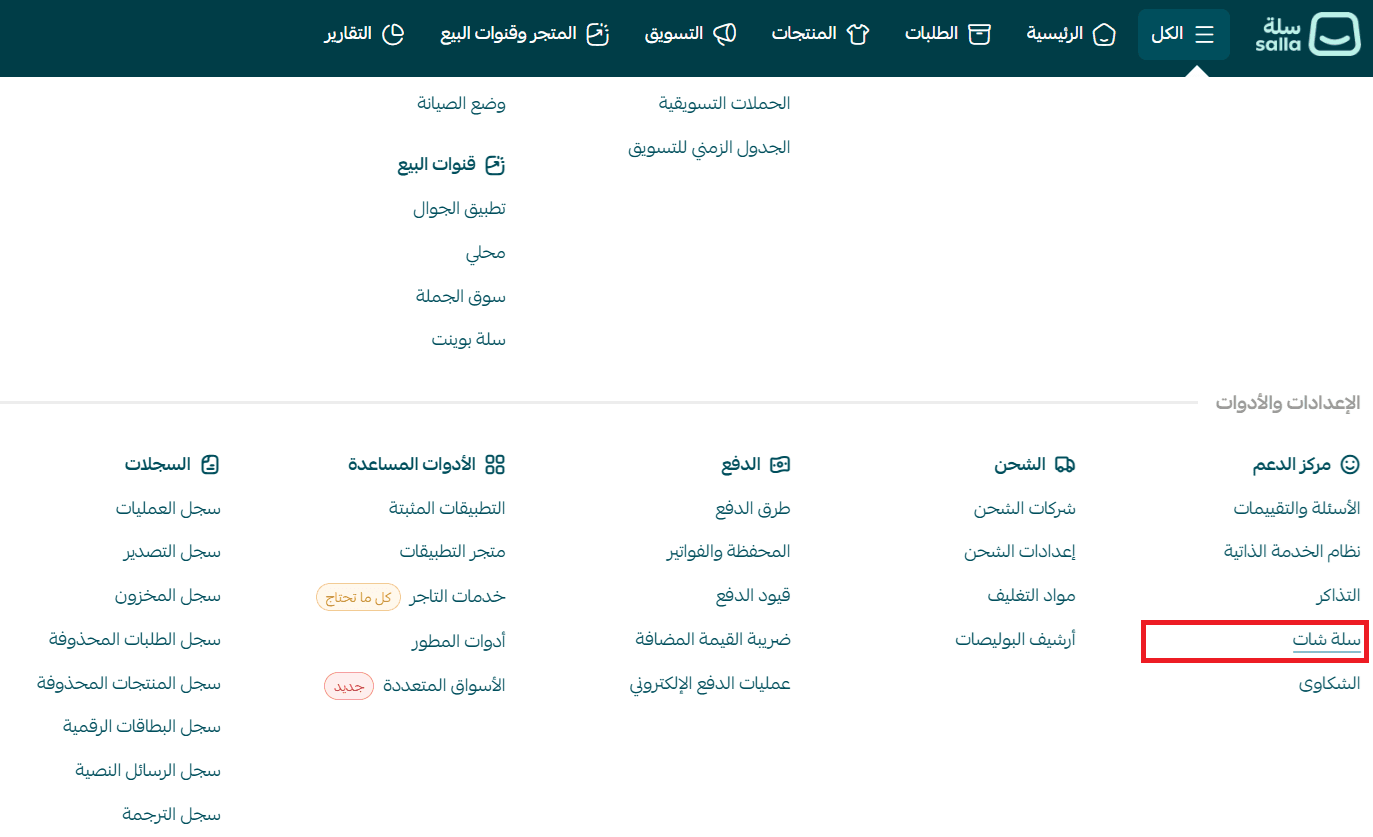
- From the main menu, click All, then select Salla Chat.
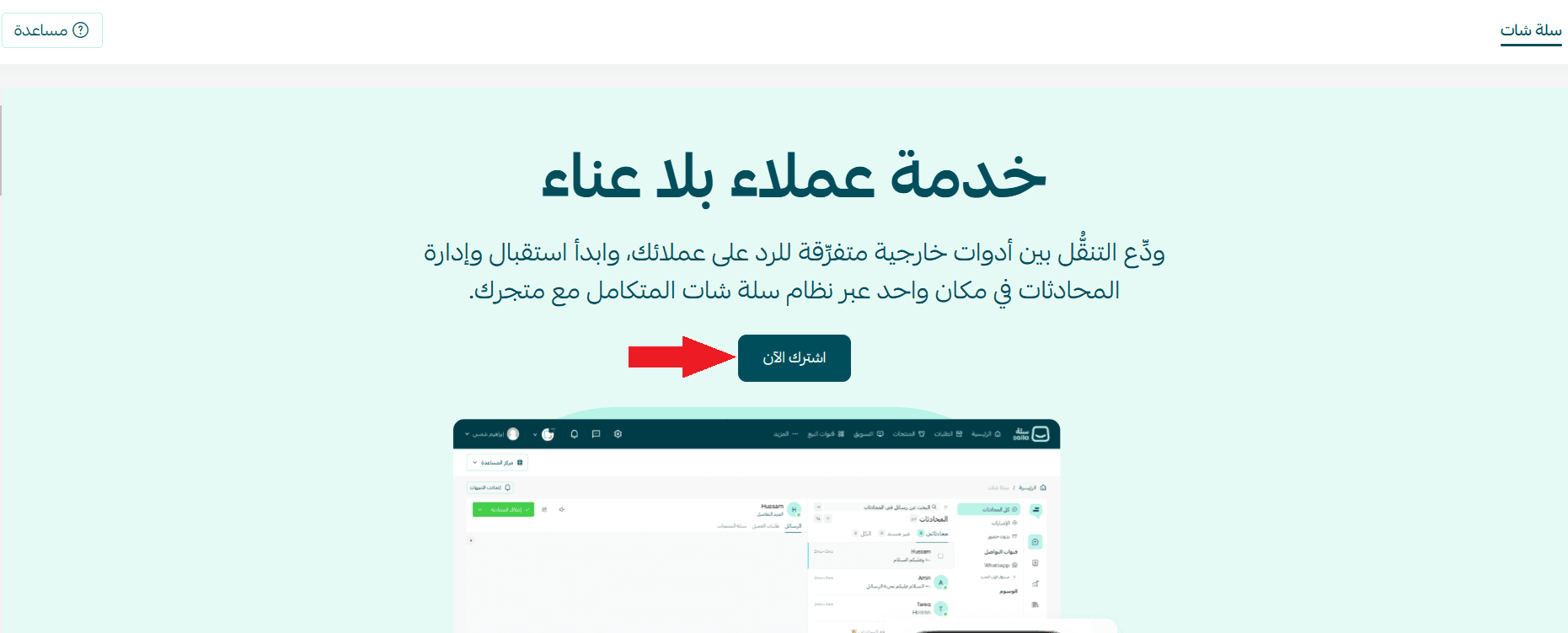
- Click Subscribe now.
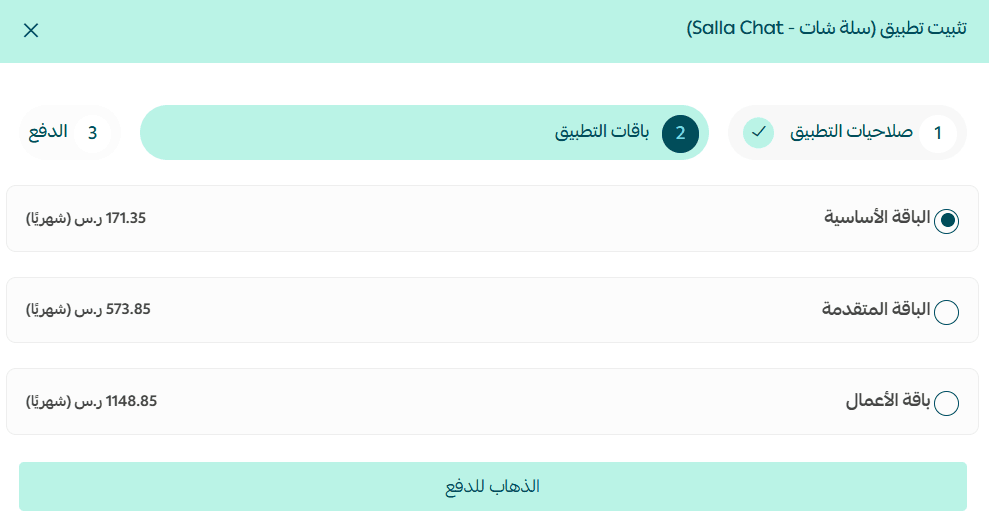
- Choose the plan that suits you, then click Proceed to payment.
📝 Important notes:
- You can choose any Salla Chat plan regardless of your store’s subscription (Special, Pro, etc.).
- The difference between Salla Chat plans lies in the number of employees who can have access to Salla Chat.
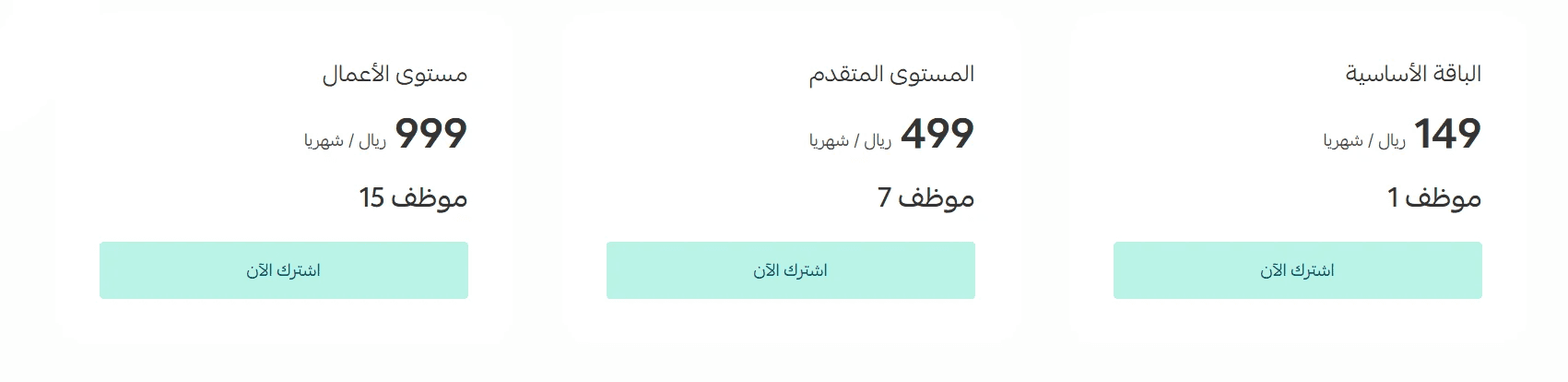
Example: Your store may have 20 employees, but if you are subscribed to the advanced Salla Chat plan, only 7 employees (plus the store owner) will have access to Salla Chat.
- Enter your card details, then click Confirm payment.
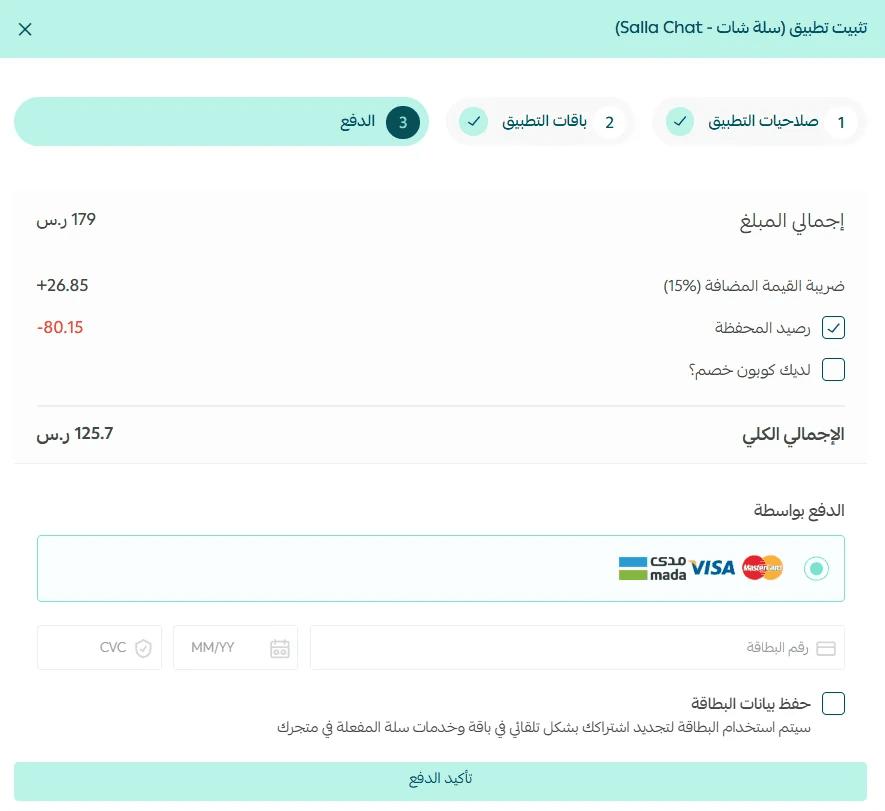
After completing the payment, the Salla Chat dashboard will become available in your store.
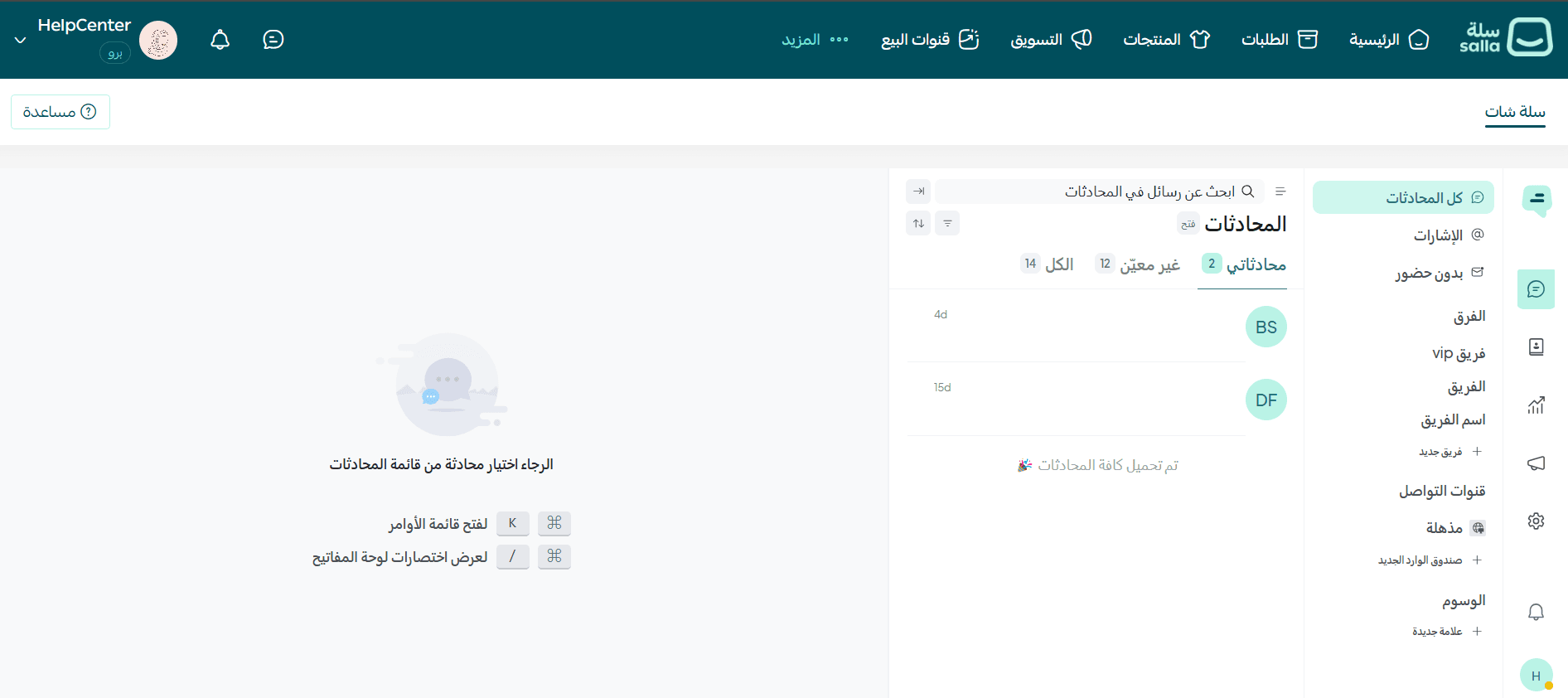
Main sections of Salla Chat
1. Conversations
All customer conversations are displayed on the Conversations page, along with tools to manage and assign chats to employees.
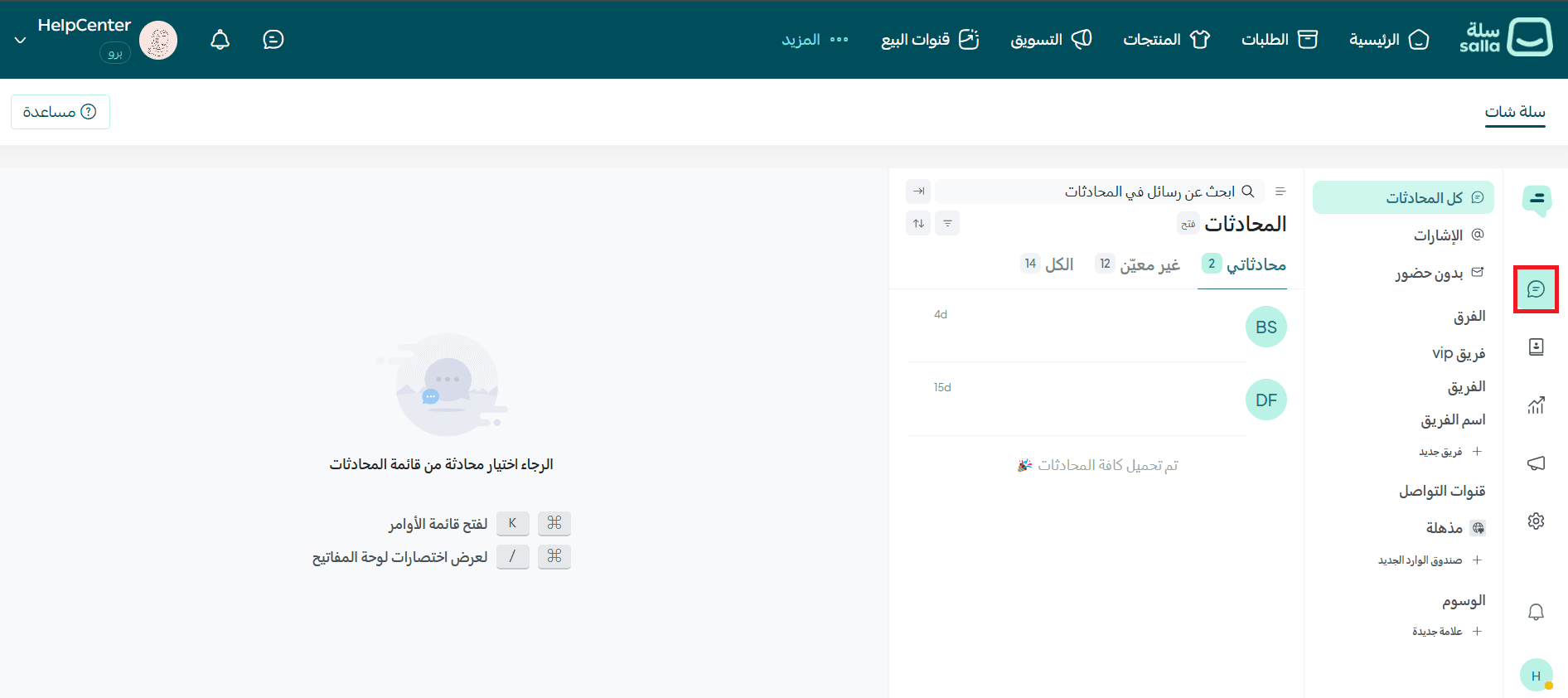
For more details, see Salla Chat conversations article.
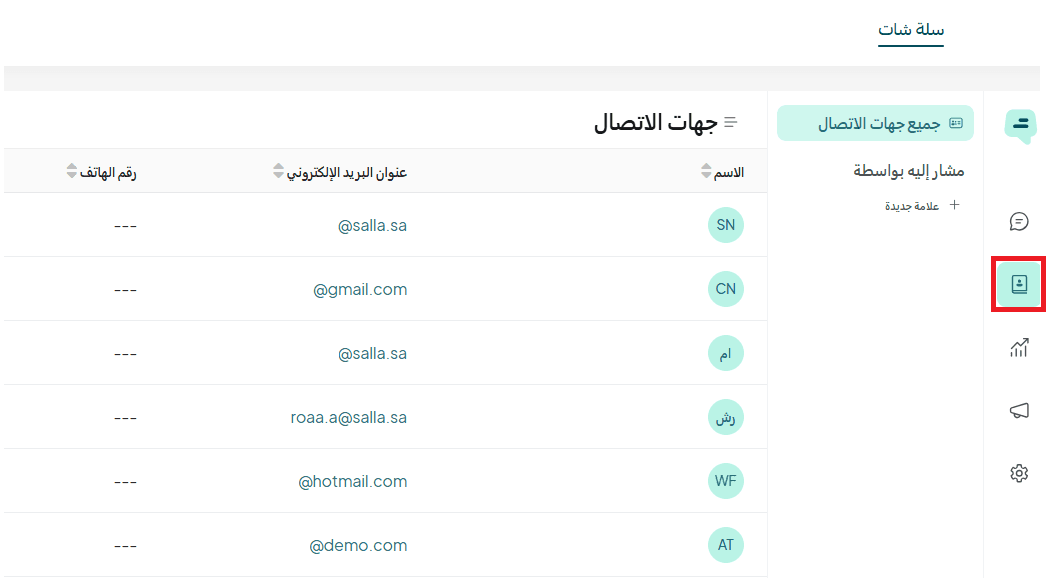
2. Contacts
The Contacts page is one of the core sections in Salla Chat. It provides a complete database of all the people who contacted you, allowing you to store and manage their information easily in one place.
3. Reports
Reports help you monitor your support team’s performance and identify areas for improvement, enabling you to achieve higher customer satisfaction more efficiently.
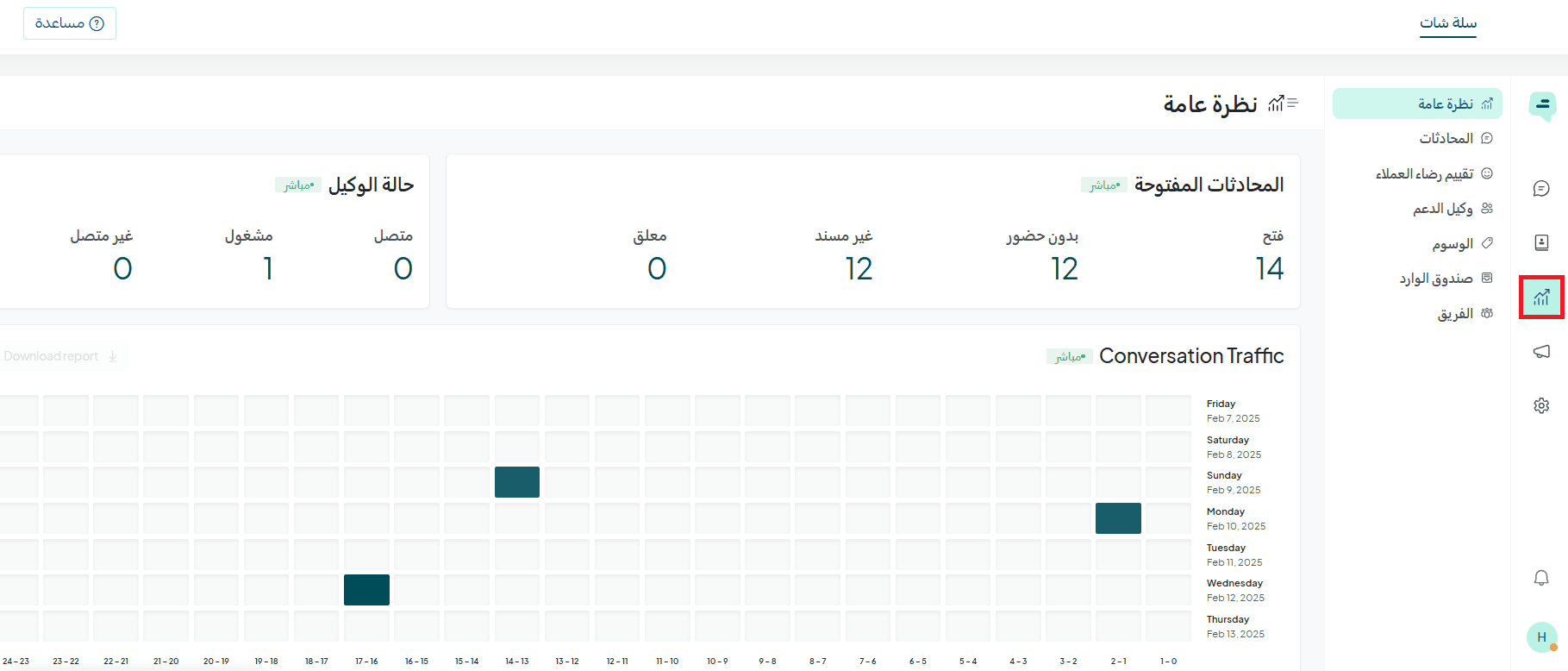
For more details, see the Reports and how to use them to improve customer service article.
4. Campaigns
Campaigns help you continuously improve customer engagement with offers and discounts.
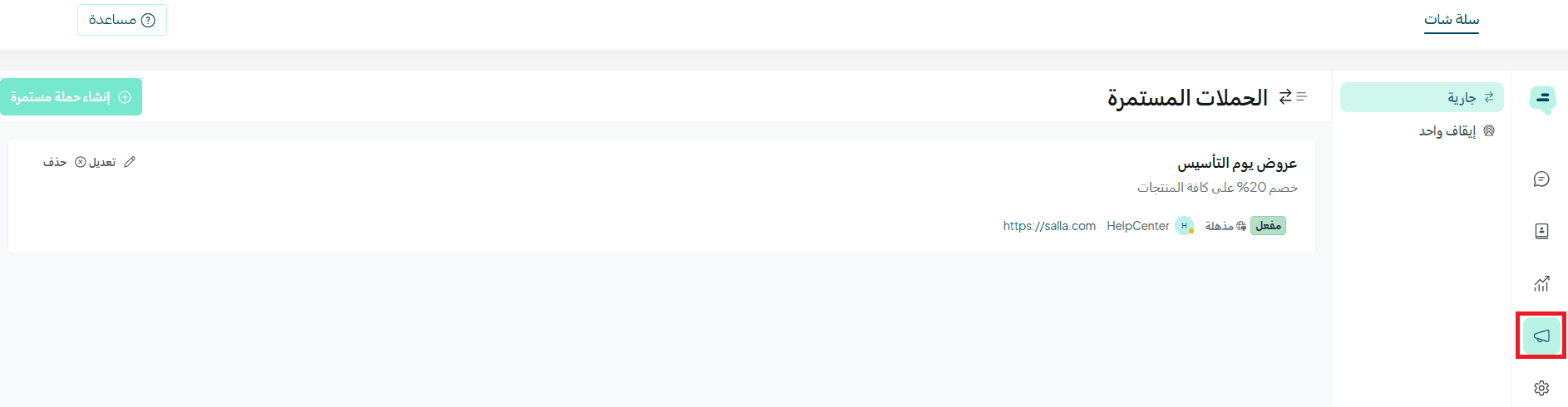
For more details, see Campaigns in Salla Chat.
5. Settings
Settings allow you to customize tools and chat configurations to deliver an excellent customer experience in your store.
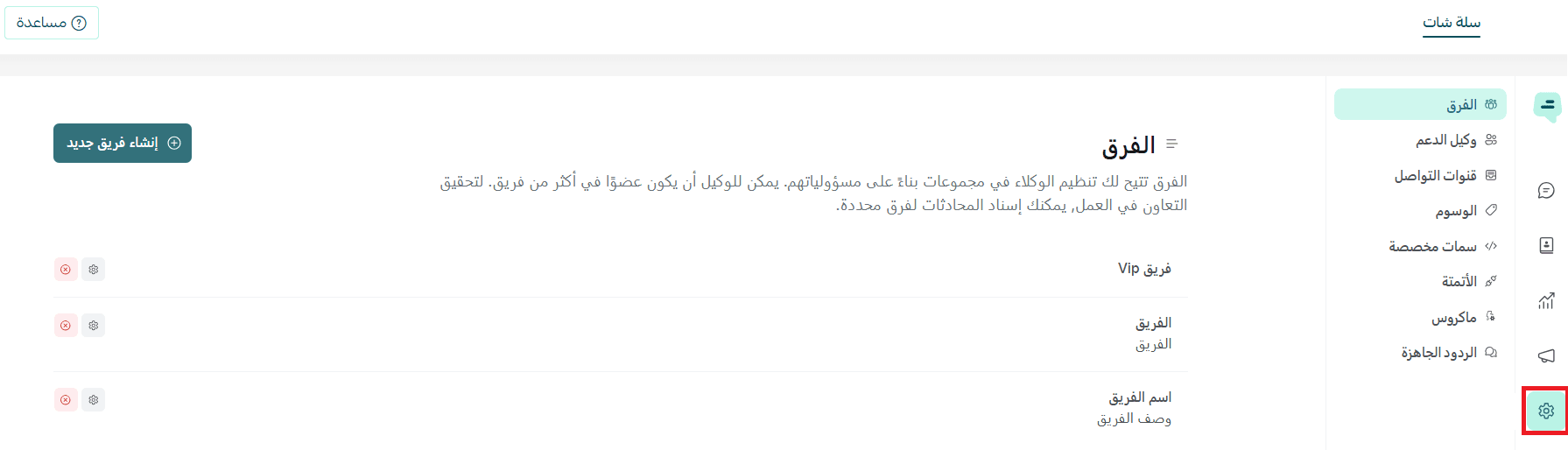
For more details, read the following articles:
- Salla Chat settings – Basic settings
- Salla Chat settings – Advanced options
Frequently asked questions
Is Salla Chat available for the Salla Plus plan?
Yes, Salla Chat is available for both Salla Plus and Salla Pro plans.
What is the employee subscription duration?
The subscription is monthly.
Can I use the same number on WhatsApp after removing it from Facebook Business?
No, you must unlink it first and wait 30 days before using it again.