Are you experiencing delays in receiving your store’s payouts because of small transfers? This often happens when merchants are not fully aware of how the Electronic Payment Transfer Cycle works.
In this article, you’ll learn how to configure payout settings properly to ensure your earnings reach your bank account smoothly and efficiently.
📌 Article overview
- What is the electronic payment transfer cycle?
- How to set up the transfer cycle
- Frequently asked questions
What is the electronic payment transfer cycle?
The electronic payment transfer cycle refers to how often the amounts collected through online payments in your store are transferred to your bank account.
In other words, it determines the schedule for sending your earned revenue from electronic payments to the merchant’s bank account.
⚠️ Important note: The minimum total amount required for transfer is: SAR/AED 100
Any amount below this threshold will not be transferred immediately.
Setting up the electronic payment transfer cycle
To configure the transfer cycle:
- From the main menu, go to All
Under Settings & Tools, click Payment Methods
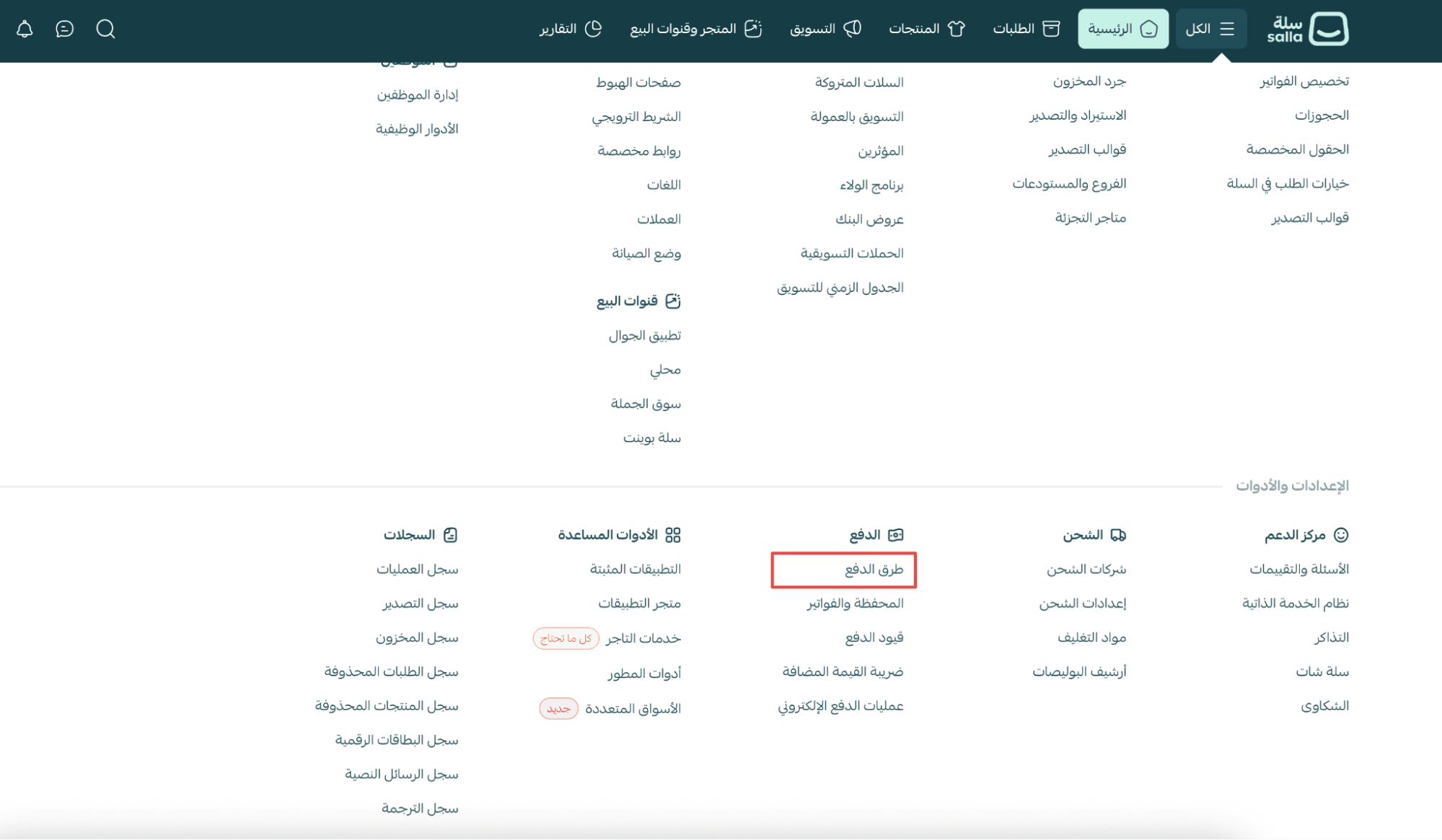
2. In the Payment Methods tab, under Electronic Payments, click Transfer Cycle
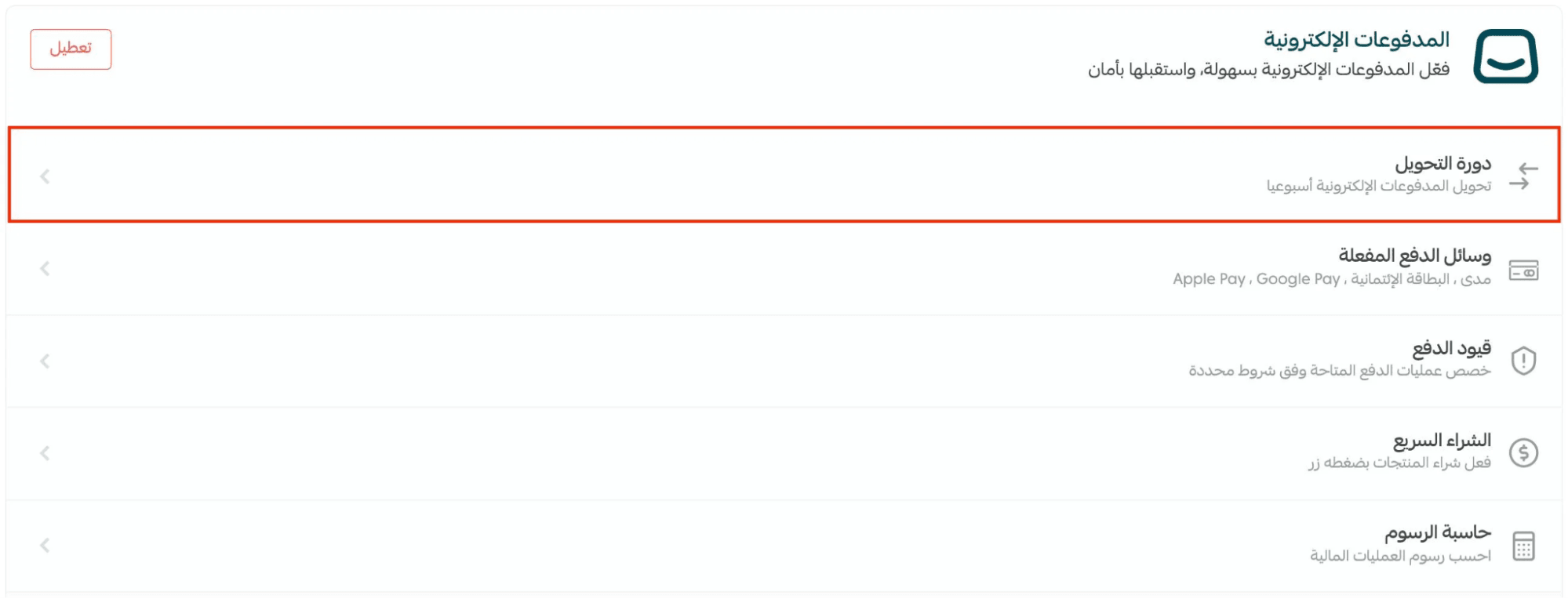
3. Choose your preferred transfer cycle option
4. Click Save

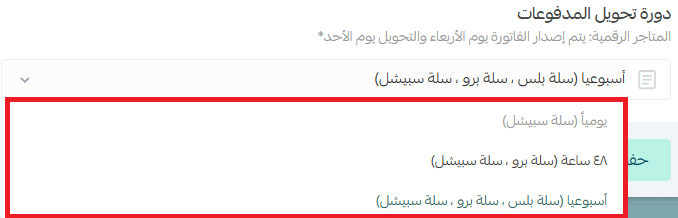
Available transfer cycle options
You will see several cycle options available in the dashboard (depending on your store plan and eligibility).
Frequently asked questions
What is the new payment transfer mechanism for merchants?
The payment transfer mechanism has been updated so that:
Amounts below SAR/AED 100 are not transferred directly to the merchant’s bank account. Instead, these amounts remain in the merchant balance until the total reaches the minimum threshold
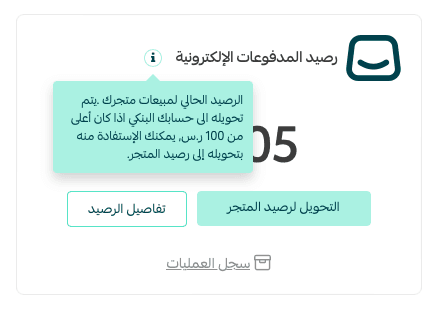
What is the minimum total amount that can be transferred?
The minimum total amount required is: SAR/AED 100
What happens if the total amount is less than SAR/AED 100?
If the total is below SAR/AED 100:
- The payout will not be transferred immediately
- The balance will remain pending until it reaches the minimum transfer limit
Can merchants still transfer small amounts to the Wallet?
Yes. Merchants can still move smaller balances into their Wallet and use them or withdraw them whenever needed.
Can I withdraw funds from the Wallet?
Yes. Merchants can withdraw available Wallet funds at any time, based on store eligibility and verification requirements.
Does this change affect other transfer methods?
No. This adjustment applies only to the daily payout transfer mechanism.
Merchants can still use:
- Standard transfer methods
- Wallet balance usage
- Traditional payout processes