Do you want to encourage customers to complete their purchase before it’s too late?
Abandoned carts can have a direct impact on your store’s profitability. Marketing efforts may bring customers into your store, but when they leave without checking out, your budget is consumed without generating real sales.
One of the most effective ways to recover abandoned carts is by offering a temporary discount.
This incentive helps customers make a faster buying decision, complete their order, and allows you to maximize revenue from every sales opportunity.
In this article, you will learn how to activate temporary discounts in a simple and effective way to win back potential customers and increase conversions.
Steps to activate a temporary discount
You can send a temporary discount for an abandoned cart in two ways:
Sending a temporary discount for one abandoned cart
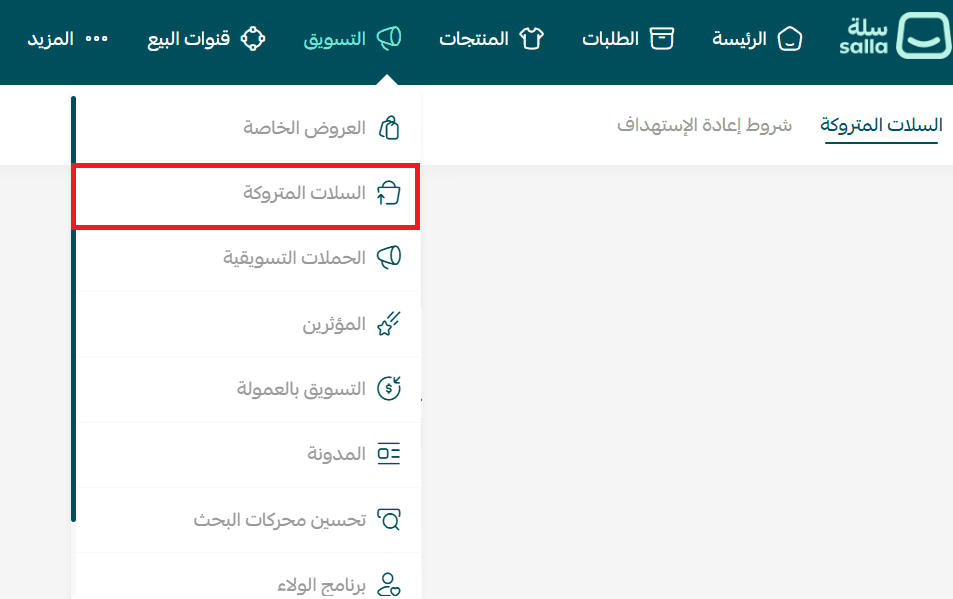
- From the main menu, click Marketing.

2. From the Marketing section, select Abandoned Carts, then open the Abandoned Carts tab.
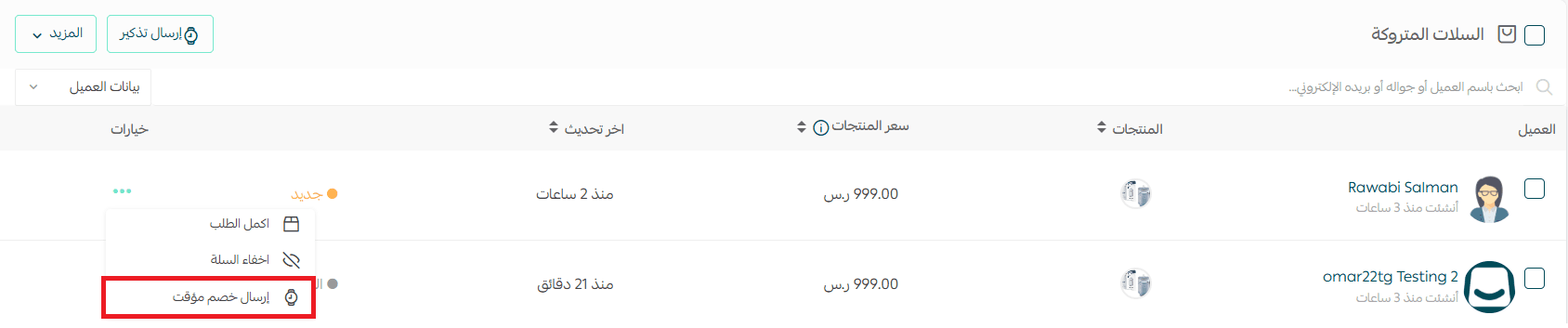
3. On the Abandoned Carts page, locate the customer you want to target.
4. Click the More menu (...) next to the cart, then choose Send Temporary Discount.
Sending a temporary discount for multiple abandoned carts
- From the Abandoned Carts page, select the customers you want to apply the discount to.
- Click Send Reminder.

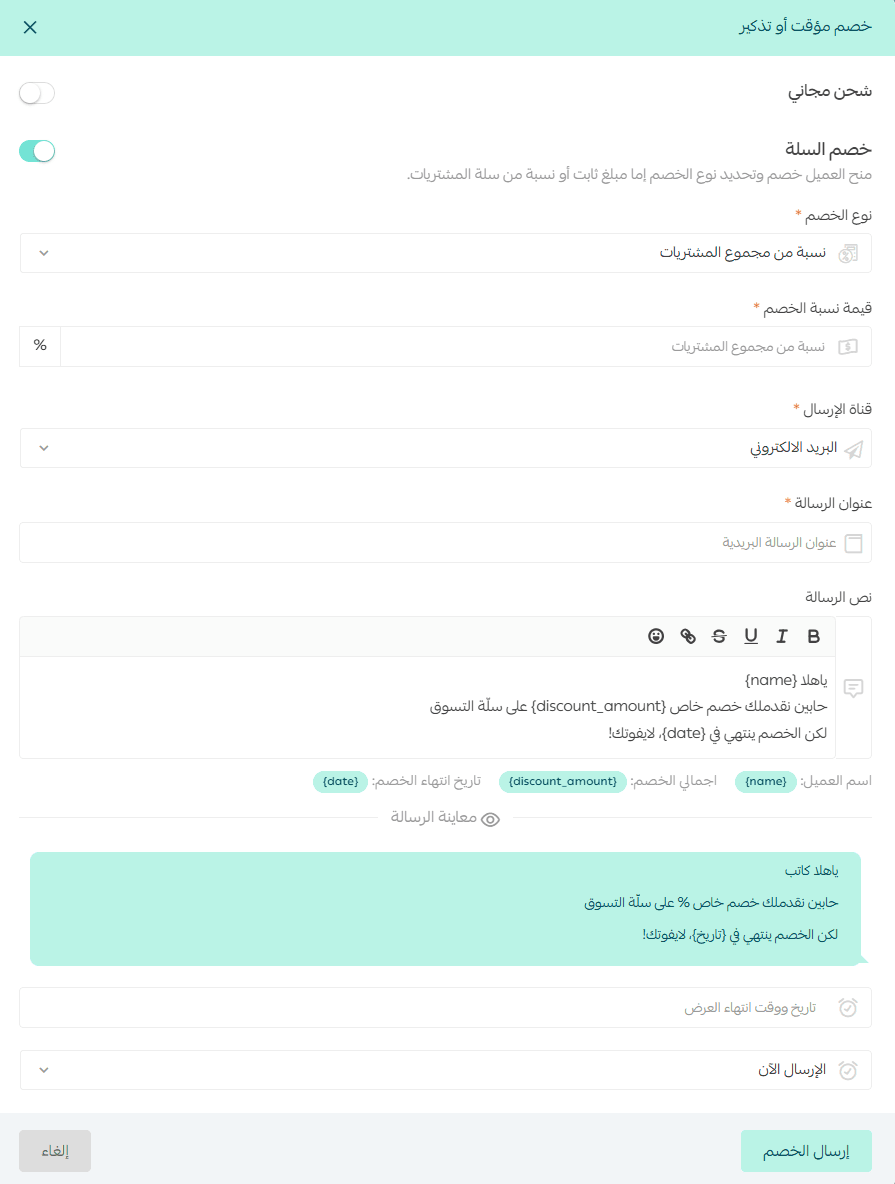
3. Enter the discount details, then click Send Discount.
Discount configuration options
When creating a temporary discount, you can customize the following:
- Discount type
- Percentage of the abandoned cart value
- Fixed discount amount
- Reminder channel
Choose how the message will be delivered to the customer.
- Reminder message text
Write the message that will encourage the customer to return and complete checkout.
- Discount expiration date and time
Set when the discount will expire.
You can click the clock icon to choose the exact expiration time.
- Sending time options
- Send now
- Schedule sending for a specific date and time
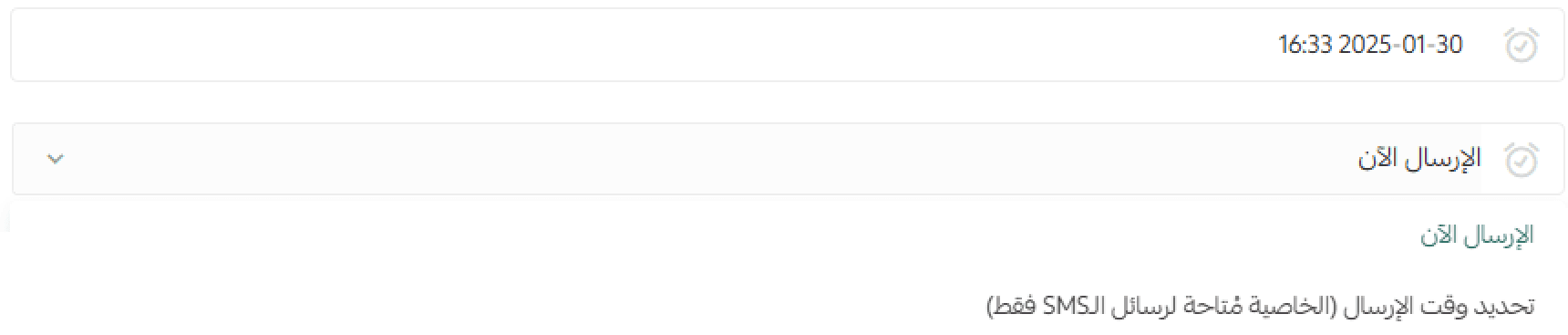
If you choose Schedule sending, you will need to enter the reminder delivery date and time.

For more details, refer to:
- Abandoned cart reminder without a discount
- Abandoned cart reminder with a discount
Frequently asked questions
Why can’t I send discount messages at any time?
This restriction is in compliance with the service regulations and policies approved by the Saudi Communications and Information Technology Commission (CST).
Why do I need to register an SMS Sender Name?
According to CST regulations, registering an official SMS sender name is mandatory as part of national anti-spam measures.
You can review the official terms and requirements through the CST portal:
https://portalservices.citc.gov.sa/E-Services/License/LicenseLandingScreen.aspx
I don’t have an SMS Sender Name. Can I still remind customers by email?
Yes. Even without an SMS sender name, you can still send abandoned cart reminders through:
- SMS (once sender name requirements are completed)
This can be managed through your abandoned cart reminder settings.
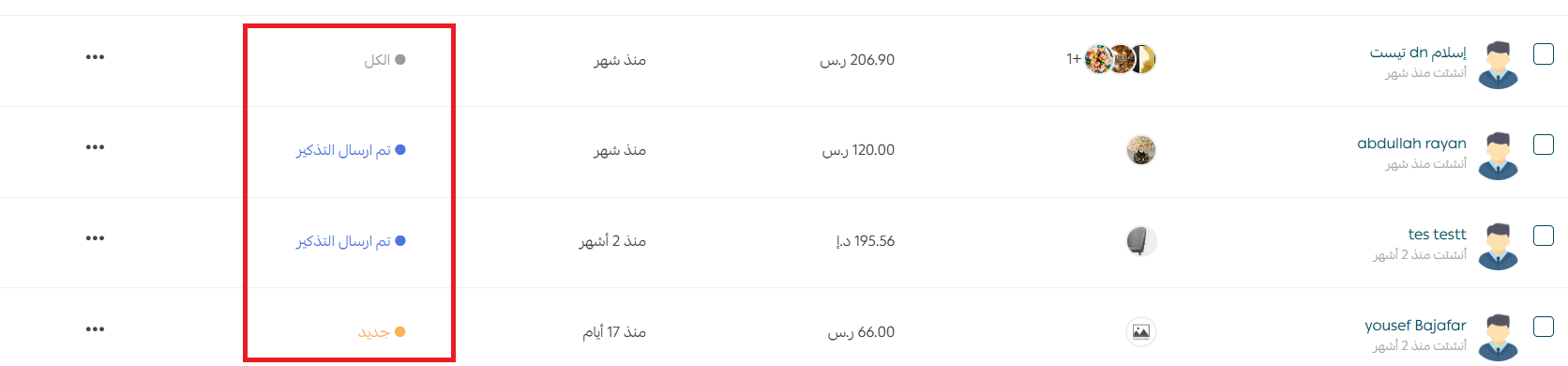
Can I view the discount status from the Abandoned Carts page?
Yes. The discount status will appear directly within the Abandoned Carts page, as shown in the platform interface.