To increase your chances of appearing in the top search engine results, you need a strong approach to improving your store’s SEO. Salla supports many key factors that help your store rank higher, such as store descriptions, product descriptions, and more.
📌 Article overview
- Improving your homepage visibility on search engines
- Quick SEO optimization for search results
- Restricting search engine access to certain store pages
- Introducing your store to Google by submitting your Sitemap
- Improving product page visibility in search engines
- Improving category visibility in search engines
- Improving brand visibility in search engines
- Creating a blog
Begin by mastering the five core SEO basics every marketer should know.
- How to understand what your customers are searching for
- How to optimize your web pages for targeted keywords
- How to ensure your website is accessible to both search engines and users
- Building backlinks from other websites
- How to start measuring your SEO success
What is SEO?
SEO is short for Search Engine Optimization, which means improving your online store’s visibility in organic (non-paid) search engine results such as Google, so your store appears among the first results.
This is done by understanding how search engines work, identifying the factors that influence rankings, using Salla’s built-in SEO tools, and avoiding incorrect SEO practices.
Improving your store homepage visibility on search engines
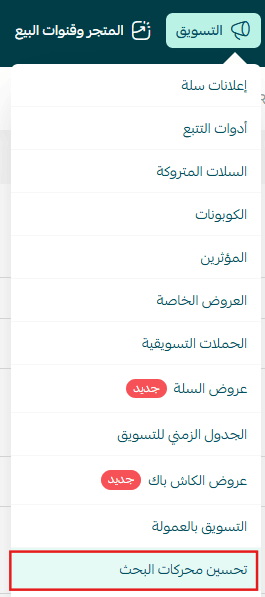
- From the Marketing tab, click Search Engine Optimization.
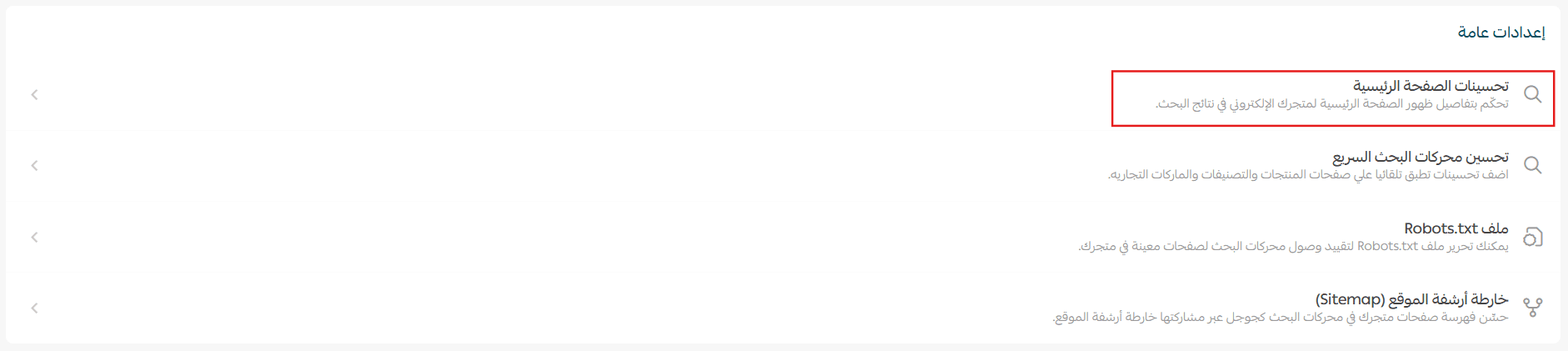
2. After opening the SEO page, under General Settings, click Homepage Enhancements.
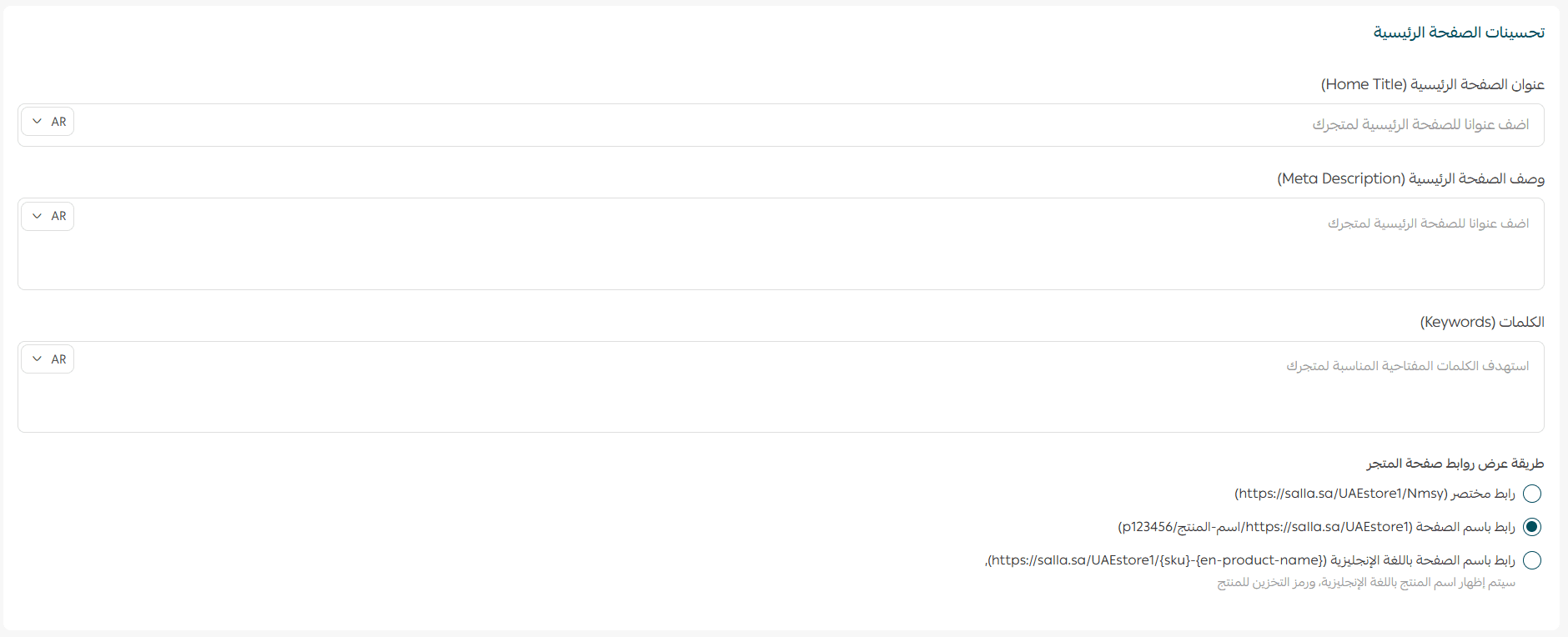
3. Enter your homepage title and description, then add the most important keywords that strengthen your store’s presence in search engines. Choose how store page links should appear, then click Save.
Quick SEO optimization for search results
Some stores neglect filling in SEO fields for products due to having large catalogs. To prevent these products from missing out on search visibility, Salla provides an automatic SEO filling feature.
Note: This feature does not replace standard SEO optimization.
Steps:
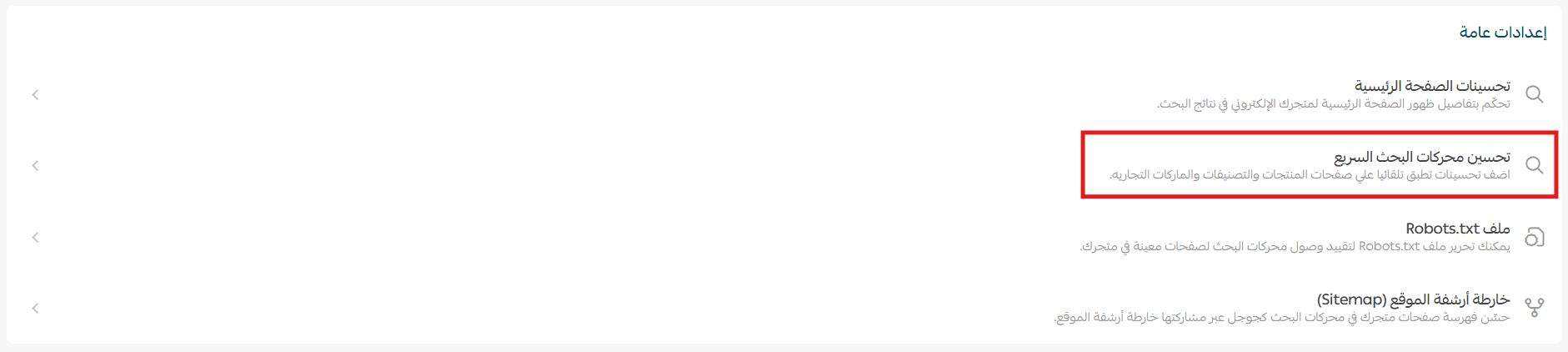
- From the SEO page, under General Settings, click Quick SEO Optimization.
2. Select the required tab Products, Categories, Brands, define the title and description fields, then click Update.
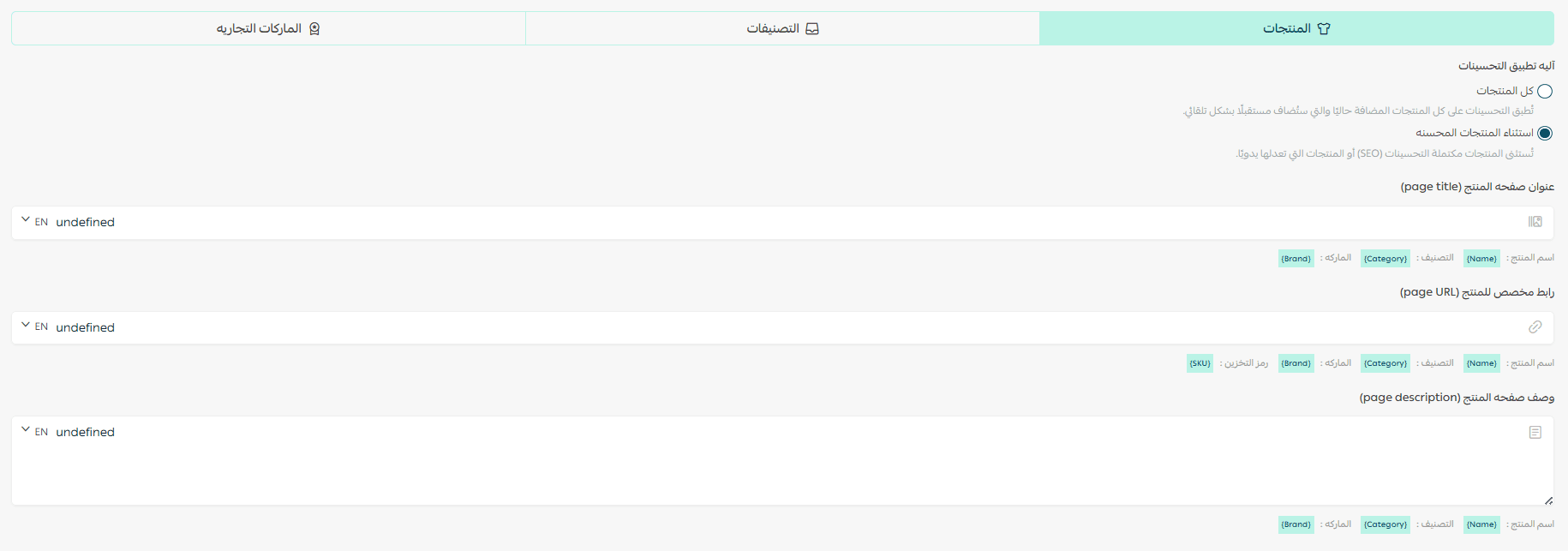
📝 Note: Quick SEO enhancements are automatically applied to all future entries.
Restricting Search Engine access to certain store pages
- From the SEO page, under General Settings, click (Robots.txt File).
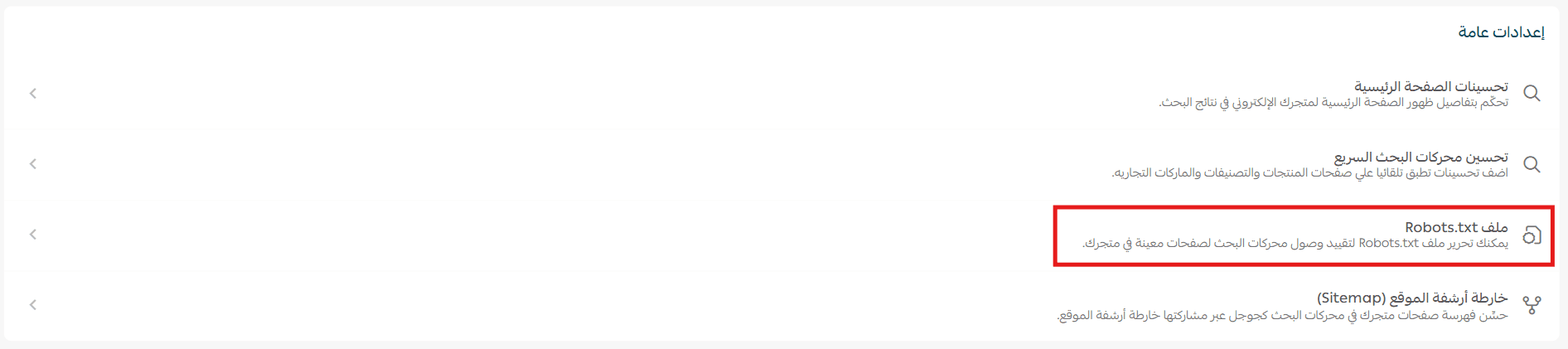
A Robots.txt file is a plain text file that contains simple rules to prevent search engines from crawling specific pages you do not want indexed. This helps improve indexing speed by blocking unnecessary files or folders from being crawled.
2. You can edit the Robots.txt file to restrict search engine access to specific pages in your store.
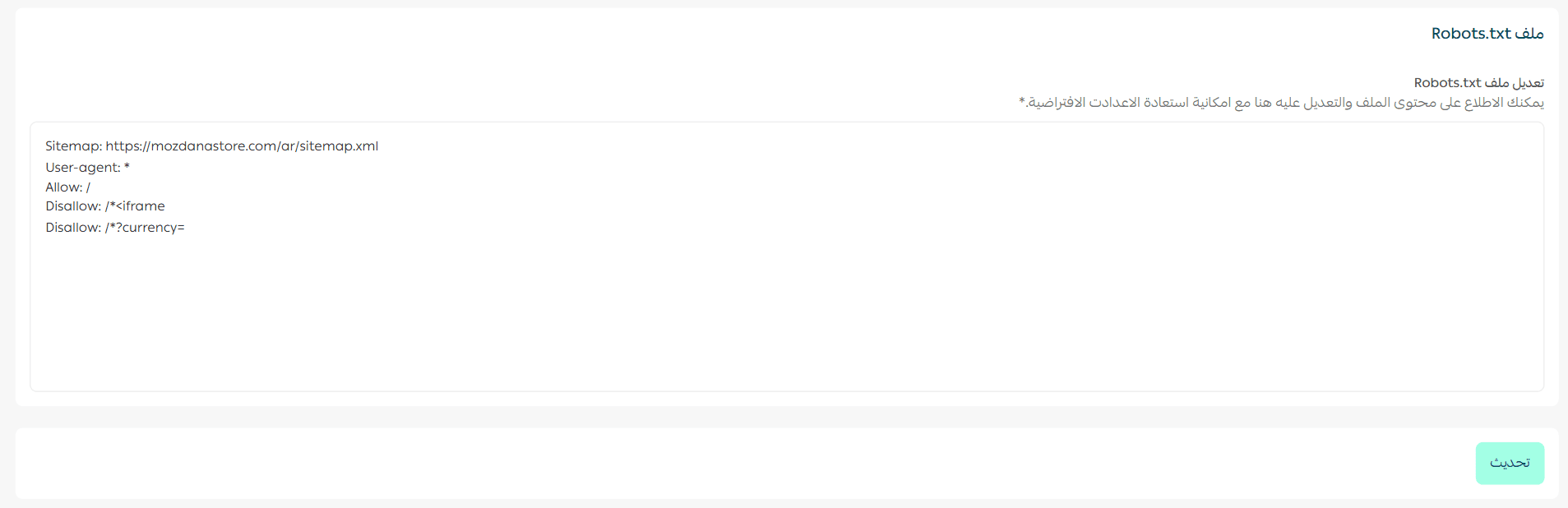
You may refer to Google’s Help Center to learn how to write Robots.txt rules and submit them correctly.
Introducing your store to Google by submitting your sitemap
- After opening the SEO page, under General Settings, click (Sitemap Index) to improve your store’s indexing in search engines.
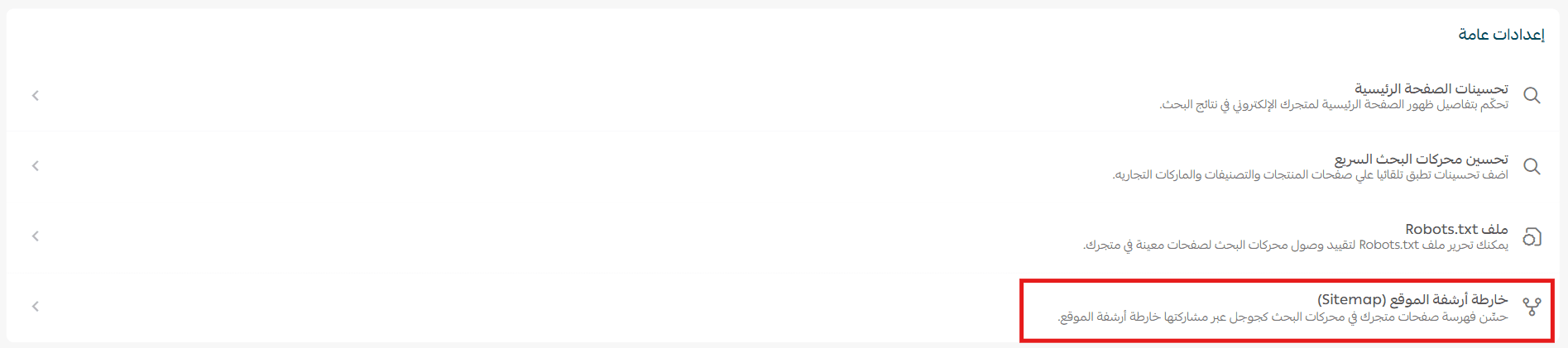
2. Click Copy to copy the sitemap link.

3. In your Google Search Console account, from the side menu, click Sitemap.
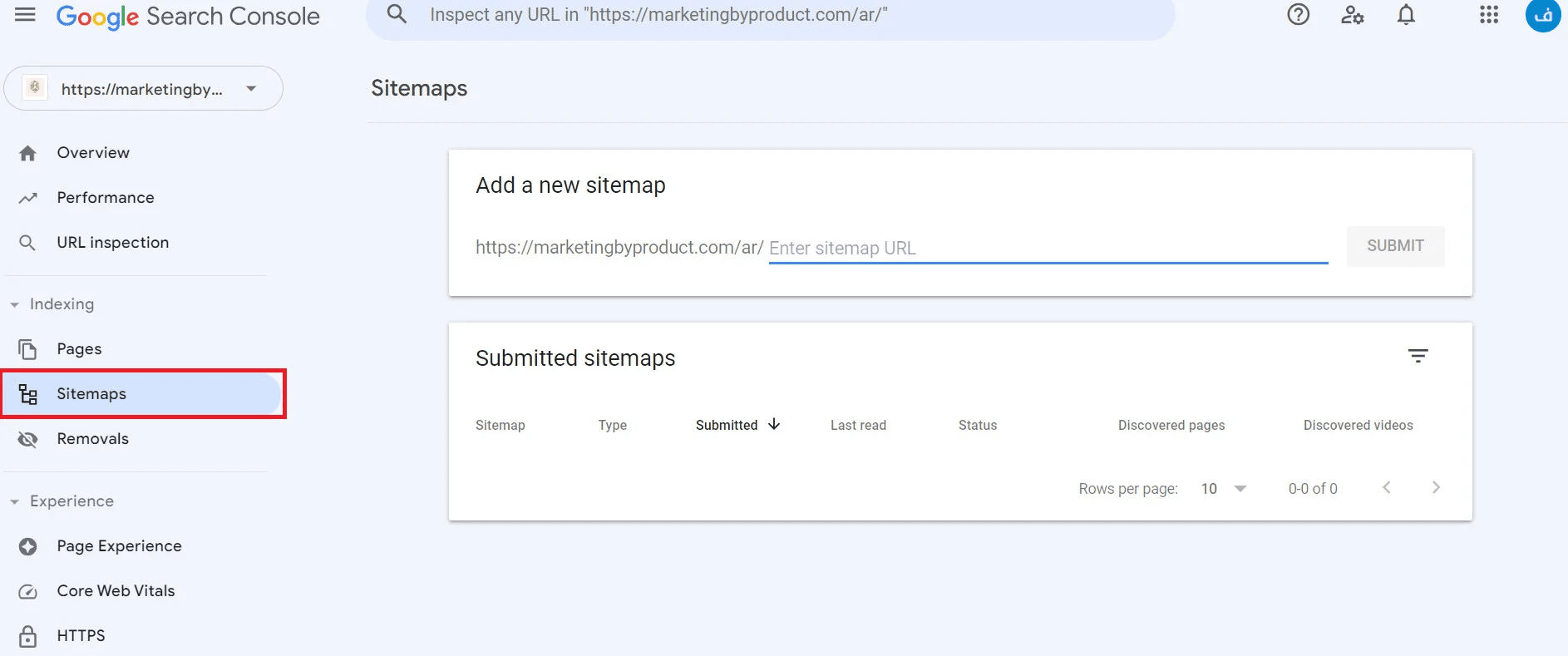
4. Paste the sitemap link into the designated box, then click Submit.

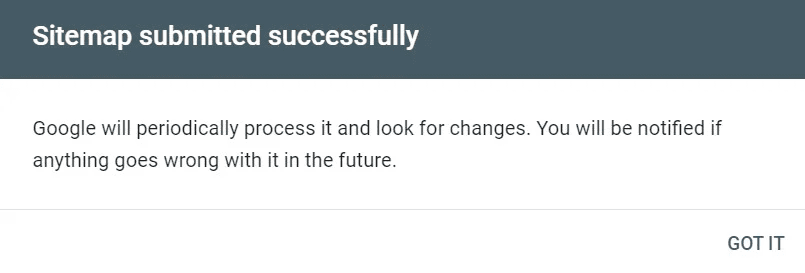
A confirmation message will appear indicating the sitemap was submitted successfully.
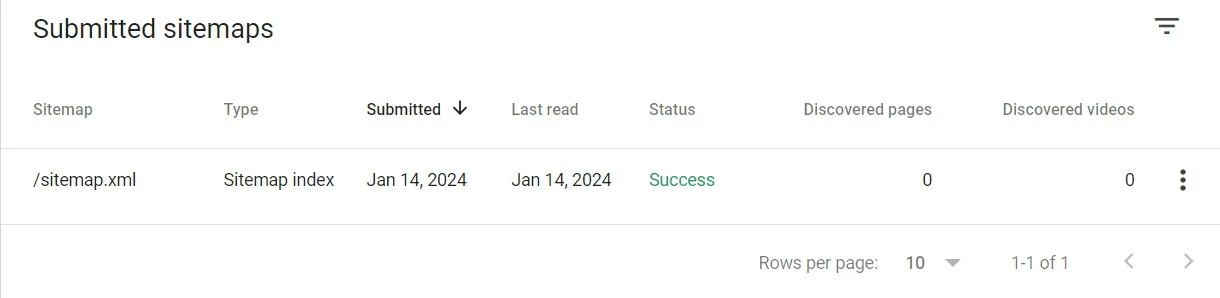
The sitemap link will then appear on the page as shown.
Improving product page visibility in search engines
- From the Products page, open the product details, select the product, then choose SEO Enhancements.
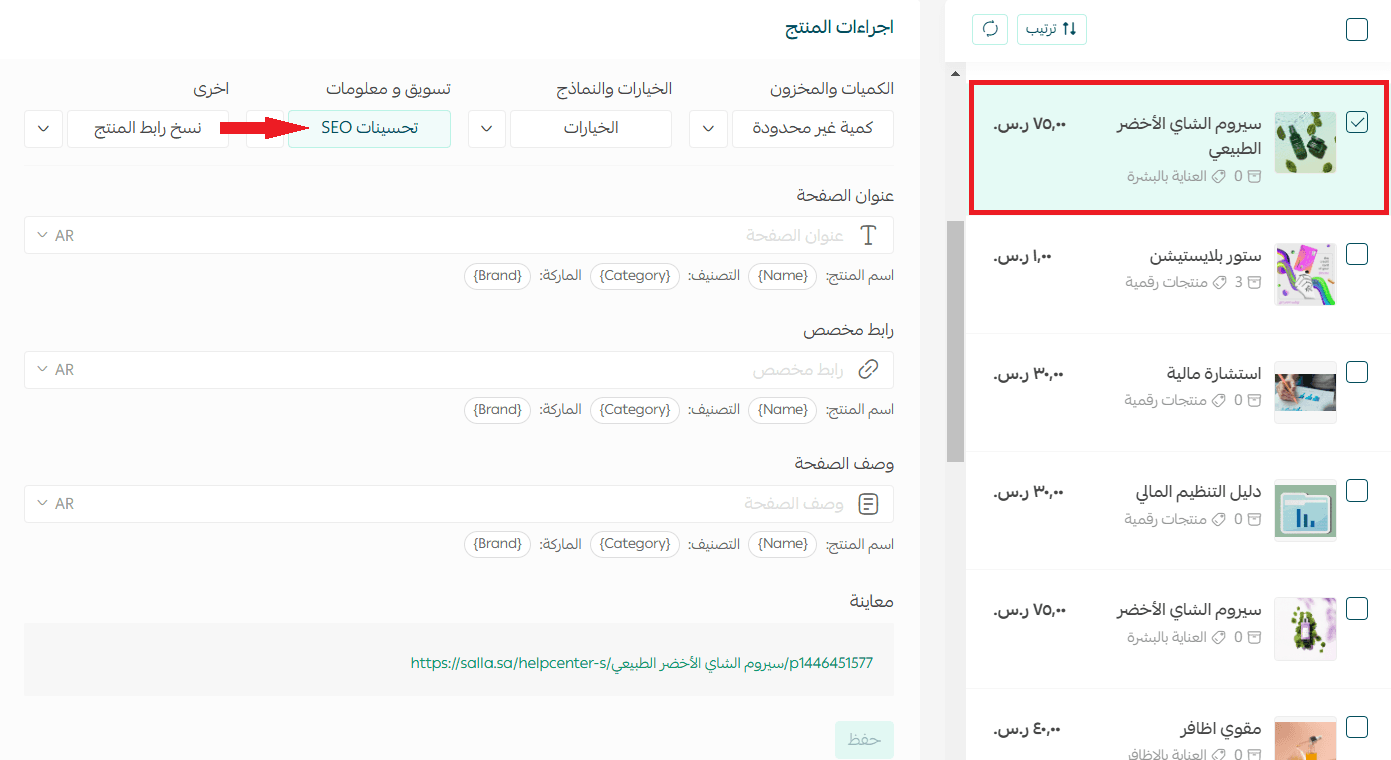
2. Under Product Data, in the SEO Enhancements section:
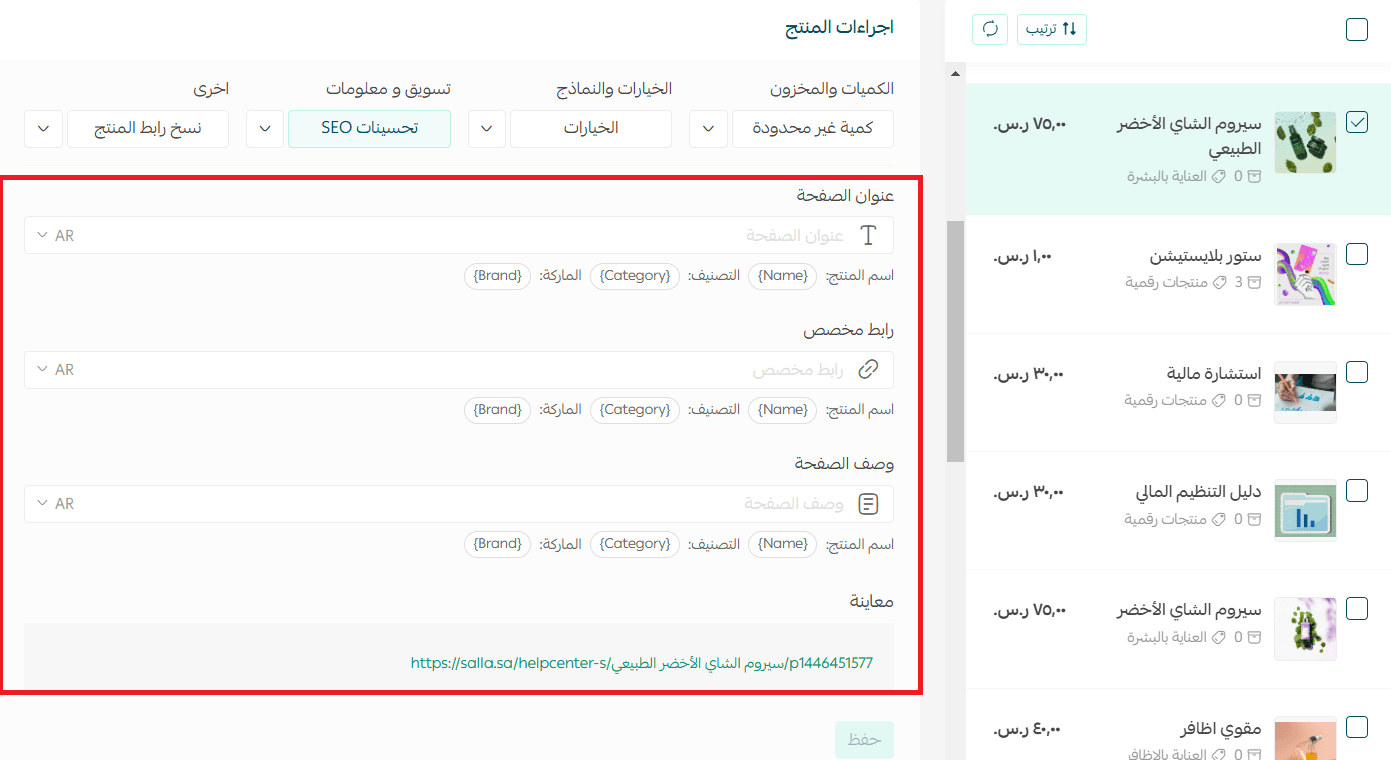
Enter the product page title, add a custom product URL (you may leave it blank to use the default URL), and write a description for the product page. Then click (Save Product Data).
To preview the product link, it will appear at the bottom of the page as shown.

Improving category visibility in Search Engines
- From the Products page, select Categories & Options.

2. Choose Categories, then select the category you want to optimize.
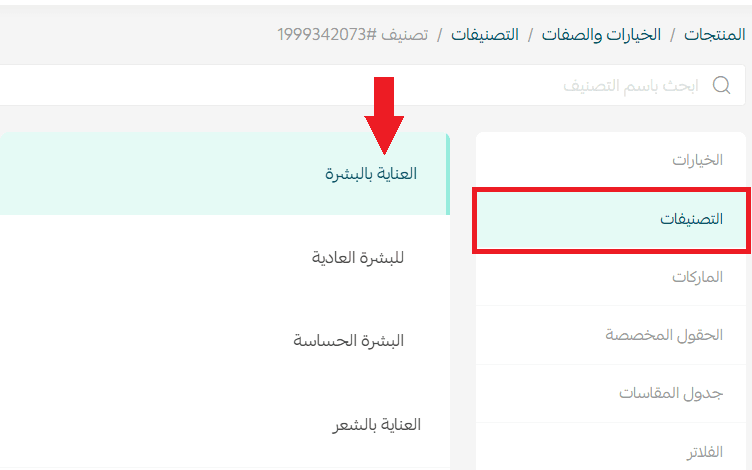
3. In the SEO Enhancements section, enter the category page title, add a custom category URL, and write a description for the category page. Then click Save.
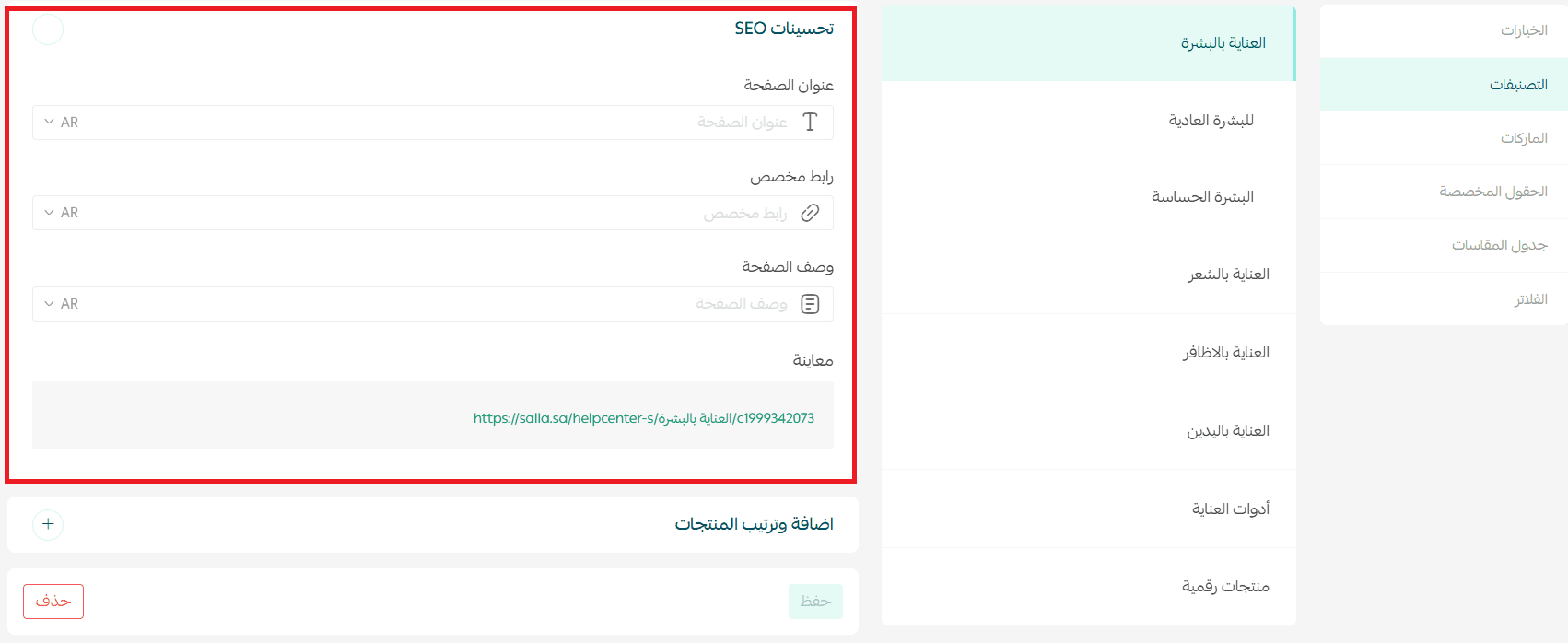
To preview the category link, it will appear at the bottom of the page.

For more details, see the guide on improving category visibility in search engines.
Improving brand visibility in search engines
- From the Products page, select (Categories & Options).
2. Choose Brands, then select the brand you want to optimize.
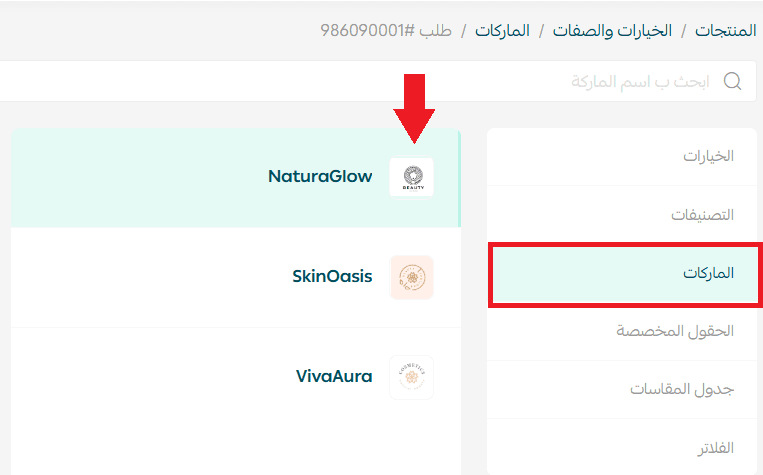
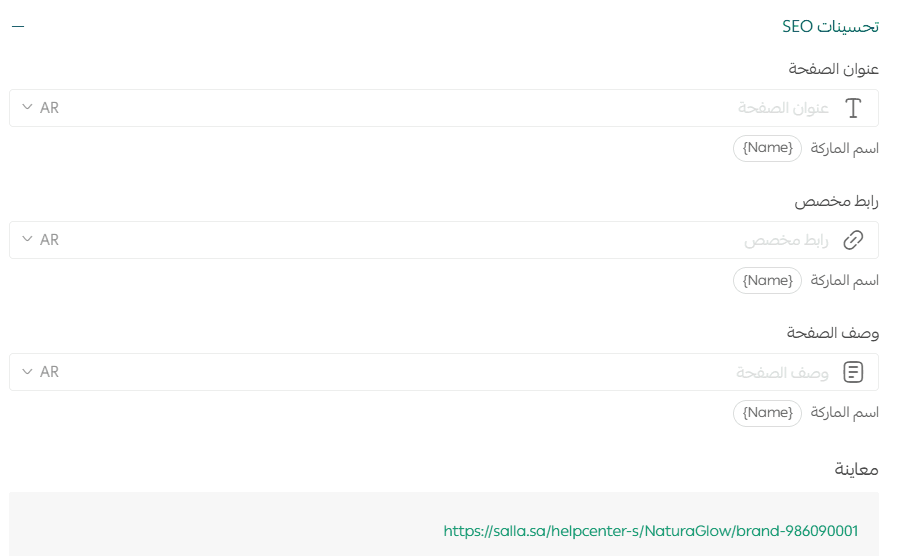
3. In the SEO Enhancements section, enter the brand page title, add a custom brand URL, and write a description for the brand page. Then click Save.
To preview the brand page link, it will appear at the bottom of the page.
Creating a blog
Regular blogging signals that your website is being updated. Each new page is a sign that your store is active, and search engines track these changes—helping your store rank higher and improve search visibility.
A blog is also a great space to answer customer questions, educate them about your products, and attract new visitors to your store.
Key tips for a successful store blog:
- Publish content that adds real value to readers by solving problems or providing useful new information.
- Write content that is engaging, easy to understand, and well-organized.
- Use keywords correctly and naturally. Keywords should be relevant to the blog topic and placed appropriately.
For more details, see: Managing your store Bbog on Salla
Supporting services
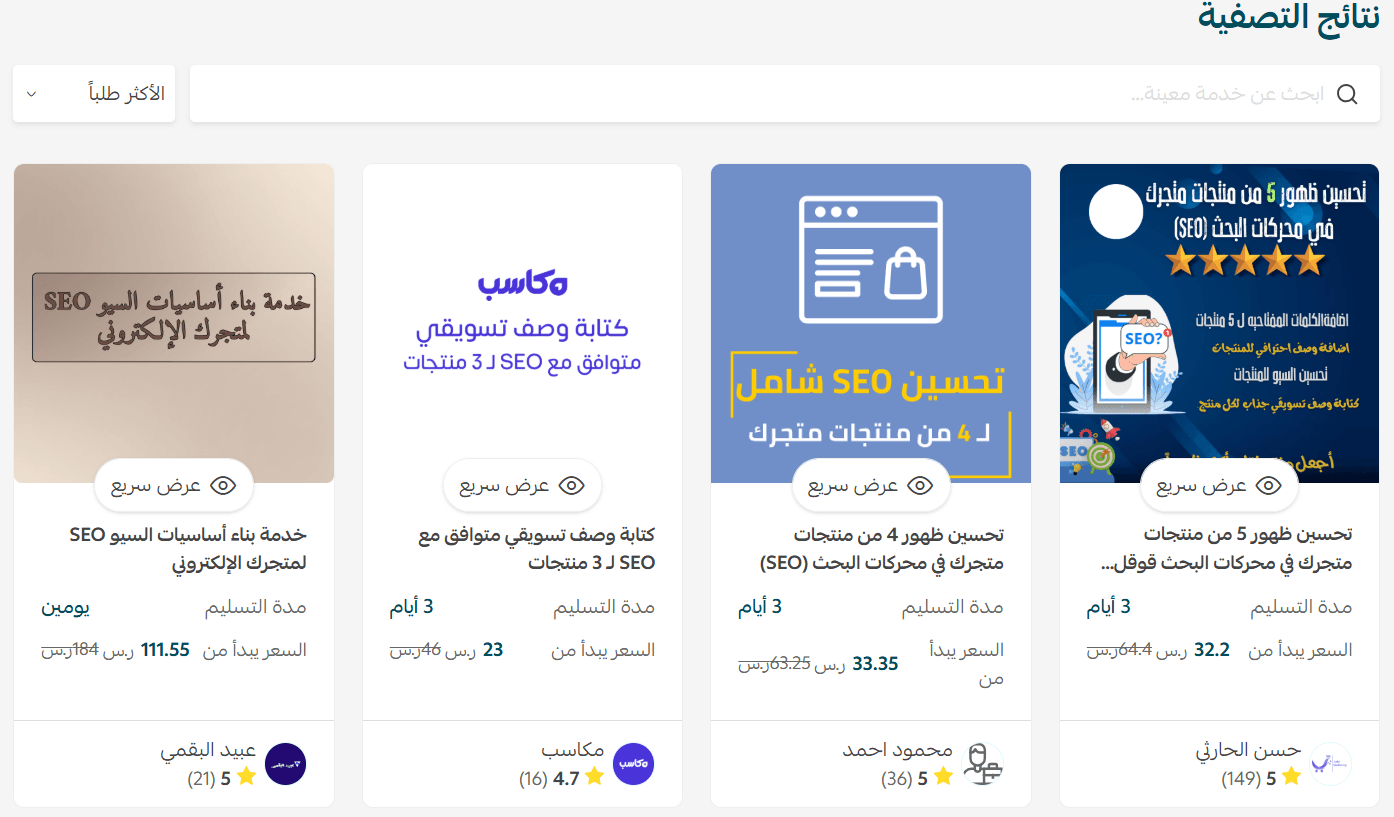
If you need additional help improving your store’s SEO, you can benefit from Merchant Services, which provides high-quality support from third-party service providers to help you grow your business professionally.
Additional learning resources
Take advantage of a free featured course with Rakan Al-Juhani on the fundamentals of improving your store’s search engine visibility through Salla Academy.