In this article, you'll learn how to link your store with Google AdWords to create paid marketing campaigns on Google Search, target customers more precisely, and measure campaign success through adding referrals: complete purchase, add to cart, start checkout, view content on the store.
What is Google AdWords?
Also known as Google Ads, it is an advertising network by Google that helps customers find your business when they search on Google for the services or products you offer. You only pay when they click on the ad to visit your website or contact you. It operates on a Pay-Per-Click (PPC) basis.
Steps to link Google AdWords with your Salla store:
The connection with Google Ads goes through three stages:
Stage one:Create a new account on Google AdWords
Stage two: Copy the tracking code from your Google AdWords account
Stage three:Install and activate the Google AdWords app
⚠️ Important note:
The feature to link with Google AdWords is exclusively available for Pro package users. To ensure you benefit from creating paid marketing campaigns on Google, please subscribe to the Pro package before proceeding with the linking and activation steps.
For more details, watch thevideo
📖 Note: You can skip the first stage if you already have a Google AdWords account
Stage one: Create a new account on Google AdWords
1. Go to the homepage of Google Adsand click (Get Started) to create your account.
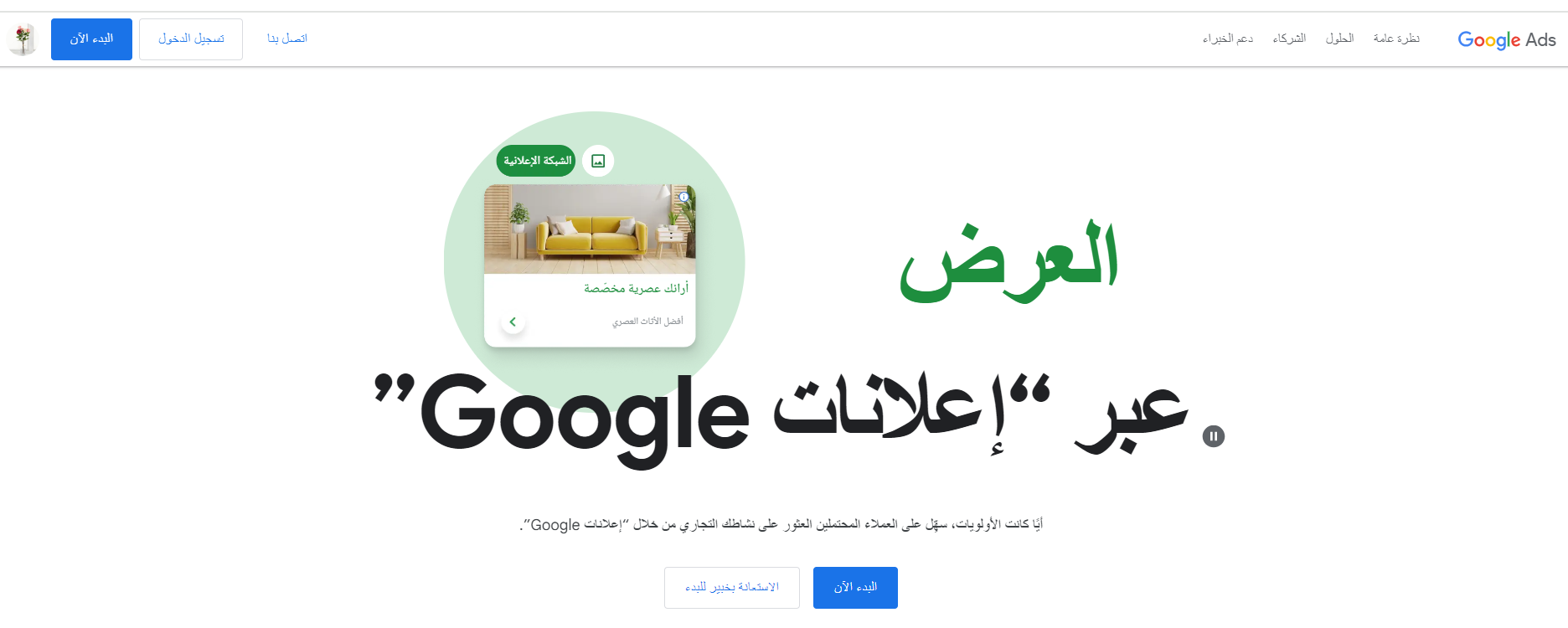
2. Click (Create your first campaign).

3. Enter your business name and store link, then click (Next).

4. Skip the campaign settings from the pages: linked accounts, then the campaign goals selection page, then the campaign type selection page.

Until you reach the campaign creation exit page.

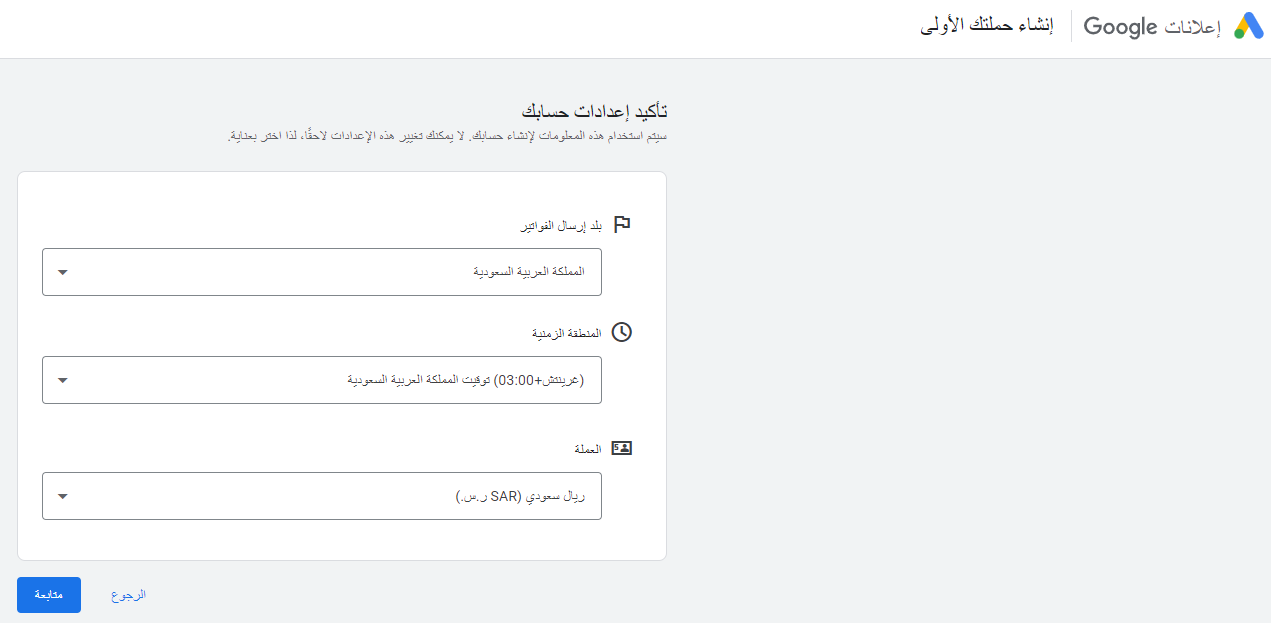
5. Confirm the account settings, then click (Continue).
6. Confirm the payment settings.
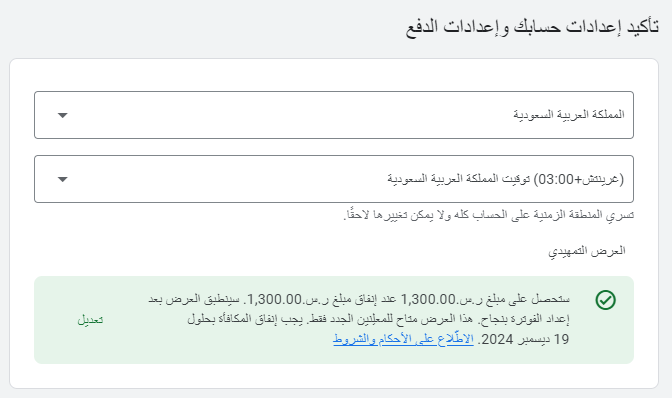
Add both the payment profile and payment method, agreeing to Google Ads terms.
When adding card details, a temporary charge ofSAR 50will appear on your card (the merchant must pay it and it will be refunded later), usually removed within a week.
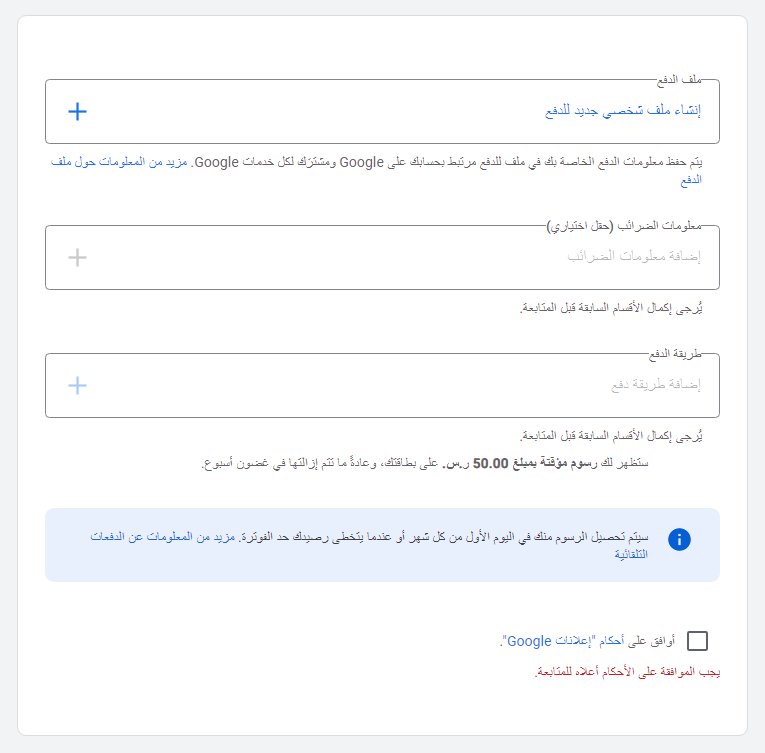
7. After completingthe payment method settings, click (Submit).

The next screen will inform you that your Google Ads account has been created.

To view the homepage of your Google Ads account, click (Explore your account).
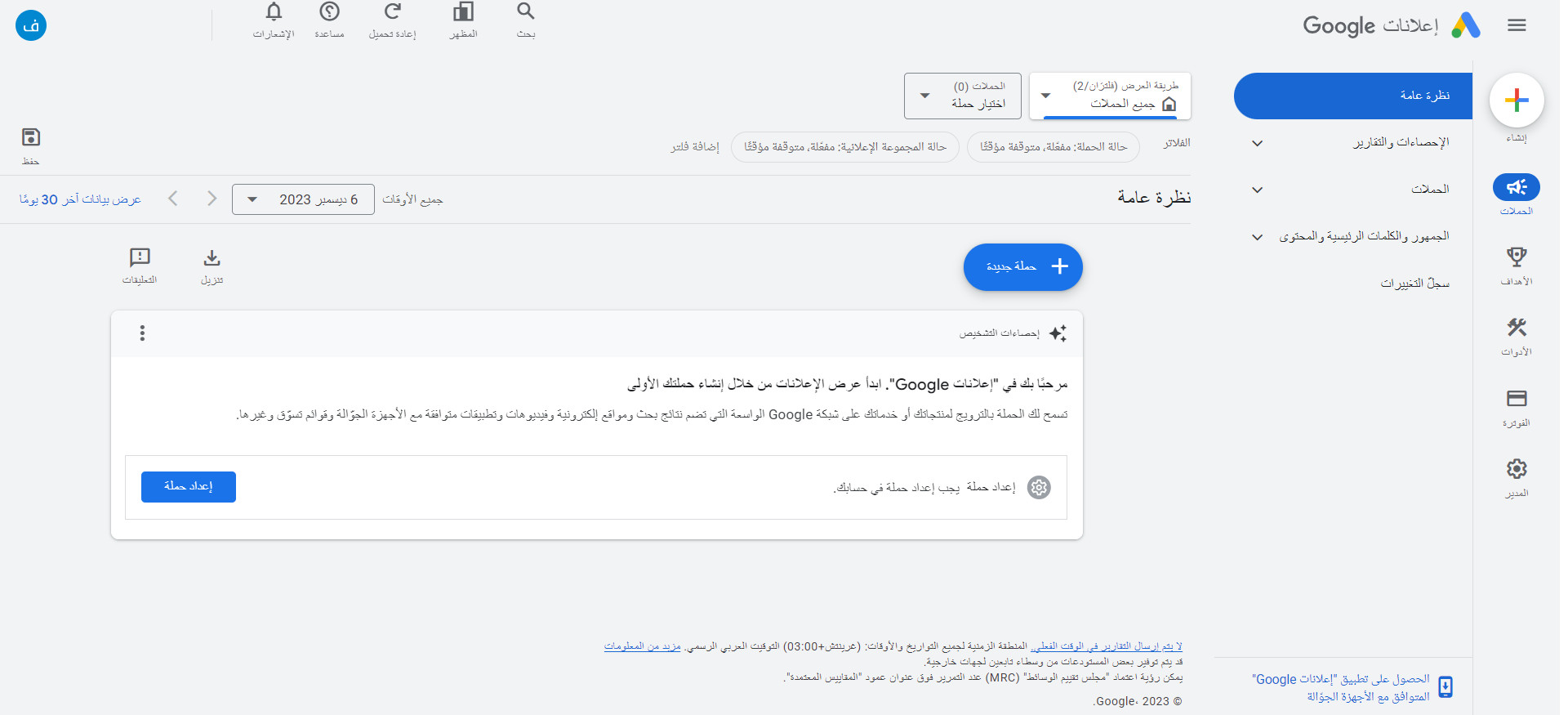
Phase two: copy the tracking code from your Google AdWords account
1. From yourGoogle AdWordsaccount, in the side menu, click (Goals) and from (Conversions),click (Create new conversion).
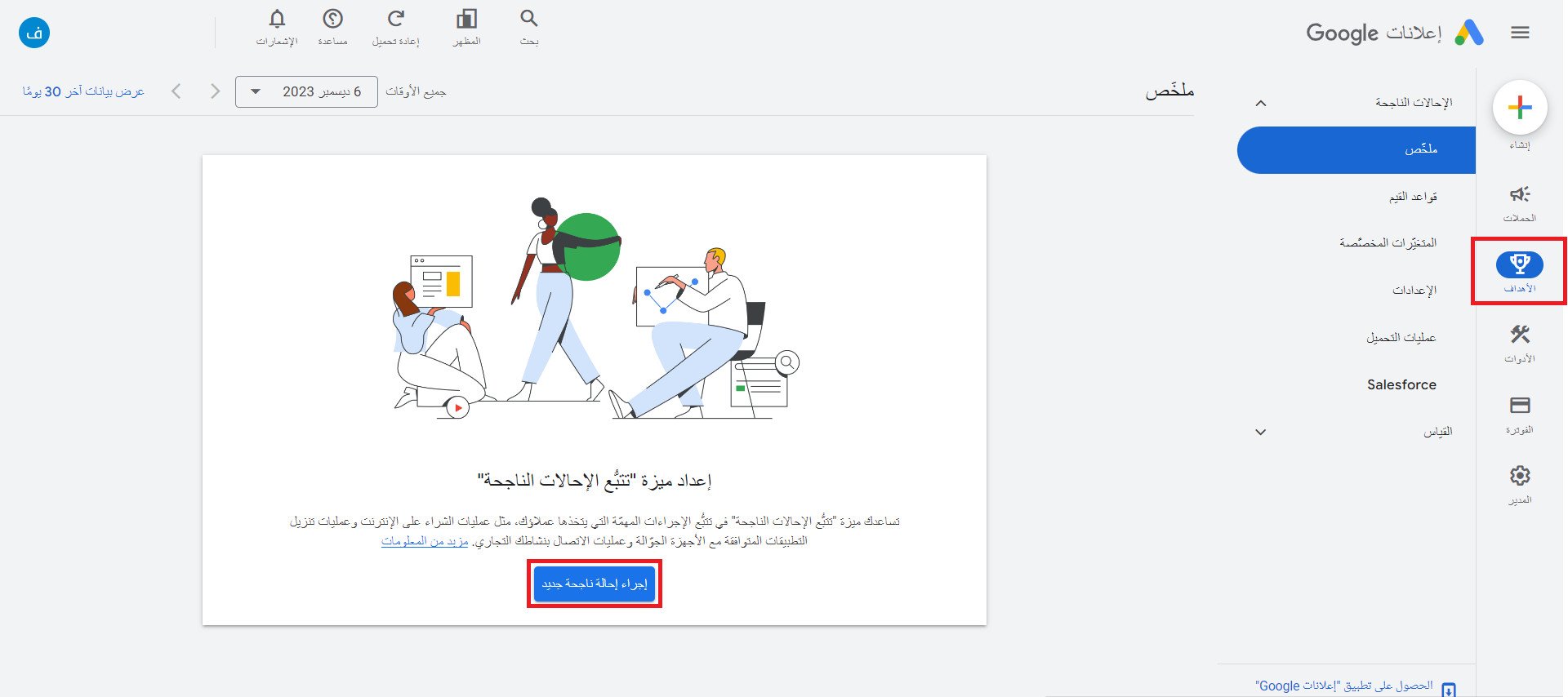
2. To create a new conversionfor tracking actions on your store, click (Website).

3. Paste your store link in the designated field, then click (Check).
Ensure to use Google Ads only.
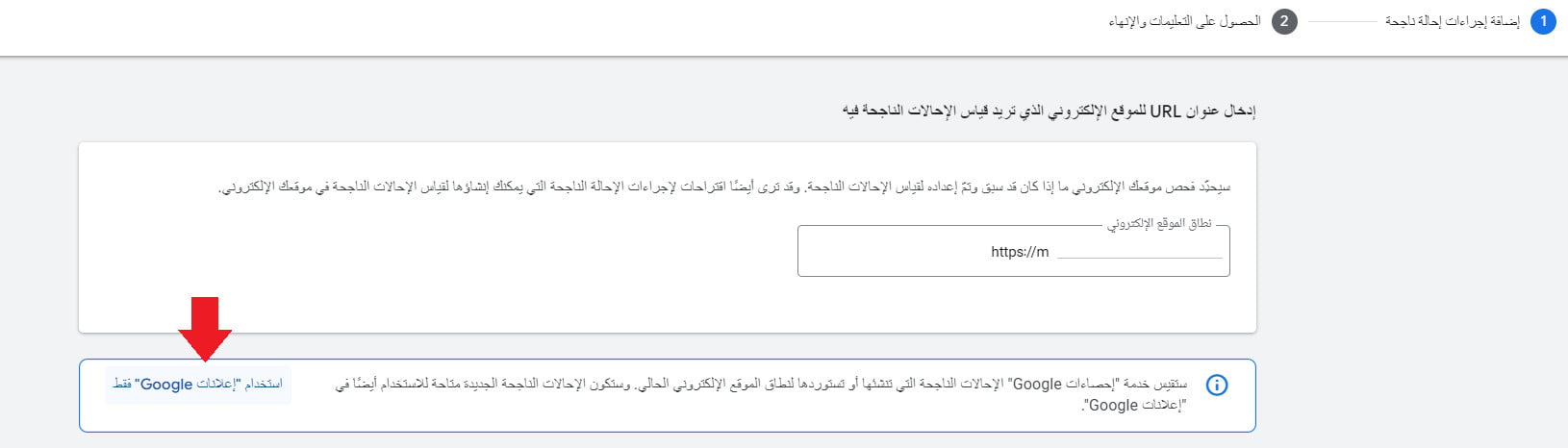
It should be in the form:

4. At the bottom of the page, from the section for manually creating conversion actions using code, click (+Add conversion action manually).
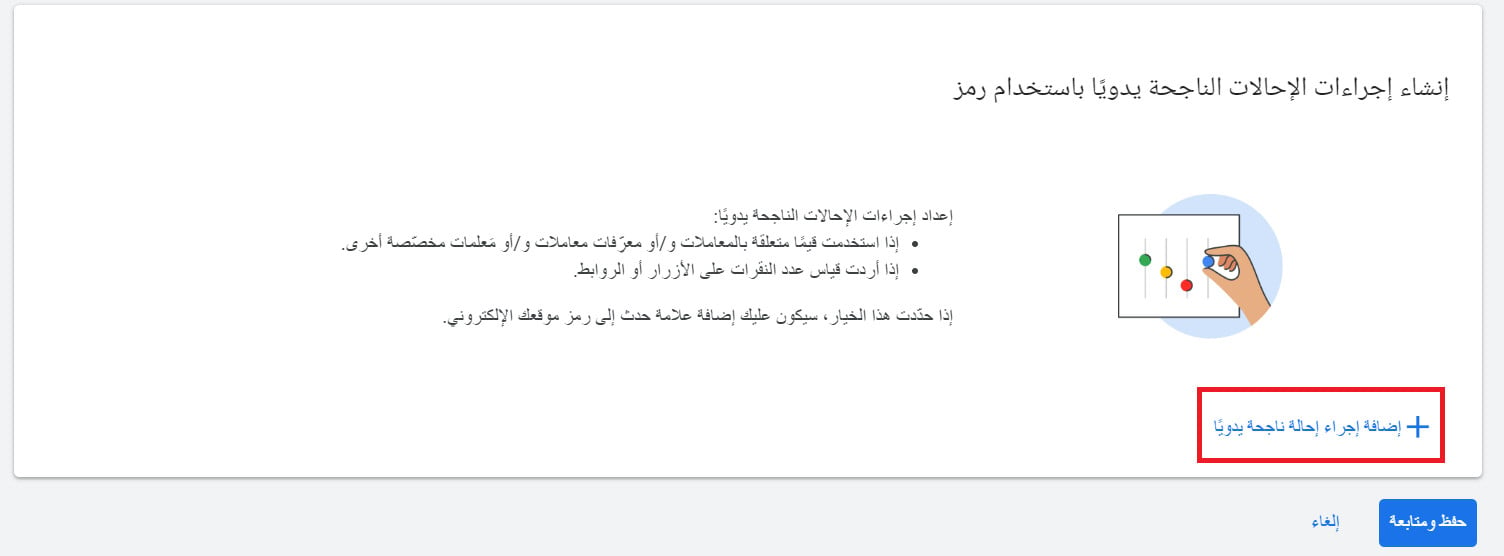
5. Enter the details of the conversion action (specify its category, conversion name, and value, etc.) then click (Done).
You can track up to four successfulconversionsvia Google Ads: purchase completion, add to cart, start checkout, view content on the store.

It's recommended to set the conversion value to (use different values for each conversion).

6. Notice the conversion setup successfully, click (Save and continue).
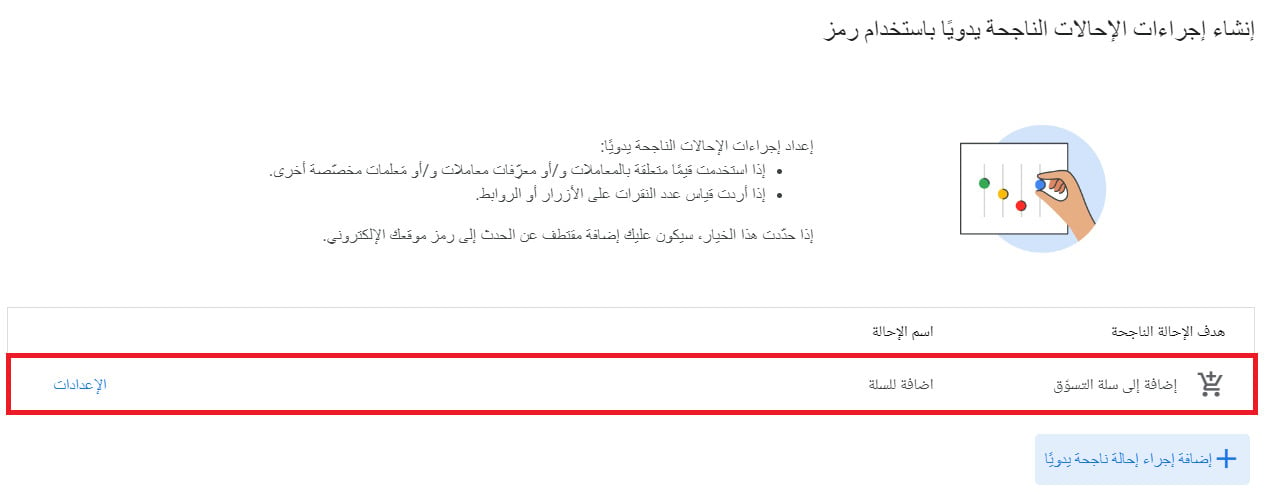
7. From (Tagging conversion events on your website), from the conversion we added, click (View event snippet).
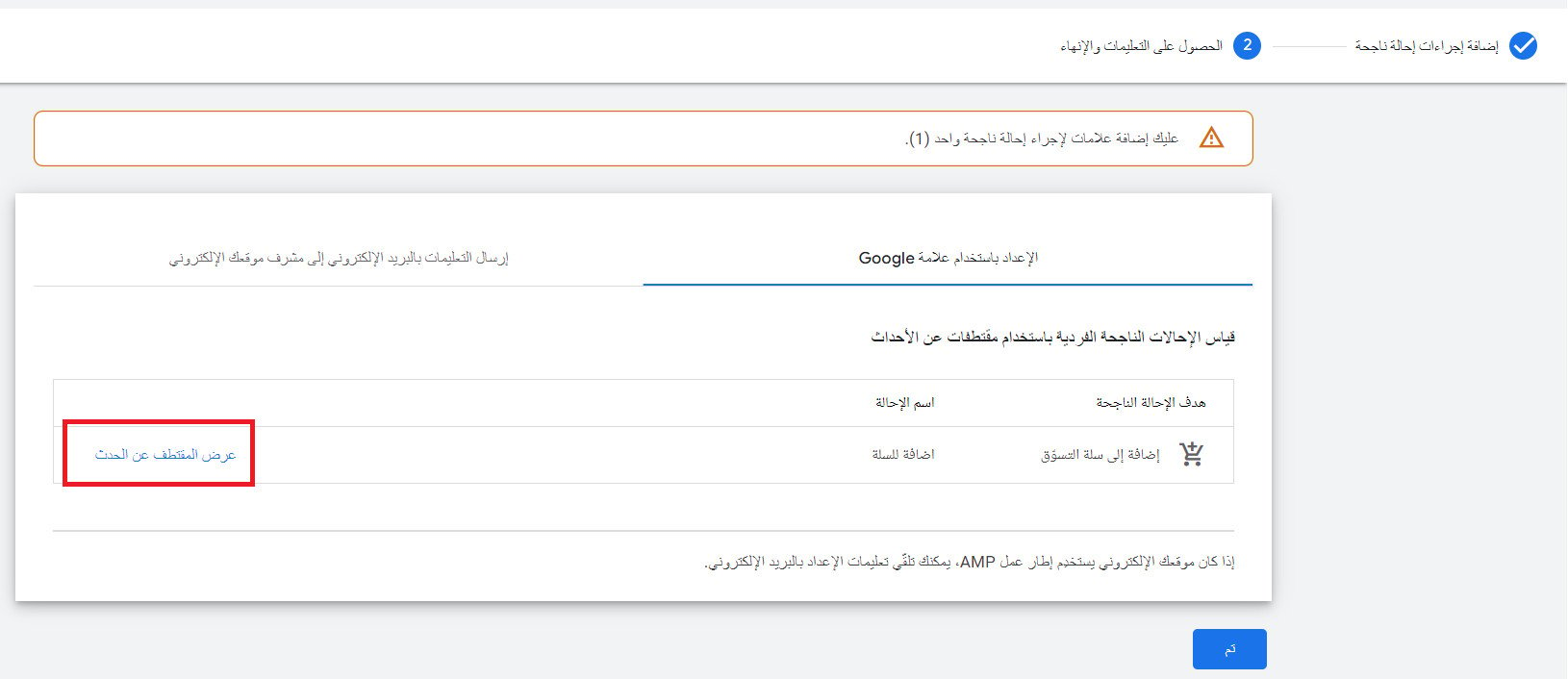
8. From the required conversion event tag, click (Copy) to copy the conversion tracking code.

Phase three: install and activate the Google AdWords app
1. From the side menu of the control panel, click on (Installed apps).

2. From the Salla App Store banner, click (Browse Salla App Store).

3. From theGoogle AdWordsapp, click (Install app).

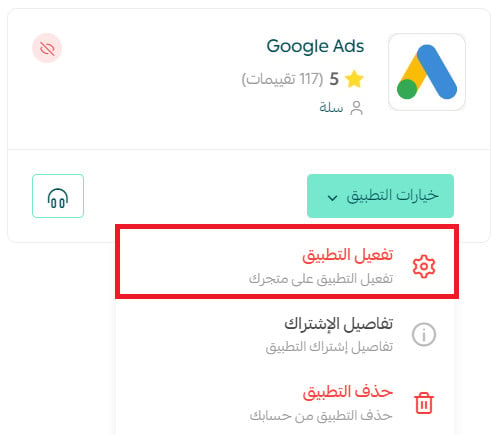
4. From the app options menu, click (Activate app).
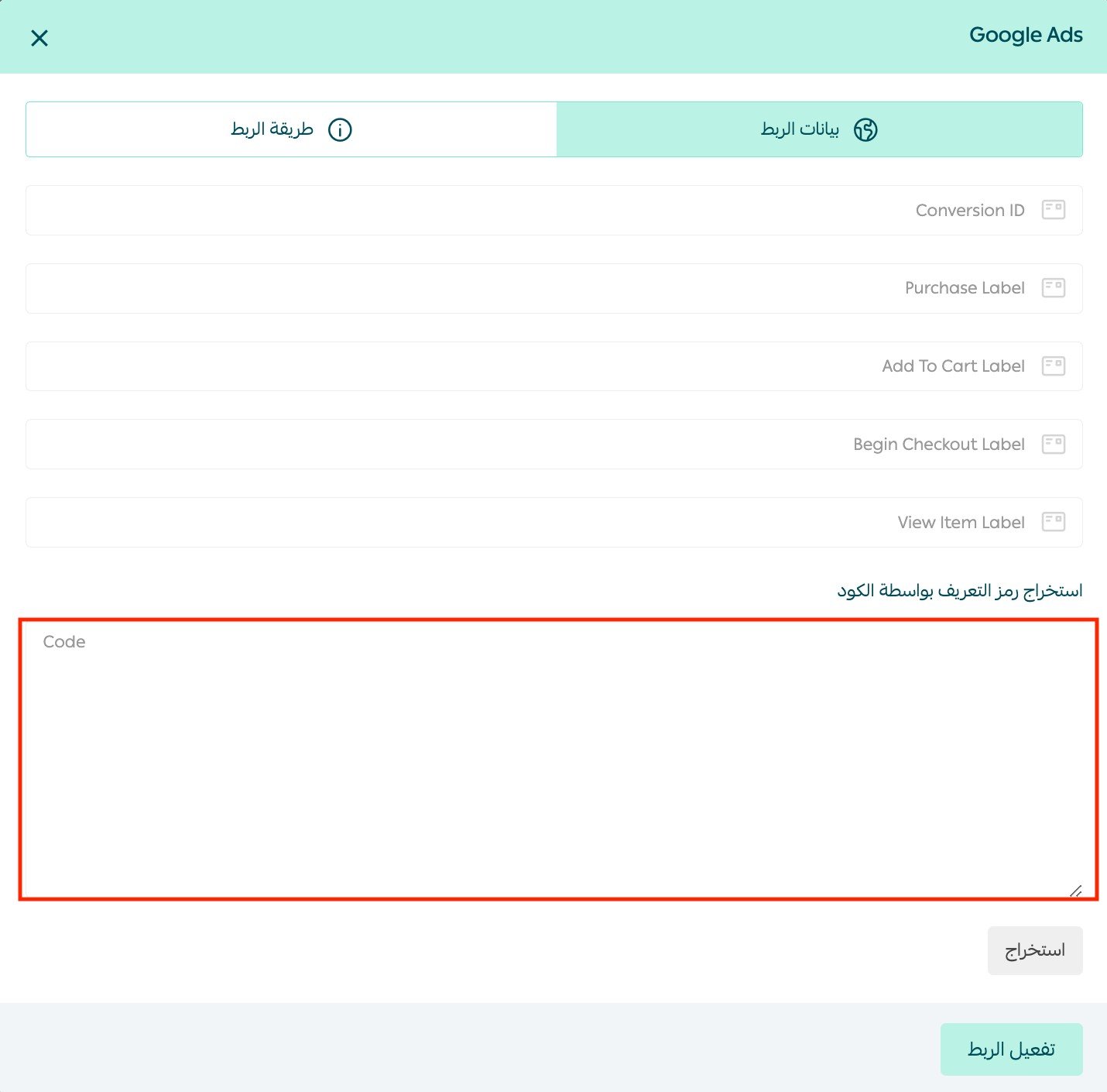
5. From the linking data tab, paste the snippet you copied at the end of the previous phase, click (Extract), then click (Activate linking).
Congratulations, you have successfully activated the Google Ad app.
For more details onmanaging my store apps
Frequently asked questions
Do I need to fill in all conversions when activating the link?
You only need to fill in the conversions required for your marketing campaign, which may be one or more.
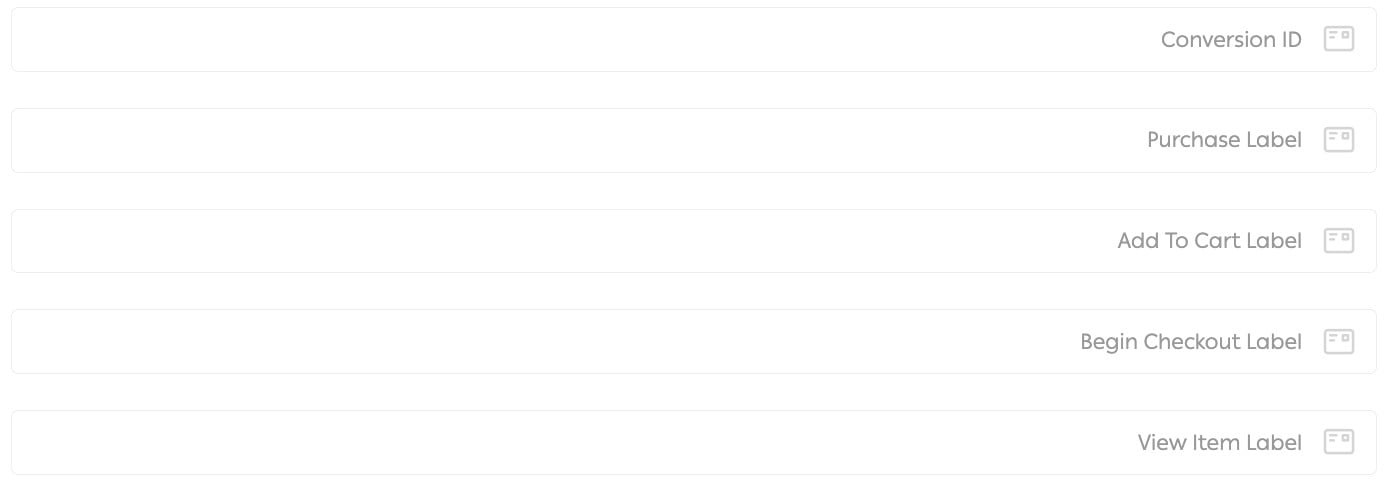
To create a new successful conversion, you can repeat the steps in phase two for any of the conversions: purchase completion, add to cart, start checkout, view content on the store.
Is there a minimum advertising budget?
To set the amount (budget) you want to start with, Google imposes a minimum amount that you must not go below, which varies from country to country.
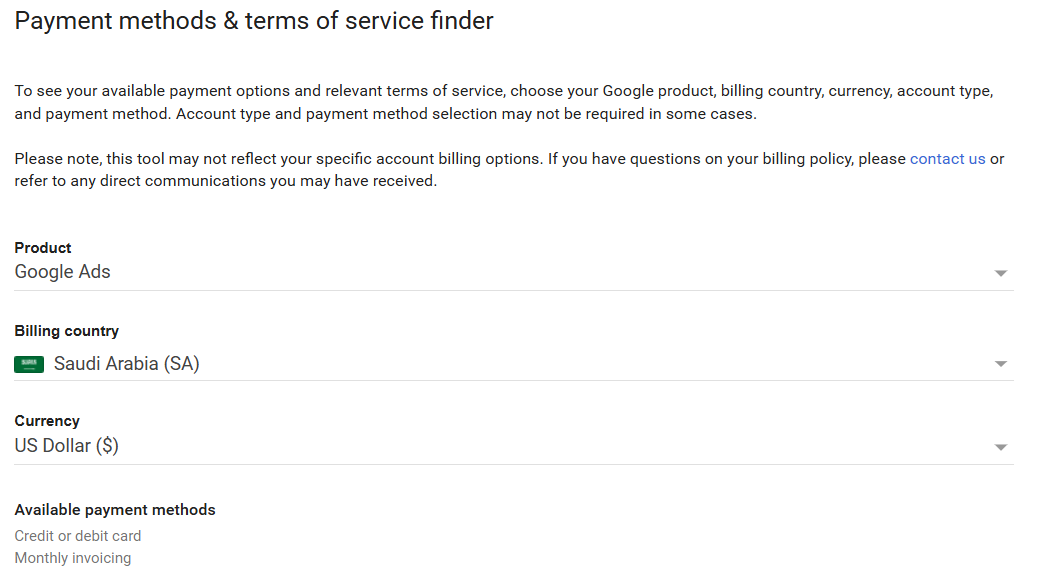
For more details onpayment methods and terms of service
What is the pay-per-click system?
It is an online advertising model used to drive traffic to websites, where the advertiser pays the publisher (usually a search engine, website owner, or network of sites) when the ad is clicked.
Advertisers typically bid on keywords related to their target market with the help of search engines and pay when the ad is clicked.
Is it necessary to have a website to advertise on Google?
No, but for some ads, you need a website to try them. Additionally, it's better to have a website or a physical store, like a flower shop, where you can place a Google ad and include a phone number to attract customers via phone.
I'm not familiar with Google ads, and I have a project but don't know what to do!
Well, if you're not familiar with Google AdWords and don't want to risk learning on your project's budget, there's a solution: hire a Google AdWords expert to manage your ads effectively, reducing losses and starting to achieve better results, eventually leading to significant returns.
Benefits of advertising on Google
The ability to set the amount or budget you want to allocate daily for advertising is one of the benefits and advantages offered by Google Ads.
In addition to this benefit, we can mention the following advantages:
1. Start or stop the ad campaign whenever you want, as there is no binding contract.
2. Ability to change the amount you wish to pay per ad click throughout the campaign.
3. Ability to monitor the return on investment (ROI) in real-time.
4. You can pay for ads using a credit card, debit card, or invoice. However, available payment methods vary by country.
Additional support services
If you need help with launching ad campaigns on the Google AdWords platform,you can benefit from the merchant services section, which offers quality services from external service providers to professionally accomplish your business activities.