Do you struggle to track service requests smoothly, resulting in delays or unclear responsibilities?
This guide walks you through requesting, managing, and evaluating services step by step, from placing the order to final delivery, so you always stay in control and ensure a transparent, efficient experience.
📌 Article overview
- Service request & management stages
- Requesting a service from Merchant Services
- Order status: Waiting for requirements
- Order status: Requirements under review
- Order status: In progress
- Order status: Delivered – pending confirmation
- Order status: Completed
- Requesting services with milestone payments
- Managing service cancellations
- Service evaluation
Service request & management stages

Requesting a service from Merchant Services
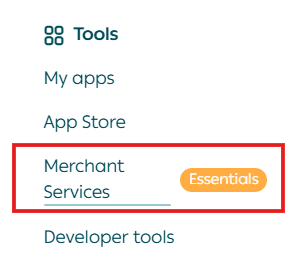
- From the main navigation menu, click (All), then under Tools select Merchant Services.
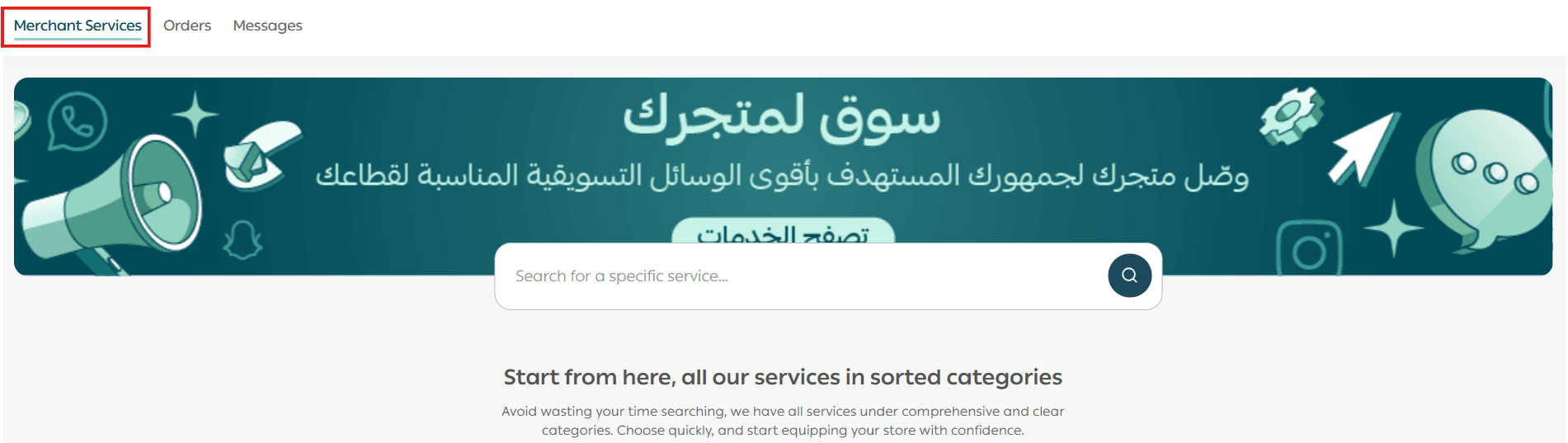
2. Use the Merchant Services tab to request new services, or the Orders Center tab to track previous requests.
3. Select the service that fits your needs by clicking the service name. You can also use the search bar at the top.
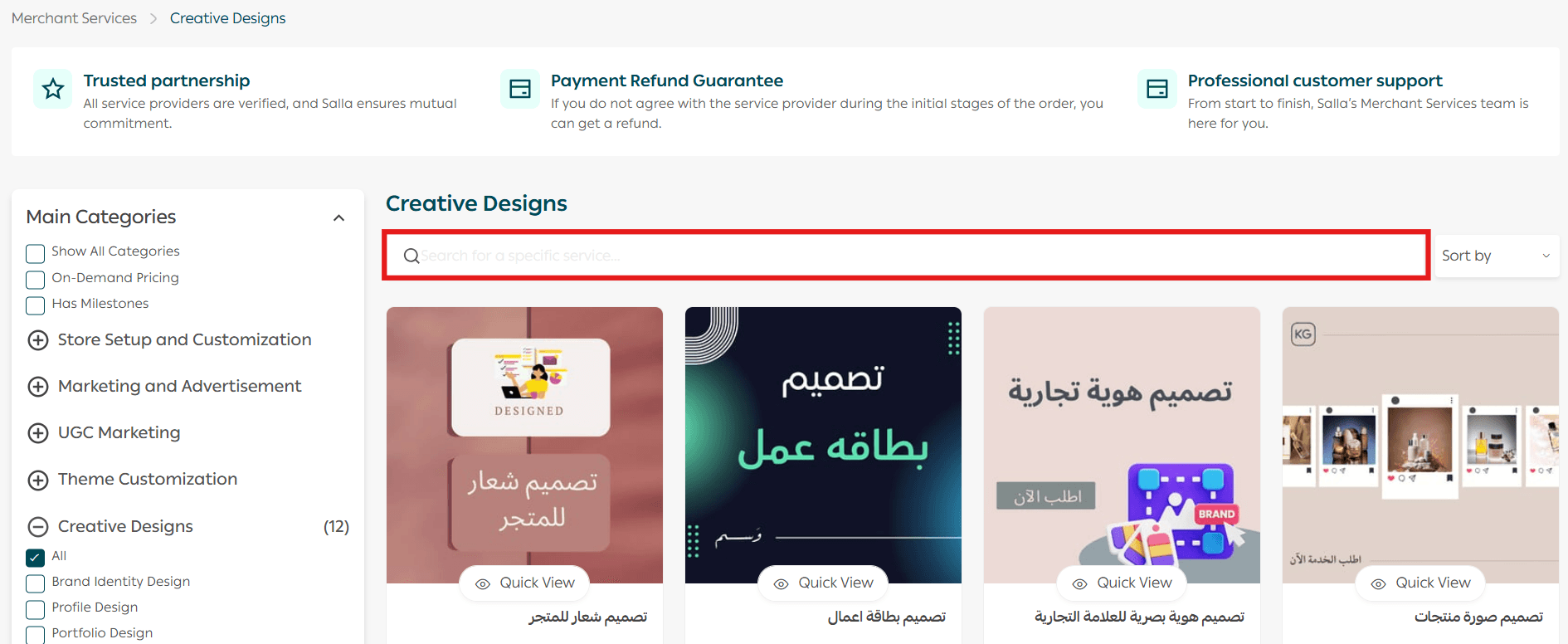
4. Use Quick View to preview a summary of the service details.

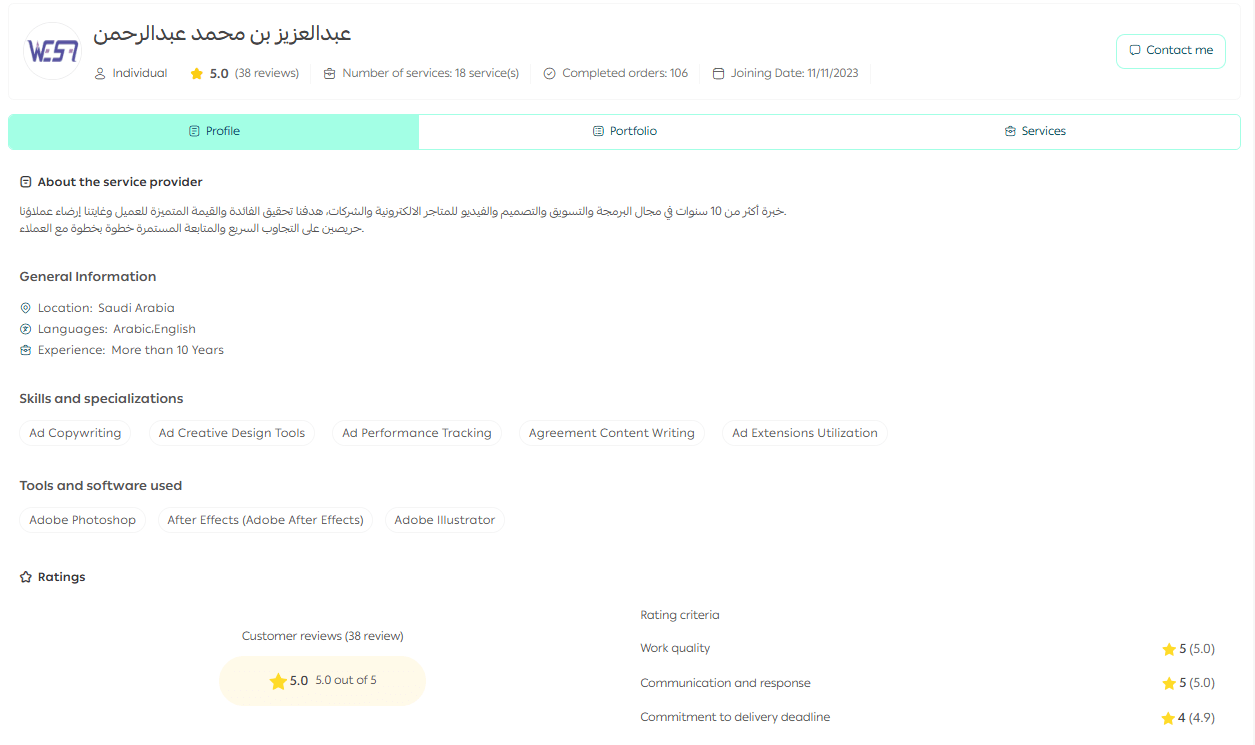
Clicking on the service provider opens their profile, which includes:

- Profile tab: Overview of the provider, skills, specialties, ratings, and merchant reviews
- Portfolio tab: Previous projects completed by the provider, with detailed insights for each project
- Services tab: All services offered by the provider, joining date, service volume, and ratings
You can also refine results using the side filters by category, rating, and budget.
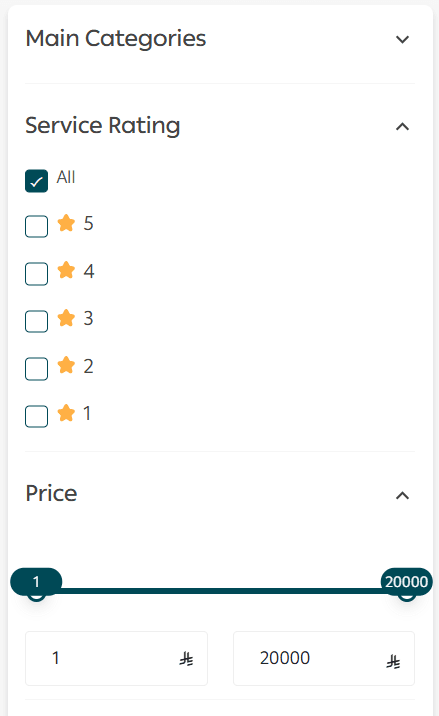
5. From the service details page, review:

- Full service description
- Requirements and conditions
- Available add-on services
You can also review merchant feedback and FAQs before proceeding.
6. Once ready, click Request Service.
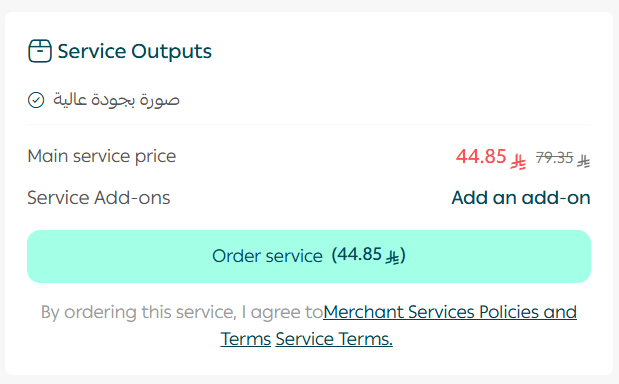
7. In the checkout window:
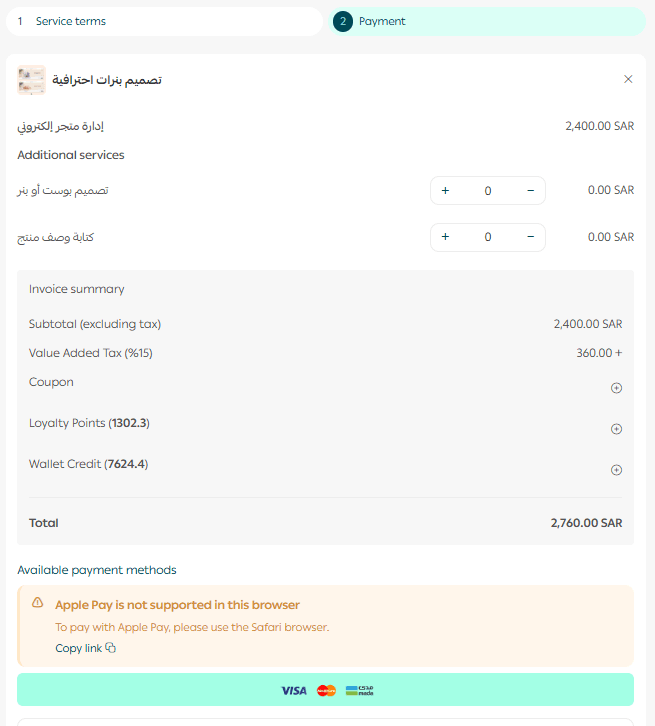
- Add optional complementary services if needed
- Enter payment details
- Click Confirm Payment
✅ Your service request has been submitted successfully.
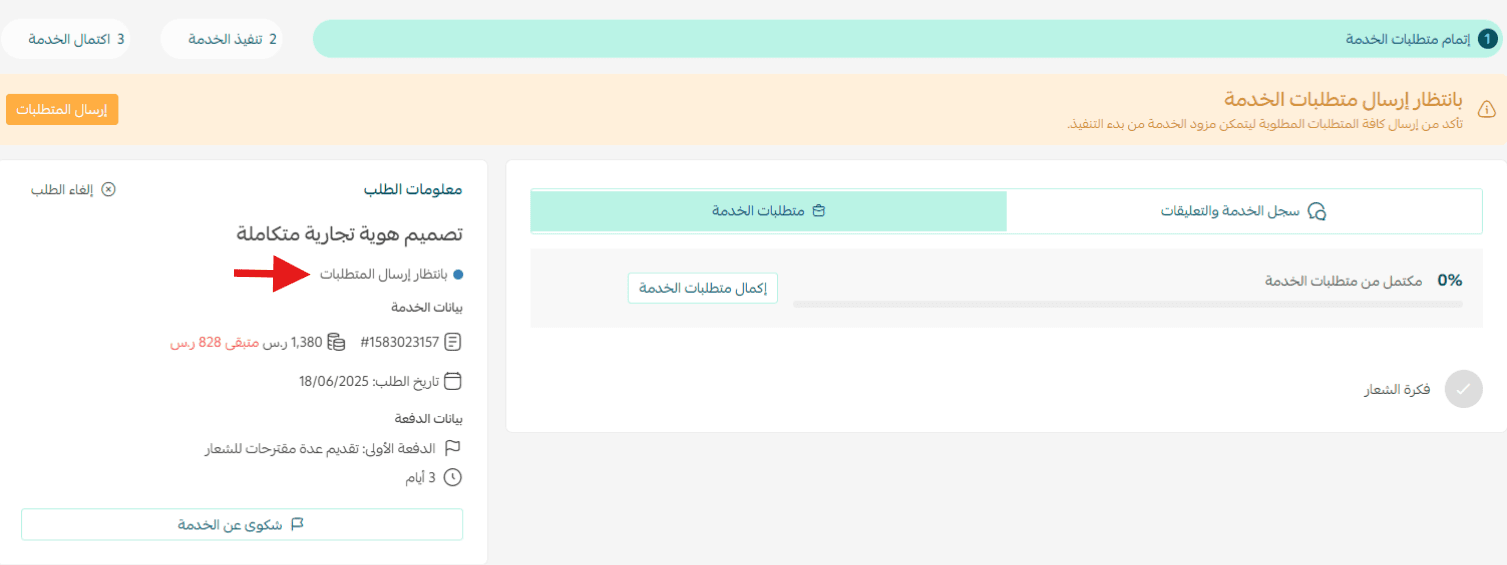
Order status: Waiting for requirements
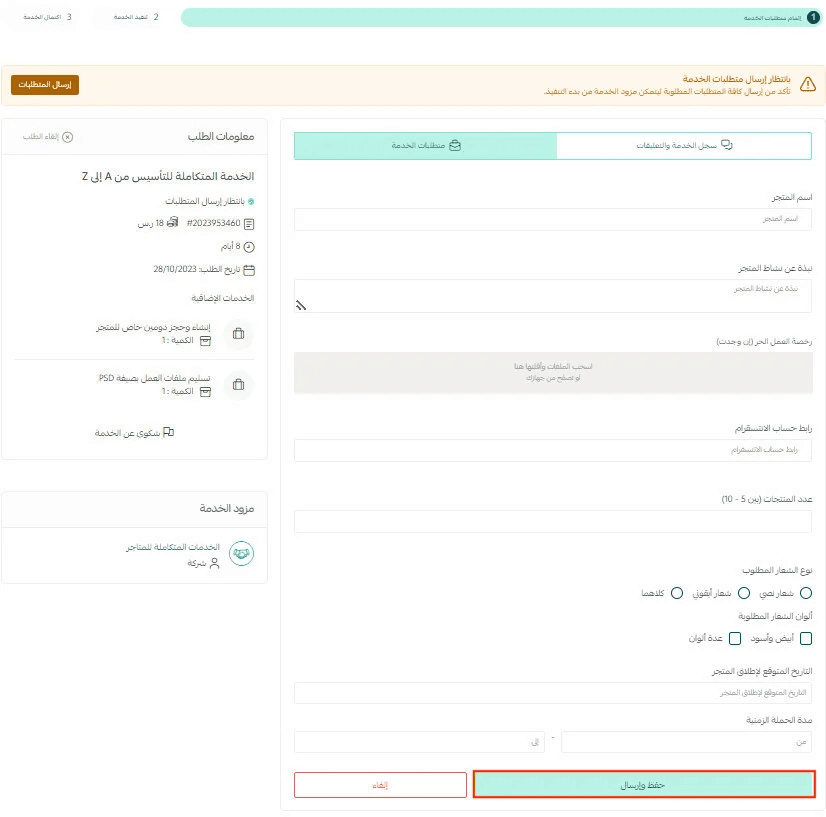
- Go to Orders Center and open the order you want to manage.

2. You’ll be prompted to submit the required information.
3. Navigate to the Service Requirements tab or click Submit Requirements.
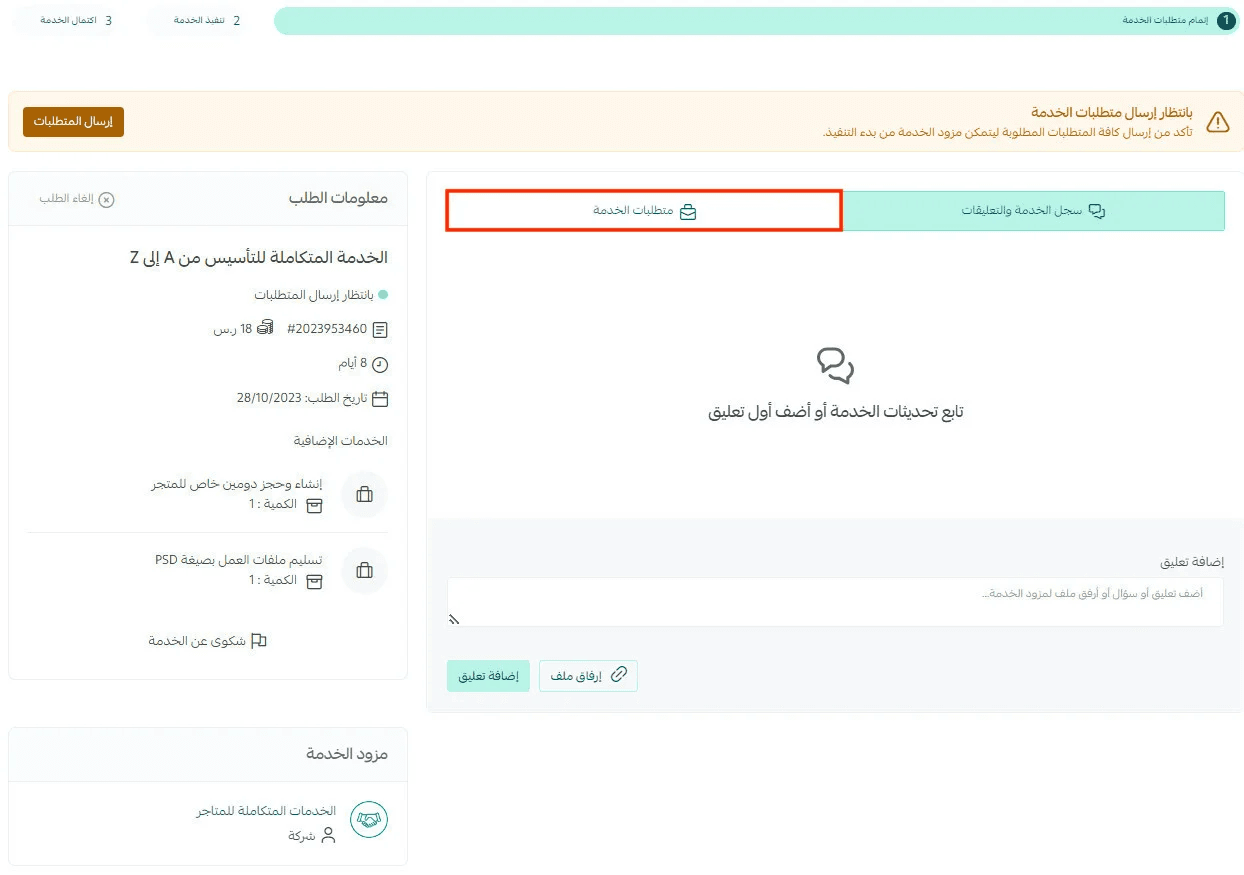
4. Enter the requested details and click Save & Submit.
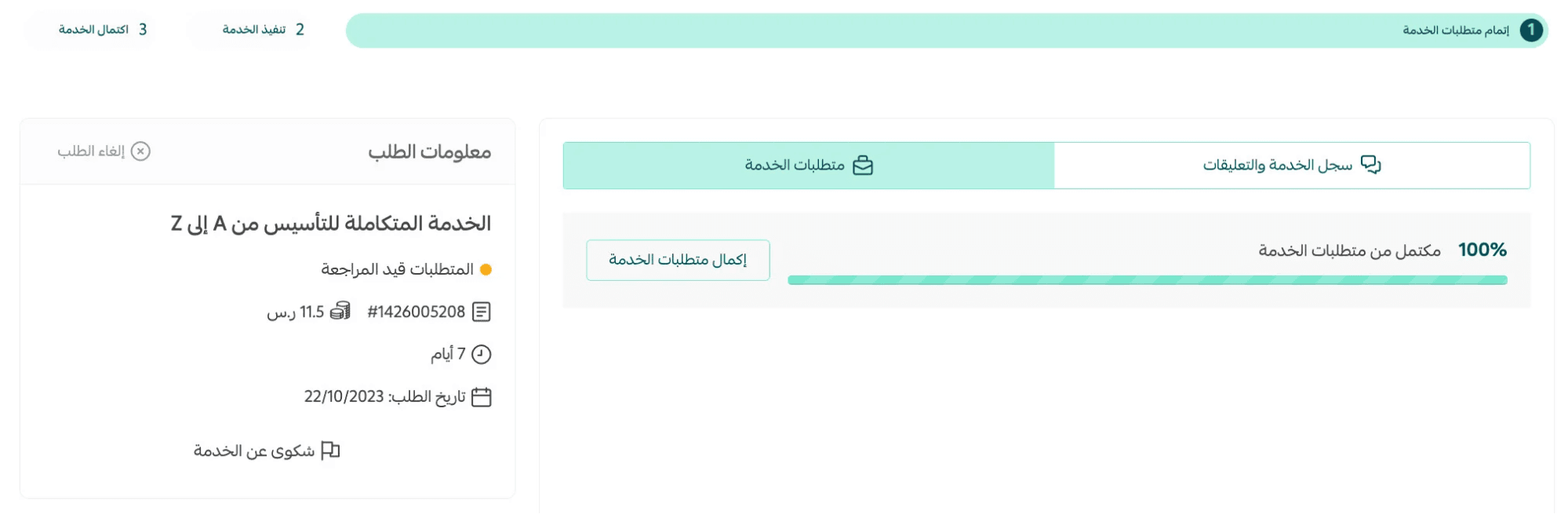
Order Status: Requirements under review
Your requirements have been submitted and the order status is now Under Review.
If the service requires store access permissions (depending on the service type), you’ll see a prompt to grant access:
- Click Grant access
- Confirm the action
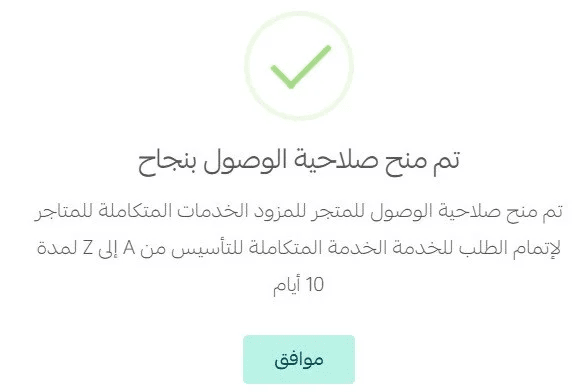
Important note: Access is granted only when the provider begins execution.

You can communicate with the service provider via comments and attach files directly within the order page.
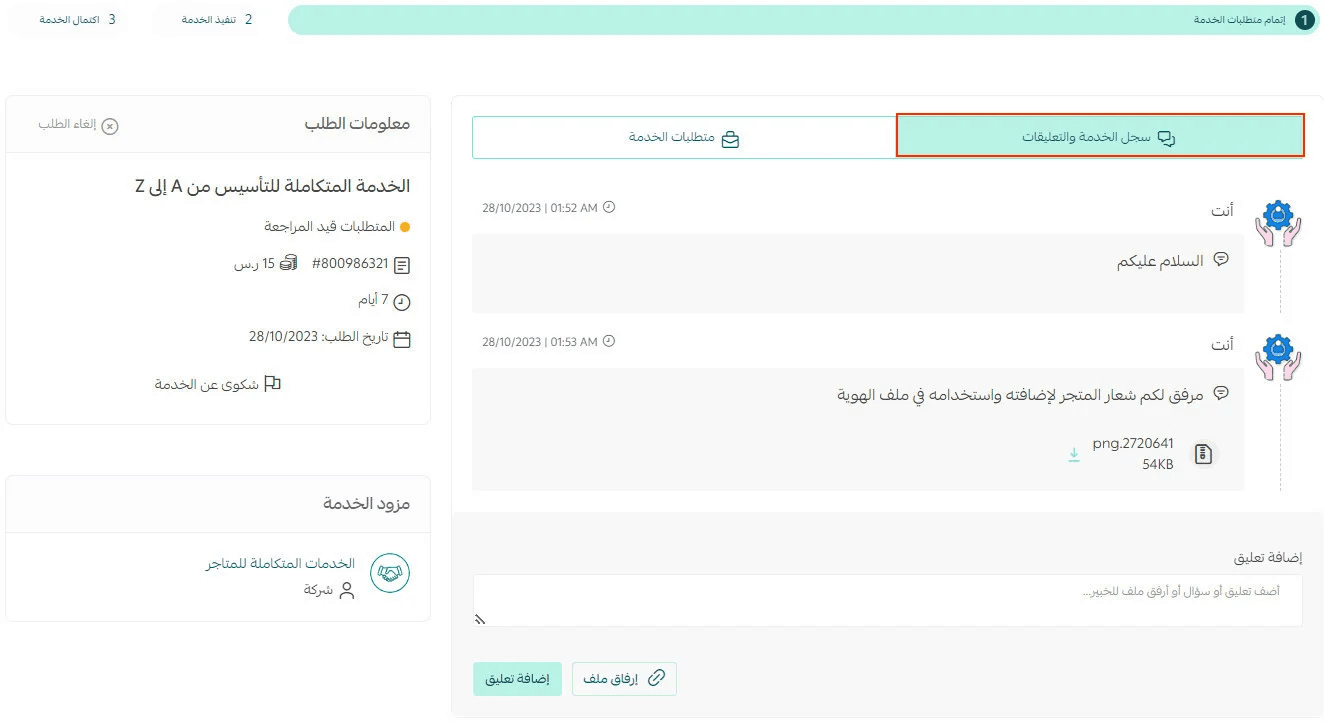
🚧 Attention: At this stage, you may still cancel the request. Once the order moves to In Progress, cancellation is no longer available.
Order Status: In progress
The service provider has started working on your request.
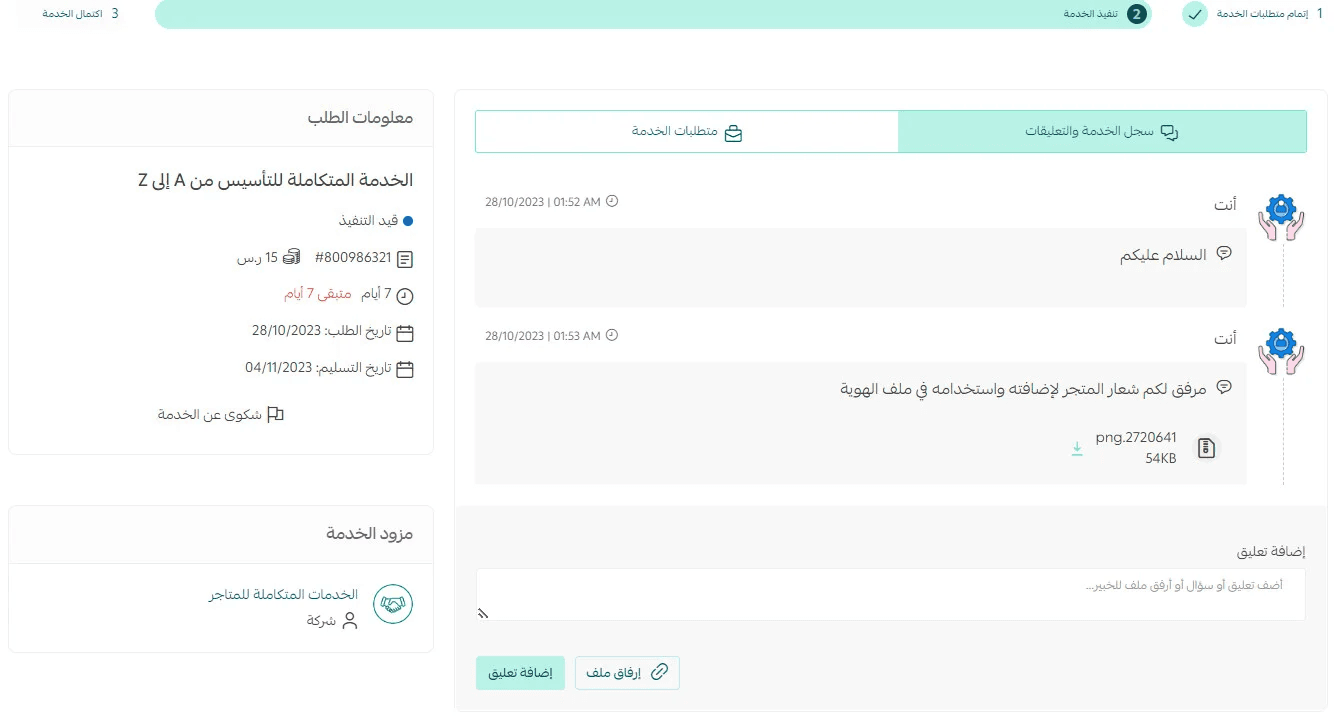
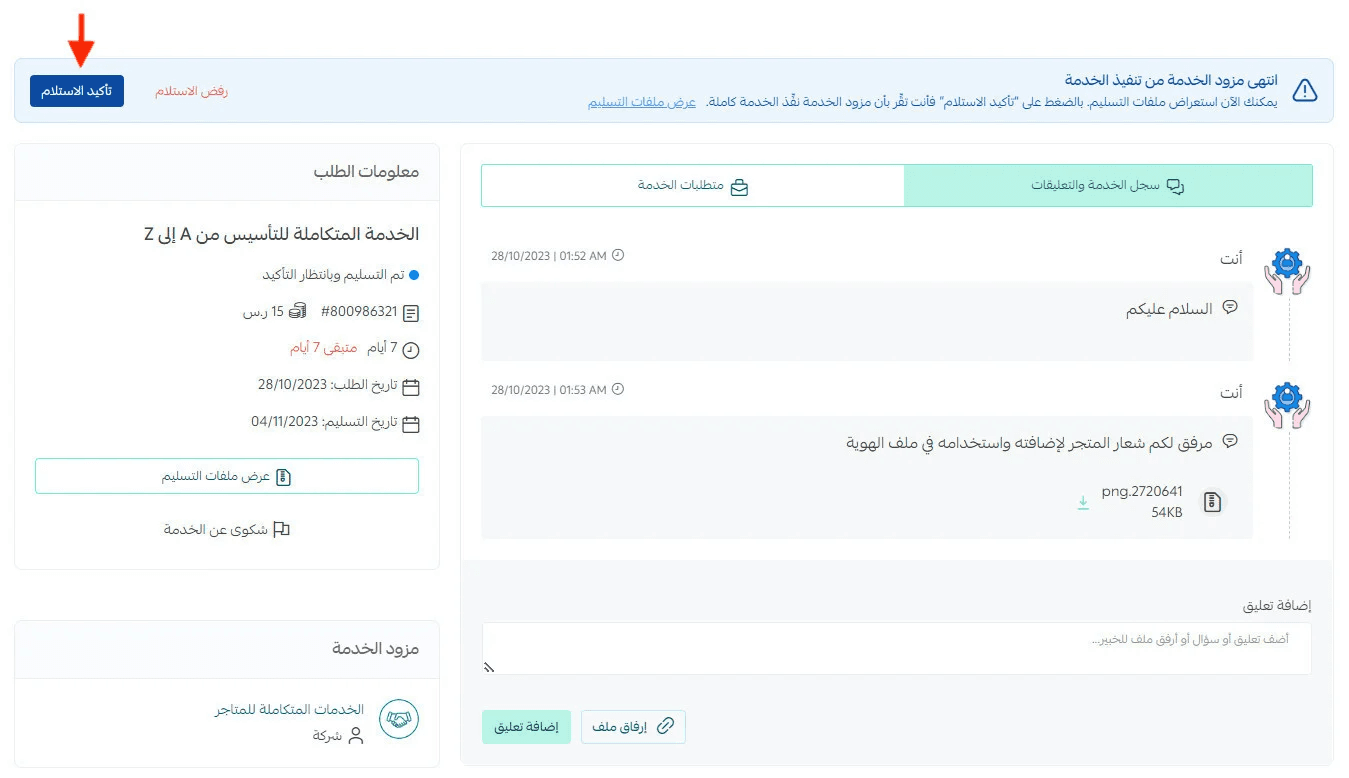
Order Status: Delivered – Pending confirmation
Once the service is completed:
- A notification banner will appear at the top of the order page
- Click View Deliverables to review submitted files

If everything meets expectations:
- Click Confirm Delivery
If revisions are needed:
- Click Reject Delivery
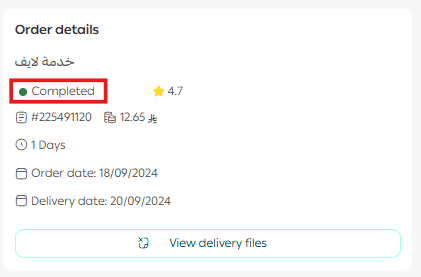
Order Status: Completed
After confirming delivery, the service status will be updated to Completed.
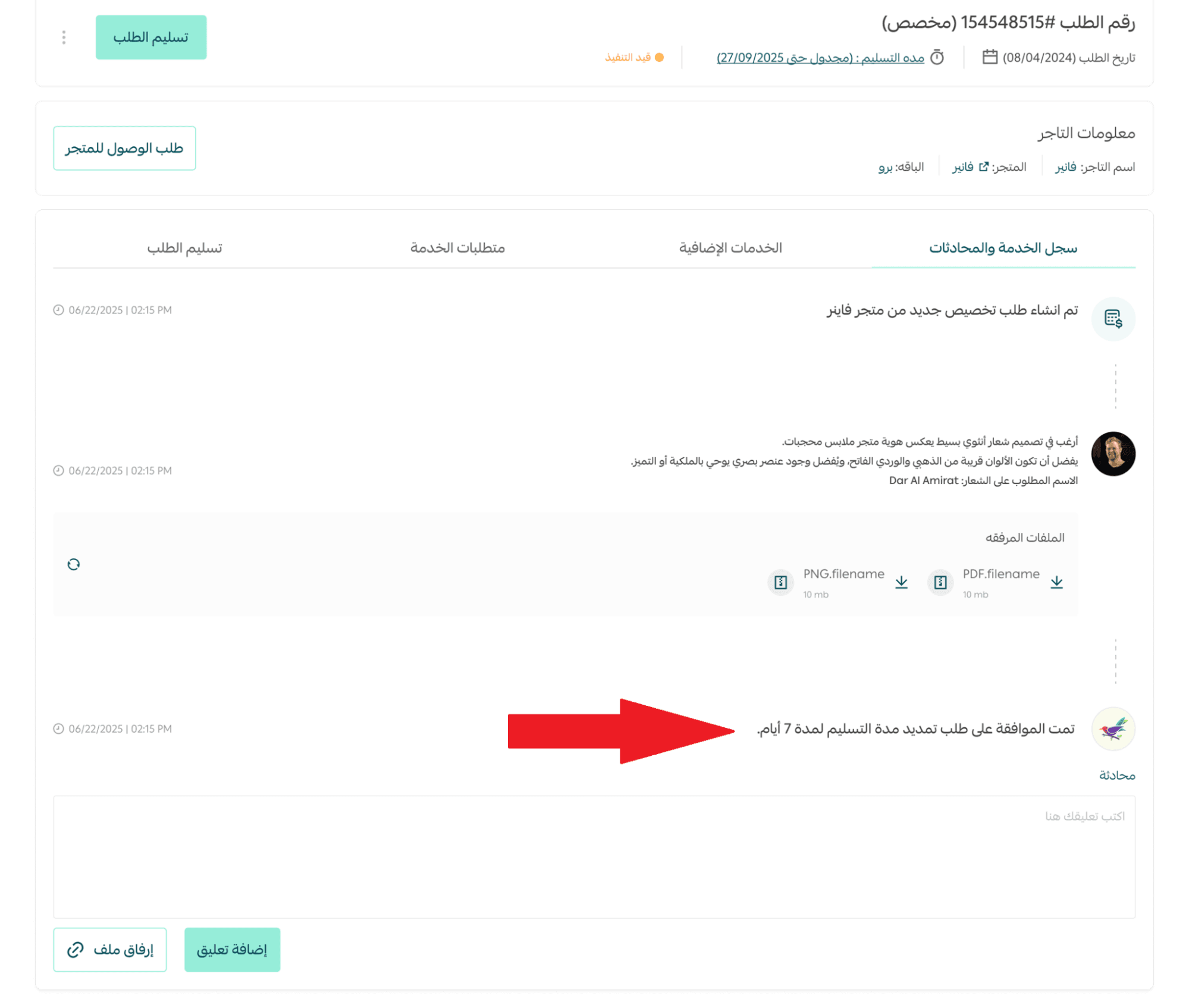
Requesting a Service Extension or Temporary Pause
If the provider needs extra time or must temporarily pause work:
- A request will appear directly within the order page
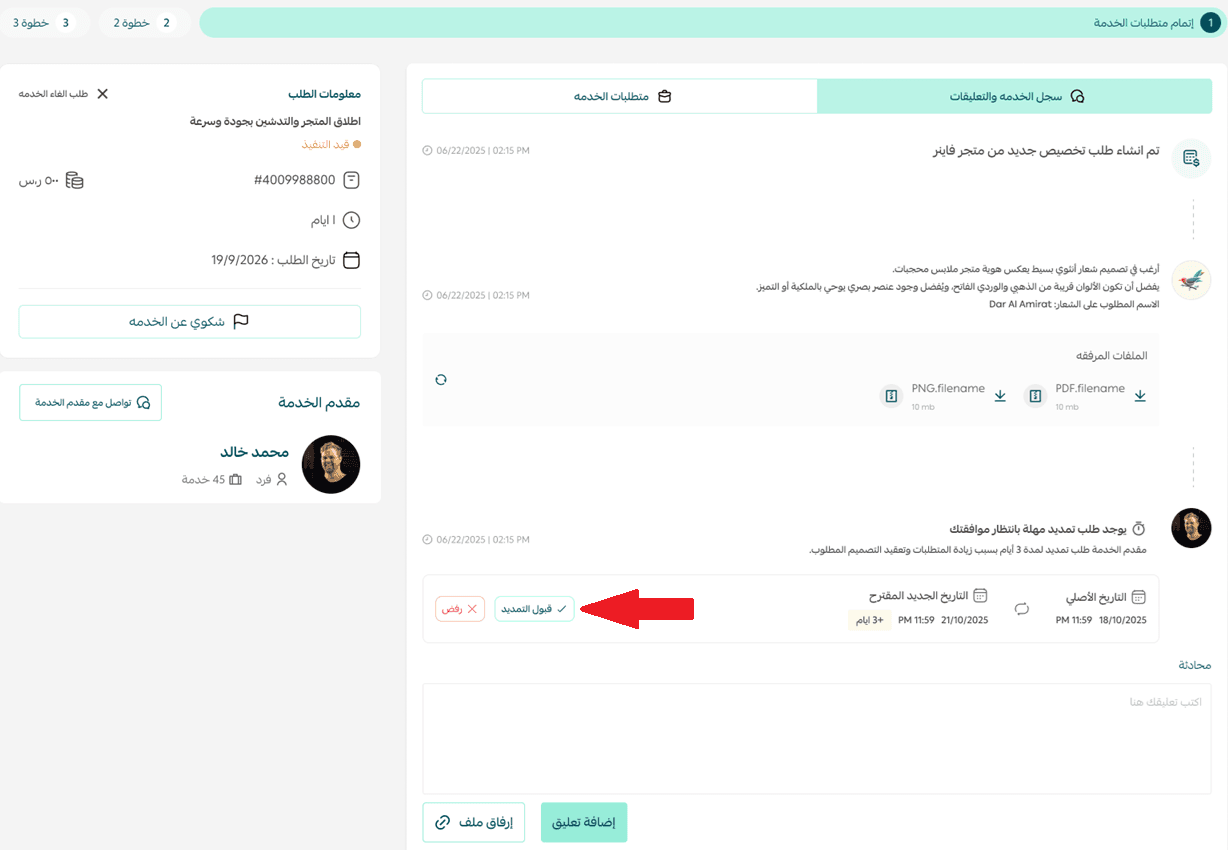
- You can:
- Review the proposed extension or pause
- Approve the new timeline
- Reject the request
- Add comments or attachments for clarification
Once a decision is made, the order status updates immediately—ensuring full transparency between both parties.
Requesting a Service with Milestone Payments
Milestone payments are enabled by the service provider and apply to services exceeding SAR 1,000. Payments are made in stages, with each phase paid only after approval of the previous one.
- From the service details page, select Pay in Installments and click View Payment Details.
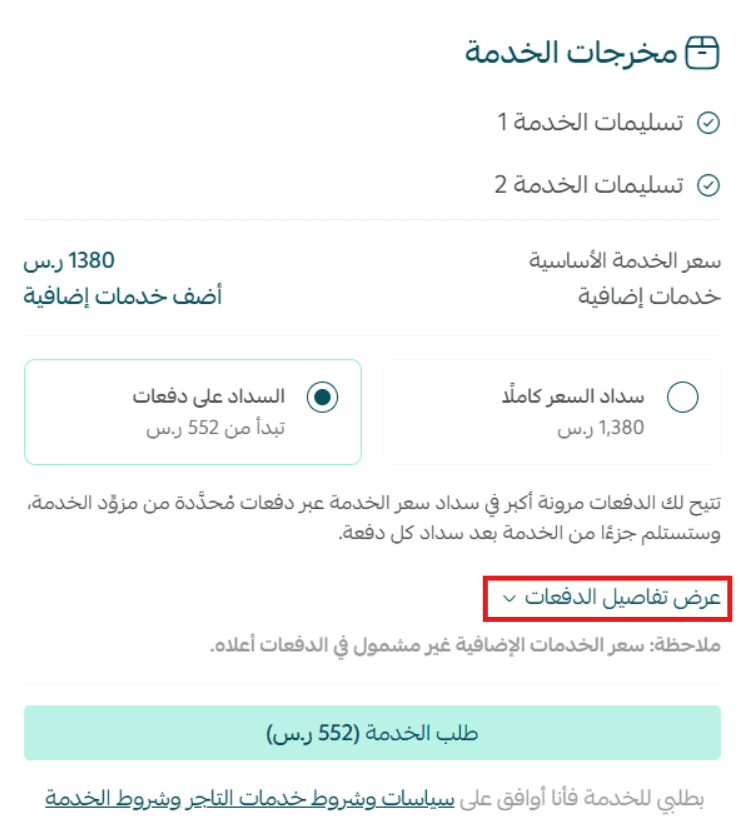
2. Review installment details and click Proceed.

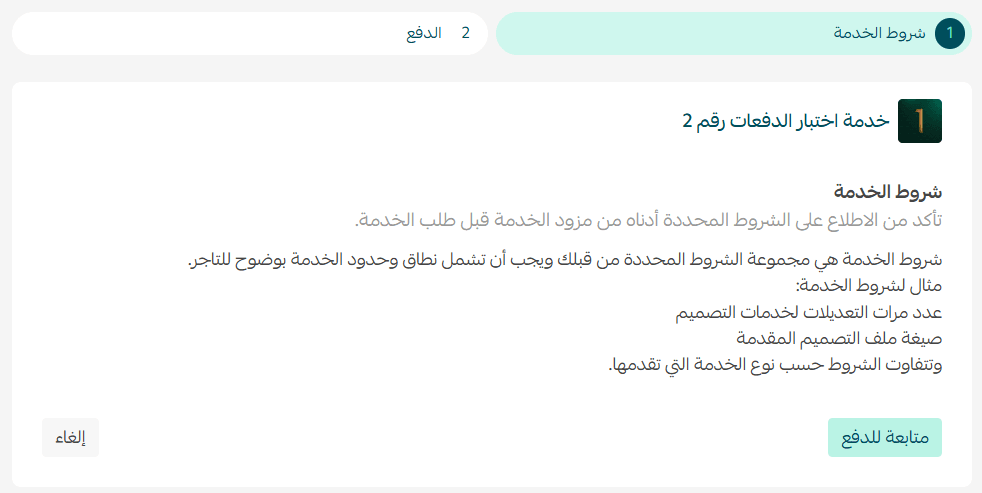
3. Confirm service terms and continue to checkout.
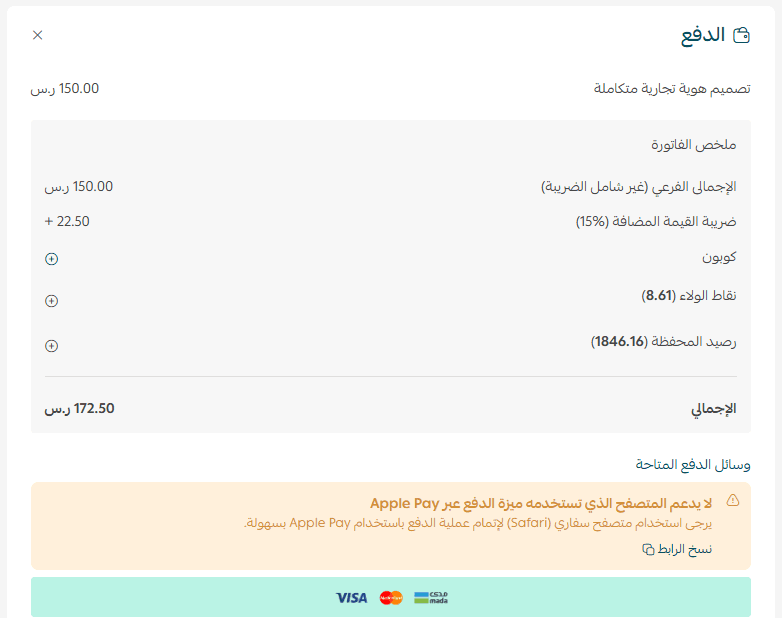
4. Pay the first installment.
5. Submit service requirements from the Service Requirements tab.
After each completed phase:
- Review deliverables

- Approve to unlock the next payment

- Reject to return the order to In Progress

If no action is taken within 7 days:
- The order moves to Partially Completed (mid-service)
- Or Completed (final phase)

Managing Service Cancellations
Cancellation Scenarios
Scenario 1:
Order status is Waiting for Requirements or Under Review
- Click Cancel Order
- Select a cancellation reason
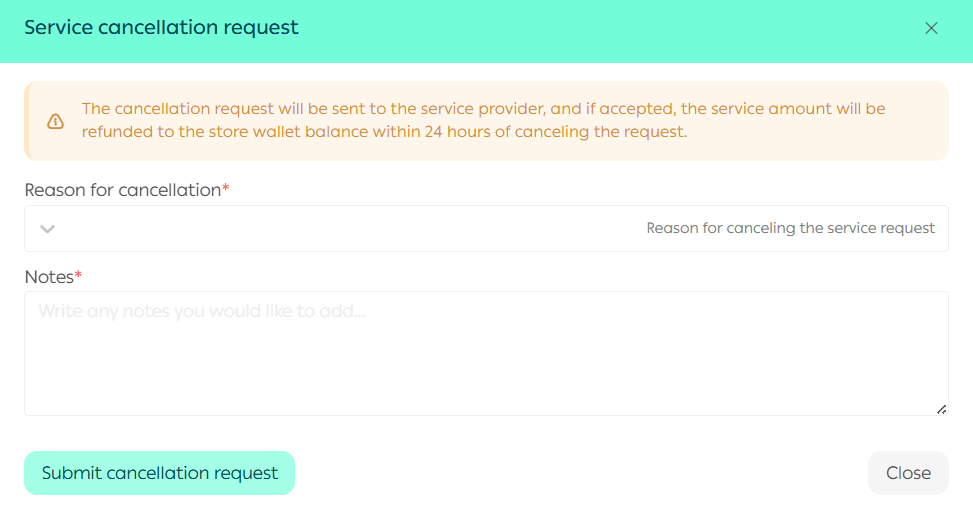
- Submit the request
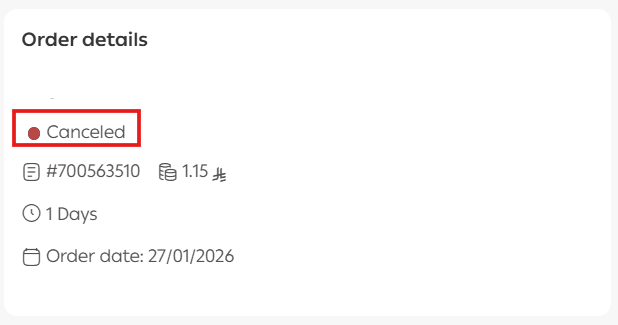
The order will be canceled and the amount refunded to your wallet within 24 hours.
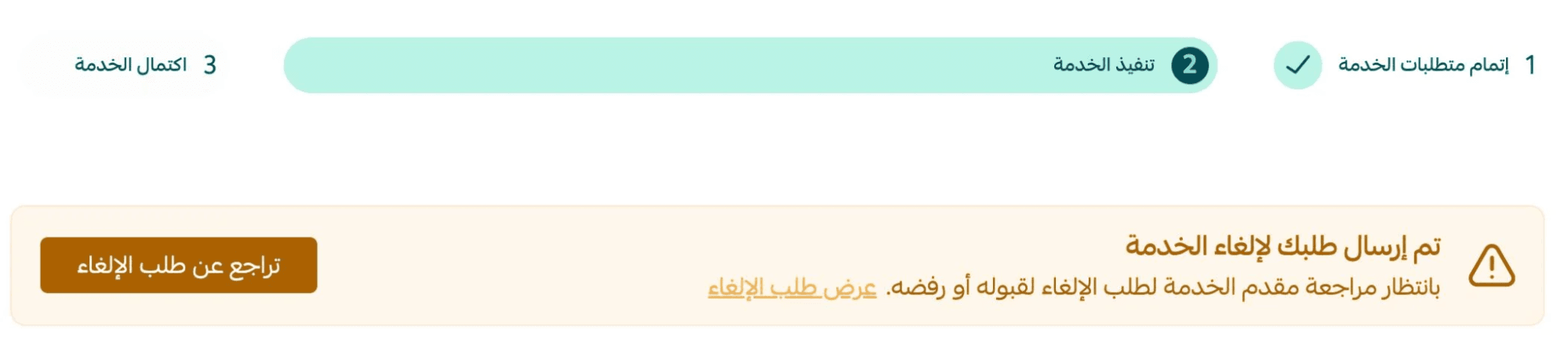
Scenario 2:
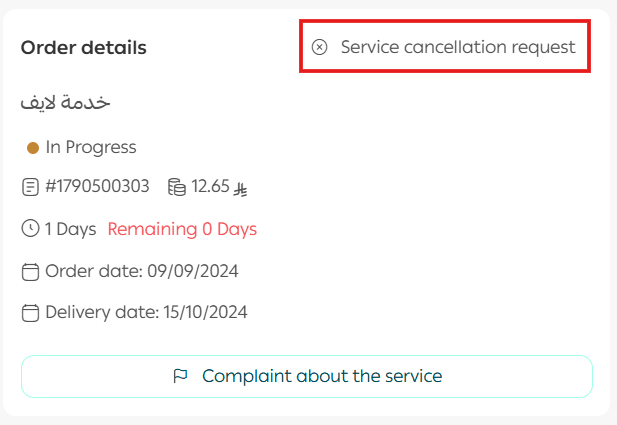
Order status is In Progress or Delivered – Pending Confirmation
- Click Request Service Cancellation
- Submit cancellation details
🛑 You may withdraw the cancellation request before the provider responds.
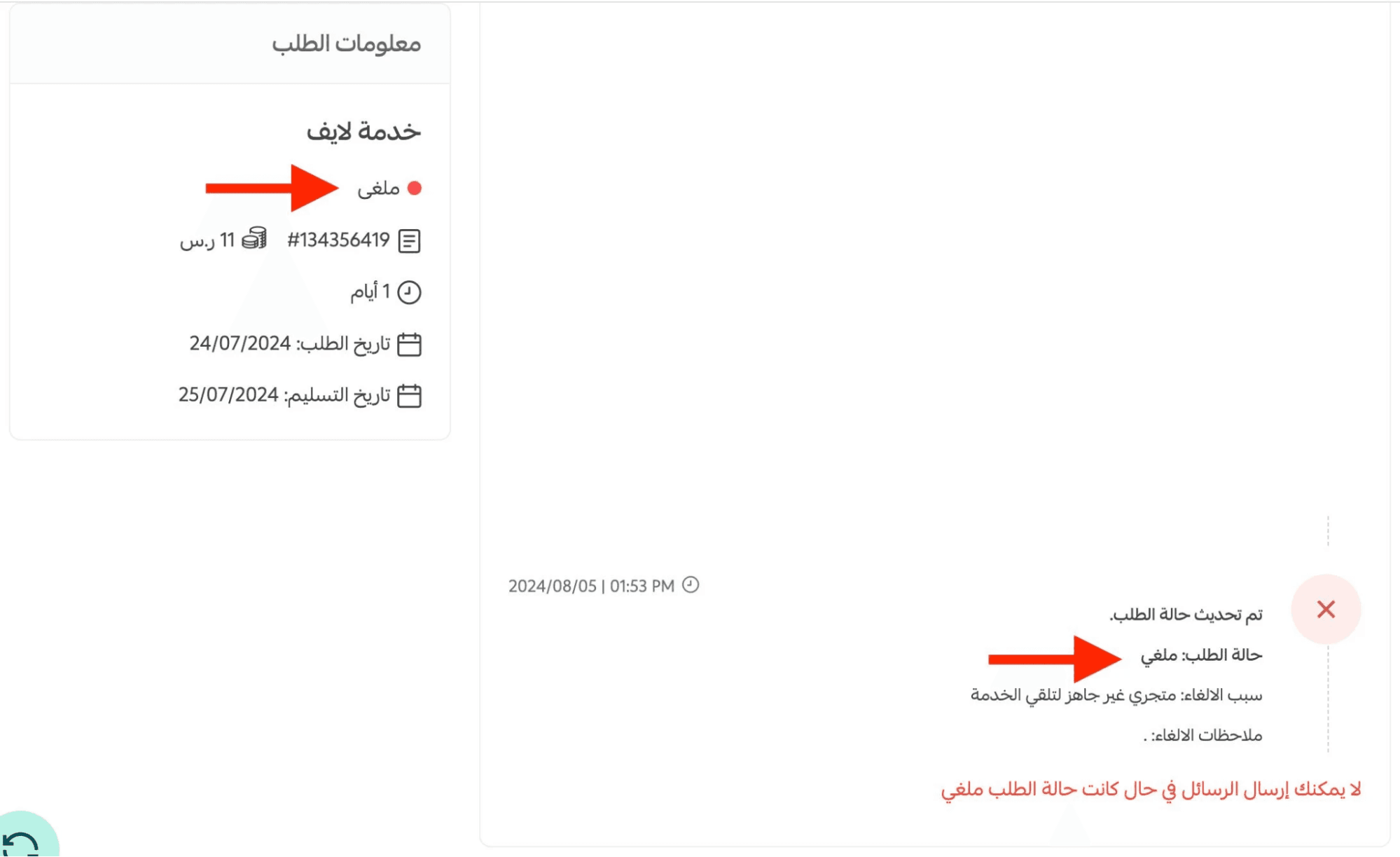
- If the provider accepts → order is canceled and refunded
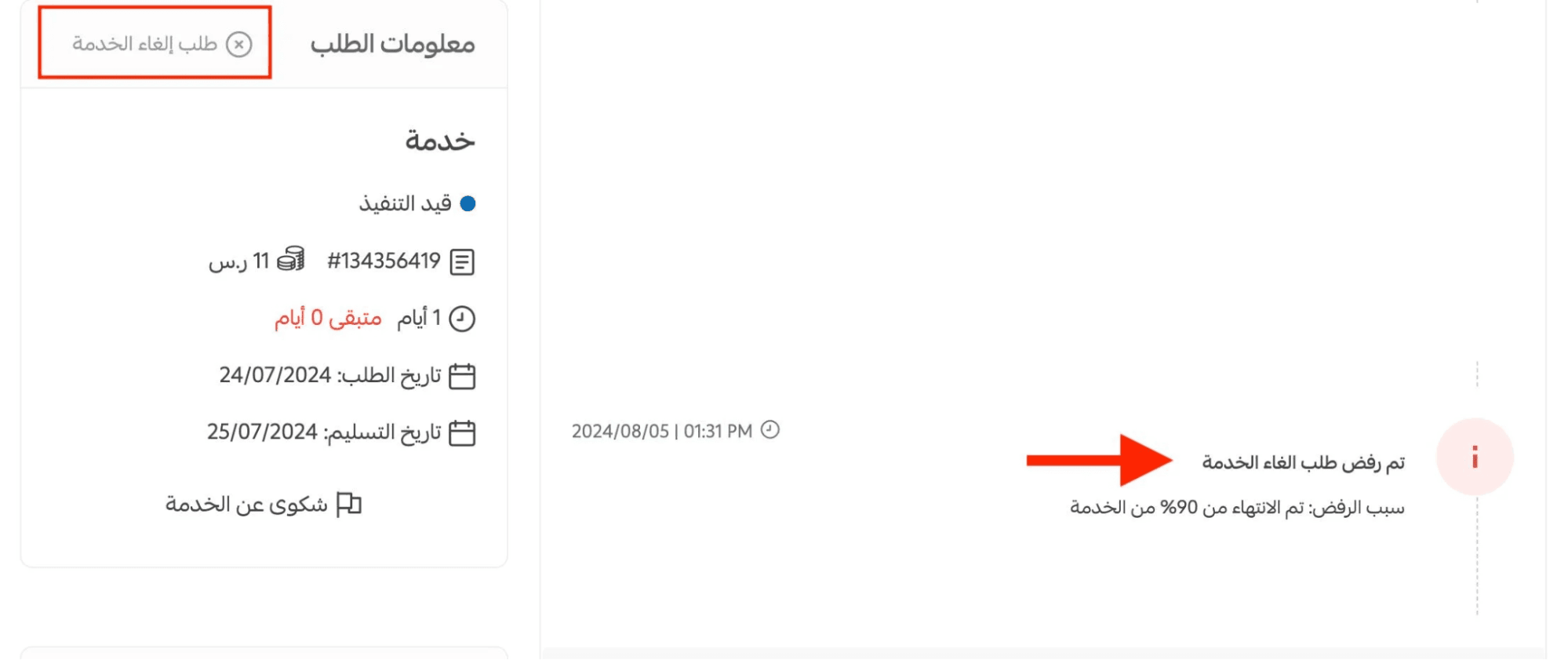
- If rejected → you may submit a new cancellation request
Refunds are issued to the merchant wallet within 24 hours upon approval.
Service Evaluation
Your feedback helps other merchants choose trusted providers.
- Click Rate Service once the order status is Completed
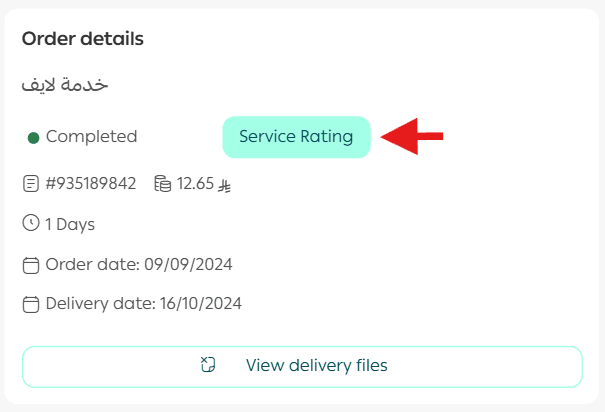
- Submit your rating and public review
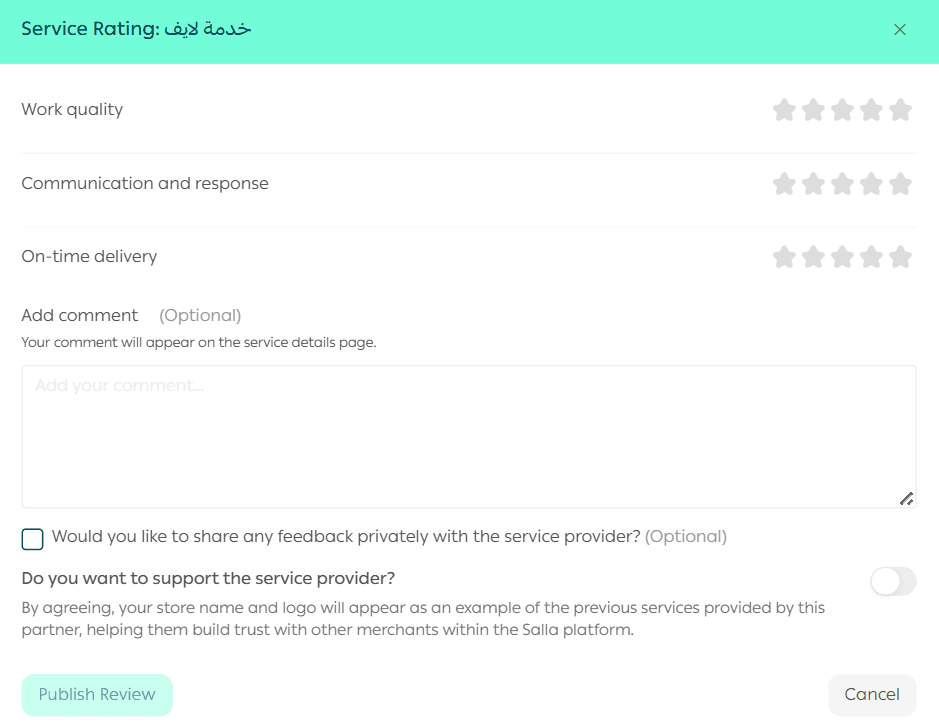
- Optionally send private feedback to the provider
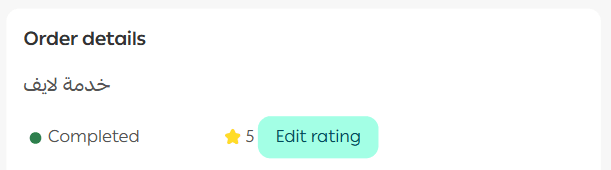
📝 You can edit your review once only after publishing.
Frequently Asked Questions
How can I review previous service requests?
Visit the Orders Center to view completed or canceled requests.
You can filter by order status for quick access.

Final Takeaway
The service request system is built to give you full visibility, control, and confidence, from the first click to final delivery.
Whether you’re managing one service or multiple providers, everything stays transparent, structured, and easy to track.