This section answers the most common questions merchants have about managing product cards, sharing products, improving descriptions, and controlling product visibility. These tips help you optimize your product pages for better visibility, engagement, and conversions.
How can I share a product on social media platforms?
- Open the product card you want to share and make sure the product is visible on at least one sales channel.
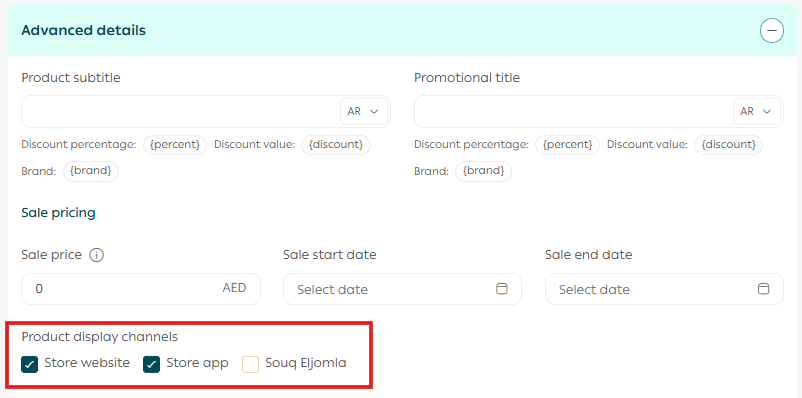
Important note: The Souq Eljomla sales channel is currently available only for stores in Saudi Arabia.
2. From the More section, click Product Card FAQs, then choose the social media platform you want to share the product on.
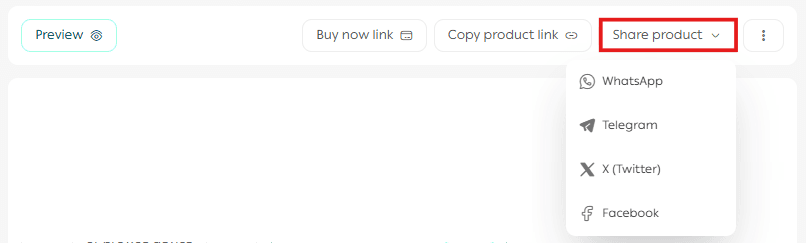
3. You will be redirected to the selected platform, where you can publish the product link or customize the content before posting.
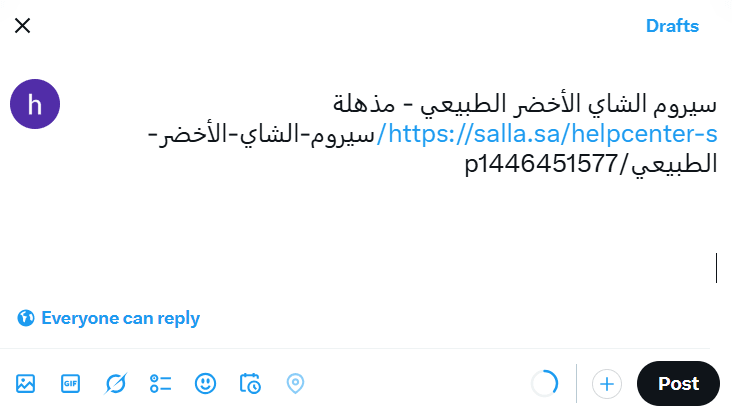
Sharing products directly from the product card helps increase reach, drive traffic, and improve social visibility for your store.
How can I find products that do not have a description?
- From the main menu, click Products.

2. Click Filter.

3. Under product status filters, select Products without description, then click Show results.
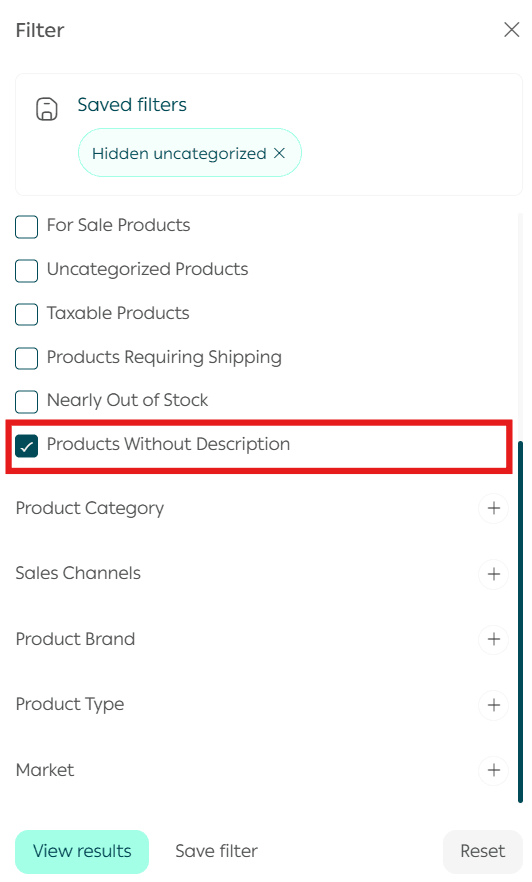
This feature helps you quickly identify products that need content improvement, which is essential for SEO and customer trust.
Are there tools to help me write engaging product descriptions?
If you need help writing strong and attractive product descriptions, you can use one of the following methods.
1. Use AI writing tools
You can use tools such as ChatGPT or Gemini to generate high quality product descriptions. Simply provide basic details such as:
- Product overview
- Target audience
- Unique value proposition
- Key selling points
- SEO keywords and phrases
This approach helps you create clear, persuasive, and search engine optimized descriptions that perform well in search results.
2. Work with professional writers
If you prefer full customization, you can collaborate with professional writers through Merchant Services. They can create concise, creative descriptions designed to increase engagement and boost sales.
3. Small improvements to make descriptions more effective
You can also enhance existing descriptions by applying simple optimizations such as:
- Adding practical examples that show how the product is used
- Structuring content with short paragraphs and clear formatting
- Highlighting direct customer benefits rather than features only
These improvements make product descriptions easier to read and more persuasive.
How can I control whether a product is visible or hidden in the store?
From the product details page, click Advanced Settings, then use the Sales Channels field to control where the product appears.
To completely hide a product from both the store website and mobile app, disable all sales channels.
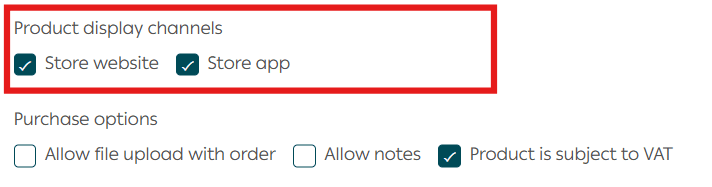
Note: To fully hide a product from the store website and app, all sales channels must be unchecked.
Important reminder: The Souq Eljomla sales channel is currently available only for stores in Saudi Arabia.
How can I control whether a product appears in a specific market when the Multi-Markets feature is enabled?
You can manage product visibility for each market directly from the product settings.
- Open the Product Details page.
- Click Advanced Information.
- Locate the Product Display in Market field.
- Enter or select the market name where you want the product to appear.
This allows you to control which markets display the product within your store.

For more information, see the guide on activating and managing multi-markets.
If I remove a category from a product, will it affect all markets?
Yes. If you remove a category from a product, the product will automatically be removed from that category across all markets. This setting cannot be customized per individual market.