By understanding the process of refunding orders and managing cashback points, you can accurately handle refunds while maintaining a smooth customer experience that encourages shoppers to return to your store. When refunding an order purchased using cashback points, you should control how the refund is processed to ensure:
- The amount is not automatically returned to the customer’s credit card if you prefer another option.
- The refund can be partially returned to the customer wallet or other payment methods.
- Cashback points related to the refunded order are handled according to your store policy.
📌 Article overview
- Refunding orders purchased using the customer wallet
- Refunding orders paid through electronic payment methods
- Refunding orders paid through bank transfer
- Refunding orders paid through deferred payment methods
- Refunding orders paid through cash on delivery
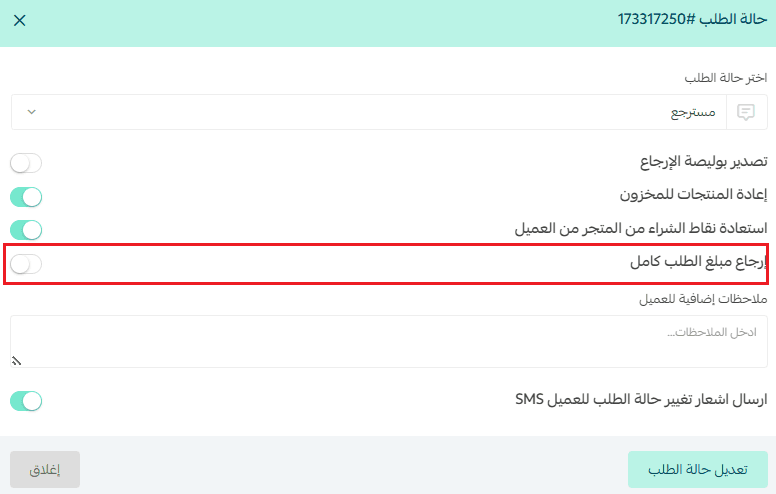
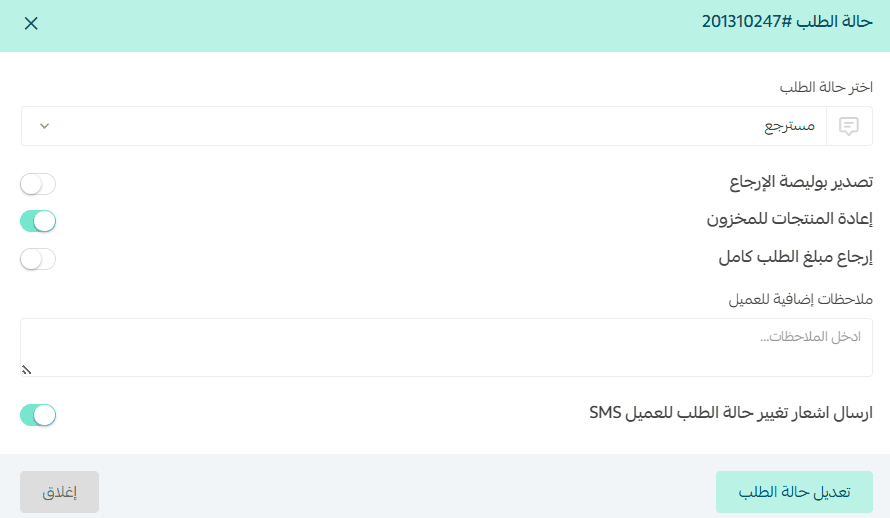
⚠️ Important note: To prevent the system from automatically refunding the amount to the customer’s original payment method, disable the option “Refund full order amount.”
Refund when the order was paid using the customer wallet
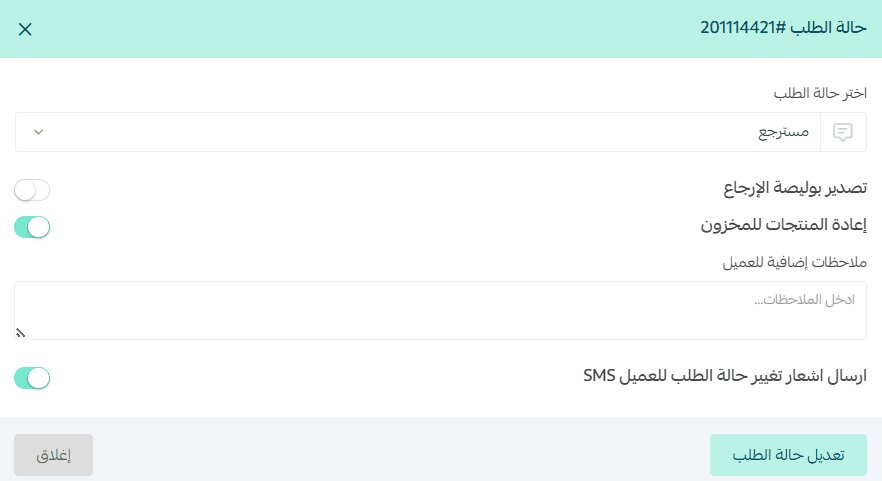
- Change the order status to Refunded, then choose whether you want to refund the full or partial amount, and click Update order status.
🚨 If the refund will be returned to the customer wallet, ensure the “Refund full amount” option is disabled, because enabling it will return the amount directly to the customer’s payment account instead of the wallet.
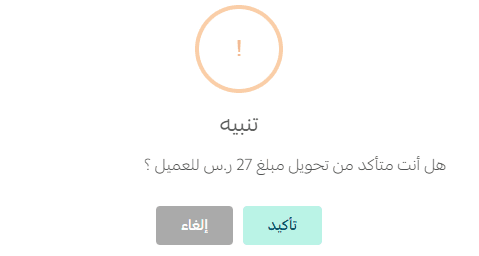
2. Confirm your action by clicking Confirm.
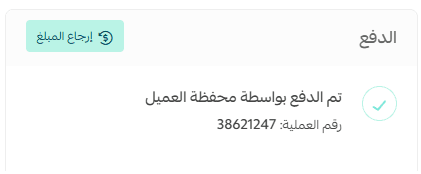
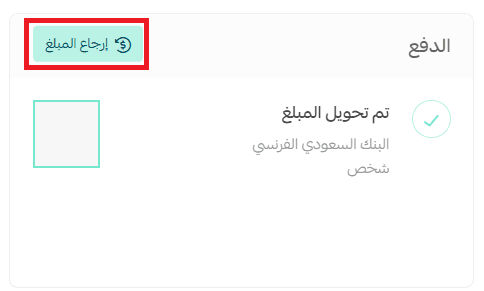
3. Click Refund amount to proceed.
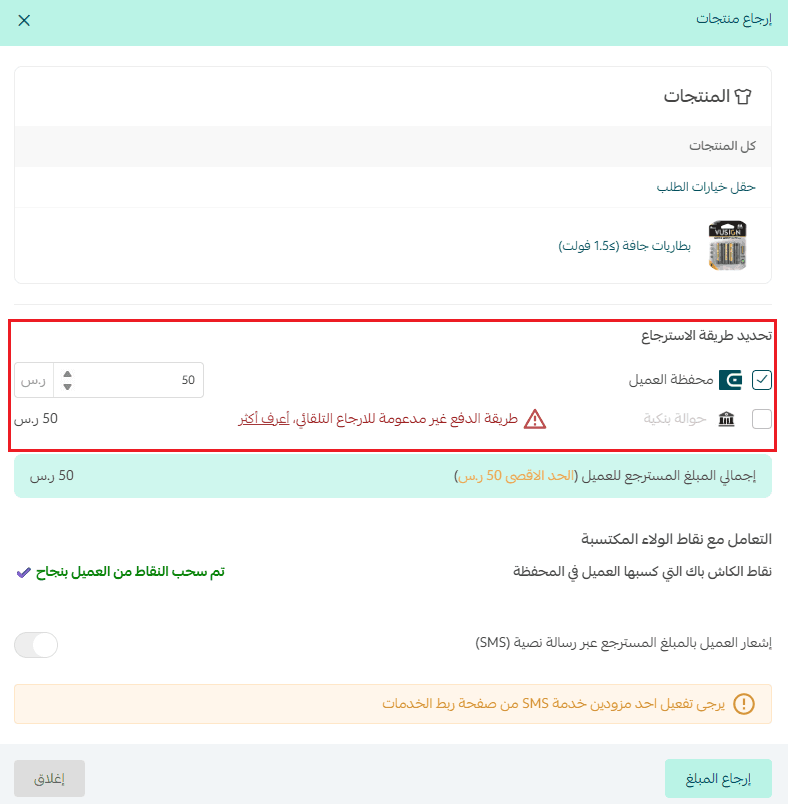
4. Enter the amount you want to return to the customer, then click Refund amount again.
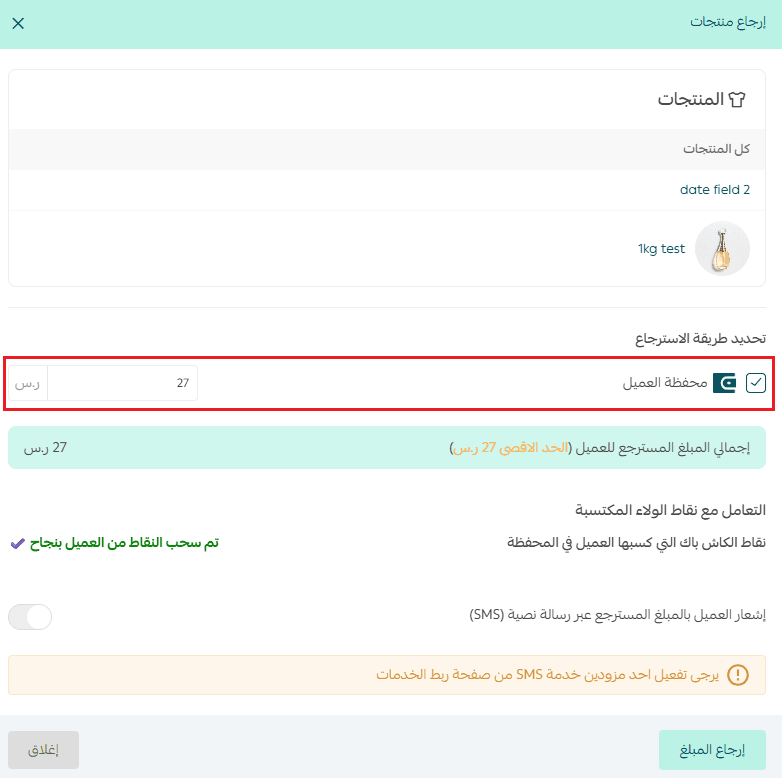
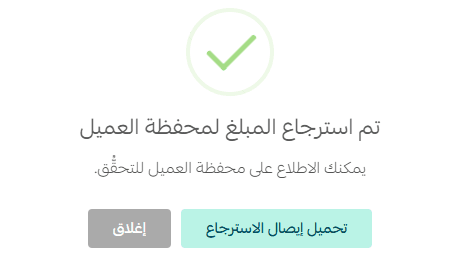
5. The amount will be successfully returned to the customer wallet.
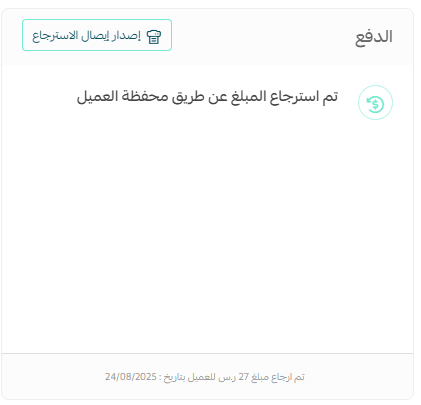
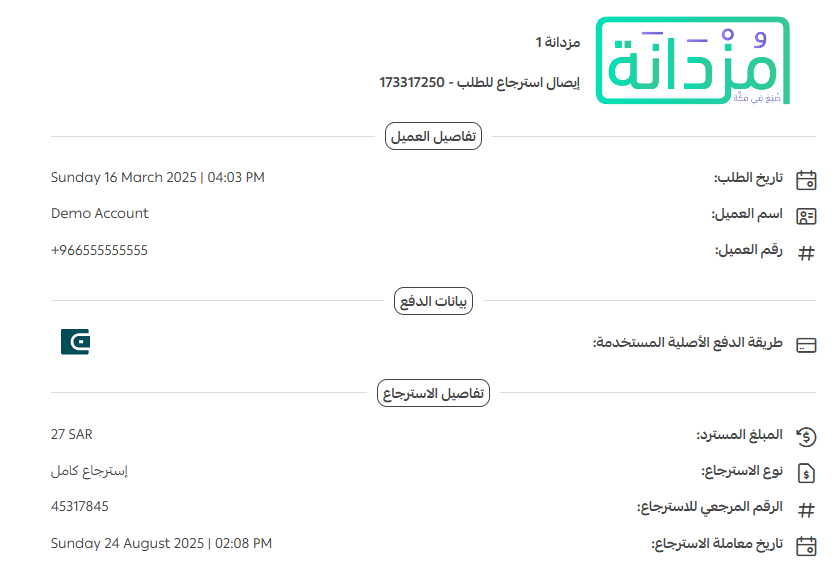
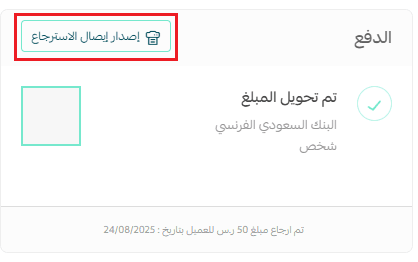
If you want to generate a receipt, click Issue Refund Receipt.
Refund when the order was paid through electronic payment methods
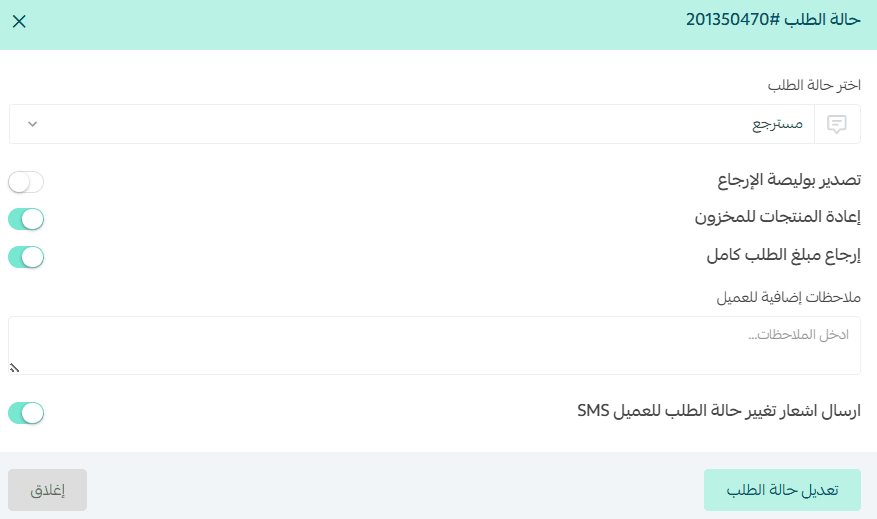
- Change the order status to Refunded, select whether you want to refund the full or partial amount, then click Update order status.
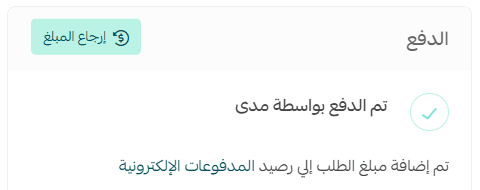
- From the Order Details page, go to the Payment section and click Refund Amount.
- Select the preferred refund method:
- Customer wallet
- Mada (or other supported electronic payment methods)
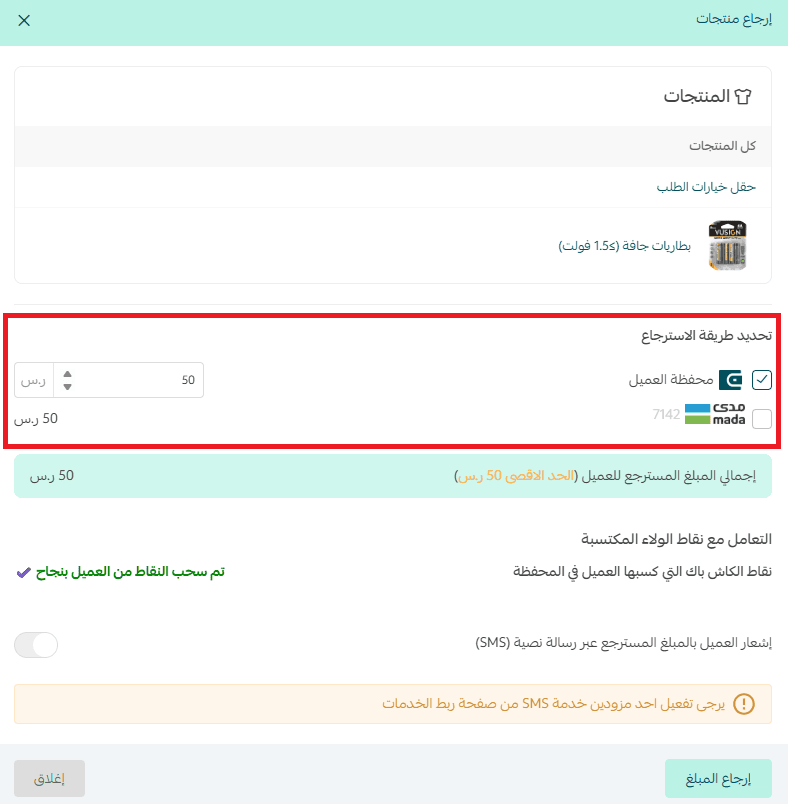
You can also split the refund amount between the wallet and Mada if needed.
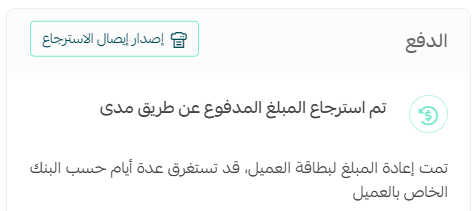
After the refund is processed, you can print the receipt by clicking Issue refund receipt.
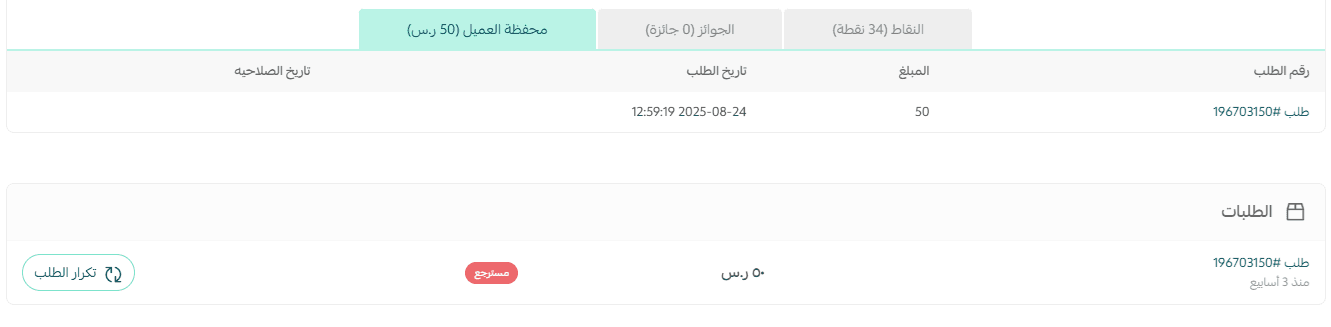
You can also view the refunded amount added to the wallet directly from the Customer Profile → Customer Wallet tab.
Refund when the order was paid via bank transfer
Automatic refunds are not supported for orders paid through bank transfer.
To refund the amount, you can contact the customer to agree on the refund method or return it directly to the customer wallet.
Steps:
- Change the order status to Refunded, then choose whether the refund is partial or full.
- From the Order Details → Payment section, click Refund amount.
- Choose the available refund method (Customer Wallet only), enter the refund amount, then click Refund Amount.
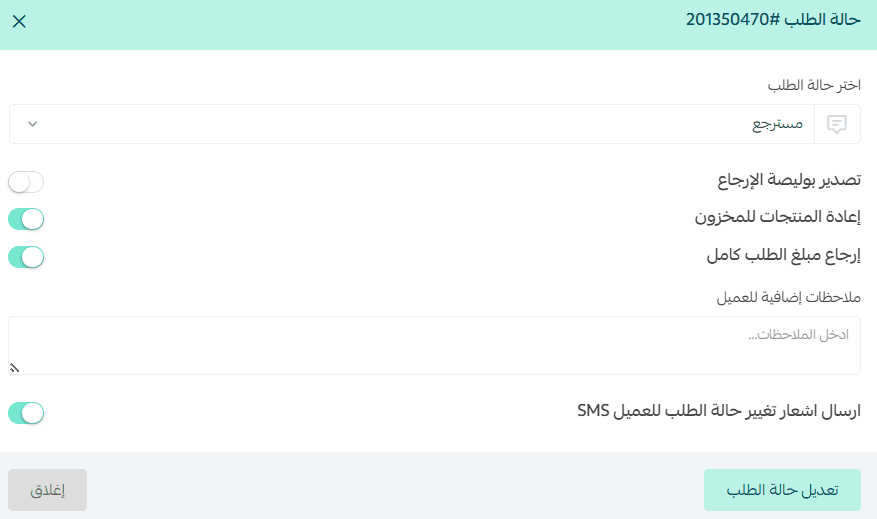
The amount will be successfully returned to the customer wallet.
To generate the refund receipt, click Issue refund receipt.
Refund when the order was paid through deferred payment methods
Automatic refunds are not supported for most deferred payment methods (except Tamara).
To process the refund, contact the customer to agree on the preferred refund method.
Refund when the order was paid using Tamara
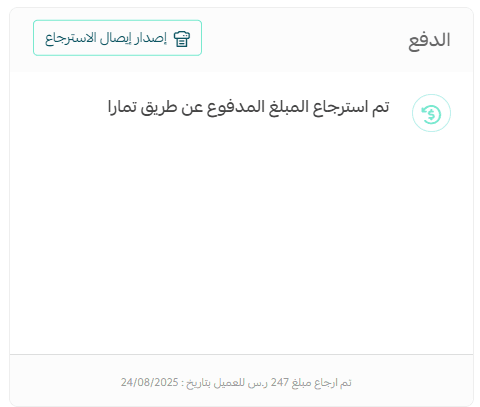
Tamara supports automatic refunds for refunded orders.
- Change the order status to Refunded, and choose whether to refund the full or partial amount.
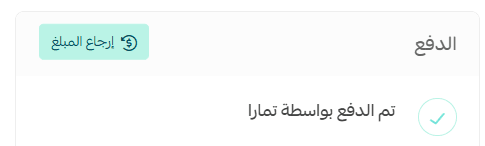
- From Order Details → Payment section, click Refund amount.
- Select the refund method:
- Customer Wallet
- Tamara
You can also split the refund between the wallet and Tamara.
Example: Refund the full amount directly to Tamara.
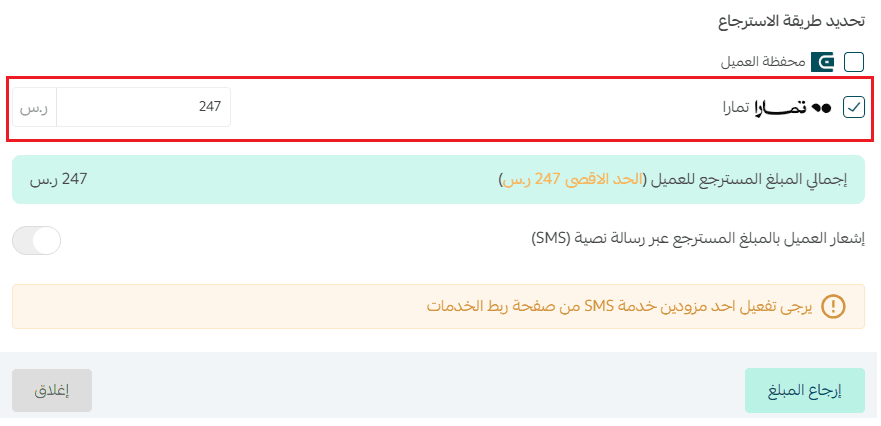
Once completed, the refund will be processed, and you can generate a receipt by clicking Issue refund receipt.
Refund when the order was paid via cash on delivery
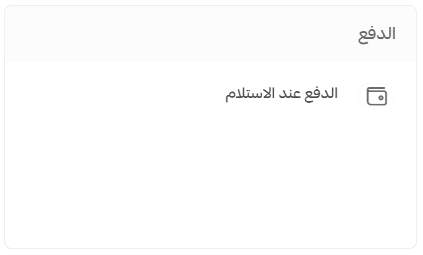
Automatic refunds are not supported for cash-on-delivery payments.
To process the refund, contact the customer and agree on the preferred refund method.
Start applying these refund steps carefully when handling cashback orders, and turn every refund into an opportunity to strengthen customer loyalty and provide a seamless shopping experience in your store.