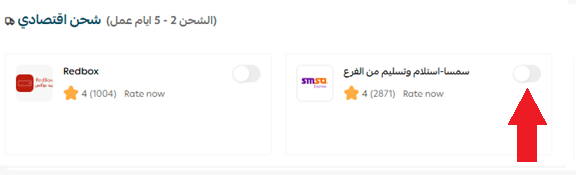
High shipping costs and complex delivery processes can negatively impact customer satisfaction and your store’s profitability. SMSA Economy Shipping offers a cost-effective and flexible alternative that helps you reduce shipping expenses while giving both you and your customers the convenience of branch drop-off and pickup.
In this article, you’ll learn how to activate and use SMSA Economy Shipping (Retail to Retail – R2R) on Salla, including available shipping options, setup steps, and answers to common questions.
📌 Article overview
- Integrating with SMSA Economy Shipping – Branch drop-off & pickup
- SMSA shipping options
- Steps to activate SMSA Economy Shipping
- Frequently asked questions
Integrating with SMSA Economy Shipping – Branch drop-off & pickup
SMSA Retail to Retail (R2R) is an economy shipping service that provides discounted shipping labels at a competitive rate of SAR 18.40 (VAT included).
This service works on a branch-to-branch model, meaning:
- The merchant drops off the shipment at the nearest SMSA branch.
- The customer collects the order from the SMSA branch closest to them.
This option is ideal for merchants looking to lower shipping costs while offering customers flexible pickup locations.
Important note: Salla shipping labels are currently available only for stores operating within the Kingdom of Saudi Arabia.
SMSA shipping options
SMSA offers three separate shipping services on Salla. Each service can be activated or disabled independently:
- SMSA Standard Shipping
For details, see the article on integrating with SMSA Standard Shipping.
2. SMSA Economy Shipping – Branch drop-off & pickup (R2R)
This is the service covered in this article.
3. SMSA International Shipping
For details, see the article on integrating with SMSA International Shipping (GCC).
Steps to activate SMSA Economy Shipping
Follow these steps to enable SMSA Economy Shipping in your Salla store:
- From the main menu in your Salla dashboard, click All, then select Shipping.
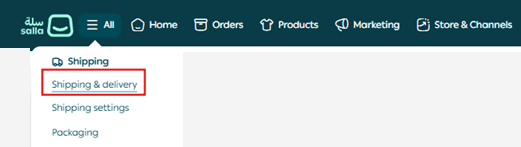
2. Open the Shipping tab.

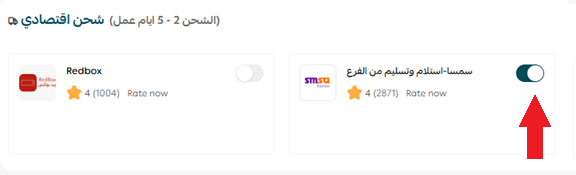
3. In the Economy Shipping section, enable SMSA – Branch Drop-off & Pickup.
4. Go to the Offer Details tab, enter the offer name and the details you want to appear on the shipping label, then click Save.
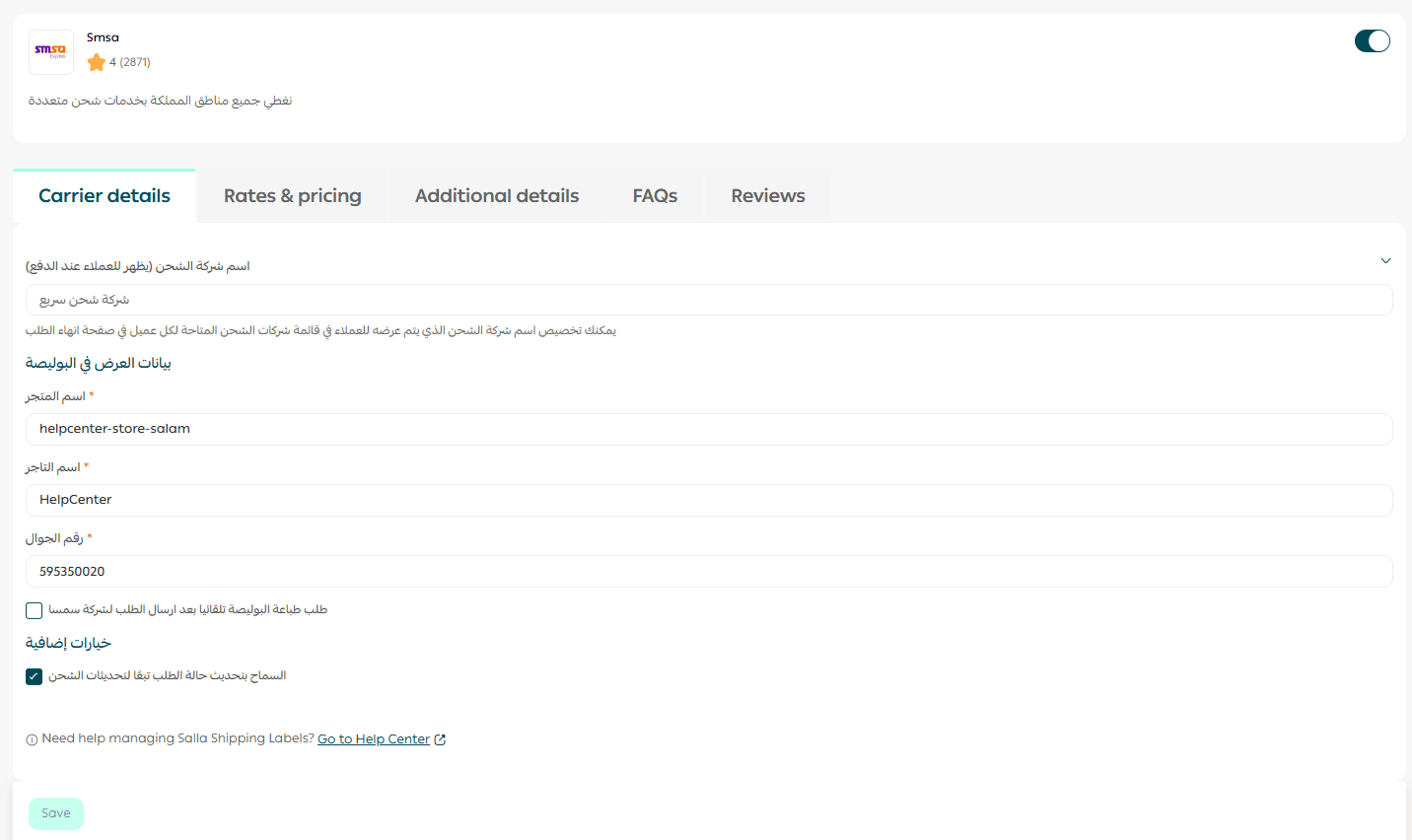
Once enabled, SMSA Economy Shipping will be available to your customers at checkout based on your store’s settings.
Frequently asked questions
How does SMSA branch drop-off & pickup shipping work?
The merchant delivers the shipment to the nearest SMSA branch. SMSA then sends a message to the customer asking them to choose their preferred pickup branch.
If the customer does not respond, SMSA will automatically route the shipment to the branch closest to the customer’s address provided during checkout.
Can I disable SMSA Economy Shipping and keep only Standard Shipping?
Yes. Each SMSA shipping service is managed separately. You can enable or disable any of the three options individually or use all of them at the same time.
Is Cash on Delivery (COD) available with SMSA Economy Shipping?
No. Cash on Delivery is not supported when using SMSA Economy Shipping.
Does SMSA pricing follow Salla’s tiered pricing system?
No. Starting March 15, 2025, SMSA is no longer part of Salla’s tiered pricing system. SMSA now applies fixed shipping rates for all services, regardless of your store’s monthly shipment volume:
- SMSA Standard Shipping: SAR 25.65 for the first 15 kg
- SMSA Economy Shipping: SAR 17.21 for the first 15 kg
- SMSA International Shipping: Fixed rates based on destination and weight:
- UAE, Bahrain, Kuwait: SAR 44.60 for the first 2 kg
- Oman, Qatar: SAR 89.00 for the first 2 kg
An additional SAR 2.11 per extra kilogram applies to both Standard and Economy shipping.
How do I print an SMSA shipping label?
From the Orders page:
- Open the order you want to ship.
- Click Print Shipping Label.
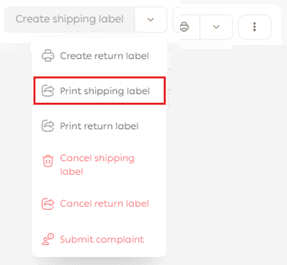
The shipping label will then be generated and ready for printing.
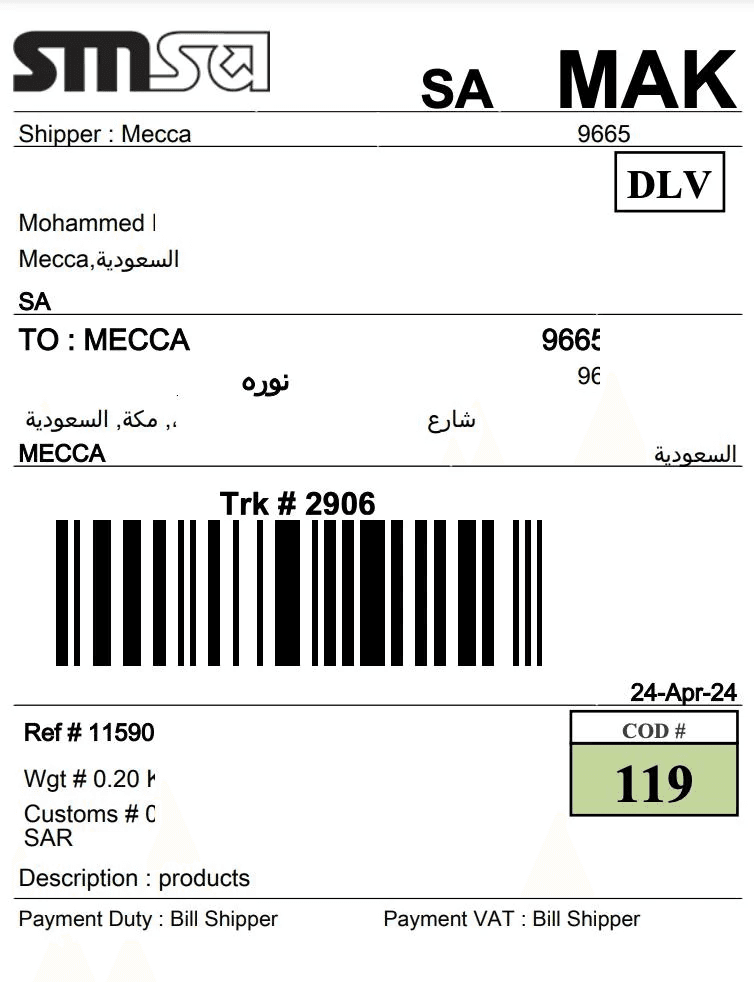
For more details, see the guide on printing shipping labels.
Where can I learn more about SMSA?
You can find more information and the latest updates on SMSA through the company’s official website:
smsaexpress.com
How can I submit a complaint about an SMSA shipment?
If you encounter any issues with SMSA shipping labels, you can submit a complaint through the Quality gateway on the Shipping & Delivery Options page in your Salla admin panel.
For more details, see the guide on the Shipping Quality gateway.
How can I temporarily disable SMSA in my store?
From the Shipping & Delivery Options page, enable or disable Hide shipping company from checkout to temporarily remove SMSA from the checkout page.