Why can’t I enable Multi-Markets?
If the Retail Stores app is installed and activated on your store, you will not be able to enable Multi-Markets.
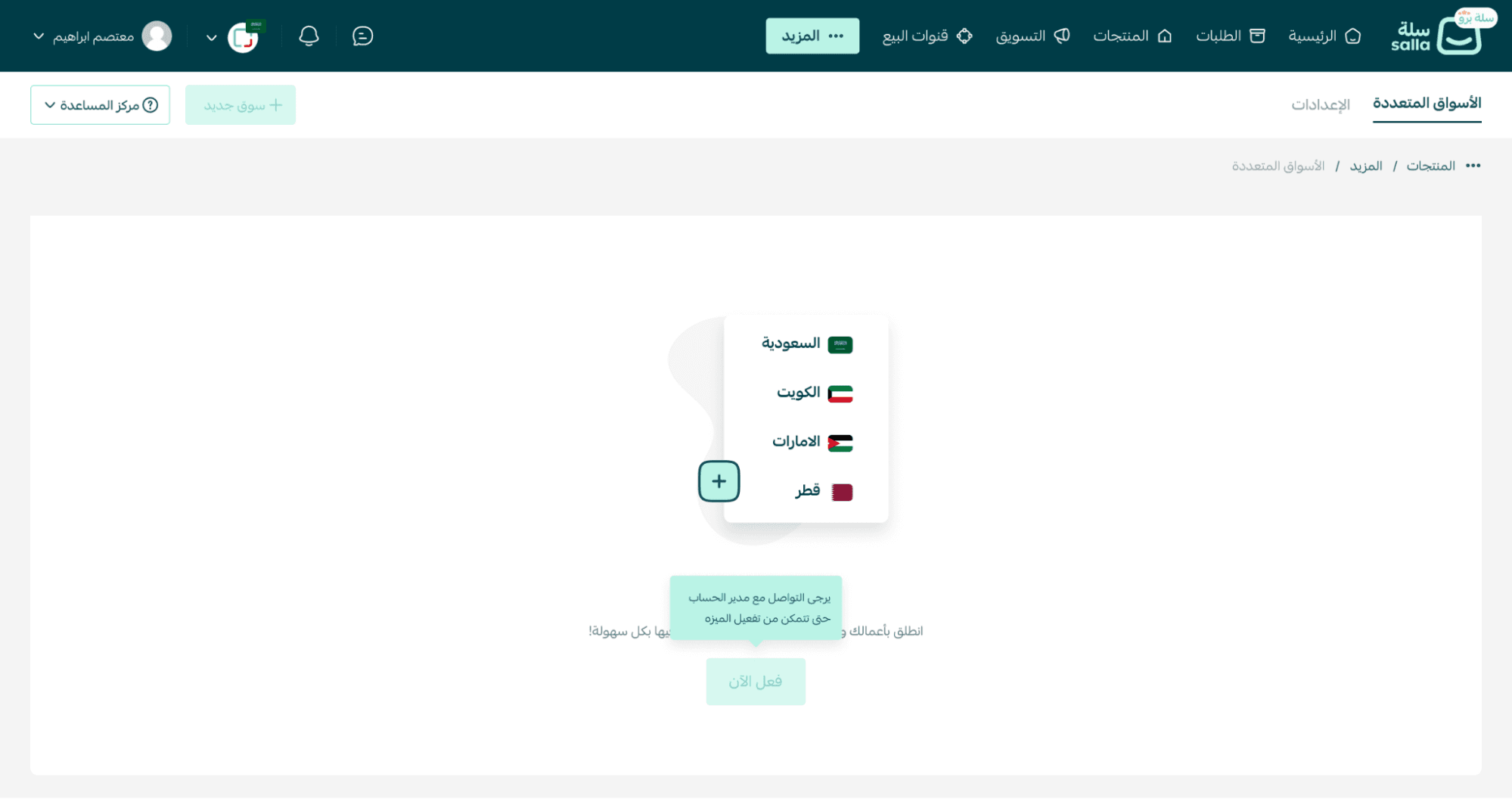
Solution: Contact your account manager to uninstall the Retail Stores app and enable Multi-Markets.
Which plans is this feature available for?
The feature is available for stores on the Special plan.
Will the feature apply to all themes?
Yes.
Will the feature be visible to customers on the store app?
No, the feature is only available to customers browsing the store via web browsers such as Chrome.
After enabling the feature and setting browsing by branch, will the available product quantity appear on the product page?
Currently, only the following statuses are shown:
- Available
- Not Available
- Limited Quantity
The exact quantity is not displayed.
“Limited Quantity” appears when the available quantity is less than 50.
What is the relationship between the “show remaining quantity” feature and the product availability status (Available / Not Available / Limited Quantity)?
The new feature allows customers to view a list of branches along with their availability options.
When is a product considered “Limited Quantity”?

A product is considered “Limited Quantity” when its available quantity is less than 50.
What happens when the multiple shipments option is enabled?
Shipping options will no longer appear on the checkout page for the customer.
Can an order include both delivery and branch pickup shipments at the same time?
An order cannot include both delivery and branch pickup shipments simultaneously unless it is modified by the merchant.
By default, the merchant receives orders either as delivery or branch pickup.
Can I filter orders coming from a specific market?
Yes, from the (Order Management) page, you can filter orders by any market.
Can I restrict an employee’s permissions to a specific market?
Yes, you can restrict the employee’s role.

By limiting the required elements based on the selected market.

For more details, refer to store staff management.
When creating an order manually, can I select more than one shipping company?
No, the same shipping company and cost will be applied to all shipments.
If browsing is enabled by city, and stock deduction is set to the branch with the highest quantity, and a customer orders from a specific city—what happens?
The quantity will be deducted from the branch with the highest stock in that city.